

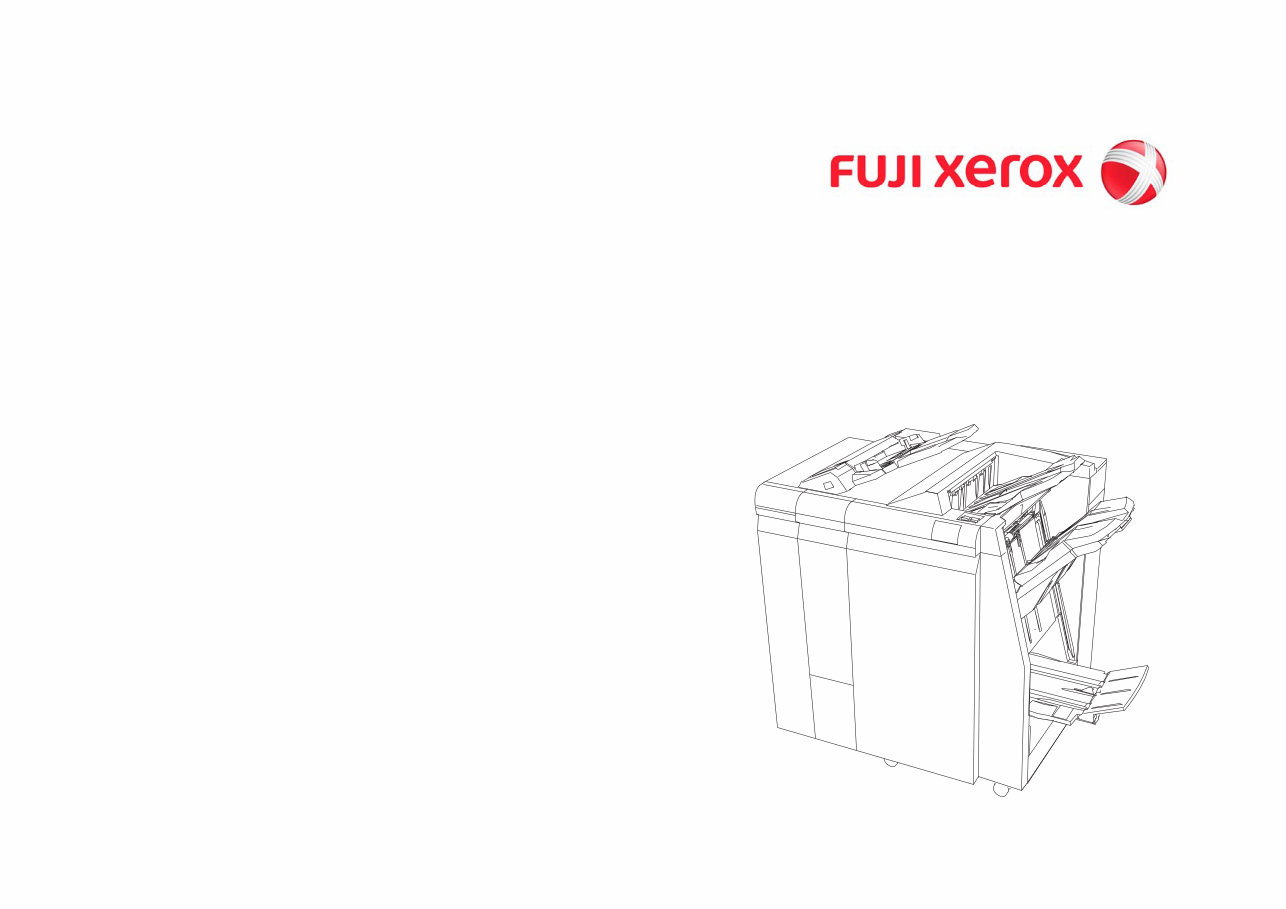
Finisher D2/D2P/D3/D4 Supplementary
Service Manual Ver.2.2

Finisher D2/D2P/D3/D4 Supplementary
Service Manual Ver.2.2
Issued: April 2012
Edited by: Fuji Xerox Co., Ltd. CS TSD
Minatomirai Center Bldg. 7F
3-6-1, Minato-mirai, Nishi-ku, Yokohama-shi, Kanagawa, JAPAN 220-0012
[XEROX] is registered trademarks.
• This service manual covers the following
models
FUJI XEROX Co. Ltd.
Finisher D2/D2P/D3/D4
• Related Materials
• ApeosPort-II/DocuCentre-II
7000/6000/5000
• 4127/4112G
• 700DCP
• Color 1000/800 Press
• ApeosPort-IV/DocuCentre-IV
C7780/C6680/C5580
• ApeosPort-IV/DocuCentre-IV 7080/6080
• D125/D110/D95
• Confidentiality
• This service manual is issued intending
use by maintenance service personnel
authorized by FUJI XEROX Co. Ltd.
Copying, transferring or leasing this
manual without prior consent by FUJI
XEROX Co. Ltd. is prohibited.
• When a page becomes irrelevant (e.g.
superceded by a replacement page),
destroy the page by burning or shredding
it.
• Handle with care to avoid loss or damage
of the manual.
• Revision and Modification Information
When design changes or revisions relating
to this service manual occur, the overseas
technical information or overseas service
bulletin may be issued as supplementary
information until such changes are
accommodated in the updated version of
this service manual.
Caution Important changes including
revisions of spare part numbers and
adjustment specifications must
immediately be reflected on the
respective pages of this manual.


04/2012
0-1
Finisher-D2/D2P/D3/D4
Preface
Version.2.2
0 Preface
0.1 Getting to Know the Service Manual ........................................................................ 3
0.2 How to Use the Service Manual ............................................................................... 3
0.3 Description for Terminology And Symbols ............................................................... 4

04/2012
0-2
Finisher-D2/D2P/D3/D4
Version.2.2
Preface

04/2012
0-3
Finisher-D2/D2P/D3/D4
Preface
0.1 Getting to Know the Service Manual
Version.2.2
0.1 Getting to Know the Service Manual
This manual is used as the standard service manual for the IOT option - Finisher D2/D2P/D3/D4. Further-
more, when this option is introduced to the market as an option for other IOTs, any unique information will
be detailed as a compilation in this manual and released as a revision.
• Publication Comment Sheet
Enter any comments and/or corrections regarding this options service manual into the Publication
Comment Sheet, and send it to the following.
Japan: CS Department TS Section
APO/GCO: TS PSC OSG via OpCo Technical Service Department
0.2 How to Use the Service Manual
This manual describes the standard procedures for the servicing of this option. Refer to Chapter 1 Ser-
vice Call Procedure in the Service Manual of the IOT that this option is to be connected to for efficient
and effective servicing during maintenance calls.
0.2.1 Contents of Manual
This manual is divided into ten chapters as described below.
• Chapter 1 Service Call Procedure
This chapter only describes the unique safety issues that may be posed by this option.
For operations related to the connected IOT and operations involving IOT dependant items, such as
the procedures that are performed during a service call, refer to the Service Manual of the corre-
sponding IOT.
• Chapter 2 Troubleshooting
This chapter describes the troubleshooting procedures other than image quality troubleshooting for
this option.
• Chapter 3 Image Quality Troubleshooting (not yet issued)
• Chapter 4 Disassembly/Assembly and Adjustment
This chapter describes the disassembly, assembly, adjustment and replacement procedures for
components of this option.
• Chapter 5 Parts List
This chapter contains the spare parts information for this option.
• Chapter 6 General
This chapter contains the following information.
6.1 Service Data
6.2 Specifications
6.3 Consumables
• Chapter 7 Wiring Data
This chapter contains the P/J List, P/J Location, Wirenet and BSD (Block Schematic Diagram) for
this option.
• Chapter 8 Accessories (not yet issued)
• Chapter 9 Installation/Removal
This chapter contains the installation and Removal procedures for this option.
• Chapter 10 Functions Overview (not yet issued)
0.2.2 Information on Updating
This manual will be sent to each Service Center as specified below. Revisions must be incorporated cor-
rectly to keep the manual up-to-date.
Updating Procedure:
• When the manual is updated, the issue number 'Ver. 1' will be changed to Ver. 1.1, Ver. 1.2, and so
on.
Table 1 Manual Revision History
No
Version
Reason for Issue/Revision Edoc PDF
1 V1.1 V1.1 Newly issued with the introduction of AP-II/DC-II 7000G
2 V1.2 V1.2 Newly Issued with the introduction of 4127/4112G
3 V1.3 V1.3 Issued with the introduction of 4127/4112G
4 - V1.3.1 Newly Issued with the introduction of 700DCP
5 V1.4 V1.4 Issued with the introduction of 700DCP
6 - V1.4.1 Issued with the introduction of 4127/4112G
7 V1.5 V1.5 Issued with the introduction of 4127/4112G
8 V1.6 V1.6 Issued with the introduction of 700DCP
9 V1.7 V1.7 Newly Issued with the introduction of Color 1000/800 Press
10 - V1.8 Newly issued with the introduction of AP-IV/DC-IV C7780G
11 V1.9 V1.9 Revised with the Symbols.
12 - V2.0 Newly issued with the introduction of AP-IV/DC-IV 7080G
13 V2.1 V2.1 Issued with the introduction of Color 1000/800 Press and AP-
IV/DC-IV 7080G
14 - V2.2 Newly Issued with the introduction of D125G

04/2012
0-4
Finisher-D2/D2P/D3/D4
0.3 Description for Terminology And Symbols
Version.2.2
Preface
0.3 Description for Terminology And Symbols
The terminology and symbols used throughout this service manual are
described as follows:
The terms and symbols used at the beginning of a text are defined as follows:
DANGER
Indicates an imminently hazardous situation, such as death or serious injury if operators do not
handle the machine correctly by disregarding the statement.
WARNING
Indicates a potentially hazardous situation, such as death or serious injury if operators do not
handle the machine correctly by disregarding the statement.
CAUTION
Indicates a potentially hazardous situation, such as injury or property damage if operators do not handle
the machine correctly by disregarding the statement.
Instruction: Used to alert you to a procedure which, if not strictly observed, could result in damage to the
machine or equipment.
NOTE: Used when work procedures and rules are emphasized.
NOTE: Used when other explanations are given.
Purpose
Used to describe the purposes of Adjustment and Troubleshooting.
• REP: Indicates the disassembly/assembly procedure for reference.
• ADJ: Indicates the adjustment procedure for reference.
• PL: Indicates the parts list for reference.
• ASSY: Means Assembly.
Safety Critical Components (SCC)
For the safety control of the Safety Critical Components and the components specified, follow the regula-
tions regarding the Safety Critical Components set by Fuji Xerox Co., Ltd.
As to replacement of any component designated SCC, the complete component unit must be replaced. It
must never be disassembled or no individual internal parts of it must be replaced.
Installation of any part other than the ones designated by Fuji Xerox Co. Ltd. shall be strictly prohibited
because it cannot be guaranteed in quality and safety.
Important Information Stored Component (ISC)
This component stores all the important customer information that is input after the installation. When
performing replacement, follow the procedures in 'Chapter 4 Disassembly/Assembly Adjustment' to
replace/discard. Make absolutely sure that no customer information gets leaked outside.

Chapter 1 Service Call Procedure

You're Reading a Preview
What's Included?
 Lifetime Access
Fast Download Speeds
Online & Offline Access
Access PDF Contents & Bookmarks
Full Search Facility
Print one or all pages of your manual
$32.99
$42.99
Finisher D2/D2P/D3/D4 Supplementary Service Manual&Parts List
Viewed 98 Times Today

What's Included?
Lifetime Access
Fast Download Speeds
Online & Offline Access
Access PDF Contents & Bookmarks
Full Search Facility
Print one or all pages of your manual
$32.99
$42.99

Secure transaction
What's Included?
Lifetime Access
Fast Download Speeds
Online & Offline Access
Access PDF Contents & Bookmarks
Full Search Facility
Print one or all pages of your manual
Description
This service repair manual provides detailed pictures and diagrams, offering complete step-by-step information on repair, servicing, and preventative maintenance for the Finisher D2/D2P/D3/D4. Whether you are a professional mechanic or a DIY enthusiast, this highly detailed manual is designed to guide you through every repair and troubleshooting procedure, helping you keep your photocopier in optimal working condition.
By utilizing this manual, you can save on repair costs by performing the maintenance yourself, ultimately becoming an expert in photocopier repair.
Contents of Manual
- Chapter 1 Service Call Procedure: This chapter addresses unique safety issues related to the connected IOT and operations involving IOT dependant items. For procedures performed during a service call, refer to the Service Manual of the corresponding IOT.
- Chapter 2 Troubleshooting: Describes troubleshooting procedures other than image quality troubleshooting for this option.
- Chapter 3 Image Quality Troubleshooting (not yet issued)
- Chapter 4 Disassembly/Assembly and Adjustment: Details disassembly, assembly, adjustment, and replacement procedures for components of this option.
- Chapter 5 Parts List: Contains spare parts information for this option.
- Chapter 6 General:
- 6.1 Service Data
- 6.2 Specifications
- 6.3 Consumables
- Chapter 7 Wiring Data: Includes the P/J List, P/J Location, Wirenet, and BSD (Block Schematic Diagram) for this option.
- Chapter 8 Accessories (not yet issued)
- Chapter 9 Installation/Removal: Contains the installation and removal procedures for this option.
- Chapter 10 Functions Overview (not yet issued)
*********************************
Manual Language: English
File Format: .PDF
File Delivery: ( )
Pages: 812
*********************************


