


SANKYO DUALUX 1000 PROJECTOR
What's Included?
 Lifetime Access
Fast Download Speeds
Online & Offline Access
Access PDF Contents & Bookmarks
Full Search Facility
Print one or all pages of your manual

dualu'x
I
llNSTRUCTlUlY MANUAL.
J

IMPORTANT SAFEGUARDS
When using your Sankyo dualux-1000, basic safety pre- 6. d is necessary, a cord with a
cautions should always be followed, including the suitable current rating should be used. Cords rated
- following: for less amperage than the appliance may overheat.
1. Read and understand all instructions.
Care should be taken to arrange the cord so that it
will not be tripped over or pulled.
2. Close supervision is necessary when any appliance is
used by or near children. Do not leave appliance un-
7. appliance from electrical outlet
attended while in use.
when not in use. Never yank cord to pull plug from
outlet. Grasp plug and pull to disconnect.
3. Care must be taken as burns can occur from touching
I
hot parts.
8. Let appliance cool completely before putting away
Loop cord loosely around appliance when storing.
4. Do not operate appliance with a damaged cord or if
the appliance has been dropped or damaged -until
9. To protect against electrical shock hazards, do no
it has been examined bv a aualified serviceman.
immerse this appliance in water or other liquids.
. .
5. D~ not let cord hang over edge of table or counter
10. To avoid electric shock hazard, do not disassembl~
or touch hot surfaces.
this appliance, but take it to a qualified servicemar
when some service or repair work is required. In
correct reassembly can cause electric shock hazarc
when the appliance is used subsequently.
SAVE THESE INSTRUCTIONS
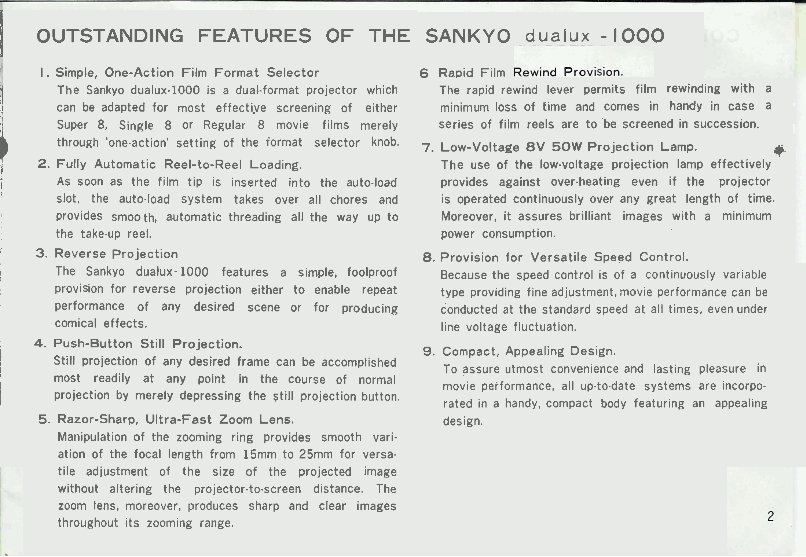
1 OUTSTANDING FEATURES OF THE
I. Simple, One-Action Film Format Selector
The Sankyo dualux-1000 is a duaLformat projector which
!I can be adapted for most effecti-ve screening of either
1
Super 8, Single 8 or Regular 8 movie films merely
through 'one-action' setting of the iormat selector knob.
,
2. Fully Automatic Reel-to-Reel Loading.
I As soon as the film tip is inserted into the auto-load
slot, the auto4oad system takes over all chores and
provides smooth, automatic threading all the way up to
the take-up reel.
i
i 3. Reverse projection
I The Sankyo dualux- 1000 features a simple, foolproof
! provision for reverse projection either to enable repeat
I performance of any desired scene or for producing
comical effects.
! 4. Push-Button Still Projection.
I
i
Still projection of any desired frame can be accomplished
i
most readily at any point in the course of normal
projection by merely depressing the still projection button.
5. Razor-Sharp, Ultra-Fast Zoom Lens.
Manipulation of the zooming ring provides smooth vari-
ation of the focal length from 15mm to 25mm for versa.
tile adjustment of the size of the projected image
without altering the projector-to-screen distance. The
zoom lens, moreover, produces sharp and clear images
throughout its zooming range.
SANKYO dualux - 1000
6 Rapid Film
The rapid rewind lever permits film rewinding with a
minimum loss of time and comes in handy in case a
series of film reels are to 'be screened in succession.
7. Low-Voltage 8 V 50W Projection Lamp.
The use of the low-voltage proiection lamp effectively
C
provides against over-heating even if the projector
is operated continuously over any great length of time.
Moreover, it assures brilliant images with a minimum
power consumption.
8. Provision for Versatile Speed Control.
Because the speed control is of a continuously variable
type providing fine adjustment, movie performance can be
conducted at the standard speed at all times, even under
line voltage fluctuation.
9. Compact, Appealing Design.
To assure utmost convenience and lasting pleasure in
movie performance, all up.to.date systems are incorpo-
rated in a handy, compact body featuring an appealing
design.
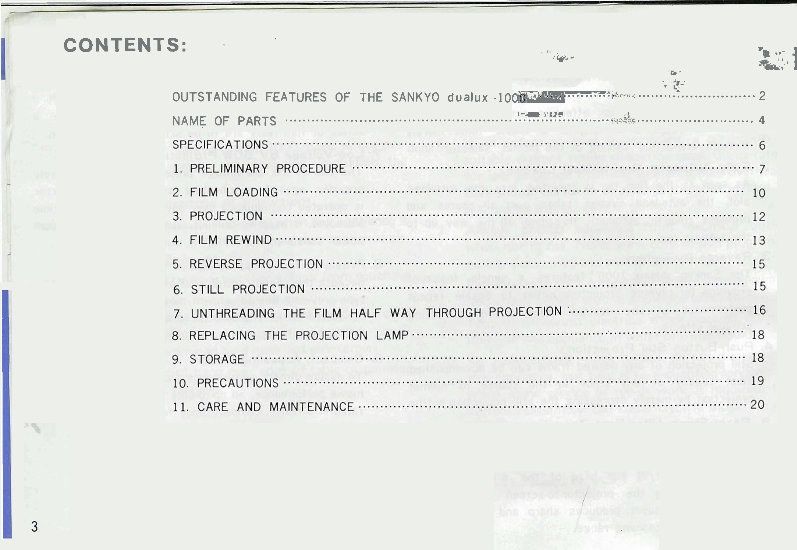
CON TENT S: . I ...
. Cy- .
-p
*&; ' 1
-e '
...
. $ .
...........................
OUTSTANDING FEATURES OF THE SANKYO dualux -10 +.x.~~ 2
........................... NAME OF PARTS .................................................... -,&kc
4
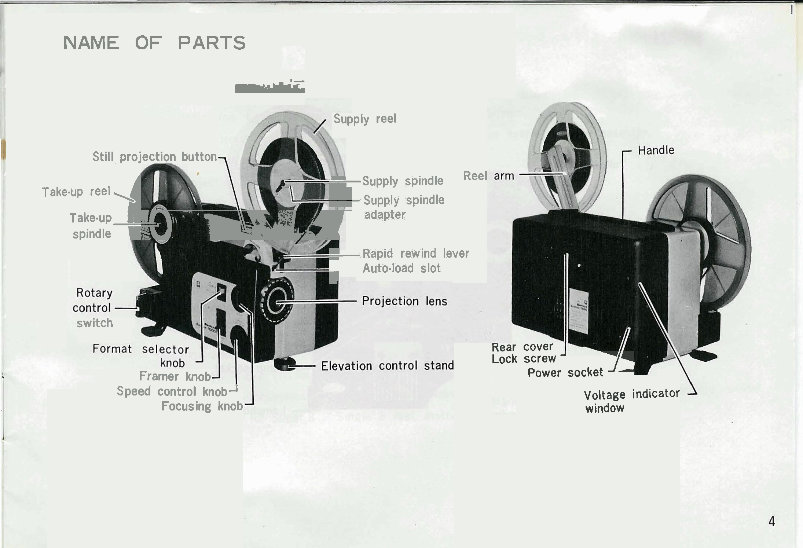
NAME OF PARTS
-
Take
Supply reel
Still project& button
up r eel4
-supply - supply spindle spindle
Take-up- adapter
spindle
-Rapid rewind le
Auto-load slot
I
switch
Framer knob
Speed control knobJ
Focusing knob
Reel
ver
Rear cover
Lock screw
A
1/1
Power socket
window
Voltage indicator
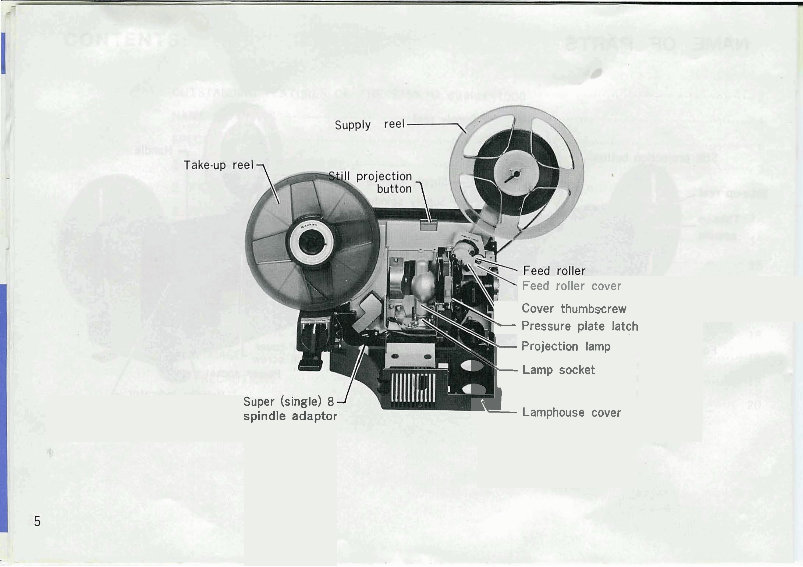
Feed roller cover
super wngle) 8
spindle adaptor
Cover thumbscrew
- Pressure plate latch
Projection lamp
- Lamp socket
i Lamphouse cover
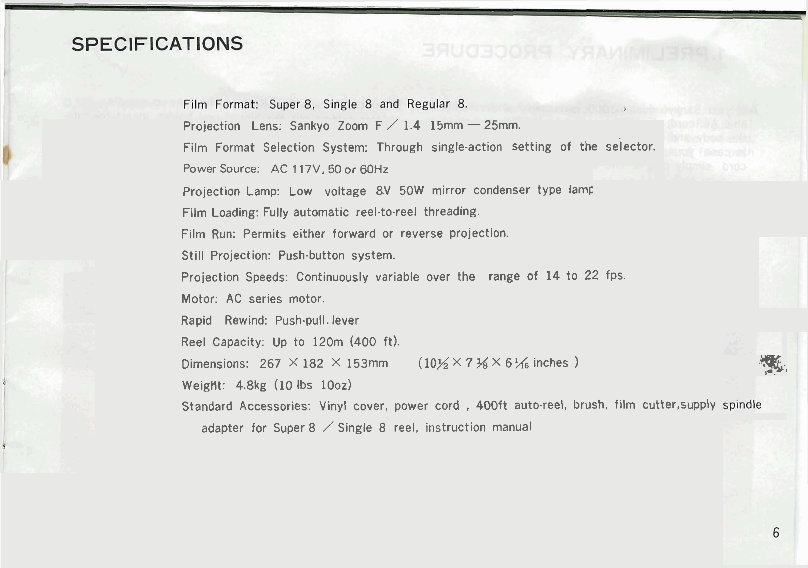
Projection Lens: Sankyo Zoom F / 1.4 15mm - 25mm.
Film Format Selection System: Through single-action Setting of the selector.
Power Source: AC 117V. 50 or 60Hz
Projection Lamp: Low voltage 8.V 50W mirror condenser type lamc
Film Loading: Fully automatic reel-to-reel threading.
Film Run: Permits either forward or reverse projection.
Still Projection: Push-button system.
Projection Speeds: Continuously variable over the range of 14 to 22 fps.
Motor: AC serles motor
Rapid Rewind: Push-pull. lever
Reel Capacity: Up to 120m (400 ft).
Dimensions: 267 X 182 X 153mm (10% X 7 % X 6 % ~nches )
-3,
Weight: 4.8kg (10 Ibs 10oz)
Standard Accessories: Vinyl cover, power cord , 400ft auto.reel, brush, fllm cutter,supply
adapter for Super 8 / Single 8 reel, instruction manual.
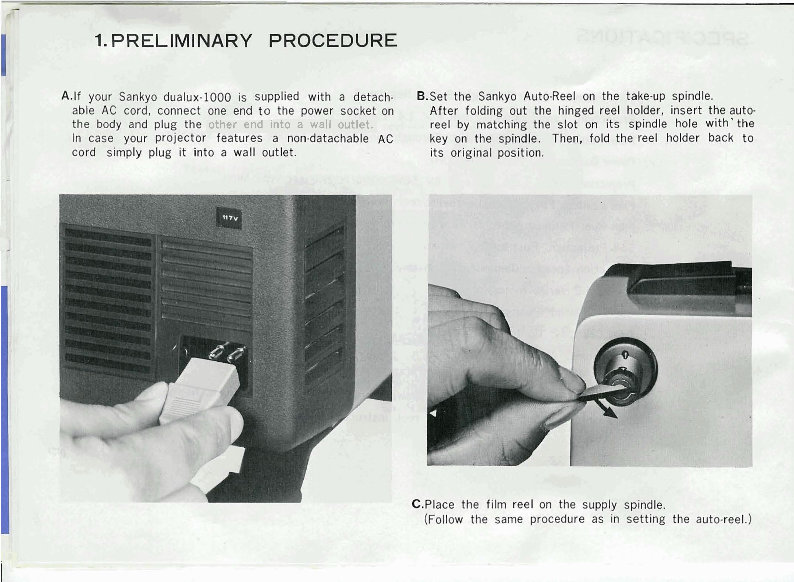
other end into a wall outlet.
p!
7' -7"- . :+.,,--.vr
.-I$&. -:
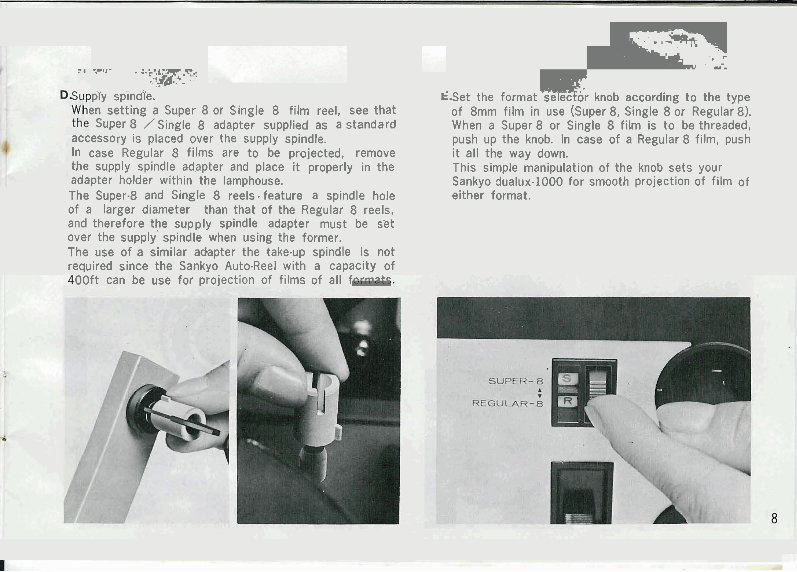
ply spindie. E.Set the format se ecfor knob according to the type
en setting a Super 8 or Single 8 film reel, see that of 8mm film in use (Super 8, Single 8 or Regu!ar 8).
Super 8 /Single 8 adapter supplied as a standard When a Super 8 or Single 8 film is to be threaded,
accessory is placed gver the supply spindle. push up the knob. In case of a Regular 8 film, push
In case Regular 8 films are to be projected, remove it all the way down.
the supply spindle adapter and place it properly in the This simple manipulation of the knob sets your
adapter holder within the lamphouse. Sankyo dualux-1000 for smooth projection of film of
The Super.8 and Single 8 reels. feature a spindle hole either format.
of a larger diameter than that of the Regular 8 reels,
and therefore the supply spindle adapter must be set
over the supply spindle when using the former.
The use of a similar adapter the take.up spindle is not
required since the Sankyo Auto-Reel with a capacity of
OOft can be use for project~on of f~lms of all fArm-+-
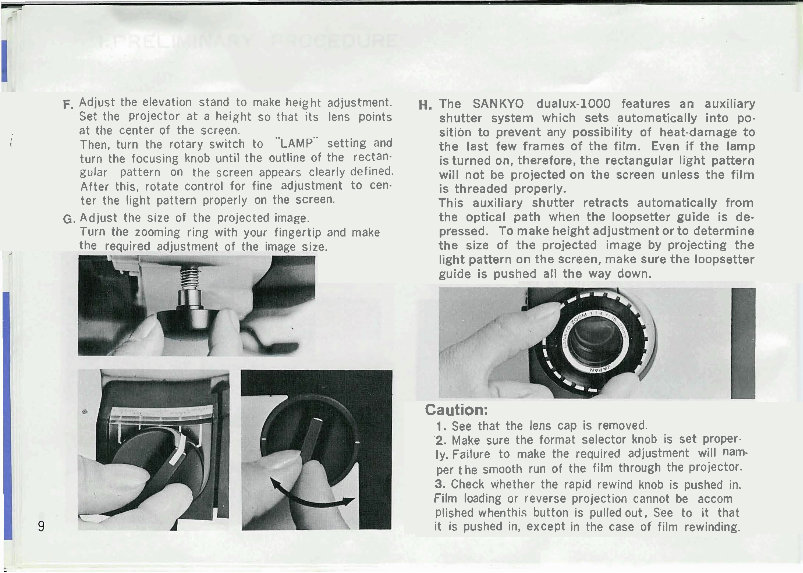
F. Adjust the elevation stand to make he~ght adjustment.
Set the projector at a height so that its lens points
at the center of the screen.
,.
(. Then, turn the rotary switch to LAMP" setting and
turn the focusing knob until the outline of the rectan.
gular pattern on the screen appears clearly defined.
After this, rotate control for fine adjustment to cen.
ter the light pattern properly on the screen.
G. Adjust the size of the projected image.
Turn the zooming ring with your fingertip and make
the reauired adiustment of the imaae size.
H. The SANKYO dualux-1000 features an auxiliary
shutter system which sets automatically into po-
sition to prevent any possibility of heat-damage to
the last few frames of the film. Even if the lamp
is turned on, therefore, the rectangular light pattern
will not be projected on the screen unless the film
is threaded properly.
This auxiliary shutter retracts automatically from
the optical path when the loopsetter guide is de-
pressed. To make height adjustment or to determine
the size of the projected image by projecting the
light pattern on the screen, make sure the loopsetter
guide is pushed all the way down.
Caution:
1. See that the lens cap is removed.
2. Make sure the format selector knob is set proper.
ly. Failure to make the required adjustment will nam-
per the smooth run of the film through the projector.
3. Check whether the rapid rewind knob is pushed in.
Film loading or reverse projection cannot be accom
plished whenthis button is pulled out, See to it that
it is pushed in, except in the case of film rewinding.
You're Reading a Preview
What's Included?
Lifetime Access
Fast Download Speeds
Online & Offline Access
Access PDF Contents & Bookmarks
Full Search Facility
Print one or all pages of your manual
$31.99
$41.99
Viewed 34 Times Today


Secure transaction
What's Included?
Lifetime Access
Fast Download Speeds
Online & Offline Access
Access PDF Contents & Bookmarks
Full Search Facility
Print one or all pages of your manual
$31.99
$41.99
A comprehensive English-only owner's manual is available, providing a color scan of the original document. This manual is a valuable resource for both professional mechanics and DIY enthusiasts, offering detailed information for car repair and maintenance.


