

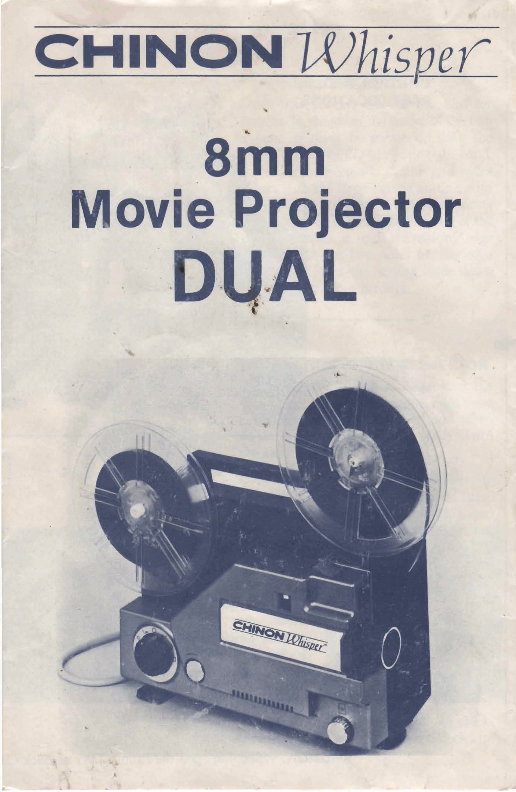
8mm
b~ovie Projector
- - r
8
--
I
IMPORTANT SAFEGUARDS
I
When using your photographic equipment, basic safety
precautions should always be followed, including the. fcllowing:
1. Read and understand all instructions.
2. Close supervision is necessary when any appliance is
by or near children. Do not leave appliance unattended
while in use. 1
3. Care must be taken as burns can occur from touching hot I
parts.
I
4. Do not opera~.a,pPli~nce with a damaged cord or if the
1
I
appliance has been &opped or damaged-until it has been
'
examined by a qualified serviceman.
5. Do hot let cord hang over edge of table or counter or
touch hot surfaces. 1
6. If an extension cord is necessary, a cord with a suitable
current rating should be used. Cords rated for less
amperage than the appliance may overheat. Care should
be taken to arrange the cord so that it will not be trippv
over or pulled.
7. Always unplug appliance from electrical outlet when sot in
i
use. Never yank cord t o pull plug from outlet. Grasp
plug and pull to disconnect.
8. Lei appliance cool completely before putting away. Loop
cord loosely around appliance' when stsring.
i
9. To protect against electrical shock hazards, do not immerse !
this appliance in water or other liquids.
I
10. To avoid electric shock hazard, do not disassemble this
j
appliance, but take it to a qualified serviceman when some
service or repair work is required. Incorrect reassembly
can cause electric shock hazard when the appliance is used
------------------
subsequently.
SAVE THESE INSTRUCTIONS
I -4 OPERATfNG INSTRUCTIONS
Before you start your CHINON WHISPER 8mm movie projector, read
the following operating instructions. Then follow the steps as outlined for
many hours of enjoyable viewing of your movies.
1 * CONNECTING TO THE MAIN SUPPLY R!!mal
Ensure the main switch is off, when you connect the power cord to the
vroiector.
. ,
-
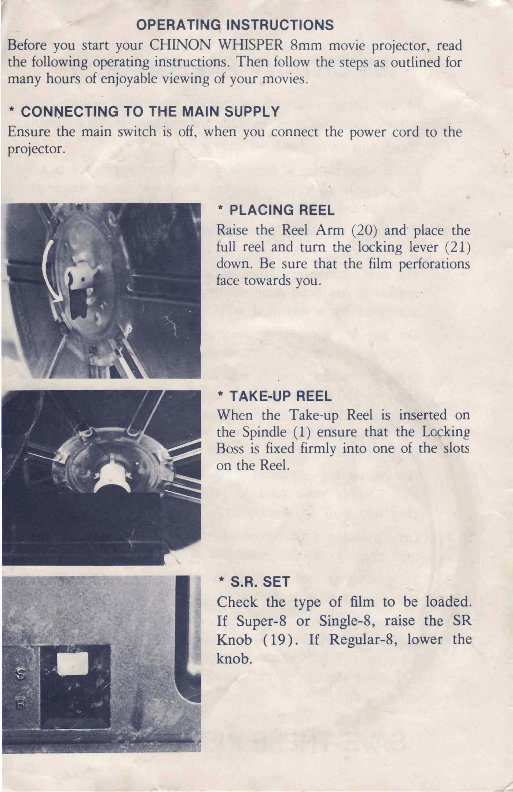
PLACING REEL
Raise the Reel Arm (20) and place the
full reel and turn the locking lever (21)
down. Be sure that the film perforations
face towards you.
TAKE-UP REEL
When the Take-up Reel is inserted on
the Spindle (1) ensure that the Lwking
firmly into one of the slots
' S.R. SET
Chaok the type of film to be IoSdM.
If Sup8 or Single-8, raise the SR
i
Knob (19). If Regdar-8, ber the
knob.
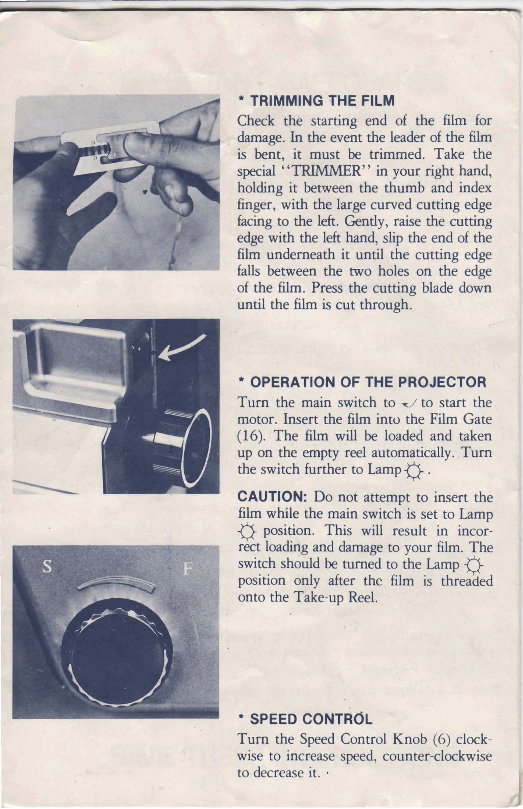
TRlMMlNQ THE FILM
Checlr && starting end of the film for
. In the event the leader of the k
is bent, it must be trimmed. Take the
special '''iXMMER" in your right hand,
holding it h e e n the thumb and index
finger, with the kge curved cutting edge
facing to the left. Gmtly, raise the cutting
edge with the left hgtbd, slip the end cd the
film underneath it until the cutaby: edge
falls between the two holes on the edge
of the film. PIES the cutting blade do&
until the film is eut through
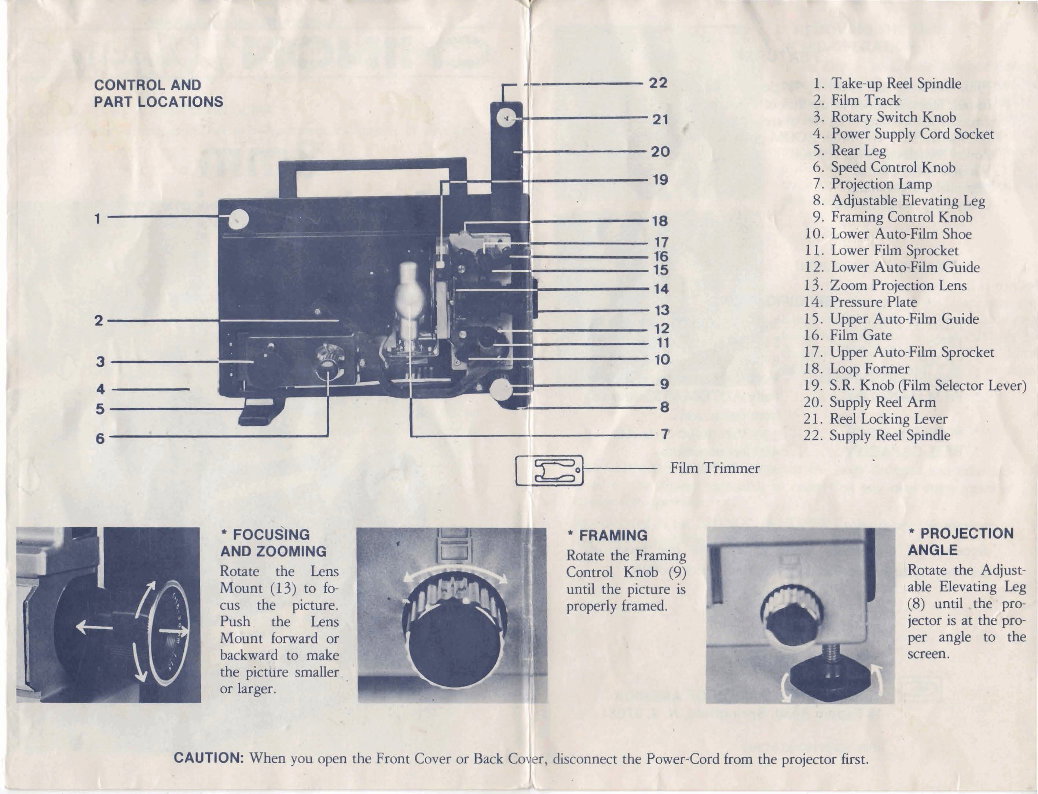
OPERATION OF THE PROJECTOR
Turn the main switch to 4 to start the
motor. Insert the film into the Film Gate
(16). The film will be loaded and taken
up on the empty reel automatically. Turn
the switch further to Lamp jJ .
CAUTION: Do not attempt to insert the
film while the main switch is set to Lamp
'
fi position. This will result in incor-
&t ioadirig and damage to your film. The
i
switch should be turned to the Lamp 0 I
position only after the film is threaded 1
onto the Take-up Reel. I
I SPEED C O N T R ~ L
Turn the Speed Control Knob (6) clock-
wise to increase speed, counter-clockwise
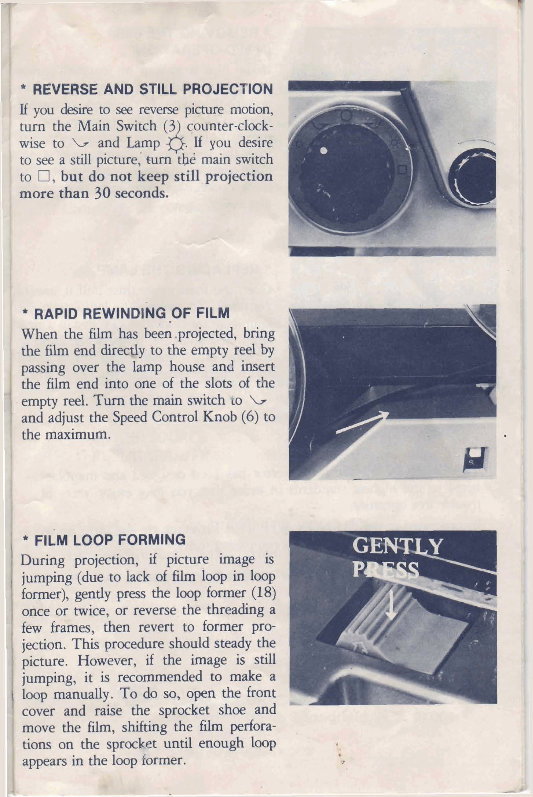
* REVERSE AND STILL PROJECTION
IfyoudeSiIetoseerevef~epicturemotion,
turn the Main Switch (3 counter-clock-
wise to b and Lamp &. If you desire
to see a still picture,' brn tb6 main switch
to , but do not ktsq still projection
more than 30 second
/
* RAPID REWINDIN~OF FILM
'
When the film has beebeprojsted, bring
the film end dueqjy to the empty reel by
passing over the lamp house and insert
the film end into one of the slots of dte
empty reel. Turn the main switch to b
and adjust the Speed Control Knob (6) to
the maximum.
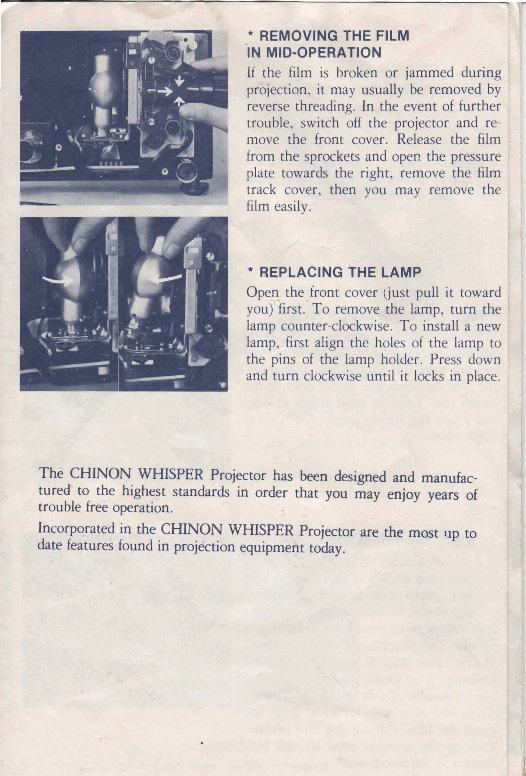
FILM LOOP FORMING
During projection, if picture image is
jumping (due to lack of film loop in loop
former), gently press the loop former (18)
once or twice, or reverse the threading a
few frames, then revert to former pro-
jection. This procedure should steady the
picture. However, if the image is still
jumping, it is recommended to make a
loop manually. To do so, open the front
cover and raise the sprocket shoe and
move the film, shifting the film perfora-
tions on the sprocket until enough loop
appears in the loop former.
Tp'-
9
-1
' REMOVING THE FILM
IN MID-OPERATION I
If the film is broken or iammed during I
- I
prbjection, it may usually be removed by
reverse threading. In the event of further ,
trouble, switch off the projector and re-
move the front cover. Release the film !
from the sprockets and open the pressure 1
plate towards the right, remove the film I
track cover, then you may remove the ;
fi
ma-4;
.: -,---
-
'1
REPLACING THE LAMP
Open the front cover oust pull it toward
youjfirst.' To remove the lamp, turn the
lamp counter-clockwise. T o install a new
lamp, first align the holes of the lamp to
the pins of the lamp holder. Press down
and turn clockwise until it locks in place.
The CHINON WHISPER Projector has been designed and manufac-
tures to the highest standards in order that you may enjoy years of
trouble frei operation.
Incorpqrated in the CHINON WHISPER Projector are the most up to
date features found in projtktion quipmefit today.
1
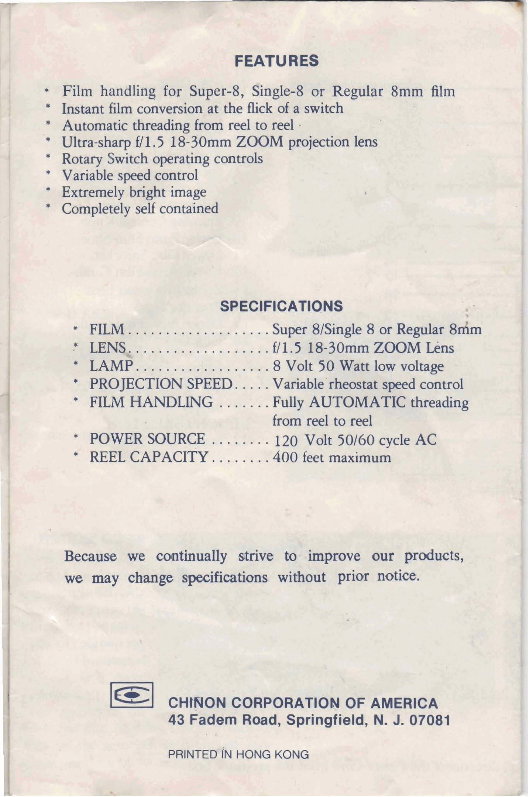
FEATURES
* Film handling for Super-8, Single-8 or Regular 8mm filtr
* Instant film conversion at the flick of a switch
* Automatic threading fP01Ii reel to feel .
Ultra-sharp ff1.5 18-30mm ZOOM projection lens
* Rotary Switch operating controls
* Variable speed control
* Extremely bright image
Completely self contained
SPEClFlCATlQNS
FILM. .................. Super 8/Single 8 or ~ e @ r $dm
-" w. ................. ff 1 .5 l&SOmrn ZOOM LEns
* LAMP. ................ .8 Volt 50 WZPtc low voitage
*
PROJECTION SPEED. .... VarEable'rhtxtmgfqeedcontrol
* FILM HANDLING ....... Fully AUTOMATE threading
from reel to reei
*
POWER SOURCE ........ 120 Vdt 50160 cycle AC
*
REEL CAPACITY. ...... .400 feet maximum
CH*ON CORPORATION OF AMERICA
43 Fadem Road, Springfield, N. J. 07081
PRlNTEdm HONG KONG
You're Reading a Preview
What's Included?
 Lifetime Access
Fast Download Speeds
Online & Offline Access
Access PDF Contents & Bookmarks
Full Search Facility
Print one or all pages of your manual
$30.99
CHINON WHISPER DUAL 8MM MOVIE PROJECTOR
Viewed 39 Times Today

What's Included?
Lifetime Access
Fast Download Speeds
Online & Offline Access
Access PDF Contents & Bookmarks
Full Search Facility
Print one or all pages of your manual
$30.99

Secure transaction
What's Included?
Lifetime Access
Fast Download Speeds
Online & Offline Access
Access PDF Contents & Bookmarks
Full Search Facility
Print one or all pages of your manual
Description
Get access to a comprehensive digital manual for your vehicle, available in English. This manual is ideal for both professional mechanics and DIY enthusiasts. It includes detailed information on car repair, maintenance, and troubleshooting. Whether you prefer a .PDF or .OVA file format, this manual provides valuable insights for maintaining and repairing your vehicle.


