


Panasonic DMR-EX98V EX98VEB EX98VEG EX98VEC Service Manual and Repair Guide
What's Included?
 Lifetime Access
Fast Download Speeds
Online & Offline Access
Access PDF Contents & Bookmarks
Full Search Facility
Print one or all pages of your manual
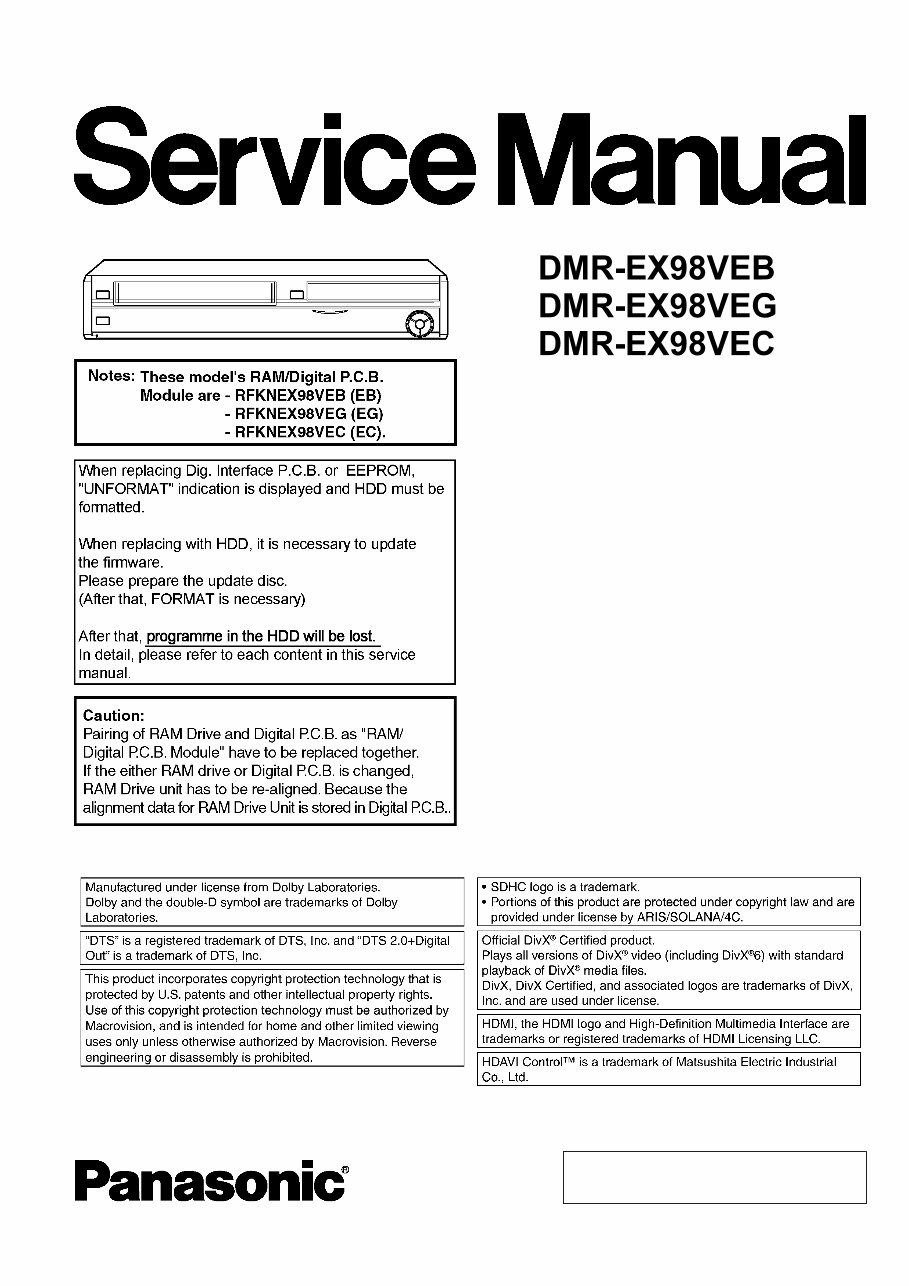
© 2008 Matsushita Electric Industrial Co., Ltd. All
rights reserved. Unauthorized copying and
distribution is a violation of law.
Vol. 1
Colours
(K).......................Black Type
(S).......................Silver Type
DVD Recorder
ORDER NO.DSD0806033CE
Model No.
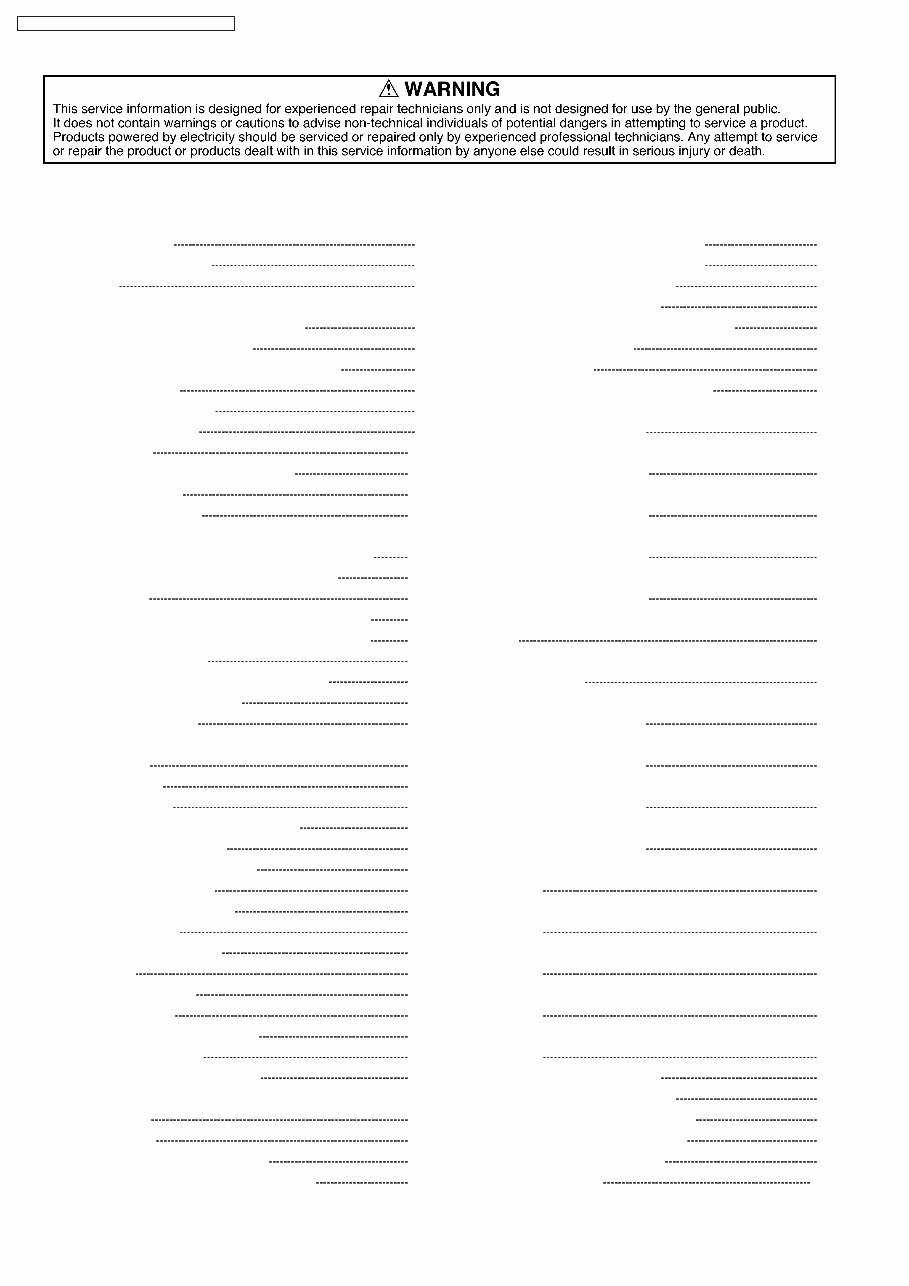
1 Safety Precaution 4
1.1. General guidelines 4
2 Warning 5
2.1. Prevention of Electrostatic Discharge (ESD) to
Electrostatic Sensitive (ES) Devices 5
2.2. Precaution of Laser Diode 6
2.3. Service caution based on legal restrictions 7
3 Service Navigation 8
3.1. Service Information 8
3.2. Caution for DivX 9
4 Specifications 10
5 Location of Controls and Components 13
5.1. Each Buttons 13
6 Operation Instructions 15
6.1. (DVD) Taking out the Disc from RAM-Drive Unit when the
Disc cannot be ejected by OPEN/CLOSE button 15
6.2. (VHS) Removing Cassette Tape manually 17
7 Service Mode 19
7.1. (DVD) Self-Diagnosis and Special Mode Setting 19
7.2. (VHS) Self-Diagnosis and Special Mode Setting 33
8 Service Fixture & Tools 37
9 Assembling and Disassembling Instructions 38
9.1. Disassembly Flow Chart 38
9.2. P.C.B. Positions 39
9.3. Caution with inserting cassette tape when disassembling
the unit 40
9.4. Top Case 41
9.5. Front Panel 41
9.6. Front Jack P.C.B., FL Drive P.C.B. 42
9.7. VHS Mechanism Unit 44
9.8. RAM/Digital P.C.B. Module 45
9.9. DV/SD/USB P.C.B. 46
9.10. Rear Panel, Fan Motor 47
9.11. HDMI P.C.B. 47
9.12. Dig. Interface P.C.B. 48
9.13. HDD 48
9.14. Backend P.C.B. 49
9.15. Main P.C.B. 49
10 Measurements and Adjustments 50
10.1. Service Positions 50
10.2. Caution for Replacing Parts 54
10.3. (DVD) Standard Inspection Specifications after Making
Repairs 59
11 Block Diagram 61
11.1. Power Supply Block Diagram 61
11.2. Main P.C.B. Regulator Block Diagram 62
11.3. Analog Video (1/2) Block Diagram 63
11.4. Analog Video (2/2) Block Diagram 64
11.5. Analog Audio Block Diagram 65
11.6. D-IF/Timer Block Diagram 67
11.7. System Control & Servo Block Diagram 68
11.8. HDMI Block Diagram 69
12 Schematic Diagram 71
12.1. Interconnection Schematic Diagram 71
12.2. Power Supply Section (Dig. Interface P.C.B. (1/2))
Schematic Diagram (P) 73
12.3. Digital I/F (1/4) Section (Dig. Interface P.C.B. (2/2))
Schematic Diagram (IF) 75
12.4. Digital I/F (2/4) Section (Dig. Interface P.C.B. (2/2))
Schematic Diagram (IF) 76
12.5. Digital I/F (3/4) Section (Dig. Interface P.C.B. (2/2))
Schematic Diagram (IF) 77
12.6. Digital I/F (4/4) Section (Dig. Interface P.C.B. (2/2))
Schematic Diagram (IF) 78
12.7. Video Section (Main P.C.B. (1/5)) Schematic Diagram (V)
80
12.8. VHS Audio Section (Main P.C.B. (2/5)) Schematic
Diagram (A) 81
12.9. Syscon/Servo/Timer (1/4) Section (Main P.C.B. (3/5))
Schematic Diagram (S) 83
12.10. Syscon/Servo/Timer (2/4) Section (Main P.C.B. (3/5))
Schematic Diagram (S) 84
12.11. Syscon/Servo/Timer (3/4) Section (Main P.C.B. (3/5))
Schematic Diagram (S) 85
12.12. Syscon/Servo/Timer (4/4) Section (Main P.C.B. (3/5))
Schematic Diagram (S) 86
12.13. I/O Section (1/4) (Main P.C.B. (4/5)) Schematic Diagram
(AV) 87
12.14. I/O Section (2/4) (Main P.C.B. (4/5)) Schematic Diagram
(AV) 88
12.15. I/O Section (3/4) (Main P.C.B. (4/5)) Schematic Diagram
(AV) 89
12.16. I/O Section (4/4) (Main P.C.B. (4/5)) Schematic Diagram
(AV) 90
12.17. Tuner Section (Main P.C.B. (5/5)) Schematic Diagram
(TU) 92
12.18. HDMI Schematic Diagram 94
12.19. FL Drive Schematic Diagram 95
12.20. DV/SD/USB Schematic Diagram 97
12.21. Front Jack Schematic Diagram 98
12.22. ATAPI Schematic Diagram 99
13 Printed Circuit Board 101
CONTENTS
Page Page
2
DMR-EX98VEB / DMR-EX98VEG / DMR-EX98VEC

13.1. Dig. Interface P.C.B. 101
13.2. Main P.C.B. 106
13.3. HDMI P.C.B. 111
13.4. FL Drive P.C.B. 112
13.5. DV/SD/USB P.C.B. 113
13.6. ATAPI P.C.B. 114
13.7. Front Jack P.C.B. 115
14 Appendix for Schematic Diagram 117
14.1. Voltage and Waveform Chart 117
14.2. Abbreviations 126
15 Parts and Exploded Views 132
15.1. Exploded Views 132
15.2. Replacement Parts List 136
3
DMR-EX98VEB / DMR-EX98VEG / DMR-EX98VEC
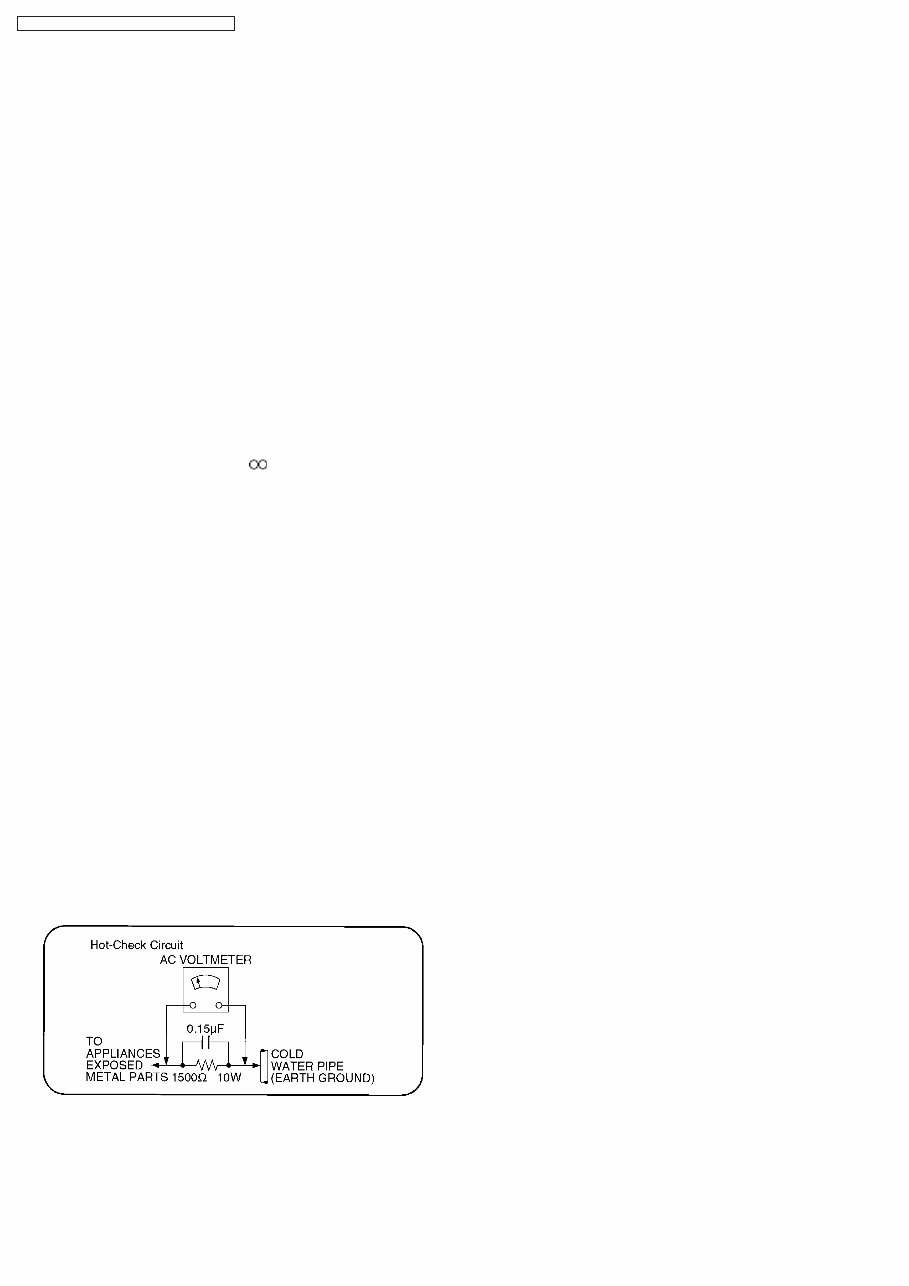
1.1.1. Leakage current cold check
1. Unplug the AC cord and connect a jumper between the two
prongs on the plug.
2. Measure the resistance value, with an ohmmeter, between
the jumpered AC plug and each exposed metallic cabinet
part on the equipment such as screwheads, connectors,
control shafts, etc. When the exposed metallic part has a
return path to the chassis, the reading should be between
1M and 5.2M.
When the exposed metal does not have a return path to the
chassis, the reading must be .
1.1.2. Leakage current hot check
(See Figure 1 .)
1. Plug the AC cord directly into the AC outlet. Do not use an
isolation transformer for this check.
2. Connect a 1.5k, 10 watts resistor, in parallel with a 0.15μF
capacitors, between each exposed metallic part on the set
and a good earth ground such as a water pipe, as shown in
Figure 1.
3. Use an AC voltmeter, with 1000 ohms/volt or more
sensitivity, to measure the potential across the resistor.
4. Check each exposed metallic part, and measure the
voltage at each point.
5. Reverse the AC plug in the AC outlet and repeat each of the
above measurements.
6. The potential at any point should not exceed 0.75 volts
RMS. A leakage current tester (Simpson Model 229 or
equivalent) may be used to make the hot checks, leakage
current must not exceed 1/2 milliampere. In case a
measurement is outside of the limits specified, there is a
possibility of a shock hazard, and the equipment should be
repaired and rechecked before it is returned to the
customer.
Figure 1
1 Safety Precaution
1.1. General guidelines
1. When servicing, observe the original lead dress. If a short circuit is found, replace all parts which have been overheated or
damaged by the short circuit.
2. After servicing, see to it that all the protective devices such as insulation barriers, insulation papers shields are properly
installed.
3. After servicing, make the following leakage current checks to prevent the customer from being exposed to shock hazards.
4
DMR-EX98VEB / DMR-EX98VEG / DMR-EX98VEC
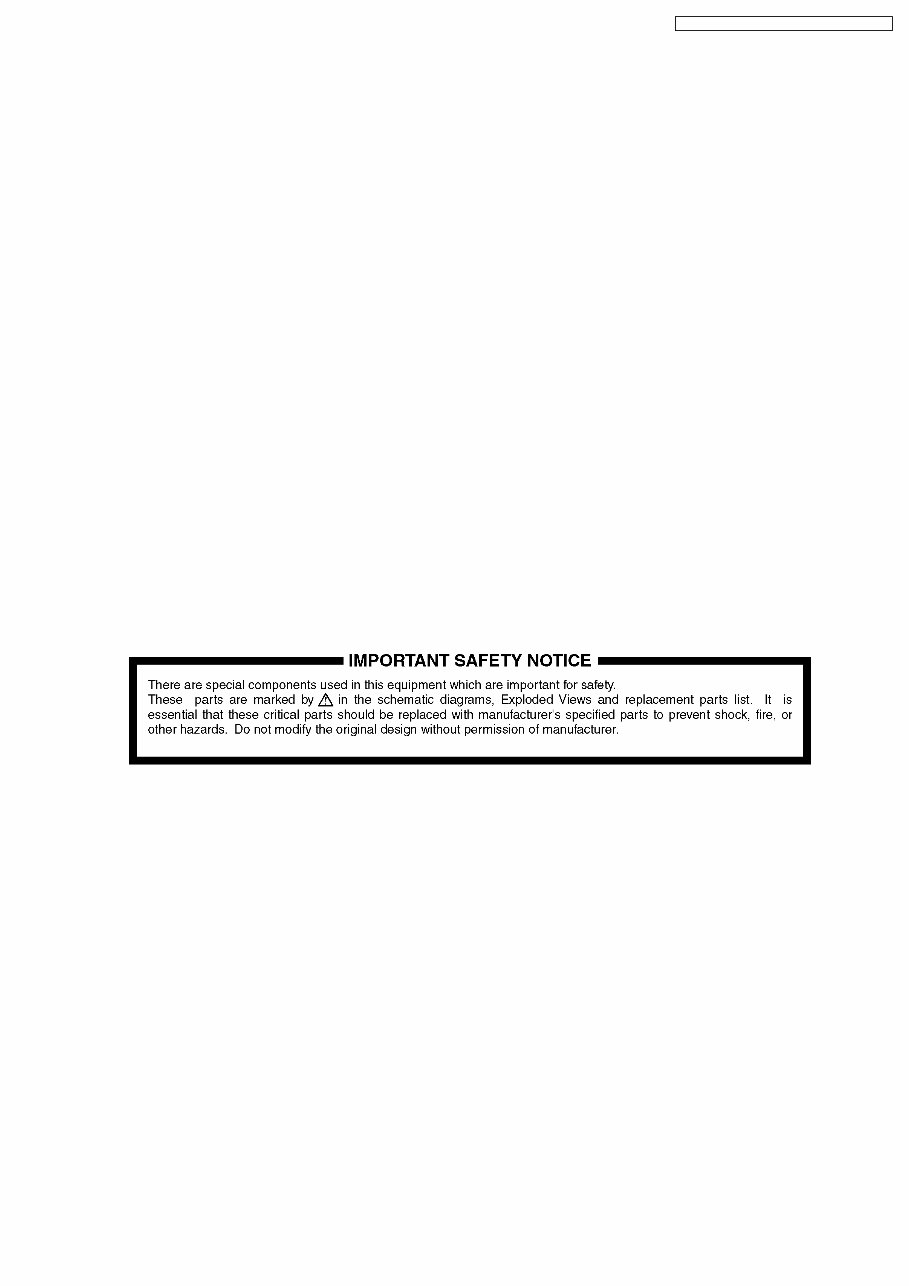
2 Warning
2.1. Prevention of Electrostatic Discharge (ESD) to Electrostatic Sensitive
(ES) Devices
Some semiconductor (solid state) devices can be damaged easily by static electricity. Such components commonly are called
Electrostatic Sensitive (ES) Devices. Examples of typical ES devices are integrated circuits and some field-effect transistor-sand
semiconductor "chip" components. The following techniques should be used to help reduce the incidence of component damage
caused by electrostatic discharge (ESD).
1. Immediately before handling any semiconductor component or semiconductor-equipped assembly, drain off any ESD on your
body by touching a known earth ground. Alternatively, obtain and wear a commercially available discharging ESD wrist strap,
which should be removed for potential shock reasons prior to applying power to the unit under test.
2. After removing an electrical assembly equipped with ES devices, place the assembly on a conductive surface such as
aluminum foil, to prevent electrostatic charge buildup or exposure of the assembly.
3. Use only a grounded-tip soldering iron to solder or unsolder ES devices.
4. Use only an anti-static solder removal device. Some solder removal devices not classified as "anti-static (ESD protected)" can
generate electrical charge sufficient to damage ES devices.
5. Do not use freon-propelled chemicals. These can generate electrical charges sufficient to damage ES devices.
6. Do not remove a replacement ES device from its protective package until immediately before you are ready to install it. (Most
replacement ES devices are packaged with leads electrically shorted together by conductive foam, aluminum foil or comparable
conductive material).
7. Immediately before removing the protective material from the leads of a replacement ES device, touch the protective material
to the chassis or circuit assembly into which the device will be installed.
Caution
Be sure no power is applied to the chassis or circuit, and observe all other safety precautions.
8. Minimize bodily motions when handling unpackaged replacement ES devices. (Otherwise harmless motion such as the
brushing together of your clothes fabric or the lifting of your foot from a carpeted floor can generate static electricity sufficient
to damage an ES device).
5
DMR-EX98VEB / DMR-EX98VEG / DMR-EX98VEC
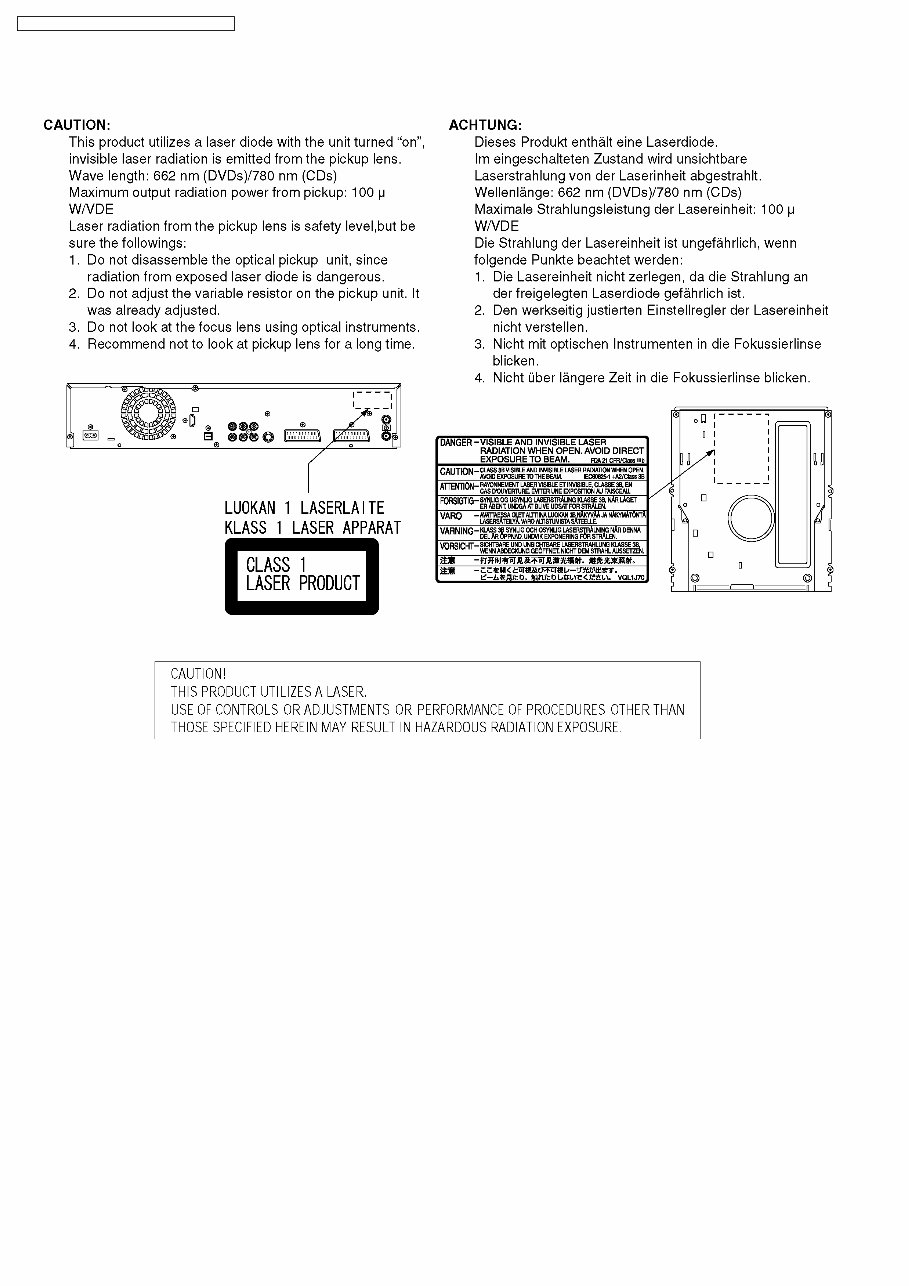
2.2. Precaution of Laser Diode
6
DMR-EX98VEB / DMR-EX98VEG / DMR-EX98VEC

2.3. Service caution based on legal restrictions
2.3.1. General description about Lead Free Solder (PbF)
The lead free solder has been used in the mounting process of all electrical components on the printed circuit boards used for this
equipment in considering the globally environmental conservation.
The normal solder is the alloy of tin (Sn) and lead (Pb). On the other hand, the lead free solder is the alloy mainly consists of tin
(Sn), silver (Ag) and Copper (Cu), and the melting point of the lead free solder is higher approx.30 degrees C (86°F) more than that
of the normal solder.
Definition of PCB Lead Free Solder being used
The letter of “PbF” is printed either foil side or components side on the PCB using the lead free solder.
(See right figure)
Service caution for repair work using Lead Free Solder (PbF)
· The lead free solder has to be used when repairing the equipment for which the lead free solder is used.
(Definition: The letter of “PbF” is printed on the PCB using the lead free solder.)
· To put lead free solder, it should be well molten and mixed with the original lead free solder.
· Remove the remaining lead free solder on the PCB cleanly for soldering of the new IC.
· Since the melting point of the lead free solder is higher than that of the normal lead solder, it takes the longer time to melt
the lead free solder.
· Use the soldering iron (more than 70W) equipped with the temperature control after setting the temperature at 350±30
degrees C (662±86°F).
Recommended Lead Free Solder (Service Parts Route.)
· The following 3 types of lead free solder are available through the service parts route.
RFKZ03D01K-----------(0.3mm 100g Reel)
RFKZ06D01K-----------(0.6mm 100g Reel)
RFKZ10D01K-----------(1.0mm 100g Reel)
Note
* Ingredient: tin (Sn), 96.5%, silver (Ag) 3.0%, Copper (Cu) 0.5%, Cobalt (Co) / Germanium (Ge) 0.1 to 0.3%
7
DMR-EX98VEB / DMR-EX98VEG / DMR-EX98VEC
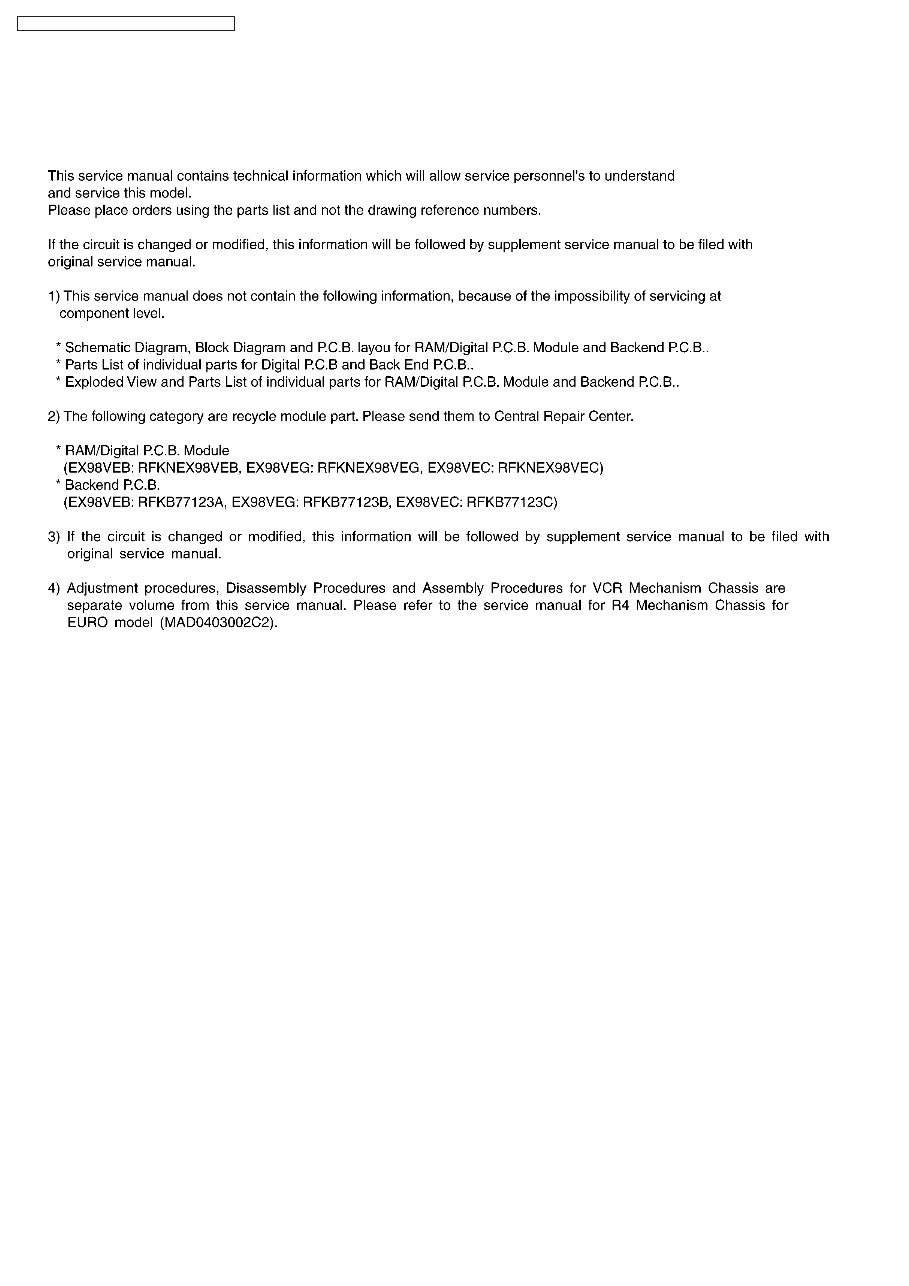
3 Service Navigation
3.1. Service Information
8
DMR-EX98VEB / DMR-EX98VEG / DMR-EX98VEC
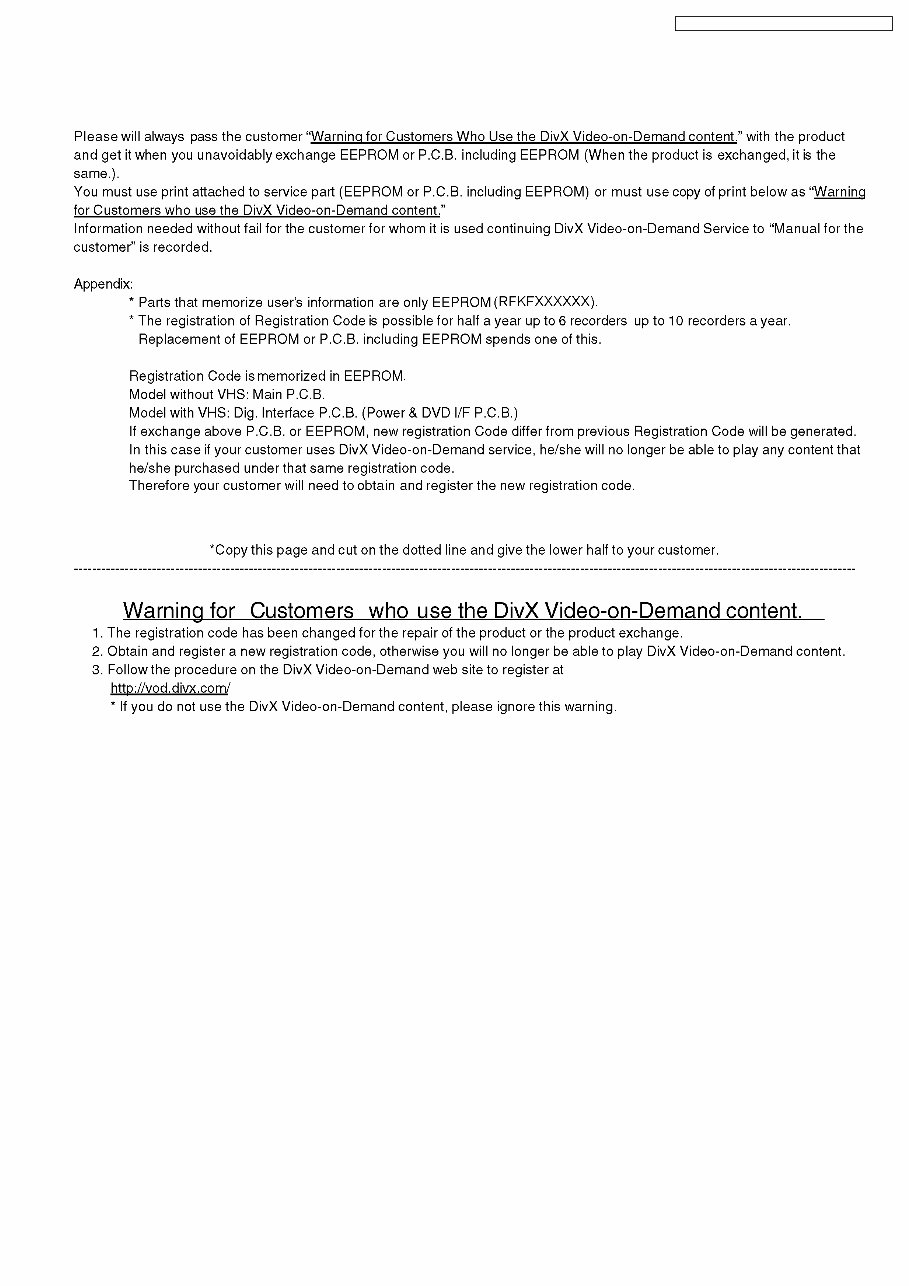
3.2. Caution for DivX
9
DMR-EX98VEB / DMR-EX98VEG / DMR-EX98VEC
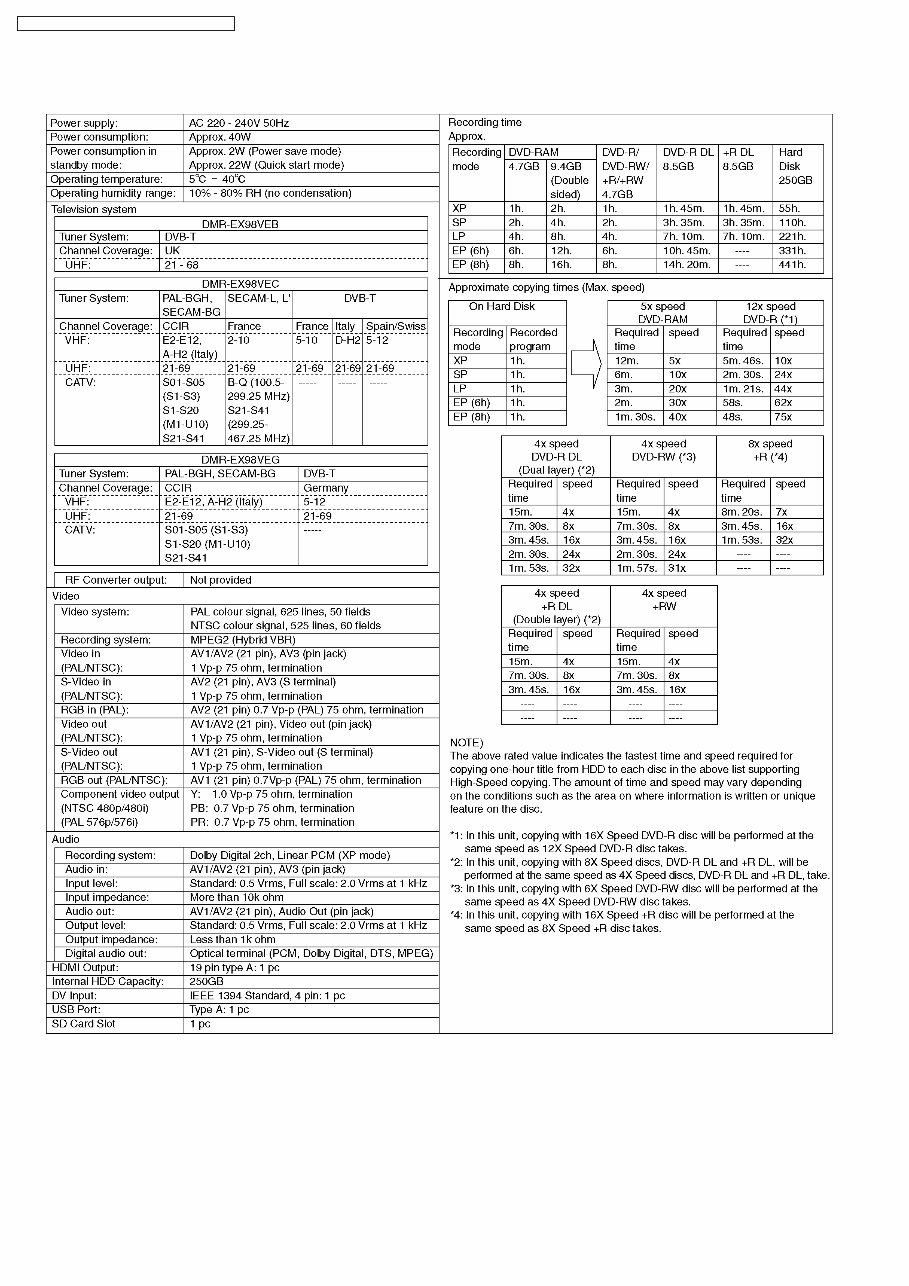
4 Specifications
10
DMR-EX98VEB / DMR-EX98VEG / DMR-EX98VEC
You're Reading a Preview
What's Included?
Lifetime Access
Fast Download Speeds
Online & Offline Access
Access PDF Contents & Bookmarks
Full Search Facility
Print one or all pages of your manual
$35.99
$46.99
Viewed 77 Times Today


Secure transaction
What's Included?
Lifetime Access
Fast Download Speeds
Online & Offline Access
Access PDF Contents & Bookmarks
Full Search Facility
Print one or all pages of your manual
$35.99
$46.99
This official service and repair manual is an essential resource for professional mechanics and DIY enthusiasts working with the Panasonic DMR-EX98V EX98VEB EX98VEG EX98VEC DVD Recorder. It provides comprehensive information on:
- Safety and Service Precautions
- Specifications and Operations
- Service Modes
- Disassembly and Assembly Instructions
- Measurements and Adjustments
- Block Diagrams
- Schematic Diagrams
- Printed Circuit Boards
- Exploded Views
- Parts List Catalog
This manual is available in English and comes in a format with 148 pages. It offers instant access, eliminating the need for shipping and allowing for immediate commencement of repairs. The high-resolution format ensures excellent print quality for the required pages.


