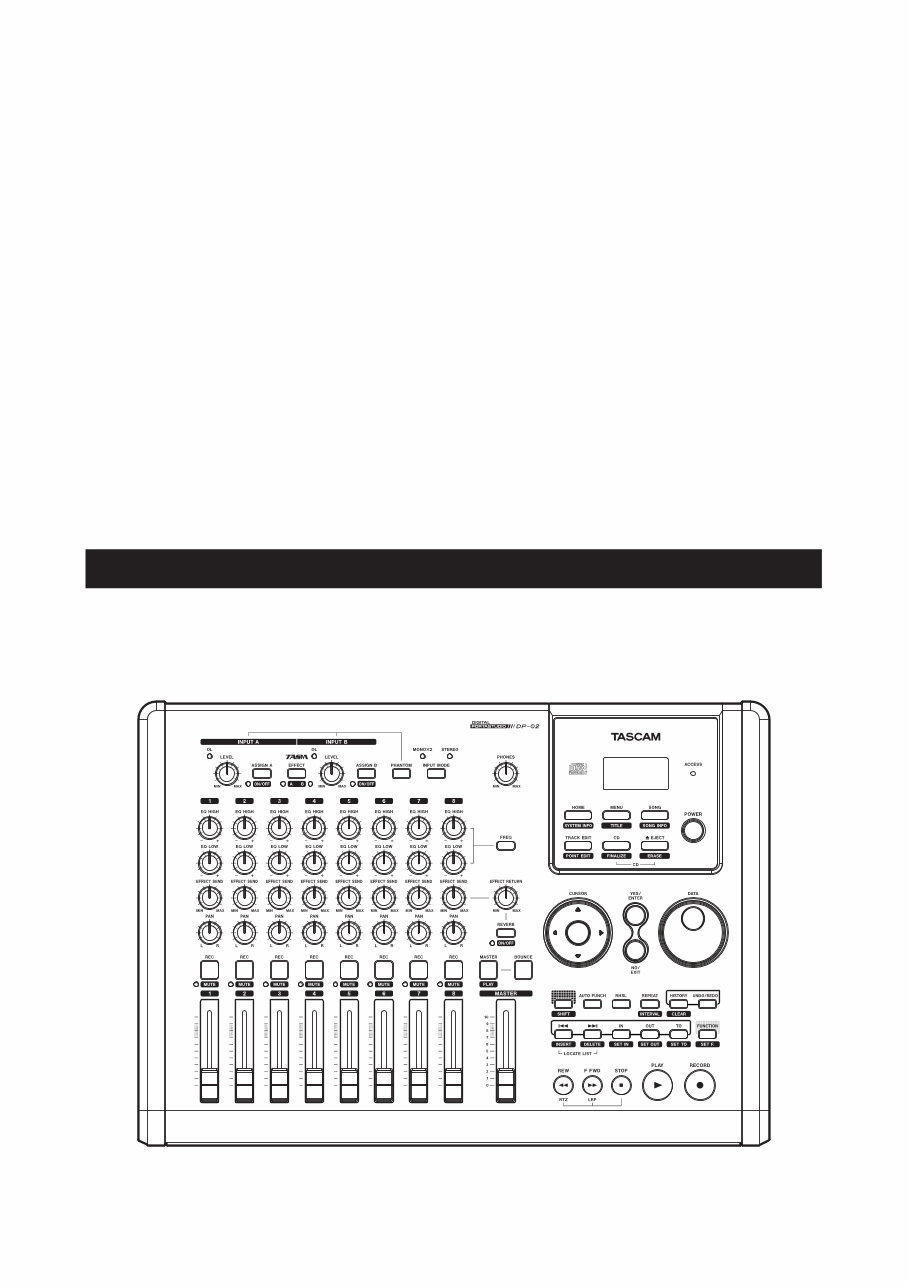
D01001200A DP-02 DP-02CF DIGITAL PORTASTUDIO » OWNER'S MANUAL
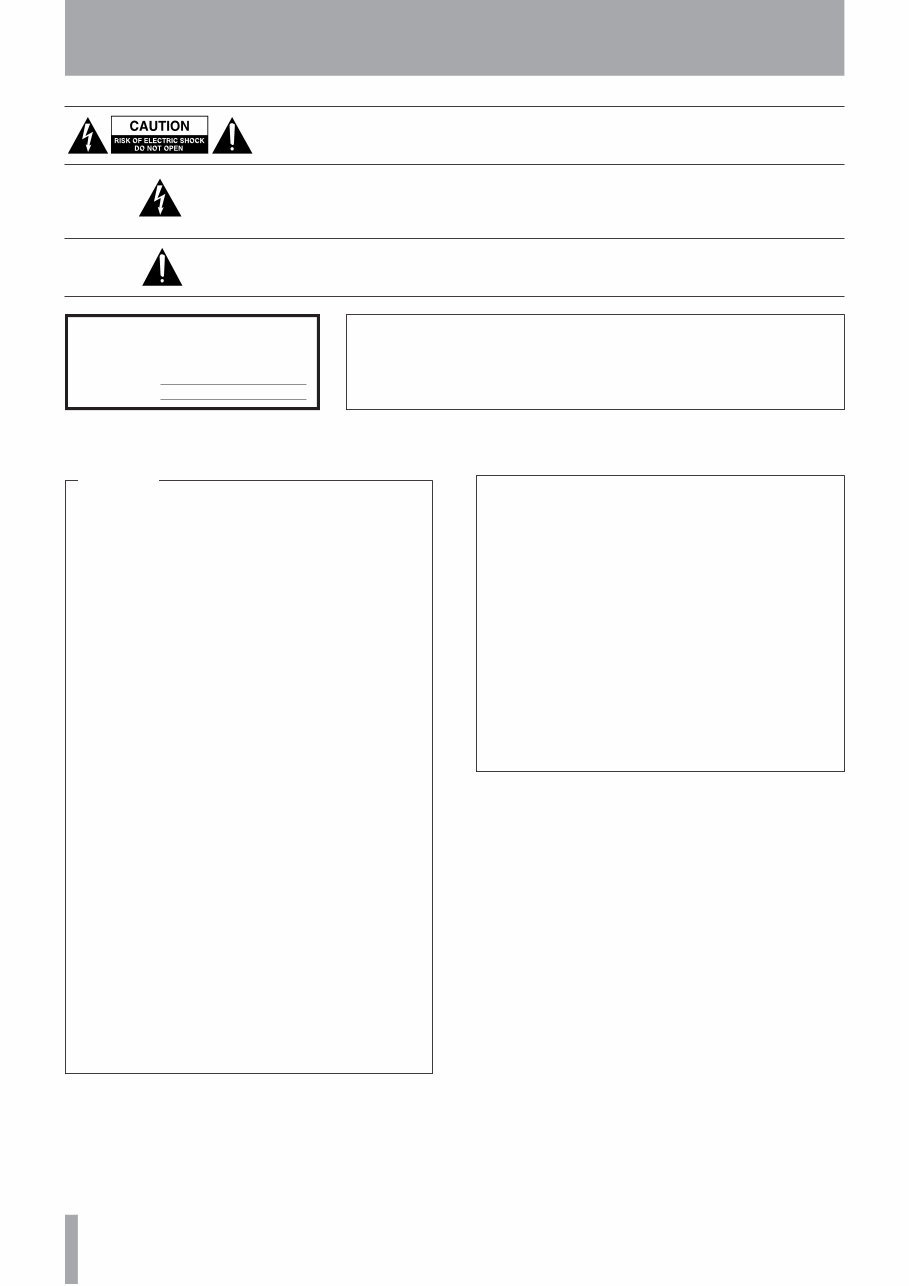
IMPORTANT SAFETY PRECAUTIONS TASCAM DP-02/DP-02CF The exclamation point within an equilateral triangle is intended to alert the user to the presence of important operating and maintenance (servicing) instructions in the literature accompanying the appliance. The lightning flash with arrowhead symbol, within equilateral triangle, is intended to alert the user to the presence of uninsulated “dangerous voltage” within the product’s enclosure that may be of sufficient magnitude to constitute a risk of electric shock to persons. CAUTION: TO REDUCE THE RISK OF ELECTRIC SHOCK, DO NOT REMOVE COVER (OR BACK). NO USER-SERVICEABLE PARTS INSIDE. REFER SERVICING TO QUALIFIED SERVICE PERSONNEL. WARNING: TO PREVENT FIRE OR SHOCK HAZARD, DO NOT EXPOSE THIS APPLIANCE TO RAIN OR MOISTURE. This appliance has a serial number located on the rear panel. Please record the model number and serial number and retain them for your records. Model number Serial number TO THE USER This equipment has been tested and found to comply with the limits for a Class B digital device, pursuant to Part 15 of the FCC Rules. These limits are designed to provide reasonable protection against harmful interference in a residential installation. This equipment generates, uses, and can radiate radio frequency energy and, if not installed and used in accordance with the instruction manual, may cause harmful interference to radio communications. However, there is no guarantee that interference will not occur in a particular installation. If this equipment does cause harmful interference to radio or television reception, which can be determined by turning the equipment off and on, the user is encouraged to try to correct the interference by one or more of the following measures. a) Reorient or relocate the receiving antenna. b) Increase the separation between the equipment and receiver. c) Connect the equipment into an outlet on a circuit different from that to which the receiver is connected. d) Consult the dealer or an experienced radio/TV technician for help. CAUTION Changes or modifications to this equipment not expressly approved by TEAC CORPORATION for compliance could void the user's authority to operate this equipment. For U.S.A. Declaration of Conformity Model Number : DP-02/DP-02CF Trade Name : TASCAM Responsible party : TEAC AMERICA, INC. Address : 7733 Telegraph Road, Montebello, California, U.S. A. Telephone number : 1-323-727-7663 This device complies with Part 15 of the FCC Rules. Operation is subject to the following two conditions: (1) this device may not cause harmful interference, and (2) this device must accept any interference recieved, including interference that may cause undesired operation.
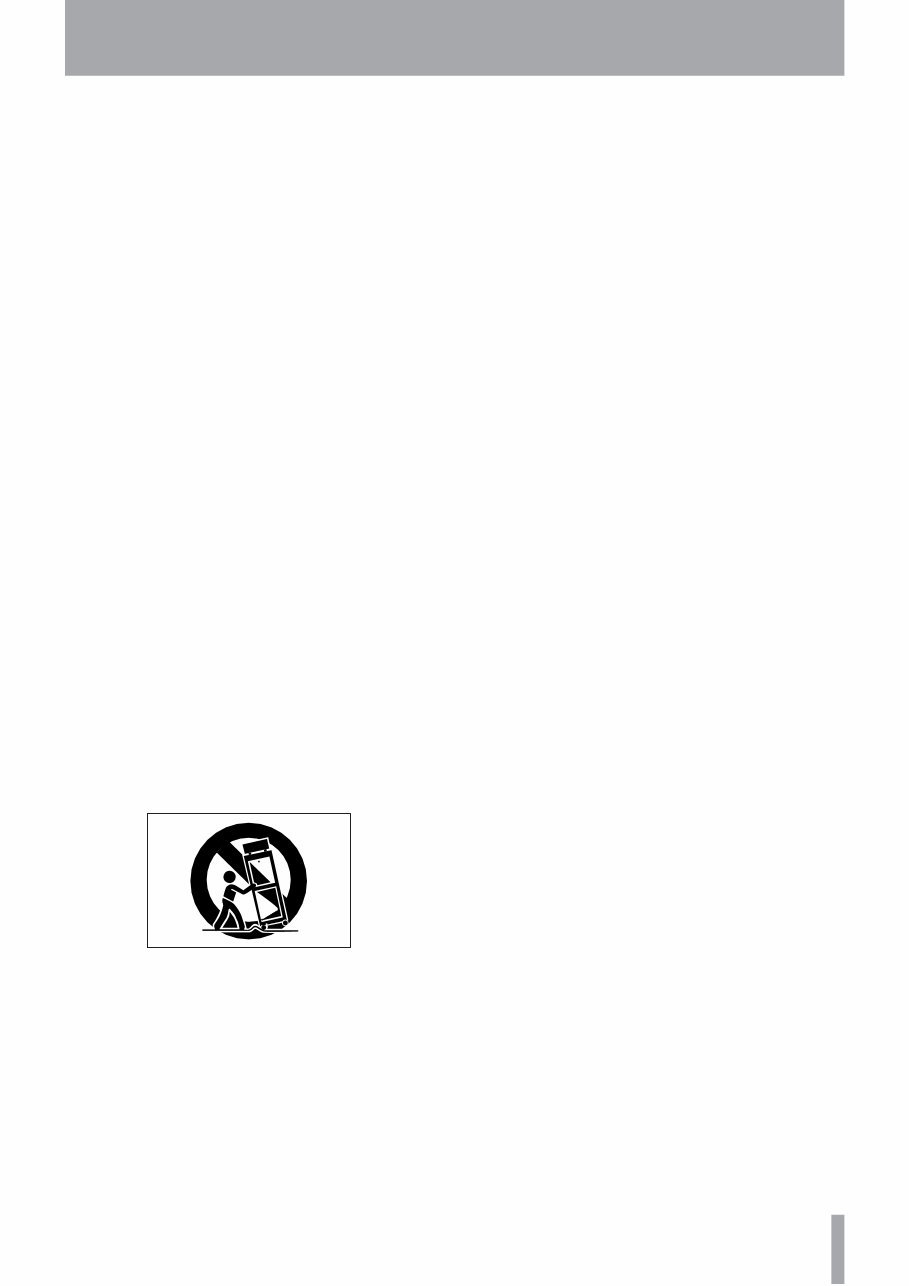
IMPORTANT SAFETY INSTRUCTIONS TASCAM DP-02/DP-02CF 1 Read these instructions. 2 Keep these instructions. 3 Heed all warnings. 4 Follow all instructions. 5 Do not use this apparatus near water. 6 Clean only with dry cloth. 7 Do not block any ventilation openings. Install in accordance with the manufacturer's instructions. 8 Do not install near any heat sources such as radiators, heat registers, stoves, or other apparatus (including amplifiers) that produce heat. 9 Do not defeat the safety purpose of the polarized or grounding-type plug. A polarized plug has two blades with one wider than the other. A grounding type plug has two blades and a third grounding prong. The wide blade or the third prong are provided for your safety. If the provided plug does not fit into your outlet, consult an electrician for replacement of the obsolete outlet. 10 Protect the power cord from being walked on or pinched particularly at plugs, convenience receptacles, and the point where they exit from the apparatus. 11 Only use attachments/accessories specified by the manufacturer. 12 Use only with the cart, stand, tripod, bracket, or table specified by the manufacturer, or sold with the apparatus. When a cart is used, use caution when moving the cart/apparatus combination to avoid injury from tip-over. 13 Unplug this apparatus during lightning storms or when unused for long periods of time. 14 Refer all servicing to qualified service personnel. Servicing is required when the apparatus has been damaged in any way, such as power-supply cord or plug is damaged, liquid has been spilled or objects have fallen into the apparatus, the apparatus has been exposed to rain or moisture, does not operate normally, or has been dropped. Do not expose this apparatus to drips or splashes. Do not place any objects filled with liquids, such as vases, on the apparatus. Do not install this apparatus in a confined space such as a book case or similar unit. The apparatus should be located close enough to the AC outlet so that you can easily grasp the power cord plug at any time. An apparatus with Class I construction shall be connected to an AC outlet with a protective grounding connection. Batteries (battery pack or batteries installed) should not be exposed to excessive heat such as sunshine, fire or the like. Excessive sound pressure from earphones and head- phones can cause hearing loss. The apparatus draws nominal non-operating power from the AC outlet with its STANDBY/ON in the Standby position. • • • • • • • •
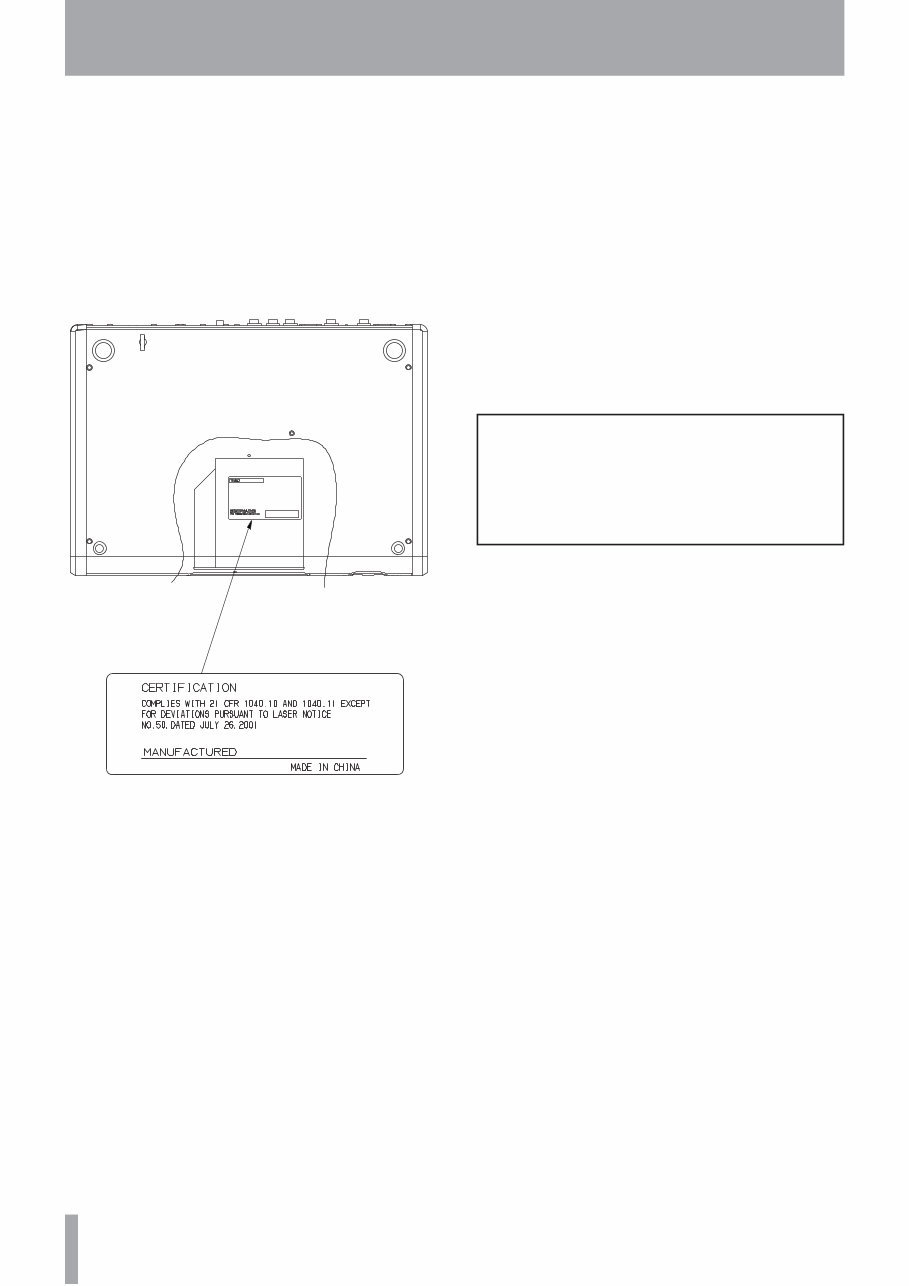
TASCAM DP-02/DP-02CF This product has been designed and manufactured according to FDA regulations "title 21, CFR, chapter 1, subchapter J, based on the Radiation Control for Health and Safety Act of 1968", and is classified as a class 1 laser product. There is no hazardous invis- ible laser radiation during operation because invis- ible laser radiation emitted inside of this product is completely confined in the protective housings. The label required in this regulation is shown at 1. Optical pickup: Type : HOP-6201T Manufacturer : Hitachi Media Electronics Co,Ltd. Laser output : Less than 75 mW on the objective lens (record) Wavelength : 777 to 787 nm CAUTION • DO NOT REMOVE THE PROTECTIVE HOUSING USING A SCREWDRIVER. • USE OF CONTROLS OR ADJUSTMENTS OR PERFORMANCE OF PROCEDURES OTHER THAN THOSE SPECIFIED HEREIN MAY RESULT IN HAZARDOUS RADIATION EXPOSURE. • IF THIS PRODUCT DEVELOPS TROUBLE, CONTACT YOUR NEAREST QUALIFIED SERVICE PERSONNEL, AND DO NOT USE THE PRODUCT IN ITS DAMAGED STATE. • CLASS 1M INVISIBLE LASER RADIATION WHEN OPEN AND INTERLOCKS DEFEATED. DO NOT VIEW DIRECTLY WITH OPTICAL INSTRUMENTS. Safety Information 1 For USA
TASCAM DP-02/DP-02CF Contents 1 – Starting out with your DP-02/DP-02CF ....................... 7 Getting started .................................. 7 DP-02 Line-up ................................................ 7 Manual conventions...................................... 7 Copyright ....................................................... 8 What’s in the box .......................................... 8 Precautions for placement and use ............. 8 Beware of condensation............................... 8 Media considerations (DP-02CF only) .......... 8 Loading the CF card into the unit (DP-02CF only)................................... 9 Starttup & shutdown ........................ 9 Starting up the unit ...................................... 9 Shutting down the unit .............................. 10 The ACCESS light ......................................... 10 How to play back demo songs (DP-02 only)......................... 10 Navigation ....................................... 11 The SHIFT key ................................... 11 Titling ............................................... 11 Connecting your unit to other equipment........................... 12 Balanced XLR inputs ................................... 14 Features of the DP-02/DP-02CF....... 15 Top panel ..................................................... 15 Front panel .................................................. 19 Rear panel .................................................... 20 Side panel (DP-02CF only) .......................... 20 Managing your songs ..................... 21 Creating a new song ................................... 21 Storing songs............................................... 21 Reverting to last version ............................ 21 Loading a saved song ................................. 22 Erasing a song(s) ......................................... 22 Song information ........................................ 23 Assigning inputs ............................. 23 Clearing an assignment..................................... 23 Recording ......................................... 24 More advanced features................. 24 Using marks to locate positions................. 24 Punching recording ..................................... 25 Bouncing ...................................................... 25 Track editing ................................................ 25 Undoing/Redoing an operation ................. 25 Undoing the last action and redoing the undo action .................................................... 25 Undoing/Redoing actions at once ............. 26 Deleting unused data ................................. 26 Mixdown and matering .................. 27 Mixdown ...................................................... 27 Mastering..................................................... 27 2 – Advanced techniques ......... 29 Location ........................................... 29 Direct location ............................................. 29 Location marks ............................................ 29 To set a location mark ...................................... 29 To move to a location mark .............................. 29 To delete a location mark ................................. 29 To edit a location mark ..................................... 29 IN and OUT marks ....................................... 30 Using the meters ............................. 30 EQ settings....................................... 31 Punching .......................................... 32 Rehearsal ..................................................... 32 Punch recording .......................................... 33 Pre-roll and post-roll time .............. 33 Bouncing .......................................... 34 Repeat .............................................. 34 Setting the repeat interval ......................... 35 Working in bars & beats ................. 35 Tempo setting ............................................. 35 Selecting the time mode ............................ 35 Metronome .................................................. 36 When “INTERNAL” is selected at “Output” [internal metronome] .............................. 36 When “MIDI” is selected at “Output” [MIDI metronome] .................................. 36 Working With MIDI.......................... 37 MIDI Clock, etc............................................. 37 MIDI timecode ............................................. 37 When “OFF” is selected at “Output” ................ 37 Disk/CF card management .............. 38 Selecting the active partition..................... 38 Formatting a disk/card ............................... 39 Formatting a partition ................................ 40 Formatting the FAT partition ..................... 40 Automatic song creation ............................ 41 Initializing a Compact Flash card (the DP-02 only) .............................. 41 Advanced song management......... 41 Coping songs ............................................... 41 Protecting a song ........................................ 42 Using the USB connection .............. 42 System requirements .................................. 42 Disconnecting from Windows 2000 / XP / Vista systems.......................................... 42
TASCAM DP-02/DP-02CF Contents Disconnecting from a Macintosh system ........... 43 "Open" and "Close" .................................... 43 Backing up and restoring songs .... 44 Backing up ................................................... 44 Restoring a song ......................................... 45 Importing and exporting tracks .... 45 Importing a track ........................................ 45 Exporting tracks .......................................... 46 Exporting the mastered stereo tracks ....... 47 About track editing......................... 47 IN, OUT and TO ................................. 48 Using edit mode .......................................... 48 Track editing function..................... 48 COPY ® PASTE ............................................ 48 COPY ® INSERT ........................................... 49 MOVE ® PASTE ........................................... 49 MOVE ® INSERT .......................................... 50 OPEN ............................................................ 50 CUT ............................................................... 51 SILENCE ........................................................ 51 CLONE TRACK .............................................. 51 CLEAN OUT .................................................. 52 Troubleshooting .............................. 53 Messages ......................................... 54 3 – Specifications ..................... 55 Specifications .................................. 55 Analog specifications ........................................ 55 Digital specifications ......................................... 55 Audio performance........................................... 55 Physical characteristics ...................................... 55 Dimensional drawings .................... 56 DP-02 ............................................................ 56 DP-02CF ........................................................ 56 Block diagram (DP-02/DP-02CF) ...... 57 4 – DP-02 Appendix .................. 58 Tuning a guitar ................................ 58 Changing the tuning .................................... 58 Noise reduction ................................................ 58 Multi-effect ..................................... 59 Assigning the effect ......................................... 59 Selecting the effect type ................................... 59 Selecting the effect .......................................... 59 Setting the parameter ....................................... 59 Setting the effect volume ................................. 59 Available multi-effect settings................... 60 Electric guitar settings (Elec.Guitar) ................... 58 Acoustic guitar settings (Aco.Guitar) ................. 58 Bass guitar settings (Bass Guitar) ....................... 59 Vocal settings (Vocal) ........................................ 59 Drum settings (drum) ........................................ 59 Reverb .............................................. 62 Turning the reverb on and off ........................... 62 Using the reverb ............................................... 62 Setting the reverb type ..................................... 62 Setting the reverb time ..................................... 62 About CD-R and CD-RW discs ......... 63 About finalizing .............................. 63 Handling of compact discs.......................... 64 Never use a stabilizer or printable discs.... 64 Media compatibility Table .............. 65 Inserting/Ejecting CDs .................... 66 Audio CD performance ................... 66 Playing back audio CDs............................... 66 Making an audio CD ................................... 67 Writing by Disk At Once (DAO) .................. 67 Writing by Track At Once (TAO) ................. 68 Finalizing CDs .............................................. 68 Erasing a CD-RW ......................................... 69 Data CD performance ..................... 69 Importing and exporting tracks .... 69 Importing from a CD ................................... 69 Exporting to CD........................................... 70 Backing up and restoring songs .... 71 Backing up songs to CD .............................. 71 Restoring songs from a CD ......................... 72 CD-related Error Message .............. 72 Pop-up Massages ............................ 73 5 – Commonly-used functions .. 75 How do I..? ....................................... 75
IMPORTANT SAFETY INSTRUCTIONS TASCAM DP-02/DP-02CF Read this section first. It contains important basic informa- tion about using your DP-02/DP-02CF effectively, and will help you create exciting original musical projects. When you have read this chapter (“Starting out with your DP-02/ DP-02CF” on page 7), you will be able to find your way around the DP-02/DP-02CF, and to make and play back recordings. The DP-02/DP-02CF allows you to record many hours of music, up to two tracks at a time, to a maximum of eight tracks, and then mix them down to a pair of mastered stereo tracks using the built-in mixing facilities. The stereo mix can then be played back into a suitably- equipped CD recorder, etc., or into a computer’s audio inputs for distribution over the Internet, etc. or transferred using a fast USB 2.0 connection to a personal computer. In addition, individual tracks can be imported and export- ed between your DP-02/DP-02CF and a personal computer, and songs can be archived, backed up and restored using a PC. Getting started Thank you for your purchase of TASCAM’s latest 8-track digital portastudio, the DP-02/DP-02CF. The DP-02 and DP-02CF are designed to provide you with great sound in an easy-to-use compact package, allowing you to concentrate on the music, and not on the recording process. Manual conventions This first section gives you an idea of the basic opera- tions of the DP-02/DP-02CF and will get you started with recording. Further features are described in “Advanced techniques” on page 29. When we refer to features of the DP-02/DP-02CF such as keys and connections, we display them like this: MENU. We refer to features of other equipment like this: AUX IN. When we show messages, etc., that appear on the screen, we show them like this: SONG LOAD . TIP : We give hints and tips on using the DP-02/DP-02CF when you see this icon. NOTE : A note at the side of the main text provides addi- tional explanations for special situations. CAUTION : A caution shows that you may lose data (your recordings) if you don’t follow the instructions. WARNING : Warnings should be taken seriously. They describe situations which can cause injury, or damage to the equipment if you do not follow the instructions, This manual cannot begin to be a full guide to multitrack recording techniques. However, if you visit the TASCAM Web site (www.tascam.com), you can download various documents on recording which may be of interest to you. Troubleshooting The DP-02/DP-02CF was designed to be easy to use, but sometimes you may need a little help. See the section “Troubleshooting” on page 53 for a list of questions you may have, and answers to help you. There’ s also a list of messages that may pop up, with an explana- tion of their meaning, and suggestions on what to do (see “Messages” on page 54). How to do it? At the back of this manual, there is a chapter called “Commonly-used functions” on page 76. Refer to this section when you want to know how to perform a particular operation. DP-02 Line-up There are two models, the DP-02 and DP-02CF. The DP-02/DP-02CF is equipped with phantom-powered XLR input jacks, and the DP-02 additionally is equipped with internal effect processors. The DP-02 contains a large hard disk and also an internal CD-R/RW drive. The DP-02CF uses a Compact Flash Card (not included with the unit) memory recorder (not provided with an internal CD-R/RW drive). This manual refers to both models as “the unit”, as the majority of the functions are common to both models. Also, their hard disk and CF card are described as “record- ing media.” Any other exceptions are noted. Chapter 4 of this manual, “DP-02 Appendix” on page 58, deals with the features found on only the DP-02. If you own a DP-02, please read the chapter. 1 – Starting out with your DP-02/DP-02CF
IMPORTANT SAFETY PRECAUTIONS TASCAM DP-02/DP-02CF 1 – Starting out with your DP-02/DP-02CF Precautions for placement and use The DP-02/DP-02CF may be used in most areas, but to maintain top performance, and prolong operating life, observe the following notes, precautions and environmen- tal conditions: Avoid exposing it to extremes of temperature and humidity and avoid mechanical shocks and vibration. Keep the unit away from strong magnetic fields (TV sets, computer monitors, large electric motors, etc.). The nominal temperature should be between 5°C and 35°C (41°F and 95°F). Relative humidity should be 30 to 90 percent. • • • • As the unit may become hot during operation, always leave sufficient space above the unit for ventilation. Do not install this unit in a confined space such as a book- case, and do not put anything on top of the unit. Avoid installing this unit on top of any heat-generating electrical device such as a power amplifier. Make sure that the unit is mounted in a level position for correct operation. The voltage supplied to the unit should match the volt- age as printed on the rear panel. If you are in any doubt regarding this matter, consult an electrician. • • • • Media considerations (DP-02CF only) The capacities and performance of your DP-02CF will vary based on the speed and abilities of the Compact Flash (CF) media used. Older and some cheaper Compact Flash (CF) cards use slower memory components and little internal buffering which results in poor recording performance. Newer CF cards, not only perform reading and writing faster, but also come in larger storage size. NOTE A card more than 512 MB should be used on the DP-02CF. The DP-02CF supports only Type I Compact Flash media. Type I cards are typically FLASH-ROM based and provide higher performance and durability than hard disk cards. A current list of stated CF cards and their capacities is maintain and available for viewing on the TASCAM website at www.tascam.com Windows, Windows XP, Windows 2000, and Windows Vista are trademarks of Microsoft Corporation. Macintosh, MacOS, and MacOS X are trademarks of Apple Computer. Copyright What’s in the box When you unpack the box, you should find (as well as this manual): The unit itself (DP-02, or DP-02CF) Power adaptor Power cable suitable for your region Warranty card • • • • If any of these items is missing, contact your TASCAM supplier. WARNING When using the unit, use only the power adaptor and cable supplied with product. Do not use this power adaptor and cable with any other product. If the unit is moved from a cold to a warm place, or used after a sudden temperature change, there is a danger of condensation; vapor in the air could condense on the internal mechanism, making correct operation impossible. To prevent this, or if this occurs, let the player sit for one or two hours at the new room temperature before using. Beware of condensation
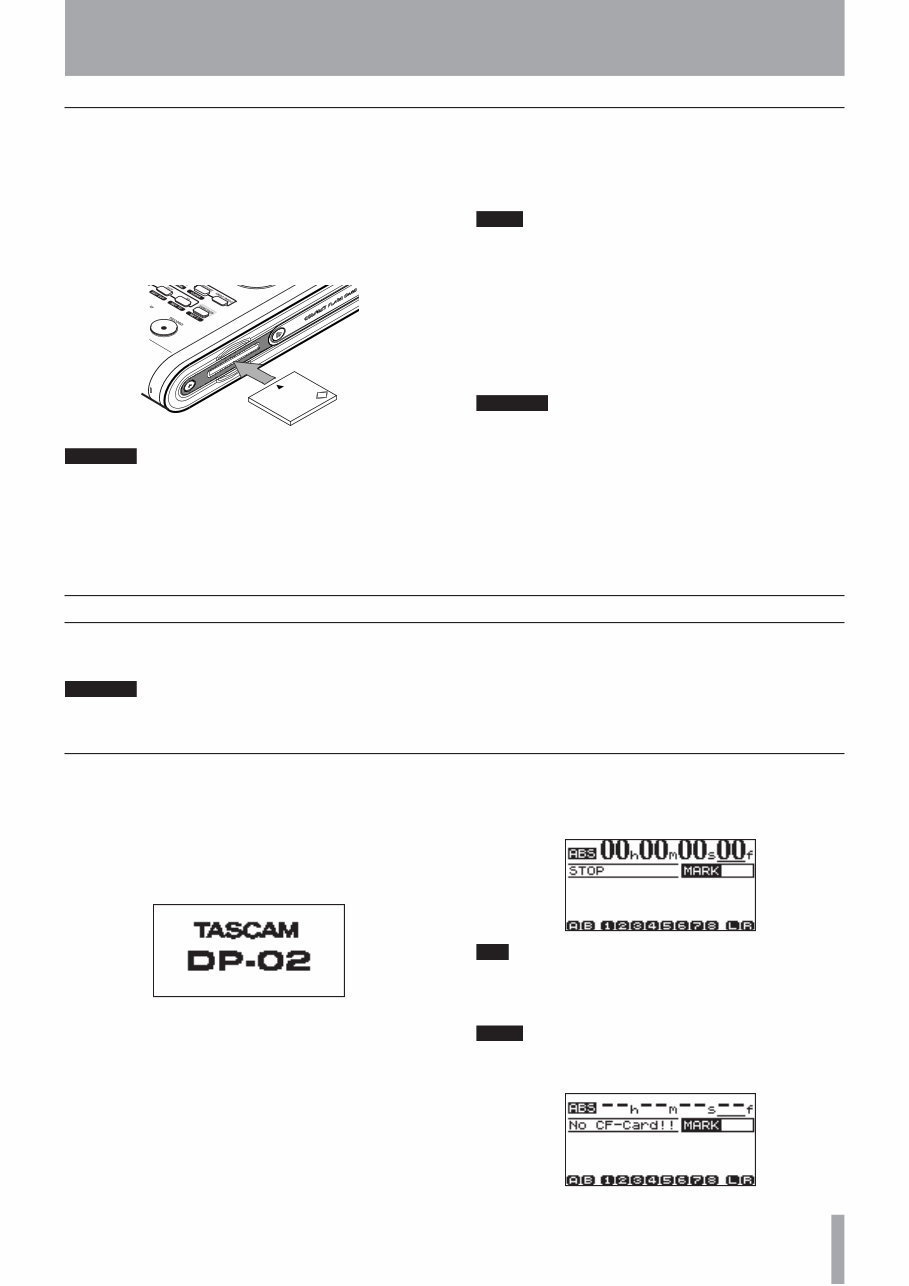
IMPORTANT SAFETY INSTRUCTIONS TASCAM DP-02/DP-02CF 1 – Starting out with your DP-02/DP-02CF Loading the CF card into the unit (DP-02CF only) On the DP-02CF, a CF card is used as a recording media for recording and playback. The CF card should be loaded into the unit before the power is turned on. 1. Slide the door to open the COMPACT FLASH CARD slot on the side panel to the right, and gently insert a card, label side up, into the unit’s slot. CF CAUTION If the card is the wrong way up, or backwards, when inserted into the slot, applying excessive pressure may damage the slot or the card. Do not force the card in to avoid damage to the unit or the card, remove and re-orient the card so that it slides in easily. 2. Close the slide door. With the door opened, the DP-02CF cannot be used. NOTE To use a new CF card, you need to format the card first (see “Formatting a disk/card” on page 39). Ejecting the card: Turn off the power to the unit first, slide the door to open and remove the card by hand (there is no eject lever on the unit). CAUTION Do not remove the card when the unit is turned on. Always turn the power off before you take the card out from the unit. Starting up the unit Connect the power adaptor to the unit, the power cable to the power adaptor, and the power cable to the power supply. Press the POWER switch on the top panel to turn on the unit. The display shows a welcome message. The system is loaded, and the last saved song is then loaded. The ACCESS indicator flashes to show the hard disk/CF card is in use while the song is being loaded, and the display shows the current operation. When the ACCESS light goes off, the display shows the “home screen”: TIP You can reach this screen from most operations by pressing HOME or repeatedly pressing the NO/EXIT key. NOTE When the power is turned on without a CF card loaded into the unit, the home screen shows as follow: Starttup & shutdown Read this section to understand how to power up and power down the unit. WARNING When switching the unit on and off, we suggest that you turn down the volume of any speakers or ampli- fiers connected to the unit. Also, do not wear head- phones connected to the unit when switching power on or off. This will avoid damage to speakers, etc. and possible damage to your hearing.
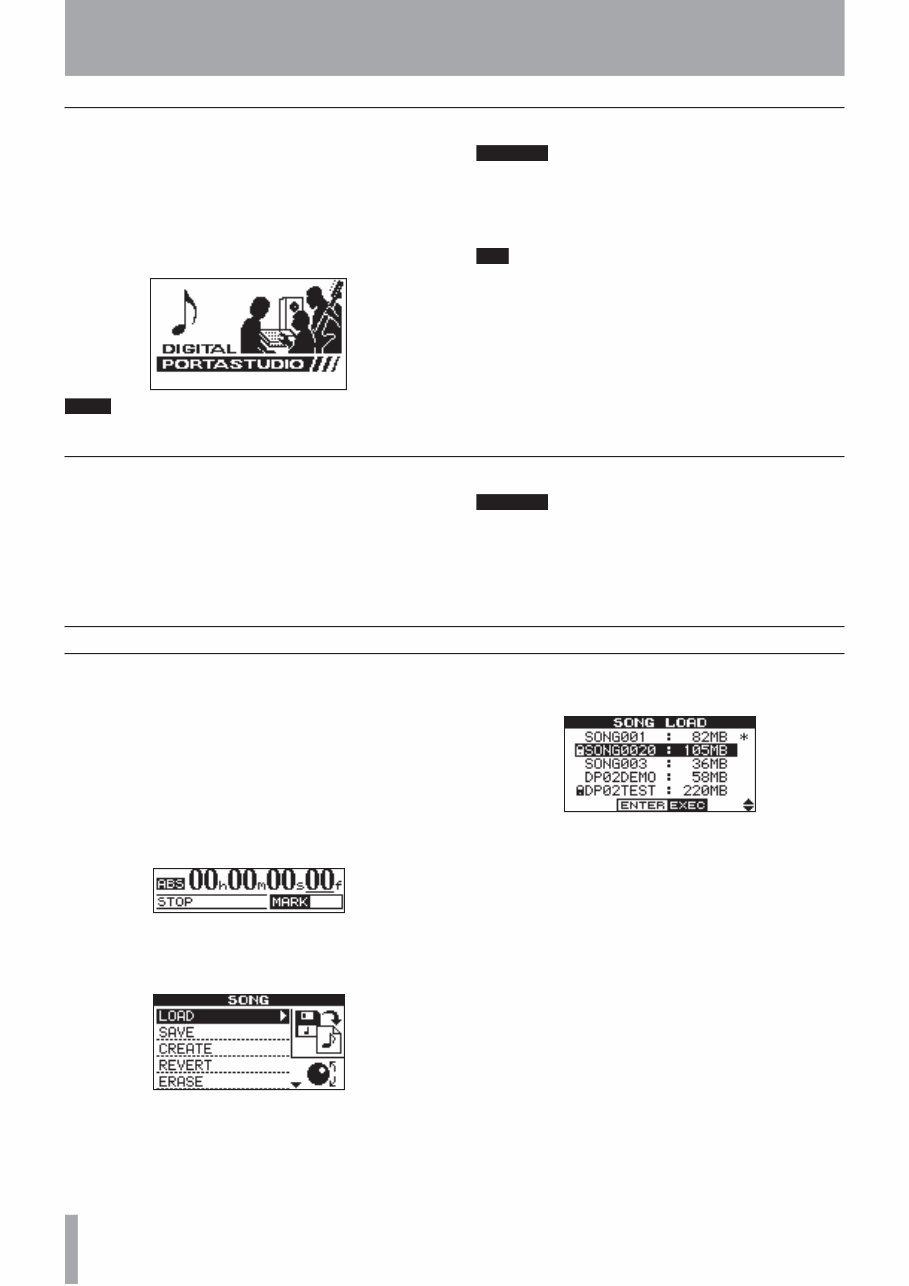
IMPORTANT SAFETY PRECAUTIONS 10 TASCAM DP-02/DP-02CF 1 – Starting out with your DP-02/DP-02CF Shutting down the unit Pressing the POWER switch on the top panel shuts down the unit automatically. First, stop playback or recording, and press the POWER switch for about seconds. While the unit is shutting down (storing the song data to hard disk or CF card) you will see the display shown here. NOTE Once shut down starts, all key presses are ignored. CAUTION If you turn off the power accidently while the unit is in operation, the unit cannot shut down properly so all unsaved data will be lost. We recommend that you save the data manually often. TIP There is a hook on the bottom of the unit to prevent the adapter cable being pulled accidently. The ACCESS light This indicator shows that the hard disk, CF card, or the CD-RW drive is in use. Although the unit is not exactly a delicate piece of equipment, you should take care with it, as with all electronic equipment, especially when the hard disk or CF card is in operation or when CD-RW drive is writing to CDs. WARNING Do not move the DP-02/DP-02CF or turn it off or disconnect the power or open the CF card door (DP-02CF only) when the ACCESS indicator is lit, to avoid damage to the recording media and possible loss of data. How to play back demo songs (DP-02 only) Before the unit is shipped, demo songs are stored on its hard disk. Follow the procedure below to play back these demo songs. 1. Connect the LINE OUT connector on the unit to the amplifier or monitor system. To listen on head- phones, insert the headphone plug into the PHONES jack on the left of the front panel. 2. Turn on the unit. When the unit has started up, the display shows the home screen. 3. Press the SONG key. The SONGscreen is displayed. If the LOADaction is not selected, rotate the DATA dial or use the cursor (¶/§) keys to highlight it. 4. Press the ¥ cursor or YES/ENTER key. The SONG LOADscreen is displayed. 5. Use the cursor (¶/§) or DATA dial to select DP02DEMOand press the YES/ENTER key. A pop-up screen appears while loading. When the demo is finished being loaded, the display returns to the SONGscreen. 6. Press the NO/EXIT key or HOME key to return to the home screen. 7. Press the PLAY key to play back the demo songs. Eight tracks of each demo song is available. Adjust the fader, MASTER fader, PAN and other controls for each channel. To adjust the volume of the headphones, use the PHONES knob on the top panel.
This is a detailed manual providing all the necessary information to effectively operate and maintain your TASCAM DP-02 / DP-02CF Portastudio.
Language: English
File Type: PDF
This document is in excellent resolution, allowing you to print either part or the entire document as needed.
Say goodbye to hours of scouring the web for this rare and hard-to-find manual. No more risking your PC by visiting shady websites and downloading unknown files.
This is an original user manual, providing direct access to user manuals, word documents, and other resources.
User manual - Hard-to-find user manuals in PDF format
Instructions - Instruction guides and manuals
User guide - Quick reference guides for product support
Reference book - Large downloadable documents for review
Owners manual - A guide for service or repair, such as a repair manual
You will receive certified safe files that are assured to be 100% clean and safe for both PC and MAC computers. We have done the hard work for you, so you can simply enjoy your manual!
With this manual, you will receive:
The Official User Manual in PDF format
A Full Help and User Manual Support
Our Total Satisfaction Pledge
Experience the fastest service in the industry! Downloading your manual is simple - start by clicking the Green Instant Download button on the top left of this page, and we will take care of the rest for you.





 Lifetime Access




