


HP 9250C SENDER, Service Manual + Parts List
What's Included?
 Lifetime Access
Fast Download Speeds
Online & Offline Access
Access PDF Contents & Bookmarks
Full Search Facility
Print one or all pages of your manual
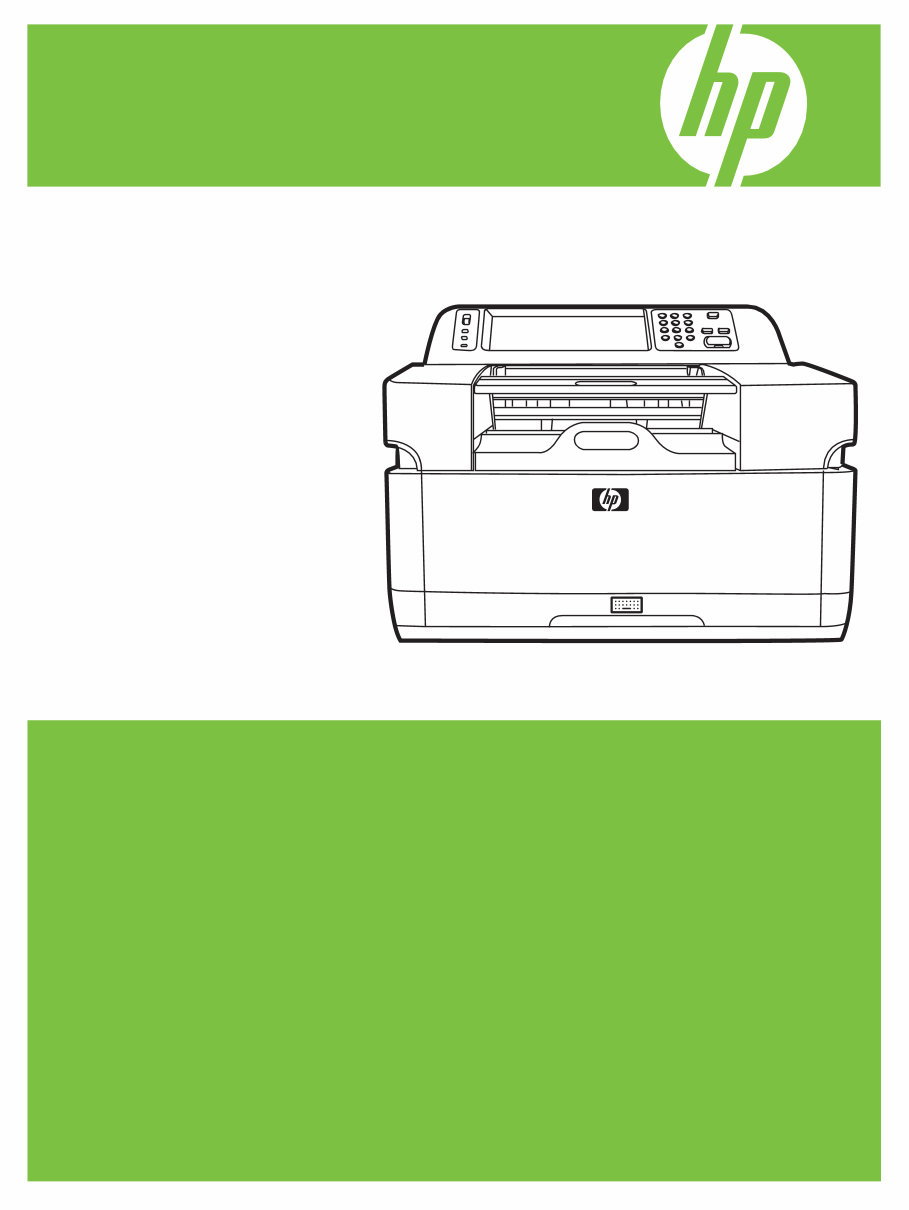
HP 9250C Digital Sender
Service Manual


HP 9250C Digital Sender
Service Manual

Copyright information
© 2007 Copyright Hewlett-Packard
Development Company, L.P.
Reproduction, adaptation, or translation
without prior written permission is prohibited,
except as allowed under the copyright laws.
The information contained herein is subject
to change without notice.
The only warranties for HP products and
services are set forth in the express warranty
statements accompanying such products
and services. Nothing herein should be
construed as constituting an additional
warranty. HP shall not be liable for technical
or editorial errors or omissions contained
herein.
Part number: CB472-90938
Edition 1, 3/2007
Trademark Credits
Linux is a U.S. registered trademark of Linus
Torvalds.
Microsoft
®
, Windows
®
, and Windows NT
®
are U.S. registered trademarks of Microsoft
Corporation.

Table of contents
1 Device information
Chapter contents .................................................................................................................................. 1
Device information ................................................................................................................................ 2
Where to get more information ............................................................................................ 2
Features ............................................................................................................................................... 4
Software features ................................................................................................................................. 5
Device parts ......................................................................................................................................... 6
Use the control panel ........................................................................................................................... 8
Control-panel layout ............................................................................................................. 8
Device software .................................................................................................................................. 10
Digital-sender software ...................................................................................................... 10
Paper handling ................................................................................................................................... 11
2 Installation and configuration
Chapter contents ................................................................................................................................ 13
Prepare the site .................................................................................................................................. 14
System requirements ......................................................................................................................... 14
Unpack the device .............................................................................................................................. 15
3 Maintenance
Chapter contents ................................................................................................................................ 17
Replace supplies and parts ................................................................................................................ 18
Replace the mylar sheet .................................................................................................... 18
Replace the ADF Maintenance Kit ..................................................................................... 19
Clean the device ................................................................................................................................. 20
Clean the exterior .............................................................................................................. 20
Clean the glass .................................................................................................................. 20
Clean the touchscreen ....................................................................................................... 20
Clean the ADF delivery system ......................................................................................... 20
Clean the ADF rollers ........................................................................................................ 22
4 Theory of operation
Chapter contents ................................................................................................................................ 25
Basic operation ................................................................................................................................... 26
Sequence of operation (scanner) ...................................................................................... 26
Formatter system ............................................................................................................................... 27
Sleep mode ........................................................................................................................ 27
CPU ................................................................................................................................... 27
ENWW iii

Memory .............................................................................................................................. 28
Control panel ..................................................................................................................... 28
Keyboard ........................................................................................................................... 28
Scanner controller board ................................................................................................... 28
Engine control system ........................................................................................................................ 28
Engine power supply circuit ............................................................................................... 28
Flatbed unit and ADF system ............................................................................................................. 29
Electrical system ................................................................................................................ 29
Motors and fans ................................................................................................................. 30
Optical assembly ............................................................................................................... 30
ADF feed system ............................................................................................................... 32
Jam detection .................................................................................................................... 33
5 Removal and replacement
Removal and replacement strategy .................................................................................................... 36
Required tools .................................................................................................................... 36
Before performing service .................................................................................................. 36
After completing service .................................................................................................... 36
Screws that are used in the digital sender ......................................................................... 37
User-replaceable parts ....................................................................................................................... 38
Separation pad .................................................................................................................. 39
Pickup-roller cover ............................................................................................................. 41
Pickup roller assembly ....................................................................................................... 43
Mylar-holder assembly ....................................................................................................... 44
ADF mylar shield ............................................................................................................... 46
Control panel ..................................................................................................................... 47
Control-panel overlays ....................................................................................................... 48
Formatter assemblies ........................................................................................................ 49
Hinge flaps ......................................................................................................................... 53
Paper input tray ................................................................................................................. 54
External components and covers ....................................................................................................... 55
Keyboard ........................................................................................................................... 56
Control-panel lower cover .................................................................................................. 58
Control-panel upper cover ................................................................................................. 59
Control-panel cover assembly ........................................................................................... 60
External control-panel cable .............................................................................................. 63
Output bin base cover or output bin extender .................................................................... 64
Output bin paper lever ....................................................................................................... 65
ADF right cover .................................................................................................................. 66
ADF right-corner cover ...................................................................................................... 68
ADF left cover .................................................................................................................... 69
ADF left-corner cover ......................................................................................................... 71
ADF rear cover .................................................................................................................. 72
Scanner right cover ............................................................................................................ 73
Scanner left cover .............................................................................................................. 74
Scanner front cover ........................................................................................................... 75
Scanner rear cover ............................................................................................................ 76
Right hinge cover ............................................................................................................... 77
Left hinge cover ................................................................................................................. 78
Upper hinge cover ............................................................................................................. 79
iv ENWW

Internal components ........................................................................................................................... 80
ADF assembly ................................................................................................................... 81
ADF jam access latch ........................................................................................................ 83
Right hinge guide ............................................................................................................... 84
Left hinge guide ................................................................................................................. 85
Damper cover, left damper spring, right damper spring, or damper base cover ............... 86
White mylar backing or white mylar backing spring ........................................................... 87
Fan filter ............................................................................................................................. 88
ADF cable .......................................................................................................................... 89
Separation pad case .......................................................................................................... 92
Clear plastic paper guide ................................................................................................... 93
White scan background ..................................................................................................... 94
Scanner controller board ................................................................................................... 95
Flatbed scanner assembly ................................................................................................. 96
Power supply ..................................................................................................................... 99
Keyboard cable ................................................................................................................ 102
Power-switch assembly ................................................................................................... 105
Scanner base fan ............................................................................................................. 106
Power plug ....................................................................................................................... 108
SCB cable ........................................................................................................................ 109
Internal control-panel cable ............................................................................................. 110
6 Troubleshooting
Troubleshooting process .................................................................................................................. 112
Initial troubleshooting checklist ........................................................................................ 112
Power-on checks ............................................................................................................. 113
Control-panel messages .................................................................................................................. 114
Control-panel message types .......................................................................................... 114
Resolve control-panel messages ..................................................................................... 114
Operational issues ............................................................................................................................ 122
LEDs ................................................................................................................................................. 126
HP Jetdirect LEDs ........................................................................................................... 126
Formatter LED ................................................................................................................. 126
Clear jams ........................................................................................................................................ 127
Solve repeated jams ........................................................................................................ 128
Calibrate the scanner ....................................................................................................................... 129
To print the calibration target ........................................................................................... 129
To calibrate the scanner .................................................................................................. 130
Calibrating the control panel ............................................................................................ 130
Resolve e-mail problems .................................................................................................................. 132
Finding the LDAP server address .................................................................................... 132
Verifying an LDAP address .............................................................................................. 132
Troubleshooting the LDAP Find Settings process ........................................................... 132
Finding an SMTP server address .................................................................................... 133
Verifying an SMTP address ............................................................................................. 133
Resolve network-connectivity problems ........................................................................................... 134
Embedded LAN troubleshooting ...................................................................................... 134
Verifying communication over the network ...................................................................... 137
Service-mode functions .................................................................................................................... 139
Cold reset ........................................................................................................................ 139
ENWW v

NVRAM initialization ........................................................................................................ 139
Disk initialization .............................................................................................................. 140
Service menu ................................................................................................................................... 141
Troubleshooting tools ....................................................................................................................... 142
Embedded Web server .................................................................................................... 142
HP Web Jetadmin software ............................................................................................. 144
Diagnostic tools ................................................................................................................................ 145
Scanner tests ................................................................................................................... 145
Control-panel tests ........................................................................................................... 145
Upgrade the firmware ....................................................................................................................... 147
Determine the current level of firmware ........................................................................... 147
Download new firmware from the HP Web site ............................................................... 147
Use FTP to upgrade the firmware on a direct network connection .................................. 147
Use HP Web Jetadmin to upgrade the firmware ............................................................. 148
Upgrade the HP Jetdirect Inside firmware ....................................................................... 149
Troubleshooting diagrams ................................................................................................................ 150
Digital-sender wiring diagram .......................................................................................... 150
Scanner controller board diagram ................................................................................... 150
Parts used in troubleshooting .......................................................................................... 152
7 Parts and diagrams
Ordering parts and supplies ............................................................................................................. 156
How to use the parts diagrams and lists .......................................................................................... 156
Screws that are used in the digital sender ....................................................................................... 157
Related documentation and software ............................................................................................... 158
Customer-replaceable components ................................................................................................. 160
ADF components .............................................................................................................................. 168
Scanner and bottom assemblies ...................................................................................................... 184
Alphabetical parts list ....................................................................................................................... 200
Numerical parts list ........................................................................................................................... 206
Appendix A Service and support
Hewlett-Packard limited warranty statement .................................................................................... 213
Customer self repair warranty service .............................................................................................. 214
Hewlett-Packard limited warranty statement for software ................................................................ 215
Availability of support and service .................................................................................................... 216
HP maintenance agreements ........................................................................................................... 216
Next-Day Onsite Service ................................................................................................. 216
Appendix B Specifications
Physical specifications ..................................................................................................................... 218
Electrical specifications .................................................................................................................... 218
Power consumption specifications ................................................................................................... 218
Environmental specifications ........................................................................................................... 219
Acoustic emissions ........................................................................................................................... 219
Appendix C Regulatory information
FCC regulations ............................................................................................................................... 222
Environmental Product Stewardship program .................................................................................. 223
vi ENWW

Protecting the environment .............................................................................................. 223
Ozone production ............................................................................................................ 223
Power consumption ......................................................................................................... 223
Plastics ............................................................................................................................ 223
Material restrictions .......................................................................................................... 223
Disposal of waste equipment by users in private households in the European Union .... 224
Material Safety Data Sheet (MSDS) ................................................................................ 224
For more information ....................................................................................................... 224
Declaration of conformity .................................................................................................................. 225
Country-/region-specific safety statements ...................................................................................... 226
Canadian DOC regulations .............................................................................................. 226
VCCI statement (Japan) .................................................................................................. 226
EMI statement (Korea) ..................................................................................................... 226
Index ................................................................................................................................................................. 227
ENWW vii

viii ENWW
You're Reading a Preview
What's Included?
Lifetime Access
Fast Download Speeds
Online & Offline Access
Access PDF Contents & Bookmarks
Full Search Facility
Print one or all pages of your manual
$27.99
Viewed 87 Times Today


Secure transaction
What's Included?
Lifetime Access
Fast Download Speeds
Online & Offline Access
Access PDF Contents & Bookmarks
Full Search Facility
Print one or all pages of your manual
$27.99
This is the complete service manual for the HP 9250C SENDER, providing detailed diagrams, pictures, and procedures for diagnosing and repairing the copier. It is useful for both professional mechanics and DIY enthusiasts.
- You can print, zoom, or read any diagram, picture, or page from this Service Manual.
- Every chapter is fully detailed and contains simulation codes, trouble codes, maintenance procedures, reset procedures, and diagnose procedures for the HP 9250C SENDER photocopier.
The manual includes the following chapters:
- DEVICE INFORMATION
- Where to get more information
- Features
- Software features
- Device parts
- Use the control panel
- Control-panel layout
- Device software
- Digital-sender software
- Paper handling
- INSTALLATION AND CONFIGURATION
- Prepare the site
- System requirements
- Unpack the device
- MAINTENANCE
- Replace supplies and parts
- Replace the mylar sheet
- Replace the ADF maintenance kit
- Clean the device
- Clean the exterior
- Clean the glass
- Clean the touchscreen
- Clean the ADF delivery system
- Clean the ADF rollers
- THEORY OF OPERATION
- Basic operation
- Sequence of operation (scanner)
- Formatter system
- Sleep mode
- CPU
- Memory
- Control panel
- Keyboard
- Scanner controller board
- Engine control system
- Engine power supply circuit
- Electrical system
- Motors and fans
- Optical assembly
- ADF feed system
- Jam detection
- REMOVAL AND REPLACEMENT
- Removal and replacement strategy
- Required tools
- Before performing service
- After completing service
- Screws that are used in the sender
- User-replaceable parts
- Internal components
- TROUBLESHOOTING
- Troubleshooting process
- Initial troubleshooting checklist
- Power-on checks
- Control-panel messages
- Operational issues
- LEDs
- Calibrate the scanner
- Resolve e-mail problems
- Resolve network-connectivity problems
- Service-mode functions
- Troubleshooting tools
- Upgrade the firmware
- Troubleshooting diagrams
- PARTS AND DIAGRAMS
- Ordering parts and supplies
- How to use the parts diagrams and lists
- Related documentation and software
- Customer-replaceable components
- Alphabetical parts list
- Numerical parts list
- APPENDIX A SERVICE AND SUPPORT
- Hewlett-Packard limited warranty statement
- Customer self-repair warranty service
- Hewlett-Packard limited warranty statement for software
- Availability of support and service
- HP maintenance agreements
- Next-day onsite service
- APPENDIX B SPECIFICATIONS
- Physical specifications
- Electrical specifications
- Power consumption specifications
- Environmental specifications
- Acoustic emissions
- APPENDIX C REGULATORY INFORMATION
- FCC regulations
- Environmental product stewardship program
- Protecting the environment
- Ozone production
- Power consumption
- Plastics
- Material restrictions
- Disposal of waste equipment by users in private households in the European Union
- Material safety data sheet (MSDS)
- Declaration of conformity
- Country-/region-specific safety statements
- Canadian DOC regulations
- VCCI statement (Japan)
- EMI statement (Korea)
Number of pages: 230


