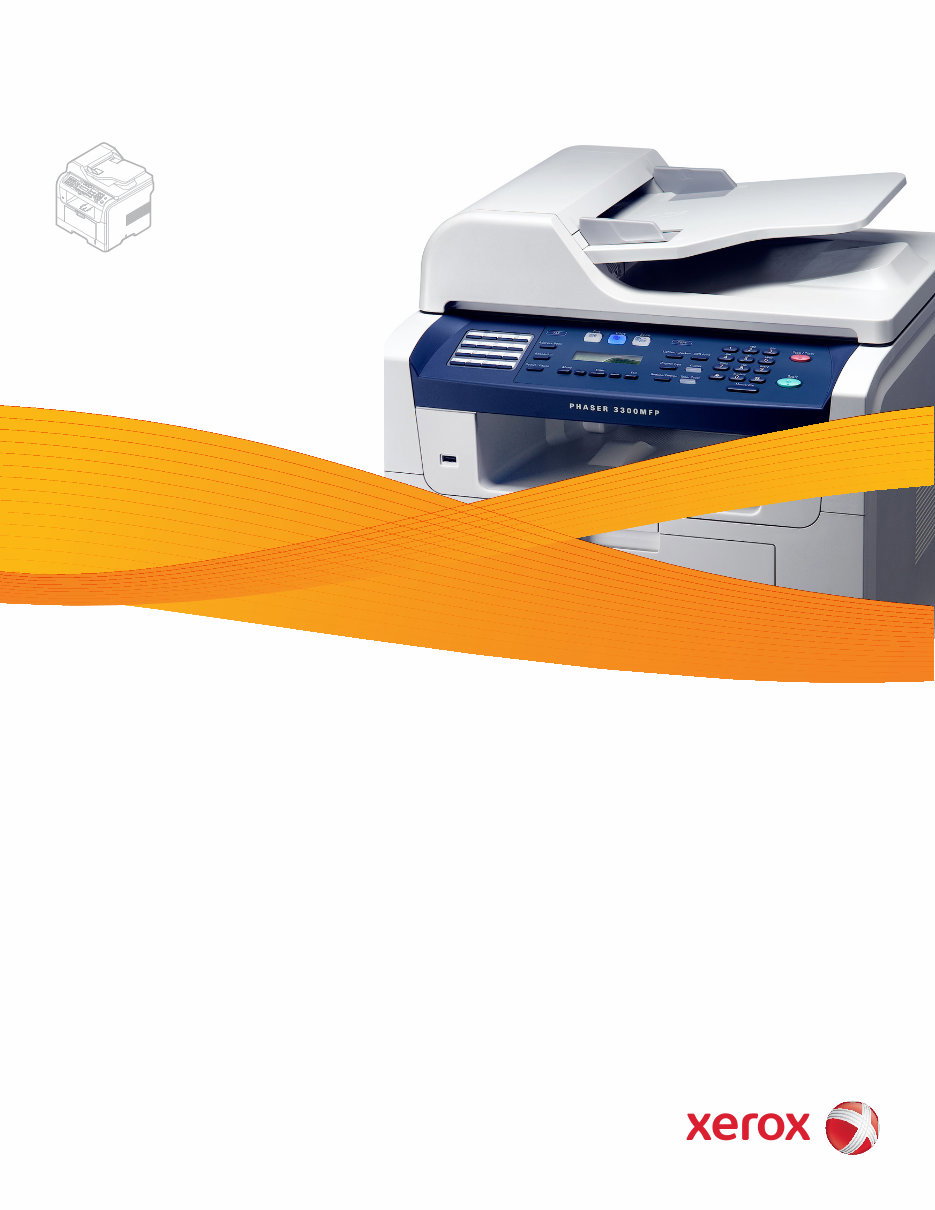
Phaser ® 3300MFP Multi Function Printer Phaser ® 3300MFP Service Manual
Service Manual 701P48425 Phaser ® 3300MFP Multifunction Product Warning The following servicing instructions are for use by qualified service personnel only. To avoid personal injury, do not perform any servicing other than that contained in the operating instructions, unless you are qualified to do so.
ii Phaser 3300MFP Service Manual First Printing: July 2008 Prepared By: Xerox Corporation XOG Worldwide Product Training and Information 26600 SW Parkway Wilsonville, OR 97070 Unpublished rights reserved under the copyright laws of the United States. Contents of this publication may not be reproduced in any form without permission of Xerox Corporation. Copyright protection claimed includes all forms and matters of copyrightable materials and information now allowed by statutory or judicial law or hereinafter granted, including without limitation, material generated from the software programs which are displayed on the screen such as styles, templates, icons, screen displays, looks, etc. Xerox technical training materials and service manuals are intended for use by authorized Xerox service technicians and service partners only and are not for resale. These materials may not be distributed, copied, or otherwise reproduced without prior written consent from Xerox Corporation. XEROX ® , CentreWare ® , Phaser ® , PrintingScout ® , and Walk-Up ® are trademarks of Xerox Corporation in the United States and/or other countries. Adobe ® and PostScript ® are trademarks of Adobe Systems Incorporated in the United States and/or other countries. Apple ® , Bonjour ® , ColorSync ® , EtherTalk ® , Macintosh ® , and Mac OS ® are trademarks of Apple Computer, Inc. in the United States and/or other countries. PCL ® is a trademark of Hewlett-Packard Corporation in the United States and/or other countries. Microsoft ® , Vista ™ , Windows ® , and Windows Server ™ are trademarks of Microsoft Corporation in the United States and/or other countries. Novell ® , NetWare ® , and IPX/SPX ™ are trademarks of Novell, Incorporated in the United States and/or other countries. Sun SM , Sun Microsystems ™ , and Solaris ™ are trademarks of Sun Microsystems, Incorporated in the United States and/or other countries. UNIX ® is a registered trademark in the US and other countries, licensed exclusively through X/Open Company Limited. As an ENERGY STAR ® partner, Xerox Corporation has determined that this product meets the ENERGY STAR guidelines for energy efficiency. The ENERGY STAR name and logo are registered U.S. marks.
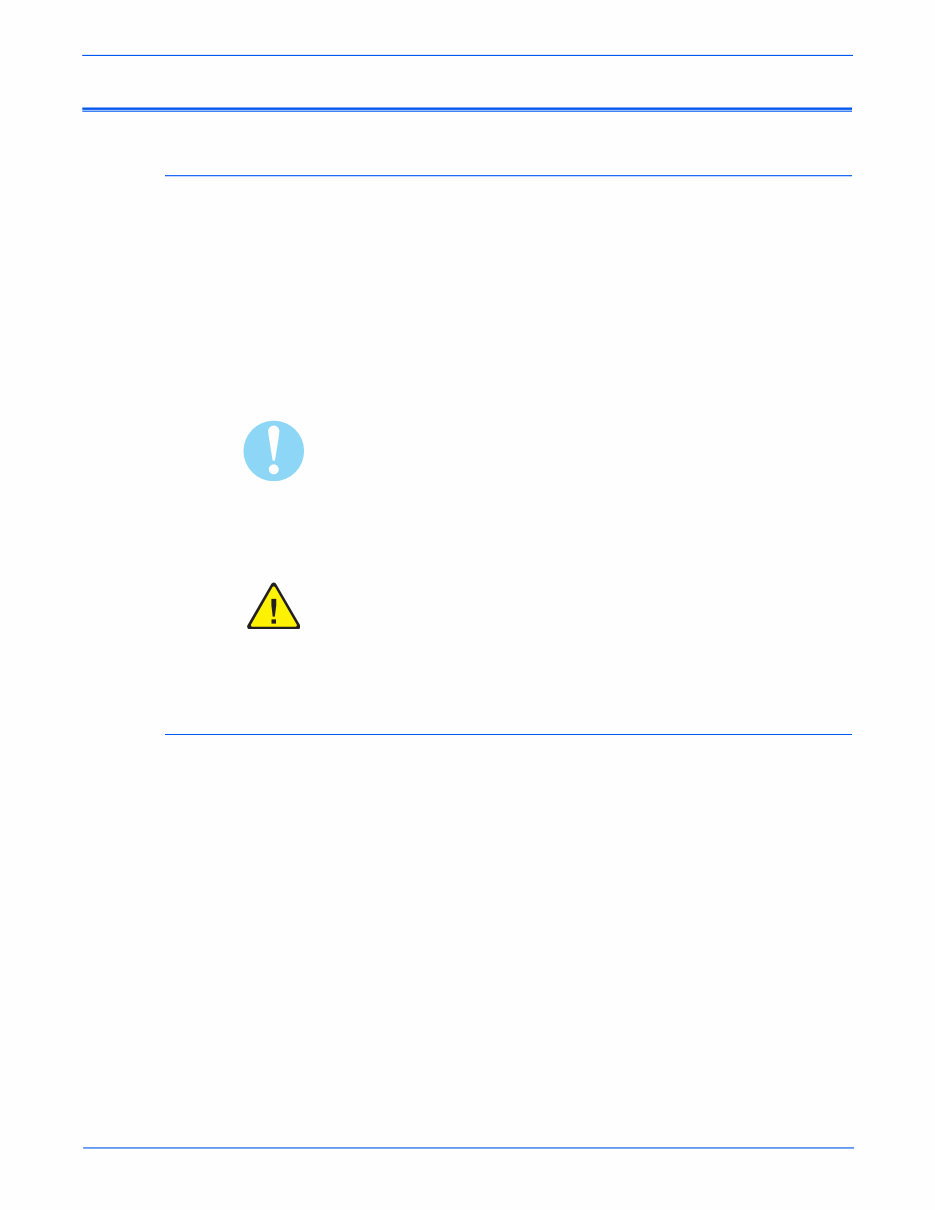
Phaser 3300MFP Service Manual iii Service Terms Manual Terms Various terms are used throughout this manual to either provide additional information on a specific topic or to warn of possible danger present during a procedure or action. Be aware of all symbols and terms when they are used, and always read Note, Caution, and Warning statements. Note A note indicates an operating or maintenance procedure, practice or condition that is necessary to efficiently accomplish a task. A note can provide additional information related to a specific subject or add a comment on the results achieved through a previous action. Caution A caution indicates an operating or maintenance procedure, practice or condition that, if not strictly observed, results in damage to, or destruction of, equipment. Warning A warning indicates an operating or maintenance procedure, practice or condition that, if not strictly observed, may result in personal injury. Product Terms Caution: A personal injury hazard exists that may not be apparent. For example, a panel may cover the hazardous area. Danger: A personal injury hazard exists in the area where you see the sign.
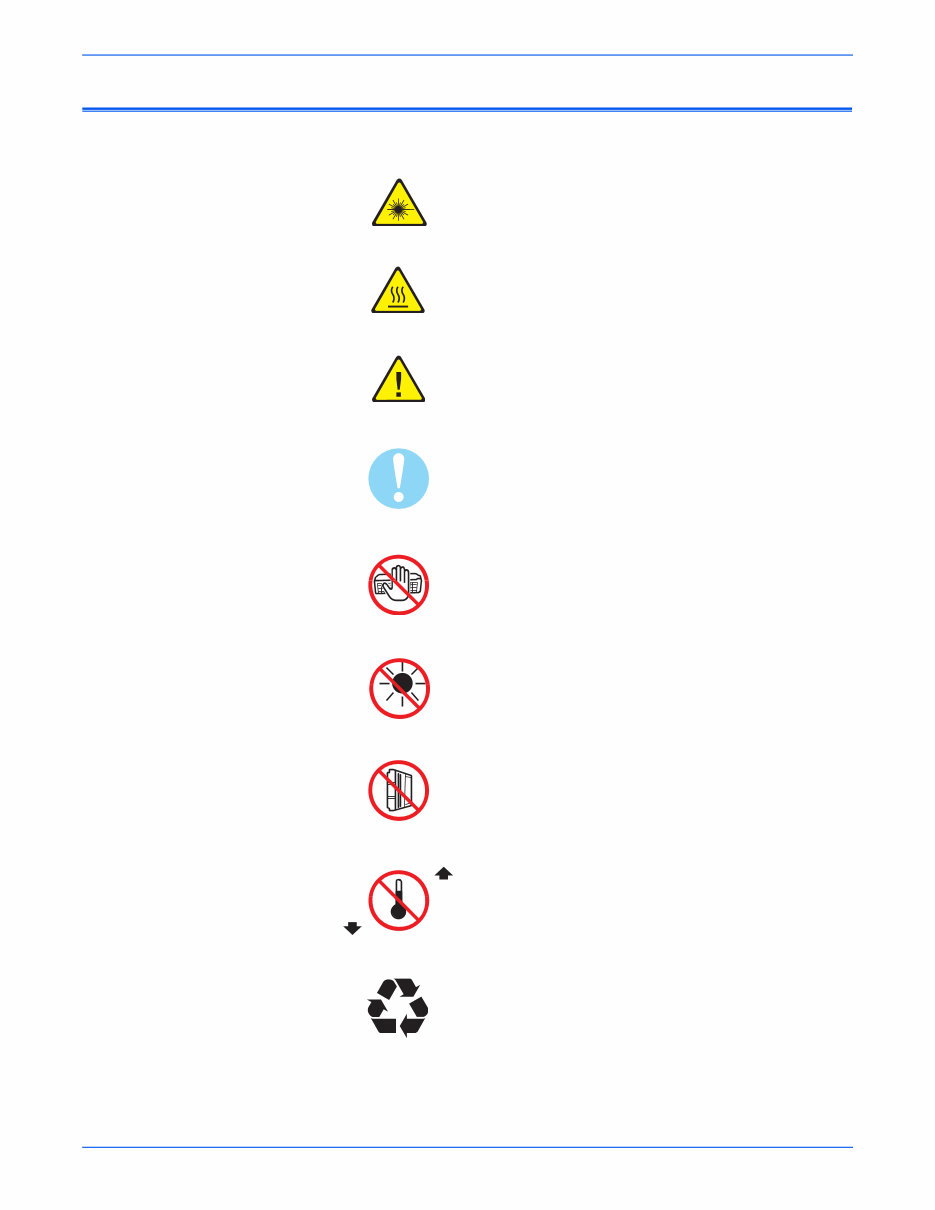
iv Phaser 3300MFP Service Manual Symbols Marked on the Product Warning. Danger invisible laser radiation when open. Avoid direct exposure to beam. Hot surface on or in the printer. Use caution to avoid personal injury. Warning. Use caution to avoid personal injury. Use caution (or draws attention to a particular component). Refer to the manual(s) for information. Do not touch the OPC Drum. Do not expose the item to sunlight. Do not tilt the Print Cartridge. Do not expose item to high temperature. Recycle the item. 35°C 95°F 0°C 32°F
Phaser 3300MFP Service Manual v Power Safety Precautions Power Source For 115 VAC printers, do not apply more than 127 volts RMS between the supply conductors or between either supply conductor and ground. For 230 VAC printers, do not apply more than 254 volts RMS between the supply conductors or between either supply conductor and ground. Use only the specified power cord and connector. This manual assumes that the reader is a qualified service technician. Plug the three-wire power cord (with grounding prong) into a grounded AC outlet only. If necessary, contact a licensed electrician to install a properly grounded outlet. If the product loses its ground connection, contact with conductive parts may cause an electrical shock. A protective ground connection by way of the grounding conductor in the power cord is essential for safe operation. Disconnecting Power Warning Turning the power Off using the power switch does not completely de- energize the printer. You must also disconnect the power cord from the printer’s Alternating Current (AC) inlet. Disconnect the power cord by pulling the plug, not the cord. Disconnect the power cord in the following cases: ■ if the power cord or plug is frayed or otherwise damaged, ■ if any liquid or foreign material is spilled into the product, ■ if the printer is exposed to any excess moisture, ■ if the printer is dropped or damaged, ■ if you suspect that the product needs servicing or repair, ■ whenever you clean the product.
vi Phaser 3300MFP Service Manual Electrostatic Discharge Precautions Some semiconductor components, and the respective sub-assemblies that contain them, are vulnerable to damage by Electrostatic Discharge (ESD). These components include Integrated Circuits (ICs), Large-Scale Integrated circuits (LSIs), field-effect transistors, and other semiconductor chip components. The following techniques will reduce the occurrence of component damage caused by static electricity. Be sure the power is Off to the chassis or circuit board, and observe all other safety precautions. ■ Immediately before handling any semiconductor components assemblies, drain the electrostatic charge from your body. This can be accomplished by touching an earth ground source or by wearing a wrist strap device connected to an earth ground source. Wearing a wrist strap will also prevent accumulation of additional bodily static charges. Be sure to remove the wrist strap before applying power to the unit under test to avoid potential shock. ■ After removing a static sensitive assembly from its anti-static bag, place it on a grounded conductive surface. If the anti-static bag is conductive, you may ground the bag and use it as a conductive surface. ■ Do not use freon-propelled chemicals. These can generate electrical charges sufficient to damage some devices. ■ Do not remove a replacement component or electrical sub-assembly from its protective package until you are ready to install it. ■ Immediately before removing the protective material from the leads of a replacement device, touch the protective material to the chassis or circuit assembly into which the device will be installed. ■ Minimize body motions when handling unpacked replacement devices. Motion such as your clothes brushing together, or lifting a foot from a carpeted floor can generate enough static electricity to damage an electro-statically sensitive device. ■ Handle ICs and Erasable Programmable Read-Only Memories (EPROMs) carefully to avoid bending pins. ■ Pay attention to the direction of parts when mounting or inserting them on Printed Circuit Boards (PCBs).
Phaser 3300MFP Service Manual vii Service Safety Summary General Guidelines For qualified service personnel only: Refer also to the preceding “Power Safety Precautions” on page v. Use care when servicing with power: Dangerous voltages may exist at several points in this product. To avoid personal injury, do not touch exposed connections and components while power is On. Disconnect power before removing the power supply shield or replacing components. Do not wear jewelry: Remove jewelry prior to servicing. Rings, necklaces, and other metallic objects could come into contact with dangerous voltages and currents. Ozone: During normal operation, this machine produces ozone gas. The amount of ozone produced does not present a hazard to the operator. However, it is advisable that the machine be operated in a well ventilated area. Warning Labels Read and obey all posted warning labels. Throughout the printer, warning labels are displayed on potentially dangerous components. As you service the printer, check to make certain that all warning labels remain in place. Safety Interlocks Make sure all covers are in place and all Interlock Switches are functioning correctly after you have completed a printer service call. If you bypass an Interlock Switch during a service call, use extreme caution when working on or around the printer. Class 1 Laser Product The Phaser 3300MFP is certified to comply with Laser Product Performance Standards set by the U.S. Department of Health and Human Services as a Class 1 Laser Product. This means that this product does not emit hazardous laser radiation; which is possible only because the laser beam is totally enclosed during all modes of customer operation. When servicing the printer or laser unit, follow the procedures specified in this manual and there will be no hazards from the laser.
viii Phaser 3300MFP Service Manual Maintenance Cleaning Before cleaning this product, unplug the product from the electrical outlet. Always use materials specifically designated for this product, the use of other materials may result in poor performance and create a hazardous situation. Do not use aerosol cleaners; they may be explosive and flammable under certain conditions. Print Cartridge The product contains a dry image cartridge that is recyclable. Under various state and local laws, it may be illegal to dispose of the cartridge into the municipal waste. Check with the local waste officials for details on recycling options or the proper disposal procedures. Fuses Warning Do not install a Fuse of a different type or rating. Installing the wrong type or rating of Fuse can cause overheating and a risk of fire. Part Replacement Only use genuine Xerox approved spare parts or components to maintain compliance with legislation and safety certification. Reassembly Precautions Use extreme care during assembly. Check all harnesses to ensure they do not contact moving parts and do not get trapped between components.
You're Reading a Preview
What's Included?
Lifetime Access
Fast Download Speeds
Online & Offline Access
Access PDF Contents & Bookmarks
Full Search Facility
Print one or all pages of your manual
$30.99
Xerox Phaser 3300MFP Multifunction Printer Service Repair Manual
This is the complete factory Service Repair Manual for the Xerox Phaser 3300MFP Multifunction Printer. This Service Manual has easy-to-read text sections with top quality diagrams and instructions as well as step-by-step instructions for repairing your XEROX machine.
It makes it easy for you to learn technical theory, installation, maintenance, troubleshooting, disassembly, assembly, and repair of XEROX products.
This Manual Covers:
Section 1 - General Information
Section 2 - Theory of Operation
Section 3 - Error Codes and Messages
Section 4 - General Troubleshooting
Section 5 - Print-Quality Troubleshooting
Section 6 - Adjustments and Calibrations
Section 7 - Cleaning and Maintenance
Section 8 - Service Parts Disassembly
Section 9 - Parts List
Section 10 - Wiring Diagrams
Appendix A - Reference
Model Specification: Xerox Phaser 3300MFP Multifunction Printer
Total Pages: 296
Language: English
File Format: PDF
Requirements: Adobe Reader
Compatible: All Versions of Windows & Mac, APP ISO, iPhone, iPad, Android etc...
This manual is in PDF format. The Service Manual is fully indexed and bookmarked by topic. This is an original Adobe document which equals Perfect Quality and Perfect Printing. The PDF can be searched quickly to find what you need to know in every Chapter. You can print the Entire manual or ANY Pages you want to select. You can also Zoom in on any Diagram or Picture to easily SEE EVERY PART.
Save time and money by doing your own repairs! This manual makes any repair job easy to do with very easy to follow step-by-step instructions & pictures on all areas of repair.
All Service Repair Manuals are instant downloads, it means no shipping cost or waiting for a CD or paper manual to arrive in the mail. You will receive this manual today via instant download on completion of payment via our secure payment processor. We accept all major credit/debit cards and PayPal.
Reviews
Q&A
Recently Viewed
5,521,897Happy Clients
2,594,462eManuals
1,120,453Trusted Sellers
15Years in Business
Price:
Actual Price:
Xerox Phaser 3300MFP Multifunction Printer Service Repair Manual







 Lifetime Access




