


7/11/2005
5-1
6204 Wide Format Solution
Parts List
Overview
Introduction ..................................................................................................................... 5-3
Subsystem Information ................................................................................................... 5-4
Symbology ...................................................................................................................... 5-5
Parts Lists
Drive
PL 1.1 Drive Paper .......................................................................................................... 5-7
PL 1.2 Developer ............................................................................................................ 5-8
Paper Transport
PL 2.1 Manual Paper Feed ............................................................................................. 5-9
PL 2.2 Lower Baffle Component ..................................................................................... 5-10
PL 2.3 Manual Feed Baffle-3 Assembly .......................................................................... 5-11
PL 2.4 Horizontal Lower Baffle Component .................................................................... 5-12
PL 2.5 Horizontal Lower Baffle Component .................................................................... 5-13
IIT
PL 3.1 IIT Document Transport ....................................................................................... 5-14
PL 3.2 IIT Electrical ......................................................................................................... 5-15
PL 3.3 Upper Document Transport ................................................................................. 5-16
LPH
PL 4.1 LPH Accessory .................................................................................................... 5-17
PL 4.2 LPH Component .................................................................................................. 5-18
Developer Assembly
PL 5.1 Developer Assembly ............................................................................................ 5-19
PL 5.2 Developer Assembly Components ...................................................................... 5-20
Xerographics
PL 6.1 Xerographics Accessory ...................................................................................... 5-21
PL 6.2 Xerographics Module Component ....................................................................... 5-22
PL 6.3 BTR Housing Component .................................................................................... 5-23
PL 6.4 Xerographics Housing Component ...................................................................... 5-24
Fuser
PL 7.1 Fuser Assembly Accessory ................................................................................. 5-25
PL 7.2 Fuser Assembly Component-Roll ........................................................................ 5-26
PL 7.3 Fuser Assembly Component-Chute..................................................................... 5-27
PL 7.4 Upper Exit Baffle Component .............................................................................. 5-28
PL 7.5 Thermistor Plate Component ............................................................................... 5-29
Electrical
PL 8.1 Electrical-Rear 1 .................................................................................................. 5-30
PL 8.2 Electrical-Rear 2 .................................................................................................. 5-31
PL 8.3 Electrical-Rear Lower .......................................................................................... 5-32
PL 8.4 Upper Right Electrical .......................................................................................... 5-33
PL 8.5 Electrical-Left Side ............................................................................................... 5-34
PL 8.6 Console Component ............................................................................................ 5-35
Cover
PL 9.1 Cover-Front, Right, Top ....................................................................................... 5-36
PL 9.2 Cover-Rear, Left .................................................................................................. 5-37
Covers
PL 9.3 Document Shelf Component ................................................................................ 5-38
RFC
PL 10.1 2-RFC Type Accessory ...................................................................................... 5-39
PL 10.2 RFC-Type 1 Accessory ...................................................................................... 5-40
PL 10.3 RFC A-Type Accessory ..................................................................................... 5-41
PL 10.4 RFC B-Type Accessory ..................................................................................... 5-42
PL 10.5 RFC Component-Paper Feed ............................................................................ 5-43
PL 10.6 RFC Component-Latch, Roll Paper Tube Support ............................................ 5-44
PL 10.7 Paper Heater/Paper Size Housing Component ................................................. 5-45
PL 10.8 Take Away Baffle Component ........................................................................... 5-46
Common Hardware
Common Hardware Common Hardware ......................................................................... 5-47
Part Number Index .......................................................................................................... 5-48

7/11/2005
5-2
6204 Wide Format Solution
Parts List
7/11/2005
5-3
6204 Wide Format Solution
Introduction
Parts List
Introduction
Overview
The Parts List section identifies all part numbers and the corresponding location of all spared
subsystem components.
Organization
Parts Lists
Each item number in the part number listing corresponds to an item number in the related
illustration. All the parts in a given subsystem of the machine will be located in the same
illustration or in a series of associated illustrations.
Electrical Connectors and Fasteners
This section contains the illustrations and descriptions of the plugs, jacks, and fasteners used
in the machine. A part number listing of the connectors is included.
Common Hardware
The common hardware is listed in alphabetical order by the letter or letters used to identify
each item in the part number listing and in the illustrations. Dimensions are in millimeters
unless otherwise identified.
Part Number Index
This index lists all the spared parts in the machine in numerical order. Each number is followed
by a reference to the parts list on which the part may be found.
Other Information
Abbreviations
Abbreviations are used in the parts lists and the exploded view illustrations to provide
information in a limited amount of space. The following abbreviations are used in this manual:
Symbology
Symbology used in the Parts List section is identified in the Symbology section.
Service Procedure Referencing
If a part or assembly has an associated repair or adjustment procedure, the procedure number
will be listed at the end of the part description in the parts lists e.g. (REP 5.1, ADJ 5.3)
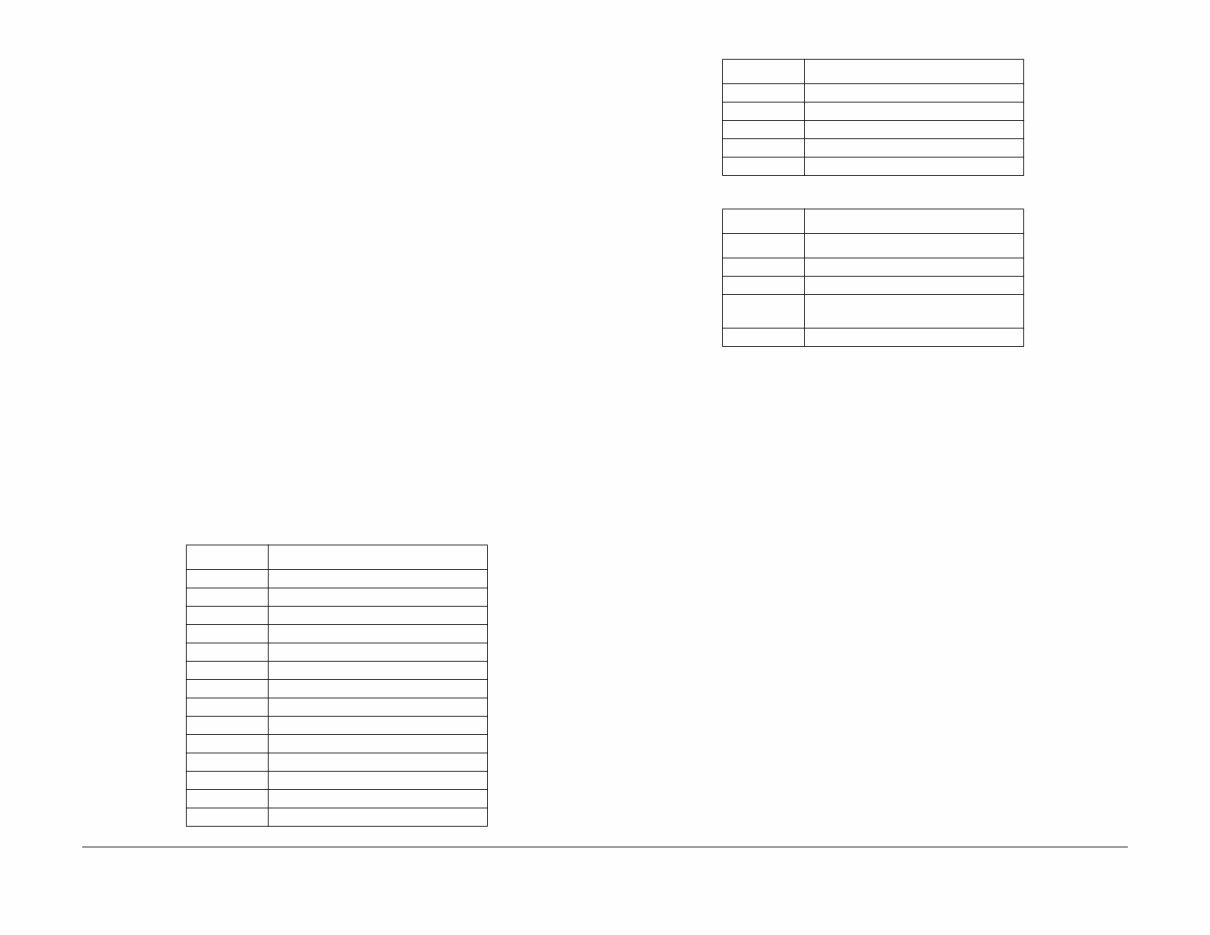
Table 1
Abbreviation Meaning
A3 297 x 594 Millimeters
A4 210 x 297 Millimeters
A5 148 x 210 Millimeters
AD Auto Duplex
AWG American Wire Gauge
EMI Electro Magnetic Induction
GB Giga Byte
KB Kilo Byte
MB Mega Byte
MM Millimeters
MOD Magneto Optical Drive
NOHAD Noise Ozone Heat Air Dirt
PL Parts List
P/O Part of
R/E Reduction/Enlargement
REF: Refer to
SCSI Small Computer Systems Interface
W/ With
W/O Without
Table 2
Operating Companies
Abbreviation Meaning
AO Americas Operations
NASG - US North American Solutions Group - US
NASG -
Canada
North American Solutions Group -
Canada
XE Xerox Europe
Table 1
Abbreviation Meaning

7/11/2005
5-4
6204 Wide Format Solution
Subsystem Information
Parts List
Subsystem Information
Use of the Term “Assembly”
The term “assembly” will be used for items in the part number listing that include other itemized
parts in the part number listing. When the word “assembly” is found in the part number listing,
there will be a corresponding item number on the illustrations followed by a bracket and a
listing of the contents of the assembly.
Brackets
A bracket is used when an assembly or kit is spared, but is not shown in the illustration. The
item number of the assembly or kit precedes the bracket; the item numbers of the piece parts
follow the bracket.
Tag
The notation “W/Tag” in the parts description indicates that the part configuration has been
updated. Check the change Tag index in the General Information section of the Service Data
for the name and purpose of the modification.
In some cases, a part or assembly may be spared in two versions: with the Tag and without the
Tag. In those cases, use whichever part is appropriate for the configuration of the machine on
which the part is to be installed. If the machine does not have a particular Tag and the only
replacement part available is listed as “W/Tag”, install the Tag kit or all of the piece parts. The
Change Tag Index tells you which kit or piece parts you need.
Whenever you install a Tag kit or all the piece parts that make up a Tag, mark the appropriate
number on the Tag matrix.
7/11/2005
5-5
6204 Wide Format Solution
Symbology
Parts List
Symbology
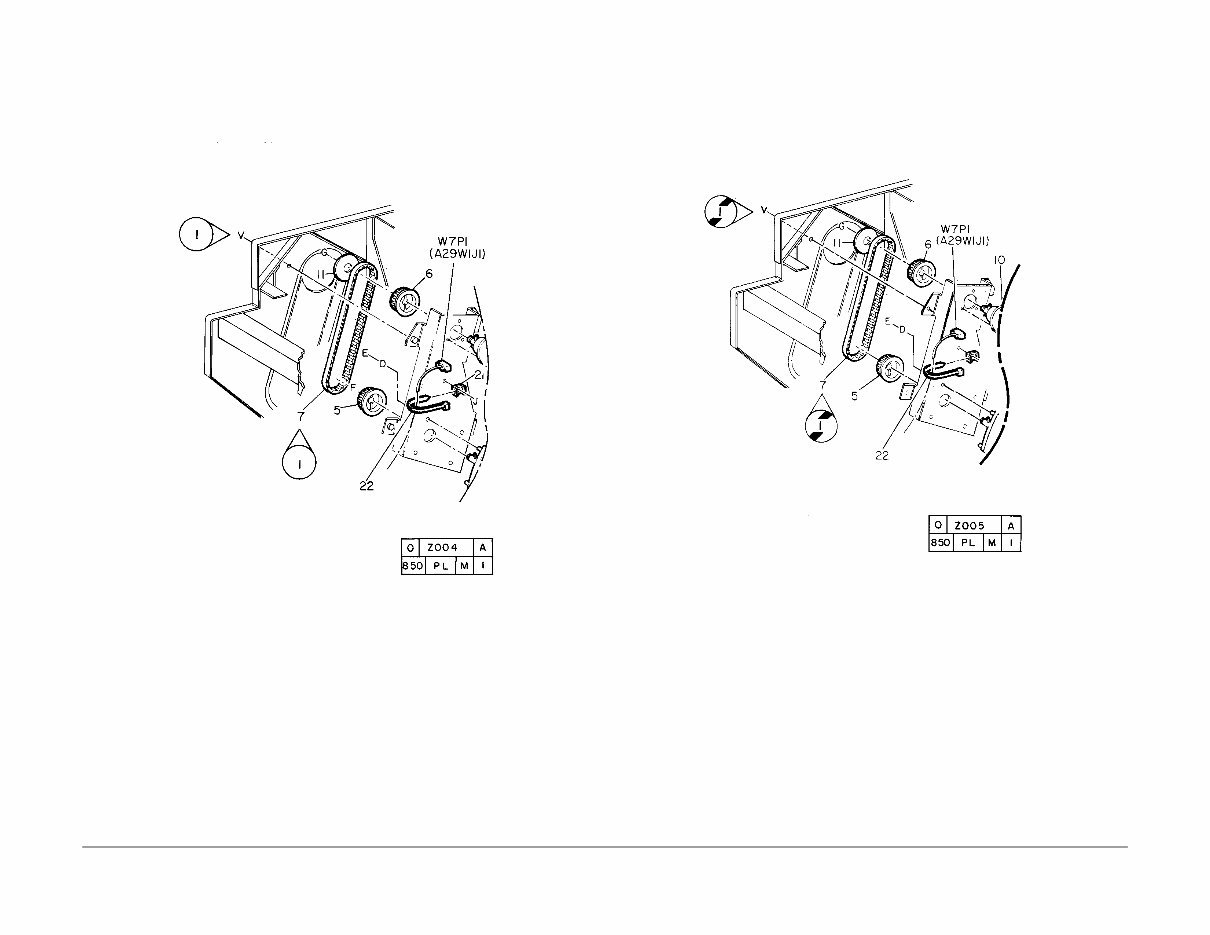
A Tag number within a circle pointing to an item number shows that the part has been changed
by the tag number within the circle (Figure 1). Information on the modification is in the Change
Tag Index.
Figure 1 With Tag Symbol
A Tag number within a circle having a shaded bar and pointing to an item number shows that
the configuration of the part shown is the configuration before the part was changed by the Tag
number within the circle (Figure 2).
Figure 2 Without Tag Symbol
You're Reading a Preview
What's Included?
 Lifetime Access
Fast Download Speeds
Offline Viewing
Access Contents & Bookmarks
Full Search Facility
Print one or all pages of your manual
$28.99
Xerox 6204 Wide Format Solution, Parts List Manual
Viewed 54 Times Today

What's Included?
Lifetime Access
Fast Download Speeds
Offline Viewing
Access Contents & Bookmarks
Full Search Facility
Print one or all pages of your manual
$28.99

Secure transaction
What's Included?
Lifetime Access
Fast Download Speeds
Offline Viewing
Access Contents & Bookmarks
Full Search Facility
Print one or all pages of your manual
Description
This Parts List Manual for the Xerox 6204 Wide Format Solution is a comprehensive resource for diagnosing and repairing your Xerox machine. It contains detailed diagrams, pictures, and procedures to facilitate the repair process. Whether you are a professional mechanic or a DIY enthusiast, this manual provides valuable insights into the subsystem information, symbology, and parts lists.
- OVERVIEW
- Introduction
- Subsystem Information
- Symbology
- Parts Lists
- DRIVE
- PL 1.1 Drive Paper
- PL 1.2 Developer
- Paper Transport
- PL 2.1 Manual Paper Feed
- PL 2.2 Lower Baffle Component
- PL 2.3 Manual Feed Baffle-3 Assembly
- PL 2.4 Horizontal Lower Baffle Component
- PL 2.5 Horizontal Lower Baffle Component
- IIT
- PL 3.1 IIT Document Transport
- PL 3.2 IIT Electrical
- PL 3.3 Upper Document Transport
- LPH
- PL 4.1 LPH Accessory
- PL 4.2 LPH Component
- Developer Assembly
- PL 5.1 Developer Assembly
- PL 5.2 Developer Assembly Components
- XEROGRAPHICS
- PL 6.1 Xerographics Accessory
- PL 6.2 Xerographics Module Component
- PL 6.3 BTR Housing Component
- PL 6.4 Xerographics Housing Component
- FUSER
- PL 7.1 Fuser Assembly Accessory
- PL 7.2 Fuser Assembly Component-Roll
- PL 7.3 Fuser Assembly Component-Chute
- PL 7.4 Upper Exit Baffle Component
- PL 7.5 Thermistor Plate Component
- ELECTRICAL
- PL 8.1 Electrical-Rear 1
- PL 8.2 Electrical-Rear 2
- PL 8.3 Electrical-Rear Lower
- PL 8.4 Upper Right Electrical
- PL 8.5 Electrical-Left Side
- PL 8.6 Console Component
- COVER
- PL 9.1 Cover-Front, Right, Top
- PL 9.2 Cover-Rear, Left
- COVERS
- PL 9.3 Document Shelf Component
- RFC
- PL 10.1 2-RFC Type Accessory
- PL 10.2 RFC-Type 1 Accessory
- PL 10.3 RFC A-Type Accessory
- PL 10.4 RFC B-Type Accessory
- PL 10.5 RFC Component-Paper Feed
- PL 10.6 RFC Component-Latch, Roll Paper Tube Support
- PL 10.7 Paper Heater/Paper Size Housing Component
- PL 10.8 Take Away Baffle Component
- Common Hardware
- Common Hardware Common Hardware
- Part Number Index
- DRIVE
This manual consists of 50 pages and offers a wealth of information to assist in the maintenance, diagnosis, and repair of the Xerox 6204 Wide Format Solution.


