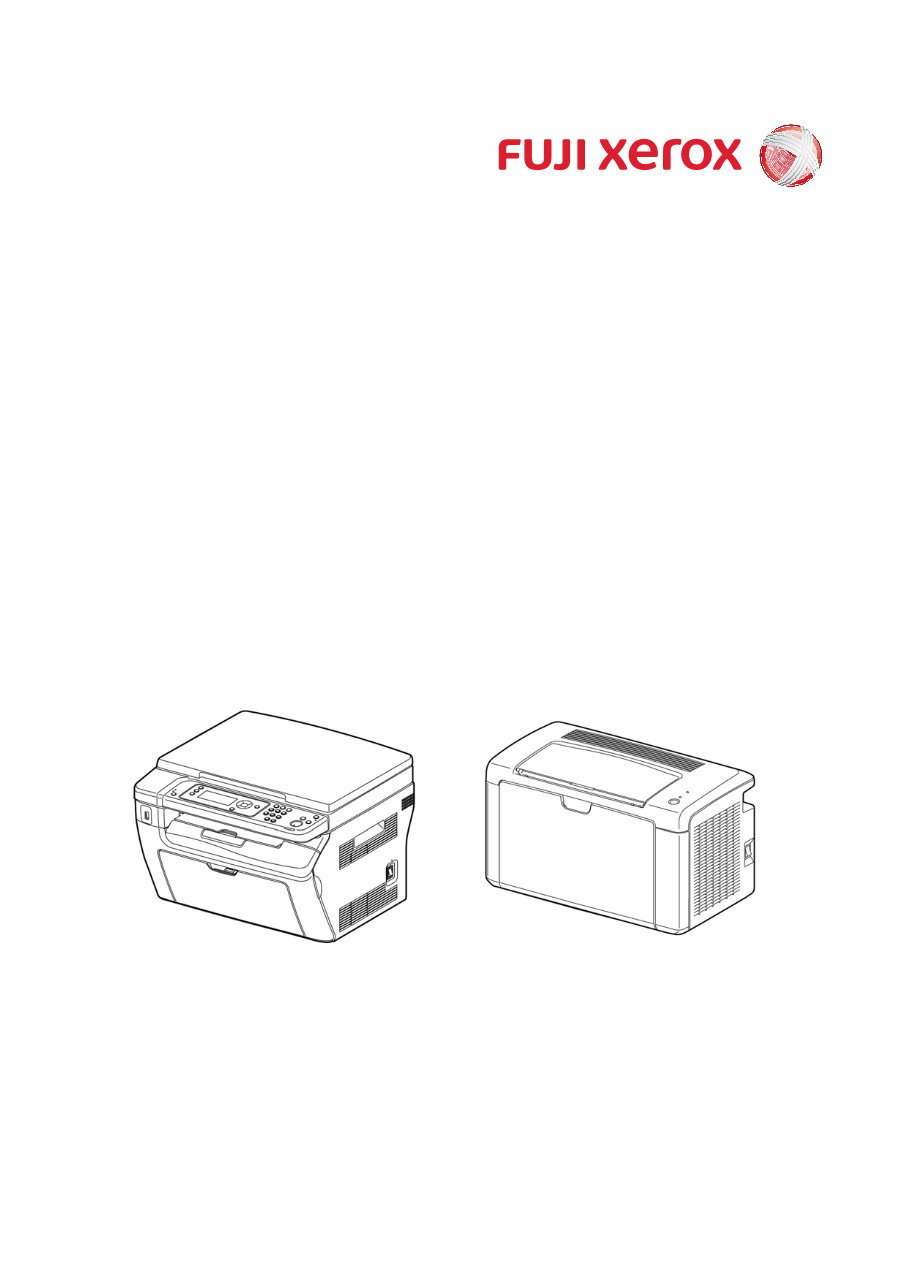
• This service manual covers the following models FUJI XEROX Co. Ltd. Color Laser Printer DocuPrint M205b / M105ab / M105b / P205b / P105b • Related Materials No other related materials issued other than this service manual. • Confidentiality • This service manual is issued intending use by maintenance service personnel authorized by FUJI XEROX Co. Ltd. Copying, transferring or leasing this manual without prior consent by FUJI XEROX Co. Ltd. is prohibited. • When a page becomes irrelavant (e.g. superceded by a replacement page) • Handle with care to avoid loss or damage of the manual. • Revision and Modification Information When design changes or revisions relating to this service manual occur, the overseas technical information or overseas service bulletin may be issued as supplementary information until such changes are accomodated in the updated version of this service manual. CAUTION Important changes including revisions of spare part numbers and adjustment specifications must immediately be reflected on the respective pages of this service manual upon reception of such information. Edited by: Fuji Xerox Co., Ltd. CS/TS MinatoMirai Center Bldg. 7F 3-6-1 Minatomirai Nishi-ku, Yokohama, Kanagawa 220-0012, JAPAN TEL: 045-414-5725 [XEROX] is registered trademark. PRINTED IN JAPAN DocuPrint M205b / M105ab / M105b / P205b / P 105b Service Manual 1st Edition Issued: February 2011
Company Name Department Name Telephone No. Full Name Employee No.
Preface Getting to know the Service Manual How to use the Service Manual Terms and Symbols Abbreviations Chapter 1 Service Call Procedure (Not yet issued) Chapter 2 Troubleshooting Chapter 3 Image Quality Troubleshooting (Not yet issued) Chapter 4 Disassembly / Assembly and Adjustments Chapter 5 Parts List Chapter 6 General (Not yet issued) Chapter 7 Wiring Data (Not yet issued) Chapter 8 Accessories (Not yet issued) Chapter 9 Installation (Not yet issued) Chapter 10 Machine Overview
Preface
Preface Table of Contents Table of Contents 1 Getting to know the Service Manual .............................................................. Preface-1 2 How to use the Service Manual ..................................................................... Preface-1 2.1 Contents of Manual ...................................................................................................... Preface-1 2.2 Information on Updating ............................................................................................... Preface-2 3 Terms and Symbols ....................................................................................... Preface-3 4 Abbreviations ................................................................................................. Preface-4
Introduction 1. Getting to know the Service Manual Preface-1 1. Getting to know the Service Manual This manual is used as the standard service manual for the DocuPrint M205b / M105ab / M105b / P205b / P105b. • Publication Comment Sheet Enter any comments and/or corrections regarding the DocuPrint M205b / M105ab / M105b / P205b / P105b service manual into the Publication Comment Sheet, and send it to FX/TS/OSG through the OpCo TS or CS department. 2. How to use the Service Manual This manual describes the standard procedures for the servicing of the DocuPrint M205b / M105ab / M105b / P205b / P105b. 2.1 Contents of Manual • Hardware This manual summarizes all technical information on the DocuPrint M205b / M105ab / M105b / P205b / P105b. • Chapters This manual is divided into ten chapters as described below. Chapter 1 Service Call Procedure Not yet issued. Chapter 2 Troubleshooting This chapter describes the troubleshooting procedures other than image quality troubleshooting of the DocuPrint M205b / M105ab / M105b / P205b / P105b. It also describes how to use the diagnostics and some programs. Chapter 3 Image Quality Troubleshooting Not yet issued. Chapter 4 Disassembly / Assembly and Adjustments This chapter describes the disassembly, assembly, adjustment and replacement procedures for components of the DocuPrint M205b / M105ab / M105b / P205b / P105b. Chapter 5 Parts List This chapter contains spare parts list for DocuPrint M205b / M105ab / M105b / P205b / P105b. Chapter 6 General Not yet issued. Chapter 7 Wiring Data Not yet issued. Chapter 8 Accessories Not yet issued. Chapter 9 Installation Not yet issued. Chapter 10 Machine Overview This chapter gives an overview of the functions of the main components of DocuPrint M205b / M105ab / M105b / P205b / P105b.
Introduction 2. How to use the Service Manual Preface-2 2.2 Information on Updating This manual will be revised and sent to each customer engineer as specified below. Revisions must be incorporated correctly to keep the manual up-to-date. Updating Procedure • When the entire manual is revised, "1st Edition" on the front cover will be renewed to 1st Edition, 2nd Edition, 3rd Edition and so on. • When this manual is partially revised, revisions will be sequentially indicated as Revision A, Revision B, Revision C, etc. All revised pages will be marked accordingly with "Revision A", "Revision B", "Revision C" and so on. Revision Sidebar When any paragraph, table or figure has been added or amended, a revision sidebar will be added to indicate where the revision was made. If the same page is changed again due to a subsequent revision, revision sidebars associated with the previous revision(s) will be deleted. (Example)
You're Reading a Preview
What's Included?
Lifetime Access
Fast Download Speeds
Online & Offline Access
Access PDF Contents & Bookmarks
Full Search Facility
Print one or all pages of your manual
$30.99
Fuji Xerox DocuPrint M205b / M105ab / M105b / P205b / P105b Color Laser Printer Service Repair Manual
This is a comprehensive Service Repair Manual for the Fuji Xerox DocuPrint M205b / M105ab / M105b / P205b / P105b Color Laser Printer. The manual contains easy-to-read text sections with high-quality diagrams and step-by-step instructions for repairing your Fuji Xerox machine. It covers technical theory, installation, maintenance, troubleshooting, disassembly, assembly, and repair of Fuji Xerox products.
Models Covered:
Fuji Xerox DocuPrint M205b Color Laser Printer
Fuji Xerox DocuPrint M105ab Color Laser Printer
Fuji Xerox DocuPrint M105b Color Laser Printer
Fuji Xerox DocuPrint P205b Color Laser Printer
Fuji Xerox DocuPrint P105b Color Laser Printer
This Manual Covers:
Chapter 1. Service Call Procedure
Chapter 2. Troubleshooting
Chapter 3. Image Quality Troubleshooting
Chapter 4. Disassembly / Assembly and Adjustments
Chapter 5. Parts List
Chapter 6. General
Chapter 7. Wiring Data
Chapter 8. Accessories
Chapter 9. Installation
Chapter 10. Machine Overview
Model Specification: Fuji Xerox DocuPrint M205b / M105ab / M105b / P205b / P105b Color Laser Printer
File Format: PDF
Requirements: Adobe Reader
Language: English
Compatibility: All Versions of Windows & Mac, APP ISO, Iphone, Ipad, Android etc...
This manual is in PDF format, fully indexed and bookmarked by topic. It is an original Adobe document, ensuring perfect quality and printing. The PDF can be quickly searched to find information in every chapter. You can print the entire manual or select any pages. Additionally, you can zoom in on any diagram or picture to see every part clearly.
Save time and money by using this manual for your own repairs. It provides easy-to-follow, step-by-step instructions and pictures for all areas of repair.
All Service Repair Manuals are instant downloads, eliminating shipping costs and waiting for a CD or paper manual to arrive. Upon payment completion via our secure processor, you will receive this manual instantly. We accept all major credit/debit cards and PayPal.
Reviews
Q&A
Recently Viewed
5,521,897Happy Clients
2,594,462eManuals
1,120,453Trusted Sellers
15Years in Business
Price:
Actual Price:
Fuji Xerox DocuPrint M205b / M105ab / M105b / P205b / P105b Color Laser Printer Service Repair Manual










 Lifetime Access




