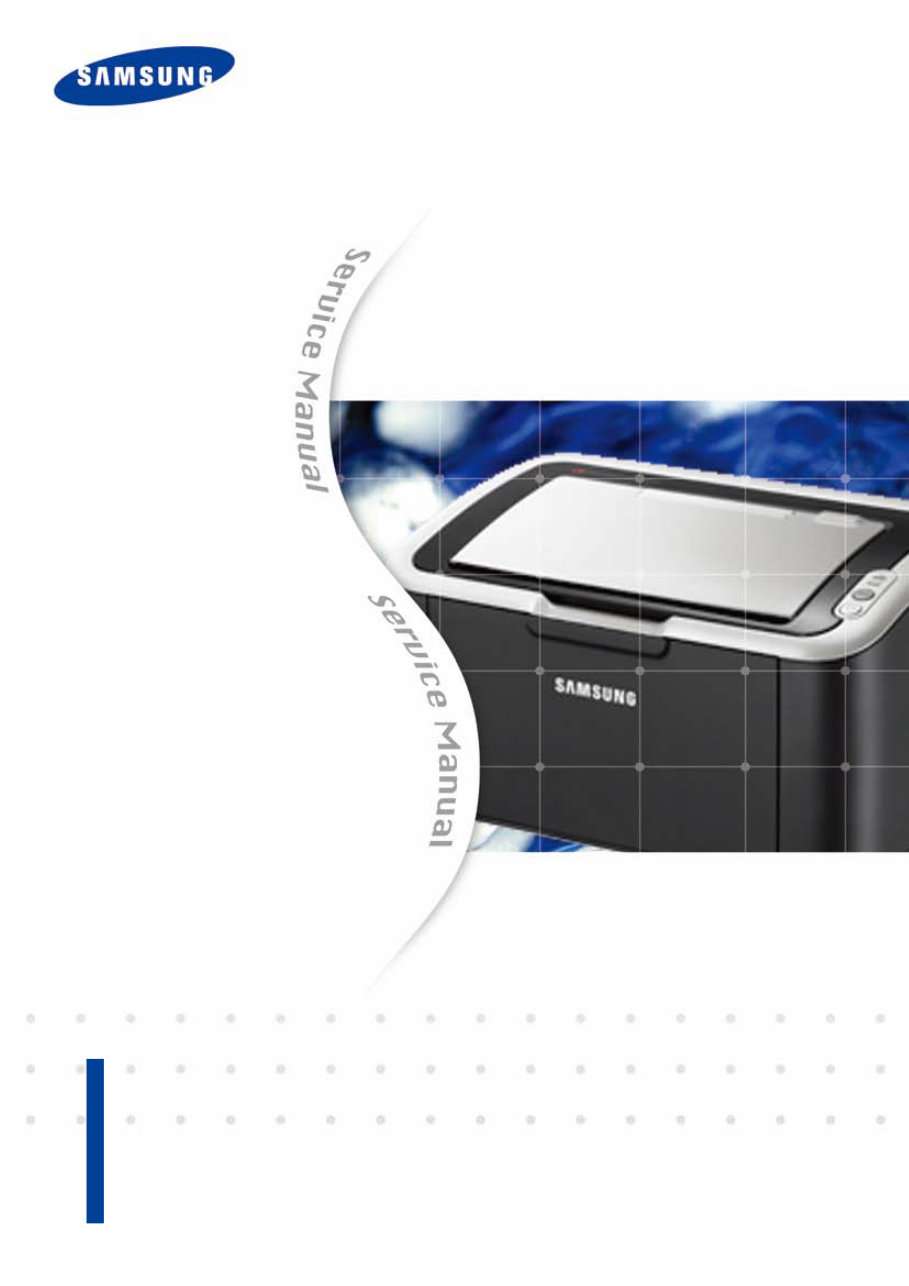
Samsung ML-1660 / ML-1665 Laser Printer Service Repair Manual
What's Included?
Lifetime Access
Fast Download Speeds
Online & Offline Access
Access PDF Contents & Bookmarks
Full Search Facility
Print one or all pages of your manual
Service Manual Laser Printer ML-1660/1665 1. Speed • Up to 16 ppm in A4 (17 ppm in Letter) 2. Processor • Jupiter4e 150 MHz 3. Printer Language • GDI 4. Memory • 8 MB 5. Interfaces • Compatible with USB 2.0 6. Toner cartridge • Initial : 0.7K • Sales : 1.5K The keynote of Product
ⓒ Samsung Electronics Co.,Ltd. December. 2009 Printed in Korea. VERSION NO. : 1.00 CODE : 1660-00000E GSPN (Global Service Partner Network) North America : service.samsungportal.com Latin America : latin.samsungportal.com CIS : cis.samsungportal.com Europe : europe.samsungportal.com China : china.samsungportal.com Asia : asia.samsungportal.com Mideast & Africa : mea.samsungportal.com
1.1 Safety Warning …………………………………………………… 1-1 1.2 Caution for safety ………………………………………………… 1-2 1.2.1 Toxic material ………………………………………………… 1-2 1.2.2 Electric Shock and Fire Safety Precautions ……………… 1-2 1.2.3 Handling Precautions ……………………………………… 1-3 1.2.4 Assembly / Disassembly Precautions ……………………… 1-3 1.2.5 Disregarding this warning may cause bodily injury ……… 1-4 1.3 ESD Precautions ………………………………………………… 1-5 2.1 Product Specifications …………………………………………… 2-1 2.1.1 Product Overview …………………………………………… 2-1 2.1.2 Specifications………………………………………………… 2-2 2.1.3 Model Comparison Table …………………………………… 2-7 2.2 System Overview ………………………………………………… 2-8 2.2.1 Front View …………………………………………………… 2-8 2.2.2 Rear View …………………………………………………… 2-9 2.2.3 System Layout ……………………………………………… 2-10 2.2.4 Engine H/W Specifications ………………………………… 2-17 2.2.5 Engine F/W Contol Algorithm ……………………………… 2-23 2.2.6 S/W Descriptions …………………………………………… 2-25 3.1 Precautions when replacing parts ……………………………… 3-1 3.1.1 Precautions when assembling and disassembling ……… 3-1 3.1.2 Preautions when handling PBA …………………………… 3-1 3.1.3 Releasing Plastic Latches ………………………………… 3-1 chapter 1 Precautions chapter 2 Product Overview Contents chapter 3 Maintenance and Disassembly
3.2 Screws used in the printer ……………………………………… 3-2 3.3 Cover ……………………………………………………………… 3-3 3.3.1 Left/Right cover ……………………………………………… 3-3 3.3.2 Rear bracket ………………………………………………… 3-3 3.3.3 Cover-open ………………………………………………… 3-4 3.3.4 Top/Front cover ……………………………………………… 3-4 3.4 Main PBA ………………………………………………………… 3-5 3.5 SMPS/HVPS board ……………………………………………… 3-6 3.6 Fuser unit ………………………………………………………… 3-7 3.7 LSU ………………………………………………………………… 3-8 3.8 Drive unit ………………………………………………………… 3-9 3.9 Step motor ………………………………………………………… 3-10 3.10 Pick up roller …………………………………………………… 3-11 4.1 Alignment and Adjustments ……………………………………… 4-1 4.1.1 Control Panel ………………………………………………… 4-1 4.1.2 Understanding the LEDs …………………………………… 4-2 4.1.3 JAM Removal ……………………………………………… 4-3 4.1.4 Printing a report ……………………………………………… 4-5 4.1.5 Periodic Defective Image …………………………………… 4-8 4.1.6 Firmware upgrade …………………………………………… 4-9 4.1.7 Using the smart panel program …………………………… 4-10 4.2 Troubleshooting…………………………………………………… 4-12 4.2.1 Procedure of Checking the Symptoms …………………… 4-12 4.2.2 Bad discharge ……………………………………………… 4-15 4.2.3 Malfunction …………………………………………………… 4-19 4.2.4 Bad image …………………………………………………… 4-24 chapter 4 Alignment and Troubleshooting Contents
5.1 Block Diagram …………………………………………………… 5-1 5.2 Connection Diagram……………………………………………… 5-2 6.1 Tool for Troubleshooting ………………………………………… 6-1 6.2 Acronyms and Abbreviations …………………………………… 6-2 6.2.1 Acronyms …………………………………………………… 6-2 6.2.2 Service Parts ………………………………………………… 6-4 6.3 A4 ISO 19798 Standard Pattern ………………………………… 6-8 6.3.1 A4 ISO 19752 Standard Pattern …………………………… 6-8 6.4 Selecting a location ……………………………………………… 6-9 Contents chapter 6 Reference Information chapter 5 System Diagram attached Exploded Views & Parts List
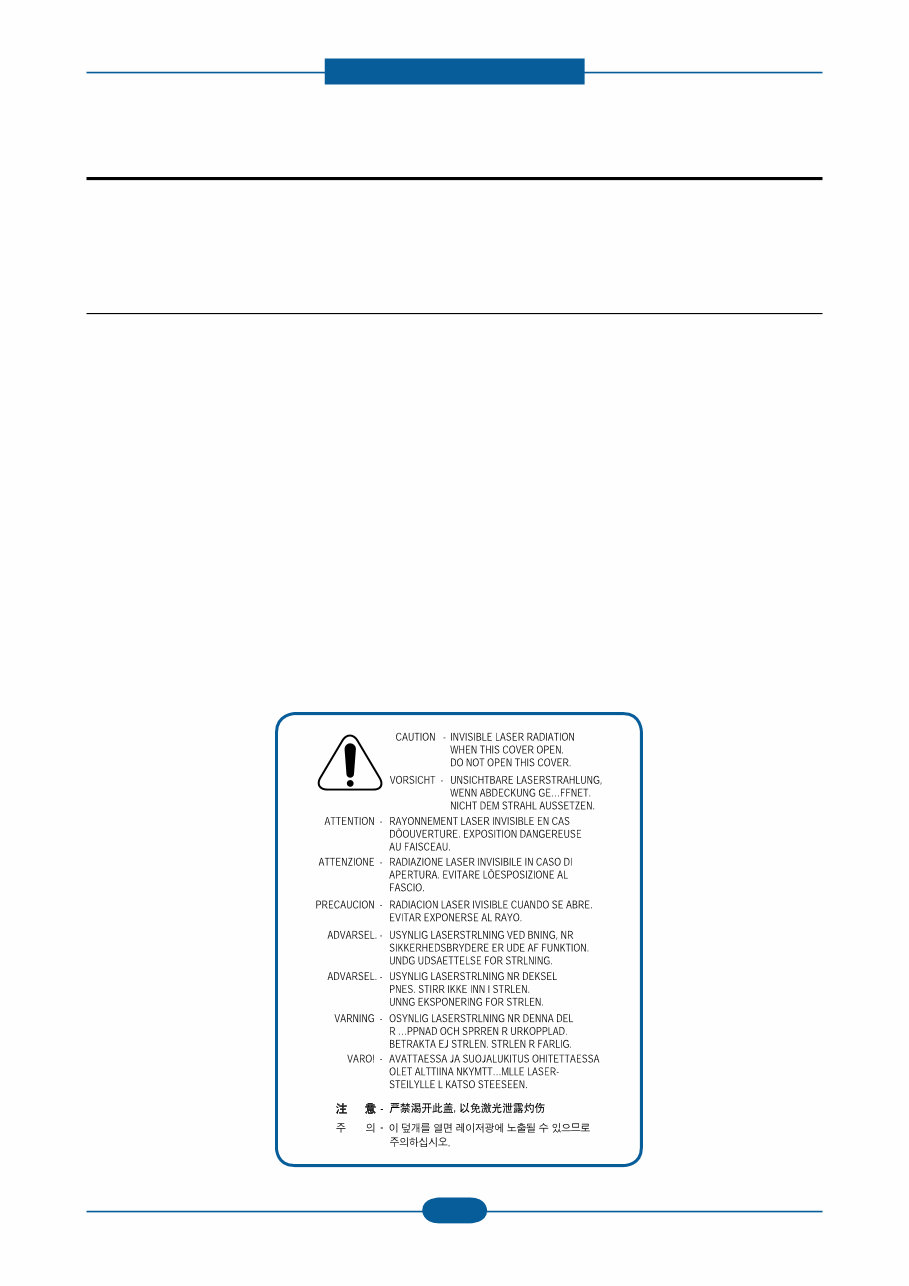
Precautions Service Manual 1-1 Samsung Electronics In order to prevent accidents and damages to the equipment please read the precautions listed below carefully before servicing the product and follow them closely. 1.1 Safety warning (1) Only to be serviced by a factory trained service technician. High voltages and lasers inside this product are dangerous. This product should only be serviced by a factory trained service technician. (2) Use only Samsung replacement parts. There are no user serviceable parts inside the product. Do not make any unauthorized changes or additions to the product as these could cause the product to malfunctions and create an electric shocks or fire hazards. (3) Laser Safety Statement The product is certified in the U.S. to conform to the requirements of DHHS 21 CFR, chapter 1 Subchapter J for Class 1(1) laser products, and elsewhere, it is certified as a Class I laser product con- forming to the requirements of IEC 825. Class I laser products are not considered to be hazardous. The laser system and product are designed so there is never any human access to laser radiation above a Class I level during normal operation, user maintenance, or prescribed service condition. Warning >> Never operate or service the product with the protective cover removed from Laser/Scanner assembly. The reflected beam, although invisible, can damage your eyes. When using this product, these basic safety pre-cautions should always be followed to reduce risk of fire, electric shock, and personal injury. 1. Precautions
Precautions Service Manual 1-2 Samsung Electronics 1.2 Caution for safety 1.2.1 Toxic material This product contains toxic materials that could cause illness if ingested. (1) If the LCD control panel is damaged, it is possible for the liquid inside to leak. This liquid is toxic. Contact with the skin should be avoided. Wash any splashes from eyes or skin immediately and contact your doctor. If the liquid gets into the mouth or is swallowed, see a doctor immediately. (2) Please keep imaging unit and toner cartridge away from children. The toner powder contained in the imaging unit and toner cartridge may be harmful, and if swallowed, you should contact a doctor. 1.2.2 Electric shock and fire safety precautions Failure to follow the following instructions could cause electric shock or potentially cause a fire. (1) Use only the correct voltage, failure to do so could damage the product and potentially cause a fire or electric shock. (2) Use only the power cable supplied with the product. Use of an incorrectly specified cable could cause the cable to overheat and potentially cause a fire. (3) Do not overload the power socket, this could lead to overheating of the cables inside the wall and could lead to a fire. (4) Do not allow water or other liquids to spill into the product, this can cause electric shock. Do not allow paper clips, pins or other foreign objects to fall into the product, these could cause a short circuit leading to an electric shock or fire hazard. (5) Never touch the plugs on either end of the power cable with wet hands, this can cause electric shock. When servicing the product, remove the power plug from the wall socket. (6) Use caution when inserting or removing the power connector. When removing the power connector, grip it firmly and pull. The power connector must be inserted completely, otherwise a poor contact could cause overheating possibly leading to a fire. (7) Take care of the power cable. Do not allow it to become twisted, bent sharply around corners or wise damaged. Do not place objects on top of the power cable. If the power cable is damaged it could overheat and cause a fire. Exposed cables could cause an electric shock. Replace the damaged power cable immediately, do not reuse or repair the damaged cable. Some chemicals can attack the coating on the power cable, weakening the cover or exposing cables causing fire and shock risks. (8) Ensure that the power sockets and plugs are not cracked or broken in any way. Any such defects should be repaired immediately. Take care not to cut or damage the power cable or plugs when moving the machine. (9) Use caution during thunder or lightning storms. Samsung recommends that this machine be disconnected from the power source when such weather conditions are expected. Do not touch the machine or the power cord if it is still connected to the wall socket in these weather conditions. (10) Avoid damp or dusty areas, install the product in a clean well ventilated location. Do not position the machine near a humidifier or in front of an air conditioner. Moisture and dust built up inside the machine can lead to overheating and cause a fire or cause parts to rust. (11) Do not position the product in direct sunlight. This will cause the temperature inside the product to rise possibly leading to the product failing to work properly and in extreme conditions could lead to a fire. (12) Do not insert any metal objects into the machine through the ventilator fan or other part of the casing, it could make contact with a high voltage conductor inside the machine and cause an electric shock.
Precautions Service Manual 1-3 Samsung Electronics 1.2.3 Handling precautions The following instructions are for your own personal safety to avoid injury and so as not to damage the product. (1) Ensure the product is installed on a level surface, capable of supporting its weight. Failure to do so could cause the product to tip or fall. (2) The product contains many rollers, gears and fans. Take great care to ensure that you do not catch your fingers, hair or clothing in any of these rotating devices. (3) Do not place any small metal objects, containers of water, chemicals or other liquids close to the product which if spilled could get into the machine and cause damage or a shock or fire hazard. (4) Do not install the machine in areas with high dust or moisture levels, beside on open window or close to a humidifier or heater. Damage could be caused to the product in such areas. (5) Do not place candles, burning cigarettes, etc on the product, These could cause a fire. 1.2.4 Assembly / Disassembly precautions Replace parts carefully and always use Samsung parts. Take care to note the exact location of parts and also cable routing before dismantling any part of the machine. Ensure all parts and cables are replaced correctly. Please carry out the following procedures before dismantling the product or replacing any parts. (1) Check the contents of the machine memory and make a note of any user settings. These will be erased if the main board or network card is replaced. (2) Ensure that power is disconnected before servicing or replacing any electrical parts. (3) Disconnect interface cables and power cables. (4) Only use approved spare parts. Ensure that part number, product name, any voltage, current or temperature rating are correct. (5) When removing or re-fitting any parts do not use excessive force, especially when fitting screws into plastic. (6) Take care not to drop any small parts into the machine. (7) Handling of the OPC Drum - The OPC Drum can be irreparably damaged if it exposed to light. Take care not to expose the OPC Drum either to direct sunlight or to fluorescent or incandescent room lighting. Exposure for as little as 5 minutes can damage the surface of the photoconductive properties and will result in print quality degradation. Take extra care when servicing the product. Remove the OPC Drum and store it in a black bag or other lightproof container. Take care when working with the Covers (especially the top cover) open as light is admitted to the OPC area and can damage the OPC Drum. - Take care not to scratch the green surface of OPC Drum Unit. If the green surface of the Drum Cartridge is scratched or touched the print quality will be compromised.
Precautions Service Manual 1-4 Samsung Electronics 1.2.5 Disregarding this warning may cause bodily injury (1) Be careful with the high temperature part. The fuser unit works at a high temperature. Use caution when working on the printer. Wait for the fuser to cool down before disassembly. (2) Do not put finger or hair into the rotating parts. When operating a printer, do not put hand or hair into the rotating parts (Paper feeding entrance, motor, fan, etc.). If do, you can get harm. (3) When you move the printer. This printer weighs 6kg including toner cartridge and cassette. Use safe lifting and handling techniques. Use the lifting handles located on each side of the machine. Back injury could be caused if you do not lift carefully. (4) Ensure the printer is installed safely. The printer weighs 6kg, ensure the printer is installed on a level surface, capable of supporting its weight. Failure to do so could cause the printer to tip or fall possibly causing personal injury or damaging the printer. (5) Do not install the printer on a sloping or unstable surface. After installation, double check that the printer is stable.
Precautions Service Manual 1-5 Samsung Electronics 1.3 ESD precautions Certain semiconductor devices can be easily damaged by static electricity. Such components are commonly called “Electrostatically Sensitive (ES) Devices” or ESDs. Examples of typical ESDs are: integrated circuits,some field effect transistors, and semiconductor “chip” components. The techniques outlined below should be followed to help reduce the incidence of component damage caused by static electricity. Caution >>Be sure no power is applied to the chassis or circuit, and observe all other safety precautions. 1. Immediately before handling a semiconductor component or semiconductor-equipped assembly, drain off any electrostatic charge on your body by touching a known earth ground. Alternatively, employ a commercially available wrist strap device, which should be removed for your personal safety reasons prior to applying power to the unit under test. 2. After removing an electrical assembly equipped with ESDs, place the assembly on a conductive surface, such as aluminum or copper foil, or conductive foam, to prevent electrostatic charge buildup in the vicinity of the assembly. 3. Use only a grounded tip soldering iron to solder or desolder ESDs. 4. Use only an “anti-static” solder removal device. Some solder removal devices not classified as “anti-static” can generate electrical charges sufficient to damage ESDs. 5. Do not use Freon-propelled chemicals. When sprayed, these can generate electrical charges sufficient to damage ESDs. 6. Do not remove a replacement ESD from its protective packaging until immediately before installing it. Most replacement ESDs are packaged with all leads shorted together by conductive foam, aluminum foil, or a comparable conductive material. 7. Immediately before removing the protective shorting material from the leads of a replacement ESD, touch the protective material to the chassis or circuit assembly into which the device will be installed. 8. Maintain continuous electrical contact between the ESD and the assembly into which it will be installed, until completely plugged or soldered into the circuit. 9. Minimize bodily motions when handling unpackaged replacement ESDs. Normal motions, such as the brushing together of clothing fabric and lifting one’s foot from a carpeted floor, can generate static electricity sufficient to damage an ESD.
This is a comprehensive Service Repair Manual for the Samsung ML-1660 / ML-1665 Laser Printer. The manual contains easy-to-understand text sections with high-quality diagrams and instructions, providing step-by-step guidance for repairing your SAMSUNG machine.
These manuals are valuable resources for both professional mechanics and DIY enthusiasts, offering technical theory, installation, maintenance, troubleshooting, disassembly, assembly, and repair of SAMSUNG products.
Models Covered:
Samsung ML-1660 Laser Printer
Samsung ML-1665 Laser Printer
This Manual Covers:
Chapter 1: Precautions
1.1 Safety Warning
1.2 Caution for safety
1.2.1 Toxic material
1.2.2 Electric Shock and Fire Safety Precautions
1.2.3 Handling Precautions
1.2.4 Assembly / Disassembly Precautions
1.2.5 Disregarding this warning may cause bodily injury
1.3 ESD Precautions
Chapter 2: Product Overview
2.1 Product Specifications
2.1.1 Product Overview
2.1.2 Specifications
2.1.3 Model Comparison Table
2.2 System Overview
2.2.1 Front View
2.2.2 Rear View
2.2.3 System Layout
2.2.4 Engine H/W Specifications
2.2.5 Engine F/W Control Algorithm
2.2.6 S/W Descriptions
Chapter 3: Maintenance and Disassembly
3.1 Precautions when replacing parts
3.1.1 Precautions when assembling and disassembling
3.1.2 Precautions when handling PBA
3.1.3 Releasing Plastic Latches
3.2 Screws used in the printer
3.3 Cover
3.3.1 Left/Right cover
3.3.2 Rear bracket
3.3.3 Cover-open
3.3.4 Top/Front cover
3.4 Main PBA
3.5 SMPS/HVPS board
3.6 Fuser unit
3.7 LSU
3.8 Drive unit
3.9 Step motor
3.10 Pick up roller
Chapter 4: Alignment and Troubleshooting
4.1 Alignment and Adjustments
4.1.1 Control Panel
4.1.2 Understanding the LEDs
4.1.3 JAM Removal
4.1.4 Printing a report
4.1.5 Periodic Defective Image
4.1.6 Firmware upgrade
4.1.7 Using the smart panel program
4.2 Troubleshooting
4.2.1 Procedure of Checking the Symptoms
4.2.2 Bad discharge
4.2.3 Malfunction
4.2.4 Bad image
Chapter 5: System Diagram
5.1 Block Diagram
5.2 Connection Diagram
Chapter 6: Reference Information
6.1 Tool for Troubleshooting
6.2 Acronyms and Abbreviations
6.2.1 Acronyms
6.2.2 Service Parts
6.3 A4 ISO 19798 Standard Pattern
6.3.1 A4 ISO 19752 Standard Pattern
6.4 Selecting a location
Parts Catalog: Exploded Views & Parts List
Model Specification: Samsung ML-1660 / ML-1665 Laser Printer
Total Pages: 140
File Format: .PDF
Requirements: Adobe Reader
Language: English
Compatible: All Versions of Windows & Mac, APP ISO, Iphone, Ipad, Android etc...
This manual is in .PDF format. The Service Manual is Fully Indexed and Bookmarked by Topic. This is an original Adobe document which ensures Perfect Quality and Perfect Printing. The manual can be searched quickly to find what you need to know in every Chapter. You can print the Entire manual or ANY Pages you want to select. You can also Zoom in on any Diagram or Picture to easily SEE EVERY PART.
Save time and money by doing your own repairs! This manual makes any repair job easy to do with very easy to follow step-by-step instructions & pictures on all areas of repair.
ALL Service Repair Manual are INSTANT DOWNLOADS, meaning no shipping cost or waiting for a CD or paper manual to arrive in the mail. You will receive this manual today via instant download on completion of payment via our secure payment processor. We accept all major credit/debit cards and paypal.
Recently Viewed
5,521,897Happy Clients
2,594,462eManuals
1,120,453Trusted Sellers
15Years in Business
Price:
Actual Price:
Samsung ML-1660 / ML-1665 Laser Printer Service Repair Manual



 Lifetime Access