Kyocera mita KM-1530 / KM-2030 Service Repair Manual + Parts List
What's Included?
Lifetime Access
Fast Download Speeds
Online & Offline Access
Access PDF Contents & Bookmarks
Full Search Facility
Print one or all pages of your manual
SERVICE MANUAL Published in Oct.’00 842AV110
CAUTION Danger of explosion if battery is incorrectly replaced. Replace only with the same or equivalent type recommended by the manufacturer. Dispose of used batteries according to the manufacturer’s instructions. CAUTION Double-pole/neutral fusing.
Safety precautions This booklet provides safety warnings and precautions for our service personnel to ensure the safety of their customers, their machines as well as themselves during maintenance activities. Service personnel are advised to read this booklet carefully to familiarize themselves with the warnings and precautions described here before engaging in maintenance activities.
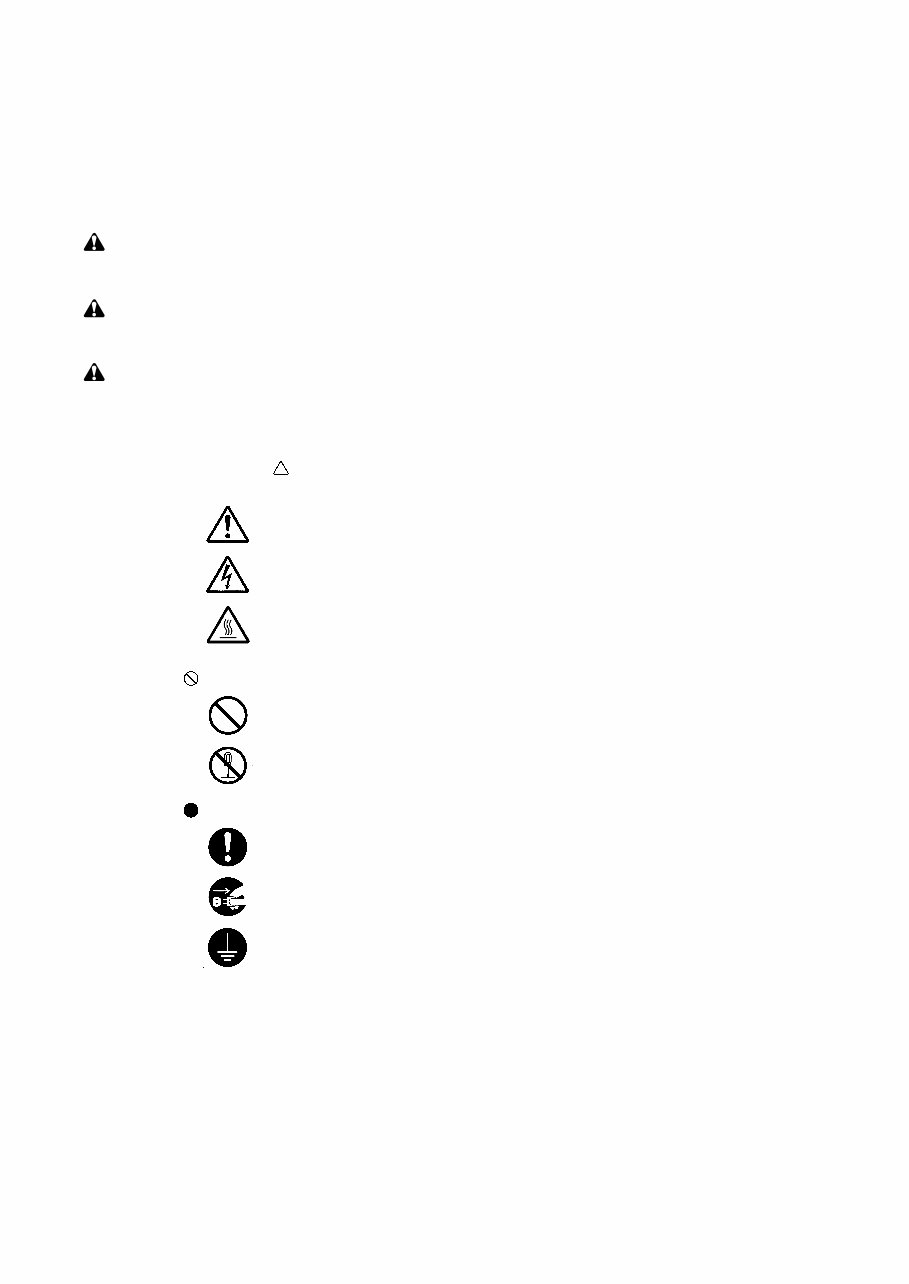
indicates that action is required. The specific action required is shown inside the symbol. General action required. Remove the power plug from the wall outlet. Always ground the copier. Safety warnings and precautions Various symbols are used to protect our service personnel and customers from physical danger and to prevent damage to their property. These symbols are described below: DANGER: High risk of serious bodily injury or death may result from insufficient attention to or incorrect compliance with warning messages using this symbol. WARNING:Serious bodily injury or death may result from insufficient attention to or incorrect compliance with warning messages using this symbol. CAUTION: Bodily injury or damage to property may result from insufficient attention to or incorrect compliance with warning messages using this symbol. Symbols The triangle ( ) symbol indicates a warning including danger and caution. The specific point of attention is shown inside the symbol. General warning. Warning of risk of electric shock. Warning of high temperature. indicates a prohibited action. The specific prohibition is shown inside the symbol. General prohibited action. Disassembly prohibited.
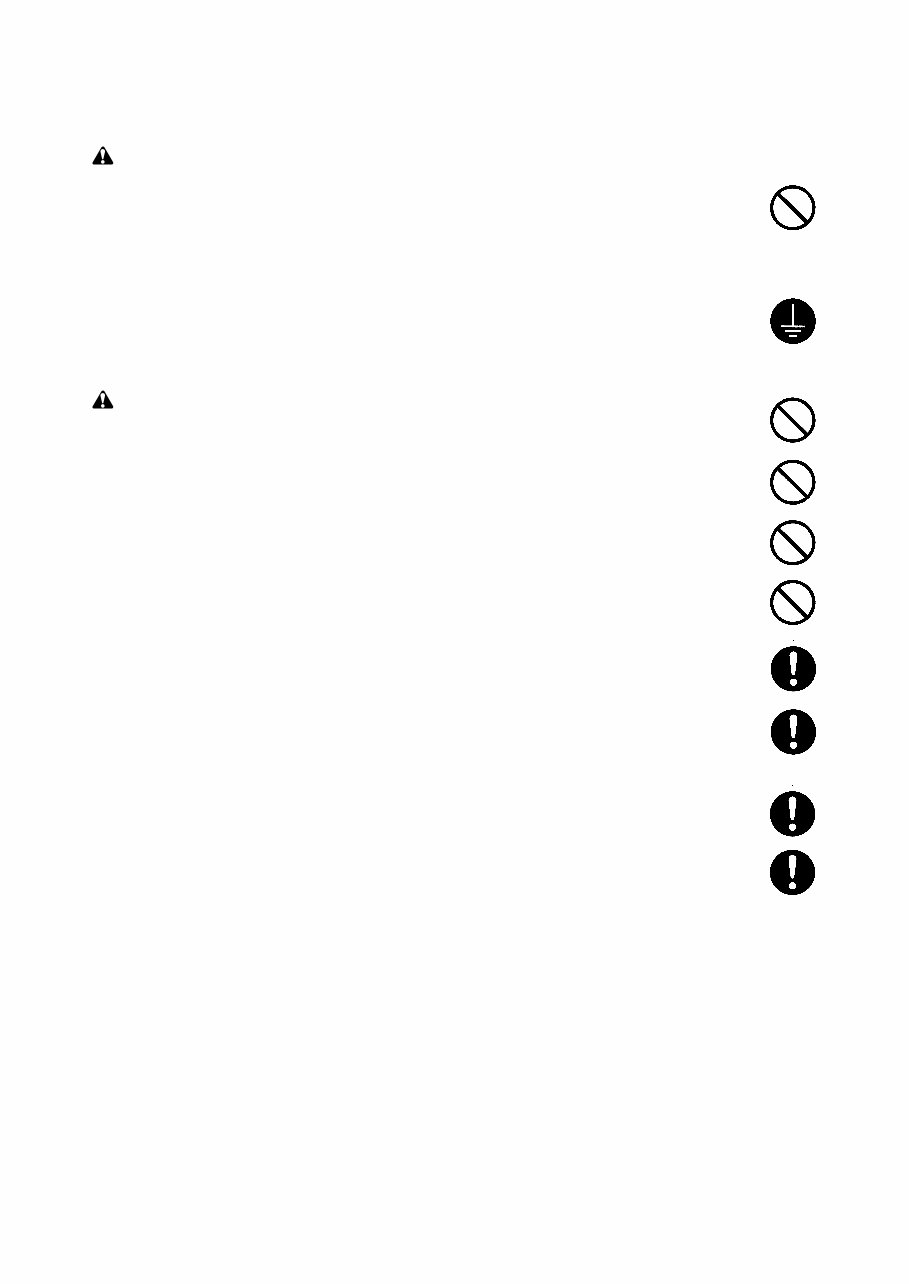
1. Installation Precautions WARNING • Do not use a power supply with a voltage other than that specified. Avoid multiple connections to one outlet: they may cause fire or electric shock. When using an extension cable, always check that it is adequate for the rated current. ............................................................................................ • Connect the ground wire to a suitable grounding point. Not grounding the copier may cause fire or electric shock. Connecting the earth wire to an object not approved for the purpose may cause explosion or electric shock. Never connect the ground cable to any of the following: gas pipes, lightning rods, ground cables for telephone lines and water pipes or faucets not approved by the proper authorities. ............................................................................................................................. CAUTION: • Do not place the copier on an infirm or angled surface: the copier may tip over, causing injury. ..... • Do not install the copier in a humid or dusty place. This may cause fire or electric shock. .............. • Do not install the copier near a radiator, heater, other heat source or near flammable material. This may cause fire. .......................................................................................................................... • Allow sufficient space around the copier to allow the ventilation grills to keep the machine as cool as possible. Insufficient ventilation may cause heat buildup and poor copying performance. .......... • Always handle the machine by the correct locations when moving it. .............................................. • Always use anti-toppling and locking devices on copiers so equipped. Failure to do this may cause the copier to move unexpectedly or topple, leading to injury. ................................................. • Avoid inhaling toner or developer excessively. Protect the eyes. If toner or developer is accidentally ingested, drink a lot of water to dilute it in the stomach and obtain medical attention immediately. If it gets into the eyes, rinse immediately with copious amounts of water and obtain medical attention. .............................................................................................................................. • Advice customers that they must always follow the safety warnings and precautions in the copier’s instruction handbook. ........................................................................................................................
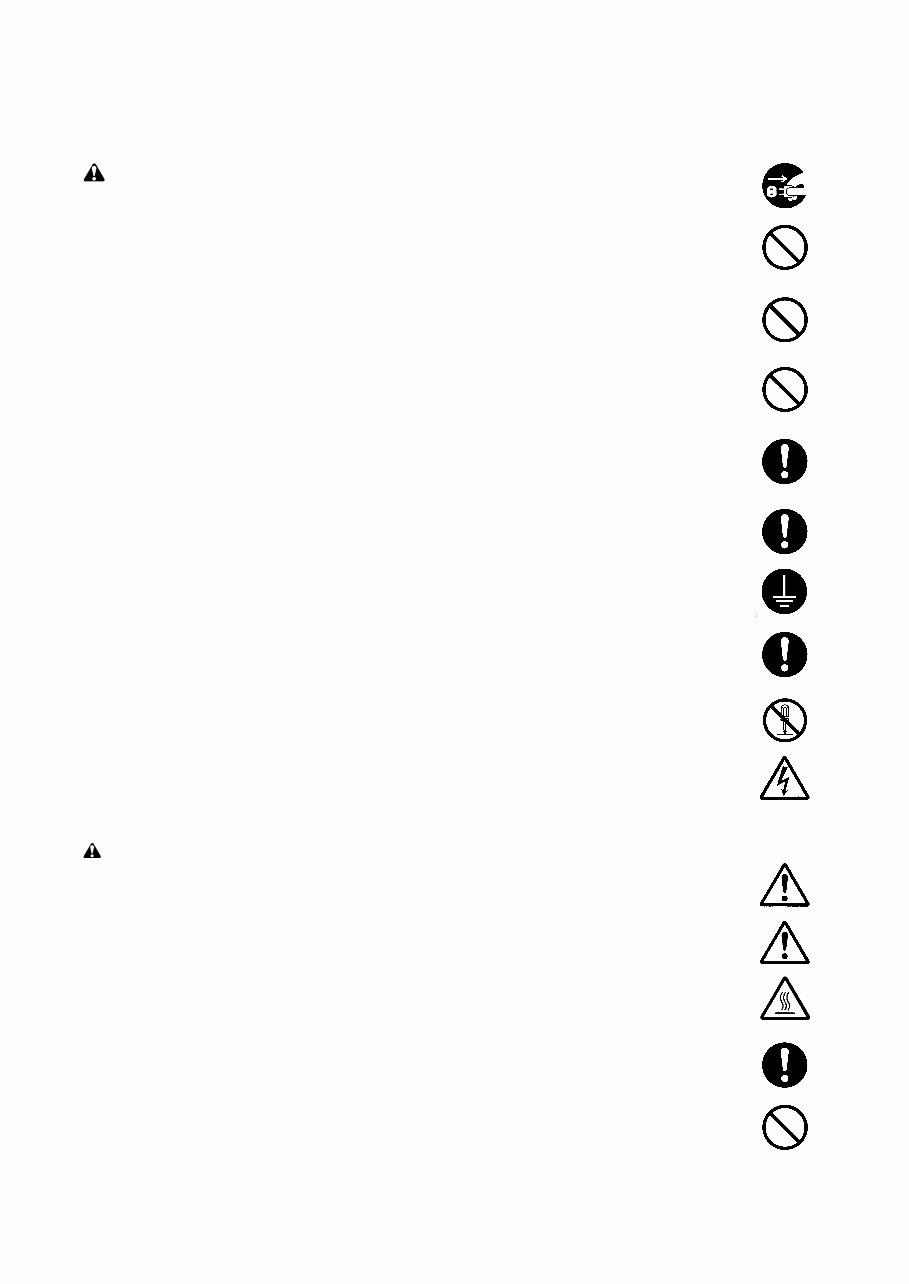
• Check that the power cable covering is free of damage. Check that the power plug is dust-free. If it is dirty, clean it to remove the risk of fire or electric shock. ............................................................ • Never attempt to disassemble the optical unit in machines using lasers. Leaking laser light may damage eyesight. .............................................................................................................................. • Handle the charger sections with care. They are charged to high potentials and may cause electric shock if handled improperly. ................................................................................................. CAUTION • Wear safe clothing. If wearing loose clothing or accessories such as ties, make sure they are safely secured so they will not be caught in rotating sections. .......................................................... • Use utmost caution when working on a powered machine. Keep away from chains and belts. ....... • Handle the fixing section with care to avoid burns as it can be extremely hot. ................................. • Check that the fixing unit thermistor, heat and press rollers are clean. Dirt on them can cause abnormally high temperatures. .......................................................................................................... • Do not remove the ozone filter, if any, from the copier except for routine replacement. ................... 2. Precautions for Maintenance WARNING • Always remove the power plug from the wall outlet before starting machine disassembly. .............. • Always follow the procedures for maintenance described in the service manual and other related brochures. ......................................................................................................................................... • Under no circumstances attempt to bypass or disable safety features including safety mechanisms and protective circuits. ................................................................................................. • Always use parts having the correct specifications. .......................................................................... • Always use the thermostat or thermal fuse specified in the service manual or other related brochure when replacing them. Using a piece of wire, for example, could lead to fire or other serious accident. ............................................................................................................................... • When the service manual or other serious brochure specifies a distance or gap for installation of a part, always use the correct scale and measure carefully. ............................................................... • Always check that the copier is correctly connected to an outlet with a ground connection. ............
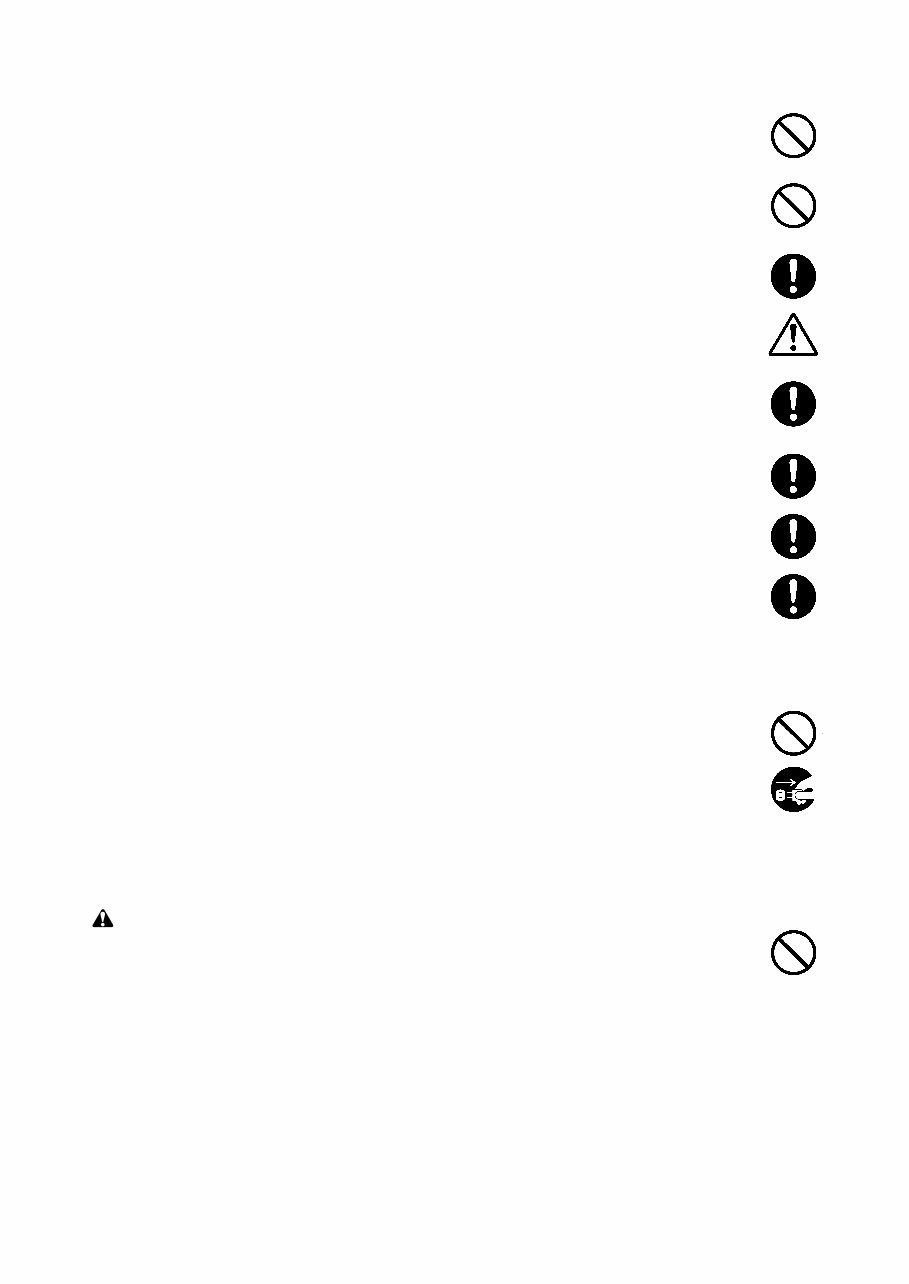
• Do not pull on the AC power cord or connector wires on high-voltage components when removing them; always hold the plug itself. ...................................................................................................... • Do not route the power cable where it may be stood on or trapped. If necessary, protect it with a cable cover or other appropriate item. .............................................................................................. • Treat the ends of the wire carefully when installing a new charger wire to avoid electric leaks. ....... • Remove toner completely from electronic components. ................................................................... • Run wire harnesses carefully so that wires will not be trapped or damaged. ................................... • After maintenance, always check that all the parts, screws, connectors and wires that were removed, have been refitted correctly. Special attention should be paid to any forgotten connector, trapped wire and missing screws. .................................................................................. • Check that all the caution labels that should be present on the machine according to the instruction handbook are clean and not peeling. Replace with new ones if necessary. ................... • Handle greases and solvents with care by following the instructions below: .................................... · Use only a small amount of solvent at a time, being careful not to spill. Wipe spills off completely. · Ventilate the room well while using grease or solvents. · Allow applied solvents to evaporate completely before refitting the covers or turning the main switch on. · Always wash hands afterwards. • Never dispose of toner or toner bottles in fire. Toner may cause sparks when exposed directly to fire in a furnace, etc. .......................................................................................................................... • Should smoke be seen coming from the copier, remove the power plug from the wall outlet immediately. ...................................................................................................................................... 3. Miscellaneous WARNING • Never attempt to heat the drum or expose it to any organic solvents such as alcohol, other than the specified refiner; it may generate toxic gas. ................................................................................
1-1-1 2AV/X CONTENTS 1-1 Specifications 1-1-1 Specifications ....................................................................................................................................... 1-1-1 1-1-2 Parts names and their functions ........................................................................................................... 1-1-5 (1) Copier ............................................................................................................................................. 1-1-5 (2) Operation panel .............................................................................................................................. 1-1-6 1-1-3 Machine cross section .......................................................................................................................... 1-1-8 1-1-4 Drive system ........................................................................................................................................ 1-1-9 (1) Drive system 1 (optical section) ...................................................................................................... 1-1-9 (2) Drive system 2 (drive motor drive train) ........................................................................................ 1-1-10 1-2 Handling Precautions 1-2-1 Drum .................................................................................................................................................... 1-2-1 1-2-2 Developer and toner ............................................................................................................................. 1-2-1 1-2-3 Installation environment ....................................................................................................................... 1-2-1 1-3 Installation 1-3-1 Unpacking and installation ................................................................................................................... 1-3-1 (1) Installation procedure ..................................................................................................................... 1-3-1 1-3-2 Setting initial copy modes .................................................................................................................. 1-3-13 1-3-3 Copier management ........................................................................................................................... 1-3-14 (1) Using the copier management mode (15 cpm copier) .................................................................. 1-3-14 (2) Setting department management items ........................................................................................ 1-3-15 (3) Copy default ................................................................................................................................. 1-3-15 (4) Using the copier management mode (20 cpm copier) .................................................................. 1-3-18 (5) Setting department management items ........................................................................................ 1-3-19 (6) Copy default ................................................................................................................................. 1-3-19 (7) Machine default ............................................................................................................................ 1-3-20 (8) Language ...................................................................................................................................... 1-3-21 1-3-4 Installing the key counter (option) ...................................................................................................... 1-3-22 1-3-5 Installing the original size detection sensor (option for the metric specifications of the 15 cpm copier only) .......................................................... 1-3-24 1-3-6 Installing the drawer heater (option) ................................................................................................... 1-3-25 1-4 Maintenance Mode 1-4-1 Maintenance mode ............................................................................................................................... 1-4-1 (1) Executing a maintenance item ....................................................................................................... 1-4-1 (2) Maintenance mode item list (for 20 cpm copier) ............................................................................. 1-4-2 (3) Contents of maintenance mode items (for 20 cpm copier) ............................................................. 1-4-5 (4) Maintenance mode item list (for 15 cpm copier) ........................................................................... 1-4-53 (5) Contents of maintenance mode items (for 15 cpm copier) ........................................................... 1-4-56 1-5 Troubleshooting 1-5-1 Paper misfeed detection ...................................................................................................................... 1-5-1 (1) Paper misfeed indication ................................................................................................................ 1-5-1 (2) Paper misfeed detection conditions ................................................................................................ 1-5-3 (3) Paper misfeeds ............................................................................................................................... 1-5-8 1-5-2 Self-diagnosis ..................................................................................................................................... 1-5-12 (1) Self-diagnostic function ................................................................................................................ 1-5-12 (2) Self-diagnostic codes ................................................................................................................... 1-5-12 1-5-3 Image formation problems ................................................................................................................. 1-5-17 (1) No image appears (entirely white). ............................................................................................... 1-5-18 (2) No image appears (entirely black). ............................................................................................... 1-5-18 (3) Image is too light. ......................................................................................................................... 1-5-19 (4) Background is visible. ................................................................................................................... 1-5-19 (5) A white line appears longitudinally. .............................................................................................. 1-5-19
1-1-2 2AV/X (6) A black line appears longitudinally. .............................................................................................. 1-5-20 (7) A black line appears laterally. ....................................................................................................... 1-5-20 (8) One side of the copy image is darker than the other. ................................................................... 1-5-20 (9) Black dots appear on the image. .................................................................................................. 1-5-21 (10) Image is blurred. ........................................................................................................................... 1-5-21 (11) The leading edge of the image is consistently misaligned with the original. ................................ 1-5-21 (12) The leading edge of the image is sporadically misaligned with the original. ................................ 1-5-22 (13) Paper creases. ............................................................................................................................. 1-5-22 (14) Offset occurs. ............................................................................................................................... 1-5-22 (15) Image is partly missing. ................................................................................................................ 1-5-23 (16) Fixing is poor. ............................................................................................................................... 1-5-23 (17) Image is out of focus. ................................................................................................................... 1-5-23 (18) Image center does not align with the original center. ................................................................... 1-5-23 (19) Image is not square. ..................................................................................................................... 1-5-24 (20) Image contrast is low (carrier scattering) ...................................................................................... 1-5-24 1-5-4 Electrical problems ............................................................................................................................. 1-5-25 (1) The machine does not operate when the main switch is turned on. ............................................. 1-5-25 (2) The drive motor does not operate (C200). ................................................................................... 1-5-25 (3) The scanner motor does not operate. .......................................................................................... 1-5-25 (4) The toner feed motor does not operate. ....................................................................................... 1-5-25 (5) Cooling fan motor 1 does not operate. ......................................................................................... 1-5-25 (6) Cooling fan motor 2 does not operate. ......................................................................................... 1-5-25 (7) Cooling fan motor 3 does not operate. ......................................................................................... 1-5-26 (8) The drawer drive motor does not operate. ................................................................................... 1-5-26 (9) The registration clutch does not operate. ..................................................................................... 1-5-26 (10) The upper paper feed clutch does not operate. ............................................................................ 1-5-26 (11) The lower paper feed clutch does not operate. ............................................................................ 1-5-26 (12) Paper feed clutch (ST)1 does not operate. ................................................................................... 1-5-26 (13) Paper feed clutch (ST)2 does not operate. ................................................................................... 1-5-26 (14) The bypass paper feed clutch does not operate. ......................................................................... 1-5-26 (15) The cleaning lamp does not turn on. ............................................................................................ 1-5-26 (16) The exposure lamp does not turn on. ........................................................................................... 1-5-27 (17) The exposure lamp does not turn off. ........................................................................................... 1-5-27 (18) The fixing heater does not turn on (C610). ................................................................................... 1-5-27 (19) The fixing heater does not turn off. ............................................................................................... 1-5-27 (20) Main charging is not performed (C510). ....................................................................................... 1-5-27 (21) Transfer charging is not performed. ............................................................................................. 1-5-27 (22) No developing bias is output. ....................................................................................................... 1-5-27 (23) The original size is not detected. .................................................................................................. 1-5-27 (24) The original size is not detected correctly. ................................................................................... 1-5-28 (25) The message requesting paper to be loaded is shown when paper is present in the upper drawer. ...................................................................................................................... 1-5-28 (26) The message requesting paper to be loaded is shown when paper is present in the lower drawer. ...................................................................................................................... 1-5-28 (27) The message requesting paper to be loaded is shown when paper is present on the bypass tray. ....................................................................................................................... 1-5-28 (28) The size of paper in the upper drawer is not displayed correctly. ................................................ 1-5-28 (29) The size of paper in the lower drawer is not displayed correctly. ................................................. 1-5-29 (30) The printing width of the paper on the bypass tray is not detected correctly. ............................... 1-5-29 (31) A paper jam in the paper feed, paper conveying or fixing section is indicated when the main switch is turned on. .............................................................................................. 1-5-29 (32) The message requesting covers to be closed is displayed when the front cover, paper conveying unit and lower drawer left cover are closed. ...................................................... 1-5-29 (33) Others. .......................................................................................................................................... 1-5-29 1-5-5 Mechanical problems ......................................................................................................................... 1-5-30 (1) No primary paper feed. ................................................................................................................. 1-5-30 (2) No secondary paper feed. ............................................................................................................ 1-5-30 (3) Skewed paper feed. ...................................................................................................................... 1-5-30
1-1-3 2AV/X (4) The scanner does not travel. ........................................................................................................ 1-5-30 (5) Multiple sheets of paper are fed at one time. ................................................................................. 1-5-30 (6) Paper jams. .................................................................................................................................. 1-5-30 (7) Toner drops on the paper conveying path. ................................................................................... 1-5-30 (8) Abnormal noise is heard. .............................................................................................................. 1-5-30 1-6 Assembly and Disassembly 1-6-1 Precautions for assembly and disassembly ......................................................................................... 1-6-1 (1) Precautions ..................................................................................................................................... 1-6-1 (2) Running a maintenance item .......................................................................................................... 1-6-2 1-6-2 Paper feed section ............................................................................................................................... 1-6-3 (1) Detaching and refitting the upper and lower paper feed pulleys .................................................... 1-6-3 (2) Detaching and refitting the bypass paper feed pulley ..................................................................... 1-6-6 (3) Detaching and refitting the left registration cleaner assembly ........................................................ 1-6-8 (4) Detaching and refitting the right registration cleaner assembly ...................................................... 1-6-8 (5) Detaching and refitting the bypass paper width switch ................................................................... 1-6-9 (6) Adjustment after roller and clutch replacement ............................................................................ 1-6-10 (6-1) Adjusting the leading edge registration of image printing .................................................... 1-6-10 (6-2) Adjusting the leading edge registration for memory image printing ..................................... 1-6-12 (6-3) Adjusting the center line of image printing ........................................................................... 1-6-13 (6-4) Adjusting the margins for printing ........................................................................................ 1-6-15 (6-5) Adjusting the amount of slack in the paper .......................................................................... 1-6-17 1-6-3 Optical section .................................................................................................................................... 1-6-19 (1) Detaching and refitting the exposure lamp ................................................................................... 1-6-19 (2) Detaching and refitting the scanner wires .................................................................................... 1-6-20 (2-1) Detaching the scanner wires ............................................................................................... 1-6-20 (2-2) Fitting the scanner wires ...................................................................................................... 1-6-21 (3) Detaching and refitting the laser scanner unit .............................................................................. 1-6-24 (4) Adjusting the skew and vertical shifting of the laser scanner unit ................................................ 1-6-26 (4-1) Adjusting the skew of the laser scanner unit ....................................................................... 1-6-26 (4-2) Adjusting the vertical shifting of the laser scanner unit ........................................................ 1-6-27 (5) Detaching and refitting the ISU (reference) .................................................................................. 1-6-28 (6) Adjusting the position of the ISU (reference) ................................................................................ 1-6-30 (7) Adjusting the longitudinal squareness (reference) ....................................................................... 1-6-31 (8) Adjusting magnification of the scanner in the main scanning direction ........................................ 1-6-32 (9) Adjusting magnification of the scanner in the auxiliary scanning direction ................................... 1-6-34 (10) Adjusting the scanner leading edge registration ........................................................................... 1-6-36 (11) Adjusting the scanner center line ................................................................................................. 1-6-37 (12) Adjusting the margins for scanning an original on the contact glass ............................................ 1-6-38 1-6-4 Main charging section ........................................................................................................................ 1-6-40 (1) Detaching and refitting the charger assembly .............................................................................. 1-6-40 (2) Replacing the tungsten wire (reference) ....................................................................................... 1-6-41 1-6-5 Drum section ...................................................................................................................................... 1-6-43 (1) Detaching and refitting the drum .................................................................................................. 1-6-43 1-6-6 Developing section ............................................................................................................................. 1-6-44 (1) Adjusting the position of the doctor blade (reference) .................................................................. 1-6-44 1-6-7 Transfer section ................................................................................................................................. 1-6-45 (1) Detaching and refitting the transfer roller assembly ..................................................................... 1-6-45 1-6-8 Cleaning section ................................................................................................................................. 1-6-46 (1) Detaching and refitting the cleaning blade ................................................................................... 1-6-46 (2) Detaching and refitting the drum separation claw assemblies ..................................................... 1-6-47 (3) Detaching and refitting the cleaning lower seal assembly ............................................................ 1-6-47 1-6-9 Fixing section ..................................................................................................................................... 1-6-48 (1) Detaching and refitting the fixing unit ........................................................................................... 1-6-48 (2) Detaching and refitting the fixing unit thermistor .......................................................................... 1-6-49 (3) Detaching and refitting the heat roller separation claws ............................................................... 1-6-49 (4) Detaching and refitting the fixing heater ....................................................................................... 1-6-50 (5) Detaching and refitting the heat roller ........................................................................................... 1-6-51 (6) Detaching and refitting the press roller ......................................................................................... 1-6-53
This is a comprehensive Service Repair Manual for the Kyocera mita KM-1530 / KM-2030. The manual contains easy-to-read text sections with high-quality diagrams and step-by-step instructions for repairing your KYOCERA machine. It is designed to facilitate learning of technical theory, installation, maintenance, troubleshooting, disassembly, assembly, and repair of KYOCERA products.
Models Covered:
Kyocera mita KM-1530
Kyocera mita KM-2030
Manual Contents:
Safety precautions
Specifications
Handling Precautions
Installation
Maintenance mode
Trouble Shooting
Assembly and disassembly
Requirements on PCB Replacement
Electrical Parts Layout
Operation of the PCBs
Appendixes
Parts List Contents:
FIG. 1 EXTERIOR COVERS
FIG. 2 FRAMES
FIG. 3 CASSETTE
FIG. 4 CASSETTE(KM-2030)
FIG. 5 DECK UNIT(KM-2030)
FIG. 6 PAPER FEED-IN SECTION
FIG. 7 PAPER CONVEYING SECTION
FIG. 8 ORIGINAL HOLDER
FIG. 9 OPTICAL SECTION
FIG. 10 LASER SCANNER UNIT
FIG. 11 IMAGING UNIT
FIG. 12 FIXING SECTION
FIG. 13 DRIVING SECTION
FIG. 14 ELECTRICAL COMPONENTS
FIG. 15 OPERATION UNIT
FIG. 16 ACCESSORIES & OPTION
INDEX
Model Specification: Kyocera mita KM-1530 / KM-2030
Total Pages: 347
File Format: .PDF
Requirements: Adobe Reader
Language: English
Compatibility: All Versions of Windows & Mac, APP ISO, Iphone, Ipad, Android etc...
This manual is in .PDF format and is fully indexed and bookmarked by topic. It is an original Adobe document, ensuring perfect quality and printing. The manual can be quickly searched to find information in every chapter. It is possible to print the entire manual or select specific pages. Additionally, it allows zooming in on diagrams or pictures for detailed viewing of every part.
By using this manual, you can save time and money by performing your own repairs. The step-by-step instructions and pictures make any repair job easy to do.
ALL Service Repair Manuals are INSTANT DOWNLOADS, meaning there are no shipping costs or waiting for a CD or paper manual to arrive in the mail. Upon completion of payment via our secure payment processor, you will receive this manual instantly. We accept all major credit/debit cards and PayPal.
Recently Viewed
5,521,897Happy Clients
2,594,462eManuals
1,120,453Trusted Sellers
15Years in Business
Price:
Actual Price:
Kyocera mita KM-1530 / KM-2030 Service Repair Manual + Parts List



 Lifetime Access