

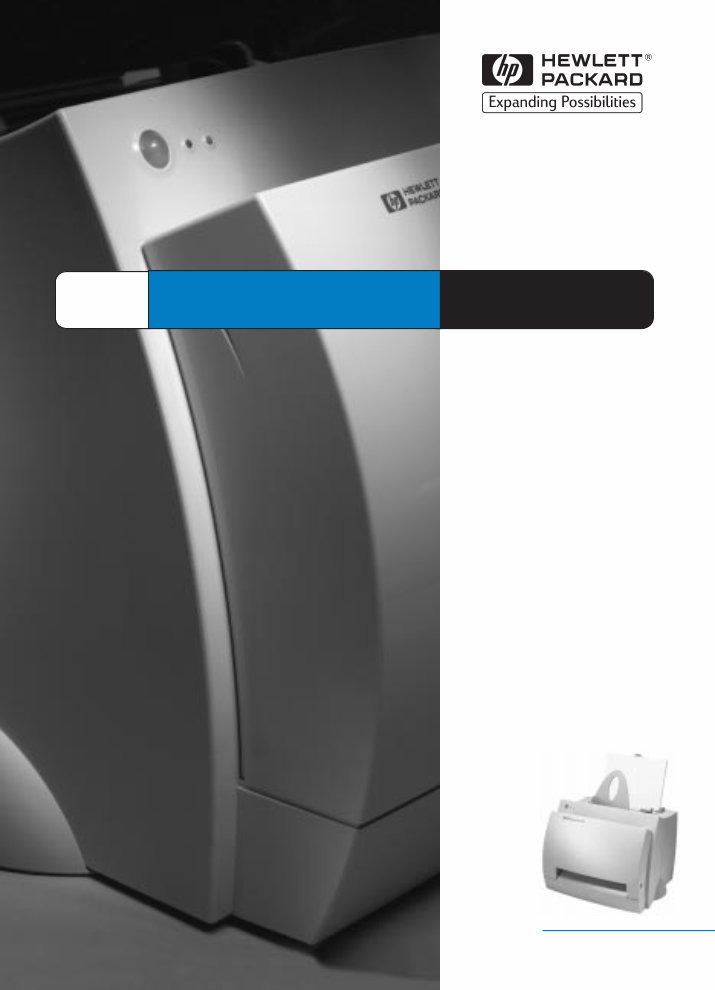
LaserJet 1100 HP
User
Guide


HP LaserJet 1100 Printer
User Guide _________________

Hewlett-Packard Company
11311 Chinden Boulevard
Boise, Idaho 83714 U.S.A.
© Copyright Hewlett-
Packard Company 1998
All Rights Reserved.
Reproduction,
adaptation, or translation
without prior written
permission is prohibited,
except as allowed under
the copyright laws.
Publication number:
C4224-90926
First Edition: October,
1998
Warranty
The information
contained in this
document is subject to
change without notice.
Hewlett-Packard makes
no warranty of any kind
with respect to this
information.
HEWLETT-PACKARD
SPECIFICALLY
DISCLAIMS THE
IMPLIED WARRANTY
OF MERCHANTABILITY
AND FITNESS FOR A
PARTICULAR
PURPOSE.
Hewlett-Packard shall
not be liable for any
direct, indirect,
incidental,
consequential, or other
damage alleged in
connection with the
furnishing or use of this
information.
Trademark Credits
Adobe is a trademark of
Adobe Systems
Incorporated.
CompuServe is a U.S.
trademark of
CompuServe, Inc.
Windows and Windows
NT are U.S. registered
trademarks of Microsoft
Corporation.
ENERGY STAR is a U.S.
registered service mark
of the U.S.
Environmental Protection
Agency.

EN Contents i
Contents
1 Getting to know the printer
Printer features and benefits . . . . . . . . . . . . . . . . . . . . . . . . . . . . . .2
Print with excellent quality . . . . . . . . . . . . . . . . . . . . . . . . . . . .2
Save money . . . . . . . . . . . . . . . . . . . . . . . . . . . . . . . . . . . . . . .2
Create professional documents . . . . . . . . . . . . . . . . . . . . . . . .2
Printer components . . . . . . . . . . . . . . . . . . . . . . . . . . . . . . . . . . . . .3
Printer control panel . . . . . . . . . . . . . . . . . . . . . . . . . . . . . . . . .4
Printer paper input trays . . . . . . . . . . . . . . . . . . . . . . . . . . . . . .5
Printer paper guides . . . . . . . . . . . . . . . . . . . . . . . . . . . . . . . . .5
Printer paper output paths . . . . . . . . . . . . . . . . . . . . . . . . . . . .6
Printer door . . . . . . . . . . . . . . . . . . . . . . . . . . . . . . . . . . . . . . . .7
Choosing paper and other media . . . . . . . . . . . . . . . . . . . . . . . . . .8
Loading paper into the printer . . . . . . . . . . . . . . . . . . . . . . . . . . . . .9
Specific types. . .. . . . . . . . . . . . . . . . . . . . . . . . . . . . . . . . . . . .9
Turning the power off . . . . . . . . . . . . . . . . . . . . . . . . . . . . . . . . . .10
Voltage conversions . . . . . . . . . . . . . . . . . . . . . . . . . . . . . . . . . . .10
Accessing printer properties (driver) and help. . . . . . . . . . . . . . . .11
Printer properties (driver) . . . . . . . . . . . . . . . . . . . . . . . . . . . .11
Printer online help . . . . . . . . . . . . . . . . . . . . . . . . . . . . . . . . . .12
Printing a self-test page. . . . . . . . . . . . . . . . . . . . . . . . . . . . . . . . .13
2 Printing media
Printing transparencies . . . . . . . . . . . . . . . . . . . . . . . . . . . . . . . . .16
Printing envelopes . . . . . . . . . . . . . . . . . . . . . . . . . . . . . . . . . . . . .17
Printing labels . . . . . . . . . . . . . . . . . . . . . . . . . . . . . . . . . . . . . . . .18
Printing letterhead . . . . . . . . . . . . . . . . . . . . . . . . . . . . . . . . . . . . .19
Printing cards . . . . . . . . . . . . . . . . . . . . . . . . . . . . . . . . . . . . . . . .20

ii Contents EN
3 Printing tasks
Printing with manual feed . . . . . . . . . . . . . . . . . . . . . . . . . . . . . . .22
Printing on both sides of the paper (manual duplexing) . . . . . . . .23
Manual duplex using the paper output bin (standard) . . . . . .24
Manual duplex (special) heavy-media, card stock . . . . . . . . .25
Printing watermarks. . . . . . . . . . . . . . . . . . . . . . . . . . . . . . . . . . . .26
Accessing the watermark feature . . . . . . . . . . . . . . . . . . . . . .26
Printing multiple pages on a single sheet of paper
(N-up printing) . . . . . . . . . . . . . . . . . . . . . . . . . . . . . . . . . . . . . . . .27
Accessing the multiple pages per sheet feature . . . . . . . . . . .27
Printing booklets . . . . . . . . . . . . . . . . . . . . . . . . . . . . . . . . . . . . . .28
Canceling a print job . . . . . . . . . . . . . . . . . . . . . . . . . . . . . . . . . . .30
Changing print quality settings . . . . . . . . . . . . . . . . . . . . . . . . . . .31
Print using EconoMode (save toner) . . . . . . . . . . . . . . . . . . . . . . .31
4 Managing the toner cartridge
HP toner cartridges . . . . . . . . . . . . . . . . . . . . . . . . . . . . . . . . . . . .34
HP policy on non-HP toner cartridges . . . . . . . . . . . . . . . . . .34
Toner cartridge storage . . . . . . . . . . . . . . . . . . . . . . . . . . . . .34
Toner cartridge life expectancy. . . . . . . . . . . . . . . . . . . . . . . .34
Recycling toner cartridges . . . . . . . . . . . . . . . . . . . . . . . . . . .34
Saving toner . . . . . . . . . . . . . . . . . . . . . . . . . . . . . . . . . . . . . .34
Redistributing toner . . . . . . . . . . . . . . . . . . . . . . . . . . . . . . . . . . . .35
Changing the toner cartridge . . . . . . . . . . . . . . . . . . . . . . . . . . . . .36
5 Troubleshooting the printer
Finding the solution . . . . . . . . . . . . . . . . . . . . . . . . . . . . . . . . . . . .38
Pages did not print . . . . . . . . . . . . . . . . . . . . . . . . . . . . . . . . .38
Pages printed; however . . . . . . . . . . . . . . . . . . . . . . . . . . . . .38
Printer light patterns . . . . . . . . . . . . . . . . . . . . . . . . . . . . . . . .39
Error messages on screen . . . . . . . . . . . . . . . . . . . . . . . . . . .41
Paper handling problems . . . . . . . . . . . . . . . . . . . . . . . . . . . .43
Printed page is different than what appeared on screen . . . .44
Improving print quality . . . . . . . . . . . . . . . . . . . . . . . . . . . . . . . . . .46
Image defect examples. . . . . . . . . . . . . . . . . . . . . . . . . . . . . .46
Correcting print defects. . . . . . . . . . . . . . . . . . . . . . . . . . . . . .48
Cleaning the printer . . . . . . . . . . . . . . . . . . . . . . . . . . . . . . . . . . . .51
Cleaning the toner cartridge area . . . . . . . . . . . . . . . . . . . . . .52
Cleaning the printer paper path . . . . . . . . . . . . . . . . . . . . . . .53
Clearing printer paper jams . . . . . . . . . . . . . . . . . . . . . . . . . . . . . .54
Removing a jammed page . . . . . . . . . . . . . . . . . . . . . . . . . . .55
Paper jam: removing torn pieces of paper . . . . . . . . . . . . . . .57
Changing the pickup roller . . . . . . . . . . . . . . . . . . . . . . . . . . .58
Cleaning the pickup roller . . . . . . . . . . . . . . . . . . . . . . . . . . . .60
Resetting the printer . . . . . . . . . . . . . . . . . . . . . . . . . . . . . . . . . . .61

EN iii
6 Service and support
Availability . . . . . . . . . . . . . . . . . . . . . . . . . . . . . . . . . . . . . . . . . . .64
Obtaining hardware service. . . . . . . . . . . . . . . . . . . . . . . . . . . . . .64
Guidelines for repacking the printer . . . . . . . . . . . . . . . . . . . . . . .65
Service information form . . . . . . . . . . . . . . . . . . . . . . . . . . . . . . . .66
HP Support . . . . . . . . . . . . . . . . . . . . . . . . . . . . . . . . . . . . . . . . . .67
Customer Support and product repair assistance
(U.S. and Canada) . . . . . . . . . . . . . . . . . . . . . . . . . . . . . . . . .67
European Customer Support Center . . . . . . . . . . . . . . . . . . .68
Online services . . . . . . . . . . . . . . . . . . . . . . . . . . . . . . . . . . . .71
Obtaining software utilities and electronic information . . . . . .72
HP direct ordering for accessories or supplies . . . . . . . . . . . .73
HP Support Assistant compact disc . . . . . . . . . . . . . . . . . . . .73
HP service information . . . . . . . . . . . . . . . . . . . . . . . . . . . . . .73
HP SupportPack . . . . . . . . . . . . . . . . . . . . . . . . . . . . . . . . . . .73
HP FIRST . . . . . . . . . . . . . . . . . . . . . . . . . . . . . . . . . . . . . . . .73
Worldwide sales and service offices . . . . . . . . . . . . . . . . . . . . . . .75
Appendix A Printer specifications
Specifications . . . . . . . . . . . . . . . . . . . . . . . . . . . . . . . . . . . . . . . .80
FCC compliance . . . . . . . . . . . . . . . . . . . . . . . . . . . . . . . . . . . . . .82
Environmental Product Stewardship Program . . . . . . . . . . . . . . .83
Protecting the Environment . . . . . . . . . . . . . . . . . . . . . . . . . .83
Material safety data sheet . . . . . . . . . . . . . . . . . . . . . . . . . . . . . . .85
Regulatory statements . . . . . . . . . . . . . . . . . . . . . . . . . . . . . . . . .86
Declaration of Conformity . . . . . . . . . . . . . . . . . . . . . . . . . . . .86
Laser safety statement . . . . . . . . . . . . . . . . . . . . . . . . . . . . . .87
Canadian DOC regulations . . . . . . . . . . . . . . . . . . . . . . . . . . .87
Korean EMI statement . . . . . . . . . . . . . . . . . . . . . . . . . . . . . .87
Laser statement for Finland . . . . . . . . . . . . . . . . . . . . . . . . . .88
Appendix B Paper specifications
Printer paper specifications . . . . . . . . . . . . . . . . . . . . . . . . . . . . . .90
Supported paper sizes (printer) . . . . . . . . . . . . . . . . . . . . . . . . . . .90
Guidelines for using paper . . . . . . . . . . . . . . . . . . . . . . . . . . . . . .91
Labels . . . . . . . . . . . . . . . . . . . . . . . . . . . . . . . . . . . . . . . . . . .92
Transparencies . . . . . . . . . . . . . . . . . . . . . . . . . . . . . . . . . . . .92
Envelopes . . . . . . . . . . . . . . . . . . . . . . . . . . . . . . . . . . . . . . . .93
Card stock and heavy media . . . . . . . . . . . . . . . . . . . . . . . . .95
Appendix C Memory (DIMMs)
Installing DIMMs (memory) . . . . . . . . . . . . . . . . . . . . . . . . . . . . . .98
Test DIMM installation . . . . . . . . . . . . . . . . . . . . . . . . . . . . . . . . .100
Removing DIMMs . . . . . . . . . . . . . . . . . . . . . . . . . . . . . . . . . . . .101

iv Contents EN
Appendix D Warranty and licensing
Hewlett-Packard software license agreement . . . . . . . . . . . . . . .104
Hewlett-Packard limited warranty statement . . . . . . . . . . . . . . . .106
Limited warranty for toner cartridge life . . . . . . . . . . . . . . . . . . . .108
Appendix E Accessories and ordering information
Index

EN 1
1
Getting to know the
printer
This chapter provides information on the following topics:
● Printer features and benefits
● Printer components
● Choosing paper and other media
● Loading paper into the printer
● Turning the power off
● Voltage conversions
● Accessing printer properties (driver) and help
● Printing a self-test page
Note For installation instructions, see the “HP LaserJet Quick Reference
Guide” that came with your printer.

2 Chapter 1 Getting to know the printer EN
Printer features and benefits
Congratulations on the purchase of your new printer. You can . . .
Print with excellent quality
● Print at 600 dots per inch (dpi) with Resolution Enhancement
technology (REt).
Save money
● Use EconoMode to save toner.
● Print on both sides of the paper to save paper (manual
duplexing).
● Print multiple pages on a single sheet of paper to save paper
(N-up printing).
Create professional documents
● Protect your documents by using Watermarks such as
“confidential.”
● Print Booklets. This feature enables you to easily print the pages
required to create cards or books. Once printed, all you have to
do is fold and staple the pages.
● Print the first page on different paper/media than the following
pages.
You're Reading a Preview
What's Included?
 Lifetime Access
Fast Download Speeds
Online & Offline Access
Access PDF Contents & Bookmarks
Full Search Facility
Print one or all pages of your manual
$27.99
HP LASERJET 1100 PRINTER USER Manual.
Viewed 25 Times Today

What's Included?
Lifetime Access
Fast Download Speeds
Online & Offline Access
Access PDF Contents & Bookmarks
Full Search Facility
Print one or all pages of your manual
$27.99

Secure transaction
What's Included?
Lifetime Access
Fast Download Speeds
Online & Offline Access
Access PDF Contents & Bookmarks
Full Search Facility
Print one or all pages of your manual
Description
This is a complete user manual for the HP LaserJet 1100 Printer.
- Getting to know your Printer
- Printing Media
- Printing Task
- Toner Cartridge Management
- Printer Troubleshooting
- Service & Support info
- Printer & Paper Spec
- Memory Spec
Pages: Not specified
Format: PDF
Language: English
Compatible: Win/Mac
Find it, print it, use it, then dispose of it. This manual contains numerous pictures and diagrams for easy reference. All pages are printable, allowing you to take the necessary information with you into the garage or workshop. Save money by performing your own repairs with these easy-to-follow, step-by-step instructions. Instant access upon receipt of payment means no shipping cost or waiting for a CD to arrive in the mail.


