Table of contents 1 Product information HP Color LaserJet 4730mfp series configurations.................................................................................. 2 HP Color LaserJet 4730mfp (Q7517A)...................................................................................2 HP Color LaserJet 4730x mfp (Q7518A)................................................................................ 3 HP Color LaserJet 4730xs mfp (Q7519A)..............................................................................3 HP Color LaserJet 4730xm mfp (Q7520A)............................................................................. 4 Features and benefits of the MFP...........................................................................................................5 Functions.................................................................................................................................5 Speed and throughput............................................................................................................5 Resolution...............................................................................................................................5 Memory...................................................................................................................................5 User interface..........................................................................................................................5 Language and fonts ...............................................................................................................6 Copying and sending..............................................................................................................6 Print cartridges........................................................................................................................ 6 Paper handling........................................................................................................................ 6 Connectivity.............................................................................................................................7 Environmental features........................................................................................................... 7 Security features..................................................................................................................... 7 Minimum system requirements for e-mail functionality..........................................................8 MFP parts and accessories..................................................................................................................... 9 MFP parts................................................................................................................................9 Interface ports....................................................................................................................... 11 Model and serial numbers....................................................................................................11 Accessories and supplies.....................................................................................................12 Parts compatibility with other HP LaserJet products............................................................13 Moving the MFP.................................................................................................................... 14 Site requirements...................................................................................................................................15 Physical specifications.......................................................................................................... 15 Environmental specifications................................................................................................15 MFP specifications................................................................................................................................16 Electrical specifications.........................................................................................................16 Acoustic specifications..........................................................................................................17 Image area............................................................................................................................ 17 Skew specifications...............................................................................................................17 Media specifications..............................................................................................................................18 Printing and paper storage environment..............................................................................18 Envelopes.............................................................................................................................19 Envelopes that have double side seams.............................................................20 Envelopes that have adhesive strips or flaps......................................................20 ENWW iii
Envelope margins................................................................................................20 Envelope storage.................................................................................................20 Labels....................................................................................................................................21 Label construction................................................................................................21 Transparencies.....................................................................................................................21 Supported types and sizes of print media............................................................................22 Printing on special media......................................................................................................................27 Transparencies.....................................................................................................................27 Glossy paper......................................................................................................................... 27 Colored paper.......................................................................................................................28 Envelopes.............................................................................................................................28 Labels....................................................................................................................................28 Heavy paper..........................................................................................................................29 HP LaserJet Tough paper.....................................................................................................29 Preprinted forms and letterhead...........................................................................................29 Recycled paper..................................................................................................................... 30 Weight equivalence table......................................................................................................30 Regulatory information..........................................................................................................................32 FCC and Telecom regulations.............................................................................................. 32 FCC regulations...................................................................................................32 Telecom................................................................................................................32 Environmental Product Stewardship program......................................................................33 Protecting the environment..................................................................................33 Ozone production................................................................................................. 33 Energy consumption............................................................................................33 HP LaserJet printing supplies..............................................................................33 Disposal of waste equipment by users in private households in the European Union...................................................................................................35 Material safety data sheet.................................................................................... 35 For more information............................................................................................ 35 Country/region-specific safety statements............................................................................36 Laser safety statement......................................................................................... 36 Canadian DOC statement.................................................................................... 36 Japanese VCCI statement...................................................................................36 Korean EMI statement.........................................................................................37 Japanese cordset statement................................................................................ 37 Taiwan safety statement......................................................................................37 Finnish laser statement........................................................................................ 38 Australia...............................................................................................................38 Declaration of conformity (HP Color LaserJet 4730mfp)......................................................................39 2 Service approach Service approach...................................................................................................................................42 Parts and supplies................................................................................................................................. 43 Ordering parts, supplies, and accessories over the Internet................................................43 Ordering directly through the embedded Web server (for MFPs with network connections)..........................................................................................................................43 Exchange program................................................................................................................43 Supplies................................................................................................................................43 World Wide Web................................................................................................................... 43 iv ENWW
HP Service Parts Information...............................................................................................44 HP available services............................................................................................................................45 Hewlett-Packard Limited Warranty Statement......................................................................................47 Print Cartridge Limited Warranty Statement.........................................................................................48 HP maintenance agreements................................................................................................................ 49 Priority Onsite Service..........................................................................................................49 Next business day.................................................................................................................49 Installation and maintenance kit replacement......................................................................49 3 Installation and configuration Installation checklist...............................................................................................................................52 Unpacking the MFP............................................................................................................................... 54 Loading detectable standard-sized media into Tray 2, 3, and 4...........................................................57 Loading undetectable standard-sized media into Tray 2, 3, and 4.......................................................59 Connecting power..................................................................................................................................62 Installing print cartridges........................................................................................................................63 Installing a new control panel overlay...................................................................................................65 Testing the MFP operation....................................................................................................................66 Sleep delay............................................................................................................................................ 67 Setting Sleep delay............................................................................................................... 67 Disabling/enabling Sleep mode............................................................................................67 Connecting to a computer or network...................................................................................................68 Network connection..............................................................................................................68 Parallel connection................................................................................................................68 Fax connection......................................................................................................................69 Analog faxing........................................................................................................69 Connecting the fax accessory to a phone line....................................69 Configuring and using the fax features...............................................70 Digital faxing.........................................................................................................70 Printer software......................................................................................................................................71 Software................................................................................................................................ 71 Software features.................................................................................................71 Driver Autoconfiguration.......................................................................................71 Update Now..........................................................................................................71 HP Driver Preconfiguration..................................................................................72 Installing the printing system software..................................................................................72 Installing Windows printing system software for direct connections....................72 Installing Windows printing system software for networks..................................73 Setting up a Windows computer to use the network MFP with Windows- sharing..................................................................................................................74 Installing the software after the parallel or USB cable has been connected.......74 Uninstalling the software.......................................................................................................74 Removing software from Windows operating systems........................................75 Software for networks...........................................................................................................75 HP Web Jetadmin................................................................................................75 UNIX..................................................................................................................... 76 Utilities...................................................................................................................................76 Embedded Web server........................................................................................76 Features..............................................................................................76 Other components and utilities............................................................................77 ENWW v
Printer drivers........................................................................................................................................78 Supported printer drivers......................................................................................................78 Additional drivers..................................................................................................................78 Selecting the correct printer driver........................................................................................ 79 Printer driver Help (Windows)............................................................................................... 79 Gaining access to Windows printer drivers..........................................................................80 Printer drivers for Macintosh computers................................................................................................81 Supported Macintosh printer drivers.....................................................................................81 Gaining access to Macintosh printer drivers.........................................................................81 Software for Macintosh computers........................................................................................................ 83 Installing Macintosh printing system software for networks.................................................83 Installing Macintosh printing system software for direct connections (USB)........................ 84 To remove software from Macintosh operating systems...................................................... 85 Network configuration............................................................................................................................ 86 Configuring TCP/IP parameters............................................................................................86 To manually configure TCP/IP parameters from the MFP control panel.............86 Setting an IP address........................................................................................... 86 Setting the subnet mask.......................................................................................87 Setting the default gateway.................................................................................. 87 Disabling network protocols (optional).................................................................88 Disabling IPX/SPX...............................................................................................88 Disabling DLC/LLC...............................................................................................88 Disabling AppleTalk.............................................................................................89 Security features....................................................................................................................................90 Securing the embedded Web server....................................................................................90 To secure the embedded Web server..................................................................90 Foreign Interface Harness (FIH)........................................................................................... 90 Requirements....................................................................................................... 90 Using the FIH.......................................................................................................90 To enable the FIH portal......................................................................90 To disable the FIH portal.....................................................................91 Secure Disk Erase................................................................................................................91 Data affected........................................................................................................ 91 Gaining access to Secure Disk Erase..................................................................92 Additional Information..........................................................................................92 Job storage features.............................................................................................................92 DSS authentication...............................................................................................................92 Locking the control panel menus.......................................................................................... 92 Locking the formatter cage...................................................................................................93 Optional output and input devices......................................................................................................... 94 4 Maintenance Using the cleaning page........................................................................................................................ 96 Cleaning the MFP.................................................................................................................................. 97 Cleaning the outside of the MFP..........................................................................................97 Cleaning the touchscreen.....................................................................................................97 Cleaning the scanner glass..................................................................................................97 Cleaning the ADF delivery system........................................................................................97 To clean the ADF delivery system.......................................................................98 To clean the ADF rollers......................................................................................99 vi ENWW
Cleaning the mylar strip......................................................................................................102 To clean the mylar strip...................................................................................... 102 Calibrating the scanner........................................................................................................................104 To print the calibration target.............................................................................................. 104 Performing preventive maintenance....................................................................................................105 MFP preventive maintenance............................................................................................. 105 To reset the maintenance kit counter.................................................................105 ADF maintenance kit...........................................................................................................106 Managing print cartridges.................................................................................................................... 107 HP print cartridges..............................................................................................................107 Changing print cartridges....................................................................................................107 Replacing a print cartridge.................................................................................107 Non-HP print cartridges......................................................................................................110 Print cartridge authentication.............................................................................................. 110 Print cartridge storage........................................................................................................111 Print cartridge life expectancy.............................................................................................111 Checking the supply level...................................................................................................111 Using the product control panel.........................................................................111 Using the embedded Web server......................................................................111 Using HP Web Jetadmin.................................................................................... 111 Printing a supplies status page..........................................................................111 Approximate replacement intervals for supplies.................................................................................113 ETB life under different circumstances................................................................................................114 Changing print cartridges....................................................................................................................115 Replacing print cartridges...................................................................................................115 Replacing supplies..............................................................................................................................116 Locating supplies................................................................................................................116 Supply replacement guidelines........................................................................................... 116 Making room around the MFP for replacing supplies......................................................... 117 Replacing the stapler cartridge........................................................................................... 117 Replacing the ETB.............................................................................................................. 119 Replacing the fuser............................................................................................................. 119 MFP memory and fonts.......................................................................................................................120 Installing memory and fonts.................................................................................................................121 Installing DDR memory DIMMs..........................................................................................121 Installing a flash memory card............................................................................................ 126 Enabling memory................................................................................................................ 129 To enable memory for Windows 98 and Windows Me......................................129 To enable memory for Windows 2000 and Windows XP..................................129 Setting the real-time clock...................................................................................................................130 Setting the date and time.................................................................................................... 130 To set the date format........................................................................................ 130 To set the date...................................................................................................130 To set the time format........................................................................................130 To set the time...................................................................................................131 Setting the wake time.........................................................................................................131 To set the wake time.......................................................................................... 131 Setting the Sleep delay....................................................................................................... 132 To set the Sleep delay.......................................................................................132 Configuring and verifying an IP address.............................................................................................133 ENWW vii
TCP/IP assignment............................................................................................................. 133 Automatic discovery...........................................................................................133 Dynamic host configuration protocol (DHCP)....................................................133 Verifying the TCP/IP configuration.....................................................................................133 Changing an IP address.....................................................................................................133 To change an IP address by using HP Web Jetadmin......................................133 To change an IP address by using the embedded Web server........................134 To change an IP address by using the control panel........................................134 Upgrading the firmware.......................................................................................................................136 Determining the current level of firmware........................................................................... 136 Downloading the new firmware from the HP Web site.......................................................136 Transferring the new firmware to the MFP.........................................................................136 Using FTP to upload the firmware through a browser.......................................136 To use a browser for firmware update..............................................136 Using FTP to upgrade the firmware on a network connection........................... 137 To upgrade the firmware on a network connection by using FTP....137 Using HP Web Jetadmin to upgrade the firmware............................................138 Using MS-DOS commands to upgrade the firmware........................................139 Upgrading the HP Jetdirect firmware..................................................................................140 5 Theory of operation Basic operation.................................................................................................................................... 142 Operation sequence............................................................................................................143 Operation sequence (scanner)...........................................................................................143 Power on sequence............................................................................................................144 Formatter system.................................................................................................................................146 Sleep mode......................................................................................................................... 146 Image Resolution Enhancement technology (REt)............................................................147 Input/Output........................................................................................................................147 Parallel interface................................................................................................147 USB 2.0 connector.............................................................................................147 ACC accessory port...........................................................................................147 Flash...................................................................................................................148 Hard disk............................................................................................................148 CPU.................................................................................................................... 148 FIH (foreign interface harness)..........................................................................148 MFP memory......................................................................................................................148 Read-only memory............................................................................................. 148 Random-access memory...................................................................................148 DIMM slots.......................................................................................................................... 148 Flash memory....................................................................................................148 Nonvolatile memory...........................................................................................149 PJL overview.......................................................................................................................149 PML.....................................................................................................................................149 Control panel.......................................................................................................................149 Scanner interface................................................................................................................149 Engine control system.........................................................................................................................150 DC controller PCB...............................................................................................................150 Block operation..................................................................................................152 Motors, fans, and environment sensor...............................................................................152 viii ENWW
You're Reading a Preview
What's Included?
Lifetime Access
Fast Download Speeds
Online & Offline Access
Access PDF Contents & Bookmarks
Full Search Facility
Print one or all pages of your manual
$28.99
HP Color LaserJet 4730mfp series Service Repair Manual
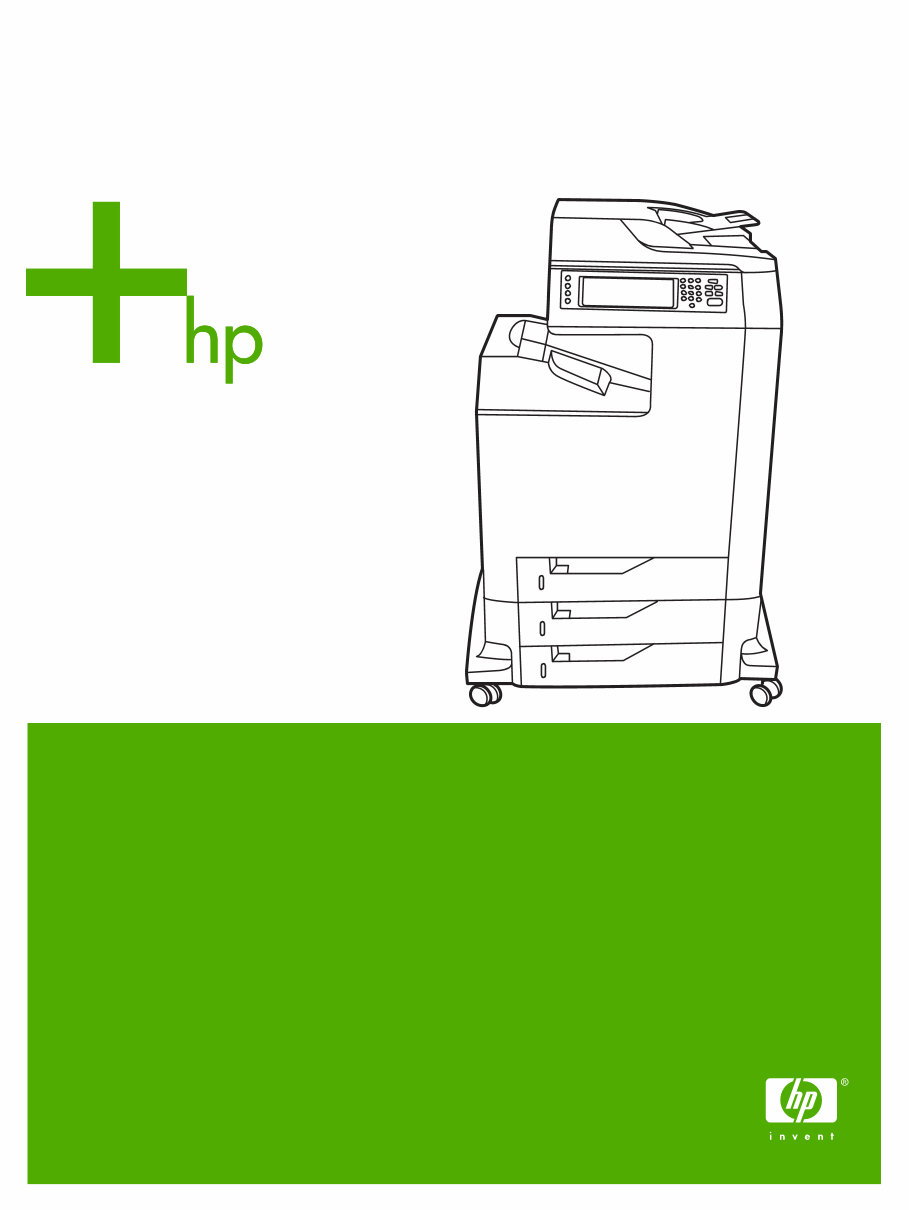
This is the complete factory Service Repair Manual for the HP Color LaserJet 4730mfp series. This manual provides easy-to-read text sections with high-quality diagrams and step-by-step instructions for repairing your HP machine. It is designed to facilitate learning of technical theory, installation, maintenance, troubleshooting, disassembly, assembly, and repair of HP products.
This manual covers the following:
Product information
Service approach
Installation and configuration
Maintenance
Theory of operation
Removal and replacement
Troubleshooting
Parts and diagrams
Index
Model Specification: HP Color LaserJet 4730mfp series
Total Pages: 908
File Format: PDF
Requirements: Adobe Reader
Language: English
Compatible: All Versions of Windows & Mac, APP ISO, iPhone, iPad, Android, etc...
This manual is in PDF format. It is fully indexed and bookmarked by topic, ensuring easy and quick navigation. The document is of original Adobe quality, allowing for perfect printing. The PDF can be searched quickly to find information in every chapter. It also allows for selective printing of specific pages and zooming in on diagrams or pictures for detailed viewing of every part.
By using this manual, you can save time and money by performing your own repairs. The step-by-step instructions and pictures provided make any repair job easy to do.
All Service Repair Manuals are instant PDF downloads, eliminating shipping costs and the need to wait for a CD or paper manual to arrive. Upon completion of payment via our secure payment processor, you will receive this manual instantly. We accept all major credit/debit cards and PayPal.
Reviews
Q&A
Recently Viewed
5,521,897Happy Clients
2,594,462eManuals
1,120,453Trusted Sellers
15Years in Business
Price:
Actual Price:
HP Color LaserJet 4730mfp series Service Repair Manual











 Lifetime Access




