Confidential PRECAUTIONS Precautionary notations throughout the text are categorized relative to 1) Personal injury and 2) damage to equipment. DANGER Signals a precaution which, if ignored, could result in serious or fatal personal injury. Great caution should be exercised in performing procedures preceded by DANGER Headings. WARNING Signals a precaution which, if ignored, could result in damage to equipment. The precautionary measures itemized below should always be observed when performing repair/maintenance procedures. DANGER 1. ALWAYS DISCONNECT THE PRODUCT FROM THE POWER SOURCE AND PERIPHERAL DEVICES PERFORMING ANY MAINTENANCE OR REPAIR PROCEDURES. 2. NO WORK SHOULD BE PERFORMED ON THE UNIT BY PERSONS UNFAMILIAR WITH BASIC SAFETY MEASURES AS DICTATED FOR ALL ELECTRONICS TECHNICIANS IN THEIR LINE OF WORK. 3. WHEN PERFORMING TESTING AS DICTATED WITHIN THIS MANUAL, DO NOT CONNECT THE UNIT TO A POWER SOURCE UNTIL INSTRUCTED TO DO SO. WHEN THE POWER SUPPLY CABLE MUST BE CONNECTED, USE EXTREME CAUTION IN WORKING ON POWER SUPPLY AND OTHER ELECTRONIC COMPONENTS. 4. WHEN DISASSEMBLING OR ASSEMBLING A PRODUCT, MAKE SURE TO WEAR GLOVES TO AVOID INJURIER FROM METAL PARTS WITH SHARP EDGES. WARNING 1. REPAIRS ON EPSON PRODUCT SHOULD BE PERFORMED ONLY BY AN EPSON CERTIFIED REPAIR TECHNICIAN. 2. MAKE CERTAIN THAT THE SOURCE VOLTAGES IS THE SAME AS THE RATED VOLTAGE, LISTED ON THE SERIAL NUMBER/RATING PLATE. IF THE EPSON PRODUCT HAS A PRIMARY AC RATING DIFFERENT FROM AVAILABLE POWER SOURCE, DO NOT CONNECT IT TO THE POWER SOURCE. 3. ALWAYS VERIFY THAT THE EPSON PRODUCT HAS BEEN DISCONNECTED FROM THE POWER SOURCE BEFORE REMOVING OR REPLACING PRINTED CIRCUIT BOARDS AND/OR INDIVIDUAL CHIPS. 4. IN ORDER TO PROTECT SENSITIVE MICROPROCESSORS AND CIRCUITRY, USE STATIC DISCHARGE EQUIPMENT, SUCH AS ANTI-STATIC WRIST STRAPS, WHEN ACCESSING INTERNAL COMPONENTS. 5. REPLACE MALFUNCTIONING COMPONENTS ONLY WITH THOSE COMPONENTS BY THE MANUFACTURE; INTRODUCTION OF SECOND-SOURCE ICs OR OTHER NON-APPROVED COMPONENTS MAY DAMAGE THE PRODUCT AND VOID ANY APPLICABLE EPSON WARRANTY. 6. WHEN USING COMPRESSED AIR PRODUCTS; SUCH AS AIR DUSTER, FOR CLEANING DURING REPAIR AND MAINTENANCE, THE USE OF SUCH PRODUCTS CONTAINING FLAMMABLE GAS IS PROHIBITED. Downloaded from www.Manualslib.com manuals search engine
Confidential About This Manual This manual describes basic functions, theory of electrical and mechanical operations, maintenance and repair procedures of the printer. The instructions and procedures included herein are intended for the experienced repair technicians, and attention should be given to the precautions on the preceding page. Manual Configuration This manual consists of six chapters and Appendix. CHAPTER 1.PRODUCT DESCRIPTIONS Provides a general overview and specifications of the product. CHAPTER 2.OPERATING PRINCIPLES Describes the theory of electrical and mechanical operations of the product. CHAPTER 3.TROUBLESHOOTING Describes the step-by-step procedures for the troubleshooting. CHAPTER 4.DISASSEMBLY / ASSEMBLY Describes the step-by-step procedures for disassembling and assembling the product. CHAPTER 5.ADJUSTMENT Provides Epson-approved methods for adjustment. CHAPTER 6.MAINTENANCE Provides preventive maintenance procedures and the lists of Epson- approved lubricants and adhesives required for servicing the product. APPENDIX Provides the following additional information for reference: • Exploded Diagram • Parts List Symbols Used in this Manual Various symbols are used throughout this manual either to provide additional information on a specific topic or to warn of possible danger present during a procedure or an action. Be aware of all symbols when they are used, and always read NOTE, CAUTION, or WARNING messages. Indicates an operating or maintenance procedure, practice or condition that is necessary to keep the product’s quality. Indicates an operating or maintenance procedure, practice, or condition that, if not strictly observed, could result in damage to, or destruction of, equipment. May indicate an operating or maintenance procedure, practice or condition that is necessary to accomplish a task efficiently. It may also provide additional information that is related to a specific subject, or comment on the results achieved through a previous action. Indicates an operating or maintenance procedure, practice or condition that, if not strictly observed, could result in injury or loss of life. Indicates that a particular task must be carried out according to a certain standard after disassembly and before re-assembly, otherwise the quality of the components in question may be adversely affected. A D J U S T M E N T R E Q U I R E D C A U T I O N C H E C K P O I N T W A R N I N G Downloaded from www.Manualslib.com manuals search engine
Confidential Revision Status Revision Date of Issue Description A August 6, 2008 First Release Downloaded from www.Manualslib.com manuals search engine
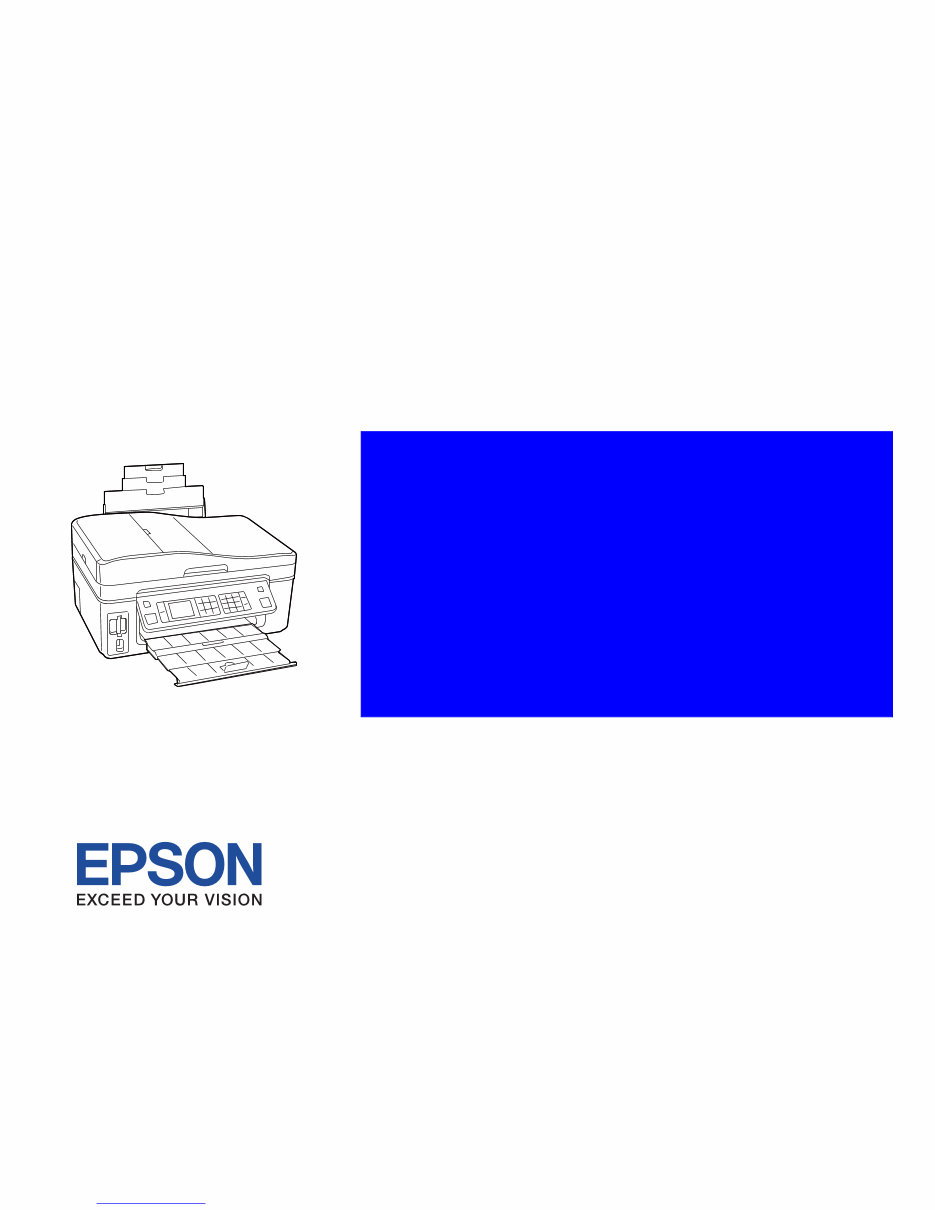
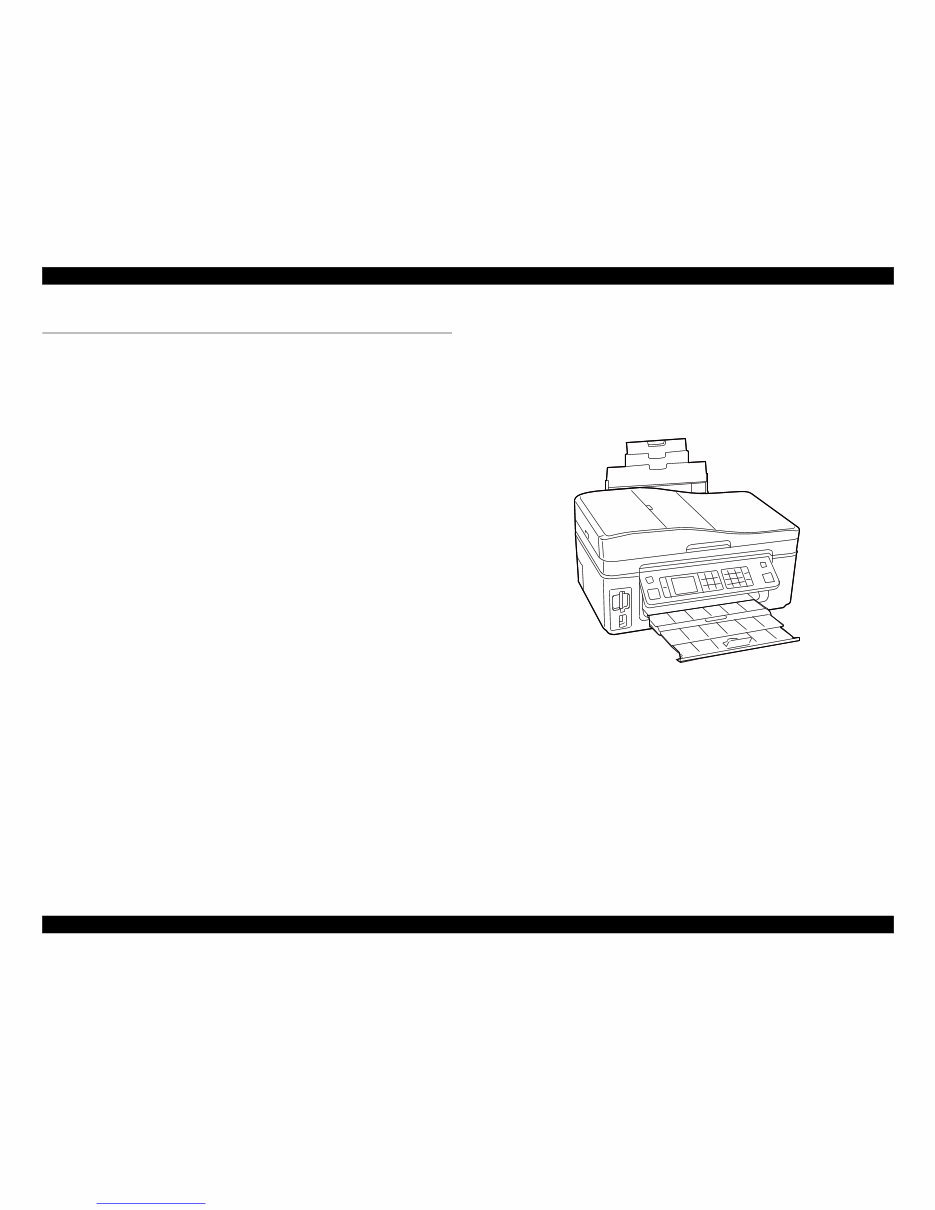
EPSON WorkForce 600/EPSON Stylus OFFICE TX600FW/BX600FW/EPSON Stylus SX600FW/ME OFFICE 700FW Revision A PRODUCT DESCRIPTION Features 10 Confidential 1.1 Features EPSON WorkForce 600/EPSON Stylus OFFICE TX600FW/BX600FW/EPSON Stylus SX600FW/ME OFFICE 700FW is a color inkjet printer with the scanner and FAX functions equipped with a network interface. Available Functions Printer Printing from a computer or directly printing from a memory card Scanner Scanning from a computer Copy Stand alone copy using the scanning and printing functions Memory card slot Available as memory card reader for PC FAX Sending/receiving fax Color LCD 2.5-inch color TFD LCD ADF Continuous scanning using an ADF Network Available for printing, scanning, and memory card access via wired/wireless network High speed & High quality Maximum print resolution: SMGA 5760 (H) x 1440 (V) dpi O6-chips Turbo II print head achieves higher print speed than ever. (Black: 128 nozzles x 3, Color: 128 nozzles x 1 per color) Four independent ink cartridges is installed (Pigment inks) Borderless printing on specified EPSON brand paper is available. Dimensions Dimensions: 461 mm (W) x 346 mm (D) x 236 mm (H) (Paper support and stacker are closed. Rubber feet are included) Weight: 8.3 kg (Except ink cartridges and cables such as the AC cable, etc.) Figure 1-1. External View Downloaded from www.Manualslib.com manuals search engine
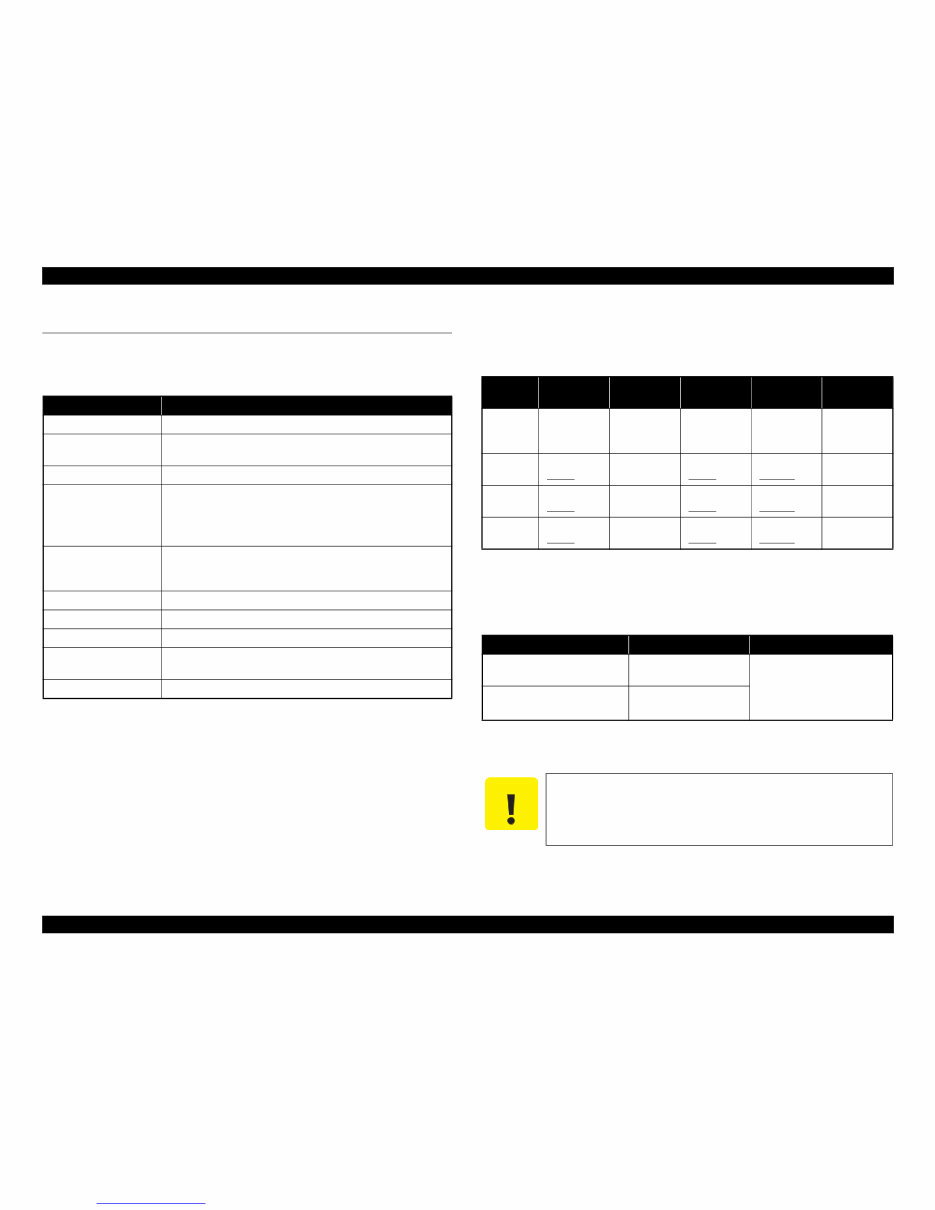
EPSON WorkForce 600/EPSON Stylus OFFICE TX600FW/BX600FW/EPSON Stylus SX600FW/ME OFFICE 700FW Revision A PRODUCT DESCRIPTION Printing Specifications 11 Confidential 1.2 Printing Specifications 1.2.1 Basic Specifications Note* : ips = inch per second 1.2.2 Ink Cartridge The product numbers of the EPSON ink cartridges for this printer are shown below. Shelf life Two years from production date (if unopened), six months after opening package. Storage Temperature Dimension 12.7 mm (W) x 68 mm (D) x 47 mm (H) Table 1-1. Printer Specifications Item Specification Print method On-demand ink jet Nozzle configuration Black: 128 nozzles x 3 Color: 128 nozzles x 3 (Cyan, Magenta, Yellow) Print direction Bi-directional minimum distance printing, Unidirectional printing Print resolution Horizontal x Vertical (dpi) • 360 x 120 • 720 x 720 • 360 x 360 • 1440 x 720 • 360 x 720 • SMGA 5760 x 1440 (1440 x 1440) Control code • ESC/P Raster command • ESC/P-R (RGB) command • EPSON Remote command Input buffer size 64 Kbytes Paper feed method Friction feed, using the ASF (Auto Sheet Feeder) Paper path Top feed, front out Paper feed rates (at 25.4mm feed) 95 ms (Draft 16 ips*), 113 ms (Default 12 ips*) PF interval Programmable in 0.01764 mm (1/1440 inch) steps Table 1-2. Product No. of Ink Cartridges Color EAI Latin Euro CISMEA/ Asia ECC Black T0971 (L2) T0681 (S) T0691 (2S) T1031 (L1) T1001 (L1) T0711H (S) T0711 (2S) T1031 (L1) T0731HN (S) T0731N (2S) T1031 (L1) T1191 (S) T1091 (2S) Cyan T0682 (2S) T0692 (3S) T1032 (S) T1002 (S) T0712 (3S) T1032 (S) T0732N (3S) T1092 (2S) Magenta T0683 (2S) T0693 (3S) T1033 (S) T1003 (S) T0713 (3S) T1033 (S) T0733N (3S) T1093 (2S) Yellow T0684 (2S) T0694 (3S) T1034 (S) T1004 (S) T0714 (3S) T1034 (S) T0734N (3S) T1094 (2S) Table 1-3. Storage Temperature Situation Storage Temperature Limit When stored in individual boxes -20 o C to 40 o C (-4 o F to 104 o F) 1 month max. at 40 o C (104 o F) When installed in main unit -20 o C to 40 o C (-4 o F to 104 o F) C A U T I O N Do not use expired ink cartridges. The ink in the ink cartridge freezes at -16 °C (3.2 o F). It takes about three hours under 25 °C (77 o F) until the ink thaws and becomes usable. Downloaded from www.Manualslib.com manuals search engine
You're Reading a Preview
What's Included?
Lifetime Access
Fast Download Speeds
Online & Offline Access
Access PDF Contents & Bookmarks
Full Search Facility
Print one or all pages of your manual
$28.99
Epson WorkForce 600/Stylus OFFICE TX600FW/Stylus OFFICE BX600FW/Stylus SX600FW/ME OFFICE 700FW Color Inkjet Printer Service
This is a comprehensive Service Repair Manual for the Epson WorkForce 600, Stylus OFFICE TX600FW, Stylus OFFICE BX600FW, Stylus SX600FW, and ME OFFICE 700FW Color Inkjet Printers. The manual contains easy-to-read text sections with high-quality diagrams and step-by-step instructions for repairing your EPSON machine. It is designed to facilitate learning of technical theory, installation, maintenance, troubleshooting, disassembly, assembly, and repair of EPSON products.
Models Covered:
Epson WorkForce 600 Color Inkjet Printer
Epson Stylus OFFICE TX600FW Color Inkjet Printer
Epson Stylus OFFICE BX600FW Color Inkjet Printer
Epson Stylus SX600FW Color Inkjet Printer
Epson ME OFFICE 700FW Color Inkjet Printer
This Manual Covers:
CHAPTER 1. PRODUCT DESCRIPTIONS
CHAPTER 2. OPERATING PRINCIPLES
CHAPTER 3. TROUBLESHOOTING
CHAPTER 4. DISASSEMBLY / ASSEMBLY
CHAPTER 5. ADJUSTMENT
CHAPTER 6. MAINTENANCE
APPENDIX
Model Specification: Epson WorkForce 600, Stylus OFFICE TX600FW, Stylus OFFICE BX600FW, Stylus SX600FW, ME OFFICE 700FW Color Inkjet Printer
Total Pages: 169
Language: English
File Format: PDF
Requirements: Adobe Reader
Compatibility: All Versions of Windows & Mac, APP ISO, iPhone, iPad, Android, etc.
This manual is in PDF format. It is fully indexed and bookmarked by topic, ensuring ease of navigation. The document is an original Adobe file, guaranteeing high quality and perfect printing. The PDF can be quickly searched to find information in every chapter. Users have the flexibility to print the entire manual or select specific pages. Additionally, they can zoom in on any diagram or picture to view every part clearly.
By utilizing this manual, individuals can save time and money by performing their own repairs. The manual provides easy-to-follow, step-by-step instructions and pictures for all areas of repair.
ALL Service Repair Manuals are INSTANT PDF DOWNLOADS, eliminating shipping costs and the need to wait for a CD or paper manual to arrive by mail. Upon payment completion via our secure processor, customers will instantly receive the manual. We accept all major credit/debit cards and PayPal.
Reviews
Q&A
Recently Viewed
5,521,897Happy Clients
2,594,462eManuals
1,120,453Trusted Sellers
15Years in Business
Price:
Actual Price:
Epson WorkForce 600/Stylus OFFICE TX600FW/Stylus OFFICE BX600FW/Stylus SX600FW/ME OFFICE 700FW Color Inkjet Printer Service









 Lifetime Access




