

Confidential
August 2010
SM-FAX118
8CE301 (7)
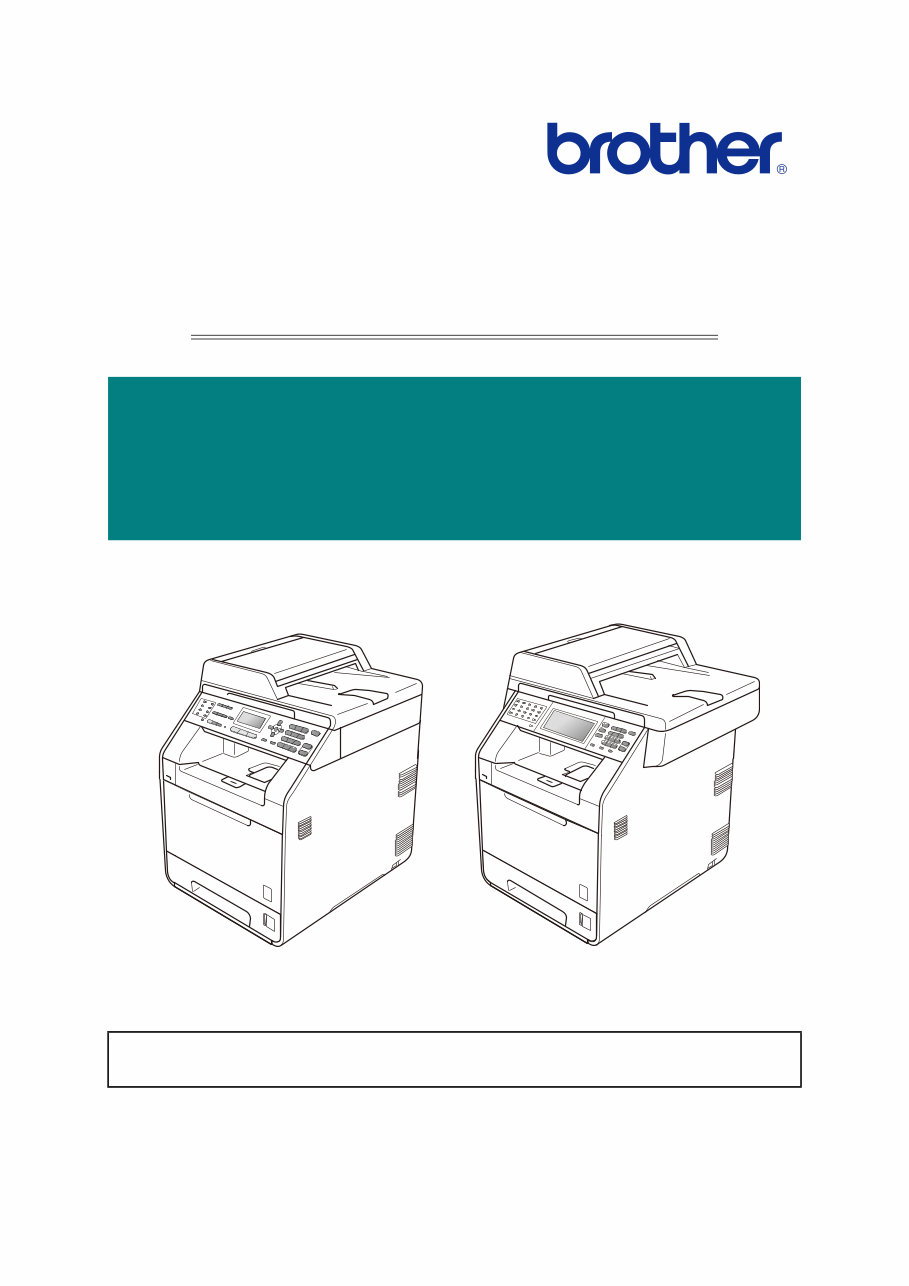
Brother Color Laser MFC
SERVICE MANUAL
MODEL: DCP-9055CDN/9270CDN
MFC-9460CDN/9465CDN
MFC-9560CDW/9970CDW
Read this manual thoroughly before maintenance work.
Keep this manual in a convenient place for quick and easy reference at all times.

Confidential
TRADEMARKS
The Brother logo is a registered trademark of Brother Industries, Ltd.
Apple and Macintosh are trademarks of Apple Inc., registered in the United States and other countries.
PCL is either a trademark or a registered trademark of Hewlett-Packard Company in the United States
and other countries.
Windows Vista is either a registered trademark or a trademark of Microsoft Corporation in the United
States and/or other countries.
Microsoft, Windows, Windows Server and Internet Explorer are registered trademarks of Microsoft
Corporation in the United States and/or other countries.
Linux is a registered trademark of Linus Torvalds in the United States and other countries.
PostScript and PostScript3 are either registered trademarks or trademarks of Adobe Systems
Incorporated in the United States and/or other countries.
ENERGY STAR is a U.S. registered mark.
Citrix and MetaFrame are registered trademarks of Citrix Systems, Inc. in the United States.
Intel, Intel Xeon and Pentium are trademarks or registered trademarks of Intel Corporation.
AMD, AMD Athlon, AMD Opteron and combinations thereof, are trademarks of Advanced Micro
Devices, Inc.
PictBridge is a trademark.
Each company whose software title is mentioned in this manual has a Software License Agreement
specific to its proprietary programs.
All other trademarks are the property of their respective owners.
The function comparative table for models as described in this Service manual are shown blow.
© Copyright Brother 2010
All rights reserved.
No part of this publication may be reproduced in any form or by
any means without permission in writing from the publisher.
All other product and company names mentioned in this manual
are trademarks or registered trademarks of their respective
holders.
Specifications are subject to change without notice.
Model
DCP-
9055CDN
DCP-
9270CDN
MFC-
9460CDN
MFC-
9465CDN
MFC-
9560CDW
MFC-
9970CDW
Duplex
Scanning
--- √ --- √ √ √
LAN Wired Wired Wired Wired Wired/
Wireless
Wired/
Wireless
Touch
Panel
--- √ --- --- --- √
Scanning
Size
A4 Legal A4 A4 A4 Legal
USB host --- √ √ √ √ √

Confidential
CONTENTS
REGULATION ................................................................................... I
SAFETY INFORMATION ................................................................ VI
CHAPTER 1 SPECIFICATIONS
1. SPECIFICATIONS LIST .............................................................................1-1
1.1 General ....................................................................................................................... 1-1
1.2 Network Connectivity .................................................................................................. 1-6
1.3 Service Information ..................................................................................................... 1-7
1.4 Supplies ...................................................................................................................... 1-8
1.5 Paper .......................................................................................................................... 1-9
1.5.1 Paper handling .................................................................................................. 1-9
1.5.2 Media specifications .......................................................................................... 1-9
1.6 Unprintable Area ....................................................................................................... 1-10
1.7 Telephone ................................................................................................................. 1-10
1.8 FAX (Only for the models with FAX function) ........................................................... 1-10
1.9 Copy ......................................................................................................................... 1-11
1.10 Scanner .................................................................................................................. 1-12
1.11 Unscannable Area .................................................................................................. 1-13
1.12 USB Direct Interface ............................................................................................... 1-13
CHAPTER 2 ERROR INDICATION AND TROUBLESHOOTING
1. INTRODUCTION ........................................................................................2-1
1.1 Precautions ................................................................................................................. 2-1
1.2 Initial Check ................................................................................................................ 2-2
2. OVERVIEW.................................................................................................2-4
2.1 Cross-section Drawing ............................................................................................... 2-4
2.2 Paper Feeding ............................................................................................................ 2-7
2.3 Operation of Each Part ............................................................................................. 2-10
2.4 Block Diagram .......................................................................................................... 2-12
2.5 Components ............................................................................................................. 2-13
2.6 Life of Toner Cartridge and Drum Unit ...................................................................... 2-14
3. ERROR INDICATIONS .............................................................................2-18

Confidential
3.1 Error Codes .............................................................................................................. 2-18
3.2 Error Messages ........................................................................................................ 2-25
3.3 Communications Error Code .................................................................................... 2-30
3.4 Error Cause and Remedy ......................................................................................... 2-33
3.5 Paper Feeding Problems ........................................................................................ 2-104
3.5.1 No feeding ..................................................................................................... 2-104
3.5.2 Double feeding .............................................................................................. 2-107
3.5.3 Paper jam ...................................................................................................... 2-107
3.5.4 Dirt on paper ...................................................................................................2-111
3.5.5 Wrinkles on paper ...........................................................................................2-111
3.6 Image Defect Troubleshooting................................................................................ 2-112
3.6.1 Image defect examples ................................................................................. 2-112
3.6.2 Pitch indicated in roller image........................................................................ 2-113
3.6.3 Troubleshooting image defect ....................................................................... 2-113
3.7 Software Setting Problems ..................................................................................... 2-128
3.7.1 Cannot print data ........................................................................................... 2-128
3.8 Network Problems .................................................................................................. 2-128
3.8.1 Cannot make a print through network connection (Error code ED, EE) ........ 2-128
3.9 Document Feeding Problems ................................................................................. 2-129
3.9.1 No feeding ..................................................................................................... 2-129
3.9.2 Double feeding .............................................................................................. 2-129
3.9.3 Paper jam ...................................................................................................... 2-130
3.9.4 Wrinkles ......................................................................................................... 2-131
3.10 Scanning Image Defect Troubleshooting.............................................................. 2-132
3.10.1 Image defect examples ............................................................................... 2-132
3.10.2 Troubleshooting image defect ..................................................................... 2-132
3.11 Troubleshooting of the Control Panel ................................................................... 2-135
3.11.1 Nothing is displayed on the LCD.................................................................. 2-135
3.11.2 The control panel does not work .................................................................. 2-135
3.11.3 Lamp malfunction......................................................................................... 2-136
3.11.4 The touch panel does not work (Touch panel model only) ........................... 2-136
3.12 Troubleshooting of FAX Functions........................................................................ 2-137
3.12.1 FAX can't send it .......................................................................................... 2-137
3.12.2 Speed dialing and One-touch dialing can't be used..................................... 2-137
3.12.3 FAX cannot be received. ............................................................................. 2-138
3.12.4 No bell ring .................................................................................................. 2-138
3.12.5 Speaker is silent during On-hook dialing ..................................................... 2-138
3.12.6 Dialing function does not switch between “Tone” and “Pulse” ..................... 2-139
3.12.7 A communication error occurs ..................................................................... 2-139

Confidential
3.12.8 Reception mode cannot be changed ........................................................... 2-139
3.12.9 Caller ID are not displayed .......................................................................... 2-139
3.13 Others Problems ................................................................................................... 2-140
3.13.1 The machine is not turned ON, or the LCD indication does not appear ...... 2-140
3.13.2 The fan does not work (Error code 2B, EC) ................................................ 2-140
3.13.3 The USB direct interface does not work (Error code CA, etc) ..................... 2-141
3.13.4 The room temperature is high or low ........................................................... 2-141
3.13.5 Paper is not fed from the specified tray ....................................................... 2-141
CHAPTER 3 DISASSEMBLY AND ASSEMBLY
1. SAFETY PRECAUTIONS ..........................................................................3-1
2. PACKING....................................................................................................3-2
3. SCREW CATALOGUE ...............................................................................3-3
4. SCREW TORQUE LIST .............................................................................3-4
5. LUBRICATION ...........................................................................................3-7
6. OVERVIEW OF GEARS .............................................................................3-9
7. HARNESS ROUTING ............................................................................... 3-11
8. DISASSEMBLY FLOW.............................................................................3-28
9. DISASSEMBLY PROCEDURE ................................................................3-30
9.1 Paper Tray ................................................................................................................ 3-32
9.2 Back Cover/Back Cover Stopper Arm L/R ................................................................ 3-33
9.3 Fuser Cover .............................................................................................................. 3-36
9.4 Fuser Unit ................................................................................................................. 3-38
9.5 Side Cover L/Access Cover ...................................................................................... 3-41
9.6 Side Cover R ASSY.................................................................................................. 3-47
9.7 Duplex Feed ASSY................................................................................................... 3-51
9.8 MP Cover ASSY/MP Paper Guide ASSY ................................................................. 3-52
9.9 MP Link L/R .............................................................................................................. 3-54
9.10 Front Cover Arm L/R .............................................................................................. 3-55
9.11 Front Cover Release Button/Front Cover Release Button Spring........................... 3-59
9.12 Paper Stopper ......................................................................................................... 3-61
9.13 Pull Arm L/Pull Arm R/Pull Arm Spring (A4 Model Only) ........................................ 3-62
9.14 Back Cover Upper (Legal Model Only) ................................................................... 3-63
9.15 ADF Unit ................................................................................................................. 3-64
9.16 Hinge ASSY L......................................................................................................... 3-76

Confidential
9.17 Hinge R/Hinge R Support/Hinge Arm R ................................................................. 3-77
9.18 Document Stopper .................................................................................................. 3-78
9.19 Document Sub Tray ................................................................................................ 3-78
9.20 ADF Cover ASSY ................................................................................................... 3-79
9.21 Document Hold ASSY/Earth Spring ....................................................................... 3-80
9.22 Gear Cover ............................................................................................................. 3-83
9.23 Separate Roller ASSY ............................................................................................ 3-84
9.24 ADF Spring/Separation Rubber Holder................................................................... 3-86
9.25 Second Side Scanning CIS/Second Side Scanning CIS Flat Cable ...................... 3-92
9.26 Upper Document Chute ASSY ............................................................................. 3-101
9.27 Document Front/ADF Open Sensor/Document First Side Rear Sensor/
Document Second Side Rear Sensor ................................................................... 3-102
9.28 Drive Frame ASSY/Document Feed Roller ASSY................................................ 3-106
9.29 ADF Motor .............................................................................................................3-111
9.30 Document Hold ASSY .......................................................................................... 3-112
9.31 Document Cover ASSY/Grip Cover ...................................................................... 3-113
9.32 Panel Cover ASSY ............................................................................................... 3-114
9.33 Panel Unit ............................................................................................................. 3-115
9.34 Panel PCB ASSY ................................................................................................. 3-118
9.35 Rubber Key........................................................................................................... 3-121
9.36 LCD/Back Light Module/Touch Panel PCB ASSY/Touch Panel ASSY................. 3-124
9.37 Pull Arm Guide/Lock Claw (A4 Model Only) ......................................................... 3-128
9.38 Joint Cover Top..................................................................................................... 3-129
9.39 NCU PCB ASSY ................................................................................................... 3-134
9.40 Back Cover Upper (A4 Model Only) ..................................................................... 3-136
9.41 Joint Cover FL ASSY............................................................................................ 3-137
9.42 USB Host Relay PCB ASSY................................................................................. 3-139
9.43 Wireless LAN Holder/Wireless LAN PCB ............................................................. 3-140
9.44 Speaker Unit/Speaker Hold Spring ....................................................................... 3-142
9.45 Joint Cover Base ASSY........................................................................................ 3-144
9.46 Main PCB ASSY ................................................................................................... 3-146
9.47 Engine PCB ASSY ............................................................................................... 3-147
9.48 Laser Unit ............................................................................................................. 3-148
9.49 Develop Release Motor ........................................................................................ 3-152
9.50 Front Cover Sensor .............................................................................................. 3-153
9.51 Top Drive ASSY .................................................................................................... 3-154
9.52 Forced Develop Release Link .............................................................................. 3-158
9.53 Drum Drive Motor ................................................................................................. 3-159
9.54 Drum Position Sensor PCB ASSY........................................................................ 3-162

Confidential
9.55 Registration Solenoid ASSY ................................................................................. 3-163
9.56 Develop Release Sensor PCB ASSY/Mono Solenoid ASSY ............................... 3-164
9.57 Fuser Develop Motor ASSY ................................................................................. 3-166
9.58 PF Plate ASSY/T1 Solenoid ASSY ...................................................................... 3-167
9.59 Toner/New Sensor PCB ASSY ............................................................................. 3-169
9.60 Internal Temperature Thermistor .......................................................................... 3-170
9.61 Fuser Fan ............................................................................................................. 3-171
9.62 Paper Eject ASSY ................................................................................................ 3-173
9.63 Filter ASSY ........................................................................................................... 3-174
9.64 Paper Eject Motor ................................................................................................. 3-176
9.65 Back Cover Sensor ASSY .................................................................................... 3-177
9.66 Power Fan ............................................................................................................ 3-178
9.67 Low-voltage Power Supply Unit ............................................................................ 3-180
9.68 Paper Eject Sensor PCB ASSY............................................................................ 3-182
9.69 Low-voltage Power Supply PCB ASSY/Inlet Harness ASSY ............................... 3-183
9.70 Cleaner Pinch Roller Holder ................................................................................. 3-186
9.71 Registration Mark Sensor Holder ASSY/Shutter Solenoid ................................... 3-188
9.72 MP Paper Empty/Registration Front Sensor PCB ASSY ..................................... 3-191
9.73 PF ASSY .............................................................................................................. 3-199
9.74 T1 Registration Front/Rear Sensor PCB ASSY.................................................... 3-202
9.75 MP Sector Solenoid .............................................................................................. 3-203
9.76 T1 Paper Edge Sensor PCB ASSY/T1 Paper Edge Actuator/
T1 Paper Edge Actuator Spring ............................................................................ 3-204
9.77 Cleaner Drive Gear 15.......................................................................................... 3-206
9.78 High-voltage Power Supply PCB ASSY ............................................................... 3-207
9.79 Waste Toner Sensor ............................................................................................. 3-210
9.80 Air Duct Cover/Blower .......................................................................................... 3-212
10. DISASSEMBLY PROCEDURE (LT-300CL) ......................................... 3-214
10.1 T2 Paper Tray Unit ............................................................................................... 3-214
10.2 T2 Separation Roller ASSY/Feed Roller ASSY .................................................... 3-216
10.3 T2 Cover Rear ...................................................................................................... 3-218
10.4 T2 Cover Left ........................................................................................................ 3-219
10.5 T2 Cover Right ..................................................................................................... 3-220
10.6 T2 Relay PCB ASSY ............................................................................................ 3-221
10.7 T2 Solenoid ASSY ................................................................................................ 3-222
10.8 Collar 6 ................................................................................................................. 3-223
10.9 T2 Paper Feed Frame Unit ................................................................................... 3-224

Confidential
CHAPTER 4 ADJUSTMENTS AND UPDATING OF SETTINGS,
REQUIRED AFTER PARTS REPLACEMENT
1. IF YOU REPLACE THE MAIN PCB ASSY ................................................4-1
1.1 Rewriting the firmware (Panel firmware, Sub firmware, Main firmware) .................... 4-2
1.1.1 Checking firmware version ................................................................................ 4-2
1.1.2 Rewriting the firmware using computer ............................................................. 4-3
1.1.3 Rewriting the firmware using USB flash memory .............................................. 4-4
1.2 Initialization of EEPROM of Main PCB ASSY (Maintenance Mode: Code 01) ........... 4-5
1.3 Setting by Country (Maintenance Mode: Code 74) .................................................... 4-5
1.4 Setting the Serial Number .......................................................................................... 4-5
1.5 Sensitivity Adjustment of Density Sensor (Maintenance Mode: Code 72).................. 4-7
1.6 Performing the Developing Bias Voltage Correction (Maintenance Mode: Code 83). 4-7
1.7 Performing the Adjustment of Inter-color Position Alignment
(Maintenance Mode: Code 66) ................................................................................... 4-7
1.8 Acquisition of White Level Data (Maintenance Mode: Code 55) ................................ 4-7
1.9 Adjustment of Touch Panel (Maintenance Mode: Code 61)
(Touch Panel Model Only) .......................................................................................... 4-7
1.10 Operation Check of Sensors (Maintenance Mode: Code 32) ................................... 4-7
2. IF YOU REPLACE THE REGISTRATION MARK SENSOR
HOLDER ASSY ..........................................................................................4-8
2.1 Sensitivity Adjustment of Density Sensor (Maintenance Mode: Code 72).................. 4-8
2.2 Performing the Developing Bias Voltage Correction (Maintenance Mode: Code 83). 4-8
2.3 Performing the Adjustment of Inter-color Position Alignment
(Maintenance Mode: Code 66) ................................................................................... 4-8
3. IF YOU REPLACE THE HIGH-VOLTAGE POWER SUPPLY PCB ASSY 4-9
3.1 Sensitivity Adjustment of Density Sensor (Maintenance Mode: Code 72).................. 4-9
3.2 Performing the Developing Bias Voltage Correction (Maintenance Mode: Code 83). 4-9
3.3 Performing the Adjustment of Inter-color Position Alignment
(Maintenance Mode: Code 66) ................................................................................... 4-9
4. IF YOU REPLACE THE LASER UNIT .....................................................4-10
4.1 Sensitivity Adjustment of Density Sensor (Maintenance Mode: Code 72)................ 4-10
4.2 Performing the Developing Bias Voltage Correction
(Maintenance Mode: Code 83) ................................................................................. 4-10
4.3 Performing the Adjustment of Inter-color Position Alignment
(Maintenance Mode: Code 66) ................................................................................. 4-10
5. IF YOU REPLACE THE LOW-VOLTAGE POWER SUPPLY
PCB ASSY................................................................................................ 4-11
5.1 Reset of Irregular Power Supply Detection Counter ................................................. 4-11

Confidential
6. IF YOU REPLACE THE DRUM DRIVE MOTOR .....................................4-12
7. IF YOU REPLACE THE DOCUMENT SCANNER UNIT..........................4-15
7.1 Acquisition of White Level Data (Maintenance Mode: Code 55) .............................. 4-15
7.2 Scanning and Printing Check ................................................................................... 4-15
7.3 Placement of Document Scanner Unit in Position for Transportation
(Maintenance Mode: Code 06) ................................................................................. 4-15
8. IF YOU REPLACE THE PANEL UNIT OR RELATED PARTS ................4-15
8.1 Rewriting Panel Firmware Using Computer (Touch Panel Model)............................ 4-15
8.2 Operation Check of LCD (Maintenance Mode: Code 12) ......................................... 4-15
8.3 Operation Check of Control Panel Button (Maintenance Mode: Code 13) ............... 4-15
9. IF YOU REPLACE THE LCD UNIT ..........................................................4-16
9.1 Operation Check of LCD (Maintenance Mode: Code 12) ......................................... 4-16
10. IF YOU REPLACE THE TOUCH PANEL ASSY
(TOUCH PANEL MODEL) ......................................................................4-16
10.1 Rewriting Panel Firmware Using Computer ........................................................... 4-16
10.2 Adjustment of Touch Panel
(Maintenance Mode: Code 61) (Touch Panel Model Only) ....................................... 4-16
11. IF YOU REPLACE THE SECOND SIDE SCANNING CIS
(DUPLEX SCANNING MODEL) .............................................................4-17
11.1 Acquisition of White Level Data (Maintenance Mode: Code 55) ............................. 4-17
11.2 Scanning and Printing Check.................................................................................. 4-17
11.3 Placement of Document Scanner Unit in Position for Transportation
(Maintenance Mode: Code 06) ................................................................................. 4-17
12. IF YOU REPLACE THE ADF UNIT ........................................................4-17
12.1 Acquisition of White Level Data (Maintenance Mode: Code 55) ............................ 4-17
12.2 Scanning and Printing Check ................................................................................. 4-17
CHAPTER 5 SERVICE FUNCTIONS
1. MAINTENANCE MODE..............................................................................5-1
1.1 How to Enter the Maintenance Mode ......................................................................... 5-1
1.2 How to Enter the End User-accessible Maintenance Mode ....................................... 5-2
1.3 List of Maintenance-mode Functions .......................................................................... 5-3
1.4 Detailed Description of Maintenance-mode Functions ............................................... 5-4
1.4.1 EEPROM parameter initialization (Function code 01, 91) ................................. 5-4
1.4.2 Printout of scanning compensation data (Function code 05)............................. 5-5
1.4.3 Placement of document scanner unit in position for transportation
(Function code 06) ........................................................................................... 5-11

Confidential
1.4.4 ADF performance test (Function code 08) ...................................................... 5-11
1.4.5 Monochrome image quality test pattern (Function code 09)............................ 5-12
1.4.6 Worker switch (WSW) setting and printout (Function code 10, 11) ................. 5-13
1.4.7 Operational check of LCD (Function code 12) ................................................ 5-17
1.4.8 Operational check of control panel button (Function code 13) ........................ 5-19
1.4.9 Software version check (Function code 25)..................................................... 5-21
1.4.10 Operational check of sensors (Function code 32) ......................................... 5-22
1.4.11 LAN connection status display (Function code 33) ........................................ 5-26
1.4.12 PC print function (Function code 43) ............................................................. 5-27
1.4.13 Not-disclosed-to-users functions (Function code 45) .................................... 5-30
1.4.14 EEPROM customizing (User-accessible) (Function code 52) ....................... 5-35
1.4.15 Received data transfer function (Function code 53) (FAX model only) ......... 5-36
1.4.16 Fine adjustment of scan start/end positions (Function code 54) ................... 5-38
1.4.17 Acquisition of white level data (Function code 55)......................................... 5-40
1.4.18 Adjustment of touch panel (Function code 61) (Touch panel model only) ..... 5-41
1.4.19 Adjustment of inter-color position alignment (Function code 66) ................... 5-42
1.4.20 Continuous print test (Function code 67) ....................................................... 5-46
1.4.21 Laser unit test pattern print (Function code 68) ............................................. 5-49
1.4.22 Frame pattern print (One-sided) (Function code 69) ..................................... 5-50
1.4.23 Frame pattern print (Two-sided) (Function code 70) ..................................... 5-51
1.4.24 Color test pattern (Function code 71) ............................................................ 5-52
1.4.25 Sensitivity adjustment of density sensor (Function code 72) ......................... 5-54
1.4.26 Setting by country (Function code 74) ........................................................... 5-55
1.4.27 Printout of maintenance information (Function code 77) ............................... 5-57
1.4.28 Operational check of fans (Function code 78) ............................................... 5-58
1.4.29 Display of the machine history (log) (Function code 80) ............................... 5-59
1.4.30 Error code indication (Function code 82) ....................................................... 5-64
1.4.31 Developing bias voltage correction (Function code 83) ................................. 5-65
1.4.32 Sending communication error list (Function code 87) ................................... 5-66
1.4.33 Counter reset after replacing the fuser unit and paper feeding kit
(Function code 88) ......................................................................................... 5-66
1.4.34 Exit from the maintenance mode (Function code 99) .................................... 5-67
2. OTHER SERVICE FUNCTIONS...............................................................5-68
2.1 Developer Roller Counter Reset Function ................................................................ 5-68
2.2 Parts Life Reset Function ......................................................................................... 5-69
2.3 Deletion of User Setting Information, etc.................................................................. 5-70
2.4 How to Recover from Errors of the Fuser Unit ......................................................... 5-71
2.5 Drum Cleaning.......................................................................................................... 5-72
2.6 Deep Sleep Function ................................................................................................ 5-73
You're Reading a Preview
What's Included?
 Lifetime Access
Fast Download Speeds
Online & Offline Access
Access PDF Contents & Bookmarks
Full Search Facility
Print one or all pages of your manual
$35.99
Brother DCP-9055CDN, DCP-9270CDN, MFC-9460CDN, MFC-9465CDN, MFC-9560CDW, MFC-9970CDW, Service Manual
Viewed 92 Times Today

What's Included?
Lifetime Access
Fast Download Speeds
Online & Offline Access
Access PDF Contents & Bookmarks
Full Search Facility
Print one or all pages of your manual
$35.99

Secure transaction
What's Included?
Lifetime Access
Fast Download Speeds
Online & Offline Access
Access PDF Contents & Bookmarks
Full Search Facility
Print one or all pages of your manual
Description
This Service Manual is a comprehensive guide for the Brother DCP-9055CDN, DCP-9270CDN, MFC-9460CDN, MFC-9465CDN, MFC-9560CDW, MFC-9970CDW. It contains detailed diagrams, pictures, and procedures essential for diagnosing and repairing your Brother device.
Whether you are a professional mechanic or a DIY enthusiast, this manual provides valuable information. You can print, zoom, or read any diagram, picture, or page from this Service Manual. Each chapter is fully detailed and contains simulation codes, trouble codes, maintenance procedures, and reset procedures for the specified models.
The table of contents includes:
- REGULATION
- SAFETY INFORMATION
- CHAPTER 1: SPECIFICATIONS
- SPECIFICATIONS LIST
- General
- Network Connectivity
- Service Information
- Supplies
- Paper
- Paper handling
- Media specifications
- Unprintable Area
- Telephone
- FAX (Only for the models with FAX function)
- Copy
- Scanner
- Unscannable Area
- USB Direct Interface
- CHAPTER 2: ERROR INDICATION AND TROUBLESHOOTING
- INTRODUCTION
- Precautions
- Initial Check
- OVERVIEW
- Cross-section Drawing
- Paper Feeding
- Operation of Each Part
- Block Diagram
- Components
- Life of Toner Cartridge and Drum Unit
- ERROR INDICATIONS
- Error Codes
- Error Messages
- Communications Error Code
- Error Cause and Remedy
- Paper Feeding Problems
- No feeding
- Double feeding
- Paper jam
- Dirt on paper
- Wrinkles on paper
- Image Defect Troubleshooting
- Image defect examples
- Pitch indicated in roller image
- Troubleshooting image defect
- Software Setting Problems
- Cannot print data
- Network Problems
- Cannot make a print through network connection (Error code ED, EE)
- INTRODUCTION
With a total of 590 pages, this manual is an indispensable resource for maintaining and repairing the specified Brother models.


