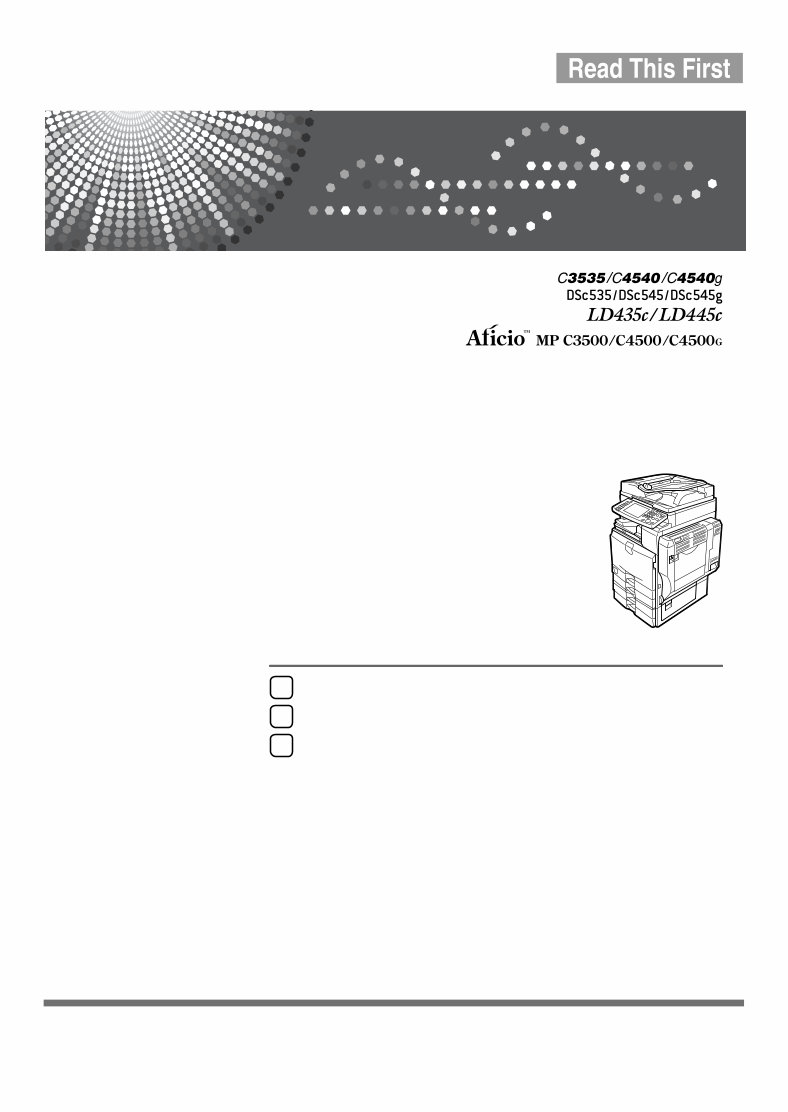
Operating Instructions About This Machine Read this manual carefully before you use this machine and keep it handy for future reference. For safe and correct use, be sure to read the Safety Information in this manual before using the machine. Getting Started Entering Text Appendix 1 2 3
Introduction This manual contains detailed instructions and notes on the operation and use of this machine. For your safety and benefit, read this manual carefully before using the machine. Keep this manual in a handy place for quick reference. Important Contents of this manual are subject to change without prior notice. In no event will the company be li- able for direct, indirect, special, incidental, or consequential damages as a result of handling or oper- ating the machine. Notes: Some illustrations in this manual might be slightly different from the machine. Certain options might not be available in some countries. For details, please contact your local dealer. Depending on which country you are in, certain units may be optional. For details, please contact your local dealer. Laser Safety: This equipment complies with requirements of 21 CFR subchapter J for class 1 laser products. This equipment contains four AlGalnP laser diodes, 7-milliwatt, 645-660 nanometer wavelength for each emitter. This equipment does not emit hazardous light, since the beam is totally enclosed during all cus- tomer modes of operation and maintenance. Caution: Use of controls or adjustments or performance of procedures other than those specified in this manual might result in hazardous radiation exposure. Notes: The model names of the machines do not appear in the following pages. Check the type of your ma- chine before reading this manual. (For details, see p.12 “Machine Types”.) • Type 1: C3535/DSc535/LD435c/Aficio MP C3500 • Type 2: C4540/C4540g/DSc545/DSc545g/LD445c/Aficio MP C4500/Aficio MP C4500G Certain types might not be available in some countries. For details, please contact your local dealer. Two kinds of size notation are employed in this manual. With this machine refer to the inch version. For good copy quality, the supplier recommends that you use genuine toner from the supplier. The supplier shall not be responsible for any damage or expense that might result from the use of parts other than genuine parts from the supplier with your office products. Power Source 120V, 60Hz, 12A or more Please be sure to connect the power cord to a power source as above. For details about power source, see Troubleshooting.
i Manuals for This Machine Refer to the manuals that are relevant to what you want to do with the machine. ❖ About This Machine Be sure to read the Safety Information in this manual before using the machine. This manual provides an introduction to the functions of the machine. It also explains the control panel, preparation procedures for using the machine, how to enter text, and how to install the CD-ROMs provided. ❖ General Settings Guide Explains User Tools settings, and Address Book procedures such as register- ing fax numbers, e-mail addresses, and user codes. Also refer to this manual for explanations on how to connect the machine. ❖ Troubleshooting Provides a guide to solving common problems, and explains how to replace paper, toner, staples, and other consumables. ❖ Security Reference This manual is for administrators of the machine. It explains security func- tions that the administrators can use to protect data from being tampered, or prevent the machine from unauthorized use. Also refer to this manual for the procedures for registering administrators, as well as setting user and administrator authentication. ❖ Copy/ Document Server Reference Explains Copier and Document Server functions and operations. Also refer to this manual for explanations on how to place originals. ❖ Facsimile Reference Explains Facsimile functions and operations. ❖ Printer Reference Explains Printer functions and operations. ❖ Scanner Reference Explains Scanner functions and operations. ❖ Network Guide Explains how to configure and operate the machine in a network environ- ment, and use the software provided. This manual covers all models, and includes descriptions of functions and settings that might not be available on this machine. Images, illustrations, and information about operating systems that are supported might also differ slightly from those of this machine.
ii ❖ Other manuals • PostScript3 Supplement • UNIX Supplement • Manuals for DeskTopBinder Lite • DeskTopBinder Lite Setup Guide • DeskTopBinder Introduction Guide • Auto Document Link Guide Note ❒ Manuals provided are specific to machine types. ❒ Adobe Acrobat Reader/Adobe Reader must be installed in order to view the manuals as PDF files. ❒ For “UNIX Supplement”, please visit our Web site or consult an authorized dealer. ❒ “PostScript3 Supplement” and “UNIX Supplement” include descriptions of functions and settings that might not be available on this machine. ❒ The following software products are referred to using general names: *1 Optional Product name General name DeskTopBinder Lite *1 and DeskTopBinder Professional DeskTopBinder ScanRouter EX Professional *1 and ScanRout- er EX Enterprise *1 The ScanRouter delivery software
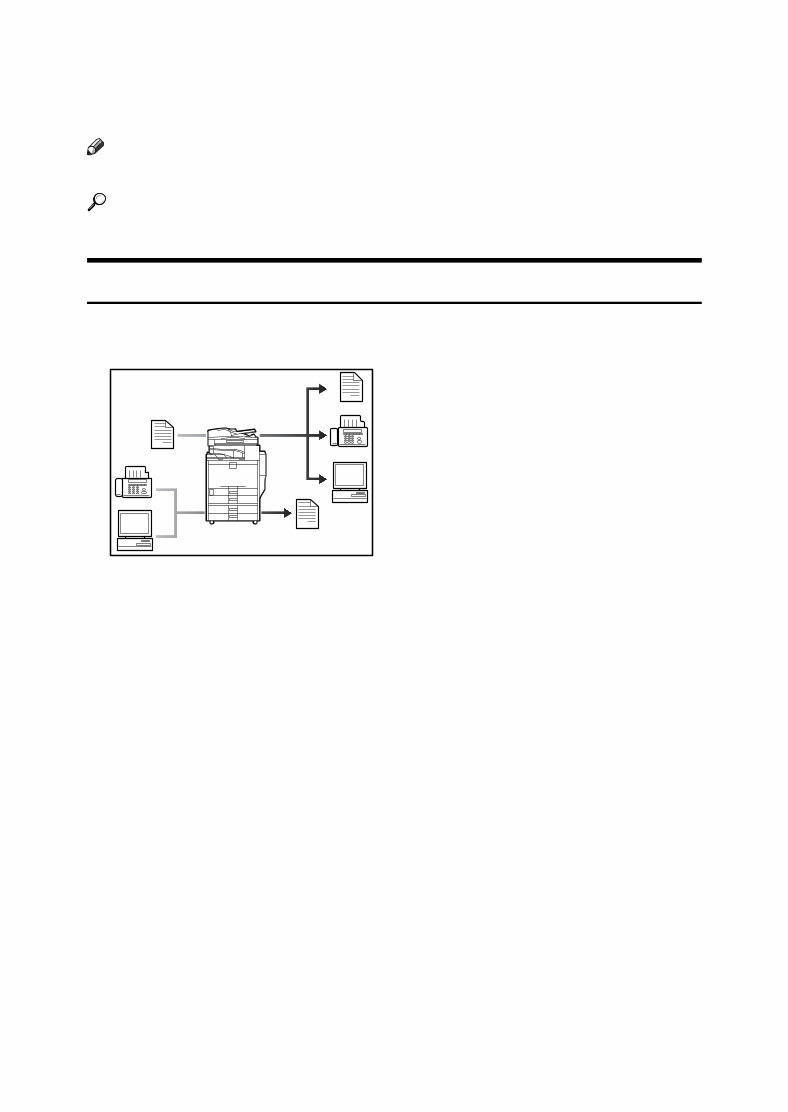
iii What You Can Do with This Machine This section introduces the features of this machine. Note ❒ For details about options, see “Options”. Reference p.14 “Options” Copier, Facsimile, Printer, and Scanner Functions This machine provides copier, facsimile (optional), printer, and scanner functions. • You can make copies of originals. With a finisher (optional), you can staple copies. See Copy/Document Server Reference. • You can send originals by fax or e-mail, and receive faxes from other parties. See Facsimile Reference. • You can print documents created in applications. See Printer Reference. You can print documents from Windows 95/98/Me (TCP/IP, IPP), Windows 2000 (TCP/IP, IPP), Windows XP/Server 2003 (TCP/IP, IPP), Windows NT 4.0 (TCP/IP, IPP), NetWare, UNIX (TCP/IP), and Macintosh (AppleTalk) en- vironments because the machine supports all these. (multi-protocol) • You can scan originals and send scan files to a computer. See Scanner Reference. AQH002S
You're Reading a Preview
What's Included?
Lifetime Access
Fast Download Speeds
Offline Viewing
Access Contents & Bookmarks
Full Search Facility
Print one or all pages of your manual
$36.99
RICOH Aficio MP C3500, Aficio MP C4500 Service Repair Manual + Parts Catalog
This is the complete factory Service Repair Manual for the RICOH Aficio MP C3500 and Aficio MP C4500. This Service Manual contains easy-to-read text sections with high-quality diagrams and instructions, providing step-by-step guidance for repairing your RICOH machine.
Model Specification: RICOH Aficio MP C3500, Aficio MP C4500
Total Pages: 1656
File Format: .PDF
Language: English
Compatibility: All versions of Windows & Mac, APP ISO, iPhone, iPad, Android, etc.
This manual is in .PDF format, fully indexed and bookmarked by topic. It is an original Adobe document, ensuring perfect quality and printing. The manual can be quickly searched to find information in every chapter. You have the flexibility to print the entire manual or select specific pages. Additionally, you can zoom in on any diagram or picture for detailed viewing of every part.
Save time and money by performing your own repairs using this manual, which provides easy-to-follow, step-by-step instructions and pictures for all areas of repair.
All Service Repair Manuals are instant downloads, eliminating shipping costs and waiting time for a CD or paper manual to arrive. Upon payment completion via our secure payment processor, you will receive this manual instantly. We accept all major credit/debit cards and PayPal.
Reviews
Q&A
Recently Viewed
5,521,897Happy Clients
2,594,462eManuals
1,120,453Trusted Sellers
15Years in Business
Price:
Actual Price:
RICOH Aficio MP C3500, Aficio MP C4500 Service Repair Manual + Parts Catalog





 Lifetime Access




