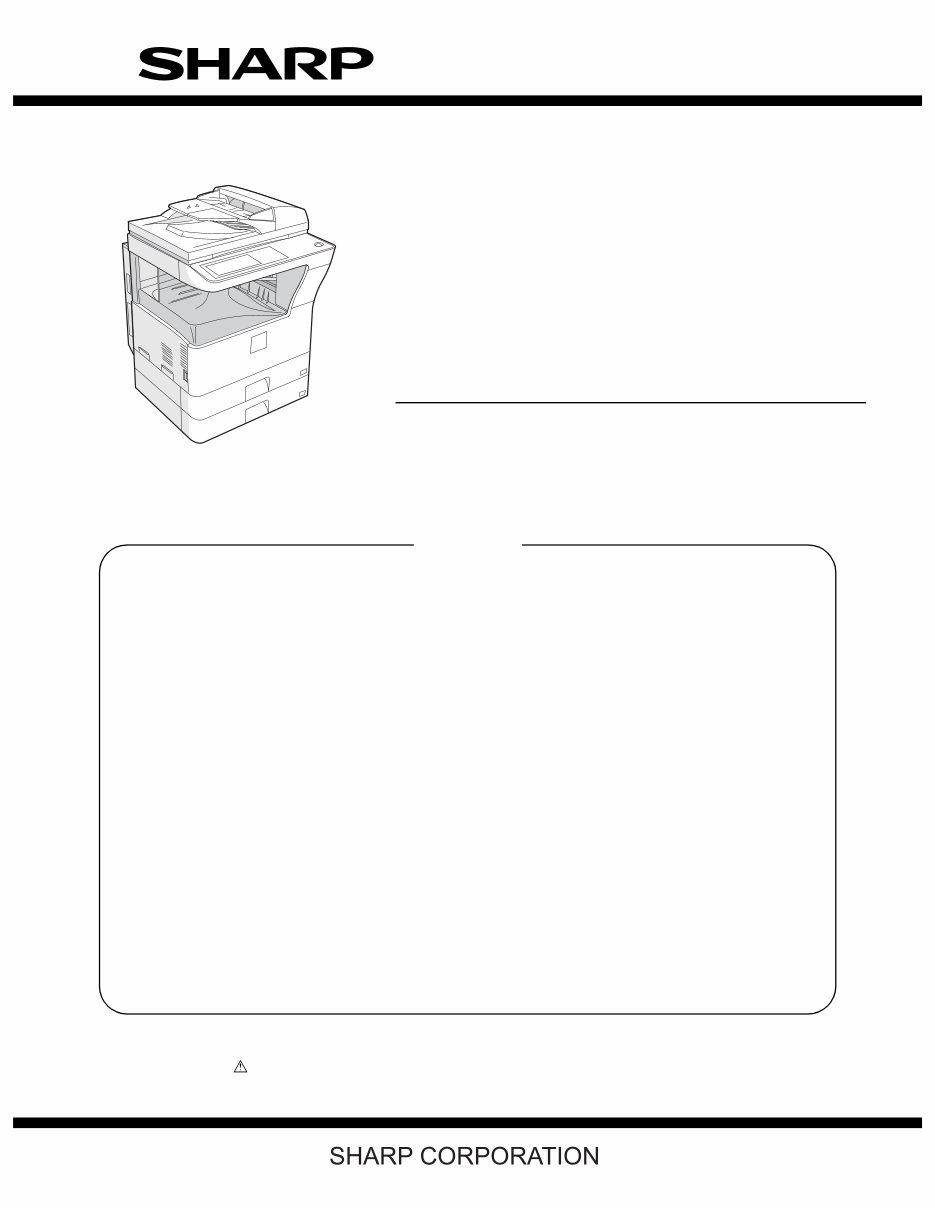
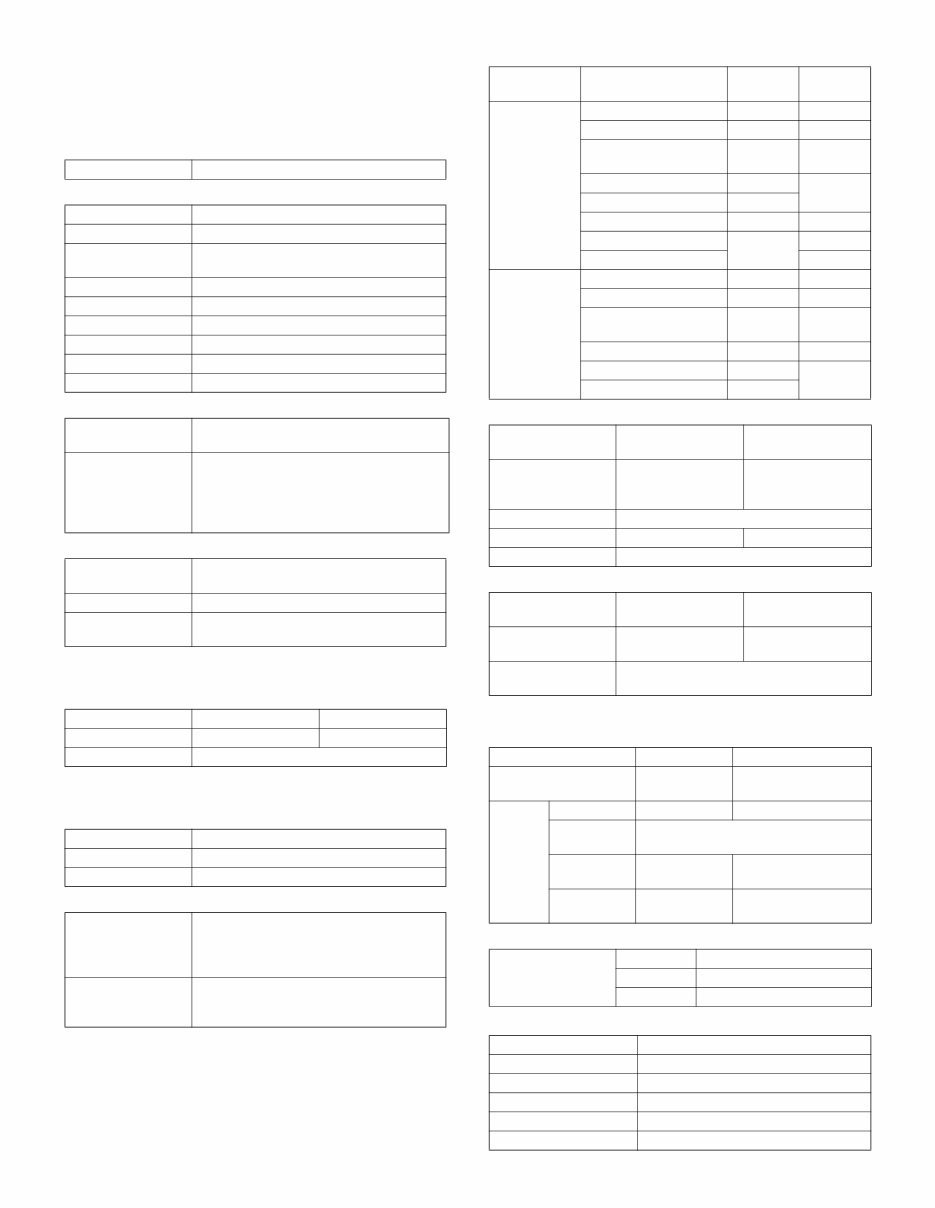
MX-M260/M310/M260N/M310N NOTE FOR SERVICING - i NOTE FOR SERVICING This Service Manual uses some photographs to assure safe operation. Please understand the meanings of photographs before servicing. 1. Warning for servicing 1) Be sure to connect the power cord only to a power outlet that meets the specified voltage and current requirements. Avoid complex wiring, which may lead to a fire or an electric shock. 2) If there is any abnormality such as smoke or an abnormal smell, interrupt the job and disconnect the power plug. It may cause a fire or an electric shock. 3) Be sure the machine is properly grounded. Failure to ground the machine properly may result in an electric shock or fire. To protect the machine and the power unit from lightening, ground- ing must be made. 4) When connecting the ground wire, never connect it to the following points as it may cause an explosion, fire, or an electric shock: • Gas tube • Lightning conductor • A water pipe or a water faucet, which is not recognized as a grounding object by the authorities. • Grounding wire for telephone line 5) Do not damage, break, or stress the power cord. Do not put heavy objects on the power cord. Do not bend or pull the cord forcefully. It may cause a fire or electric shock. 6) Keep the power cable away from a heat source. Do not insert the power plug with dust on it into a power outlet. It may cause a fire or an electric shock. 7) Do not put a receptacle with water in it or a metal piece which may drop inside the machine. It may cause a fire or an electric shock. 8) Do not touch the power plug, insert a telephone jack, perform ser- vice or operate the machine with wet or oil hands. It may cause an electric shock. 2. Precautions for servicing 1) When servicing, disconnect the power plug, the printer cable, the network cable, and the telephone line from the machine, except when performing the communication test, etc. It may cause an injury or an electric shock. 2) There is a high temperature area inside the machine. Use extreme care when servicing. 3) There is a high voltage section inside the machine which may cause an electric shock . Be careful when servicing. 4) Do not disassemble the laser unit. Do not insert a reflective mate- rial such as a screwdriver in the laser beam path. It may damage eyes by reflection of laser beams. 5) When servicing the machine while operating, be careful not to make contact with chains, belts, gear, and any other moving parts. 6) Do not leave the machine with the cabinet disassembled. Do not allow any person other than a serviceman to touch inside the machine. It may cause an electric shock, a burn, or an injury. 7) When servicing, do not breathe toner, developer, and ink exces- sively. Do not get them in the eyes. If toner, developer, or ink enters you eyes, wash it away with water immediately, and consult a doctor if necessary. 8) The machine has got sharp edges inside. Be careful not to dam- age fingers when servicing. 9) Do not throw toner or a toner cartridge in a fire. Otherwise, toner may pop and burn you. 10) When replacing the lithium battery on the PWB, use only the spec- ified battery. If a battery of different specification is used, it may not be compatible and cause breakdown or malfunction of the machine. 11) When carrying an electric unit or a PWB, use an anti-static (elec- tricity) bag. Failure to do so may cause component failure or machine malfunction. WARNING: If this WARNING should be ignored, a serious danger to life or a serious injury may result. CAUTION: If this CAUTION should be ignored, injury or damage to property could result.
MX-M260/M310/M260N/M310N NOTE FOR SERVICING - ii 3. Note for installing site Do not install the machine at the following sites. 1) Place of high temperature, high humidity, low temperature, low humidity, place under an extreme change in temperature and humidity. Paper may get damp and form dews inside the machine, causing paper jam or copy dirt. For operating and storing conditions, refer to the specifications described later. 2) Place of much vibrations It may cause a breakdown. 3) Poorly ventilated place An electro-static type copier will produce ozone inside it. The quantity of ozone produced is designed to a low level so as not to affect human bodies. However, continuous use of such a machine may produce a smell of ozone. Install the machine in a well ventilated place, and ventilate occasionally. 4) Place of direct sunlight. Plastic parts and ink may be deformed, discolored, or may undergo qualitative change. It may cause a breakdown or copy dirt. 5) Place which is full of organic gases such as ammonium The organic photoconductor (OPC) drum used in the machine may undergo qualitative change due to organic gases such as ammo- nium. Installation of this machine near a diazo-type copier may result in dirt copy. 6) Place of much dust When dusts enter the machine, it may cause a breakdown or copy dirt. 7) Place near a wall Some machine require intake and exhaust of air. If intake and exhaust of air are not properly performed, copy dirt or a breakdown may be resulted. 8) Unstable or slant surface If the machine drops or fall down, it may cause an injury or a break- down. If there are optional paper desk and the copier desk specified, it is recommendable to use them. When using the optional desk, be sure to fix the adjuster and lock the casters. 4. Note for repairing/replacing the LSU When repairing or replacing, be sure to observe the following items. 1) When repairing or replacing the LSU, be sure to disconnect the power plug from the power outlet. 2) When repairing or replacing the LSU, follow the procedures described in this Service Manual. 3) When checking the operations after repairing the LSU, keep all the parts including the cover installed and perform the operation check. 4) Do not modify the LSU. 5) When visually checking the inside of the machine for the operation check, be careful not to allow laser beams to enter the eyes. If the above precaution is neglected or an undesignated work is per- formed, safety may not be assured.
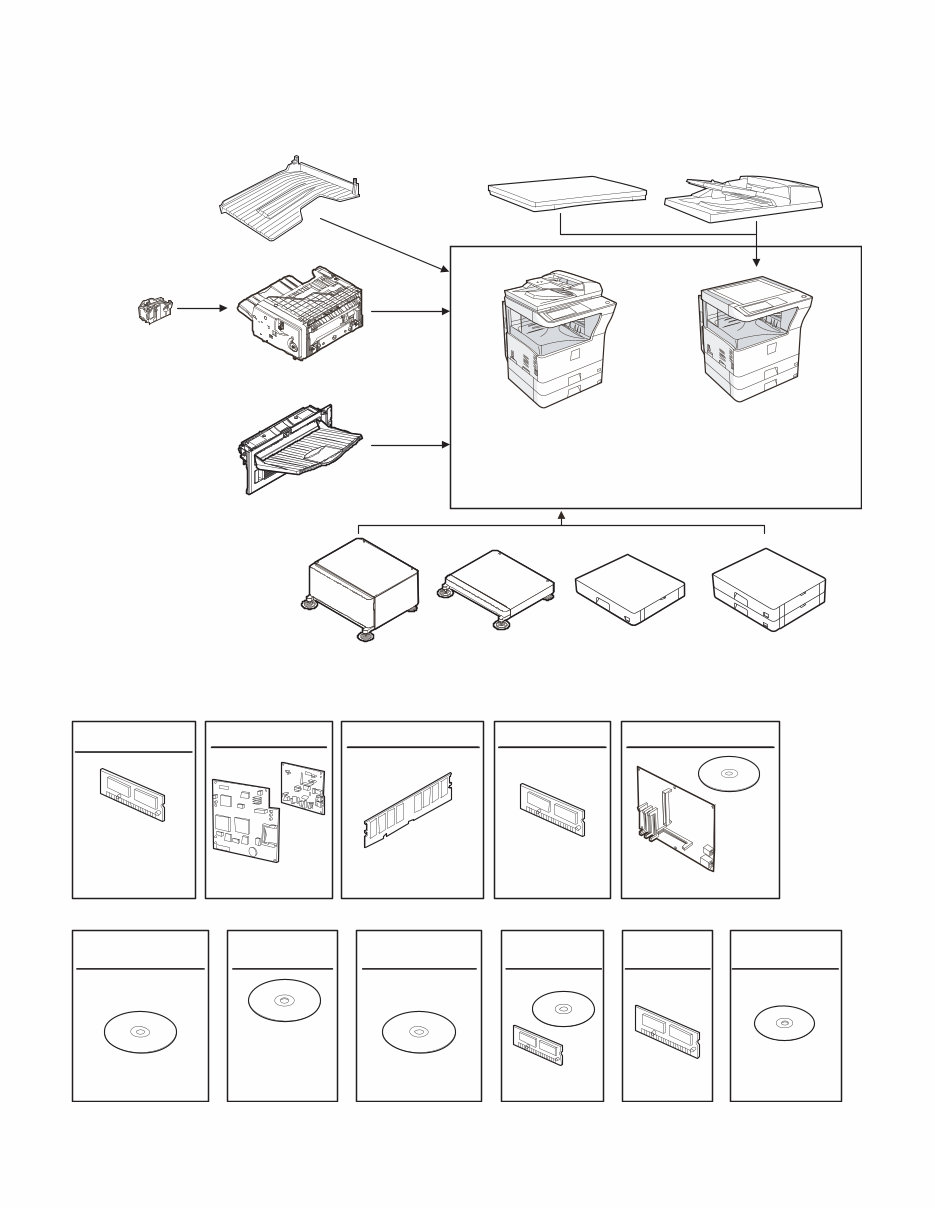
MX-M260/M310/M260N/M310N PRODUCT OUTLINE 1 - 1 [1] PRODUCT OUTLINE 1. Line of machines and options Paper feed unit (500x2 Sheets) Paper feed unit (500 Sheets) Machine stand (Small) Machine stand (Large) Finisher [MX-FN13] Staple cartridge [MX-SCX1] Reversing single pass feeder [MX-RP10] Document cover [MX-VR10] [RSPF] [MX-PB12] Printer expantion kit Expantion memory board PS3 expantion kit Network scanner expantion kit Sharpdesk license kit Application integration module kit [AR-SM5](256MB) [AR-SM6](512MB) FAX expantion kit Data security kit (Commercial version) FAX memory (8MB) [AR-FX7] [AR-PF1] [AR-PF2] [AR-MM9] [MX-PK10] [MX-NSX1] [MX-USX1/ MX-USX5/ MX-US10/ MX-US50/ MX-USA0] [MX-AMX1] [AR-FR17U] (For 26cpm) [AR-FR18U] (For 31cpm) Copier/Printer (SPLC) model (North America only) [MX-M260/M310] Copier/Printer (SPLC) model [MX-M260/M310] Copier/Printer (PCL) Network model [MX-M260N/M310N] [MX-M260/M310] Job separator tray [MX-TR11] Barcode font kit Flash ROM kit [MX-DE11] [MX-DE10] [MX-DS11] [MX-DS12] [MX-TE10] Exit tray
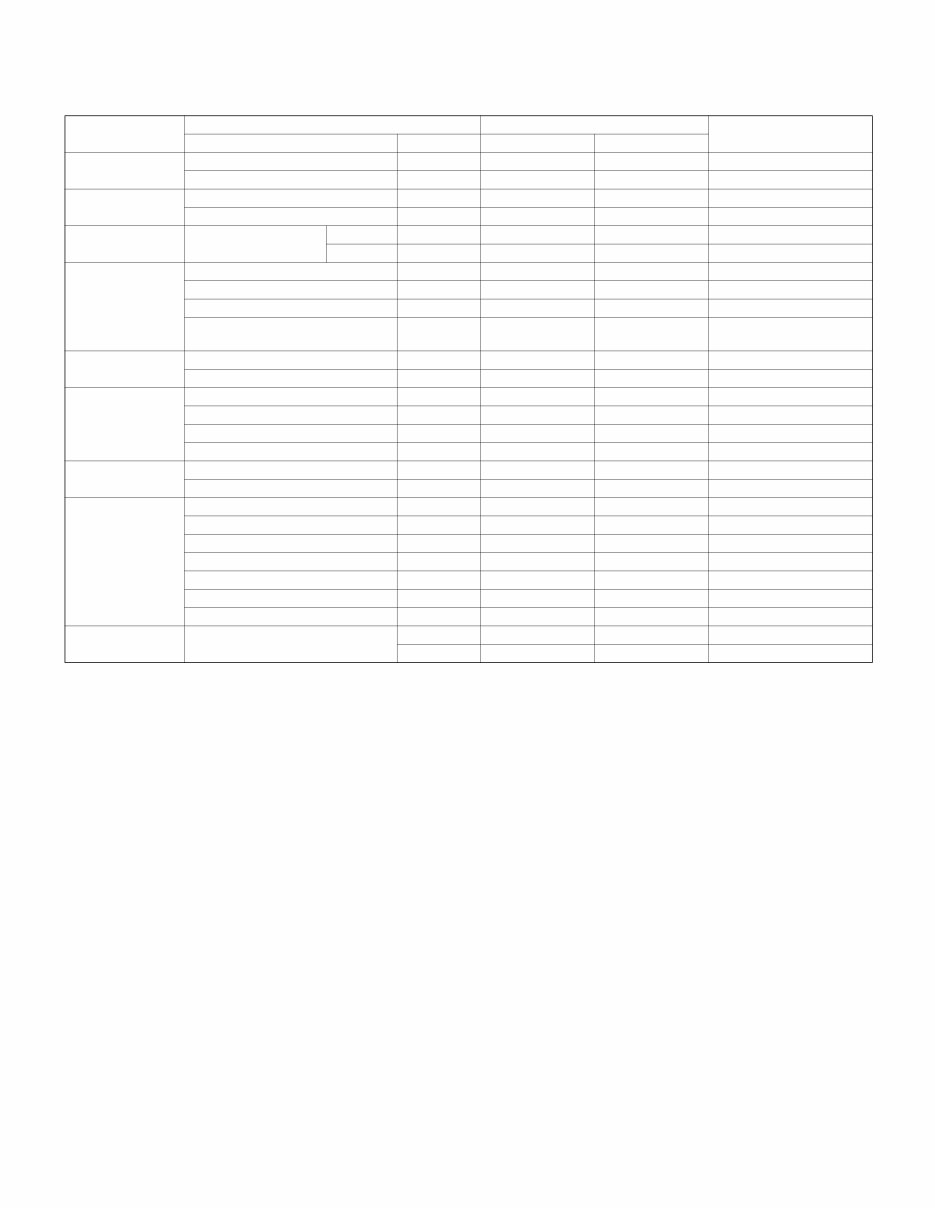
MX-M260/M310/M260N/M310N PRODUCT OUTLINE 1 - 2 2. Combination of options list F : Installable ✕: Not available Section Option Main unit Model Note Item Model MX-M260/M310 MX-M260N/M310N Automatic document feeder and OC Document feeder MX-RP10 F F Standard for North America Document cover MX-VR10 F F Unavailable for North America Paper feed system Paper feed unit (500 sheets) MX-DE10 F F Paper feed unit (500 x 2 sheets) MX-DE11 F F Machine stand Machine stand (Large) MX-DS11 F F (Small) MX-DS12 F F Paper exit system Finisher MX-FN13 F F Staple cartridge MX-SCX1 F F Job separator tray MX-TR11 F F Exit tray MX-TE10 F F Requires installation of the MX-FN13. FAX system FAX expansion kit AR-FX7 F F FAX memory (8MB) AR-MM9 F F Printer system Printer expansion kit MX-PB12 F Standard PS3 expansion kit MX-PK10 F F Barcode font kit AR-PF1 F F Flash ROM kit AR-PF2 F F Memory board 256MB expansion memory board AR-SM5 F F 512MB expansion memory board AR-SM6 F F Software Network scanner expansion kit MX-NSX1 F F Sharpdesk 1 license kit MX-USX1 F F Sharpdesk 5 license kit MX-USX5 F F Sharpdesk 10 license kit MX-US10 F F Sharpdesk 50 license kit MX-US50 F F Sharpdesk 100 license kit MX-USA0 F F Application integration module kit MX-AMX1 F F Data security Data security kit (Commercial version) MX-FR17U F F For 26cpm MX-FR18U F F For 31cpm
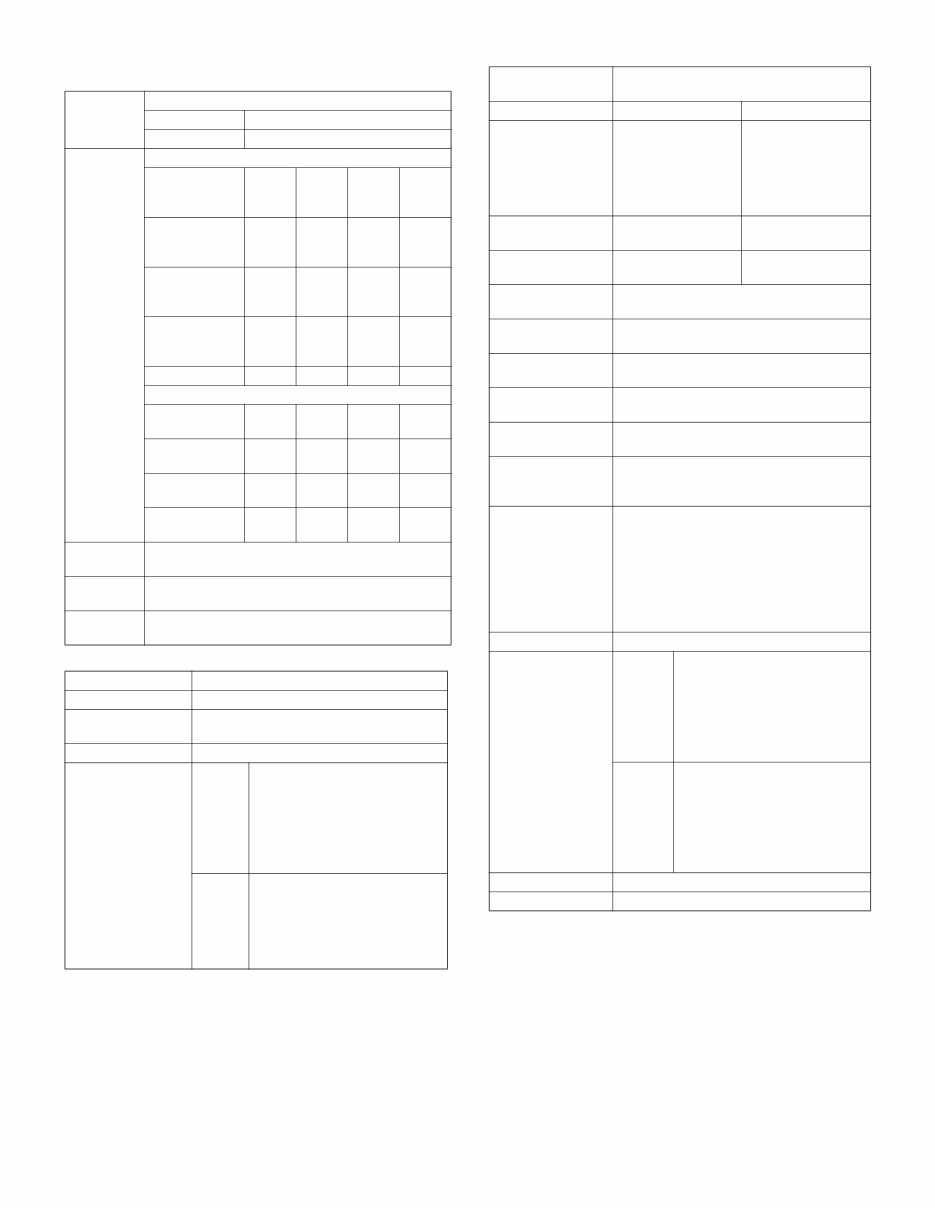
MX-M260/M310/M260N/M310N SPECIFICATIONS 2 - 1 [2] SPECIFICATIONS 1. Basic function A. Base engine (1) Type (2) Engine composition (3) Dimensions / Weight (4) Warmup Conditions: Leaving for 60 sec after door open, standard conditions, polygon stop. (5) First copy time ∗ Measuring conditions: When paper of A4 or 8.5” x 11” is fed from the machine tray, with the polygon rotating. (6) Engine resolution (7) Printable range (8) Engine speed (ppm) (9) Power source (10) Power consumption B. Controller board (1) Controller board (2) Memory C. Operation panel Type Desktop Photoconductor kind OPC drum (Drum dia. 30mm) Copying method Electronic photo (Laser) Developing system Dry, 2-component magnetic brush development Charging system Sawtooth charging Transfer system Transfer roller system Cleaning system Contact blade system Fusing system Heat roller Toner supply method Toner supply by front cover open Waste toner disposal Toner cartridge collection External dimensions (W x D x H) OC model: 623 x 628 x 668mm RSPF model: 623 x 628 x 788mm Occupied dimensions (W x D) (when the manual paper feed tray is extended) 898 x 628mm Warm-up time 23 sec or less (26-sheet model) 25 sec or less (31-sheet model) Pre-heat Yes Jam recovery time About 10sec, excluding fusing warmup, toner control, etc. 26-sheet model 31-sheet model Platen 4.8 sec or less 4.5 sec or less RSPF 9.3 sec or less Writing resolution 600 x 600dpi Smoothing (Print) 1200dpi (equivalent) x 600dpi Gradation Writing: Binary Max. print size AB series: 416 x 293mm (600dpi: 9826dot x 6920dot) Inch series: 428 x 275mm (600dpi: 10110dot x 6496dot) Void area image loss Lead edge 4.0mm or less Rear edge 4.0mm or less Total of lead/rear edges 4mm±1mm Tray Paper size 26-sheet model 31-sheet model Tray 1-4 A3 15 17 B4/8.5 x 13 17 20 A4/B5/A5/8.5 x 11/ 5.5 x 8.5/16K 26 31 A4R/8.5 x 11R/16KR 18 24 B5R 21 11 x 17 14 17 8.5 x 14 16 20 8K 19 Manual paper feed A3 14 17 B4/8.5 x 13 17 20 A4/B5/A5/8.5 x 11/ 5.5 x 8.5/16K 23 27 A4R/8.5 x 11R/16KR 19 23 11 x 17 14 16 8.5 x 14 16 Ex Japan in 100V system Ex Japan in 200V system Voltage/Current 110V 15A 120V±10% 15A 127V 12A 220 - 240V 8A Frequency 50/60Hz Power source code Fixed type Inlet type Power switch 1 power source Ex Japan in 100V system Ex Japan in 200V system Maximum rated power consumption 1.44kw 1.45kw Shift time to sleep mode Default (1 minute) SPLC board PCL board CPU --- TMPR4937 (64bit, 300MHz) Interface Ethernet No 10Base-T/100Base-TX USB 2.0 Device Full Speed 1slot Memory No 64MB (Standard) + 256MB x 1 Memory expansion slot --- 1 slot (144 pin DIMM compatible) Local Memory Standard 32MB Expansion 512MB x 2 Max. 1056MB Type Dot matrix LCD, touch panel Size Monochrome H-VGA 8.1” Display dot number 640 x 240 (H-VGA) LCD drive display area 192 x 72mm LCD backlight Fluorescent lamp backlight system LCD contrast adjustment Yes
MX-M260/M310/M260N/M310N SPECIFICATIONS 2 - 2 D. Scanner section (1) Resolution/Gradation (2) Document table (3) Automatic document feeder Reading resolution (dpi) Copy mode Platen 400 x 600dpi RSPF 400 x 600dpi Transmission resolusion (dpi) FAX transmission mode Select mode Normal text Fine text Super fine text Ultra fine text Input resolution: OC 203.2 x 293.4 203.2 x 293.4 203.2 x 391.2 406.4 x 586.7 Input resolution: RSPF 203.2 x 293.4 203.2 x 293.4 203.2 x 391.2 406.4 x 586.7 Transmission resolution 203.2 x 97.8 203.2 x 195.6 203.2 x 391 406.4 x 391 Half tone No Yes Yes Yes Scanner mode Select mode 200 x 200 300 x 300 400 x 400 600 x 600 Input resolution: OC 600 x 600 600 x 600 600 x 600 600 x 600 Input resolution: RSPF 600 x 367 600 x 367 600 x 367 600 x 367 Transmission resolution 200 x 200 300 x 300 400 x 400 600 x 600 Reading gradation 256 gradations Exposure lamp Electrodeless xenon lamp Output gradation Binary Type Document table fixed type (Flat bed) Scanning area 297 x 431.8mm Original standard position Left bottom reference Detection Yes Detection size Inch series Automatic setting 11 x 17, 8.5 x 14, 8.5 x 11, 8.5 x 11R, 5.5 x 8.5 Manual setting 11 x 17, 8.5 x 14, 8.5 x 13 (216 x 330), 8.5 x 11, 8.5 x 11R, 5.5 x 8.5, A3, A4, A4R AB series Automatic setting A3, B4, A4, A4R, A5 Manual setting 11 x 17, 8.5 x 14, 8.5 x 13 (216 x 330), 8.5 x 11, 8.5 x 11R, A3, B4, A4, A4R, A5 Type RSPF (Automatic duplex document feeder unit) Scan speed When in single copy When in duplex copy Copy 31-sheet model: 27 sheets/min (400 x 600dpi) 26-sheet model: 26 sheets/min (400 x 600dpi) 31-sheet model: 17 side/min (400 x 600dpi) 26-sheet model: 14 side/min (400 x 600dpi) Fax 40 sheets/min (Normal text, A4R) 17 sheets/min (Normal text, A4R) Scanner 31 sheets/min (300 x 300dpi) 16 sheets/min (300 x 300dpi) Document set direction Face-up reference Document standard position Center reference Document transport system Sheet through system Document size AB series: A3 - A5,0 Inch series: 11 x 17 - 5.5 x 8.5 Document weight Single face: 35 - 128g/m 2 , 9 - 34 lbs, Duplex: 52 - 105g/m 2 , 13.9 - 28 lbs Max. loading capacity of documents 100 sheets (90g/m 2 ) Paper thickness of 13mm or less can be set. Transport disable document OHP, perforated documents, photo, catalogue, second original sheet, tracing paper, carbon paper, heat-sensitive paper, wrinkled paper, folded or broken paper, pasted or cut-away paper, documents of many perforated holes (2-hole, 3-hole documents can be used), document printed by an ink ribbon Detection Yes Detection size Inch series Automatic setting 11 x 17, 8.5 x 14, 8.5 x 11, 8.5 x 11R, 5.5 x 8.5, A3, A4 Manual setting 11 x 17, 8.5 x 14, 8.5 x 13 (216 x 330), 8.5 x 11, 8.5 x 11R, 5.5 x 8.5, A3, A4, A4R AB series Automatic setting 11 x 17, 8.5 x 11, A3, B4, A4, A4R, B5, B5R, A5 Manual setting 11 x 17, 8.5 x 14, 8.5 x 13 (216 x 330), 8.5 x 11, 8.5 x 11R, A3, B4, A4, A4R, A5 Multi copy S-S, S-D, D-D, D-S Mixed paper feed Enable (Same width only)
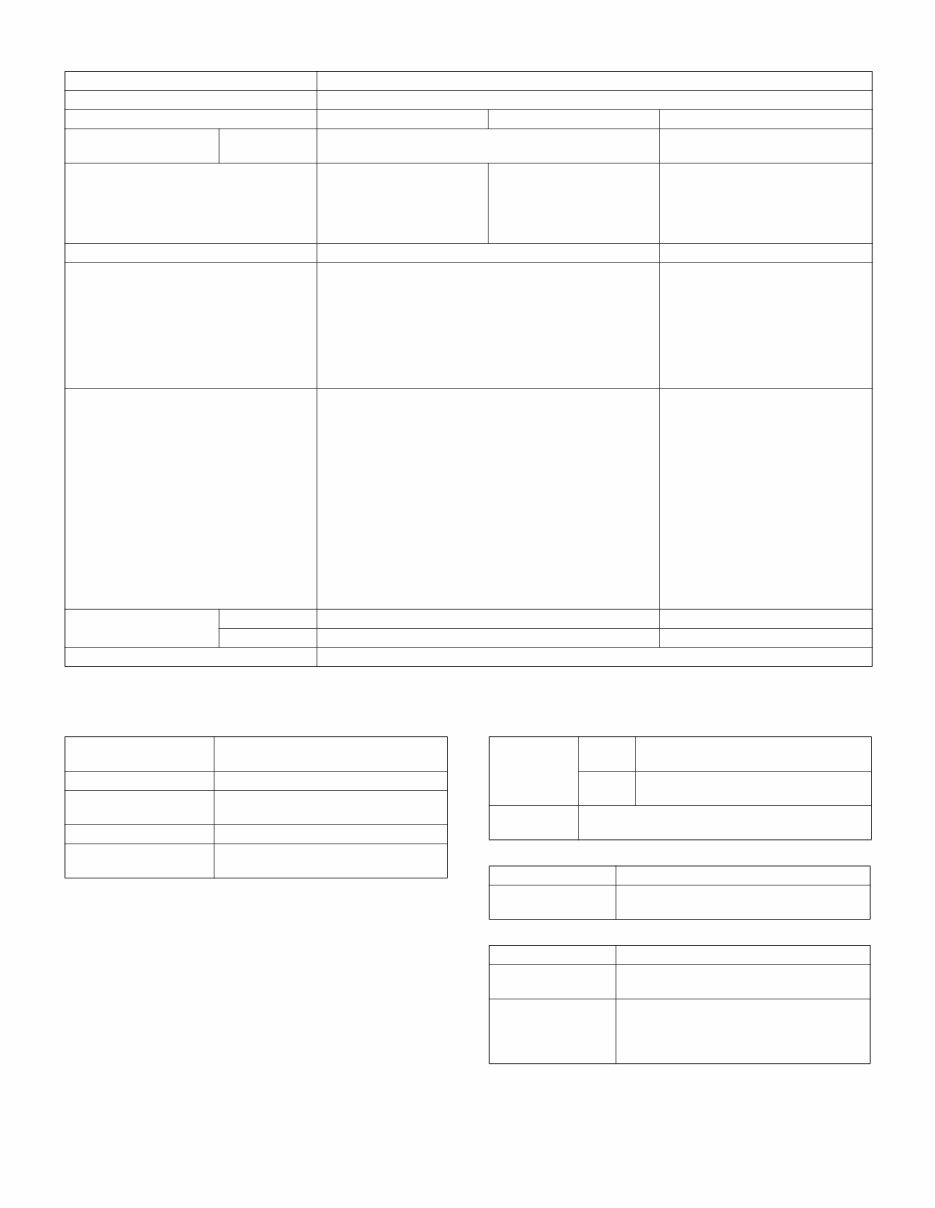
MX-M260/M310/M260N/M310N SPECIFICATIONS 2 - 3 E. Paper feed section ∗ 1: Supported envelope kinds: Commercial10 (4 - 1/8” x 9 - 1/2”), International DL (110mm x 220mm), International C5 (162mm x 229mm) F. Paper exit section (1) Center tray of main unit G. Copy functions (1) Copy magnification ratio (2) Density/copy image quality process (3) Duplex Type Paper feed tray + Multi manual paper feed (Expanded up to 4 trays by installing options.) Paper feed method Paper is fed from the above by the front loading system. Details of paper feed section Tray1 Tray2 Manual paper feed tray Paper capacity Standard paper (80g/m 2 ) 500 sheets 100 sheets Paper size A3, B4, A4, A4R, B5, B5R, A5, 11 x 17, 8.5 x 14, 8.5 x 13, 8.5 x 11, 8.5x11R, 5.5 x 8.5, 8K, 16K, 16KR A3, B4, A4, A4R, B5R, 11 x 17, 8.5 x 14 (216 x 356), 8.5 x 13 (216 x 330), 8.5 x 11, 8.5 x 11R, 8K, 16KR A3, B4, A4, A4R, B5, B5R, A5R, A5, B6R, 11 x 17, 8.5 x 14 (216 x 356), 8.5 x 13 (216 x 330), 8.5 x 11, 8.5 x 11R, 7.25 x 10.5R, 5.5 x 8.5, 8K, 16K, 16KR, A6R, Envelope* 1 Paper size detection No Yes Allowable paper type and weight for paper feed 56 - 105g/m 2 /15 - 28lbs Bond Multi paper feed: Standard paper (56 - 128g/m 2 ) Special paper, heavy paper (max. 200g/m 2 ) Single paper feed: Standard paper, special paper, second original, heavy paper (max. 200g/m 2 ), 56- 200g/m 2 (14 - 54lbs) Paper type Standard paper (56 - 80g/m 2 ) Normal paper (60 - 105g/m 2 ) Letterhead Color paper • Standard paper: 100 sheets (56 - 80g/m 2 ) • Recycled paper/coarse paper: 100 sheets • Postcard/Double postcard (without fold): 30 sheets • Heavy paper (max. 200g/m 2 ): 30 sheets • OHP/Label sheet/gift wrapping paper: 40 sheets • Label sheet: 40 sheets • Envelope (AB series: 10 sheets, Inch series: 5 sheets) Paper size setting when shipping Inch series 8.5 x 11 --- AB series A4 --- Paper remaining detection No (paper presence only) Paper exit position/ system Main unit top surface face-down paper exit Paper exit capacity 500 sheets (A4, 8.5 x 11, 80g/m 2 paper) Paper exit paper size/ kind All kinds of paper which can be fed Shifter function Yes (Except for North America) Paper remaining detection for paper exit Yes Copy magnification ratio AB series 25%, 50%, 70%, 81%, 86%, 100%, 115%, 122%, 141%, 200%, 400% Inch series 25%, 50%, 64%, 77%, 100%, 121%, 129%, 200%, 400% Zoom 25 - 400% (Restriction by the document feeder unit: 50 - 200%) Exposure mode Binary: Automatic, Text, Text/Photo, Photo Number of manual steps 5 steps System Switchback system Paper size A3, B4, A4, A4R, B5, B5R, A5, 11 x 17, 8.5 x 14, 8.5 x 13, 8.5 x 11, 8.5 x 11R Type and weight of paper which can be passed 56 - 105g/m 2 /15 - 21.3 lbs Bond Duplex print from manual paper feed can be made. (Except for heavy paper, OHP sheet, and other special paper)
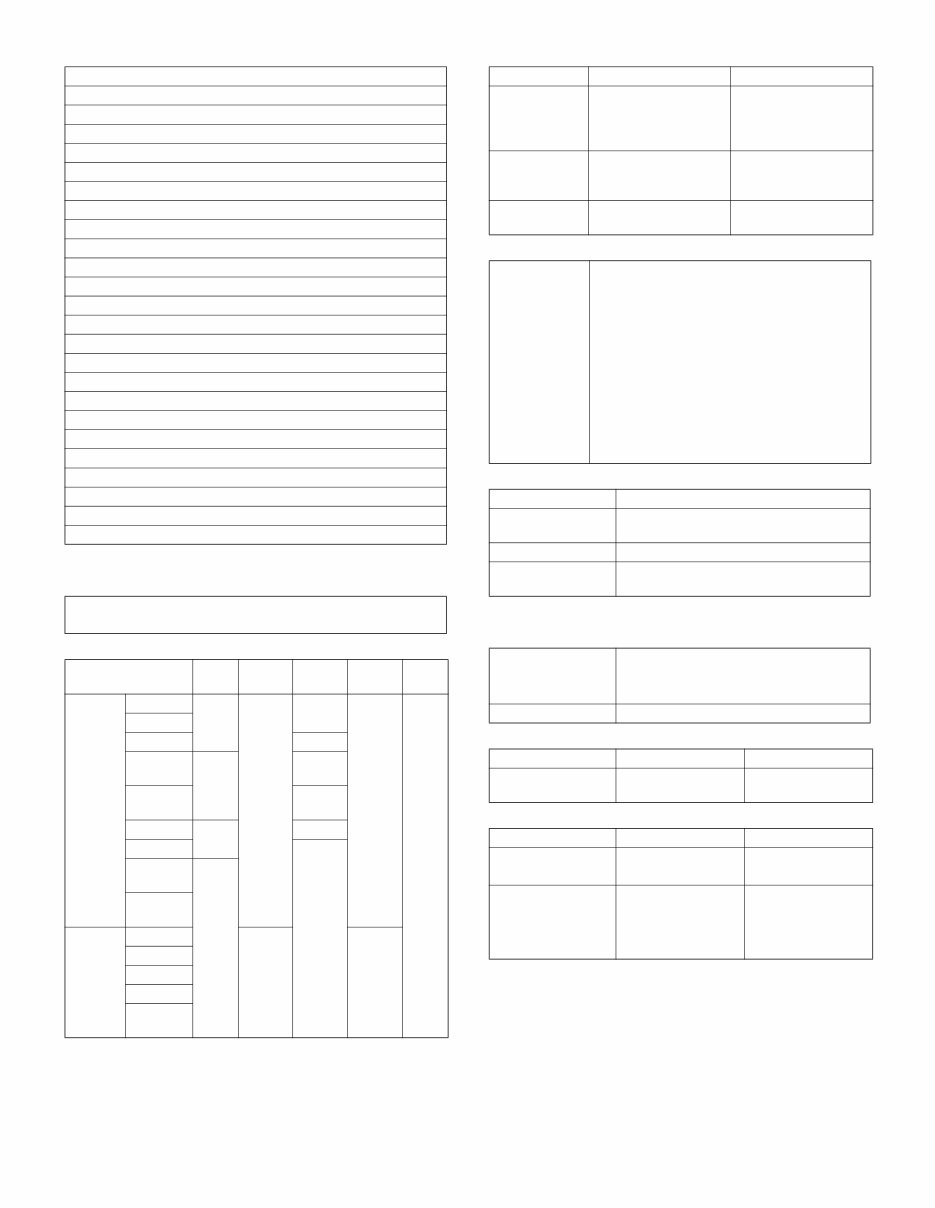
MX-M260/M310/M260N/M310N SPECIFICATIONS 2 - 4 (4) Copy functions H. Printer function (1) Platform (2) Support OS (3) PDL emulation/Font (4) Print channel (5) Environment setting I. Image send function (1) Mode (2) Support system (3) Support image Automatic paper selection Automatic magnification ratio selection Vertical/horizontal independent magnification ratio Paper type selection Auto tray switching Rotation copy Electronic sort Job reservation (only during warm-up) Tray installation priority Program call-out/registration (10 items) Preheat function Auto power shut off function User management (100 items) Mixed documents feed (MIX only) Binding margin (Left/Right/Upper) Edge erase/Center erase (Center/Edge/Center + Edge) 1 set 2 copy Cover paper/Insert paper/Tab insert paper (Cover/Back cover only) Multi shot (2 in 1/4 in 1) (Centering available) Card shot (Centering available) Half binding (Centering available) Duplex copy direction switching Large volume document mode Black/white reverse (except for UK) Stream feeding mode (ON/OFF switch by the system setting) • IBM PC/AT • Macintosh OS SPLC Custom PCL6 Custom PCL5e Custom PS PPD Windows 2000 Yes Yes Yes Yes Yes XP XP x64 No Server 2003 No Yes Server 2003 x64 No Vista Yes Yes Vista x64 No Server 2008 No Server 2008 x64 Mac 9.0 - 9.2.2 No No X 10.2.8 X 10.3.9 X 10.4.11 X 10.5 - 10.5.6 Emulation Built-in fonts Option font PCL5e compatible/ PCL6 compatible European outline font = 80 typefaces Line printer font (BMP) = 1 typeface Barcode font = 28 typefaces ESC/P (VP-1100) compatible European BMP font = 2 typefaces (Roman, San-serif) Postscript3 compatible European outline font = 136 typefaces Support print channel • PSERVER/RPRINT for netware environment • LPR • IPP • PAP : EtherTalk (AppleTalk) • FTP • NetBEUI • Raw Port (Port 9100) • USB 2.0 • HTTP (Web Submit Print) • POP3 (E-Mail To Print) • HTTPS Setting item Outline Default setting Basic setting for using the printer, such as the number of copies, the printing direction. SPDL Setting of SPDL symbol and fonts PS Setting of print Enable/Disable in case of PS error Scanner • Scan to e-mail • Scan to Desktop • Scan to FTP Fax • Fax Mode Scanner Fax Corresponding server/protocol SMTP FTP (TCP/IP) --- Mode Scanner Fax File format • TIFF • PDF --- Compression system • Non-compression • G3 = MH • G4 = MMR • MH • MR • MMR • JBIG
You're Reading a Preview
What's Included?
Lifetime Access
Fast Download Speeds
Online & Offline Access
Access PDF Contents & Bookmarks
Full Search Facility
Print one or all pages of your manual
$36.99
Sharp MX-M260 M260N M310 M310N Service Manual + Parts List Catalog
Is your Sharp Office Copier/Printer letting you down?
Why replace when you can upgrade or repair? This service and repair manual is used by the Official Certified Sharp Technicians. It will help you to troubleshoot and repair your copier/printer/fax!
You will get in-depth information about:
Specifications
Configurations
Installations Procedures
Adjustments
Troubleshooting
Maintenance
Disassembly & Assembly
Error Codes & Signals
Wiring Diagrams
Circuit Diagrams
Block Diagram
Software Updating
Exploded Views
Parts List Catalog
This service manual is very detailed and illustrated with pictures and step-by-step instructions on how to repair/service this printer the best way there is!
Please note this is the OFFICIAL service and repair manual in .PDF format, no scanned-in or bootlegged copy. This manual is made in the highest resolution, so when you print the pages you need it is all in great quality!
You can easily print this manual from any printer and any computer!
***INSTANT access*** After your payment, you will have instant access to your access. No shipping fee, no waiting on postal delivery, you can start doing your repairs right away!
Specifications
Language: English
Pages: 437
Files:
Service Manual
Parts List Catalog
PWB Parts Catalog
Installation Manual
Circuit Diagrams Manual
Looking for a service manual but can't find it anywhere? Please contact us with your request! As you can see we've got the largest & most comprehensive service manual database out there, so a good chance we can help you out!
Reviews
Q&A
Recently Viewed
5,521,897Happy Clients
2,594,462eManuals
1,120,453Trusted Sellers
15Years in Business
Price:
Actual Price:
Sharp MX-M260 M260N M310 M310N Service Manual + Parts List Catalog





 Lifetime Access




