


Sharp MX C301 C301W Service Manual and Repair Guide
What's Included?
 Lifetime Access
Fast Download Speeds
Online & Offline Access
Access PDF Contents & Bookmarks
Full Search Facility
Print one or all pages of your manual
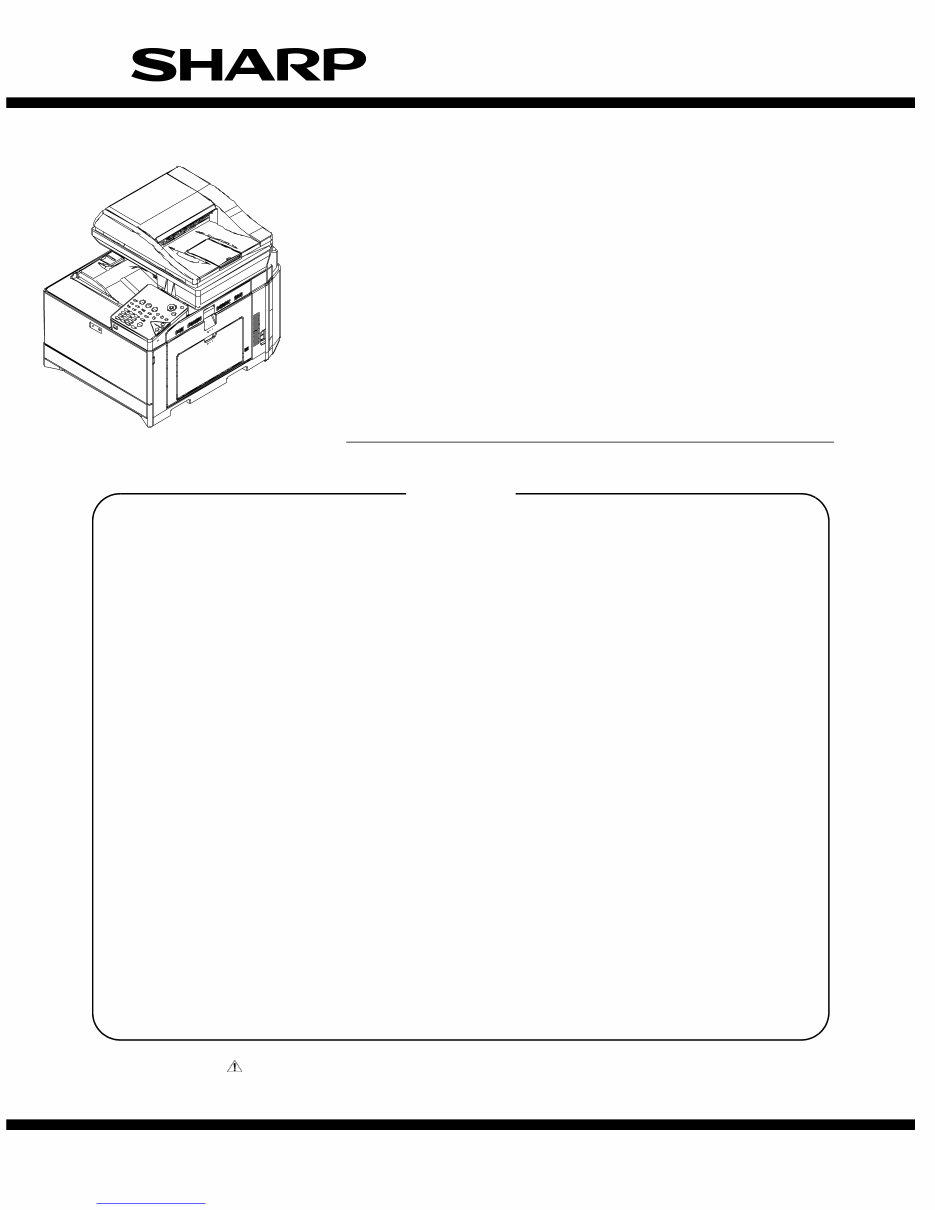
SERVICE MANUAL
Parts marked with " " are important for maintaining the safety of the set. Be sure to replace these parts with
specified ones for maintaining the safety and performance of the set.
SHARP CORPORATION
This document has been published to be used
for after sales service only.
The contents are subject to change without notice.
NOTE FOR SERVICING
[1] PRODUCT OUTLINE . . . . . . . . . . . . . . . . . . . . . . . . . . . . . . . . . . . . . . . . . . . . . . . 1-1
[2] SPECIFICATIONS . . . . . . . . . . . . . . . . . . . . . . . . . . . . . . . . . . . . . . . . . . . . . . . . . 2-1
[3] CONSUMABLE PARTS . . . . . . . . . . . . . . . . . . . . . . . . . . . . . . . . . . . . . . . . . . . . . 3-1
[4] EXTERNAL VIEW AND INTERNAL STRUCTURE . . . . . . . . . . . . . . . . . . . . . . . . 4-1
[5] ADJUSTMENTS . . . . . . . . . . . . . . . . . . . . . . . . . . . . . . . . . . . . . . . . . . . . . . . . . . . 5-1
[6] SIMULATION . . . . . . . . . . . . . . . . . . . . . . . . . . . . . . . . . . . . . . . . . . . . . . . . . . . . . 6-1
[7] TROUBLESHOOTING . . . . . . . . . . . . . . . . . . . . . . . . . . . . . . . . . . . . . . . . . . . . . . 7-1
[8] FIRMWARE UPDATE . . . . . . . . . . . . . . . . . . . . . . . . . . . . . . . . . . . . . . . . . . . . . . . 8-1
[9] MAINTENANCE . . . . . . . . . . . . . . . . . . . . . . . . . . . . . . . . . . . . . . . . . . . . . . . . . . . 9-1
[10] DISASSEMBLY AND ASSEMBLY . . . . . . . . . . . . . . . . . . . . . . . . . . . . . . . . . . . . 10-1
[11] OPERATIONAL DESCRIPTIONS. . . . . . . . . . . . . . . . . . . . . . . . . . . . . . . . . . . . . 11-1
[12] ELECTRICAL SECTION. . . . . . . . . . . . . . . . . . . . . . . . . . . . . . . . . . . . . . . . . . . . 12-1
[13] OTHERS . . . . . . . . . . . . . . . . . . . . . . . . . . . . . . . . . . . . . . . . . . . . . . . . . . . . . . . . 13-1
TopPage
CONTENTS
CODE: 00ZMXC250/S4E
MX- C250/C250E
MX- C250F/C250FE
MX- C300F/C300W
MX- C300WE
MODEL
DIGITAL FULL COLOR
MULTIFUNCTIONAL SYSTEM
Downloaded from www.Manualslib.com manuals search engine

CONTENTS
NOTE FOR SERVICING
1. Precautions for servicing . . . . . . . . . . . . . . . . . . . . . . . . . i
2. Warning for servicing . . . . . . . . . . . . . . . . . . . . . . . . . . . . i
3. Note for installing site. . . . . . . . . . . . . . . . . . . . . . . . . . . . i
4. Note for handling PWB and electronic parts . . . . . . . . . . ii
5. Note for repairing/replacing the LSU . . . . . . . . . . . . . . . iii
6. Note for handling the drum unit, the transfer unit,
the developing unit . . . . . . . . . . . . . . . . . . . . . . . . . . . . . iii
[1] PRODUCT OUTLINE
1. System diagram . . . . . . . . . . . . . . . . . . . . . . . . . . . . . . 1-1
2. Product list . . . . . . . . . . . . . . . . . . . . . . . . . . . . . . . . . . 1-1
3. Option list . . . . . . . . . . . . . . . . . . . . . . . . . . . . . . . . . . . 1-1
[2] SPECIFICATIONS
1. Basic specifications . . . . . . . . . . . . . . . . . . . . . . . . . . . 2-1
2. Copy functions . . . . . . . . . . . . . . . . . . . . . . . . . . . . . . . 2-5
3. Printer function . . . . . . . . . . . . . . . . . . . . . . . . . . . . . . . 2-5
4. Scanner/FAX function . . . . . . . . . . . . . . . . . . . . . . . . . 2-6
5. Report/list function . . . . . . . . . . . . . . . . . . . . . . . . . . . . 2-8
6. Power consumption . . . . . . . . . . . . . . . . . . . . . . . . . . . 2-9
7. Dimensions and Weight . . . . . . . . . . . . . . . . . . . . . . . . 2-9
8. Ambient conditions. . . . . . . . . . . . . . . . . . . . . . . . . . . . 2-9
[3] CONSUMABLE PARTS
1. Supply system table . . . . . . . . . . . . . . . . . . . . . . . . . . . 3-1
2. Maintenance parts list . . . . . . . . . . . . . . . . . . . . . . . . . 3-2
3. Definition of developer/drum life end . . . . . . . . . . . . . . 3-2
4. Production number identification . . . . . . . . . . . . . . . . . 3-3
5. Environmental conditions . . . . . . . . . . . . . . . . . . . . . . . 3-3
[4] EXTERNAL VIEW AND INTERNAL STRUCTURE
A. External view . . . . . . . . . . . . . . . . . . . . . . . . . . . . . . . . 4-1
B. Document feeder and document glass . . . . . . . . . . . . 4-2
C. Operation panel . . . . . . . . . . . . . . . . . . . . . . . . . . . . . . 4-3
D. Operation panel . . . . . . . . . . . . . . . . . . . . . . . . . . . . . . 4-4
E. SPF . . . . . . . . . . . . . . . . . . . . . . . . . . . . . . . . . . . . . . . 4-5
F. RSPF . . . . . . . . . . . . . . . . . . . . . . . . . . . . . . . . . . . . . . 4-6
G. Sensor, detector . . . . . . . . . . . . . . . . . . . . . . . . . . . . . . 4-7
H. Switch . . . . . . . . . . . . . . . . . . . . . . . . . . . . . . . . . . . . . 4-9
I. Clutches and solenoids . . . . . . . . . . . . . . . . . . . . . . . 4-10
J. Motors . . . . . . . . . . . . . . . . . . . . . . . . . . . . . . . . . . . . 4-11
K. Rollers . . . . . . . . . . . . . . . . . . . . . . . . . . . . . . . . . . . . 4-12
L. Lamps . . . . . . . . . . . . . . . . . . . . . . . . . . . . . . . . . . . . 4-13
M. Fans and filters . . . . . . . . . . . . . . . . . . . . . . . . . . . . . 4-14
N. PWB. . . . . . . . . . . . . . . . . . . . . . . . . . . . . . . . . . . . . . 4-15
O. Fuses/thermostats . . . . . . . . . . . . . . . . . . . . . . . . . . . 4-16
[5] ADJUSTMENTS
1. General . . . . . . . . . . . . . . . . . . . . . . . . . . . . . . . . . . . . 5-1
2. Adjustment item list . . . . . . . . . . . . . . . . . . . . . . . . . . . 5-1
3. Details of adjustment . . . . . . . . . . . . . . . . . . . . . . . . . . 5-2
[6] SIMULATION
1. General and purpose . . . . . . . . . . . . . . . . . . . . . . . . . . 6-1
2. List of simulation codes . . . . . . . . . . . . . . . . . . . . . . . . 6-3
3. Details of simulation . . . . . . . . . . . . . . . . . . . . . . . . . . . 6-7
4. Soft switch (Detail of Sim. 66-1) . . . . . . . . . . . . . . . . . 6-62
[7] TROUBLESHOOTING
1. Error code and troubleshooting . . . . . . . . . . . . . . . . . . 7-1
2. JAM and troubleshooting . . . . . . . . . . . . . . . . . . . . . . 7-16
3. Image send communication report code . . . . . . . . . . 7-17
4. Dial tone . . . . . . . . . . . . . . . . . . . . . . . . . . . . . . . . . . . 7-19
[8] FIRMWARE UPDATE
1. Outline . . . . . . . . . . . . . . . . . . . . . . . . . . . . . . . . . . . . . 8-1
2. Update procedure . . . . . . . . . . . . . . . . . . . . . . . . . . . . 8-1
[9] MAINTENANCE
1. Necessary work for maintenance . . . . . . . . . . . . . . . . . 9-1
2. Maintenance timing display list . . . . . . . . . . . . . . . . . . 9-2
3. Maintenance list . . . . . . . . . . . . . . . . . . . . . . . . . . . . . . 9-4
[10] DISASSEMBLY AND ASSEMBLY
1. Disassembly of Units . . . . . . . . . . . . . . . . . . . . . . . . . 10-1
2. Disassembly and assembly of each unit . . . . . . . . . 10-16
[11] OPERATIONAL DESCRIPTIONS
1. Operation panel section . . . . . . . . . . . . . . . . . . . . . . . 11-1
2. SPF/RSPF section . . . . . . . . . . . . . . . . . . . . . . . . . . . 11-2
3. Scanner section . . . . . . . . . . . . . . . . . . . . . . . . . . . . . 11-6
4. Manual paper feed section . . . . . . . . . . . . . . . . . . . . . 11-8
5. Paper registration section . . . . . . . . . . . . . . . . . . . . . 11-9
6. Paper feed tray section . . . . . . . . . . . . . . . . . . . . . . 11-10
7. Paper exit section. . . . . . . . . . . . . . . . . . . . . . . . . . . 11-11
8. Duplex section . . . . . . . . . . . . . . . . . . . . . . . . . . . . . 11-12
9. LSU section . . . . . . . . . . . . . . . . . . . . . . . . . . . . . . . 11-13
10. OPC drum section . . . . . . . . . . . . . . . . . . . . . . . . . . 11-15
11. Toner supply section . . . . . . . . . . . . . . . . . . . . . . . . 11-18
12. Developing section . . . . . . . . . . . . . . . . . . . . . . . . . . 11-19
13. Transfer section . . . . . . . . . . . . . . . . . . . . . . . . . . . . 11-21
14. Fusing section . . . . . . . . . . . . . . . . . . . . . . . . . . . . . 11-23
15. Fan and filter section . . . . . . . . . . . . . . . . . . . . . . . . 11-25
[12] ELECTRICAL SECTION
1. Block diagram . . . . . . . . . . . . . . . . . . . . . . . . . . . . . . 12-1
2. Power line diagram . . . . . . . . . . . . . . . . . . . . . . . . . . 12-6
3. Actual wiring chart . . . . . . . . . . . . . . . . . . . . . . . . . . . 12-8
4. Signal list . . . . . . . . . . . . . . . . . . . . . . . . . . . . . . . . . 12-13
[13] OTHERS
1. Necessary works when replacing the PWB,
and the HDD . . . . . . . . . . . . . . . . . . . . . . . . . . . . . . . 13-1
2. TOOL LIST . . . . . . . . . . . . . . . . . . . . . . . . . . . . . . . . . 13-1
Downloaded from www.Manualslib.com manuals search engine
MX-C250 NOTE FOR SERVICING - i
MX-C250
Service Manual NOTE FOR SERVICING
1. Precautions for servicing
1) When servicing, disconnect the power plug, the printer cable,
the network cable, and the telephone line from the machine,
except when performing the communication test, etc.
It may cause an injury or an electric shock.
2) There is a high temperature area inside the machine. Use
extreme care when servicing.
It may cause a burn.
3) There is a high voltage section inside the machine which may
cause an electric shock. Be careful when servicing.
4) Do not disassemble the laser unit. Do not insert a reflective
material such as a screwdriver in the laser beam path.
It may damage eyes by reflection of laser beams.
5) When servicing with the machine operating, be careful not to
place your hands by belts, gears, chains, and other drive com-
ponents.
6) Do not leave the machine with the cabinet disassembled.
Do not allow any person other than a serviceman to touch
inside the machine. It may cause an electric shock, a burn, or
an injury.
7) When servicing, do not breathe toner, developer, and ink
excessively. Do not get them in the eyes.
If toner, developer, or ink enters you eyes, wash it away with
water immediately, and consult a doctor if necessary.
8) The machine has got sharp edges inside. Be careful not to
damage fingers when servicing.
9) Do not throw toner or a toner cartridge in a fire. Otherwise,
toner may explode and burn you.
10) When replacing the lithium battery on the PWB, use only the
specified battery.
If a battery of different specification is used, the battery may
cause malfunction or breakdown of the machine.
11) When transporting a PWB, be sure to place the PWB in an
anti-static bag.
It may cause a breakdown or malfunctions.
2. Warning for servicing
1) Be sure to connect the power cord only to a power outlet that
meets the specified voltage and current requirements.
Avoid complex wiring, which may lead to a fire or an electric
shock.
2) If there is any abnormality such as a smoke or an abnormal
smell, interrupt the job and disconnect the power plug.
It may cause a fire or an electric shock.
3) Be sure to connect the grounding wire. If an electric leakage
occurs without grounding, a fire or an electric shock may
result.
For proper machine functionality, the machine must be
grounded.
4) When connecting the grounding wire, never connect it to the
following points.
It may cause an explosion, a fire or an electric shock.
- Gas tube
- Lightning conductor
- A water pipe or a water faucet, which is not recognized as a
grounding object by the authorities.
- Grounding wire for telephone line
5) Do not damage, break, or twist the power cord.
Do not put heavy objects on the power cable. Do not forcefully
bend or pull the power cable.
It may cause a fire or an electric shock.
6) Keep the power cable away from a heat source.
Do not insert the power plug with dust on it into a power outlet.
It may cause a fire or an electric shock.
7) Do not put a metallic object or a container with water in it inside
the machine.
It may cause a fire or an electric shock.
8) With wet or oily hands, do not touch the power plug, do not
perform servicing, touch the power plug, insert a telephone
jack, or operate the machine with wet or oily hands.
It may cause an electric shock.
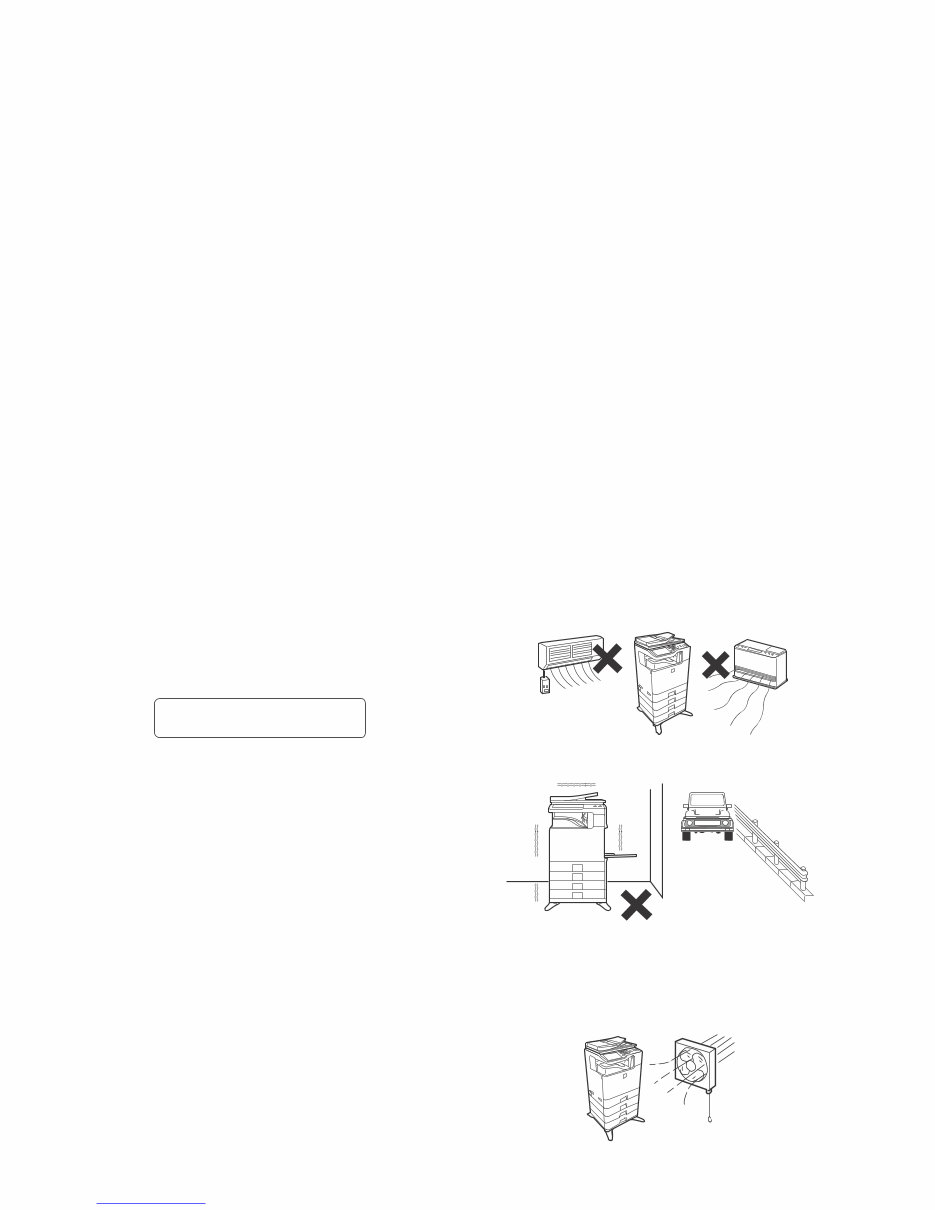
3. Note for installing site
Do not install the machine at the following sites.
1) Place of high temperature, high humidity, low tempera-
ture, low humidity, place under an extreme change in tem-
perature and humidity.
Paper may get damp and form moisture inside the machine,
causing paper jam or copy dirt.
For operating condition, refer to the specifications described
later.
2) Place of much vibration
It may cause a breakdown.
3) Poorly ventilated place
An electro-static type copier will produce ozone inside it.
The quantity of ozone produced is designed to a low level so
as not to affect human bodies. However, continuous use of
such a machine may produce an odor of ozone. Install the
machine in a well ventilated place.
CAUTION
DOUBLE POLE/NEUTRAL FUSING
(200V series only)
Downloaded from www.Manualslib.com manuals search engine
MX-C250 NOTE FOR SERVICING - ii
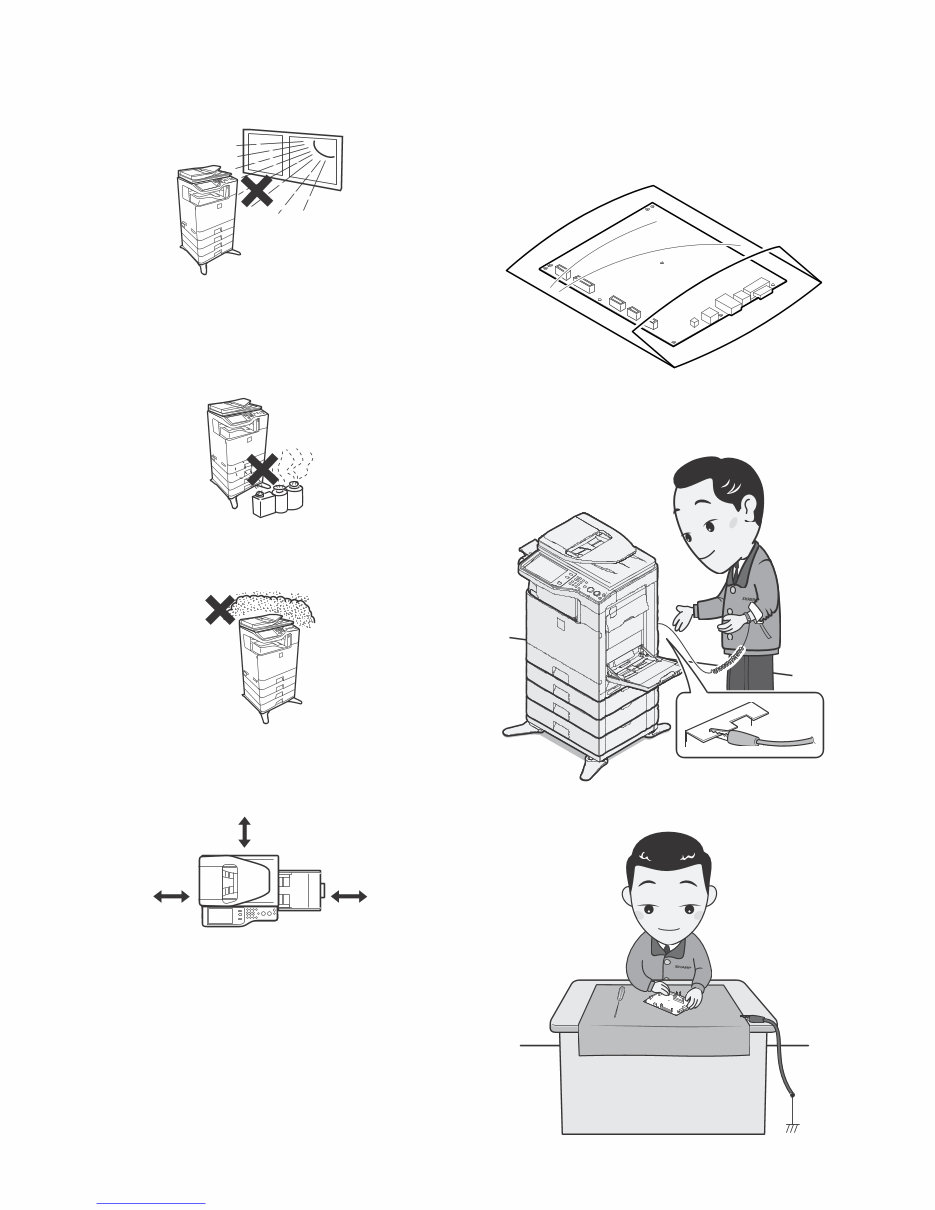
4) Place of direct sunlight.
Plastic parts and toner may be deformed, discolored, or may
undergo qualitative change.
It may cause a breakdown or copy quality issues.
5) Place which is full of organic gases such as ammonium
The organic photoconductor (OPC) drum used in the machine
may undergo qualitative change due to organic gases such as
ammonium.
Installation of this machine near a diazo-type copier may result
in copy quality issues.
6) Place of much dust
When dusts enter the machine, it may cause a breakdown or
copy quality issues.
7) Place near a wall
Some machines require intake and exhaust of air.
If intake and exhaust of air are not properly performed, copy
dirt or a breakdown may be a result.
8) Unstable or slant surface
If the machine drops or falls down, it may cause an injury or a
breakdown.
If there are optional paper desks and the copier desks speci-
fied, it is recommendable to use them.
When using the optional desk, be sure to fix the adjuster and
lock the casters.
4. Note for handling PWB and electronic
parts
When handling the PWB and the electronic parts, be sure to
observe the following precautions in order to prevent against dam-
age by static electricity.
1) When in transit or storing, put the parts in an anti-static bag or
an anti-static case and do not touch them with bare hands.
2) When and after removing the parts from an anti-static bag
(case), use an earth band as shown below:
- Put an earth band to your arm, and connect it to the
machine.
- When repairing or replacing an electronic part, perform the
procedure on an anti-static mat.
17-23/32"
(45cm)
11-13/16"
(30cm)
11-13/16"
(30cm)
Downloaded from www.Manualslib.com manuals search engine

MX-C250 NOTE FOR SERVICING - iii
5. Note for replacing the LSU
When replacing, be sure to observe the following items.
1) When replacing the LSU, be sure to disconnect the power plug
from the power outlet.
2) When replacing the LSU, follow the procedures described in
this Service Manual.
3) When checking the operations after repairing the LSU, keep all
the parts including the cover installed and perform the opera-
tion check.
4) Do not modify the LSU.
5) When visually checking the inside of the machine for the oper-
ation check, be careful not to allow laser beams to enter the
eyes.
If the above precaution is neglected or an undesignated work is
performed, safety may not be assured.
6. Note for handling the OPC drum unit, the
transfer unit, and the developer unit
When handling the OPC drum unit, the transfer unit, and the devel-
oper unit, strictly observe the following items.
If these items are neglected, a trouble may be generated in the
copy and print image quality.
(OPC drum)
1) Avoid working at a place with strong lights.
2) Do not expose the OPC drum to lights including interior lights
for a long time.
3) When the OPC drum is removed from the machine, cover it
with light blocking material. (When using paper, use about 10
sheets of paper to cover it.)
4) Be careful not to attach fingerprints, oil, grease, or other for-
eign material on the OPC drum surface.
(Transfer unit)
1) Be careful not to attach fingerprints, oil, grease, or other for-
eign material on the transfer belt and the transfer roller.
(Developer unit)
1) Be careful not to attach fingerprints, oil, grease, or other for-
eign material on the developer unit.
Downloaded from www.Manualslib.com manuals search engine
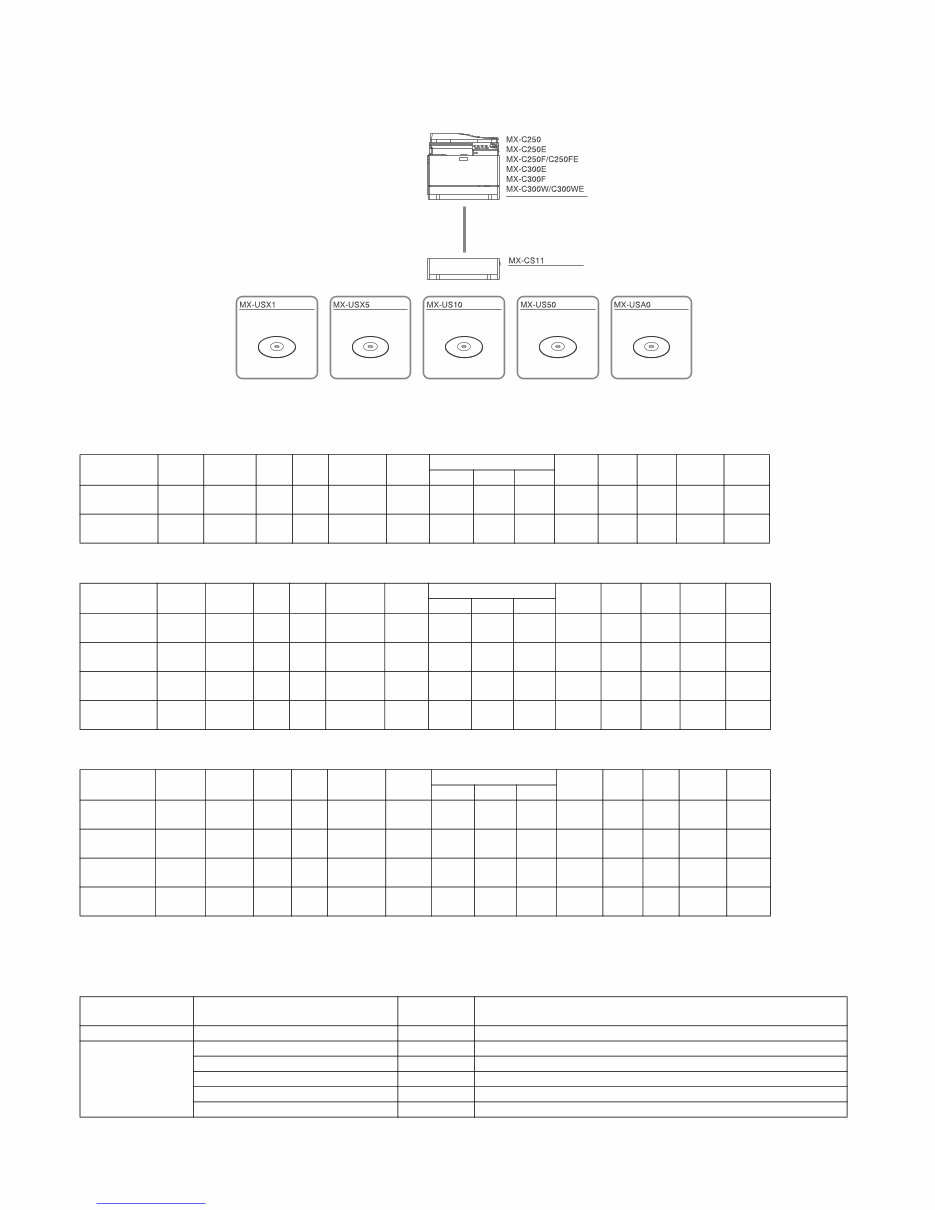
MX-C250 PRODUCT OUTLINE 1 – 1
MX-C250
Service Manual [1] PRODUCT OUTLINE
1. System configuration
2. Product list
A.North America
B.Europe
C.Other
*The same speed in both Color/Monochrome. The same speed in both A4/LTR.
3. Option list
STD: Standard provision, OPT: Option, - : No setting
Product
Name
cpm* Panel HDD NIC Wireless
LAN
Copy Print NW
Scan
Fax iFAX DF OSA
SAPL PCL PS
MX-C250 25cpm
Mono
CD
No STD No STD No STD STD STD No No
STD
SPF
No
MX-C300W 30cpm
Mono
CD
No STD STD STD No STD STD STD STD No
STD
RSPF
No
Product
Name
cpm* Panel HDD NIC Wireless
LAN
Copy Print NW
Scan
Fax iFAX DF OSA
SAPL PCL PS
MX-C250E 25cpm
Mono
CD
No STD No STD No STD STD STD No No
STD
SPF
No
MX-C250F /
MX-C250FE
25cpm
Mono
CD
No STD No STD No STD STD STD STD No
STD
SPF
No
MX-C300E 30cpm
Mono
CD
No STD No STD No STD STD STD No No
STD
RSPF
No
MX-C300W /
MX-C300WE
30cpm
Mono
CD
No STD STD STD No STD STD STD STD No
STD
RSPF
No
Product
Name
cpm* Panel HDD NIC Wireless
LAN
Copy Print NW
Scan
Fax iFAX DF OSA
SAPL PCL PS
MX-C250 25cpm
Mono
CD
No STD No STD No STD STD STD No No
STD
SPF
No
MX-C250F 25cpm
Mono
CD
No STD No STD No STD STD STD STD No
STD
SPF
No
MX-C300F 30cpm
Mono
CD
No STD No STD No STD STD STD STD No
STD
RSPF
No
MX-C300W 30cpm
Mono
CD
No STD STD STD No STD STD STD STD No
STD
RSPF
No
Model Name Model name MX-C250, MXC250E, MX-C250F, MX-C250FE, MX-C300E, MX-C300F, MX-
C300W, MX-C300WE
Feeding equipment 500-SHEET Paper Feed Unit MX-CS11 OPT
Application
Sharpdesk 1 License Kit MX-USX1 OPT
Sharpdesk 5 License Kit MX-USX5 OPT
Sharpdesk 10 License Kit MX-US10 OPT
Sharpdesk 50 License Kit MX-US50 OPT
Sharpdesk 100 License Kit MX-USA0 OPT
Digital full color multifunctional system
500 sheet paper feed unit
Sharpdesk 1 license kit Sharpdesk 5 license kit Sharpdesk 10 license kit Sharpdesk 50 license kit Sharpdesk 100 license kit
Downloaded from www.Manualslib.com manuals search engine
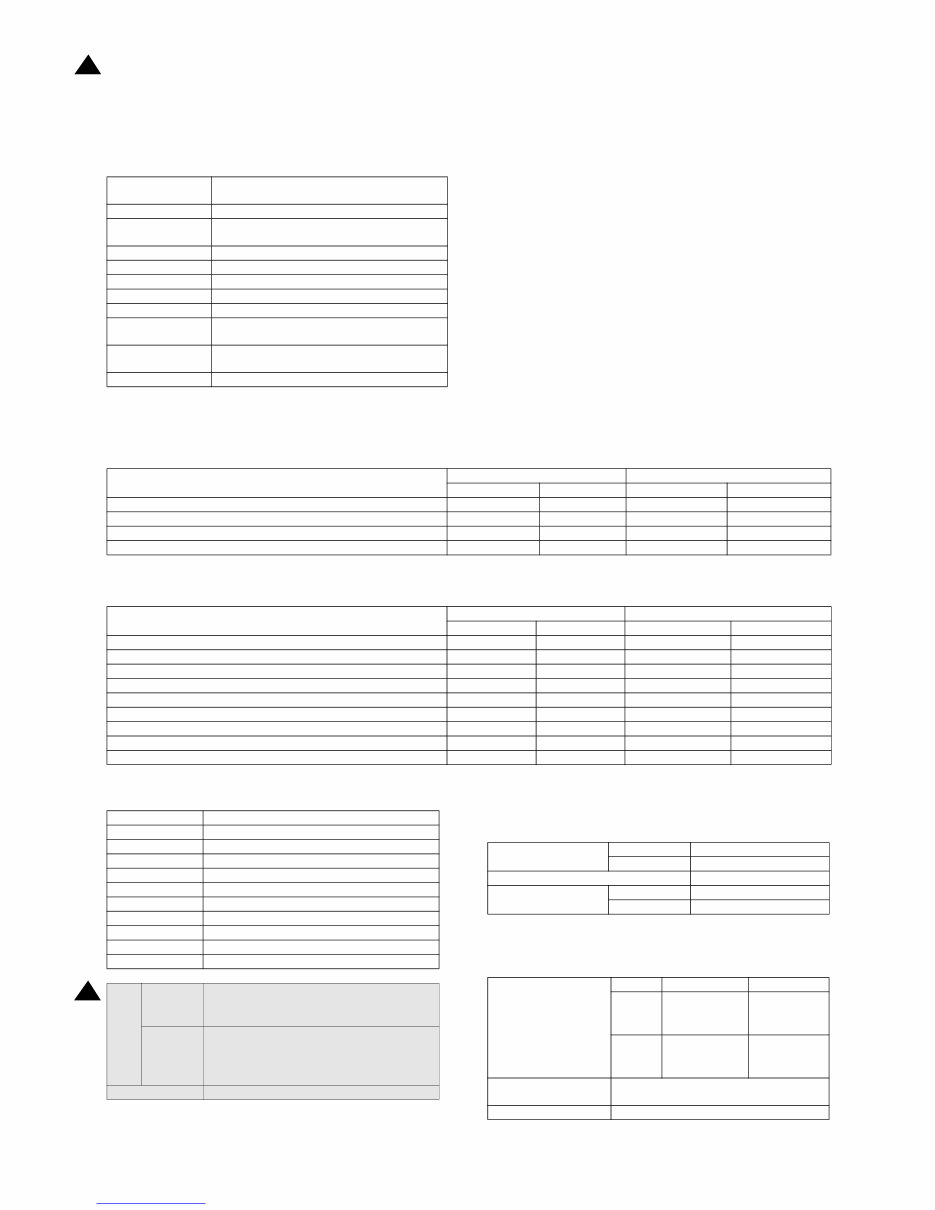
MX-C250 SPECIFICATIONS 2 – 1
MX-C250
Service Manual [2] SPECIFICATIONS
1. Basic specifications
A. Engine Specification
B. Engine speed (ppm)
(1) Tray 1, 2
(2) Bypass tray
C. Printable area
* No margin print function not provided.
D. Engine resolution
E. Scanner section
(1) Resolution/Gradation
Photo Conductor
OPC(Diameter: Black:φ30mm, Color: φ30mmx3
pieces)
Recording Electronic Photo (Laser)
Development
Dry-Type Dual-Component Magnetic Brush
Development
Charging Charged Saw-Tooth Method Roller Charging
First Transfer Mid-Transfer (Belt)
Second Transfer Transfer Roller
Cleaning Counter Blade
Fusing Heat Roller
Waste toner disposal
No toner recycling system/Toner collection
container system
Continuous toner
supply
Not available
Appearance color Neo White
Paper size
MX-C250 MX-C300
Monochrome Color Monochrome Color
8.5x14, 8.5x13, 8.5x13.4, 8.5x13.5 25 25 25 25
A4R 25 25 30 30
8.5x11R, 7.25x10.5R, B5R,16KR 25 25 30 30
A5R, 5.5x8.5R 25 25 30 30
Paper size
MX-C250 MX-C300
Monochrome Color Monochrome Color
8.5x14, 8.5x13, 8.5x13.4, 8.5x13.5 16 16 16 16
A4R 21 21 21 21
8.5x11R, 7.25x10.5R, B5R,16KR 21 21 21 21
A5R, 5.5x8.5R 21 21 21 21
Extra 16 16 16 16
OHP(A4R, 8.5x11R) 9 9 9 9
Envelope (Monarch, Com-10, DL, C5) 9 9 9 9
Heavy paper (A4R,A5R,8.5x11R,8.5x5.5R,16KR) 9 9 9 9
Heavy paper (other than above size) 9 9 9 9
A4R 202x289 mm
B5R 176x249 mm
A5R 140x202 mm
ExecutiveR 176x249 mm
16KR 187x262 mm
8.5x14 208x348 mm
8.5x13.5 208x335 mm
8.5x13.4 208x342 mm
8.5x13 208x322 mm
8.5x11R 208x271 mm
5.5x8.5R 132x208 mm
Void
area
Shipment
Value
Top/Rear total: 8mm or less (Lead edge : below
5.5mm)
FR Total: 8mm or less
Authorized
value
Lead edge : below 4.5 - 5.5mm
Rear edge : 2.0 - 3.5mm or less
Lead edge/Rear edge total : 8mm or less
FRONT/REAR total : 8mm or less
Image loss Lead edge/Rear edge/Front/Rear:4mm or less
Resolution
Copy Writing : 600x600dpi
Print Writing : 600x600dpi
Smoothing Function No
Tone
Copy 1bit / 2bit
Print 1bit / 2bit
Scan Resolution for
Copying (dpi)
Monochrome Color
Original
Glass
600x600dpi
600x400dpi
(default)
600x600dpi
600x400dpi
(default)
SPF/
RSPF
600x600dpi
600x300dpi
(default)
600x600dpi
600x300dpi
(default)
Transmission Resolution
(dpi)
Refer to Image Transmission Feature.
Exposure Lamp LED
1
1 13.Aug
Downloaded from www.Manualslib.com manuals search engine
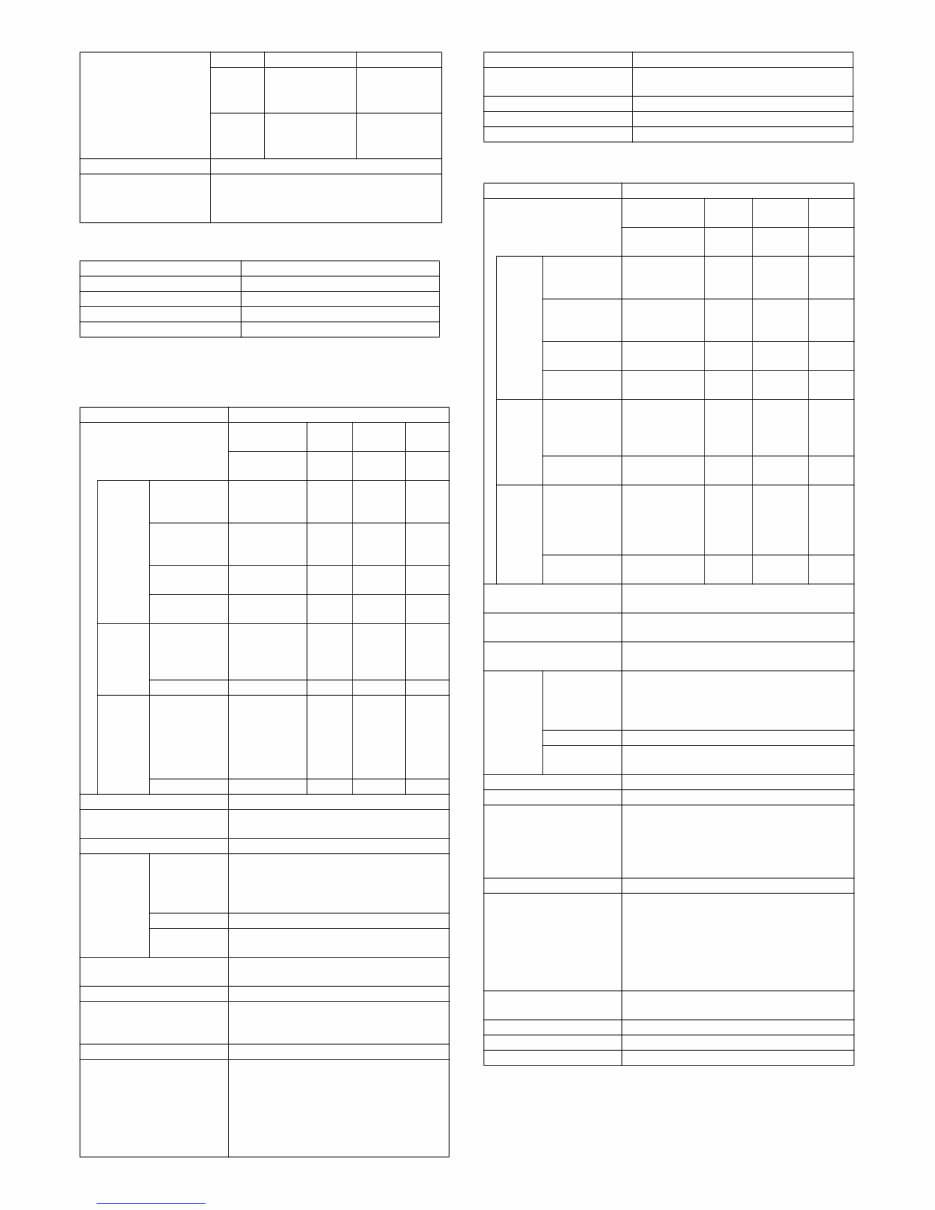
MX-C250 SPECIFICATIONS 2 – 2
(2) Document table
F. Document feeder
(1) SPF
(2)RSPF
Scan Levels 16 bit
Output Levels
Monochrome : 2bit
Gray scale : 8bit
Full Color : RGB each color 8bit
Form Fixed original glass (Flatbed)
Scan Range 216x297mm(A4/LTR)
Standard Location of Original Rear Left
Original size detection No
Heater (scanner section) No
Type SPF
Scanning speed
Monochrome Color
Monoch
rome
Color
(8.5x11R)
(8.5x1
1R)
(A4R) (A4R)
Copy
Single side
600x300dpi
19page/min
9.5pag
e/min
18 page/
min
9
page/
min
Single side
600x600dpi
9.5page/min
4.5pag
e/min
9 page/
min
4
page/
min
Double side
600x300dpi
No No No No
Double side
600x600dpi
No No No No
Fax(for
non-
U.S.
models
only)
Single side
13.5page/min
(200x200dpi)
No
13 page/
min
(200x20
0dpi)
No
Double side No No No No
SCAN
Single side
19page/min
(200x200dpi)
9.5pag
e/min
(200x2
00dpi)
18 page/
min
(200x20
0dpi)
9
page/
min
(200x
200dp
i)
Double side No No No No
Document Setting Direction Face up
Standard Location of
Original Document
Center alignment
Document Feeding Method Sheet through
Document
Size
Standard
Type
<Single side> Horizontal scanning :
139.7mm -216mm Vertical scanning :
139.7mm . 356mm
<Double> Not supported
Long Paper Length: Max. 500mm (mono: 1 bit only)
Business
Card*1
Y:51mm-55mm X:89mm-91mm
Mix Paper Feeding
Available for Fax mode (single side send
only)
Random Paper Feeding No
Document Weight
<Single side> Regular paper : 50-105g/m2,
13-28 lb Bond
<Double> Not supported
Document Capacity Max. 35 pages (80g/m2, 21 lbs Bond)
Type of document that may
not be used
OHP, the 2nd original drawing sheet,
Tracing paper, carbon paper, thermal paper,
wrinkled / broken / torn document, document
with cut or paste, document printed with ink
ribbon, and perforated document except for
the document having wide width for 2 holes,
3 holes, or 4 holes
Scan Resolution for
Copying (dpi)
Monochrome Color
Original
Glass
600x600dpi
600x400dpi
(default)
600x600dpi
600x400dpi
(default)
SPF/
RSPF
600x600dpi
600x300dpi
(default)
600x600dpi
600x300dpi
(default)
Standard Location of
Original Document
Center alignment
Document size detection No
Paper Feeding Direction Right hand side paper feeding
Stamp No
Type RSPF
Scanning speed
Monochrome Color
Monochr
ome
Color
(8.5x11R)
(8.5x11
R)
(A4R) (A4R)
Copy
Single side
600x300dpi
19page/min
9.5pag
e/min
18 page/
min
9
page/
min
Single side
600x600dpi
9.5page/min
4.5pag
e/min
9 page/
min
4
page/
min
Double side
600x300dpi
8sheet/min
4.5she
et/min
8sheet/
min
4sheet
/min
Double side
600x600dpi
4.5sheet/min
2sheet/
min
4.5sheet/
min
2sheet
/min
Fax
Single side
13.5page/min
(200x200dpi)
No
13 page/
min
(200x20
0dpi)
No
Double side 7.5sheet/min No
7sheet/
min
No
SCAN
Single side
19page/min
(200x200dpi)
9.5pag
e/min
(200x2
00dpi)
18 page/
min
(200x20
0dpi)
9
page/
min
(200x2
00dpi)
Double side 8sheet/min
4.5she
et/min
8sheet/
min
4.5she
et/min
Document Setting
Direction
Face up
Standard Location of
Original Document
Center alignment
Document Feeding
Method
Sheet through
Documen
t Size
Standard
Type
<Single side> Horizontal scanning : 139.7mm -
216mm Vertical scanning : 139.7mm . 356mm
<Double side> Horizontal scanning : 139.7mm
-216mm Vertical scanning : 170mm . 356mm
Long Paper Length: Max. 500mm (mono: 1 bit only)
Business
Card*1
Y:51mm-55mm X:89mm-91mm
Mix Paper Feeding Available for Fax mode
Random Paper Feeding No
Document Weight
<Single side> Regular paper : 50-105g/m2,
13-28 lb Bond
<Double side> Regular paper : 50-105g/m2,
13-28 lb Bond
Business Card: Thickness 0.1mm-0.2mm
Document Capacity Max. 50 pages (80g/m2, 21 lbs Bond)
Type of document that
may not be used
OHP, the 2nd original drawing sheet, Tracing
paper, carbon paper, thermal paper, wrinkled /
broken / torn document, document with cut or
paste, document printed with ink ribbon, and
perforated document except for the document
having wide width for 2 holes, 3 holes, or 4
holes
Standard Location of
Original Document
Center alignment
Document size detection No
Paper Feeding Direction Right hand side paper feeding
Stamp No
Type SPF
Downloaded from www.Manualslib.com manuals search engine
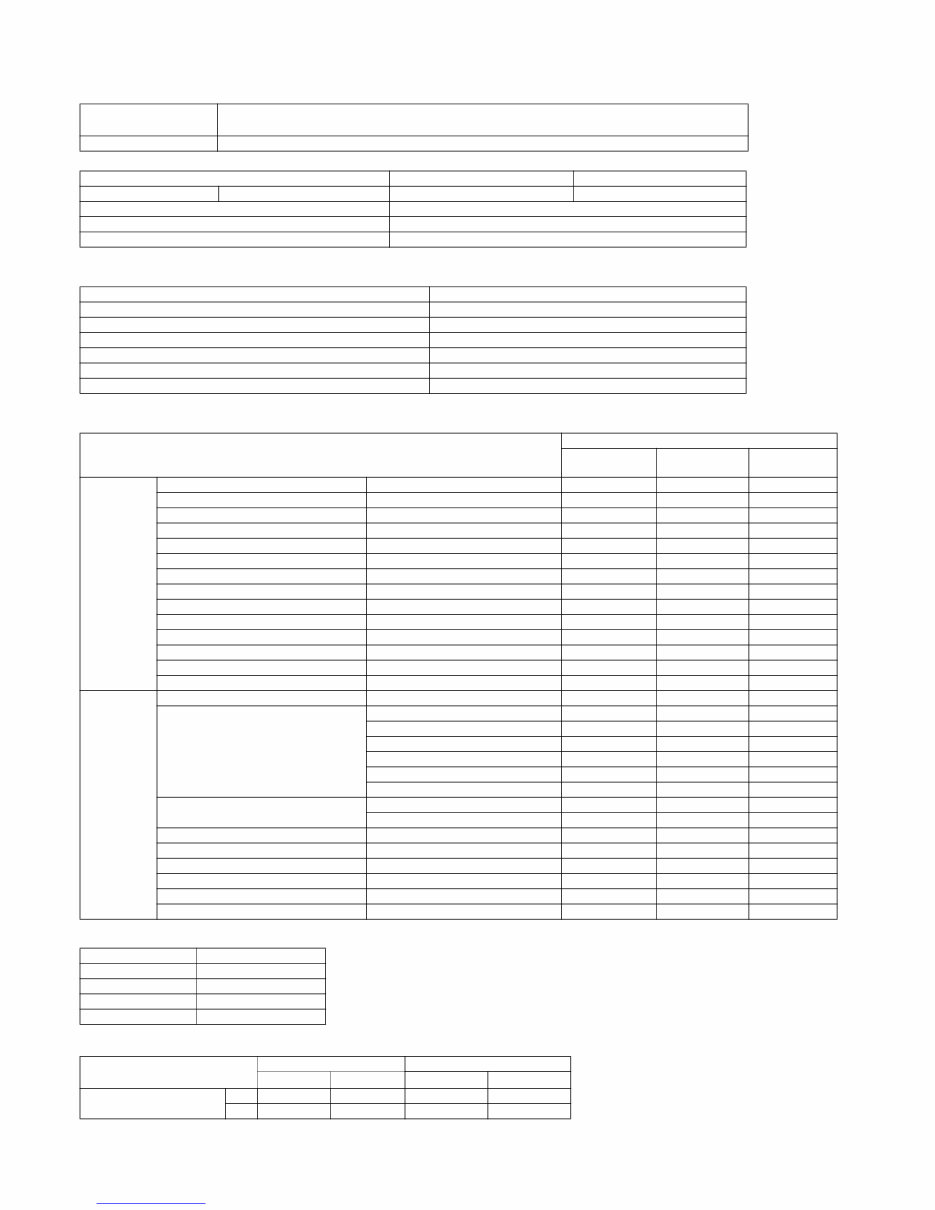
MX-C250 SPECIFICATIONS 2 – 3
G. Paper feed section
(1) Basic specifications
(2) Other paper type capacities
(3) Size of paper which can be fed
Envelope Type
Custom Size
Form
Std: 1-Paper Tray / Multi Bypass Tray
Max: 2-Paper Tray / Multi Bypass Tray
Heater No
Tray Tray 1 Bypass Tray
Paper Capacity Standard paper (80g/m2) 250sheets 50 sheets
Paper Size Detection No
Paper Size Changing Method Changed by Users
Detection of Remaining Paper Only detects if any paper remains or not
Paper Type Bypass Tray
Envelope 10 sheets
OHP 10 sheets
Heavy paper 20 sheets
Tab Paper No
Gloss Paper 1 sheets
Other Special Paper 1 sheet
Paper Feeding Section
Main Unit
Optional
Drawer
Multi Bypass
Paper size
8.5'x14' (Legal) 216x356mm No No Yes
8.5'x13.5' (Asian Legal) 216x343mm No No Yes
8.5'x13.4' (Mexican Legal) 216x340 mm No No Yes
8.5'x13' (Foolscap) 216x330 mm No No Yes
8.5'x11'R (Letter R) 216x279 mm Yes Yes Yes
5.5'x8.5'R (Invoice R) 140x216 mm Yes Yes Yes
ExecutiveR 184x266 mm Yes Yes Yes
A4R 210x297 mm Yes Yes Yes
B5R 182x257 mm Yes Yes Yes
A5R 148x210 mm Yes Yes Yes
A6R 105x148mm No No Yes
16KR 195x270 mm Yes Yes Yes
Envelope No No Yes
Custom No No Yes
Paper Type
Thin Paper 55-59g/m2 13-16lb bond No No Yes
Plain Paper
60-105g/m2 16-28lb bond Yes Yes Yes
Recycled Paper Yes Yes Yes
Color Paper Yes Yes Yes
Letter Head Yes Yes Yes
Pre-Printed Paper Yes Yes Yes
Pre-Punched Paper Yes Yes Yes
Heavy paper
106-220g/m2 28 lb bond -80 lb Cover No No Yes
221 g/mor more 81lb Cover or more No No No
Envelope 75-90g/m2 No No Yes
Transparency No No Yes
Label No No Yes
Tab Paper No No No
Glossy Paper No No Yes
User Setting 1-7 No No No
Type Size
Monarch 98x191
Com10 105x241
DL 110x220
C5 162x229
AB System (mm) Inch System (inch)
Min. Max. Min. Max.
Multi Bypass Tray
X 140 356 5_1/2 14
Y 90 216 3_5/8 8_1/2
Downloaded from www.Manualslib.com manuals search engine
MX-C250 SPECIFICATIONS 2 – 4
H. Paper exit section
(1) Exit Capacity
(2) Size of paper which can be discharged
Envelope Type
Custom Size
I. Operation panel
Ejection part Center part of the main unit
Ejection method Face-down ejection
Paper capacity for ejection 150 sheets (for A4R, 8.5x11R )
Ejectable paper size and weight Refer to "Size of paper which can be discharged".
Shifter function No
Detection of ejected paper No
Detection of full ejected paper Yes
Duplex Section
Paper Ejection Section
Exit Tray
Paper size
8.5'x14' (Legal) 216x356mm Yes Yes
8.5'x13.5' (Asian Legal) 216x343mm Yes Yes
8.5'x13.4' (Mexican Legal) 216x340 mm Yes Yes
8.5'x13' (Foolscap) 216x330 mm Yes Yes
8.5'x13' (Foolscap) 216x330 mm Yes Yes
8.5'x11'R (Letter R) 216x279 mm Yes Yes
5.5'x8.5'R (Invoice R) 140x216 mm Yes Yes
Executive R 184x266 mm No Yes
A4R 210x297 mm Yes Yes
B5R 182x257 mm Yes Yes
A5R 148x210 mm Yes Yes
A6R 105x148mm No Yes
16KR 195x270 mm Yes Yes
Envelope No Yes
Custom No Yes
Paper Type
Thin Paper 55-59g/m2 13-16lb bond No Yes
Plain Paper
60-105g/m2 16-28lb bond Yes Yes
Recycled Paper Yes Yes
Color Paper Yes Yes
Letter Head Yes Yes
Pre-Printed Paper Yes Yes
Pre-Punched Paper Yes Yes
106-220g/m2 28 lb bond -80 lb Cover No Yes
Heavy paper
106-220g/m2 28 lb bond -80 lb Cover No Yes
221 g/m2 or more 81lb Cover or more No No
Envelope 75-90g/m2 No Yes
Transparency No Yes
Label No Yes
Tab Paper No No
Glossy Paper No Yes
User Setting 1-7 No No
Type Size
Monarch 98x191
Com10 105x241
DL 110x220
C5 162x229
AB System (mm) Inch System (inch)
Min. Max. Min. Max.
Multi Bypass Tray
X 140 356 5_1/2 14
Y 90 216 3_5/8 8_1/2
Form LCD with backlight
Color Monochrome
Number of display dots 192x73 dots
LCD driving display area (WxD) 63 x 65mm
LCD Backlight White LED
LCD Contrast adjustment No
Angle/position adjustment No
Downloaded from www.Manualslib.com manuals search engine
You're Reading a Preview
What's Included?
Lifetime Access
Fast Download Speeds
Online & Offline Access
Access PDF Contents & Bookmarks
Full Search Facility
Print one or all pages of your manual
$36.99
$48.99
Viewed 36 Times Today


Secure transaction
What's Included?
Lifetime Access
Fast Download Speeds
Online & Offline Access
Access PDF Contents & Bookmarks
Full Search Facility
Print one or all pages of your manual
$36.99
$48.99
This service and repair manual is an essential resource for anyone looking to troubleshoot and repair the Sharp MX C301 + C301W multifunctional printer. It is utilized by both professional technicians and DIY enthusiasts.
- General
- Specifications
- Consumable Parts
- External Views and Internal Structures
- Unpacking and Installation
- Operational Descriptions
- Disassembly and Assembly
- Adjustments
- Simulation
- Error Codes
- Maintenance
- User Programs
- Firmware Procedures
Additionally, you will receive the following manuals:
- Complete Parts List Catalog
- PWB Component Parts List Catalog
- Circuit Diagram Manual (Schematics, Printed Wiring Boards, Block Diagrams, Power Line Diagram, Connector & Signal List)
- Installation Manual
This service manual is highly detailed and includes illustrations and step-by-step instructions for effective repair and servicing of the device.
Please note that this is the official service and repair manual in PDF format, ensuring high-resolution quality for printing. Instant access to the manual eliminates the need for shipping and allows for immediate commencement of repairs.
Specifications:
- Language: English
- Pages: 706


