SERVICE MANUAL 2006.08 2006.08 Ver. 3.0 Ver. 3.0 FIELD SERVICE This Service Manual is designed for machine with Firmware Card Ver. G4 and onward. This Service Manual is designed for machine with Firmware Card Ver. G4 and onward. Downloaded from www.Manualslib.com manuals search engine
i FIELD SERVICE TOTAL CONTENTS SAFETY AND IMPORTANT WARNING ITEMS ..............................................................S-1 IMPORTANT NOTICE ................................................................................................S-1 DESCRIPTION ITEMS FOR DANGER, WARNING AND CAUTION ..............................................................................................S-1 SAFETY WARNINGS .................................................................................................S-2 WARNING INDICATIONS ON THE MACHINE ........................................................S-18 MEASURES TO TAKE IN CASE OF AN ACCIDENT .....................................................................................................................S-20 Composition of the service manual ................................................................................. C-1 Notation of the service manual ....................................................................................... C-2 bizhub C250/C252 Main Unit General ........................................................................................................................... 1 Maintenance ................................................................................................................... 9 Adjustment/Setting ...................................................................................................... 169 Troubleshooting........................................................................................................... 397 Appendix ..................................................................................................................... 517 Standard Controller General ........................................................................................................................... 1 Maintenance ................................................................................................................... 3 Adjustment/Setting ........................................................................................................ 37 Troubleshooting............................................................................................................. 39 DF-601 General ........................................................................................................................... 1 Maintenance ................................................................................................................... 5 Adjustment/Setting ........................................................................................................ 13 Troubleshooting............................................................................................................. 29 PC-103/PC-203 General ........................................................................................................................... 1 Maintenance ................................................................................................................... 3 Adjustment/Setting ........................................................................................................ 13 Troubleshooting............................................................................................................. 19 PC-403 General ........................................................................................................................... 1 Maintenance ................................................................................................................... 3 Downloaded from www.Manualslib.com manuals search engine
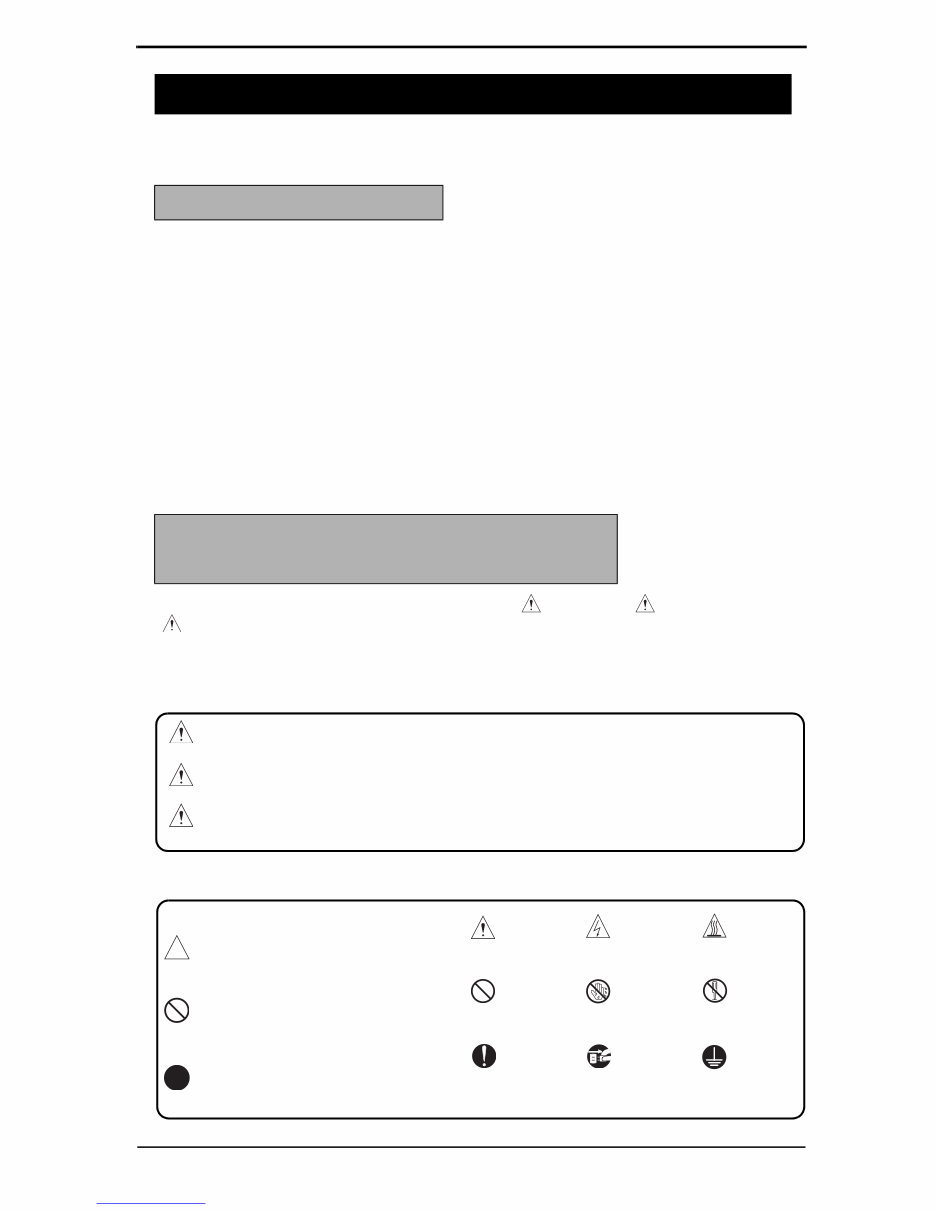
SAFETY AND IMPORTANT WARNING ITEMS S-1 Read carefully the Safety and Important Warning Items described below to understand them before doing service work. Because of possible hazards to an inexperienced person servicing this product as well as the risk of damage to the product, KONICA MINOLTA BUSINESS TECHNOLOGIES, INC. (hereafter called the KMBT) strongly recommends that all servicing be performed only by KMBT-trained service technicians. Changes may have been made to this product to improve its performance after this Service Manual was printed. Accordingly, KMBT does not warrant, either explicitly or implicitly, that the information contained in this Service Manual is complete and accurate. The user of this Service Manual must assume all risks of personal injury and/or damage to the product while servicing the product for which this Service Manual is intended. Therefore, this Service Manual must be carefully read before doing service work both in the course of technical training and even after that, for performing maintenance and control of the product properly. Keep this Service Manual also for future service. In this Service Manual, each of three expressions “ DANGER”, “ WARNING”, and “ CAUTION” is defined as follows together with a symbol mark to be used in a limited meaning. When servicing the product, the relevant works (disassembling, reassembling, adjustment, repair, maintenance, etc.) need to be conducted with utmost care. Symbols used for safety and important warning items are defined as follows: SAFETY AND IMPORTANT WARNING ITEMS IMPORTANT NOTICE DESCRIPTION ITEMS FOR DANGER, WARNING AND CAUTION DANGER: Action having a high possibility of suffering death or serious injury WARNING: Action having a possibility of suffering death or serious injury CAUTION: Action having a possibility of suffering a slight wound, medium trouble, and property damage :Precaution when servicing the product. General precaution Electric hazard High temperature :Prohibition when servicing the product. General prohibition Do not touch with wet hand Do not disassemble :Direction when servicing the product. General instruction Unplug Ground/Earth Downloaded from www.Manualslib.com manuals search engine
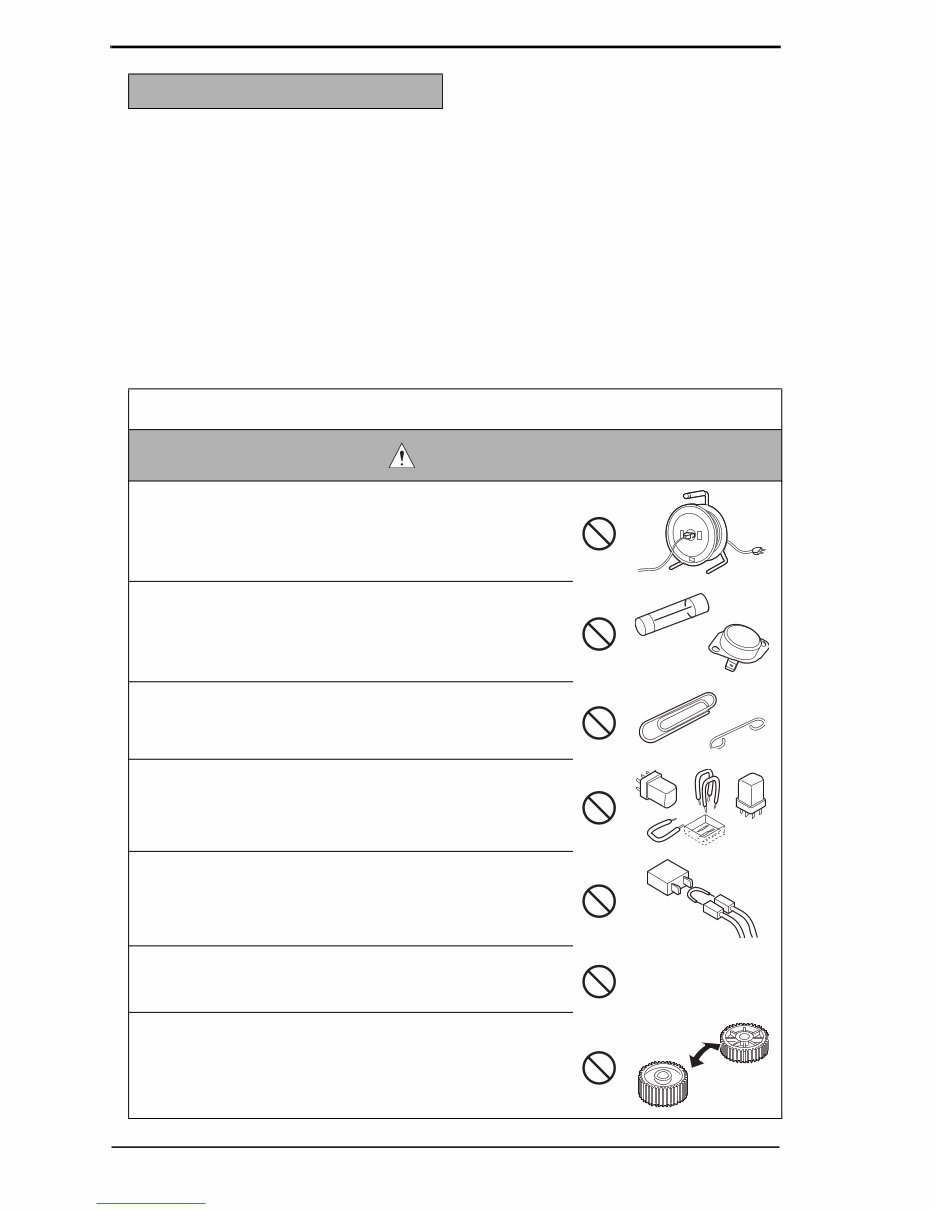
SAFETY AND IMPORTANT WARNING ITEMS S-2 [1] MODIFICATIONS NOT AUTHORIZED BY KONICA MINOLTA BUSINESS TECHNOLOGIES, INC. KONICA MINOLTA brand products are renowned for their high reliability. This reliability is achieved through high-quality design and a solid service network. Product design is a highly complicated and delicate process where numerous mechanical, physical, and electrical aspects have to be taken into consideration, with the aim of arriving at proper tolerances and safety factors. For this reason, unauthorized modifications involve a high risk of degradation in performance and safety. Such modifications are therefore strictly prohibited. the points listed below are not exhaustive, but they illustrate the reason- ing behind this policy. SAFETY WARNINGS Prohibited Actions DANGER • Using any cables or power cord not specified by KMBT. • Using any fuse or thermostat not specified by KMBT. Safety will not be assured, leading to a risk of fire and injury. • Disabling fuse functions or bridging fuse terminals with wire, metal clips, solder or similar object. • Disabling relay functions (such as wedging paper between relay contacts) • Disabling safety functions (interlocks, safety circuits, etc.) Safety will not be assured, leading to a risk of fire and injury. • Making any modification to the product unless instructed by KMBT • Using parts not specified by KMBT Downloaded from www.Manualslib.com manuals search engine
SAFETY AND IMPORTANT WARNING ITEMS S-3 [2] POWER PLUG SELECTION In some countries or areas, the power plug provided with the product may not fit wall outlet used in the area. In that case, it is obligation of customer engineer (hereafter called the CE) to attach appropriate power plug or power cord set in order to connect the product to the supply. Power Cord Set or Power Plug WARNING • Use power supply cord set which meets the following criteria: - provided with a plug having configuration intended for the connection to wall outlet appropriate for the prod- uct's rated voltage and current, and - the plug has pin/terminal(s) for grounding, and - provided with three-conductor cable having enough cur- rent capacity, and - the cord set meets regulatory requirements for the area. Use of inadequate cord set leads to fire or electric shock. • Attach power plug which meets the following criteria: - having configuration intended for the connection to wall outlet appropriate for the product's rated voltage and current, and - the plug has pin/terminal(s) for grounding, and - meets regulatory requirements for the area. Use of inadequate cord set leads to the product connect- ing to inadequate power supply (voltage, current capacity, grounding), and may result in fire or electric shock. • Conductors in the power cable must be connected to ter- minals of the plug according to the following order: • Black or Brown: L (line) • White or Light Blue: N (neutral) • Green/Yellow: PE (earth) Wrong connection may cancel safeguards within the product, and results in fire or electric shock. kw Downloaded from www.Manualslib.com manuals search engine
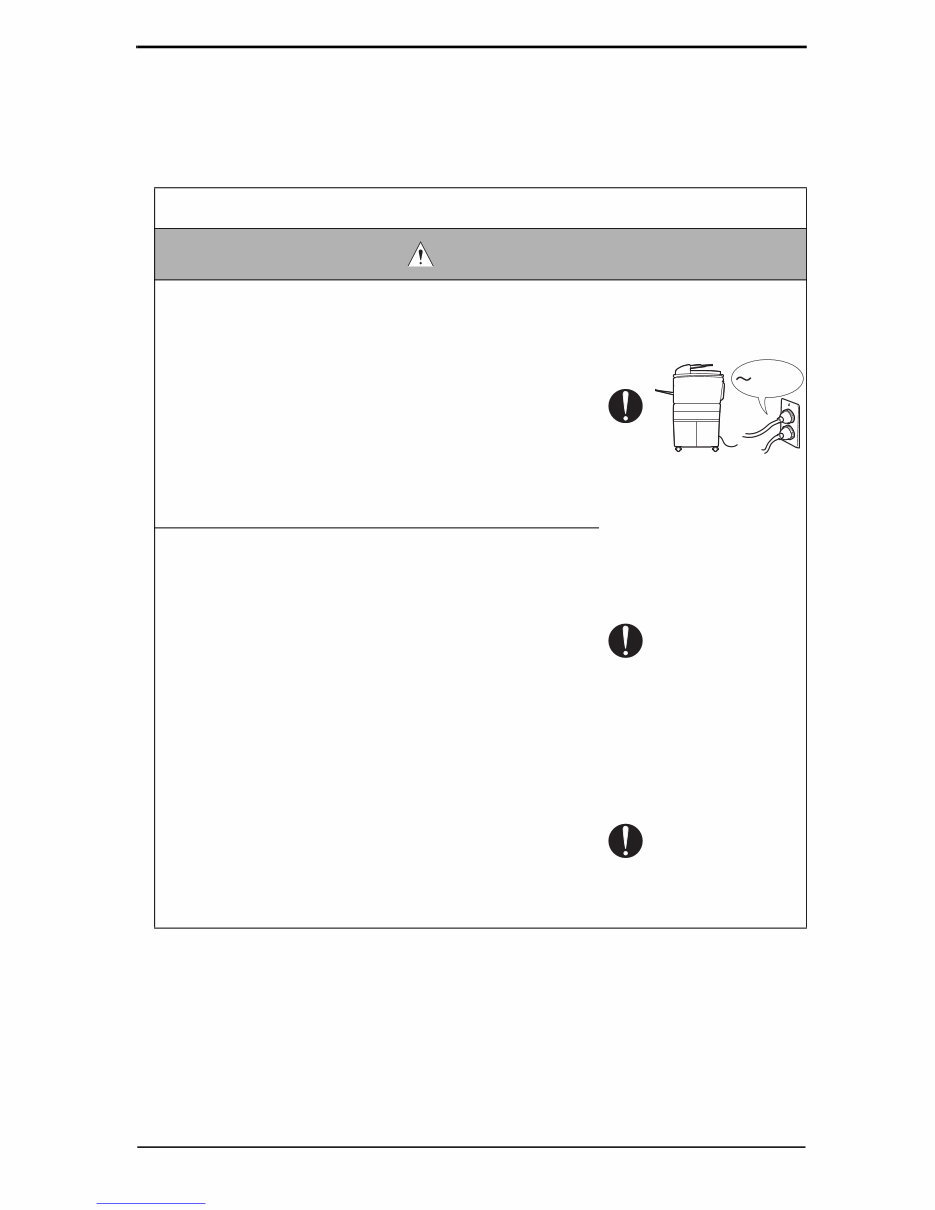
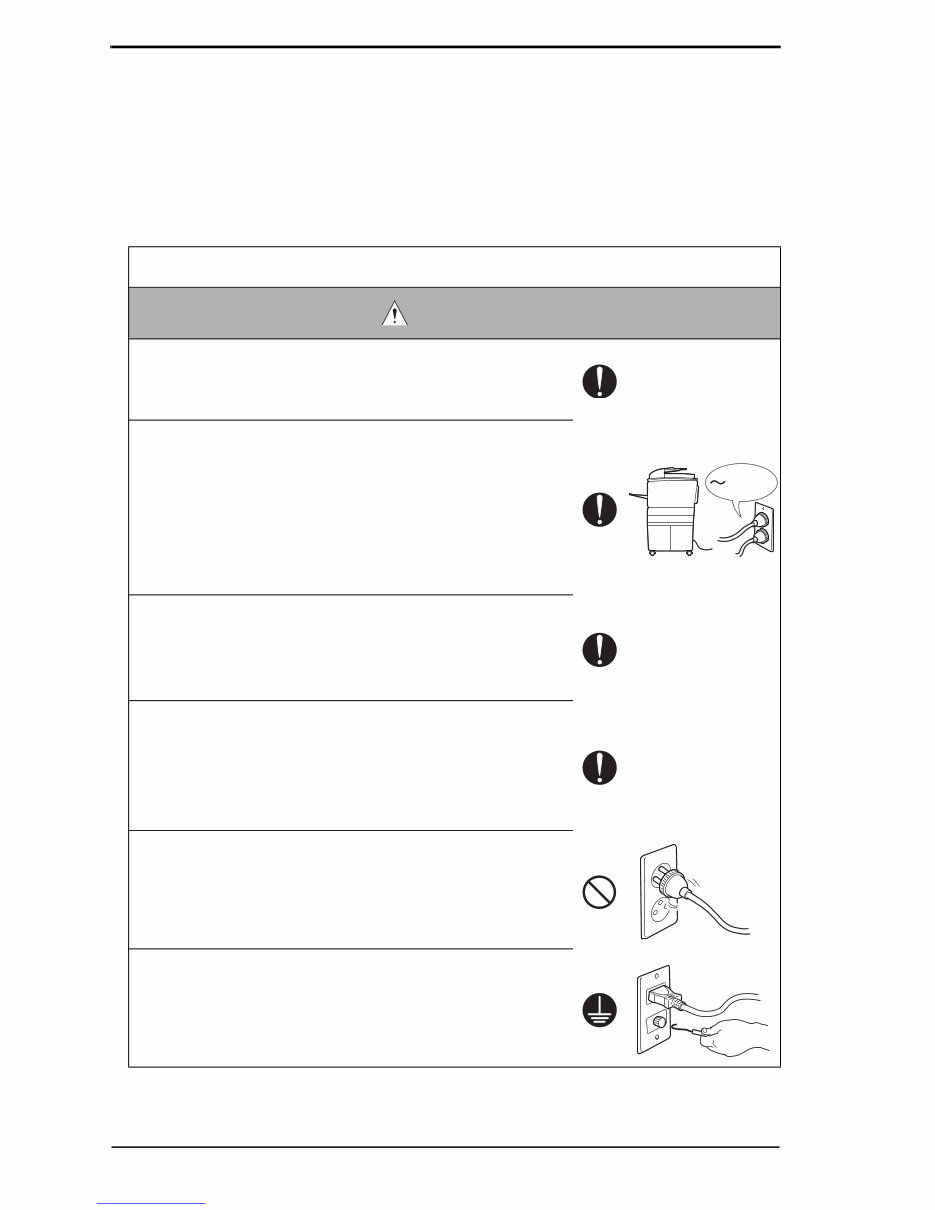
SAFETY AND IMPORTANT WARNING ITEMS S-4 [3] CHECKPOINTS WHEN PERFORMING ON-SITE SERVICE KONICA MINOLTA brand products are extensively tested before shipping, to ensure that all applicable safety standards are met, in order to protect the customer and customer engi- neer (hereafter called the CE) from the risk of injury. However, in daily use, any electrical equipment may be subject to parts wear and eventual failure. In order to maintain safety and reliability, the CE must perform regular safety checks. 1. Power Supply Connection to Power Supply WARNING • Check that mains voltage is as specified. Connection to wrong voltage supply may result in fire or electric shock. • Connect power plug directly into wall outlet having same configuration as the plug. Use of an adapter leads to the product connecting to inadequate power supply (voltage, current capacity, grounding), and may result in fire or electric shock. If proper wall outlet is not available, advice the customer to contact qualified electrician for the installation. • Plug the power cord into the dedicated wall outlet with a capacity greater than the maximum power consumption. If excessive current flows in the wall outlet, fire may result. • If two or more power cords can be plugged into the wall outlet, the total load must not exceed the rating of the wall outlet. If excessive current flows in the wall outlet, fire may result. • Make sure the power cord is plugged in the wall outlet securely. Contact problems may lead to increased resistance, overheating, and the risk of fire. • Check whether the product is grounded properly. If current leakage occurs in an ungrounded product, you may suffer electric shock while operating the product. Connect power plug to grounded wall outlet. kw Downloaded from www.Manualslib.com manuals search engine
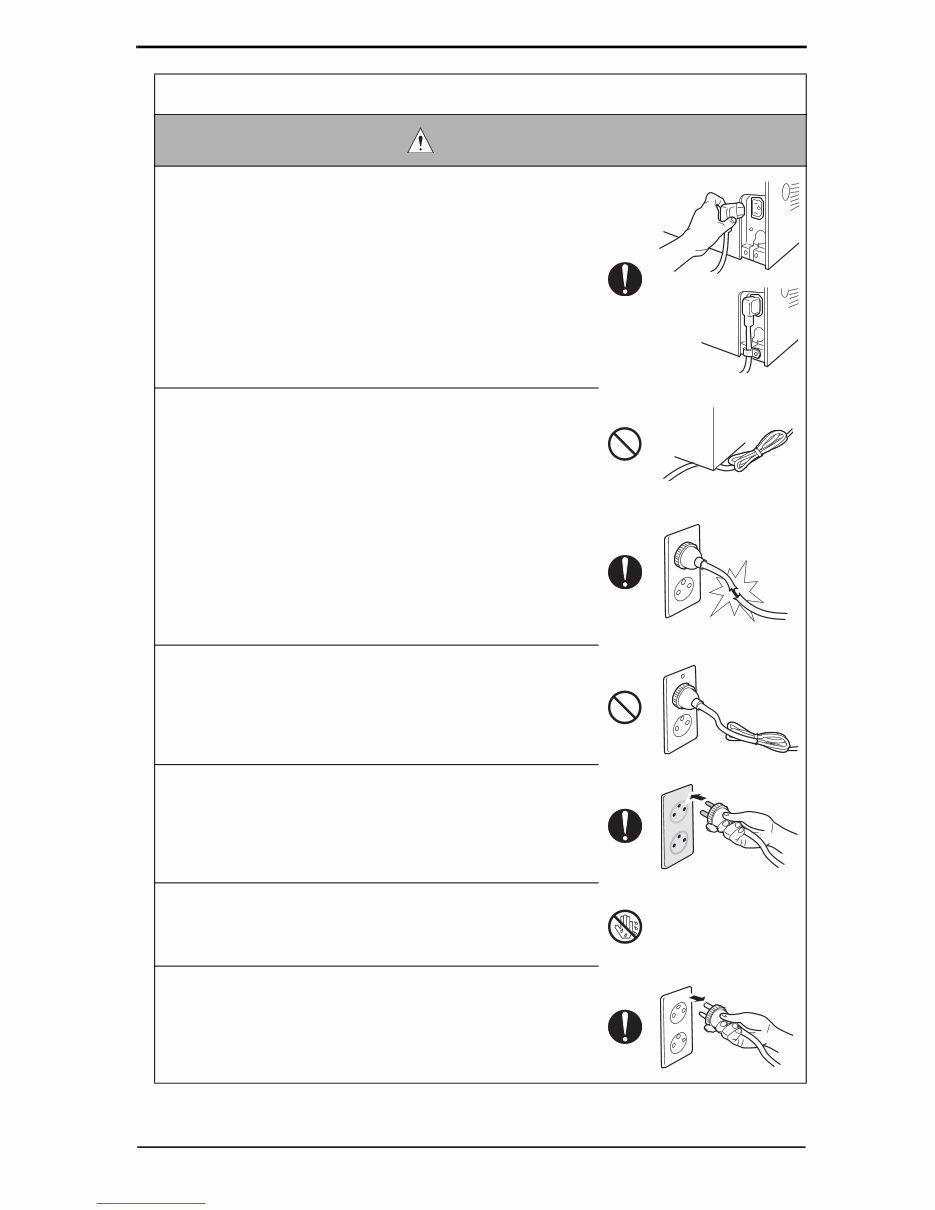
SAFETY AND IMPORTANT WARNING ITEMS S-5 Power Plug and Cord WARNING • When using the power cord set (inlet type) that came with this product, make sure the connector is securely inserted in the inlet of the product. When securing measure is provided, secure the cord with the fixture properly. If the power cord (inlet type) is not connected to the prod- uct securely, a contact problem may lead to increased resistance, overheating, and risk of fire. • Check whether the power cord is not stepped on or pinched by a table and so on. Overheating may occur there, leading to a risk of fire. • Check whether the power cord is damaged. Check whether the sheath is damaged. If the power plug, cord, or sheath is damaged, replace with a new power cord (with plug and connector on each end) specified by KMBT. Using the damaged power cord may result in fire or electric shock. • Do not bundle or tie the power cord. Overheating may occur there, leading to a risk of fire. • Check whether dust is collected around the power plug and wall outlet. Using the power plug and wall outlet without removing dust may result in fire. • Do not insert the power plug into the wall outlet with a wet hand. The risk of electric shock exists. • When unplugging the power cord, grasp the plug, not the cable. The cable may be broken, leading to a risk of fire and electric shock. Downloaded from www.Manualslib.com manuals search engine
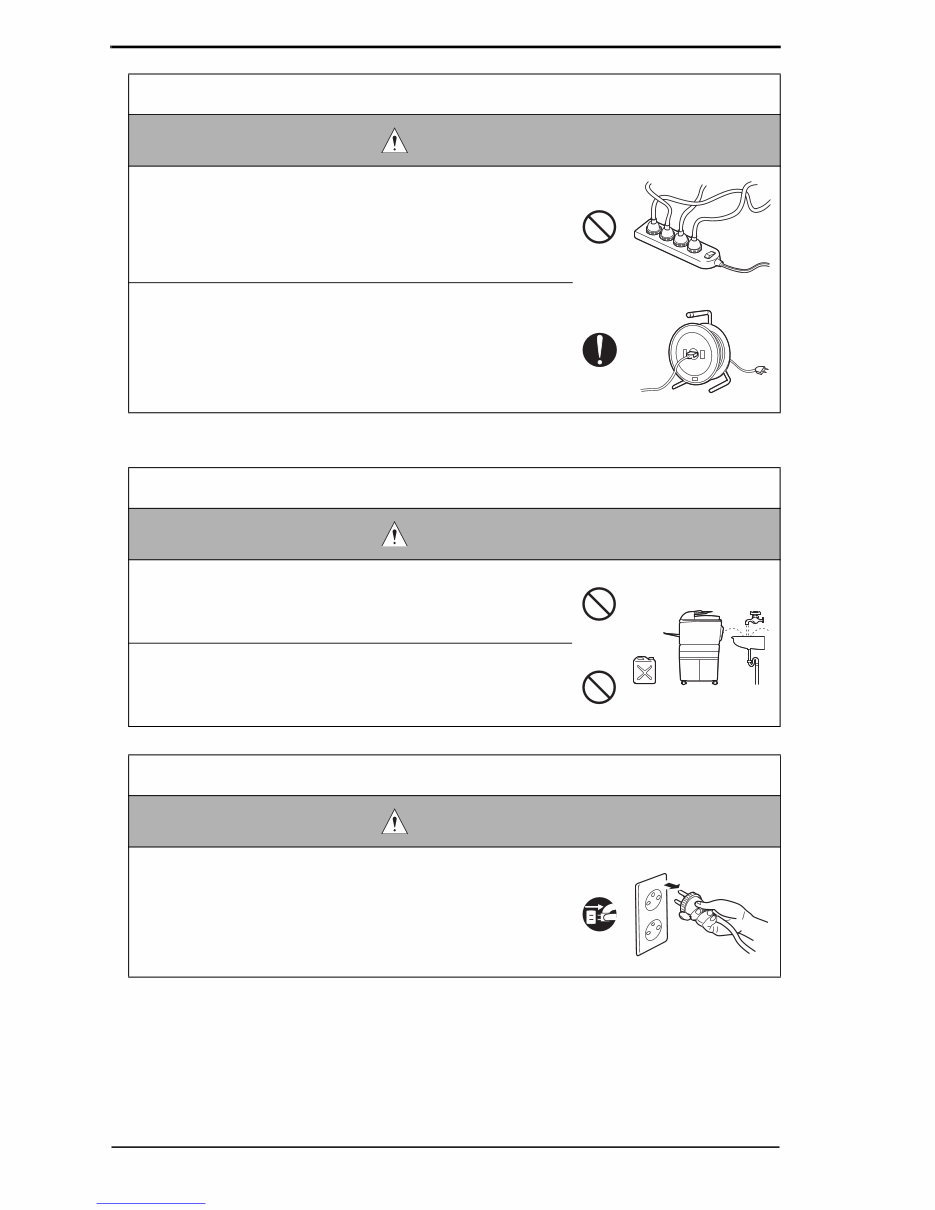
SAFETY AND IMPORTANT WARNING ITEMS S-6 2. Installation Requirements Wiring WARNING • Never use multi-plug adapters to plug multiple power cords in the same outlet. If used, the risk of fire exists. • When an extension cord is required, use a specified one. Current that can flow in the extension cord is limited, so using a too long extension cord may result in fire. Do not use an extension cable reel with the cable taken up. Fire may result. Prohibited Installation Places WARNING • Do not place the product near flammable materials or vola- tile materials that may catch fire. A risk of fire exists. • Do not place the product in a place exposed to water such as rain. A risk of fire and electric shock exists. When not Using the Product for a long time WARNING • When the product is not used over an extended period of time (holidays, etc.), switch it off and unplug the power cord. Dust collected around the power plug and outlet may cause fire. Downloaded from www.Manualslib.com manuals search engine
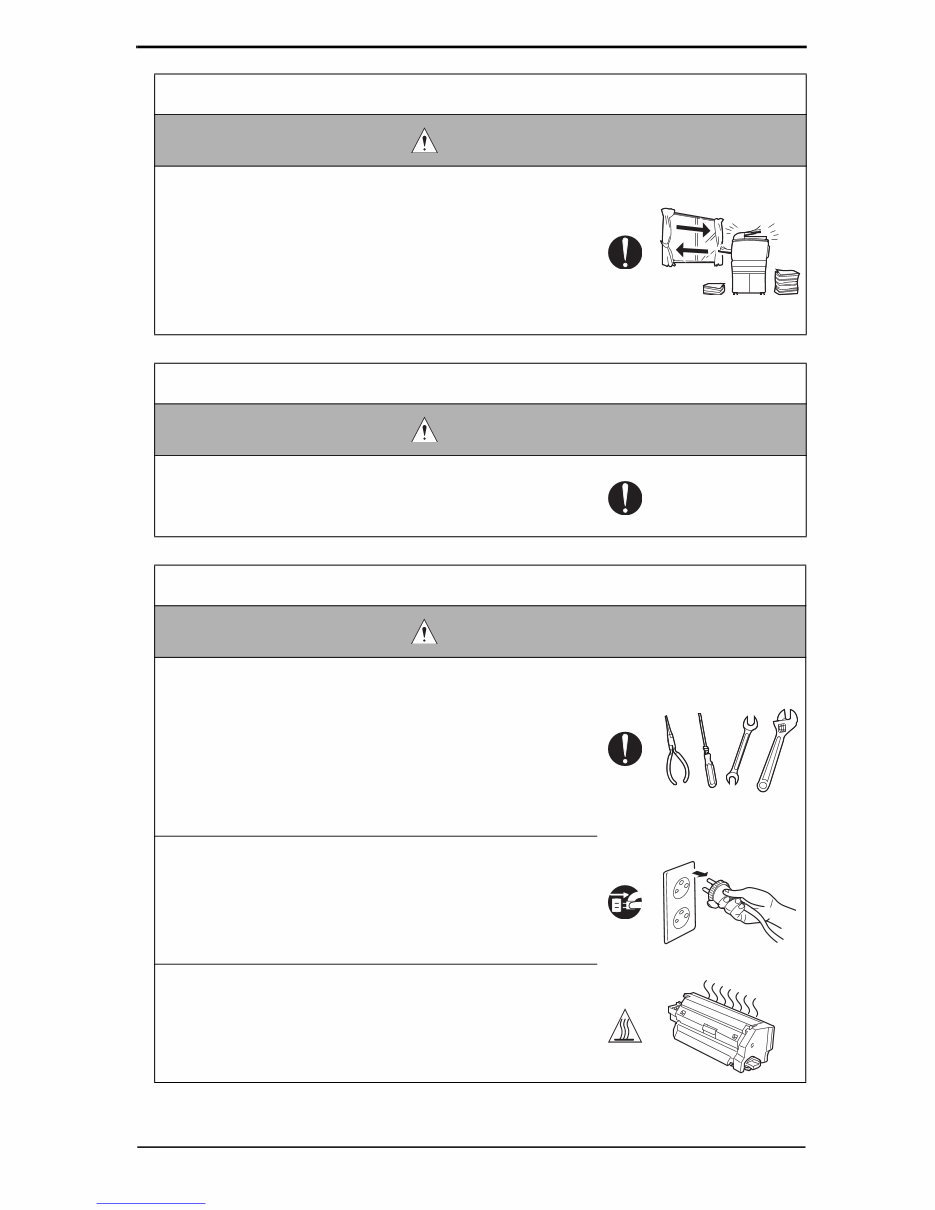
SAFETY AND IMPORTANT WARNING ITEMS S-7 Ventilation CAUTION • The product generates ozone gas during operation, but it will not be harmful to the human body. If a bad smell of ozone is present in the following cases, ventilate the room. a. When the product is used in a poorly ventilated room b. When taking a lot of copies c. When using multiple products at the same time Stability CAUTION • Be sure to lock the caster stoppers. In the case of an earthquake and so on, the product may slide, leading to a injury. Inspection before Servicing CAUTION • Before conducting an inspection, read all relevant docu- mentation (service manual, technical notices, etc.) and proceed with the inspection following the prescribed pro- cedure, using only the prescribed tools. Do not make any adjustment not described in the documentation. If the prescribed procedure or tool is not used, the prod- uct may break and a risk of injury or fire exists. • Before conducting an inspection, be sure to disconnect the power plugs from the product and options. When the power plug is inserted in the wall outlet, some units are still powered even if the POWER switch is turned OFF. A risk of electric shock exists. • The area around the fixing unit is hot. You may get burnt. Downloaded from www.Manualslib.com manuals search engine
You're Reading a Preview
What's Included?
Lifetime Access
Fast Download Speeds
Online & Offline Access
Access PDF Contents & Bookmarks
Full Search Facility
Print one or all pages of your manual
$30.99
Konica Minolta bizhub C250 / C252 Service Repair Manual
This is a comprehensive Service Repair Manual for the Konica Minolta bizhub C250 / C252. The manual contains easy-to-understand text sections with high-quality diagrams and step-by-step instructions for repairing your Konica Minolta machine. It is a valuable resource for both professional mechanics and DIY enthusiasts, providing technical theory, installation, maintenance, troubleshooting, disassembly, assembly, and repair guidance for Konica Minolta products.
Models Covered:
Konica Minolta bizhub C250
Konica Minolta bizhub C252
The manual includes the following content:
Safety and important warning items
Description items for danger, warning, and caution
Safety warnings and indications on the machine
Measures to take in case of an accident
Composition of the service manual
Notation of the service manual
Details about the main unit and its composition/operation
Information about additional components such as DF-601, PC-103/PC-203, PC-403, AD-503, FS-501, FS-514/PK-510/OT-601, MT-501, SD-503, JS-601, FS-603, and PK-501/PK-4/PK-131
Model Specification: Konica Minolta bizhub C250 / C252
Total Pages: 364
File Format: .PDF
Language: English
Compatibility: All Versions of Windows & Mac, APP ISO, iPhone, iPad, Android, etc.
This manual is in .PDF format and is fully indexed and bookmarked by topic, ensuring easy navigation. It is an original Adobe document, providing high-quality and printable content. The manual can be quickly searched to find relevant information in every chapter. Users have the flexibility to print the entire manual or select specific pages. Additionally, the ability to zoom in on diagrams or pictures facilitates easy part identification.
By using this manual, individuals can save time and money by performing their own repairs. The step-by-step instructions and detailed pictures cover all areas of repair, making any repair job easy to accomplish.
All Service Repair Manuals are available for instant download, eliminating shipping costs and waiting time. Upon payment completion through the secure processor, customers can instantly access the manual. Major credit/debit cards and PayPal are accepted for payment.
Reviews
Q&A
Recently Viewed
5,521,897Happy Clients
2,594,462eManuals
1,120,453Trusted Sellers
15Years in Business
Price:
Actual Price:
Konica Minolta bizhub C250 / C252 Service Repair Manual




 Lifetime Access




