SERVICE MANUAL 2008.06 2008.06 Ver. 8.0 Ver. 8.0 FIELD SERVICE This service manual is designed for machine with firmware card ver. J8 and onward. This service manual is designed for machine with firmware card ver. J8 and onward.
i FIELD SERVICE TOTAL CONTENTS SAFETY AND IMPORTANT WARNING ITEMS ..............................................................S-1 IMPORTANT NOTICE ................................................................................................S-1 DESCRIPTION ITEMS FOR DANGER, WARNING AND CAUTION .........................S-1 SAFETY WARNINGS .................................................................................................S-2 WARNING INDICATIONS ON THE MACHINE ........................................................S-18 MEASURES TO TAKE IN CASE OF AN ACCIDENT ....................................................S-21 Composition of the service manual ................................................................................. C-1 Notation of the service manual ....................................................................................... C-2 bizhub C650/C550/C451 Main body Outline ............................................................................................................................ 1 Maintenance ................................................................................................................. 15 Adjustment/Setting...................................................................................................... 279 Troubleshooting........................................................................................................... 577 Appendix ..................................................................................................................... 735 Standard controller Outline ............................................................................................................................ 1 Maintenance ................................................................................................................... 3 Troubleshooting............................................................................................................. 37 i-Option LK-101/102/103 Outline ............................................................................................................................ 1 Adjustment/Setting.......................................................................................................... 3 Troubleshooting............................................................................................................. 21 DF-611/610 Outline ............................................................................................................................ 1 Maintenance ................................................................................................................... 5 Adjustment/Setting........................................................................................................ 27 Troubleshooting............................................................................................................. 53 LU-301 Outline ............................................................................................................................ 1 Maintenance ................................................................................................................... 3 Adjustment/Setting........................................................................................................ 31 Troubleshooting............................................................................................................. 39
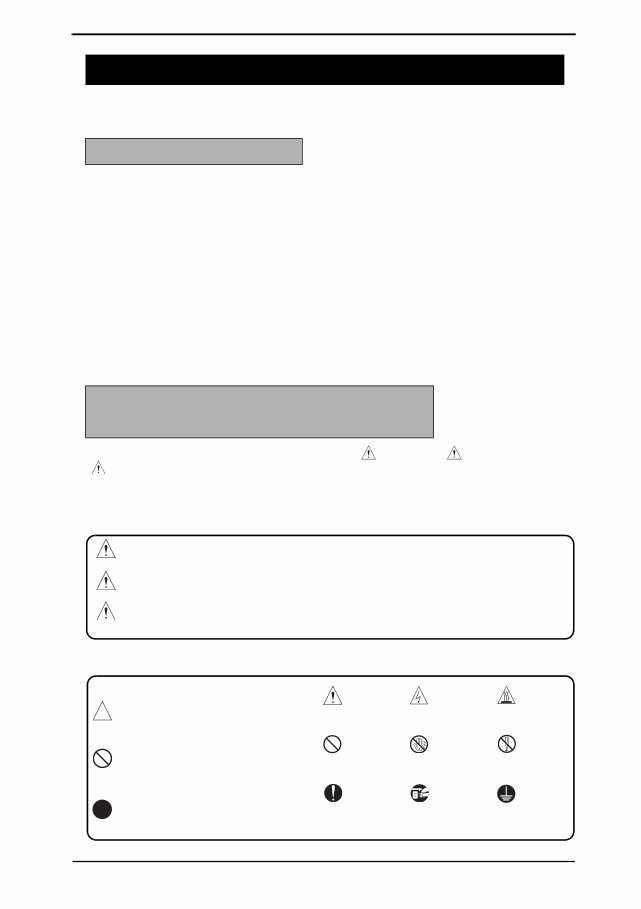
SAFETY AND IMPORTANT WARNING ITEMS S-1 Read carefully the safety and important warning items described below to understand them before doing service work. Because of possible hazards to an inexperienced person servicing this product as well as the risk of damage to the product, KONICA MINOLTA BUSINESS TECHNOLOGIES, INC. (hereafter called the KMBT) strongly recommends that all servicing be performed only by KMBT-trained service technicians. Changes may have been made to this product to improve its performance after this Service Manual was printed. Accordingly, KMBT does not warrant, either explicitly or implicitly, that the information contained in this service manual is complete and accurate. The user of this service manual must assume all risks of personal injury and/or damage to the product while servicing the product for which this service manual is intended. Therefore, this service manual must be carefully read before doing service work both in the course of technical training and even after that, for performing maintenance and control of the product properly. Keep this service manual also for future service. In this Service Manual, each of three expressions “ DANGER”, “ WARNING”, and “ CAUTION” is defined as follows together with a symbol mark to be used in a limited meaning. When servicing the product, the relevant works (disassembling, reassembling, adjustment, repair, maintenance, etc.) need to be conducted with utmost care. Symbols used for safety and important warning items are defined as follows: SAFETY AND IMPORTANT WARNING ITEMS IMPORTANT NOTICE DESCRIPTION ITEMS FOR DANGER, WARNING AND CAUTION DANGER: Action having a high possibility of suffering death or serious injury WARNING: Action having a possibility of suffering death or serious injury CAUTION: Action having a possibility of suffering a slight wound, medium trouble, and property damage :Precaution when servicing the product. General precaution Electric hazard High temperature :Prohibition when servicing the product. General prohibition Do not touch with wet hand Do not disassemble :Direction when servicing the product. General instruction Unplug Ground/Earth
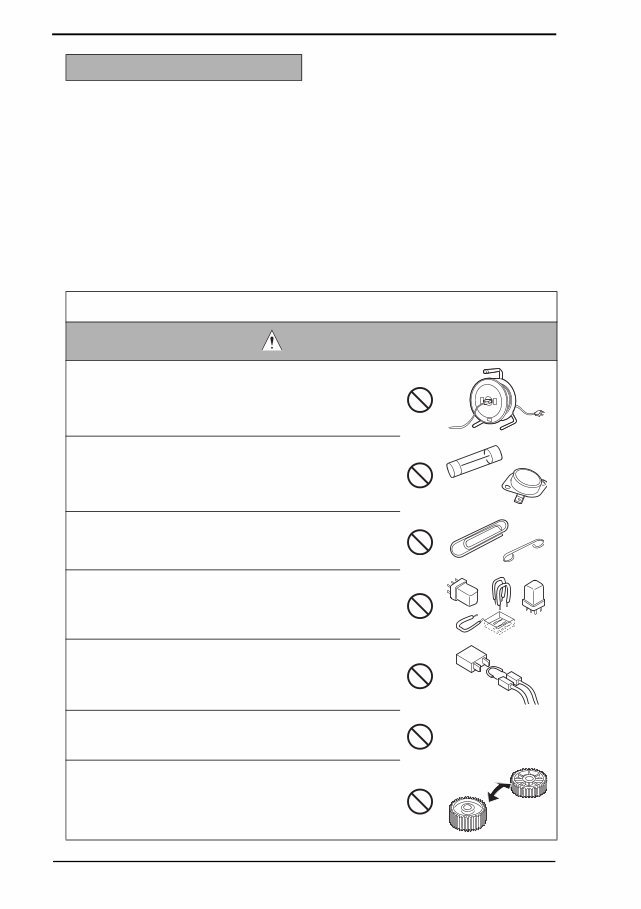
SAFETY AND IMPORTANT WARNING ITEMS S-2 [1] MODIFICATIONS NOT AUTHORIZED BY KONICA MINOLTA BUSINESS TECHNOLOGIES, INC. KONICA MINOLTA brand products are renowned for their high reliability. This reliability is achieved through high-quality design and a solid service network. Product design is a highly complicated and delicate process where numerous mechanical, physical, and electrical aspects have to be taken into consideration, with the aim of arriving at proper tolerances and safety factors. For this reason, unauthorized modifications involve a high risk of degradation in performance and safety. Such modifications are therefore strictly prohibited. the points listed below are not exhaustive, but they illustrate the reason- ing behind this policy. SAFETY WARNINGS Prohibited Actions DANGER • Using any cables or power cord not specified by KMBT. • Using any fuse or thermostat not specified by KMBT. Safety will not be assured, leading to a risk of fire and injury. • Disabling fuse functions or bridging fuse terminals with wire, metal clips, solder or similar object. • Disabling relay functions (such as wedging paper between relay contacts) • Disabling safety functions (interlocks, safety circuits, etc.) Safety will not be assured, leading to a risk of fire and injury. • Making any modification to the product unless instructed by KMBT • Using parts not specified by KMBT
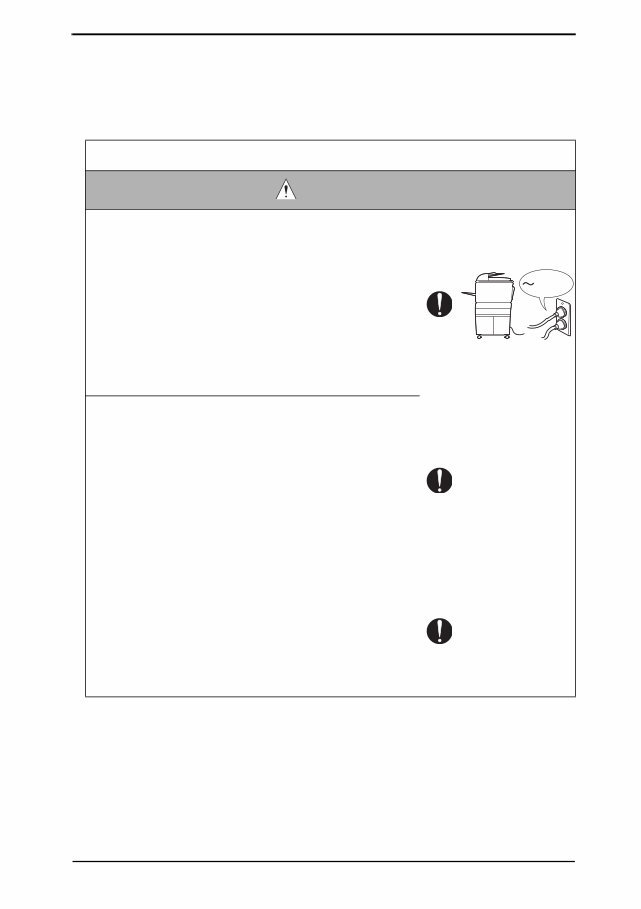
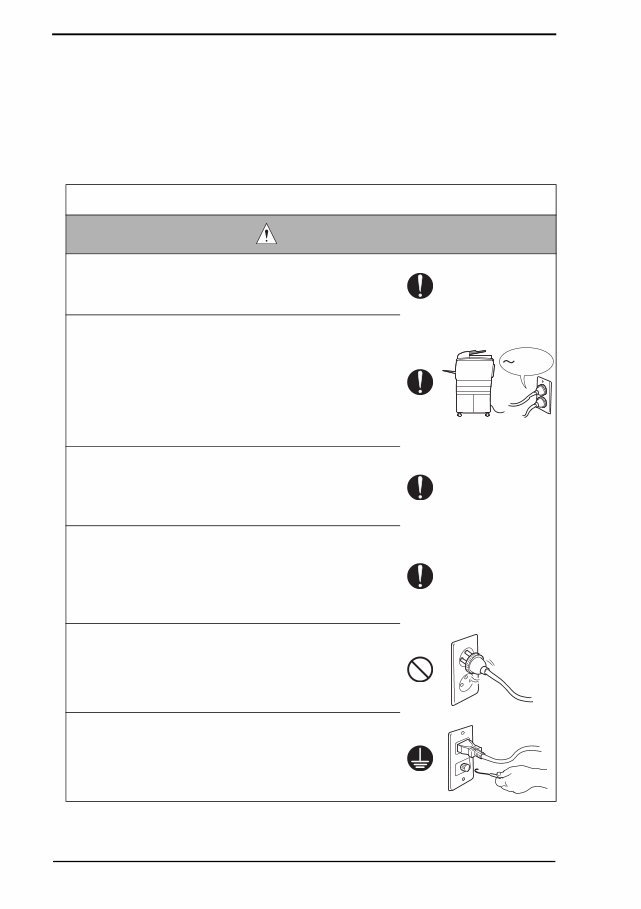
SAFETY AND IMPORTANT WARNING ITEMS S-3 [2] POWER PLUG SELECTION In some countries or areas, the power plug provided with the product may not fit wall outlet used in the area. In that case, it is obligation of customer engineer (hereafter called the CE) to attach appropriate power plug or power cord set in order to connect the product to the supply. Power Cord Set or Power Plug WARNING • Use power supply cord set which meets the following criteria: - provided with a plug having configuration intended for the connection to wall outlet appropriate for the prod- uct's rated voltage and current, and - the plug has pin/terminal(s) for grounding, and - provided with three-conductor cable having enough cur- rent capacity, and - the cord set meets regulatory requirements for the area. Use of inadequate cord set leads to fire or electric shock. • Attach power plug which meets the following criteria: - having configuration intended for the connection to wall outlet appropriate for the product's rated voltage and current, and - the plug has pin/terminal(s) for grounding, and - meets regulatory requirements for the area. Use of inadequate cord set leads to the product connect- ing to inadequate power supply (voltage, current capacity, grounding), and may result in fire or electric shock. • Conductors in the power cable must be connected to ter- minals of the plug according to the following order: •Black or Brown:L (line) •White or Light Blue:N (neutral) •Green/Yellow:PE (earth) Wrong connection may cancel safeguards within the product, and results in fire or electric shock. kw
SAFETY AND IMPORTANT WARNING ITEMS S-4 [3] CHECKPOINTS WHEN PERFORMING ON-SITE SERVICE KONICA MINOLTA brand products are extensively tested before shipping, to ensure that all applicable safety standards are met, in order to protect the customer and customer engi- neer (hereafter called the CE) from the risk of injury. However, in daily use, any electrical equipment may be subject to parts wear and eventual failure. In order to maintain safety and reliability, the CE must perform regular safety checks. 1. Power Supply Connection to Power Supply WARNING • Check that mains voltage is as specified. Connection to wrong voltage supply may result in fire or electric shock. • Connect power plug directly into wall outlet having same configuration as the plug. Use of an adapter leads to the product connecting to inadequate power supply (voltage, current capacity, grounding), and may result in fire or electric shock. If proper wall outlet is not available, advice the customer to contact qualified electrician for the installation. • Plug the power cord into the dedicated wall outlet with a capacity greater than the maximum power consumption. If excessive current flows in the wall outlet, fire may result. • If two or more power cords can be plugged into the wall outlet, the total load must not exceed the rating of the wall outlet. If excessive current flows in the wall outlet, fire may result. • Make sure the power cord is plugged in the wall outlet securely. Contact problems may lead to increased resistance, overheating, and the risk of fire. • Check whether the product is grounded properly. If current leakage occurs in an ungrounded product, you may suffer electric shock while operating the product. Connect power plug to grounded wall outlet. kw
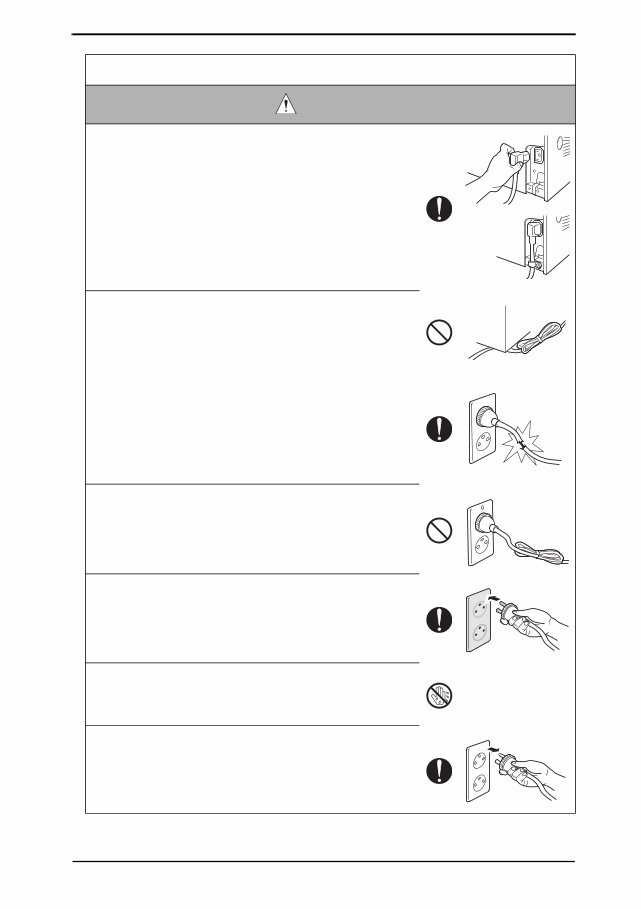
SAFETY AND IMPORTANT WARNING ITEMS S-5 Power Plug and Cord WARNING • When using the power cord set (inlet type) that came with this product, make sure the connector is securely inserted in the inlet of the product. When securing measure is provided, secure the cord with the fixture properly. If the power cord (inlet type) is not connected to the prod- uct securely, a contact problem may lead to increased resistance, overheating, and risk of fire. • Check whether the power cord is not stepped on or pinched by a table and so on. Overheating may occur there, leading to a risk of fire. • Check whether the power cord is damaged. Check whether the sheath is damaged. If the power plug, cord, or sheath is damaged, replace with a new power cord (with plug and connector on each end) specified by KMBT. Using the damaged power cord may result in fire or electric shock. • Do not bundle or tie the power cord. Overheating may occur there, leading to a risk of fire. • Check whether dust is collected around the power plug and wall outlet. Using the power plug and wall outlet without removing dust may result in fire. • Do not insert the power plug into the wall outlet with a wet hand. The risk of electric shock exists. • When unplugging the power cord, grasp the plug, not the cable. The cable may be broken, leading to a risk of fire and electric shock.
This is the complete KONICA MINOLTA Service Repair Manual for the bizhub C650/C550/C451 FIELD SERVICE.
The manual consists of 1503 pages in PDF format and includes detailed pictures, diagrams, and step-by-step procedures. It is fully indexed and bookmarked by topic, allowing for quick searches within each chapter.
You have the flexibility to print the entire manual or select specific pages as needed. Additionally, you can zoom in on any diagram or picture for a closer view of every part.
This SERVICE MANUAL is an original Adobe document, ensuring perfect quality and printing.
Whether you are a professional mechanic or a DIY enthusiast, this manual provides comprehensive guidance for servicing the bizhub C650/C550/C451.








 Lifetime Access




