This apparatus must be earthed for your safety. To ensure safe operation the three-pin plug must be inserted only into a standard three-pin power point which is effectively earthed through the normal household wiring. Extension cords used with the equipment must be three-core and be correctly wired to provide connec- tion to earth. Wrongly wired extension cords are a major cause of fatalities. The fact that the equipment operates satisfactorily does not imply that the power point is earthed and that the installation is completely safe. For your safety, if you have any doubt about the effective earthing of the power point, consult a quali- fied electrician. FOR YOUR SAFETY PLEASE READ THE FOLLOWING TEXT CAREFULLY This appliance is supplied with a moulded three pin mains plug for your safety and convenience. A 3 amp fuse is fitted in this plug. Should the fuse need to be replaced please ensure that the replacement fuse has a rating of 3 amps and that it is approved by ASTA or BSI to BS 1362. Check for the ASTA mark or the BSI mark on the body of the fuse. If the plug contains a removable fuse cover you must ensure that it is refitted when the fuse is replaced. If you lose the fuse cover the plug must not be used until a replacement cover is obtained. A replacement fuse cover can be purchased from your local Panasonic Dealer. IF THE FITTED MOULDED PLUG IS UNSUITABLE FOR THE SOCKET OUTLET IN YOUR HOME THEN THE FUSE SHOULD BE REMOVED AND THE PLUG CUT OFF AND DISPOSED OF SAFELY. THERE IS A DANGER OF SEVERE ELECTRICAL SHOCK IF THE CUT OFF PLUG IS INSERTED INTO ANY 13 AMP SOCKET. If a new plug is to be fitted please observe the wiring code as shown below. If in any doubt please consult a qualified electrician. Warning: THIS APPLIANCE MUST BE EARTHED. Important The wires in this mains lead are coloured in accordance with the following code: Green-and-yellow: Earth Blue: Neutral Brown: Live As the colours of the wires in the mains lead of this apparatus may not correspond with the coloured markings identifying the terminals in your plug, proceed as follows: The wire which is coloured GREEN-and-YELLOW must be connected to the terminal in the plug which is marked by the letter E or by the safety earth symbol coloured GREEN or GREEN-and- YELLOW. The wire which is coloured Blue must be connected to the terminal which is marked with the letter N or coloured BLACK. The wire which is coloured Brown must be connected to the terminal which is marked with the letter L or coloured RED. The mains plug on this equipment must be used to disconnect the mains power. Please ensure that a socket outlet is available near the equipment and shall be easily accessible. How to replace the fuse Open the fuse compartment with a screw- driver and replace the fuse. Warnings This equipment is not designed for connection to an IT power system. (An IT system is a system having no direct connections between live parts and Earth; the exposed-conducive- parts of the electrical installation are earthed. An IT system is not permitted where the computer is directly connected to public supply systems in the U.K.) Disconnect the mains plug from the supply socket when the computer is not in use. This equipment is produced to BS800/1983. For U.K. WARNING 2 / 90
LASER SAFETY INFORMATION For U.S.A . Class 1 LASER-Product This product is certified to comply with DHHS Rules 21 CFR Subchapter J. This product complies with European Standard EN60825 (or IEC Publication 825) For all areas This equipment is classified as a class 1 level LASER product and there is no hazardous LASER radiation. Caution: (1) Use of controls or adjustments or performance of procedures other than those specified herein may result in hazardous radiation exposure. (2) The drive is designed to be incorporated into a computer-based system or unit which has an enclosing cover. It should never be used as a stand alone drive. Danger: The serviceman should not remove the cover of drive unit and should not service because the drive unit is a nonserviceable part. Please check DANGER label on PD-drive unit. • Unplug the AC power cord to the equipment before opening the top cover of the drive. When the power switch it on, do not place your eyes close to the front panel door to look into the interior of the unit. LASER Specification Class 1 level LASER Product Wave Length: DVD 658±8 nm CD 775~815 nm Laser safety information is appropriate only when drive with laser is installed. 3 / 90
Vorsicht! Explosionsgefahr bei unsachgemäßem Austausch der Batterie. Ersatz nur durch denselben order einen vom Hersteller empfohlenen ähnlichen Typ. Entsorgung gebrauchter Batterien nach Angaben des Herstellers. LITHIUMBATTERIES ATTENTION: IL Y A DANGER D'EXPLOSION S' IL Y A REMPLACEMENT INCORRECT DE LA PILE. REMPLACER UNIQUEMENT AVEC UNE PILE DU MÈME TYPE OU D'UN TYPE RECOMMANDÉ PAR LE CONSTRUCTEUR. METTRE AU RÉBUT LES PILES USAGÉES CONFORMÉMENT AUX INSTRUCTIONS DU FABRICANT. PILE AU LITHIUM LITHIUM BATTERY SAFETY PRECAUTIONS CAUTION Danger of explosion if battery is incorrectly replaced. Replace only with the same or equivalent type recommended by the equipment manufacturer. Dispose of used batteries according to the manufacturer's instructions. 1. Before servicing, unplug the power cord to prevent an electric shock. 2. When replacing parts, use only manufacture's recommended components for safety. 3. Check the condition of the power cord. Replace if wear or damage is evident. 4. After servicing, be sure to restore the lead dress, insulation barriers, insulation papers, shields, etc. LITHIUM BATTERY This computer contains a lithium battery to enable the date, time, and other data to be stored. The battery should only be exchanged by authorized service personel. Warning! A risk of explosion from incorrect installation or misapplication may possibly occur. When using your telephone equipment, basic safety precautions should always be followed to reduce the risk of fire, electric shock and injury to persons, including the following: 1. Do not use this product near water, for example, near a bath tub, wash bowl, kitchen sink or laundry tub, in a wet basement or near a swimming pool. Avoid using a telephone (other than a cordless type) during an electrical storm. 2. There may be a remote risk of electric shock from lightning. 3. Do not use the telephone to report a gas leak in the vicinity of the leak. vicinity of the leak. 4. Use only the power cord and batteries indicated in this manual. Do not dispose of batteries in a fire. They may explode. Check with local codes for possible special disposal instructions. SAVE THESE INSTRUCTIONS Important Safety Instructions 4 / 90
Getting Started Useful Information Troubleshooting Appendix Do Not Use with Any Other Product The battery pack is rechargeable and was intended for the specified product. If it is used with a product other than the one for which it was designed, electrolyte leak- age, generation of heat, ignition or rupture may result. Do Not Charge the Battery Using Methods Other Than Those Specified If the battery is not charged using one of the specified methods, electrolyte leakage, generation of heat, ignition or rupture may result. Do Not Throw the Battery Pack into a Fire or Expose It to Excessive Heat Generation of heat, ignition or rupture may result. Avoid Extreme Heat (Near the Fire, in Direct Sunlight, for Example) Electrolyte leakage, generation of heat, ignition or rupture may result. Do Not Insert Sharp Objects into the Battery Pack, Expose It to Bumps or Shocks, Disassemble, or Mod- ify It Electrolyte leakage, generation of heat, ignition or rupture may result. Do Not Short the Positive (+) and Negative (-) Con- tacts Generation of heat, ignition or rupture may result. Do not place the battery pack together with articles such as neck- laces or hairpins when carrying or storing. Do Not Use This Product with a Battery Pack Other Than the One Specified Use only the specified battery pack with your product. Use of battery packs other than those manufactured and supplied by Panasonic may present a safety hazard (generation of heat, ignition or rupture). z Do not touch the terminals on the battery pack. The battery pack may no longer function properly if the contacts are dirty or damaged. z Do not expose the battery pack to water, or allow it to become wet. z If the battery pack will not be used for a long period of time (a month or more), charge or discharge (use) the battery pack until the remaining battery level becomes 30% to 40% and store it in a cool, dry place. z This computer prevents overcharging of the battery by recharging only when the remaining power is less than approx. 95% (when Economy Mode (ECO) is enabled: 75%) of capacity. z The battery pack is not charged when the computer is first purchased. Be sure to charge it before using it for the first time. When the AC adaptor is connected to the computer, charging begins automatically. z Should the battery leak and the fluid get into your eyes, do not rub your eyes. Immediately flush your eyes with clear water and see a doctor for medical treatment as soon as possible. NOTE z The battery pack may become warm during recharging or normal use. This is completely nor- mal. z Recharging will not commence if internal tempera- ture of the battery pack is outside of the allowable temperature range (0 °C to 55 °C {32 °F to 131 °F}). (Î Reference Manual “Battery Power”) Once the allowable range requirement is satisfied, charging begins automatically. Note that the recharging time varies based on the usage condi- tions. (Recharging takes longer than usual when the temperature is 10 °C {50 °F} or below.) z If the temperature is low, the operating time is shortened. Only use the computer within the allowable temperature range. z The battery pack is a consumable item. If the amount of time the computer can be run by using a particular battery pack becomes dramatically shorter and repeated recharging does not restore its performance, the battery pack should be replaced with a new one. z When transporting a spare battery inside a pack- age, briefcase, etc., it is recommended that it be placed in a plastic bag so that its contacts are pro- tected. z Always power off the computer when it is not in use. Leaving the computer on when the AC adap- tor is not connected will exhaust the remaining bat- tery capacity. Precautions (Battery Pack) A lithium ion battery that is recyclable powers the product you have pur- chased. Please call 1-800-8-BATTERY for information on how to recycle this battery. L’appareil que vous vous êtes procuré est alimenté par une batterie au lithium-ion. Pour des renseignements sur le recy- clage de la batterie, veuillez com- poser le 1-800-8-BATTERY. 5 / 90
You're Reading a Preview
What's Included?
Lifetime Access
Fast Download Speeds
Offline Viewing
Access Contents & Bookmarks
Full Search Facility
Print one or all pages of your manual
$35.99
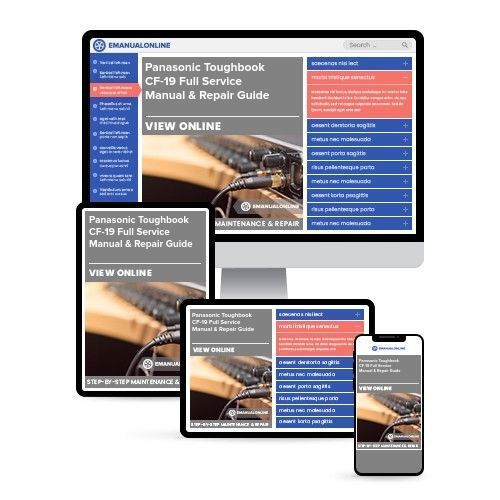
Panasonic Toughbook CF-19 Full Service Manual & Repair Guide
Is your Panasonic Toughbook CF-19 Laptop letting you down?
Why replace when you can upgrade or repair? This service and repair manual is used by the Official Certified Panasonic Technicians. It will help you to troubleshoot and repair your Laptop!
You will learn about:
Product Specifications
Adjustments
Troubleshooting
Diagnosis
Disassembly & Reassembly
Exploded Views
Parts List Catalog
This service manual is very detailed and illustrated with pictures and step-by-step instructions on how to repair/service this Laptop the best way there is!
Please note this is the OFFICIAL service and repair manual in .PDF format, no scanned-in or bootlegged copy. This manual is made in the highest resolution, so when you print the pages you need it is all in great quality!
You can easily print this manual from any printer and any computer!
***INSTANT access*** After your payment, you will have instant access to your manual. No shipping fee, no waiting on postal delivery, you can start doing your repairs right away!
Specifications
Language: English
Format: .PDF
Platform: Windows and MAC
Looking for a service manual but can't find it anywhere? Please contact us with your request! As you can see we've got the largest & most comprehensive service manual database out there, so a good chance we can help you out!
Reviews
Q&A
Recently Viewed
5,521,897Happy Clients
2,594,462eManuals
1,120,453Trusted Sellers
15Years in Business
Price:
Actual Price:
Panasonic Toughbook CF-19 Full Service Manual & Repair Guide






 Lifetime Access




