Maintenance and Service Guide HP Pavilion dv8200 Notebook PC HP Pavilion dv8000 Notebook PC Document Part Number: 403248-002 June 2006 This guide is a troubleshooting reference used for maintaining and servicing the computer. It provides comprehensive information on identifying computer features, components, and spare parts; troubleshooting computer problems; and performing computer disassembly procedures. Downloaded from www.Manualslib.com manuals search engine
vi Maintenance and Service Guide Contents 6 Specifications A Screw Listing B Software Update and Recovery C Display Component Recycling D Connector Pin Assignments E Power Cord Set Requirements Index Downloaded from www.Manualslib.com manuals search engine
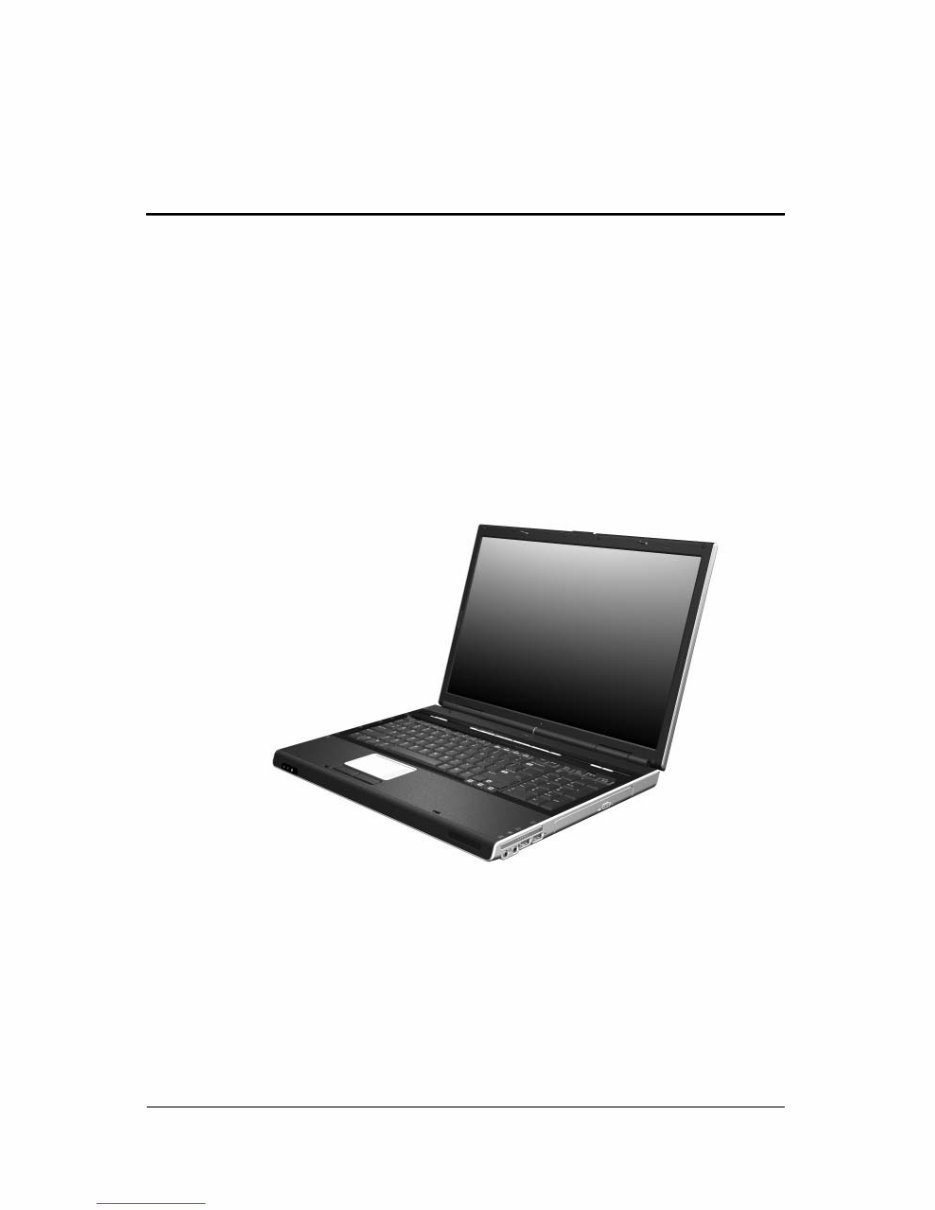
Maintenance and Service Guide 1–1 1 Product Description The HP Pavilion dv8200 Notebook PC and HP Pavilion dv8000 Notebook PC offer advanced modularity, AMD Mobile Turion™ 64 Mobile Technology and Mobile AMD Sempron™ processors, and extensive multimedia support. HP Pavilion dv8200 Notebook PC and HP Pavilion dv8000 Notebook PC Downloaded from www.Manualslib.com manuals search engine
1–2 Maintenance and Service Guide Product Description 1.1 Features ■ The following processors, varying by computer model: ❏ AMD Turion 64 ML-44 (2.4-GHz) ❏ AMD Turion 64 ML-40 (2.2-GHz) ❏ AMD Turion 64 ML-40 (2.2-GHz) ❏ AMD Turion 64 ML-37 (2.0-GHz) ❏ AMD Turion 64 ML-34 (1.8-GHz) ❏ AMD Turion 64 ML-32 (1.8-GHz) ❏ AMD Turion 64 ML-30 (1.6-GHz) ❏ Mobile AMD Sempron 3300 (2.0-GHz) ❏ Mobile AMD Sempron 3100 (1.8-GHz) ■ 17.0-inch, WSXGA+, TFT (1680 × 1050) with BrightView or 17.0-inch, WXGA+, TFT (1440 × 900) with BrightView display, varying by computer model ■ 120-, 100-, or 80-GB high-capacity hard drive, varying by computer model ■ 256-MB DDR1 synchronous DRAM (SDRAM) at 333 MHz, expandable to 2.0 GB ■ Microsoft® Windows® XP Home Edition or Windows XP Professional, varying by computer model ■ Full-size Windows keyboard with full-size numeric keypad ■ TouchPad pointing device, including dedicated vertical scroll region ■ Integrated 10Base-T/100Base-TX Ethernet local area network (LAN) network interface card (NIC) with RJ-45 jack ■ Integrated high-speed 56K modem with RJ-11 jack ■ Integrated wireless support for Mini PCI IEEE 802.11a/b/g WLAN device Downloaded from www.Manualslib.com manuals search engine
Product Description Maintenance and Service Guide 1–3 ■ Support for one Type I or Type II PC Card slot, with support for both 32-bit (CardBus) and 16-bit PC Cards ■ Support for ExpressCard slot ■ External 65-watt AC adapter with 3-wire power cord ■ 8-cell Li-Ion battery ■ Stereo speakers ■ Volume up, volume mute, and volume down buttons ■ QuickPlay buttons ■ Support for the following optical drives: ❏ DVD±RW and CD-RW Double-Layer Combo Drive with LightScribe ❏ DVD±RW and CD-RW Double-Layer Combo Drive ❏ DVD/CD-RW Combo Drive ■ Connectors: ❏ Audio-in (microphone) ❏ Audio-out (headphone) ❏ Digital Media Slot ❏ Expansion port 2 ❏ ExpressCard slot ❏ External monitor ❏ IEEE 1394 ❏ PC Card ❏ Power ❏ RJ-11 (modem) ❏ RJ-45 (network) ❏ S-Video-out ❏ Universal Serial Bus (USB) v. 2.0 (4 ports) Downloaded from www.Manualslib.com manuals search engine
1–4 Maintenance and Service Guide Product Description 1.2 Resetting the Computer If the computer you are servicing has an unknown password, follow these steps to clear the password. These steps also clear CMOS: 1. Enter an incorrect password and press enter . 2. Repeat Step 1 two times. After the third entry of the incorrect password, the computer responds with a “System Disabled” message and provides an override password. 3. Access MS/DOS by clicking Start > All Programs > Accessories > Command Prompt. 4. Enter “unlock6 xxxxx 0,” where “xxxxx” is the password generated by the computer in Step 2. The computer responds with another system-generated password. This password can be used to reset the computer and clear all CMOS settings. Downloaded from www.Manualslib.com manuals search engine
The HP Pavilion dv8000& dv8200 Workshop Repair Manual is a comprehensive resource designed to provide a better understanding of the Triumph Rocket. This Service Manual offers detailed instructions and high-quality procedures to effectively address car issues, ultimately saving time and facilitating informed decision-making.
Product Description
Troubleshooting
Illustrated Parts Catalog
Removal and Replacement Preliminaries
Removal and Replacement Procedures
Specification
Backup and Recovery
Connector Pin Assignments
Power Cord Set Requirements
Screw Listing
Index
The manual is compatible with all versions of Windows & Mac and is presented in English. It requires Adobe Reader for access. By choosing this service manual for the HP Pavilion dv8000& dv8200, both professional mechanics and DIY enthusiasts can benefit from the wealth of information provided. It enables users to stay updated and gain valuable knowledge, ultimately contributing to the effective maintenance of their vehicles. We trust that this manual will prove to be a valuable asset for your needs.











 Lifetime Access




