

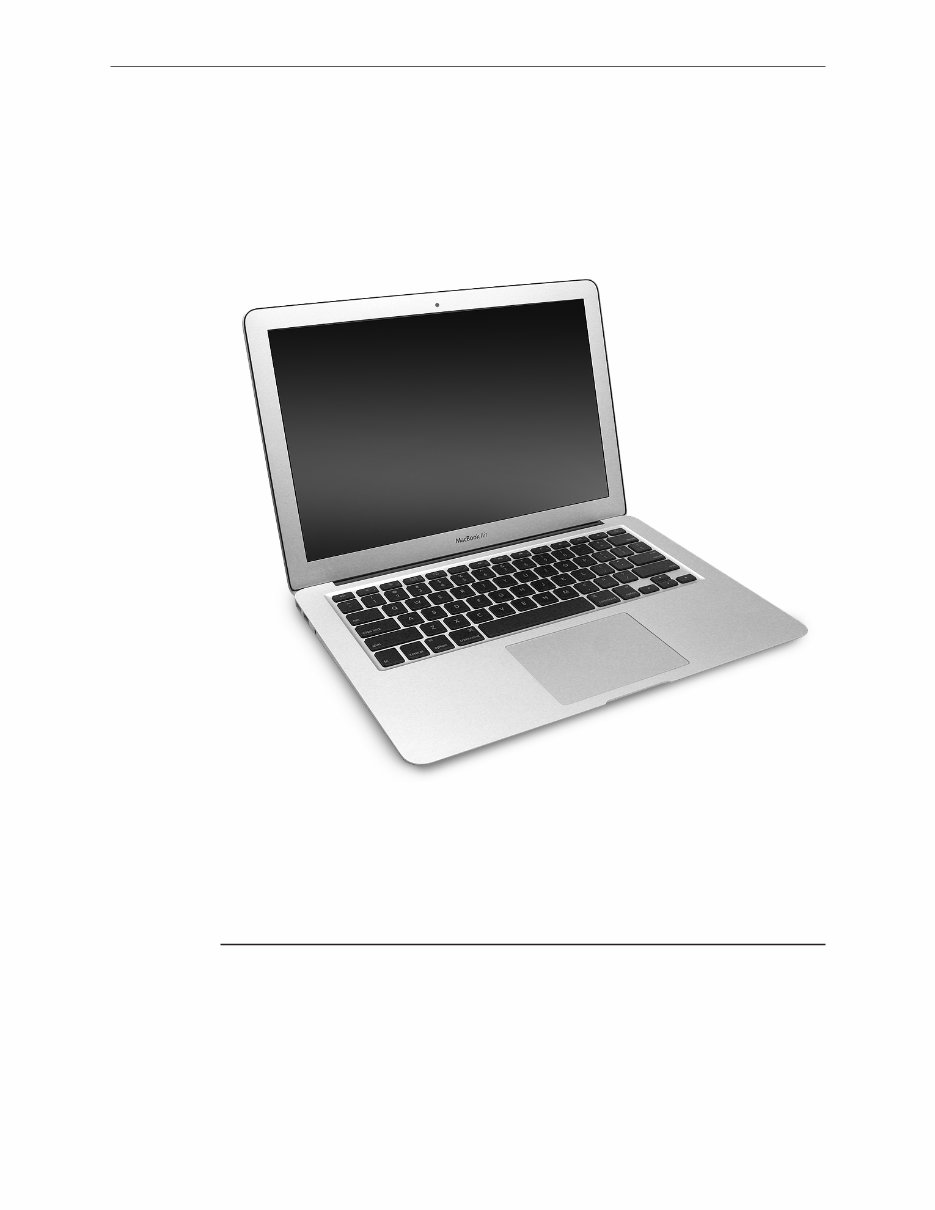
Apple Technician Guide
MacBook Air (13-inch, Late 2010)
2010-11-15

Apple Inc.
© 2010 Apple Inc. All rights reserved.
Under the copyright laws, this document may not be copied, in whole or in part, without the
written consent of Apple.
Every effort has been made to ensure that the information in this document is accurate. Apple
is not responsible for printing or clerical errors.
Apple
1 Infinite Loop
Cupertino, CA 95014-2084
USA
+ 1 408 996 1010
www.apple.com
Apple, the Apple logo, Mac, MacBook, and Macintosh are trademarks of Apple Inc., registered in
the U.S. and other countries.

MacBook Air (13-inch, Late 2010)
Contents
About This Guide
Manual Updates 9
15 November 2010 9
12 November 2010 9
5 November 2010 9
24 October 2010 10
Feedback 11
Basics
Overview 13
Battery Safety Precautions 14
Handling and Storage 15
Personal Protection 16
Evaluating Battery Damage 17
Serial Number Locations 18
Transferring the Serial Number 19
Troubleshooting
General Troubleshooting 21
Update System Software & Firmware 21
Troubleshooting Theory 21
Hardware vs. Software 21
Temperature Concerns 21
Functional Overview 22
Block Diagram 23
Liquid Contact Indicators 24
Common Reset Procedures 26
Sleep Status Tips 27
Apple Service Diagnostic (ASD) 28
Mac Resource Inspector (MRI) 28
LCD Display Pixel Anomalies 31
Symptom Charts 32

Startup and Power 32
No Power / Dead Unit 32
Won’t Start Up 36
Intermittent Shutdown 38
No Video/Bad Video 42
Battery Isn’t Recognized or Won’t Charge 44
Kernel Panic/System Crashes 46
Battery Run Time Too Short 49
Won’t Run on Power Adapter Alone 50
Power Adapter Issue 51
Battery Leaking or Swollen 52
Display 54
Blank / No Video, Unit Has Power 54
Backlight Issue / No Backlight 55
Noise / Unstable Flickering 56
Display Anomalies 57
Defective Camera / Built-in iSight Not Operating Correctly 61
Cosmetic Defects 62
Uncategorized Symptom 63
Mass Storage 64
Solid State Drive (SSD) Read/Write Issue 64
Solid State Drive (SSD) Not Recognized/Not Mounting 65
USB Optical Drive Read/Write Data Error 67
USB Optical Drive Not Recognized/Mount 68
SD Card Will Not Insert Into Slot 69
SD Card Not Recognized By System 70
Uncategorized Symptom 71
Communications 72
USB Ethernet Issue 72
AirPort/Bluetooth: Defective Wireless Devices 73
No/Poor Wireless Signal 75
AirPort Card: Kernel Panic 76
Wireless Performance Issue / Slow Connection 77
Bluetooth Wireless Input Device Loses Connection 78
Bluetooth Wireless Input Device Doesn’t Pair 80
Uncategorized Symptom 81
Input/Output Devices 82
USB Port Does Not Recognize Devices 82
Built-in Keyboard Does Not Work Properly 83
Keyboard: Specific Keys Don’t Work 84
Built-in Keyboard Is Not Recognized 87
Built-in Trackpad Does Not Track Properly 88
Built-in Speaker Has No Audio 89
Internal Speaker Has Distorted Sound 90
External Display Port Has No Audio 91

Internal Microphone Has No Audio 93
External Microphone Has No Audio 95
No Audio from Any Source 97
Uncategorized Symptom 99
Mechanical/Enclosure 100
Noise / Hum / Vibration 100
Burnt Smell / Odor 102
Power Button Stuck 103
System Runs Hot 104
Mechanical/Physical Damage 105
Uncategorized Symptom 105
Sensors 106
Thermal Monitoring Errors 106
Electrical Monitoring Errors 110
Take Apart
General Information 113
Connector Types on Logic Board 113
Tools 116
Reassembly Steps 117
Note About Images in This Guide 117
Screw Sizes 117
Bottom Case 118
Removal 119
Replacement 122
Battery 123
Removal 124
Replacement 128
Evaluating Battery Damage 129
Packing the Battery 131
Right Speaker 134
Removal 135
Replacement 136
Left Speaker 137
Removal 138
Replacement 139
Solid State Drive (SSD) Card 140
Removal 141
Reinstalling Software that Came with the Computer 143

AirPort/Bluetooth Card 144
Removal 145
I/O Flex Cable 147
Fan 149
Removal 150
Replacement 151
Microphone 152
Removal 153
Replacement 154
Input/Output (I/O) Board 155
Removal 156
Replacement 157
Input Device (IPD) Flex Cable 158
Heatsink Thermal Module 160
Removal 161
Replacement 163
Logic Board 167
Removal 168
Replacement 172
Trackpad 177
Removal 178
Replacement 182
Display Module 189
Removal 190
Replacement 194
Display Clutch Cover 197
Removal 198
Replacement 199
Top Case with Keyboard 201
Removal 202
Replacement 203
Views
Exploded View 209
Screw Location Diagrams 210
Bottom Case 210

Battery 211
Logic Board 211
Speakers, I/O Board, Display Module, Heatsink, SSD Card, AirPort/Bluetooth Card,
Trackpad 212
External Views 213
Front View 213
Port View 214
Screw Chart 215

© 2010 Apple Inc. All rights reserved.
Apple Technician Guide
About This Guide
MacBook Air (13-inch, Late 2010)

MacBook Air (13-inch, Late 2010) Basics — Manual Updates 9 2010-12-07
Manual Updates
15 November 2010
Troubleshooting
• General Troubleshooting/ Apple Service Diagnostic (ASD)/ Mac Resource Inspector (MRI):
Emphasized text: Not all thermal sensors are on the logic board. Some are on the
battery, I/O board, or trackpad. Without fully testing a system, do not assume the logic
board requires replacement.
• Symptom Charts/ Startup and Power/ Won’t Start Up: Added step 5 to Quick Check and
revised steps 3-4
• Symptom Charts/ Mass Storage/ Solid State Drive (SSD) Not Recognized/Not Mounting:
Added step 3 to Quick Check
Take Apart
• Battery: Updated Tools image
• Top Case: Revised steps about installing trackpad in new top case
12 November 2010
Take Apart
• Bottom Case: Updated (8) bottom case screws with part number to 922-9685
Views
• Screw Location Diagrams: Updated (8) bottom case drawing with part number 922-9685
• Screw Chart: Updated (8) bottom case screws with part number 922-9685
5 November 2010
Troubleshooting
• Symptom Charts/ Startup and Power/ No Video/Bad Video: Updated steps 9 and 10; added
steps 11-13
• Symptom Charts/ Display/ Built-in iSight Not Operating Correctly: Added step 3 to Quick
Check; revised Deep Dive steps 3-7
• Symptom Charts/ Mechanical /Enclosure: Deleted Thermal Monitoring Errors topic (it is now
located in the Troubleshooting/ Sensors chapter)
• Symptom Charts/ Input/Output Devices: Revised symptom chart “Built-In Speaker Has No
Audio; added the following symptom charts —External Display Port Has No Audio, External
Microphone Has No Audio, Internal Microphone Has No Audio, No Audio from Any Source
Take Apart
• Battery: Added important statement to Packing the Battery; added link to HT3378: Air
Shipment Regulations for Lithium-Based Batteries.

MacBook Air (13-inch, Late 2010) Basics — Manual Updates 10 2010-12-07
• Bottom Case: Updated image for Pentalobe driver
• Solid-State Drive (SSD) Card: Replaced the section “Reinstalling Software that Came with the
Computer”
• Logic Board: Revised replacement steps 1-3.
• Top Case: Added steps about removing mylar strip from new trackpad before completing
installation; added steps about folding down trackpad cable
24 October 2010
Basics
• Overview: Updated link to CP1226: Safely Handling Lithium Ion and Lithium Polymer
Batteries
Views
• Exploded View: Updated logic board descriptions.
Apple Technician Guide introduced 20 October 2010
You're Reading a Preview
What's Included?
 Lifetime Access
Fast Download Speeds
Online & Offline Access
Access PDF Contents & Bookmarks
Full Search Facility
Print one or all pages of your manual
$28.99
Apple MacBook Air 13 inch Late 2010 Service Manual & Repair Technician Guide
Viewed 56 Times Today

What's Included?
Lifetime Access
Fast Download Speeds
Online & Offline Access
Access PDF Contents & Bookmarks
Full Search Facility
Print one or all pages of your manual
$28.99

Secure transaction
What's Included?
Lifetime Access
Fast Download Speeds
Online & Offline Access
Access PDF Contents & Bookmarks
Full Search Facility
Print one or all pages of your manual
Description
Save money by repairing your Apple MacBook Air yourself with this comprehensive Official Service Manual. Whether you're a professional mechanic or a DIY enthusiast, this manual will guide you through disassembly, assembly, troubleshooting, repair parts replacement, exploded views, and more. The manual includes high-quality illustrations and step-by-step instructions, making it an essential tool for service shops.
- Format: PDF
- Pages: 216
- Language: English
- Compatible: Windows/Macintosh
This instant-access manual is regularly updated and all pages are printable. For any specific manual needs, feel free to email us, and we'll assist you promptly. Purchase from us for a satisfying customer experience. Thank you!


