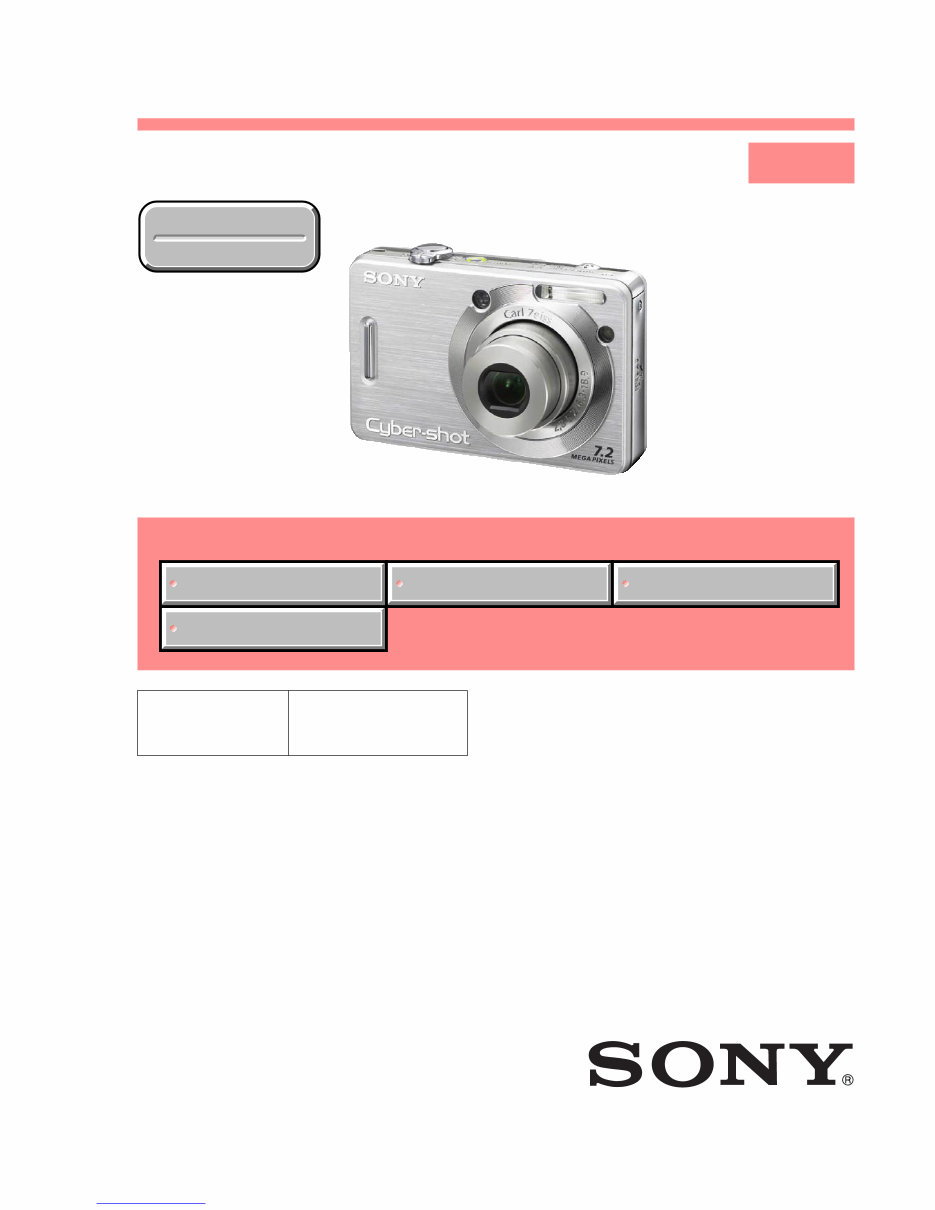
— 2 — DSC-W55_L1 SPECIFICATIONS Camera [System] Image device: 7.20 mm (1/2.5 type) color CCD, Primary color filter Total pixel number of camera: Approx. 7 410 000 pixels Effective pixel number of camera: Approx. 7 201 000 pixels Lens: Carl Zeiss Vario-Tessar 3× zoom lens f = 6.3 – 18.9 mm (38 – 114 mm when converted to a 35 mm still camera) F2.8 –5.2 Exposure control: Automatic exposure, Scene Selection (7 modes) White balance:Automatic, Daylight, Cloudy, Fluorescent, Incandescent, Flash File format (DCF compliant): Still images: Exif Ver. 2.21 JPEG compliant, DPOF compatible Movies: MPEG1 compliant (Monaural) Recording media:Internal Memory (approx. 56 MB), “Memory Stick Duo” Flash: Flash range (ISO sensitivity (Recommended Exposure Index) set to Auto): approx. 0.2 to 3.9 m (7 7/8 inches to 12 feet 9 5/8 inches) (W)/approx. 0.3 to 2.0 m (11 7/8 inches to 6 feet 6 3/4 inches) (T) [Input and Output connectors] Multi connector: Video, Audio (Monaural), USB communication USB communication: Hi-Speed USB (USB 2.0 compliant) [LCD screen] LCD panel: 6.2 cm (2.5 type) TFT drive Total number of dots: 115 200 (480 × 240) dots [Power, general] Power: Rechargeable battery pack NP-BG1, 3.6 V AC-LS5K AC Adaptor (not supplied), 4.2 V Power consumption (during shooting with the LCD screen on): 1.0 W Operating temperature: 0 to 40 °C (32 to 104 °F) Storage temperature: –20 to +60 °C (–4 to +140 °F) Dimensions: 88.9 × 57.1 × 22.9 mm (3 1/2 × 2 1/4 × 29/32 inches) (W/H/D, excluding protrusions) Mass: Approx. 147 g (5.2 oz) (including NP-BG1 battery pack and wrist strap, Etc.) Microphone: Monaural Speaker: Monaural Exif Print: Compatible PRINT Image Matching III: Compatible PictBridge: Compatible BC-CSG/BC-CSGB/BC-CSGC battery charger Power requirements: AC 100 to 240 V, 50/60 Hz, 2 W (BC-CSG/BC-CSGC) 2.6 W (BC-CSGB) Output voltage: DC 4.2 V, 0.25 A Operating temperature: 0 to 40 °C (32 to 104 °F) Storage temperature: –20 to +60 °C (–4 to +140 °F) Dimensions: Approx. 62 × 24 × 91 mm (2 1/2 × 31/32 × 3 5/8 inches) (W/H/D) Mass: Approx. 75 g (2.7 oz) Rechargeable battery pack NP-BG1 Used battery: Lithium-ion battery Maximum voltage: DC 4.2 V Nominal voltage: DC 3.6 V Capacity: 3.4 Wh (960 mAh) Design and specifications are subject to change without notice. Downloaded from www.Manualslib.com manuals search engine
— 3 — DSC-W55_L1 SAFETY-RELATED COMPONENT WARNING!! COMPONENTS IDENTIFIED BY MARK 0 OR DOTTED LINE WITH MARK 0 ON THE SCHEMATIC DIAGRAMS AND IN THE PARTS LIST ARE CRITICAL TO SAFE OPERATION. REPLACE THESE COMPONENTS WITH SONY PARTS WHOSE PART NUMBERS APPEAR AS SHOWN IN THIS MANUAL OR IN SUPPLEMENTS PUBLISHED BY SONY. ATTENTION AU COMPOSANT AYANT RAPPORT À LA SÉCURITÉ! LES COMPOSANTS IDENTIFÉS PAR UNE MARQUE 0 SUR LES DIAGRAMMES SCHÉMATIQUES ET LA LISTE DES PIÈCES SONT CRITIQUES POUR LA SÉCURITÉ DE FONCTIONNEMENT. NE REMPLACER CES COMPOSANTS QUE PAR DES PIÈSES SONY DONT LES NUMÉROS SONT DONNÉS DANS CE MANUEL OU DANS LES SUPPÉMENTS PUBLIÉS PAR SONY. 1. Check the area of your repair for unsoldered or poorly-soldered connections. Check the entire board surface for solder splashes and bridges. 2. Check the interboard wiring to ensure that no wires are "pinched" or contact high-wattage resistors. 3. Look for unauthorized replacement parts, particularly transistors, that were installed during a previous repair. Point them out to the customer and recommend their replacement. 4. Look for parts which, through functioning, show obvious signs of deterioration. Point them out to the customer and recommend their replacement. 5. Check the B+ voltage to see it is at the values specified. 6. Flexible Circuit Board Repairing • Keep the temperature of the soldering iron around 270°C during repairing. • Do not touch the soldering iron on the same conductor of the circuit board (within 3 times). • Be careful not to apply force on the conductor when soldering or unsoldering. SAFETY CHECK-OUT After correcting the original service problem, perform the following safety checks before releasing the set to the customer. Downloaded from www.Manualslib.com manuals search engine
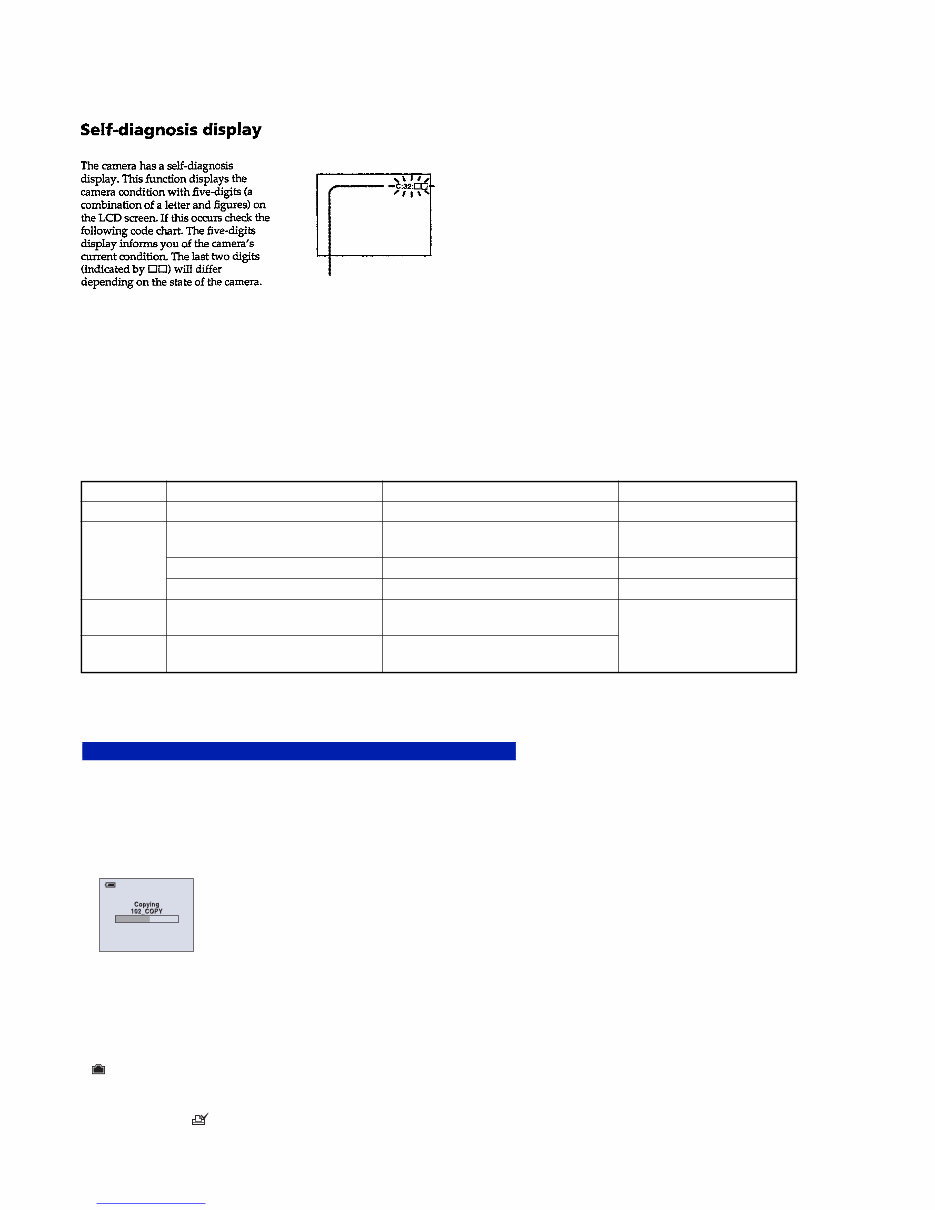
— 4 — DSC-W55_L1 Description on Self-diagnosis Display Self-diagnosis display • C: ss: ss You can reverse the camera malfunction yourself. (However, contact your Sony dealer or local authorized Sony service facility when you cannot recover from the camera malfunction.) • E: ss: ss Contact your Sony dealer or local authorized Sony service facility. SERVICE NOTE Display Code C:32:ss C:13:ss Countermeasure Turn the power off and on again. Format the “Memory Stick” or internal memory. Insert a new “Memory Stick”. Cause Trouble with hardware. “Memory Stick” or internal memory is unformatted. “Memory Stick” is broken. Caution Display During Error SYSTEM ERROR FORMAT ERROR MEMORY STICK ERROR E:61:ss E:91:ss Turn the power off and on again. Trouble with internal memory. When failed in the focus and zoom initialization. Checking of lens drive circuit. INTERNAL MEMORY ERROR — Checking of flash unit or replacement of flash unit. Abnormality when flash is being charged. Method for Copying the Data in Internal Memory The data can be copied by the operations on the Setup screen. Copies all images in the internal memory to a “Memory Stick Duo”. 1 Insert a “Memory Stick Duo” having 64 MB or larger capacity. 2 Select [OK] with v on the control button, then press z. The message “All data in internal memory will be copied Ready?” appears. 3 Select [OK] with v, then press z. Copying starts. To cancel the copying Select [Cancel] in step 2 or 3, then press z. • Use a fully charged battery pack. If you attempt to copy image files using a battery pack with little remaining charge, the battery pack may run out, causing copying to fail or possibly corrupting the data. • You cannot copy individual images. • The original images in the internal memory are retained even after copying. To delete the contents of the internal memory, remove the “Memory Stick Duo” after copying, then execute the [Format] command in (Internal Memory Tool) (page 54). • When you copy the data in the internal Memory to the “Memory Stick Duo”, all the data will be copied. You cannot choose a specific folder on the “Memory Stick Duo” as the destination for the data to be copied. • Even if you copy data, a (Print order) mark is not copied. Copy Downloaded from www.Manualslib.com manuals search engine
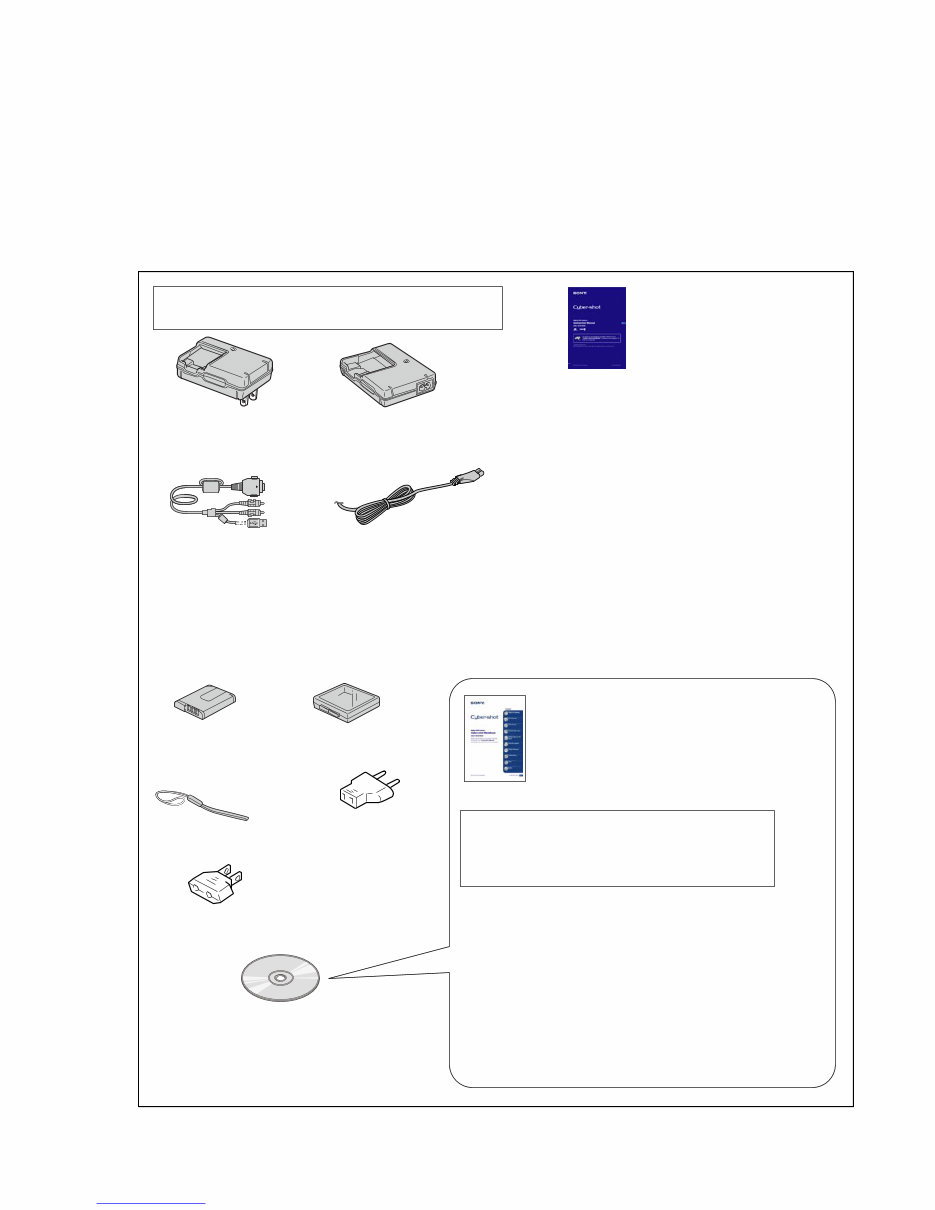
— 5 — ACCESSORIES DSC-W55_L1 • Refer to the cover for mark 0. Checking supplied accessories. Note: • Items marked “*” are not stocked since they are seldom required for routine service. Some delay should be anticipated when ordering these items. • The parts numbers of such as a cabinet are also appeared in this section. Refer to the parts number mentioned below the name of parts to order. • Abbreviation AR : Argentine model AUS: Australian model BR : Brazilian model CH : Chinese model CND: Canadian model EE : East European model HK : Hong Kong model J : Japanese model JE : Tourist model KR : Korea model NE : North European model TW : Taiwan model Ver 1.2 2007.06 Note 1: This item is supplied with the unit as an accessory, but is not prepared as a service part. Note : The printed matter is not supplied. If required, please order it with the part number below. The CD-ROM supplied contains all of language version of the instruction Manual in pdf for printing. Conversion (2P) Adaptor 0 1-569-008-11 (E) Battery Case (Note 1) Wrist Strap 2-050-981-01 Battery charger (BC-CSGB/CSGC) 0 1-479-583-21 (US, CND) Battery charger (BC-CSGB/CSGC) 0 1-479-583-31 (EXCEPT US, CND) Power cord (EXCEPT US, CND) 0 1-555-074-61 (AUS) 0 1-823-947-71 (KR) 0 1-827-826-41 (AEP, E) 0 1-828-050-31 (JE) 0 1-832-106-31 (AR) 0 1-832-121-31 (CH) 0 1-832-169-31 (UK, HK) Rechargeable battery pack (NP-BG1) (Note 1) CD-ROM (Cyber-shot application software/"Cyber-shot Handbook"/"Cyber-shot Step-up Guide) 2-899-984-01 (EXCEPT US) 2-899-986-01 (US) Instruction Manual 2-319-003-11 (ENGLISH) (EXCEPT US, KR, CH) 2-319-003-21 (FRENCH, ITALIAN) (CND, AEP) 2-319-003-31 (SPANISH, PORTUGUESE) (AEP, E, JE, AR) 2-319-003-41 (GERMAN, DUTCH) (AEP) 2-319-003-51 (TRADITIONAL CHINESE, SIMPLIFIED CHINESE) (E, HK, JE, CH) 2-319-003-61 (RUSSIAN) (AEP) 2-319-003-71 (ARABIC, PERSIAN) (E) 2-319-003-81 (KOREAN) (JE) 2-319-003-91 (POLISH, CZECH) (AEP) 2-319-005-11 (HUNGARIAN, SLOVAK) (AEP) 2-319-005-21 (SWEDISH, FINISH) (AEP) 2-319-005-31 (NORWEGIAN, DANISH) (AEP) 2-319-005-51 (TURKISH, GREEK) (AEP) 2-319-005-61 (ENGLISH, SPANISH) (US) 2-899-987-11 (ENGLISH) 2-899-987-21 (FRENCH) 2-899-987-31 (ITALIAN) 2-899-987-41 (SPANISH) 2-899-987-51 (PORTUGUESE) 2-899-987-61 (GERMAN) 2-899-987-71 (DUTCH) 2-899-987-81 (TRADITIONAL CHINESE) 2-899-987-91 (SIMPLIFIED CHINESE) 2-899-988-11 (RUSSIAN) 2-899-988-21 (ARABIC) 2-899-988-31 (PERSIAN) 2-899-988-41 (KOREAN) 2-899-988-51 (POLISH) 2-899-988-61 (CZECH) 2-899-988-71 (HUNGARIAN) 2-899-988-81 (SLOVAK) 2-899-988-91 (SWEDISH) 2-899-989-11 (FINNISH) 2-899-989-21 (NORWEGIAN) 2-899-989-31 (DANISH) 2-899-989-41 (THAI) 2-899-989-51 (MALAYSIAN) 2-899-989-61 (TURKISH) 2-899-989-71 (GREEK) Cyber-shot Handbook (PDF) Multiuse Terminal 1-829-866-51 Conversion (2P) Adaptor 0 1-569-007-11 (JE) Downloaded from www.Manualslib.com manuals search engine
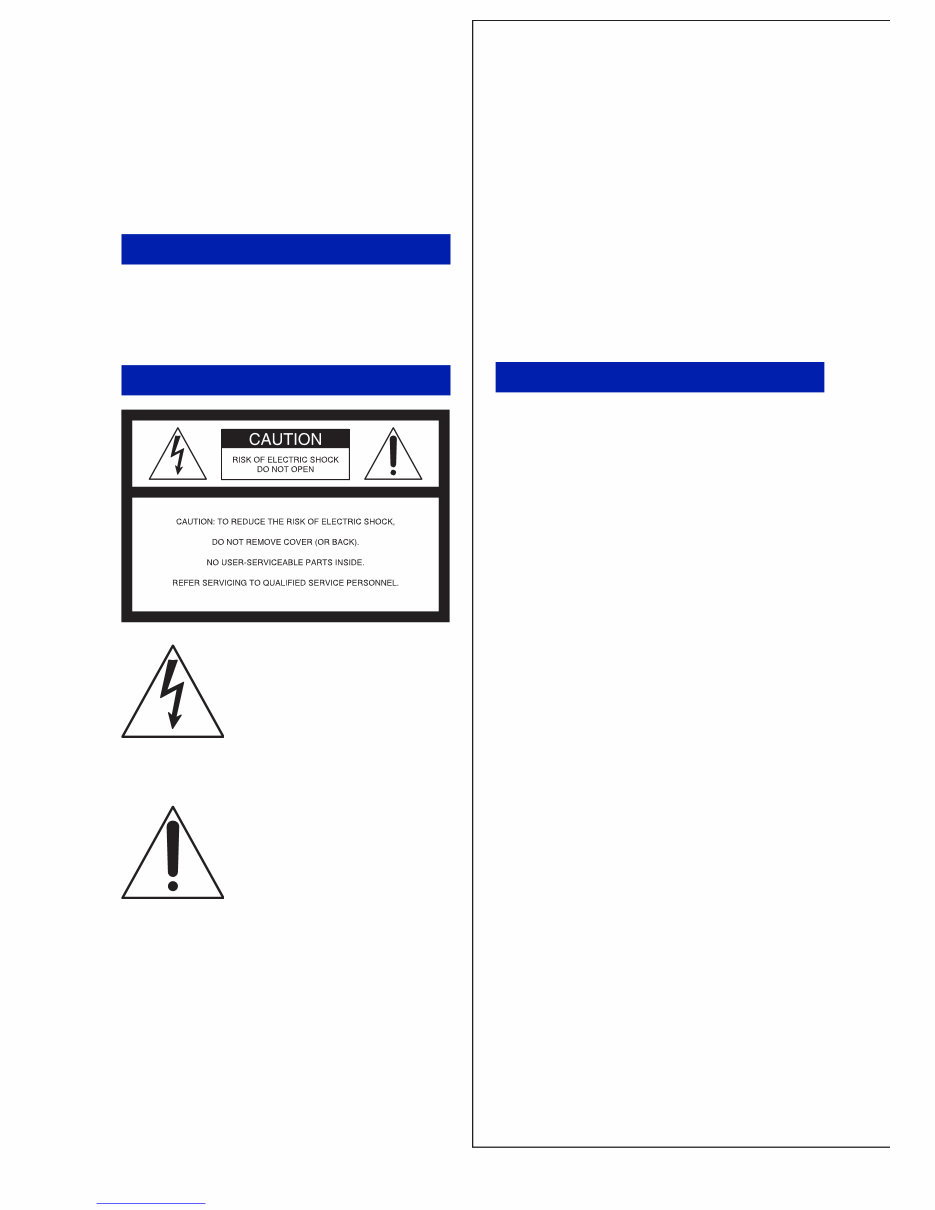
2 Owner’s Record The model and serial numbers are located on the bottom. Record the serial number in the space provided below. Refer to these numbers whenever you call upon your Sony dealer regarding this product. Model No. DSC-W35/W55 Serial No. ___________________________ To reduce fire or shock hazard, do not expose the unit to rain or moisture. IMPORTANT SAFEGUARDS For your protection, please read these safety instructions completely before operating the appliance, and keep this manual for future reference. Carefully observe all warnings, precautions and instructions on the appliance, or the one described in the operating instructions and adhere to them. [ Power Sources This set should be operated only from the type of power source indicated on the marking label. If you are not sure of the type of electrical power supplied to your home, consult your dealer or local power company. For those sets designed to operate from battery power, or other sources, refer to the operating instructions. [ Polarization This set may be equipped with a polarized ac power cord plug (a plug having one blade wider than the other). This plug will fit into the power outlet only one way. This is a safety feature. If you are unable to insert the plug fully into the outlet, try reversing the plug. If the plug should still fail to fit, contact your electrician to have a suitable outlet installed. Do not defeat the safety purpose of the polarized plug by forcing it in. [ Overloading Do not overload wall outlets, extension cords or convenience receptacles beyond their capacity, since this can result in fire or electric shock. [ Object and Liquid Entry Never push objects of any kind into the set through openings as they may touch dangerous voltage points or short out parts that could result in a fire or electric shock. Never spill liquid of any kind on the set. [ Attachments Do not use attachments not recommended by the manufacturer, as they may cause hazards. WARNING For Customers in the U.S.A. This symbol is intended to alert the user to the presence of uninsulated “dangerous voltage” within the product's enclosure that may be of sufficient magnitude to constitute a risk of electric shock to persons. This symbol is intended to alert the user to the presence of important operating and maintenance (servicing) instructions in the literature accompanying the appliance. Use Downloaded from www.Manualslib.com manuals search engine
3 [ Cleaning Unplug the set from the wall outlet before cleaning or polishing it. Do not use liquid cleaners or aerosol cleaners. Use a cloth lightly dampened with water for cleaning the exterior of the set. [ Water and Moisture Do not use power-line operated sets near water – for example, near a bathtub, washbowl, kitchen sink, or laundry tub, in a wet basement, or near a swimming pool, etc. [ Power-Cord Protection Route the power cord so that it is not likely to be walked on or pinched by items placed upon or against them, paying particular attention to the plugs, receptacles, and the point where the cord exits from the appliance. [ Accessories Do not place the set on an unstable cart, stand, tripod, bracket, or table. The set may fall, causing serious injury to a child or an adult, and serious damage to the set. Use only a cart, stand, tripod, bracket, or table recommended by the manufacturer. [ Ventilation The slots and openings in the cabinet are provided for necessary ventilation. To ensure reliable operation of the set, and to protect it from overheating, these slots and openings must never be blocked or covered. – Never cover the slots and openings with a cloth or other materials. – Never block the slots and openings by placing the set on a bed, sofa, rug, or other similar surface. – Never place the set in a confined space, such as a bookcase, or built-in cabinet, unless proper ventilation is provided. – Do not place the set near or over a radiator or heat register, or where it is exposed to direct sunlight. [ Lightning For added protection for this set during a lightning storm, or when it is left unattended and unused for long periods of time, unplug it from the wall outlet and disconnect the antenna or cable system. This will prevent damage to the set due to lightning and power-line surges. [ Damage Requiring Service Unplug the set from the wall outlet and refer servicing to qualified service personnel under the following conditions: – When the power cord or plug is damaged or frayed. – If liquid has been spilled or objects have fallen into the set. –If the set has been exposed to rain or water. – If the set has been subject to excessive shock by being dropped, or the cabinet has been damaged. – If the set does not operate normally when following the operating instructions. Adjust only those controls that are specified in the operating instructions. Improper adjustment of other controls may result in damage and will often require extensive work by a qualified technician to restore the set to normal operation. – When the set exhibits a distinct change in performance – this indicates a need for service. [ Servicing Do not attempt to service the set yourself as opening or removing covers may expose you to dangerous voltage or other hazards. Refer all servicing to qualified service personnel. [ Replacement parts When replacement parts are required, be sure the service technician has used replacement parts specified by the manufacturer that have the same characteristics as the original parts. Unauthorized substitutions may result in fire, electric shock, or other hazards. [ Safety Check Upon completion of any service or repairs to the set, ask the service technician to perform routine safety checks (as specified by the manufacturer) to determine that the set is in safe operating condition. Installation Service Downloaded from www.Manualslib.com manuals search engine
4 Read this first Replace the battery with the specified type only. Otherwise, fire or injury may result. [ RECYCLING LITHIUM-ION BATTERIES Lithium-Ion batteries are recyclable. You can help preserve our environment by returning your used rechargeable batteries to the collection and recycling location nearest you. For more information regarding recycling of rechargeable batteries, call toll free 1-800-822-8837, or visit http://www.rbrc.org/ Caution: Do not handle damaged or leaking Lithium-Ion batteries. This power unit is intended to be correctly orientated in a vertical or floor mount position. If you have any questions about this product, you may call: Sony Customer Information Center 1-800-222-SONY (7669) The number below is for the FCC related matters only. [ Regulatory Information CAUTION For Customers in the U.S.A. and Canada Battery charger For Customers in the U.S.A. Declaration of Conformity Trade Name: SONY Model No.: DSC-W55 Responsible Party: Sony Electronics Inc. Address: 16530 Via Esprillo, San Diego, CA 92127U.S.A. Telephone No.: 858-942-2230 This device complies with Part 15 of the FCC Rules. Operation is subject to the following two conditions: (1) This device may not cause harmful interference, and (2) this device must accept any interference received, including interference that may cause undesired operation. Declaration of Conformity Trade Name: SONY Model No.: DSC-W35 Responsible Party: Sony Electronics Inc. Address: 16530 Via Esprillo, San Diego, CA 92127U.S.A. Telephone No.: 858-942-2230 This device complies with Part 15 of the FCC Rules. Operation is subject to the following two conditions: (1) This device may not cause harmful interference, and (2) this device must accept any interference received, including interference that may cause undesired operation. Downloaded from www.Manualslib.com manuals search engine
5 [ CAUTION You are cautioned that any changes or modifications not expressly approved in this manual could void your authority to operate this equipment. [ Note: This equipment has been tested and found to comply with the limits for a Class B digital device, pursuant to Part 15 of the FCC Rules. These limits are designed to provide reasonable protection against harmful interference in a residential installation. This equipment generates, uses, and can radiate radio frequency energy and, if not installed and used in accordance with the instructions, may cause harmful interference to radio communications. However, there is no guarantee that interference will not occur in a particular installation. If this equipment does cause harmful interference to radio or television reception, which can be determined by turning the equipment off and on, the user is encouraged to try to correct the interference by one or more of the following measures: – Reorient or relocate the receiving antenna. – Increase the separation between the equipment and receiver. – Connect the equipment into an outlet on a circuit different from that to which the receiver is connected. – Consult the dealer or an experienced radio/TV technician for help. The supplied interface cable must be used with the equipment in order to comply with the limits for a digital device pursuant to Subpart B of Part 15 of FCC Rules. Perchlorate Material - special handling may apply, See www.dtsc.ca.gov/hazardouswaste/ perchlorate Perchlorate Material : Lithium battery contains perchlorate. This product has been tested and found compliant with the limits set out in the EMC Directive for using connection cables shorter than 3 meters (9.8 feet). [ Attention The electromagnetic fields at the specific frequencies may influence the picture and sound of this unit. [ Notice If static electricity or electromagnetism causes data transfer to discontinue midway (fail), restart the application or disconnect and connect the communication cable (USB, etc.) again. [ Disposal of Old Electrical & Electronic Equipment (Applicable in the European Union and other European countries with separate collection systems) This symbol on the product or on its packaging indicates that this product shall not be treated as household waste. Instead it shall be handed over to the applicable collection point for the recycling of electrical and electronic equipment. By ensuring this product is disposed of correctly, you will help prevent potential negative consequences for the environment and human health, which could otherwise be caused by inappropriate waste handling of this product. The recycling of materials will help to conserve natural resources. For more detailed information about recycling of this product, please contact your local Civic Office, your household waste disposal service or the shop where you purchased the product. For the State of California, USA only For Customers in Europe Downloaded from www.Manualslib.com manuals search engine
You're Reading a Preview
What's Included?
Lifetime Access
Fast Download Speeds
Online & Offline Access
Access PDF Contents & Bookmarks
Full Search Facility
Print one or all pages of your manual
$26.99
Sony Cybershot DSC-W55 Camera OEM Service & Repair Manual
The Sony Cybershot DSC-W55 Camera Service & Repair Manual is a precise technical resource tailored for professionals and enthusiasts seeking to maintain and repair the Sony DSC-W55 camera with exacting detail. This manual provides an intricate, no-nonsense breakdown of the camera's inner workings, electronic components, and mechanical systems. Detailed schematics, step-by-step procedures, and specifications guide technicians through diagnostics and repair tasks with precision. It serves as an indispensable tool for addressing issues related to image quality, lens mechanisms, electronic circuits, and more.
Indeed, this manual is a dedicated technical reference that ensures accurate, efficient servicing of the Sony DSC-W55 camera. Whether you're an experienced technician or a passionate DIY repairer, this manual equips you with the technical insights needed to uphold the camera's performance and reliability.
Please note:
This is not a generic repair manual. This is the repair manual used by professional technicians to service and maintain your camera. The manual contains every troubleshooting and replacement procedure provided by the manufacturer, including step-by-step instructions, exploded-view illustrations, and clear images.
No need to flip through hundreds of pages to find specific information; no more greasy, torn, or lost pages anymore! Carry them around, search them, screenshot them, bookmark them – much better than a traditional bound manual if you ask me.
Of course, if you prefer to have a physical copy, nothing prevents you from printing it out too.
Printable: Yes Language: English Compatibility: Pretty much any electronic device, incl. PC & Mac computers, Android and Apple smartphones & tablet, etc. Requirements: Adobe Reader (free)
Reviews
Q&A
Recently Viewed
5,521,897Happy Clients
2,594,462eManuals
1,120,453Trusted Sellers
15Years in Business
Price:
Actual Price:
Sony Cybershot DSC-W55 Camera OEM Service & Repair Manual





 Lifetime Access




