

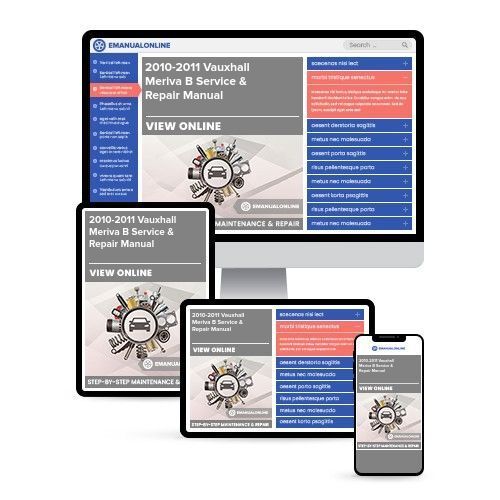
2010-2011 Vauxhall Meriva B Service & Repair Manual

 Lifetime Access
 Lifetime Access
Preview
NOTE: This is a sample. Your actual software manual may differ slightly.
Description
This is a comprehensive service repair manual for the VAUXHALL MERIVA B 2010-2011. The manual contains easy-to-understand text sections with high-quality diagrams and instructions, making it suitable for both DIY enthusiasts and experienced mechanics. It provides step-by-step instructions, detailed exploded pictures, and diagrams to assist in completing the required tasks accurately and efficiently.
The VAUXHALL MERIVA B 2010-2011 repair manual covers a wide range of components and systems, including gearbox & clutch, electric starter, crankshaft/transmission/balancer, wheels & tyres, electrical system, braking system, suspension, periodic checks & adjustments, wiring diagrams, engine lubrication and cooling, ignition system, transmission system, troubleshooting, lubrication system, rear wheel system, cylinder head/valves, cooling system, engine removal and installation, general information, battery/charging system, chassis, technical information & specifications, lights/meters/switches, frame/body panels/exhaust system, maintenance, alternator/starter clutch, fenders and exhaust pipe, front wheel and steering system, specifications, engine fuel system, crankcase/piston/cylinder, engine combustion system, fuel injection system, and body & fixtures.
This professional technical manual contains service, maintenance, and troubleshooting information for all models/engines/trim/transmission types of the VAUXHALL MERIVA B 2010-2011. It is a complete and intact workshop repair service manual without any missing or corrupt parts or pages, and it is the same manual used in local service/repair shops.
The manual is available in .PDF format and can be accessed immediately without any waiting or shipping fees. It is an invaluable resource for anyone looking to maintain or repair their vehicle.
- Installation Requirements:
- Windows 2000 Pro SP3 & SP4 32 Bit/ Pentium 166 MHz / 48 MB RAM / 3 GB Free hard disk space
- Windows XP Pro SP2 32 Bit / Pentium II 300 MHz / 64 MB RAM / 3 GB Free hard disk space
Note: The manual is not compatible with 64-bit systems or Windows 8 and 10.
The installation process involves extracting the compressed archive to an ISO file, burning the ISO to a blank DVD disk in IMAGE MODE (not as a data disc), or alternatively mounting the ISO to a virtual drive. Running the "AUTORUN.EXE" in the disk will initiate the installation process, and users should select the STANDALONE installation mode with the provided user name and password.
Buyers can make payments via PayPal or Credit Card and receive instant access to the manual without any waiting for postal delivery.


