Procedure for installing Service Manual Viewer and Service Manual data
Contents 1. System requirements for installation of Service Manual Viewer .................................................................... 1 2. Procedure for installing .................................................................. 2 2-1. Flow of installation....................................................................................2 2-2. Procedure for installing Service Manual Viewer ....................................3 2-3. Procedure for installing Service Manual data ........................................7 2-3-1. Preparation of installing Service Manual data .........................................7 2-3-2. Installation of Service Manual data.........................................................10 3. Procedure for uninstalling............................................................ 19 3-1. Flow of uninstallation .............................................................................19 3-2. Procedure for uninstalling Service Manual data ..................................20 3-3. Procedure for uninstalling Service Manual Viewer ..............................23 4. Instruction of use only for Windows2000 and WindowsXP ...... 26 4-1. Valid account in using SMV ...................................................................26
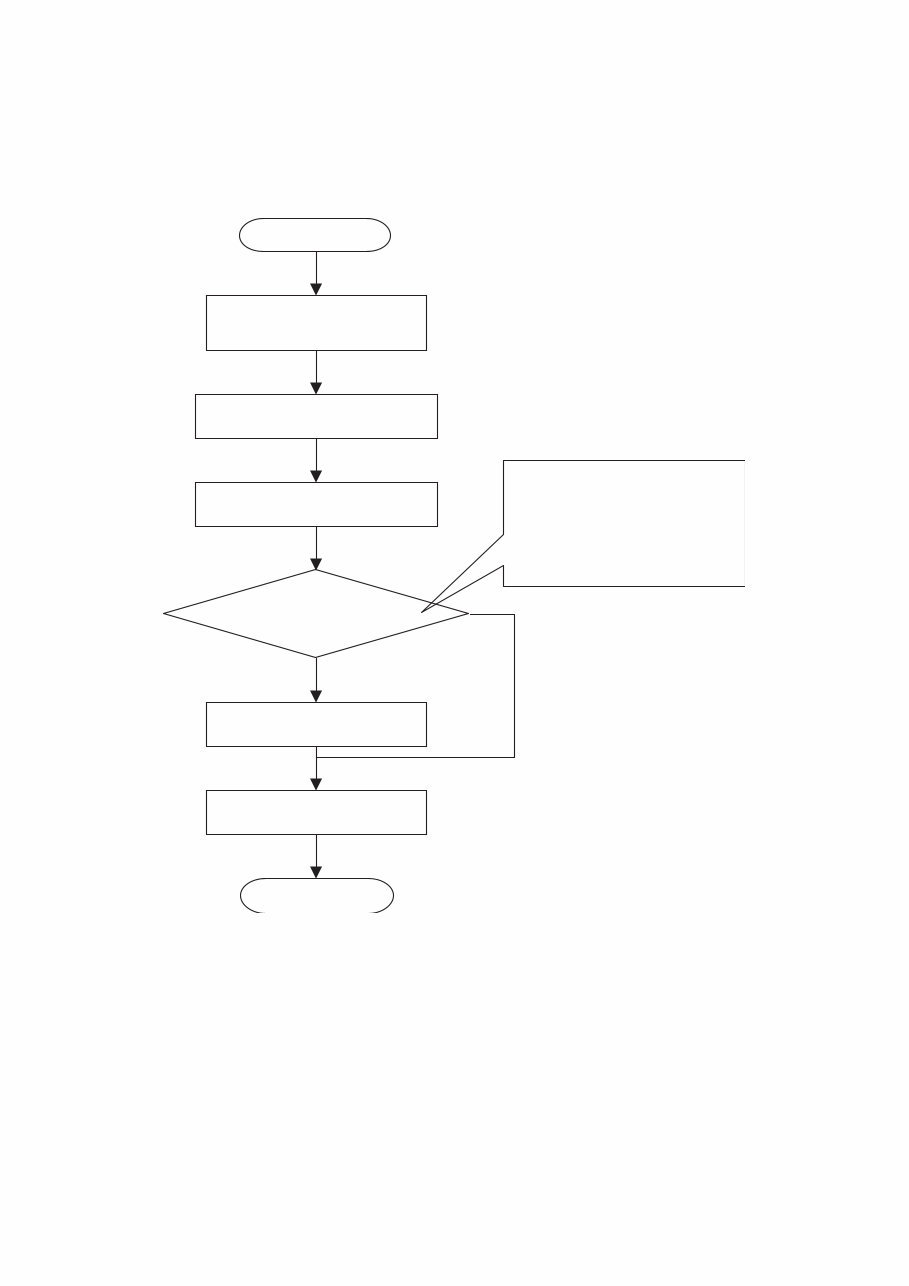
2 Chapter 2 Procedure for installing 2-1. Flow of installation Caution: In case of Windows2000, WindowsXP and Windows Vista, installation must be started after login by a user who has authority of the Administrator. Restarting PC. No 2.3.2. Installing Service Manual data Yes 2.3.1. Preparing S/M installation The set location for installation is the same folder as the system. Recommendation: If there is enough space on another drive, change of location for installation is recommended Login to the computer as an administrator Complete Start 2.2. Installing Service Manual data Change of location where Service Manual (S/M) data is installed
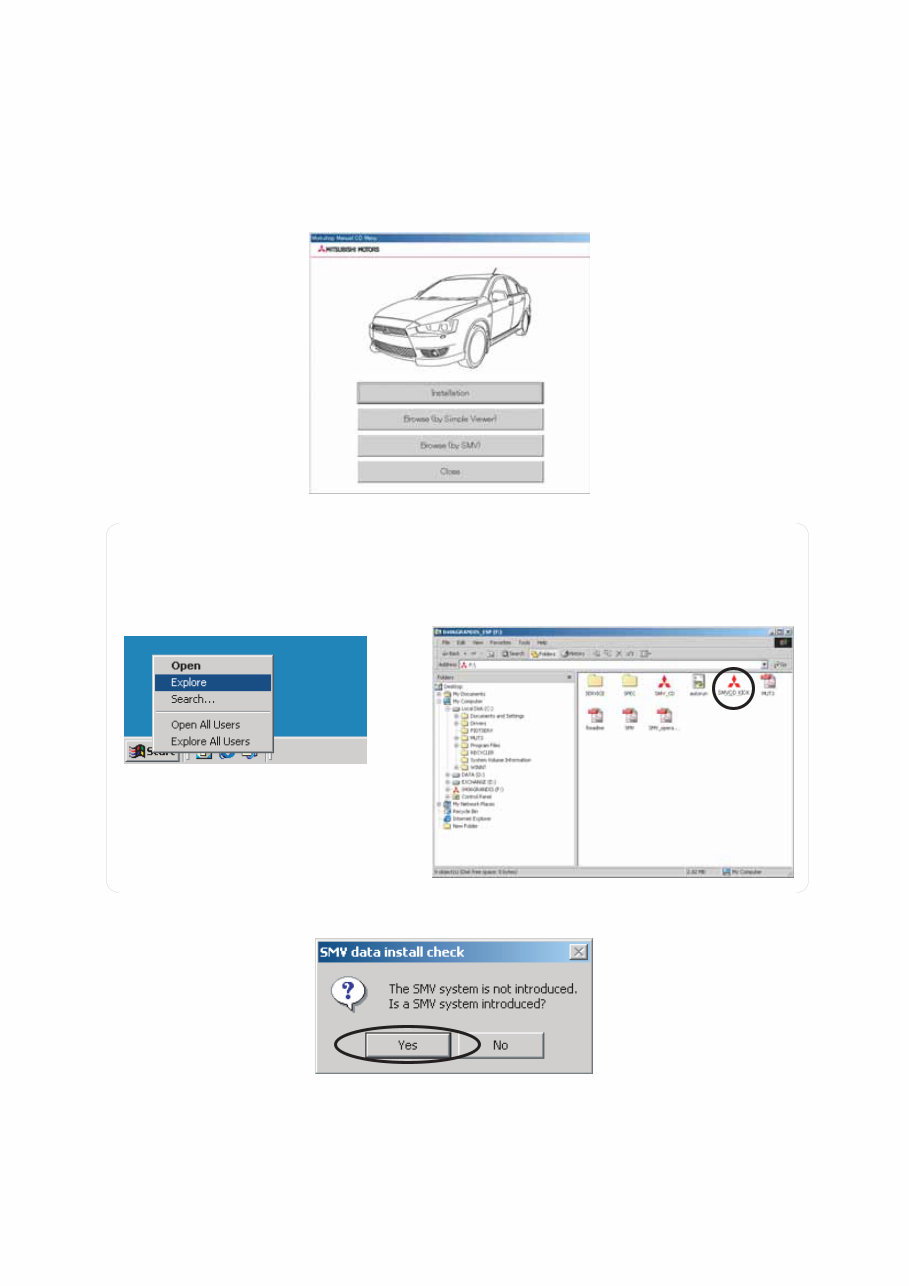
3 2-2. Procedure for installing Service Manual Viewer Caution: Exit all of other applications before installing. Some data may be lost because of restarting PC after completing installation. (1) When you set CD-ROM into CD drive, the W/M CD’s menu screen (Figure 1) appears automatically. Click [Installation] button. --Go to (2) on this page. Figure 1: W/M CD’s menu screen (2) Dialog box for confirmation of Service Manual (S/M) Viewer installation (Figure 4) appears. Click Yes. Note: In case that the above screen is not appeared, right-click on Start at the lower-left corner of the desktop and click Explore. (Refer to Figure 2) Then double-click SMVCD_KICK.exe in the CD-ROM. (Refer to Figure 3) Figure 2: Running Explore Figure 3: Running SMVCD_KICK.exe Figure 4: Dialog box for confirmation of S/M Viewer installation
The MITSUBISHI TRITON L200 MN 2012-2014 Workshop Repair Service Manual is applicable to single cab, club cab, double cab, 2WD, and 4WD models. It covers the 2.5L 4D56 DOHC diesel intercooled, turbocharger, and high-power turbo-diesel intercooled engines. The manual includes detailed information on various transmissions such as 5-speed manual FR, 5-speed manual R5MB1, 5-speed manual V5MB1, 4-speed automatic R4A5, 4-speed automatic V5A5, and 5-speed automatic V5A5.
General Information
Engine
Engine Lubrication
Fuel System
Cooling System
Intake & Exhaust System
Engine Electrical
Engine Control
Emission Control
Clutch
Manual Transmission
Automatic Transmission
Propeller Shaft
Front & Rear Axle
Wheel & Tire
Power Plant Mount
Suspension
Service Brakes
Parking Brakes
Power Steering
Body Accessories
Exterior
Interior
SRS
Chassis Electrical
Heating & Ventilation
Air Conditioning
Component Location
Configuration Diagram
Circuit Diagram
Anti-Skid Brake System
Automatic Air Conditioner
Body Repair Manual
Technical Information Manual
This comprehensive manual is available in .PDF format and features detailed exploded views. It provides step-by-step procedures with pictures and diagrams, making it suitable for professional mechanics and DIY enthusiasts. The manual is fully printable, allowing users to select specific pages or the entire manual for reference. It covers repairs, maintenance, and servicing, making it an essential resource for vehicle owners and technicians alike.






 Lifetime Access




