

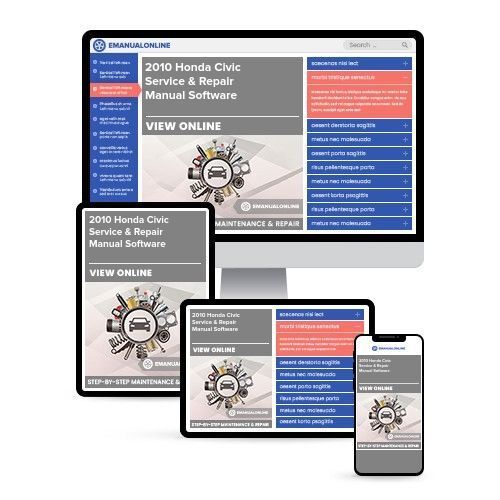
2010 Honda Civic Hatchback Service & Repair Manual Software

 Lifetime Access
 Lifetime Access
Preview
NOTE: This is a sample. Your actual software manual may differ slightly.
Description
2010 Honda Civic Hatchback Service & Repair Manual Software
Models Covered:
- Honda Civic Hatchback, European market (FK1, FK2, FK3)
Engines Covered:
- 1.4L L13Z1 I4
- 1.8L R18A2 I4
- 2.2L N22A2 I4 turbo diesel
Check engine light on, clutch acting up, or a service coming due: the 2010 Honda Civic Hatchback Service & Repair Manual Software has the information for all three. It covers maintenance, engine overhaul, the manual transaxle and i-SHIFT system, brakes, steering, climate control, body work, safety restraints, and electrical diagnostics. Pro mechanics can use it as a shop reference, and novice DIYers can use it to learn the car one system at a time before starting a job.
Because this is a Software title, the manual is delivered as an OVA file. Import it into VirtualBox, which is free from Oracle and works on PC and Mac, and it runs as a self-contained virtual machine. It is a one-time purchase, and the download is ready right after checkout.
What's Inside the Honda Civic Hatchback Service & Repair Manual Software
General Information, Specifications, and Maintenance Schedules
Every job starts with the basics, and this section has them: setup guidelines, fluid data sheets, parameter tolerances, and maintenance schedules. These numbers are the ones you look up before an oil change, a coolant flush, or any larger repair. Having them in one place keeps routine service quick and consistent.
Engine Overhaul: 1.4L L13Z1, 1.8L R18A2, and 2.2L N22A2 Turbo Diesel
The engine section covers mechanical rebuild steps for full top-end and bottom-end jobs, including the cylinder head assembly, the engine block assembly, and the engine mounts. The Civic Hatchback is offered with two petrol engines and one turbo diesel, and they are built differently, so confirm which one is under your bonnet before opening a procedure. If you plan to take an engine apart, read the whole section first and work through it in order.
Cooling, Charging, Starting, Lubrication, Ignition, and Exhaust Chapters
The manual includes dedicated service chapters for the cooling system, charging system, starting system, lubrication system, ignition system, and exhaust system. These are the systems behind a lot of everyday problems: overheating, a flat battery, a slow crank, low oil pressure, or a misfire. They are also good places for a beginner to build experience, since the parts are easy to reach and the diagnosis is straightforward.
Fuel, Emissions, and F-CAN Multiplex Systems
This section covers diagnostic parameters for the fuel delivery lines, emission control systems, cruise control modules, and Honda's high-speed F-CAN (Fast Controller Area Network) multiplex communication network. On a modern car, many separate modules share information over the network, so one fault can show up in several places. The F-CAN information helps you tell whether a symptom is a failed part or a communication problem.
Manual Transaxle, Clutch, and Gearshift Mechanism
The manual transaxle (M/T) section covers breakdown procedures for the transaxle assembly, including the clutch unit, gearshift mechanism, countershaft assembly, mainshaft assembly, and manual differential. Because the Civic is front-wheel drive, the engine, gearbox, and differential sit together at the front of the car. Plan for a clean workspace and plenty of time, since this is a bench job.
i-SHIFT Automated Manual System and Front Driveshafts
The manual includes diagnostics and repair procedures for Honda's electronic i-SHIFT automated manual system, as well as the front driveshaft assemblies. i-SHIFT works like a manual gearbox with the clutch and gear changes handled electronically, so it needs both mechanical and electronic checks. Clicking when turning is a classic sign to look at the driveshafts.
Steering, Suspension, and Wheel Alignment
This section covers alignment geometry and service steps for the power steering system, the steering gearbox, front and rear suspension struts, linkages, and road wheel assemblies. Clunks over bumps, a pull to one side, or uneven tire wear are the usual reasons to start here, and the alignment data gives you the numbers to check against when the work is done.
Brakes and Electronic Stability Control
Brake work is safety-critical, so follow the procedures exactly as written. The manual includes specifications and layouts for brake pad replacement, rotor machining, master cylinder service, brake line bleeding, and the electronic stability controllers. Pad changes are a good first job for a beginner, as long as you follow the procedure start to finish.
HVAC and Cabin Climate Controls
The HVAC section includes troubleshooting for the heating, ventilation, and air conditioning system, including A/C compressor service, condenser layouts, and electronic blend door calibration. Weak airflow, air that stays warm, or air coming from the wrong vents can all be traced here.
Body, Frame, and Cabin Trim
This section has removal and installation data for exterior bumpers, frame structures, panels, interior trim pieces, door glass, and dashboard assemblies. It helps after minor collision damage and when you need to remove trim without breaking clips, which is easy to do on a car with a lot of plastic parts.
Driving Support Modules and SRS Restraints
The manual covers handling instructions and diagnostic information for the driving support modules and the Supplemental Restraint System (SRS), including airbags and seatbelts. These parts protect you in a crash and can cause injury if mishandled. Follow every step exactly as written, and take extra care around them.
Diagnostic Trouble Code (DTC) Troubleshooting
The DTC section is where you look up a code and follow the diagnostic flowcharts for it. When a check engine light comes on, this is the place to start. Work through the flowchart in order and test before you replace parts.
Electrical Wiring Diagrams
The manual includes wiring diagrams that cover power and ground distribution, terminal layouts, fuse box information, and harness routing for the whole hatchback. For electrical problems, they let you trace a circuit and test it point by point instead of changing parts and hoping.
Why Choose This Honda Civic Hatchback Service Manual?
The European-market Civic Hatchback is a front-engine, front-wheel-drive car with a choice of petrol and diesel engines and an optional automated manual gearbox. A manual organized by system lets you go straight to the section for your engine and transmission instead of reading through what you do not need.
For Pro Mechanics and Novice DIYers
If you work on cars for a living, you get engine, transaxle, network, and electrical information in one file, which keeps a busy day moving. If you are new to this, the maintenance schedules and the cooling, charging, and brake sections are a good place to start, and you can build up to bigger jobs when you are ready. Both groups can use the same manual.
Service & Repair Manual vs Owners Manual, Technical Manual, and Parts Catalog
These manuals do different jobs. A service and repair manual, which is what this title is, covers maintenance, diagnosis, and repair. An owners manual covers everyday operation, dash controls, and basic care. A technical manual is a separate reference, and a parts catalog is for identifying and ordering parts. This manual will not replace the others, so if you need one of those for your Civic, look for it as a separate product.
Format & Compatibility
Delivered as an OVA file, which is a virtual machine you run in VirtualBox on a PC or Mac. VirtualBox is free from Oracle. The manual applies to the European-market Honda Civic Hatchback (FK1, FK2, FK3) with the 1.4L L13Z1, 1.8L R18A2, and 2.2L N22A2 turbo diesel engines.
Download the Honda Civic Hatchback Service & Repair Manual Software Now
Whether you are reading a trouble code, doing a brake job, or planning an engine or transaxle rebuild, this manual gives you the reference for it. Add it to your cart, complete your purchase, and download it right away.


