


1996 GMC Suburban Owners Manual
What's Included?
 Lifetime Access
Fast Download Speeds
Online & Offline Access
Access PDF Contents & Bookmarks
Full Search Facility
Print one or all pages of your manual
T
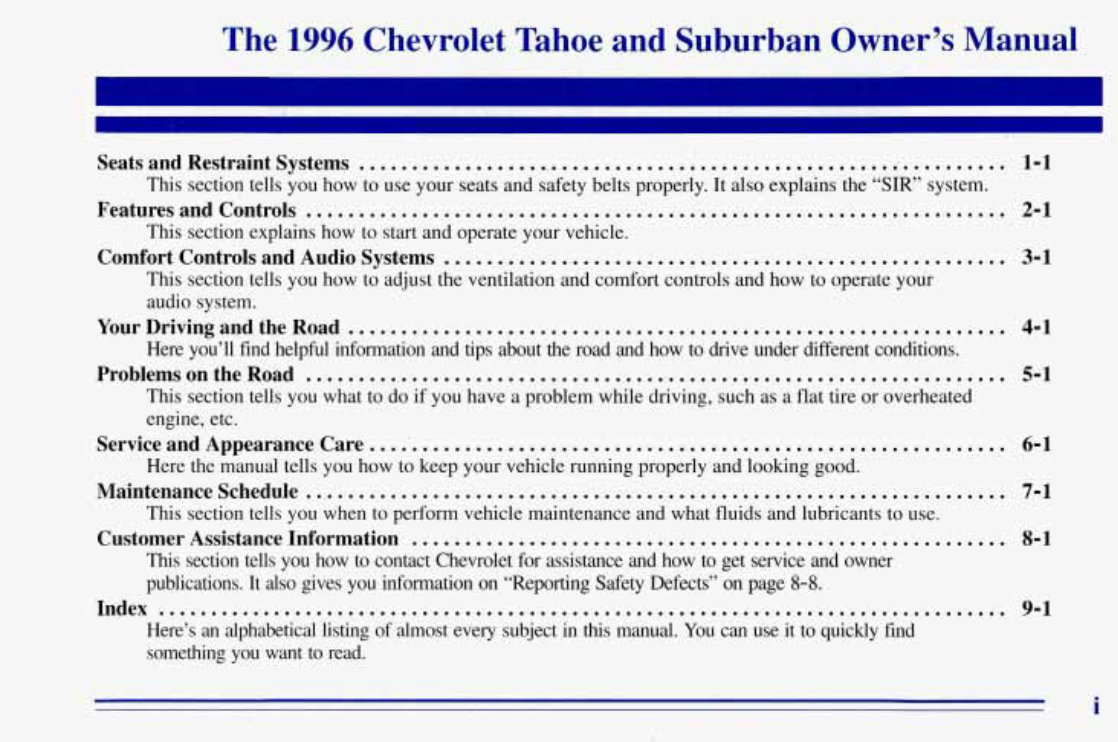
The 1996 Chevrolet Tahoe and Suburban Owner’s Manual
Seats and Restraint Systems ............................................................... 1-1
This section tells you how to use your seats and safety belts properly. It also explains the “SIR’ system.
FeaturesandControls .................................................................. 2-1
This section explains how to start and operate your vehicle.
Comfort Controls and Audio Systems ..................................................... 3-1
This section tells you how to adjust the ventilation and comfort controls and how to operate your
audio system.
Here you’ll find helpful infomation and tips about the road and how to drive under different conditions.
This section tells you what to do if you have a problem while driving, such as a flat tire or overheated
engine, etc.
Here the manual tells you how to keep your vehicle running properly and looking good.
This section tells you when to perform vehicle maintenance and what fluids and lubricants to use.
This section tells you how to contact Chevrolet for assistance ahd how to get service and owner
publications. It also gives you, information on “Reporting Safety Defects’’ on page 8-8.
Here’s an alphabetical listing of almost every subject in this manual. You can use it to quickly find
something you want to read.
YourDrivingandtheRoad .............................................................. 4-1
ProblemsontheRoad ................................................................... 5-1
Service and Appearance Care ... .’. ....................................................... 6-1
Maintenanceschedule ..................... ............................................. 7-1
Customer Assistance Information ........................................................ 8-1
Index ................................................................................ 9-1
i
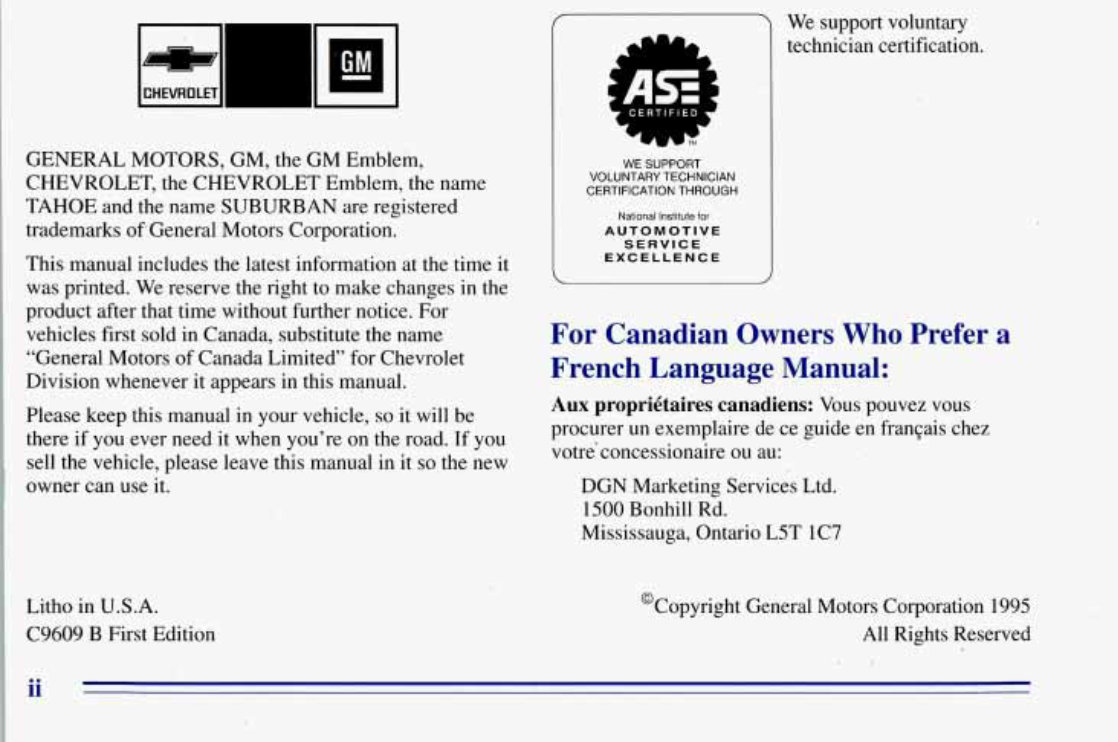
GENERAL MOTORS, GM, the GM Emblem,
CHEVROLET, the CHEVROLET Emblem, the name
TAHOE and the name SUBURBAN areregistered
trademarks ofGenera1 Motors Corporation.
This manual includes the latest information at the time it
was printed. We reserve the right to make changes in the
product after that time without further notice. For
vehicles first sold in Canada, substitute the name
“General .Motors of Canada Limited” for Chevrolet
Division whenever it appears in this manual.
Please keepthis manual in your vehicle, so it will be
there if you ever need it when you’re on the road. If you
sell the vehicle, please leavethis manual in it so the new
owner can use it.
Litho in U.S.A.
C9609 €3 First Edition
WE SUPPORT
VOLUNTARY TECHNICIAN
CERTIFICATION THROUGH
National Institute for
AUTOMOTIVE
SERVICE
EXCELLENCE
We support voluntary
technician certification.
For Canadian Owners Who Prefer a
French Language Manual:
Aux proprigtaires canadiens: Vous pouvez vous
procurer un exemplaire de ce guide en franGais chez
votre’concessionaire ou au:
DGN Marketing Services Ltd.
1500 Bonhill Rd.
Mississauga, Ontario L5T IC7
@Copyright General Motors Corporation 1995
All Rights Reserved
ii
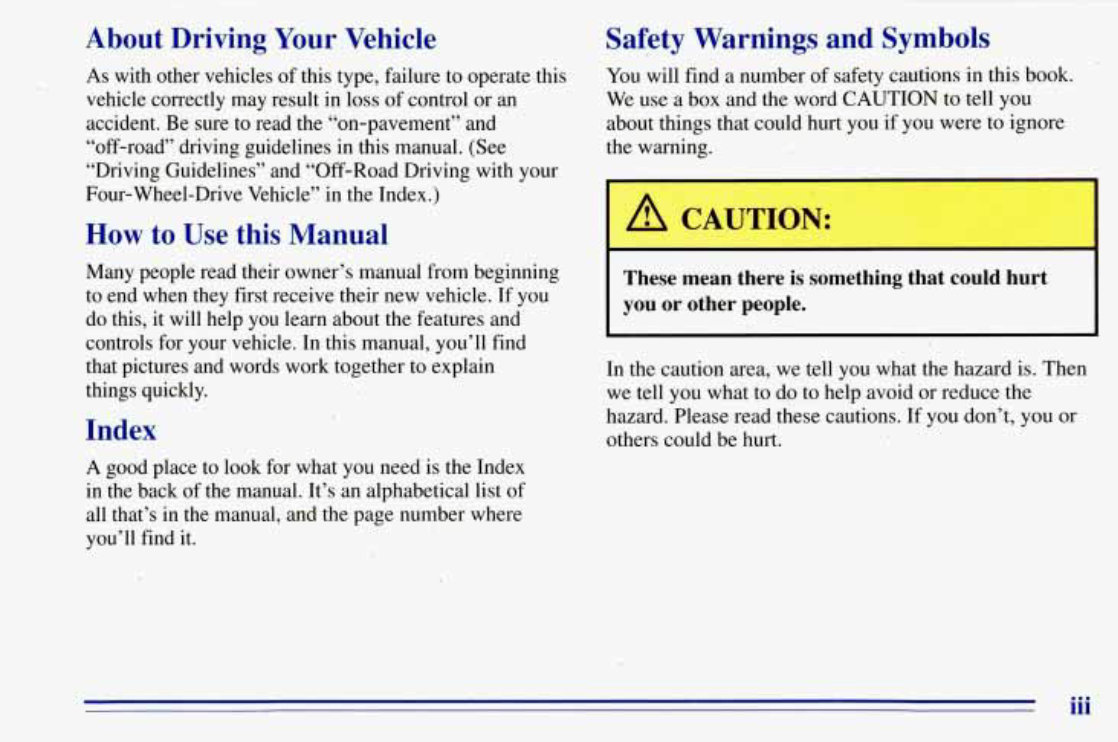
About Driving Your Vehicle
As with other vehicles of this type, failure to operate this
vehicle correctly may result in loss of control or an
accident. Be sure to read the “on-pavement” and
“off-road” driving guidelines in this manual. (See
“Driving Guidelines” and “Off-Road Driving with your
Four-Wheel-Drive Vehicle’’ in the Index.)
How.toUse this Manual
Many people read their owner’s manual from beginning
to end when they first receive their new vehicle. If .you
do this, it will help you learn about thefeatures and
controls for your vehicle. In this manual, you’ll find
that pictures and words work together to explain
things quickly.
Index
A good place to look for what you need is the Index
in the back of the manual. It’s an alphabetical list of
all that’s in the manual, and the page number where
you’ll find it.
Safety Warnings and Symbols
You will find a number of safety cautions in this book.
We use a box and the word CAUTION to tell you
about things that could hurt you if you were to ignore
the warning.
I A CAUTION:
These mean there is something thatcould hurt
you or other people.
In the caution area,we tell you what the hazard is. Then
we tell you what to do to help avoid or reduce the
hazard. Please read these cautions. If you don’t, you or
others couldbe hurt.
1
iii
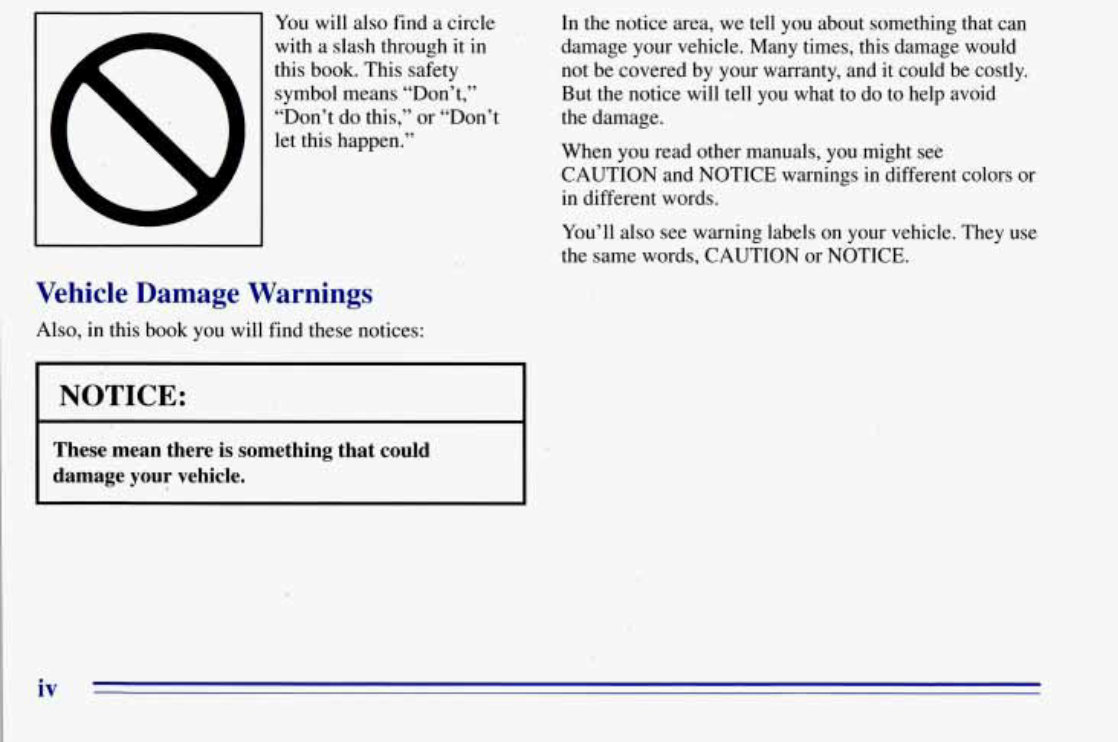
You will also find a circle In the notice area, we tellyou about something that can
with a slash through it in damage your vehicle. Many times, this damage would
this book. This safety not be covered by your warranty, and it could be costly.
symbol means “Don’t,” But the notice will tell you what to do to help avoid
“Don’t do this,” or “Don’t the damage.
let thishappen.”
When you read other manuals, youpmight see
CAUTION and NOTICE warnings in different colors or
in different words.
You’ll also seewarning labels on your vehicle. They use
the same words, CAUTION or NOTICE.
Vehicle Damage Warnings
Also, inthis book you will find thesenotices:
I NOTICE:
These mean there is something that could
damage your vehicle.
iv
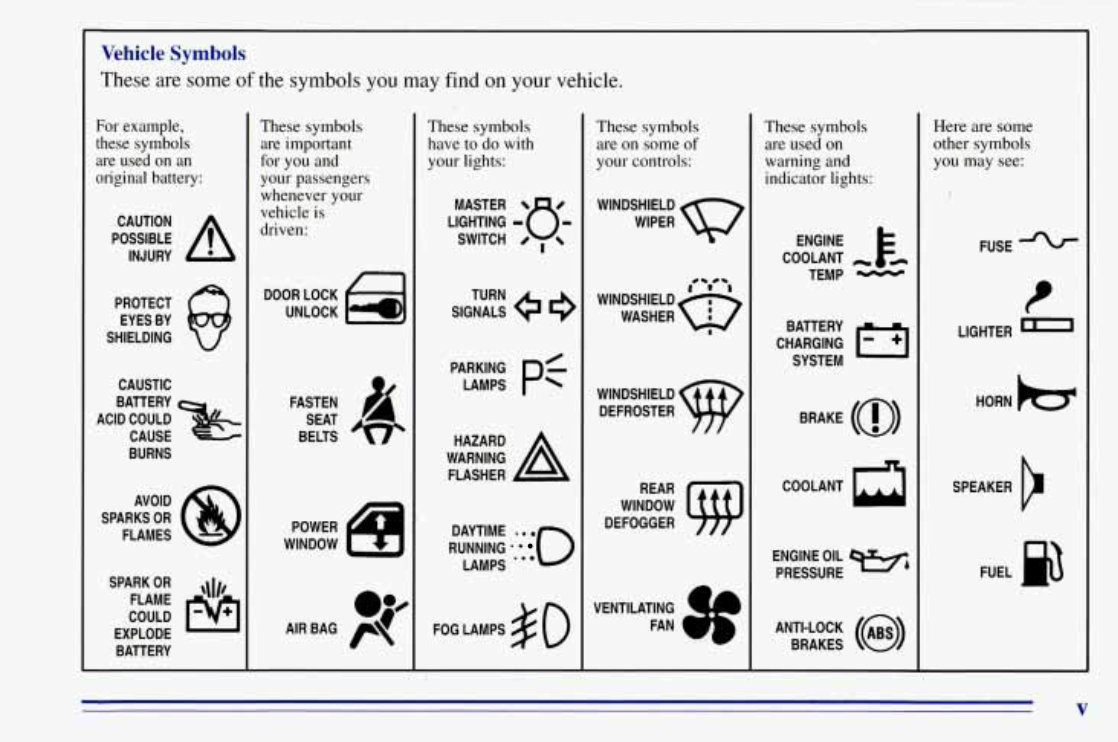
Vehicle Symbols
These are some of the symbols you may find on your vehicle.
For example,
these symbols
are used on an
original battery:
POSSIBLE A
CAUTION
INJURY
PROTECT
EYES BY
SHIELDING
CAUSTIC
ACID COULD
BATTERY
CAUSE
BURNS
SPARK OR ,\I/,
COULD
FLAME
EXPLODE
BATTERY
These symbols
are important
for you and
your passengers
whenever your
vehicle is
driven:
DOOR LOCK
UNLOCK
These symbols
have to do with
your lights:
SIGNALS e e
TURN
WARNING A
HAZARD
FLASHER
RUNNING * ' 0
DAYTIME -. e
LAMPS ' **
FOG LAMPS $0
These symbols
are on some of
your controls:
WINDSHIELD
DEFROSTER
VENTILATING a*
FAN -d
These symbols
are used on
warning and
indicator lights:
COOLANT -
TEMP -
CHARGING
BATTERY
SYSTEM
BRAKE (0)
COOLANT a
ENGINE OIL w,
PRESSURE
ANTI-LOCK (a)
BRAKES
Here are some
other symbols
you may see:
FUSE
t
LIGHTER n
HORN )tr
SPEAKER
b
FUEL p3
V
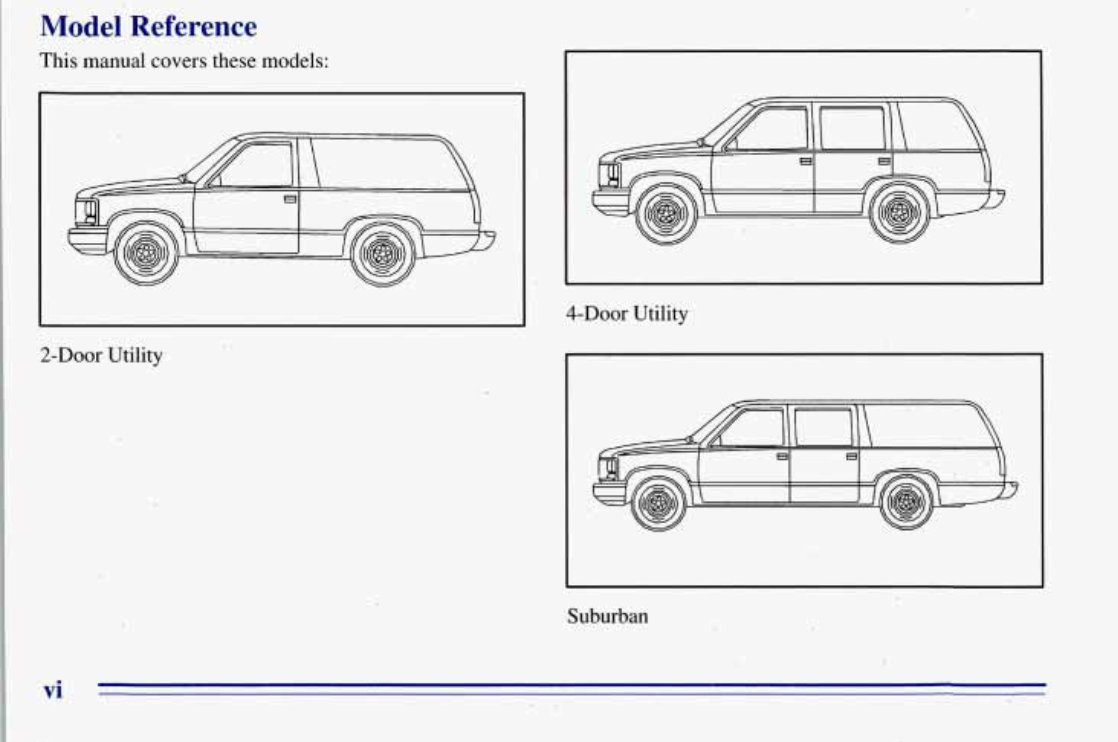
,Model Reference
This manual covers thesemodels:
4-DOOr Utility
2-Door Utility
Suburban
Vi
Section 1 Seats and Restraint Systems
Here you’ll find information about the seats inyour
Manual Front Seat
vehicle and how to use your safety belts properly. You
can also learn about some things you should nut do with
air bags and safety belts.
A CAUTION:
c
Seats and Seat Controls
m
This section tells you about the seats -- how to adjust
them and fold them up and down. It also tells you about
reclining front seatbacks and head restraints. 1
You can lose control of the vehicle if you try to
adjust a manual driver’s seat while the vehicle is
moving. The sudden movement could startle and
confuse you,or make you push a pedal when you
don’t want to. Adjust the driver’s seat only when
the vehicle is not moving.
1-1
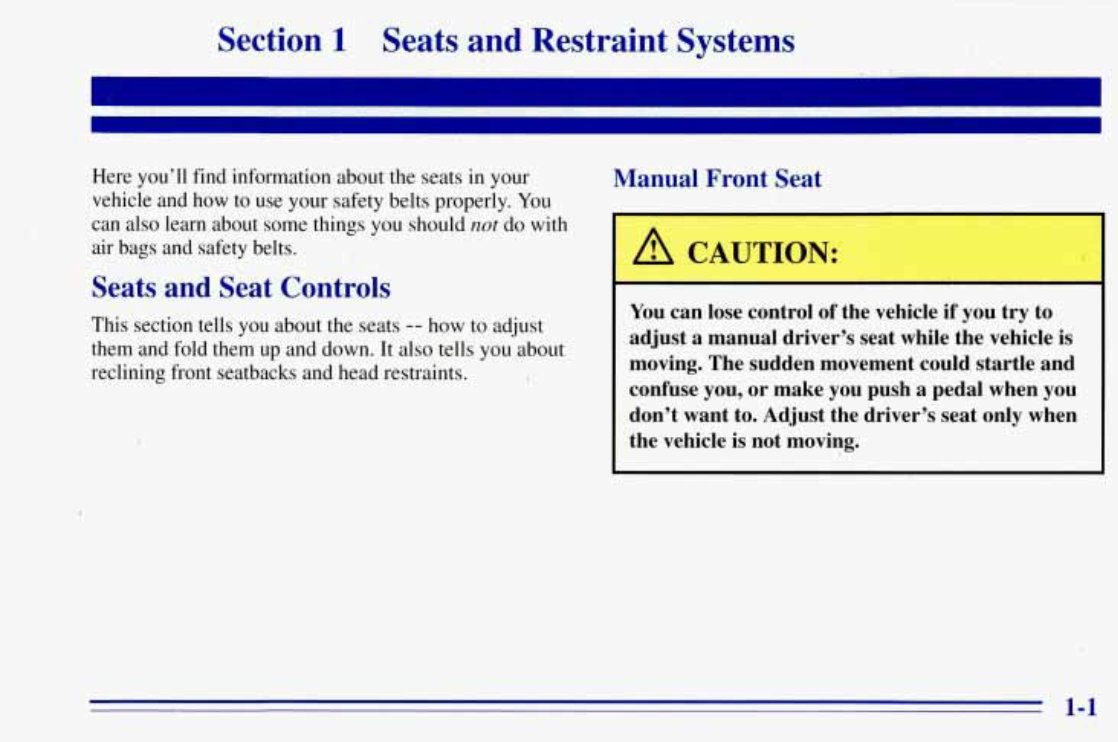
If your vehicle has a manual
1 bucket, split bench or full
~ bench seat, you can adjust it
with this lever at the front
of the seat.
Power Driver’s Seat (Option)
Slide the lever at the front of the seat toward the
passenger’s sideto unlock it. Using your body, slide the
seat to where you want it. Then, release the lever and try
to move the seat with your body, to make sure the seat is
locked in place.
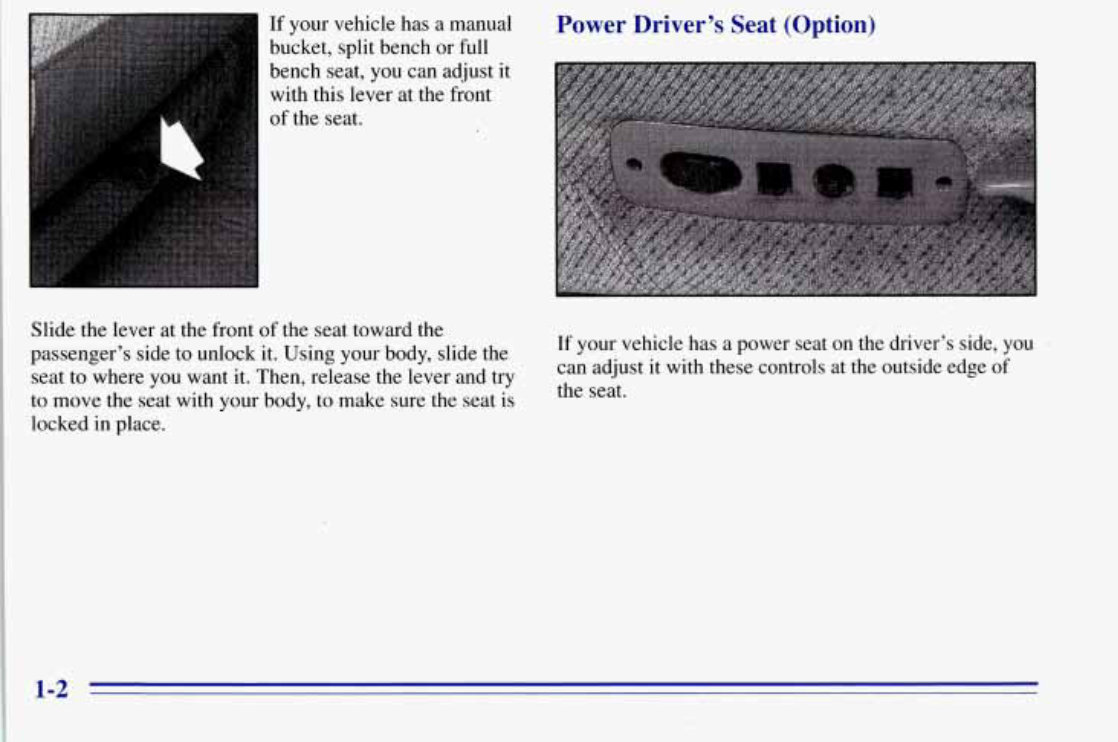
If your vehicle has a power seat on the driver’s side, you
can adjust it with these controls at the outside edge of
the seat.
1-2
You can use the round center knob to move the seat
where you want it. To raise the seat,move the knob up.
To lower the seat, move the knob down. To move the
seat forward, move the knob toward the front of the
vehicle. To move the seat rearward, move the knob
toward the rear of the vehicle.
You can also raise and lower the front and rear of the
seat. To raise the front of the seat,move the'.front
lever up. To lower the front of the seat, move the front
lever down. To raise the rear of the seat, move the rear
lever up. To lower the rear of the seat, move the rear
lever down.
Power Lumbar Adjustment
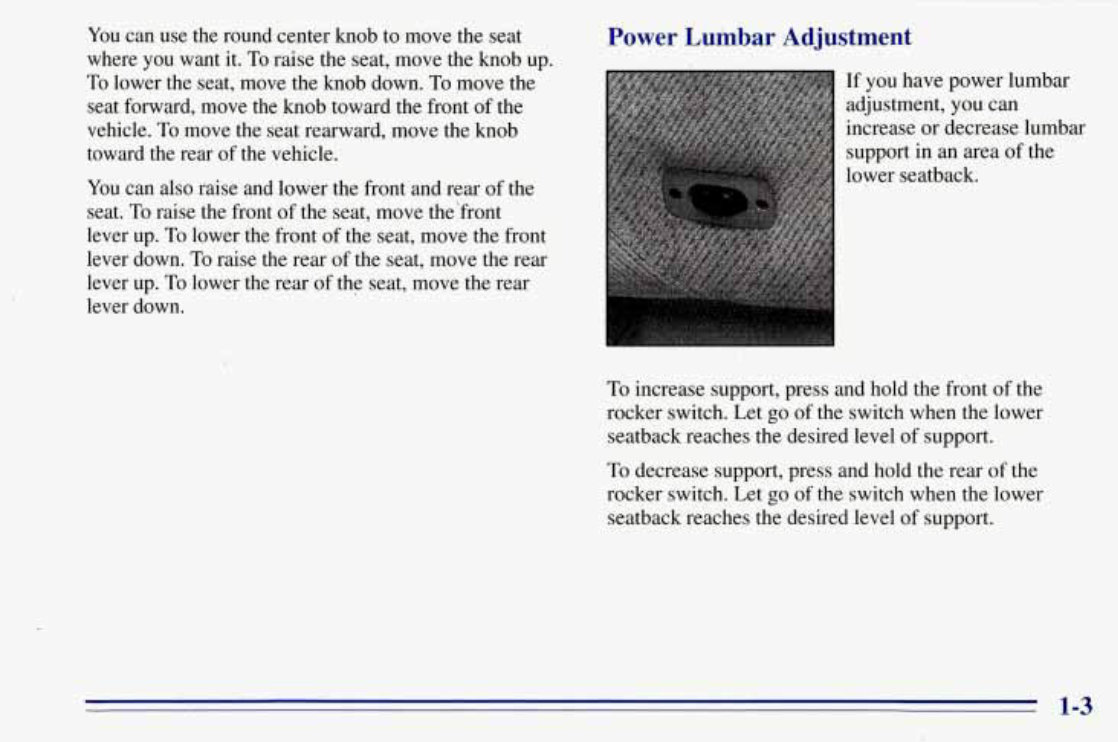
If you have power lumbar
adjustment, you can
increase or decrease lumbar
support in an area of the
lower seatback.
To increase support, press and hold the front of the
rocker switch. Let go of the switch when the lower
seatback reaches the desired level of support.
To decrease support, press and hold the rear of the
rocker switch. Let go of the switch when the lower
seatback reaches the desired level of support.
You're Reading a Preview
What's Included?
Lifetime Access
Fast Download Speeds
Online & Offline Access
Access PDF Contents & Bookmarks
Full Search Facility
Print one or all pages of your manual
$24.99
$32.99
Viewed 78 Times Today


Secure transaction
What's Included?
Lifetime Access
Fast Download Speeds
Online & Offline Access
Access PDF Contents & Bookmarks
Full Search Facility
Print one or all pages of your manual
$24.99
$32.99
This manual is a comprehensive guide compiled in PDF format from the Original GMC Factory Owners Manual. It contains all the essential information found in the traditional physical manual, covering:
- Introduction
- Instrument Cluster
- Entertainment Systems
- Climate Controls
- Lights
- Driver Controls
- Locks and Security
- Seating and Safety Restraints
- Driving
- Customer Assistance
- Reporting safety defects (U.S. only)
- Cleaning
- Maintenance and Specifications
- Engine compartment
- Engine oil
- Battery
- Fuel information
- Air filter(s)
- Part numbers
- Refill capacities
- Lubricant specifications
- Accessories
It requires a PDF reader (Acrobat Reader, Foxit, or comparable reader) to open. For other owner manuals, visit our main page on Manuals-Online.com, where we continually expand our listings of vehicle owners manuals for all car manufacturers. If you can't find the manual you need, feel free to email us, and we will check availability and respond to your request. Please note that designated trademarks and brands are the property of their respective owners.


