Seats and Restraint Systems ....................... 7 Front Seats .............................................. 8 Rear Seats ............................................. 18 Safety Belts ............................................ 20 Child Restraints ...................................... 42 Airbag System ........................................ 71 Restraint System Check ......................... 90 Features and Controls ................................ 93 Keys ....................................................... 95 Doors and Locks .................................. 100 Windows ............................................... 107 Theft-Deterrent Systems ....................... 109 Starting and Operating Your Vehicle ..... 112 Mirrors .................................................. 132 OnStar ® System ................................... 145 Universal Home Remote System .......... 149 Storage Areas ...................................... 160 Sunroof ................................................ 164 Instrument Panel ....................................... 165 Instrument Panel Overview ................... 168 Climate Controls ................................... 185 Warning Lights, Gages, and Indicators .......................................... 195 Driver Information Center (DIC) ............ 216 Audio System(s) ................................... 234 Driving Your Vehicle ................................. 299 Your Driving, the Road, and Your Vehicle ..................................... 300 Towing ................................................. 356 Service and Appearance Care .................. 379 Service ................................................. 382 Fuel ...................................................... 384 Checking Things Under the Hood ......... 390 All-Wheel Drive ..................................... 434 Rear Axle ............................................. 434 Four-Wheel Drive .................................. 435 2007 Chevrolet TrailBlazer Owner Manual M 1
Front Axle ............................................ 436 Bulb Replacement ................................ 437 Windshield Wiper Blade Replacement ... 440 Tires ..................................................... 443 Appearance Care .................................. 489 Vehicle Identification ............................. 499 Electrical System .................................. 500 Capacities and Specifications ................ 510 Maintenance Schedule .............................. 513 Maintenance Schedule .......................... 514 Customer Assistance Information ............. 535 Customer Assistance and Information ... 536 Reporting Safety Defects ...................... 554 Index .......................................................... 557 2
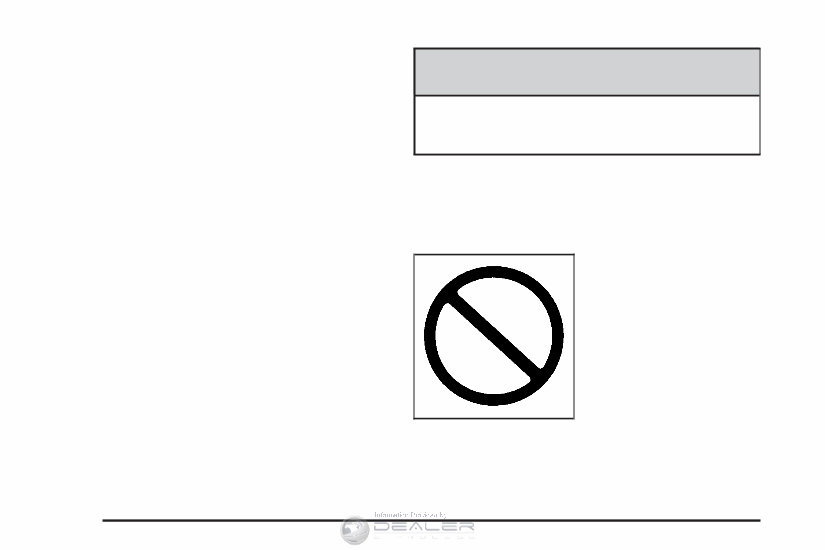
How to Use This Manual Many people read the owner manual from beginning to end when they first receive their new vehicle. If this is done, it can help you learn about the features and controls for the vehicle. Pictures and words work together in the owner manual to explain things. Index A good place to quickly locate information about the vehicle is the Index in the back of the manual. It is an alphabetical list of what is in the manual and the page number where it can be found. Safety Warnings and Symbols There are a number of safety cautions in this book. We use a box and the word CAUTION to tell about things that could hurt you if you were to ignore the warning. {CAUTION: These mean there is something that could hurt you or other people. In the caution area, we tell you what the hazard is. Then we tell you what to do to help avoid or reduce the hazard. Please read these cautions. If you do not, you or others could be hurt. You will also find a circle with a slash through it in this book. This safety symbol means “Do Not,” “Do Not do this” or “Do Not let this happen.” 4
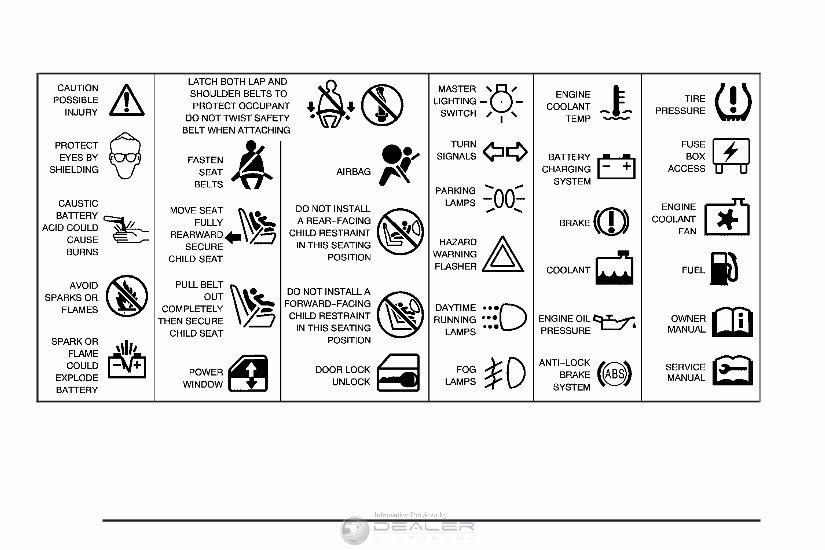
Vehicle Damage Warnings Also, in this manual you will find these notices: Notice: These mean there is something that could damage your vehicle. A notice tells about something that can damage the vehicle. Many times, this damage would not be covered by your vehicle’s warranty, and it could be costly. But the notice will tell what to do to help avoid the damage. When you read other manuals, you might see CAUTION and NOTICE warnings in different colors or in different words. There are also warning labels on the vehicle. They use the same words, CAUTION or NOTICE. Vehicle Symbols The vehicle has components and labels that use symbols instead of text. Symbols are shown along with the text describing the operation or information relating to a specific component, control, message, gage, or indicator. If you need help figuring out a specific name of a component, gage, or indicator, reference the following topics: • Seats and Restraint Systems in Section 1 • Features and Controls in Section 2 • Instrument Panel Overview in Section 3 • Climate Controls in Section 3 • Warning Lights, Gages, and Indicators in Section 3 • Audio System(s) in Section 3 • Engine Compartment Overview in Section 5 5
These are some examples of symbols that may be found on the vehicle: 6
Front Seats ..................................................... 8 Manual Seats ................................................ 8 Power Seats ................................................. 9 Manual Lumbar ........................................... 10 Power Lumbar ............................................. 10 Heated Seats .............................................. 11 Memory Seat, Mirrors, and Pedals .............. 11 Reclining Seatbacks .................................... 14 Head Restraints .......................................... 17 Rear Seats .................................................... 18 Rear Seat Operation ................................... 18 Safety Belts .................................................. 20 Safety Belts: They Are for Everyone ........... 20 Questions and Answers About Safety Belts .... 25 How to Wear Safety Belts Properly ............. 26 Driver Position ............................................. 26 Safety Belt Use During Pregnancy .............. 34 Right Front Passenger Position ................... 35 Rear Seat Passengers ................................ 35 Rear Safety Belt Comfort Guides ................ 38 Safety Belt Pretensioners ............................ 41 Safety Belt Extender ................................... 41 Child Restraints ............................................ 42 Older Children ............................................. 42 Infants and Young Children ......................... 45 Child Restraint Systems .............................. 49 Where to Put the Restraint .......................... 54 Lower Anchors and Tethers for Children (LATCH) .................................... 56 Securing a Child Restraint in a Rear Outside Seat Position ...................... 63 Securing a Child Restraint in the Center Rear Seat Position ....................... 66 Securing a Child Restraint in the Right Front Seat Position ......................... 66 Airbag System .............................................. 71 Where Are the Airbags? .............................. 74 When Should an Airbag Inflate? .................. 77 What Makes an Airbag Inflate? ................... 79 How Does an Airbag Restrain? ................... 79 What Will You See After an Airbag Inflates? ... 80 Passenger Sensing System ......................... 82 Servicing Your Airbag-Equipped Vehicle ...... 88 Adding Equipment to Your Airbag-Equipped Vehicle .......................... 89 Restraint System Check ............................... 90 Checking the Restraint Systems .................. 90 Replacing Restraint System Parts After a Crash ........................................... 91 Section 1 Seats and Restraint Systems 7
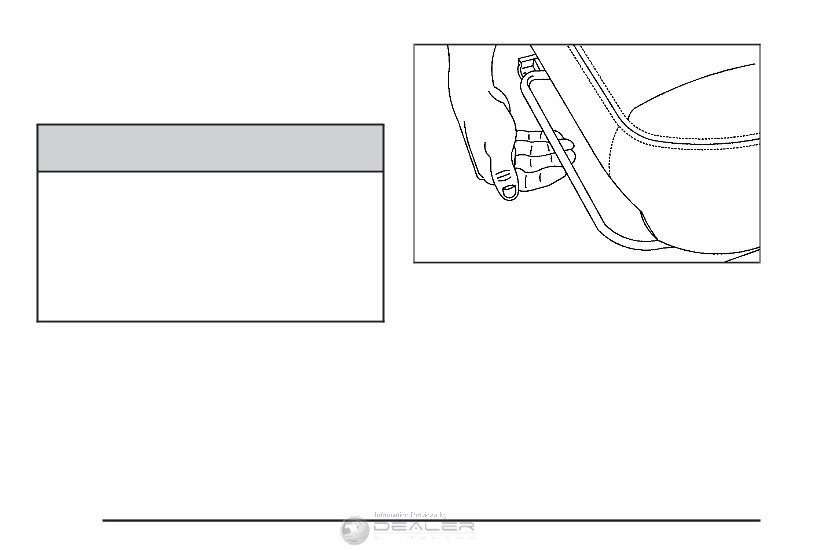
Front Seats Manual Seats {CAUTION: You can lose control of the vehicle if you try to adjust a manual driver’s seat while the vehicle is moving. The sudden movement could startle and confuse you, or make you push a pedal when you do not want to. Adjust the driver’s seat only when the vehicle is not moving. Lift the bar located under the front of the seat to unlock it. Slide the seat to where you want it and release the bar. Try to move the seat with your body to be sure the seat is locked in place. 8
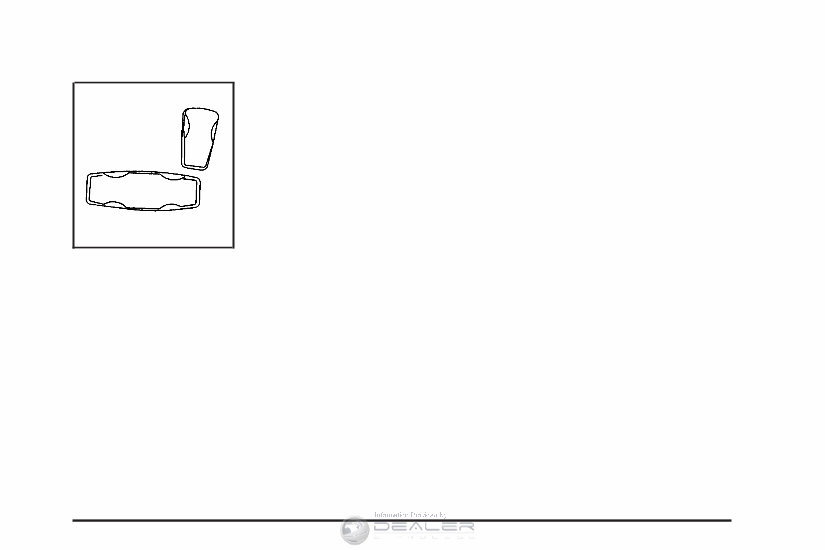
Power Seats If the vehicle has power seats, the controls used to operate them are located on the outboard side of the seats. To adjust the seat, do any of the following: • Move the seat forward or rearward by sliding the horizontal control forward or rearward. • Raise or lower the front part of the seat cushion by moving the front of the horizontal control up or down. • Raise or lower the rear part of the seat cushion by moving the rear of the horizontal control up or down. • Raise or lower the entire seat by moving the entire horizontal control up or down. If the seats have power reclining seatbacks, the control used to operate them is located behind the power seat control on the outboard side of the seats. See “Power Reclining Seatbacks” under Reclining Seatbacks on page 14. 9
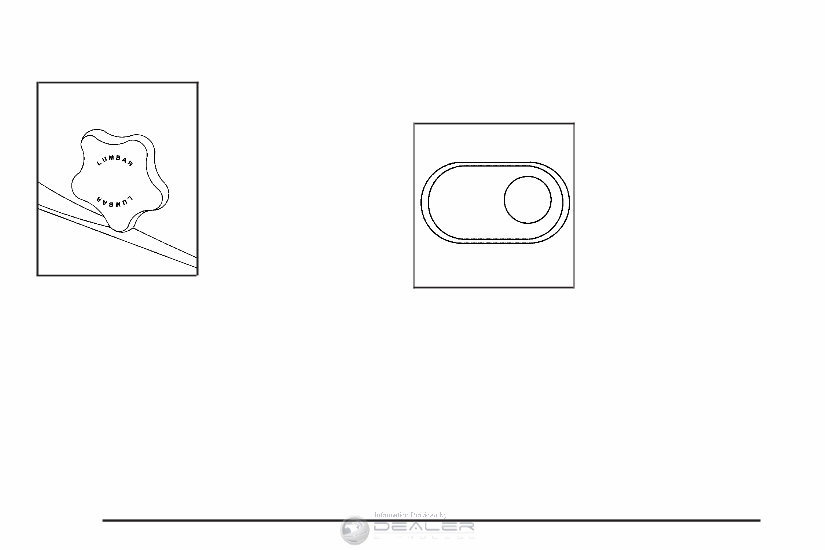
Manual Lumbar If your vehicle has this feature, there is a knob located on the outboard side of the driver’s seat. Turn the top of the knob toward the front of the vehicle to increase lumbar support. Turn the top of the knob toward the rear of the vehicle to decrease lumbar support. Power Lumbar Your vehicle may have power lumbar on the driver’s and front passenger’s seats. The seatback lumbar support can be adjusted by moving the control located on the outboard side of the seat cushions. To increase or decrease support, hold the control forward or rearward. Keep in mind that as your seating position changes, as it may during long trips, so should the position of your lumbar support. Adjust the seat as needed. 10
The 2007 Chevrolet TrailBlazer Owner's Manual is an essential guide for owners of the 2007 Chevrolet TrailBlazer model. This manual provides comprehensive information and instructions on how to operate, maintain, and troubleshoot various aspects of the vehicle. It is a valuable resource for understanding the features, controls, and safety precautions of the 2007 Chevrolet TrailBlazer.
The manual covers a wide range of topics, including:
Vehicle specifications and technical details
Proper maintenance and service intervals
Step-by-step instructions for operating various systems and features
Troubleshooting common issues and recommended solutions
Safety precautions and guidelines
Whether you are a new owner or have been driving the 2007 Chevrolet TrailBlazer for a while, this manual will help you maximize your vehicle's performance, ensure its longevity, and make informed decisions regarding maintenance and repair. It is designed to be user-friendly and easy to understand, with clear explanations and illustrations.
Invest in the 2007 Chevrolet TrailBlazer Owner's Manual to enhance your driving experience and take better care of your vehicle.






 Lifetime Access




