


ZX-T Series
Cat. No. I146E-EN-01
R6Y - XC/XG series
USER´S MANUAL
SCARA Robots
Tiny Series


Before using the robot
(Be sure to read the following notes.)
At this time, our thanks for your purchase of this OMRON X series SCARA robot.
(1) Please be sure to perform the following tasks before using the robot.
Note that the robot may operate abnormally (abnormal vibration or noise) if
the following work is not carried out.
Before the X series is shipped, the position shown in "Chapter 7, 1-2 External view
and dimensions" is adjusted as the origin position, and the standard coordinates
are provisionally set.
1. Absolute Reset
Absolute reset must be carried out just once before the X series robot can be
used.
Once absolute reset is completed, it does not need to be carried out again when
the power is turned ON the next time.
Refer to "Chapter 4, 3. Adjusting the origin" in this manual and "Absolute
Reset" in the "OMRON Robot Controller User's Manual" for details on
absolute reset.
2. Setting the standard coordinates
Set the standard coordinates while referring to instructions in "5. Setting the
Standard coordinates" in Chapter 4 of this manual and also to "Setting the
Standard coordinates" in the "OMRON Robot Controller User's Manual".
Robot malfunctions (vibration, noise) may occur if the standard coordinates
are not set correctly.
Even though there is no problem with the robot, the following error messages
are issued when the robot and controller are connected and power first turned on.
(Actual error messages may differ according to how the robot and controller are
connected.)
Error messages issued when robot & controller are connected (YRC)
17.81 : D?.ABS.battery wire breakage
17.92 : D?.Resolver disconnected during power off
17.93 : D?.Position backup counter overflow
17.94 : D?.ABS.battery low voltage
etc

(2) Caution when turning off the robot controller
On the R6YXG120, R6YXG150, R6YXG180, R6YXG220 robots, the harness
exerts a large reaction force on the X and Y axis arms. When the power to
the robot controller is turned off, the arm positions might move slightly due
to the harness reaction force, depending on where the arms are positioned.
If the arms moved a large distance in this case, the correct position data may
not be backed up. To avoid this, before turning off the power to the robot
controller, press the emergency stop button and check that the robot arms
have completely stopped.
(3) If the X, Y or R axis rotation angle is small
If the X, Y or R axis rotation angle is smaller than 5° so that it always moves
in the same position, an oil film is difficult to be formed on the joint support
bearing, possibly leading to damage to the bearing. In this type of operation,
add a movement so that the joint moves through 90° or more, about 5 times
a day.
(4) Tip weight parameter setting and WEIGHT statement in programs
The tip weight parameter setting and WEIGHT statement in programs for the
R6YXG120, R6YXG150, R6YXG180, R6YXG220 robots differ from those
for other robots.
Refer to “5 Tip weight parameter setting and WEIGHT statement in programs”
in Chapter 2 for instructions on how to set these.
(5) Do not remove the Z-axis upper-end mechanical stopper
Removing or moving the upper-end mechanical stopper attached to the Z-axis
spline shaft of the R6YXG120, R6YXG150, R6YXG180, R6YXG220 robots
can damage the Z-axis ball screw. Never remove or move it.
(6) When attaching a user wire or tube to a movable cable
Do not attach any wire or tube to the self-supporting cable. Doing so might
degrade the positioning accuracy. If attaching a wire or tube, make use of the
air tubes. For details, refer to “10 When attaching a new user wire or tube”
in Chapter 3.
(7) Allowable range of Z-axis machine reference for R6YXG120, R6YXG150,
R6YXG180 robots.
This range is from 17 to 33% and differs from that of other robots, so use
caution.

Copyright
The following shall be described in the Copyright section and the description
shall not be changed without permission.
OMRON, 2010
All rights reserved. No part of this publication may be reproduced, stored in
a retrieval system, or transmitted, in any form, or by any means, mechanical,
electronic, photocopying, recording, or otherwise, without the prior written per-
mission of OMRON.
No patent liability is assumed with respect to the use of the information con-
tained herein. Moreover, because OMRON is constantly striving to improve
its high-quality products, the information contained in this manual is subject
to change without notice. Every precaution has been taken in the preparation
of this manual. Nevertheless, OMRON assumes no responsibility for errors or
omissions. Neither is any liability assumed for damages resulting from the use
of the information contained in this publication.
Introduction
The OMRON R6YXC120, R6YXC150, R6YXC180, R6YXC220, R6YXG120,
R6YXG150, R6YXG180, R6YXG220 robots are SCARA type industrial robots.
The SCARA robots have a two-joint manipulator consisting of an X-axis arm and
a Y-axis arm, and are further equipped with a vertical axis (Z-axis) and a rotating
axis (R-axis) at the tip of the manipulator. These robots can be used for a wide
range of assembly applications such as installation and insertion of various parts,
application of sealant, and packing operations.
This user's manual describes the safety measures, handling, adjustment and
maintenance of R6YXC120, R6YXC150, R6YXC180, R6YXC220, R6YXG120,
R6YXG150, R6YXG180, R6YXG220 robots for correct, safe and effective use.
Be sure to read this manual carefully before installing the robot. Even after you
have read this manual, keep it in a safe and convenient place for future reference.
This user's manual should be used with the robot and considered an integral part
of it. When the robot is moved, transferred or sold, send this manual to the new
user along with the robot. Be sure to explain to the new user the need to read
through this manual.
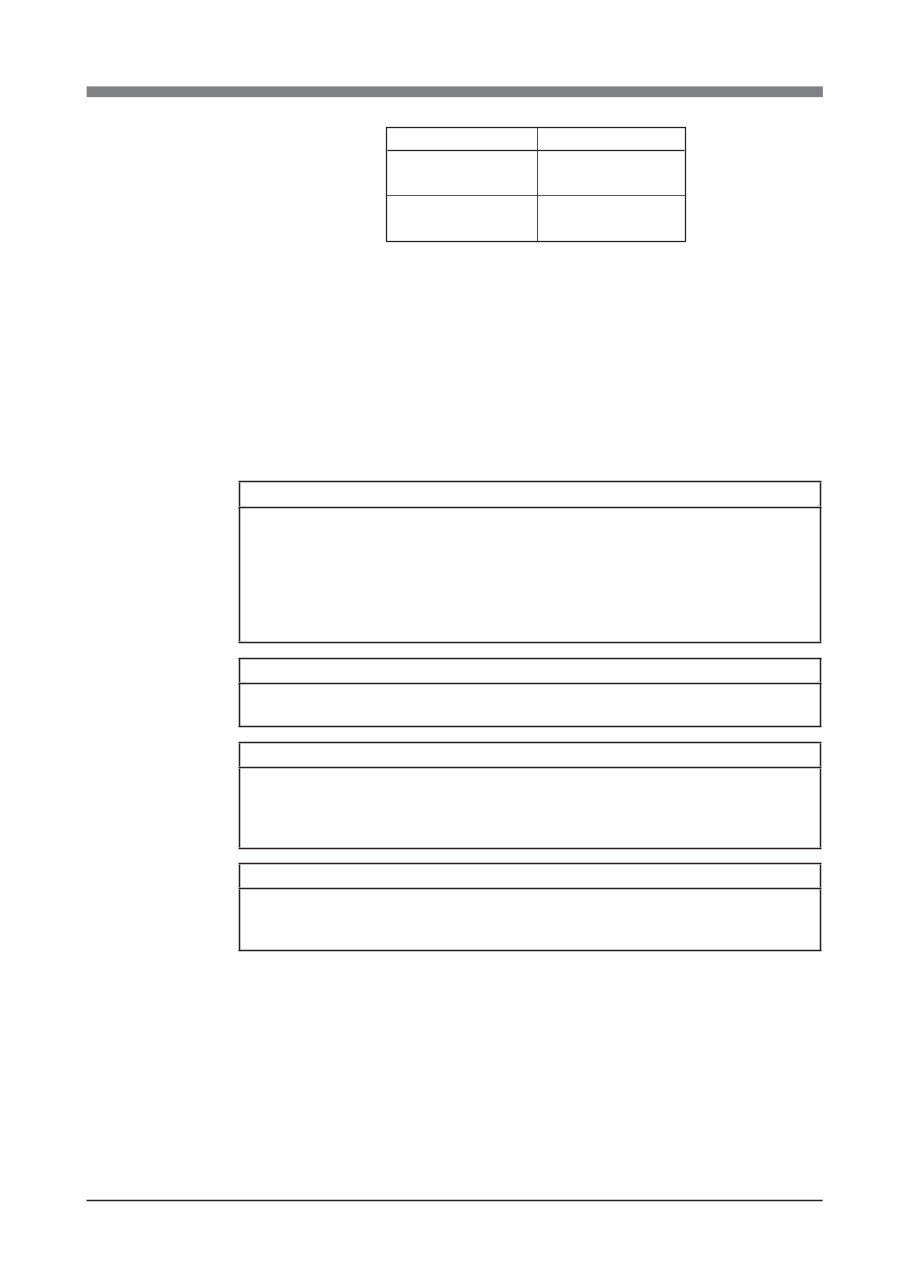
This user's manual explains the following robots.
Specifications
Clean room model
Standard model
Robots
R6YXC120, R6YXC150,
R6YXC180, R6YXC220
R6YXG120, R6YXG150,
R6YXG180, R6YXG220
Some descriptions of the Clean room models are not listed in this manual when
they are the same as standard models. Refer to the descriptions of standard models.
For information on difference between the clean room model and standard model,
refer to the description on the next page.
For details on specific operation and programming of the robot, refer to the
separate "OMRON Robot Controller User's Manual".
Disclaimers
CHANGE IN SPECIFICATIONS
Product specifications and accessories may be changed at any time based on improvements
and other reasons. It is our practice to change model numbers when published ratings or
features are changed, or when significant construction changes are made. However, some
specifications of the products may be changed without any notice. When in doubt, special
model numbers may be assigned to fix or establish key specifications for your application on
your request. Please consult with your OMRON representative at any time to confirm actual
specifications of purchased products.
DIMENSIONS AND WEIGHTS
Dimensions and weights are nominal and are not to be used for manufacturing purposes,
even when tolerances are shown.
PERFORMANCE DATA
Performance data given in this manual is provided as a guide for the user in determining
suitability and does not constitute a warranty. It may represent the result of OMRON’s
test conditions, and the users must correlate it to actual application requirements. Actual
performance is subject to the OMRON Warranty and Limitations of Liability.
ERRORS AND OMISSIONS
The information in this manual has been carefully checked and is believed to be accurate;
however, no responsibility is assumed for clerical, typographical, or proofreading errors, or
omissions.

Clean Room Models R6YXC120, R6YXC150,
R6YXC180 and R6YXC220
Compared to standard models, clean room models differ in the following points.
1. Robot parameter has been changed. (See section 4 in chapter 2.)
The Z-axis speed is lowered to maintain the degree of cleanliness and the
bellows durability. (This is preset prior to shipment.)
2. Robot initialization number list (See section 3 in chapter 2.)
The R6YXC180 and R6YXC220 have exclusive robot numbers. Be careful
when initializing. (This is preset prior to shipment.)
3. Suction couplers have been added. (See section 6 in chapter 3.)
For the suction amount versus degree of cleanliness, see "1-1 Basic specifica-
tions" in chapter 7. For the location of the suction couplers, see "1-2 External
view and dimensions" in chapter 7.
The suction amount for each suction coupler is very important to maintain
the degree of cleanliness and the bellows durability, so always comply with
the instruction.
4. R-axis machine reference adjustment is different.
(R6YXC120 and R6YXC150 only. See section 3-4-1-2 in chapter 4.)
The structure around the R-axis origin sensor differs from standard specifica-
tions, so the method for adjusting the machine reference is different. Since the
Z-axis bellows type suction tube is attached to the R-axis, care must be taken
when performing return-to-origin so that the suction tube will not entangle
around the R-axis.
5. Different grease is used for the Z-axis drive mechanism.
(See section 4 in chapter 5.)
LG2 grease (NSK) suitable for clean room is used for the Z-axis ball screw,
ball spline and linear bushing shaft.
Use the LG2 clean room grease for periodic maintenance.
6. Specifications and external appearance are somewhat changed. (See
sections 1-1 and 1-2 in chapter 7.)
The X and Y-axis repeated positioning accuracy and Z-axis maximum speed
(for R6YXC120 and R6YXC150) are different from standard specifications.
The user wiring (for R6YXC180 and R6YXC220) is different from standard
specifications.
The external appearance and dimensions are different in that the Z-axis
bellows, flexible tube and suction couplers are added.


CONTENTS
CHAPTER 1 Using the Robot Safely
1 Safety Information ................................................................................................ 1-1
2 Essential Caution Items ........................................................................................ 1-2
3 Industrial Robot Operating and Maintenance Personnel .................................... 1-12
4 Robot Safety Functions ...................................................................................... 1-13
5 Safety Measures for the System ......................................................................... 1-14
6 Trial Operation.................................................................................................... 1-15
7 Work Within the Safeguard Enclosure ............................................................... 1-16
8 Automatic Operation .......................................................................................... 1-17
9 Warranty ............................................................................................................. 1-18
CHAPTER 2 Functions
1 Robot Manipulator................................................................................................ 2-1
2 Robot Controller ................................................................................................... 2-7
3 Robot Initialization Number List .......................................................................... 2-8
4 Parameters for Clean Room Models R6YXC120, R6YXC150 ........................... 2-9
5 Tip Weight Parameter Setting and WEIGHT Statement in Programs ................ 2-10
CHAPTER 3 Installation
1 Robot Installation Conditions ............................................................................... 3-1
1-1 Installation environments .................................................................................................... 3-1
1-2 Installation base ................................................................................................................... 3-3
2 Installation ............................................................................................................ 3-5
2-1 Unpacking............................................................................................................................ 3-5
2-2 Checking the product ........................................................................................................... 3-6
2-3 Moving the robot ................................................................................................................. 3-7
2-4 Installing the robot ............................................................................................................... 3-8
3 Protective Bonding ............................................................................................... 3-9
4 Robot Cable Connection..................................................................................... 3-11
5 User Wiring and User Tubing ............................................................................. 3-13
6 Connecting a Suction Hose (R6YXC120, R6YXC150, R6YXC180, R6YXC220) ..... 3-17

7 Attaching the End Effector ................................................................................. 3-18
7-1 R-axis tolerable moment of inertia and acceleration coefficient ....................................... 3-18
7-1-1 Acceleration coefficient vs. moment of inertia (R6YXC120) ............................................ 3-20
7-1-2 Acceleration coefficient vs. moment of inertia (R6YXC150) ............................................ 3-22
7-1-3 Acceleration coefficient vs. moment of inertia (R6YXC180, R6YXC220, R6YXG220) . 3-24
7-1-4 Acceleration coefficient vs. moment of inertia (R6YXG120)............................................ 3-25
7-1-5 Acceleration coefficient vs. moment of inertia (R6YXG150)............................................ 3-26
7-1-6 Acceleration coefficient vs. moment of inertia (R6YXG180)............................................ 3-27
7-2 Equation for moment of inertia calculation ....................................................................... 3-28
7-3 Example of moment of inertia calculation ........................................................................ 3-31
7-4 Attaching the end effector ................................................................................................. 3-33
7-5 Gripping force of end effector ........................................................................................... 3-36
8 Working Envelope and Mechanical Stopper Positions for
Maximum Working Envelope............................................................................. 3-37
9 Stopping Time and Stopping Distance at Emergency Stop ................................ 3-39
9-1 R6YXG220, R6YXC180, R6YXC220.............................................................................. 3-39
9-2 R6YXG120, R6YXG150, R6YXG180 ............................................................................. 3-42
10 When Attaching a New User Wire or Tube ........................................................ 3-46
10-1 R6YXC120, R6YXC150, R6YXG120, R6YXG150, R6YXG180,
R6YXG220 robots ............................................................................................................. 3-46
10-2 R6YXC180, R6YXC220 robots ........................................................................................ 3-47
11 Installing the additional mechanical stopper ...................................................... 3-48
11-1 R6YXG220 ........................................................................................................................ 3-48
11-1-1 Installing the X, Y and Z-axis additional mechanical stoppers .......................................... 3-48
11-1-2 Installing the X and Y-axis additional mechanical stoppers ............................................... 3-51
11-1-3 Installing the additional mechanical stopper in the Z-axis minus direction ....................... 3-53
11-1-4 Installing the additional mechanical stopper in the Z-axis plus direction .......................... 3-56
11-1-5 Overrun amounts during impacts with X, Y and Z-axis additional mechanical stoppers .. 3-57
11-2 R6YXG120, R6YXG150, R6YXG180 ............................................................................. 3-58
11-2-1 Installing the X, Y and Z-axis additional mechanical stoppers .......................................... 3-58
11-2-2 Installing the X and Y-axis additional mechanical stoppers ............................................... 3-61
11-2-3 Installing the additional mechanical stopper in the Z-axis minus direction ....................... 3-64
11-2-4 Installing the additional mechanical stopper in the Z-axis plus direction .......................... 3-67
11-2-5 Overrun amounts during impacts with X, Y and Z-axis additional mechanical stoppers .. 3-68
CHAPTER 4 Adjustment
1 Overview .............................................................................................................. 4-1
2 Safety Precautions ................................................................................................ 4-1
3 Adjusting the Origin ............................................................................................. 4-2
3-1 Absolute reset method ......................................................................................................... 4-3
3-1-1 R6YXC120 and R6YXC150 robots ..................................................................................... 4-3
3-1-1-1 Sensor method (R-axis) ....................................................................................................... 4-3
3-1-1-2 Stroke end method (X-axis, Y-axis) .................................................................................... 4-4
You're Reading a Preview
What's Included?
 Lifetime Access
Fast Download Speeds
Online & Offline Access
Access PDF Contents & Bookmarks
Full Search Facility
Print one or all pages of your manual
$31.99
Omron Scara Robots R6Y XP Series Users Manual
Viewed 30 Times Today

What's Included?
Lifetime Access
Fast Download Speeds
Online & Offline Access
Access PDF Contents & Bookmarks
Full Search Facility
Print one or all pages of your manual
$31.99

Secure transaction
What's Included?
Lifetime Access
Fast Download Speeds
Online & Offline Access
Access PDF Contents & Bookmarks
Full Search Facility
Print one or all pages of your manual
Description
Find all the details you need in this comprehensive manual, perfect for professional mechanics and DIY enthusiasts alike.
Most of our manuals are in .PDF format, compatible with Windows desktop, Macs, iPad, and most e-readers.
This manual serves as an ideal replacement for a missing copy and provides valuable product insights, helping you avoid unscrupulous repair services.
Upon payment completion, the manual will be instantly accessible via download. Say goodbye to unreliable postal delivery and print only the necessary pages, eliminating concerns about damaging the physical copy.
Satisfaction Guaranteed


