MODEL:WM2650H*A Downloaded from www.Manualslib.com manuals search engine
Downloaded from www.Manualslib.com manuals search engine
Downloaded from www.Manualslib.com manuals search engine
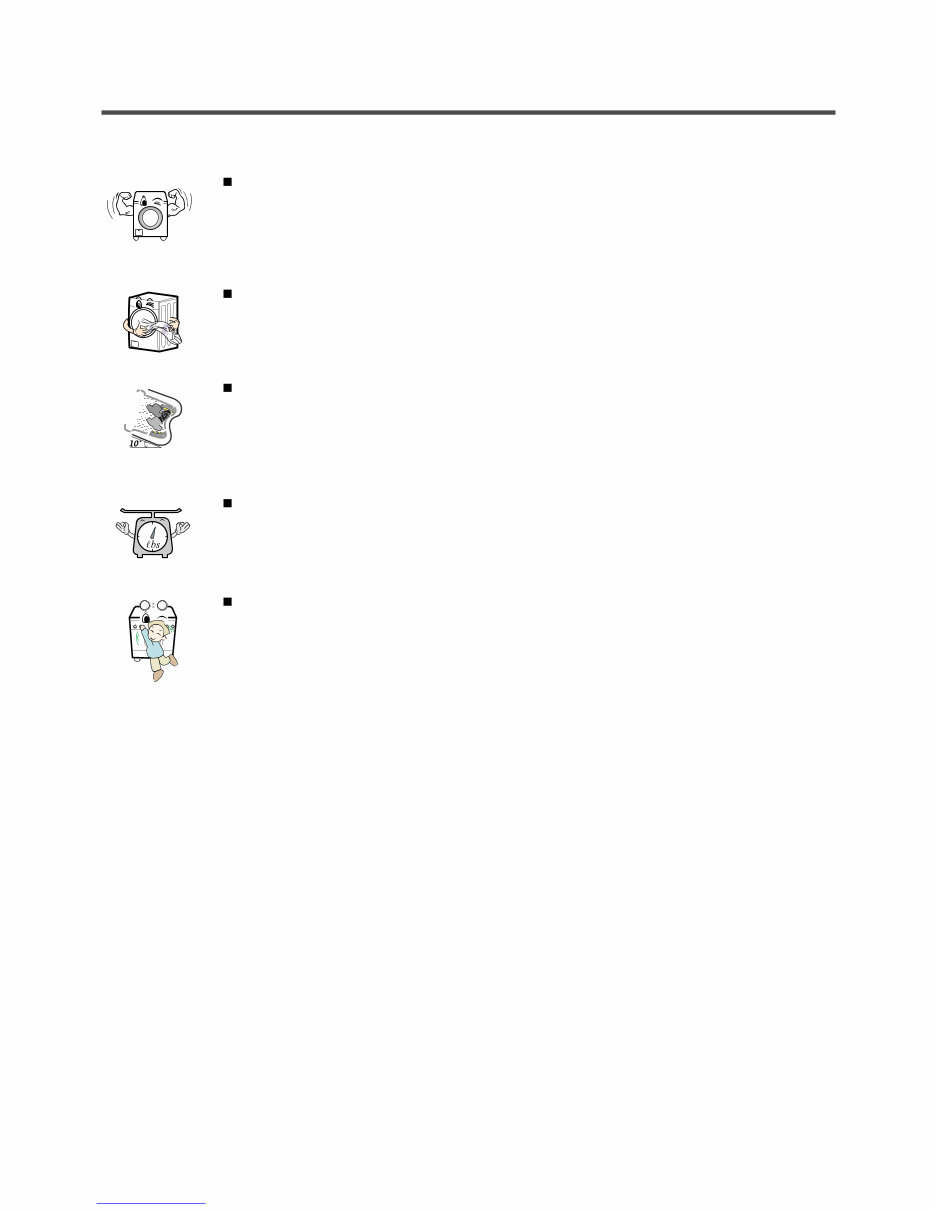
4 2.FEATURES & TECHNICAL EXPLANATION 2-1. FEATURES Ultra Capacity The larger drum enables not just higher head drop and stronger centrifugal force, but also less tangling and wrinkling of the laundry. Heavier loads, such as king size comforters, blankets, and curtains, can be washed. Direct Drive System The advanced brushless DC motor directly drives the drum without belt and pulley. Tilted Drum and Extra Large Door Opening Tilted drum and extra large opening make it possible to load and unload clothing more easily. Automatic Wash Load Detection Automatically detects the load and optimizes the washing time. Child Lock The child lock prevents children from pressing any button to change the settings during operation. Downloaded from www.Manualslib.com manuals search engine
5 2-2. NEURO FUZZY WASHING TIME OPTIMIZATION To get the best washing performance, optimal time is determined by the water temperature, the selected washing temperature, and the size of the load. 2-3. WATER LEVEL CONTROL This model incorporates a pressure sensor which can sense the water level in the tub. The water supply is stopped when the water level reaches the preset level, the washing program then proceeds. Spinning does not proceed until the water in the tub drains to a certain level. water temperature washing time rinsing time the best washing performance spin rhythm, time load size NEURO- FUZZY selected washing temperature SENSING EFFECT PROCESSING DETERMINATION The door can be opened by pulling the door handle whenever washer is not in operation. When the cycle is completed, the DOOR LOCKED light will turn off. If a power failure has occurred while in operation, the door will unlock after 5 minutes. Clicking sounds can be heard when the door is locked/unlocked. 2-4. DOOR CONTROL Downloaded from www.Manualslib.com manuals search engine
Downloaded from www.Manualslib.com manuals search engine
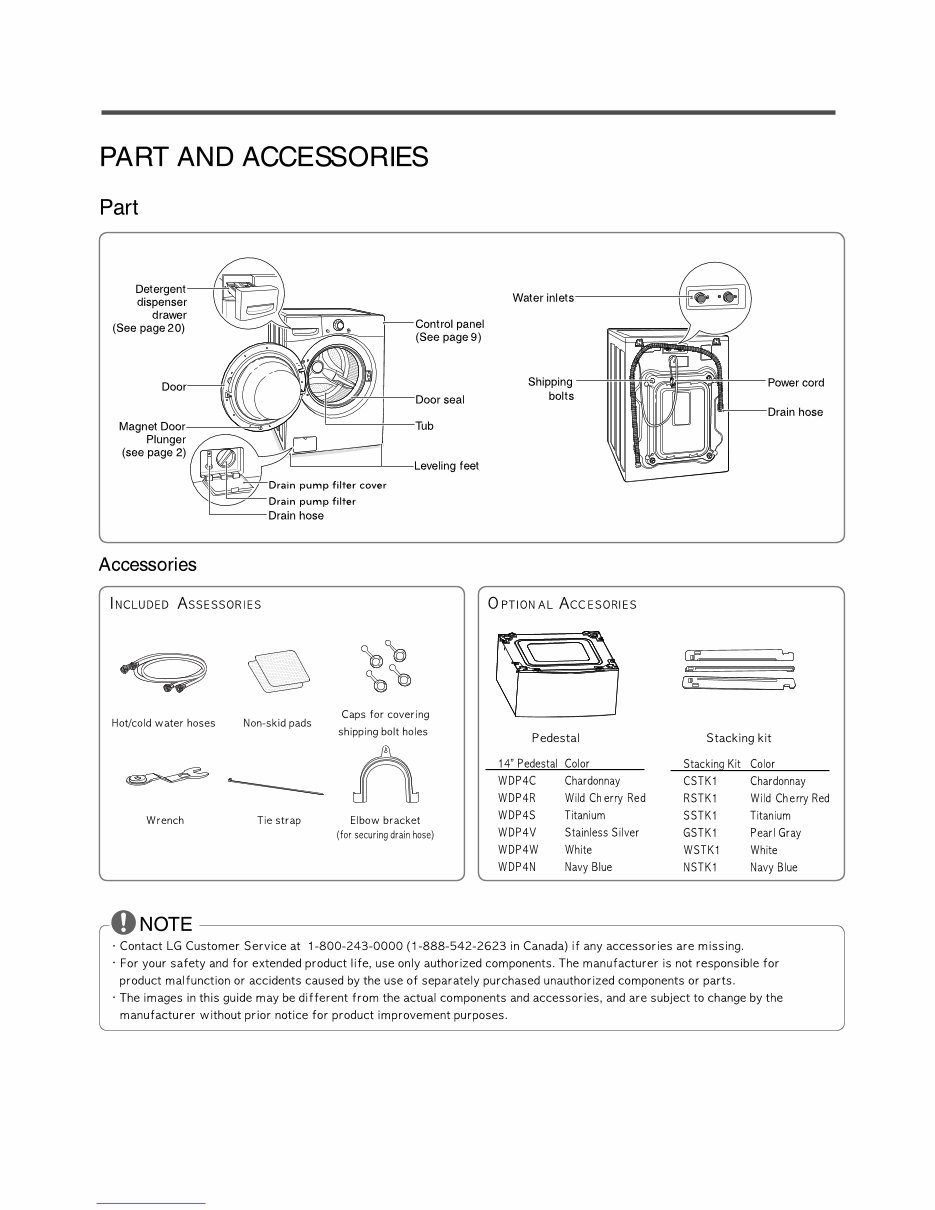
7 3.PARTS IDENTIFICATION Downloaded from www.Manualslib.com manuals search engine
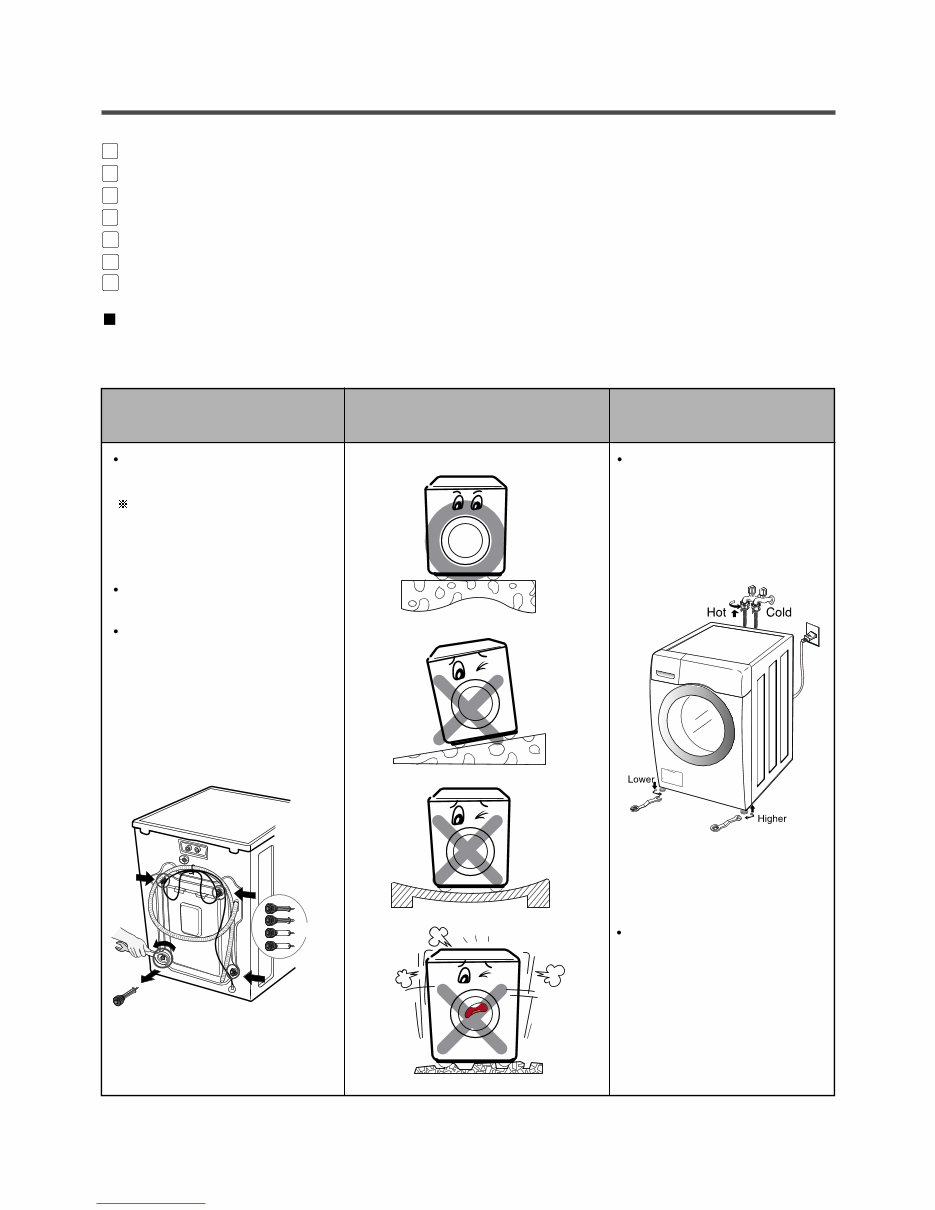
8 1 2 3 4 5 6 7 Before servicing, ask the customer what the trouble is. When installing or repairing the washer, put on long gloves and safety glasses. Check the setup (power supply is 120 VAC, remove the transit bolts, level the washer, etc.) Check with the troubleshooting guide. Plan your service method by referring to the disassembly instructions. Service the unit. After servicing, operate the appliance to see whether it functions correctly. STANDARD INSTALLATION The appliance should be installed as follows: Remove the 4 shipping bolts with the supplied wrench. Remove the lower boits fist. It is easier that way. Keep the shipping bolts and spanner for future use. Insert the 4 caps (provided) into the hole. Turn clockwise to raise; counterclockwise to lower. Turn the leveling feet to adjust the appliance. REMOVE THE SHIPPING BOLTS INSTALL THE APPLIANCE ON A FLAT AND FIRM SURFACE ADJUST THE LEVELING 4.INSTALLATION & TEST Keeping Downloaded from www.Manualslib.com manuals search engine
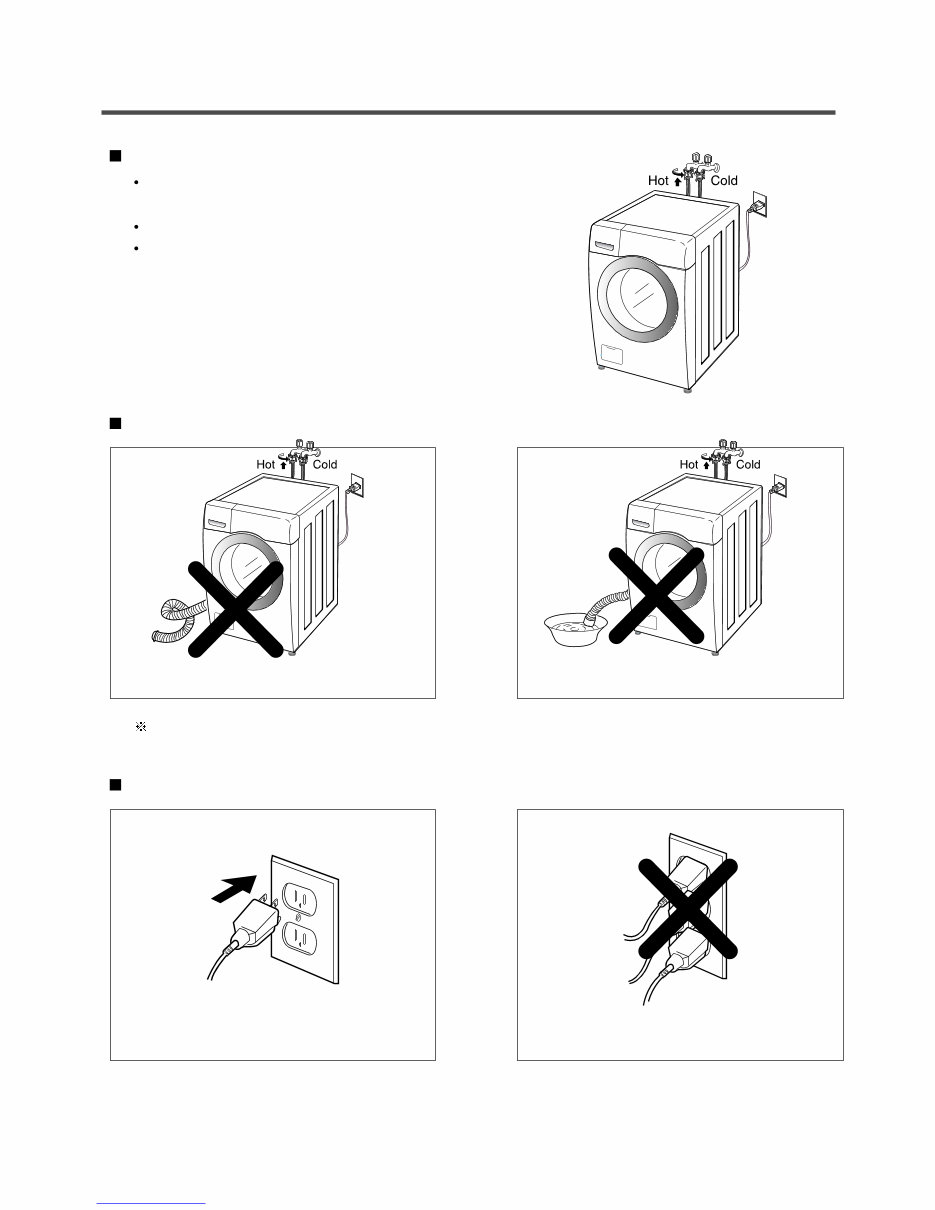
9 Verify that the rubber washer is inside of the valve connector. Tighten the inlet hose securely to prevent leaks. Install the inlet hose to correct temperature water tap. Otherwise, it cause drips on the drawer panel handle and drawer panel. HOW TO CONNECT THE INLET HOSE CONNECT THE DRAIN HOSE • Make sure that the hose is not twisted. CONNECT POWER PLUG The end of the drain hose should be placed less than 96” from the floor. • Avoid submerging the end of the hose. • Connect the power plug to the wall outlet. • Avoid connecting several electric devices, as doing so may cause a fire. Downloaded from www.Manualslib.com manuals search engine
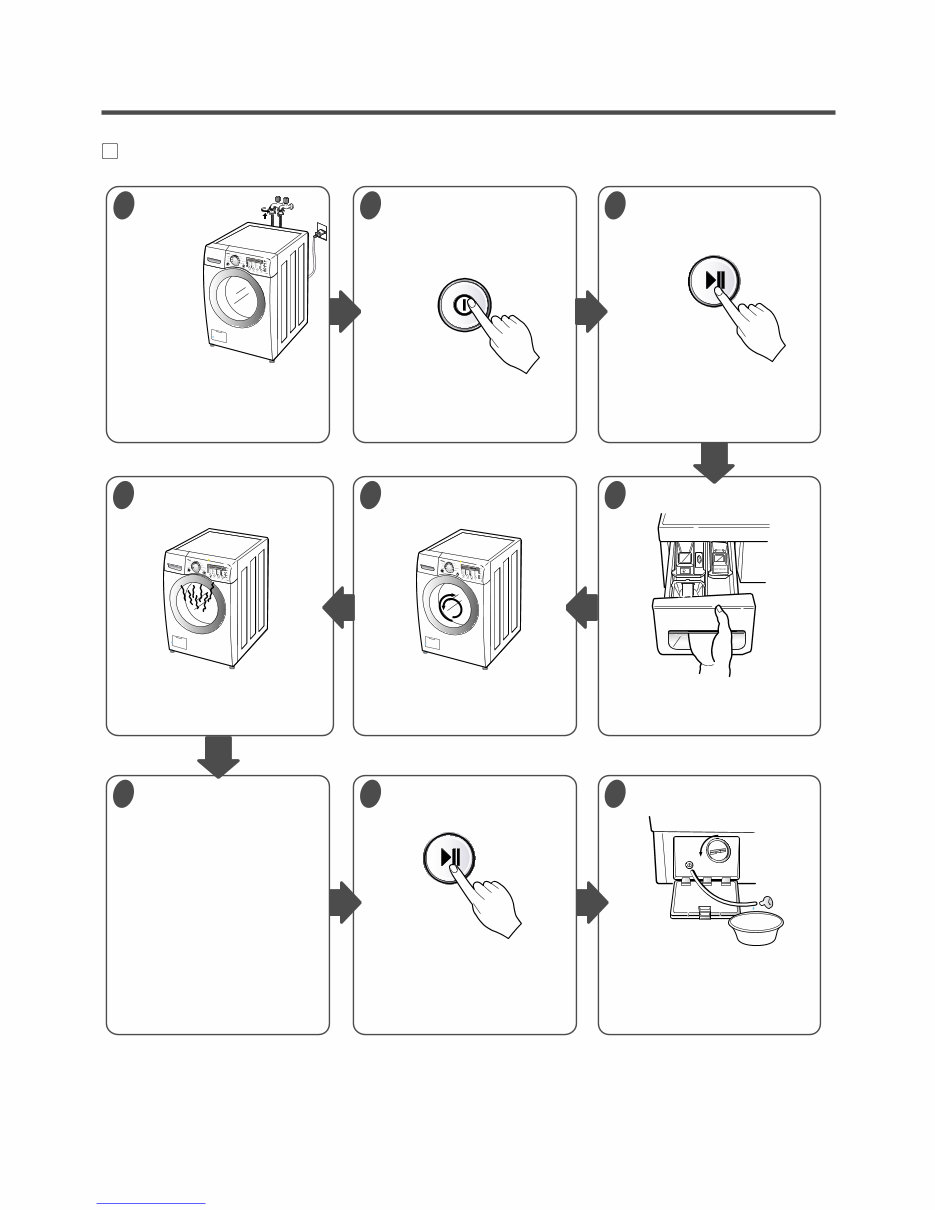
10 7 TEST OPERATION 1 Preparation for washing. • Connect the power plug to the outlet. • Connect the inlet hose. 3 Press the Start/Pause button. • Listen for a click to determine if the door has locked. 6 Check the water heating function. • Press the WASH/RINSE button and the present temperature will be displayed. 5 Check the automatic reverse rotation. 4 Check the water supply. • Check if water is supplied through the detergent dispenser. 7 Check the drain and spin functions. • Power off and the power on. • Press the SPIN SPEED button. • Press the START/PAUSE button. • Check the spin and drain functions. 8 Press the START/PAUSE button. 9 Water removal. • If SERVICE is needed during check, remove the remaining water by pulling out the hose cap. 2 Press the POWER button. • Listen for a click to determine if the door is unlocking. • Check if the drum rotates clockwise and counterclockwise. Downloaded from www.Manualslib.com manuals search engine
Is your LG WM2650HRA Steam Washer letting you down?
Why replace while you can upgrade or repair? This service and repair manual is used by the Official Certified LG Technicians. It will help you to troubleshoot and repair your washer!
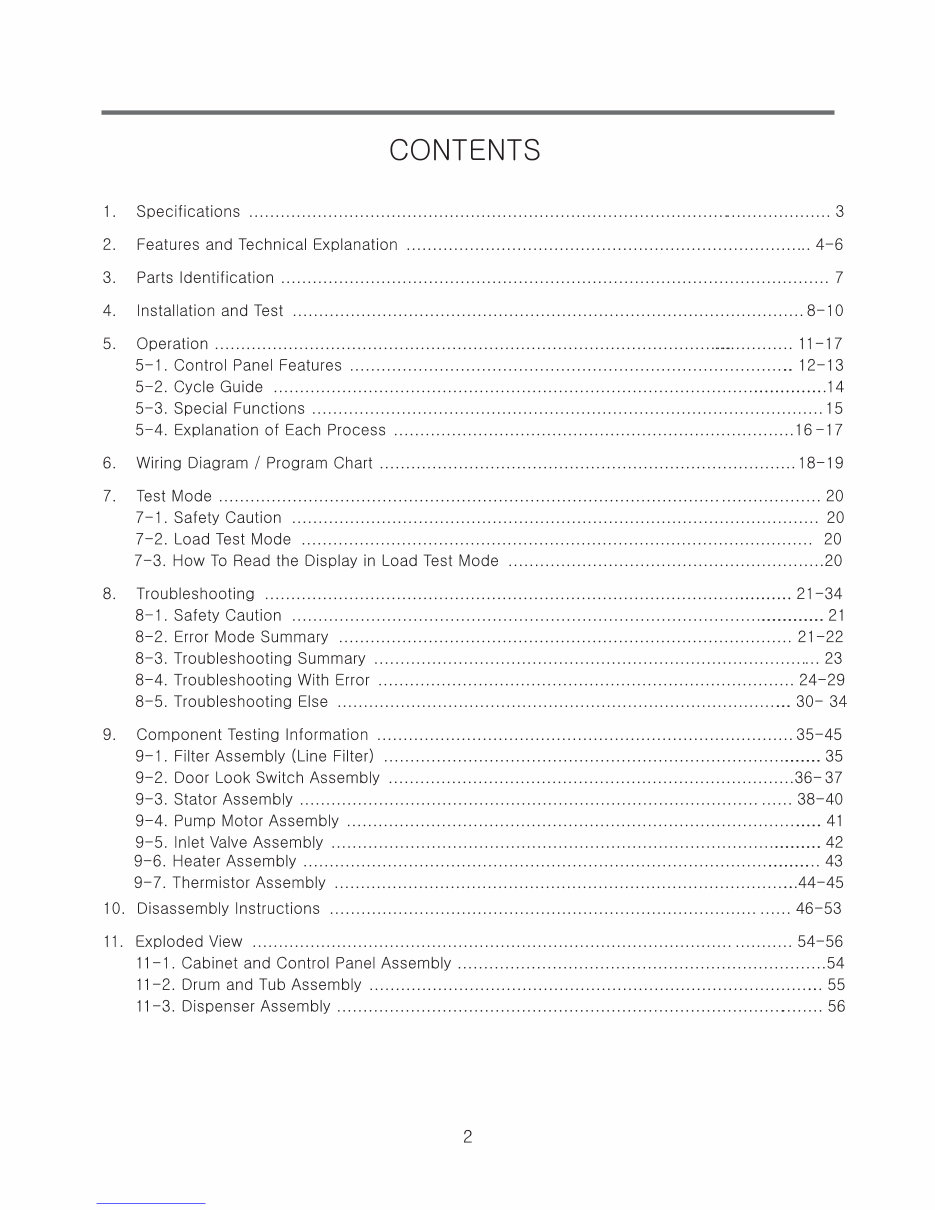
Contents:
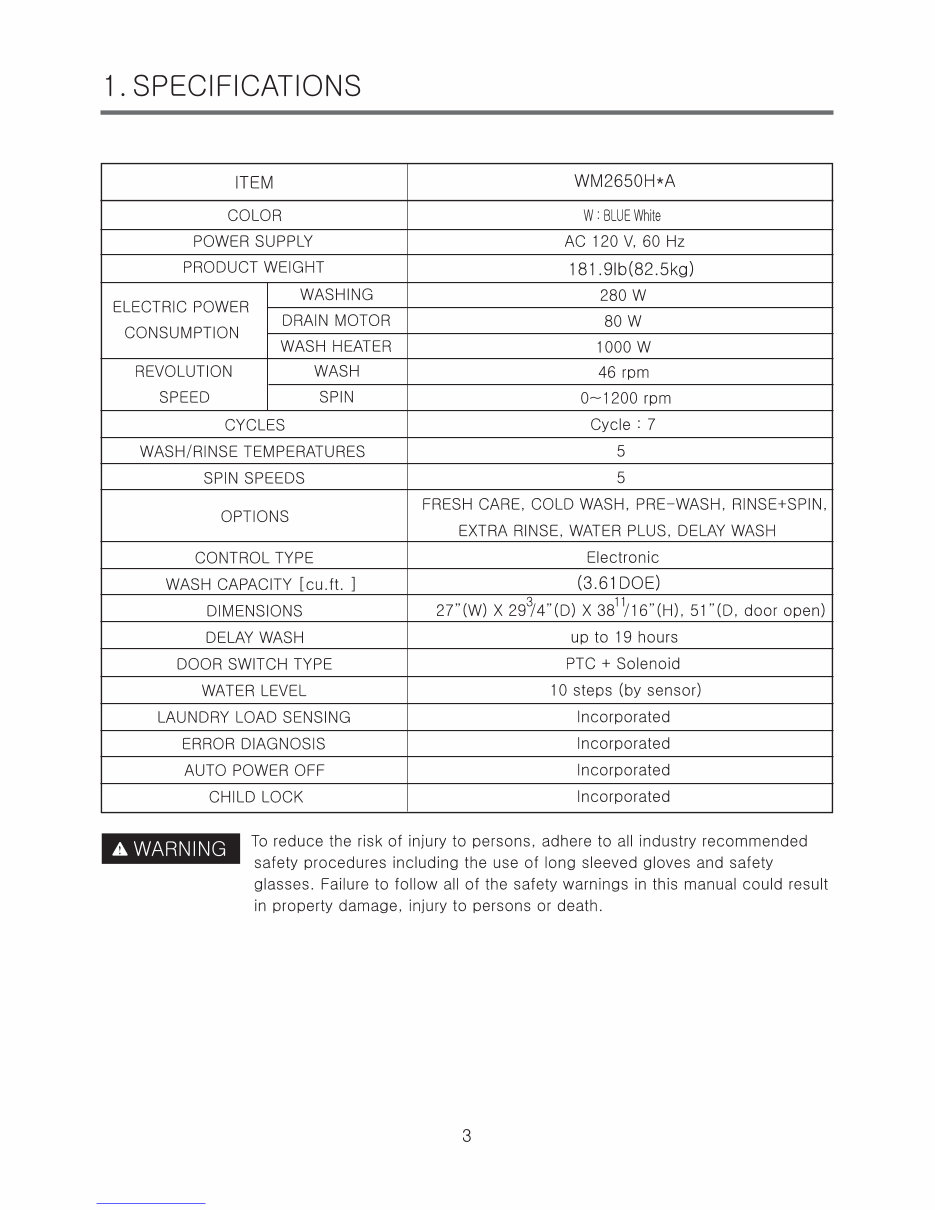
Specifications
Features and Technical Explanation
Parts Identification
Installation and Test
Operation
Control Panel Features
Cycle Guide
Wiring Diagram
Test Mode
Safety Caution
Load Test Mode
How to Read the Display in Load Test Mode
Troubleshooting
Safety Caution
Error Mode Summary
Troubleshooting Summary
Troubleshooting With Error
Troubleshooting Else
Component Testing Information
Filter Assembly (Line Filter)
Door Look Switch Assembly
Stator Assembly
Pump Motor Assembly
Inlet Valve Assembly
Heater Assembly
Thermistor Assembly
Disassembly Instructions
Exploded Views
This service manual is very detailed and illustrated with pictures and step-by-step instructions on how to repair/service this device the best way there is!
Please note this is the OFFICIAL service and repair manual in .PDF format, no scanned-in or bootlegged copy. This manual is made in the highest resolution, so when you print the pages you need it is all in great quality!
You can easily print this manual from any printer and any computer!
***INSTANT access*** After your payment, you will have instant access to your manual. No shipping fee, no waiting on postal delivery, you can start doing your repairs right away!
Specifications
Language: English
Format: .PDF
Pages: 57
Platform: Windows and MAC
Looking for a service manual but can't find it anywhere? Please contact us with your request! As you can see we've got the largest & most comprehensive service manual database out there, so a good chance we can help you out!



 Lifetime Access