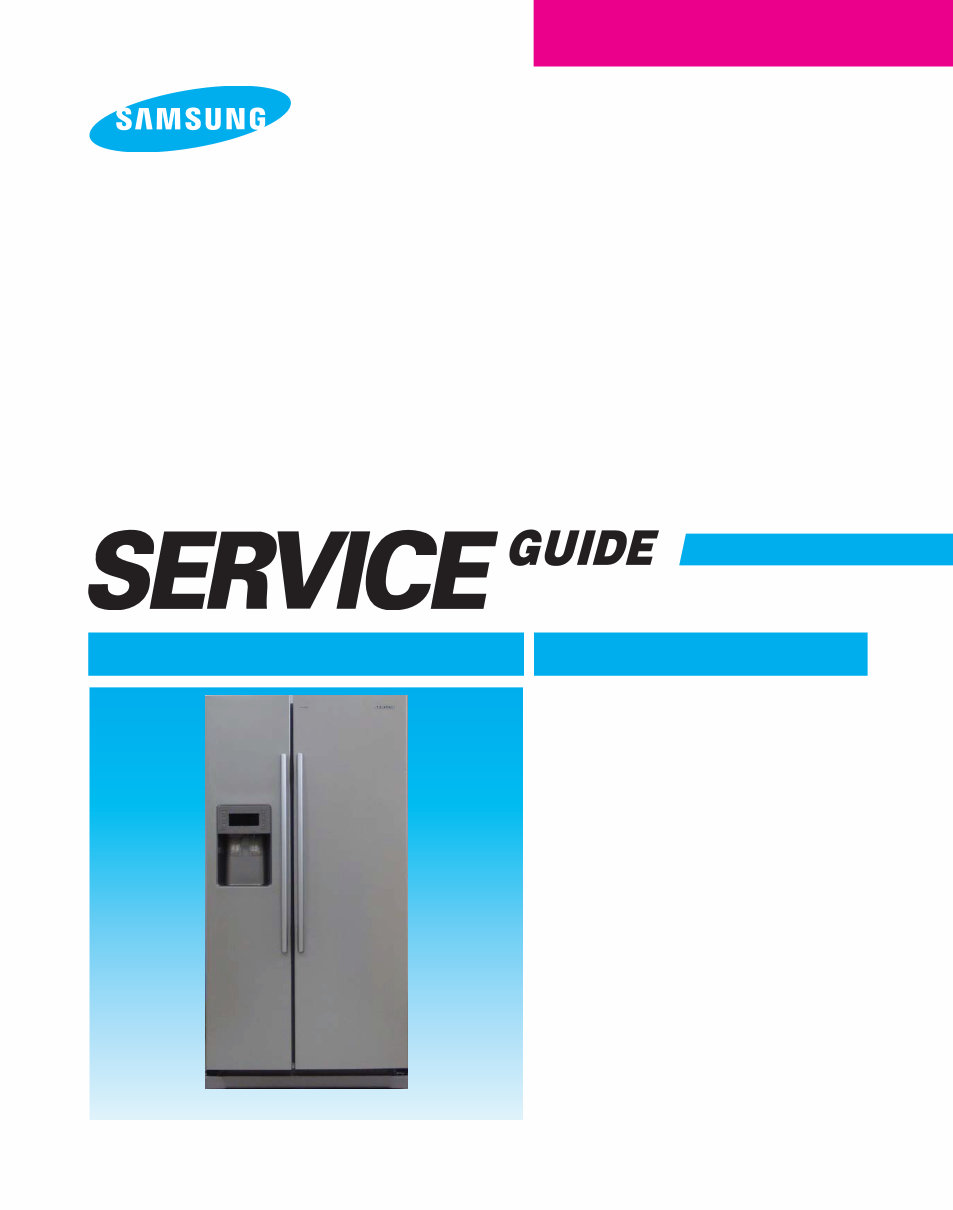
RS275 / RS277 SIDE BY SIDE BASIC MODEL : RS265ACWP RS267ACWP REFRIGERATOR REFRIGERATOR CONTENTS For the latest information, please access our service web site (http://itself.sec.samsung.co.kr) 1. PRECAUTIONS(SAFETY WARNINGS) ····4 2. PRODUCT SPECIFICATIONS ···········7 3. DISASSEMBLY AND REASSEMBLY ·····20 4. TROUBLESHOOTING ················35 5. WIRING DIAGRAM ··················54 6. PCB DIAGRAM ·····················56 7. SCHEMATIC DIAGRAM ···············57 8. REFERENCE INFORMATION ··········59 MODEL NAME : RS275AC** / RS277AC** MODEL CODE : RS275ACWP RS277ACWP RS275ACBP RS277ACBP RS275ACPN RS277ACPN RS275ACRS RS277ACRS
IMPORTANT SAFETY NOTICE The service guide is for service men with adequate backgrounds of electrical, electronic, and mechanical experience. Any attempt to repair a major appliance may result in personal injury and property damage. The manufacturer or dealer cannot be responsible for the interpretation of this information. SAMSUNG ELECTRONICS CO., LTD Technical Service Guide Copyright ⓒ2008 All rights reserved. This service guide may not be reproduced in whole or in part in any form without written permission from the SAMSUNG ELECTRONICS Company. WARNING
Contents 1. PRECAUTIONS(SAFETY WARNINGS) ·······················4 2. PRODUCT SPECIFICATIONS ···························7 2-1) INTRODUCTION OF MAIN FUNCTION ··································8 2-2) SPECIFICATIONS ··············································10 2-3) INTERIOR VIEWS ··············································11 2-4) MODEL SPECIFICATION & COMPARISON CHART ··························12 2-5) DIMENSIONS OF REFRIGERATOR (INCHES) ·····························16 2-6) OPTIONAL MATERIAL SPECIFICATION ·································17 2-7) REFRIGERANT ROUTE IN REFRIGERATION CYCLE ························18 2-8) COOLING AIR CIRCULATION ·······································19 3. DISASSEMBLY AND REASSEMBLY ························20 3-1) CAUTION ON DISASSEMBLY* ·······································21 3-2) FREEZER DOOR ···············································22 3-3) REFRIGERATOR DOOR ··········································23 3-4) CONTROL PANEL ··············································23 3-5) DOOR GASKET ···············································24 3-6) DOOR HANDLE ···············································24 3-7) DOOR LIGHT SWITCH ···········································24 3-8) TEMPERED GLASS SHELF ········································24 3-9) PLASTIC DRAWERS IN REFRIGERATOR ·······························25 3-10) GALLON DOOR BIN ············································25 3-11) WATTER FILTER ··············································25 3-12) EVAPORATOR COVER IN THE REFRIGERATOR ··························25 3-13) UPPER DUCTWORK ············································26 3-14) EVAPORATOR FAN MOTOR IN REFRIGERATOR ··························27 3-15) EVAPORATOR IN REFRIGERATOR ···································27 3-16) DOOR BIN IN FREEZER ·········································27 3-17) FREEZER DOOR LIGHT SWITCH ····································28 3-18) PLASTIC DRAWER ·············································28 3-19) FREEZER SHELF ··············································28 3-20) ICE DISPENSER & ICE MAKER ·····································29 3-21) ICE MAKER KIT ··············································· 29 3-22) AUGER MOTOR CASE ··········································30 3-23) FREEZER LIGHT ··············································30 3-24) EVAPORATOR COVER IN FREEZER ··································30 3-25) UPPER DUCT ················································30 3-26) EVAPORATOR FAN MOTOR IN FREEZER ·······························31 3-27) EVAPORATOR IN FREEZER ·······································31
Contents 3-28) FREEZER THERMISTOR ·········································32 3-29) ICEMAKER THERMISTOR ········································32 3-30) AMBIENT THERMISTOR ·········································32 3-31) MACHINE COMPARTMENT ········································33 4. TROUBLESHOOTING ······························35 4-1) FORCED OPERATION FUNCTION ····································36 4-2) SOUND FUNCTION ·············································37 4-3) COOLING OFF FUNCTION ·········································37 4-4) SELF-DIAGNOSTICS FUNCTION ·····································37 4-5) LOAD OPERATION CHECK FUNCTION ·································39 4-6) RESTORATION FUNCTION FOR POWER OUTAGE ··························39 4-7) SET POINT SHIFT FUNCTION ·······································39 4-8) TABLE OF SET POINT SHIFT FUNCTION ·······························40 4-9) IF POWER IS NOT ON ···········································43 4-10) IF THE COMPRESSOR AND COOLING FAN MOTOR DON’T WORK NORMALLY ·······44 4-11) IF DEFROST FUNCTION DON’T WORK NORMALLY ························45 4-12) IF THERE IS A TROUBLE WITH SELF-DIAGNOSIS ·························46 4-13) IF ALARM SOUNDS ············································47 4-14) IF THE PANEL PCB IS NOT WORKING NORMALLY ·························49 4-15) IF FAN DOESN’T WORK ··········································50 4-16) IF COOLSELECTZONE TM IS NOT WORKING NORMALLY ·····················51 4-17) IF THE FREEZER OR REFRIGERATOR LAMP FAILS TO LIGHT UP ···············52 4-18) IF CRUSHED ICE OR CUBED ICE DOESN’T WORK PROPERLY ·················53 5. WIRING DIAGRAM ································54 6. PCB DIAGRAM ·································55 6-1) PART ARRANGEMENT (MAIN BOARD) ·································55 6-2) CONNECTOR ARRANGEMENT (MAIN BOARD) ···························56
Contents 7. SCHEMATIC DIAGRAM ······························ 57 7-1) BLOCK DIAGRAM ·············································· 57 7-2) SCHEMATIC DIAGRAM ··········································· 58 8. REFERENCE INFORMATION ··························· 59 8-1) OPERATING INSTRUCTION & INSTALLATION ····························· 60 8-1-1) DIGITAL PANEL ············································· 60 8-1-2) TEMPERATURE CONTROL FUNCTION ······························ 60 8-1-3) POWER FREEZE AND POWER COOL FUNCTIONS ······················· 61 8-1-4) CHILD LOCK FUNCTION ······································· 61 8-1-5) ICE & WATER DISPENSER FUNCTION ······························· 62 8-1-6) C-FAN MOTOR DELAY FUNCTION OF THE MACHINE COMPARTMENT ·········· 62 8-1-7) COOLSELECT ZONETM FUNCTION ······························· 63 8-1-8) WATER FILTER INDICATOR FUNCTION ······························ 63 8-1-9) ICE-MAKER FUNCTION ········································ 63 8-1-10) DEFROST FUNCTION ········································ 65 8-1-11) INSTALLATION ············································· 66 8-2) CIRCUIT DESCRIPTIONS ········································· 67 8-2-1) SOURCE POWER CIRCUIT ······································ 67 8~9-2-2) OSCILLATOR CIRCUIT ·········································67 8-2-3) RESET CIRCUIT ············································· 67 8-2-4) DOOR S/W SENSING CIRCUIT ···································· 68 8-2-5) TEMPERATURE SENSING CIRCUIT ································ 68 8-2-6) KEY SCAN AND DISPLAY CIRCUIT ································· 69 8-2-7) COOLSELECT ZONETM PANEL CIRCUIT ····························· 72 8-2-8) FAN MOTOR (BLDC) DRIVE CIRCUIT ································ 72 8-2-9) EEPROM CIRCUIT ··········································· 73 8-2-10) OPTION CIRCUIT ············································ 73 8-2-11) LOAD DRIVE CIRCUIT ········································ 73 8-3) SAFETY INSTRUCTIONS ON SERVICE ································· 75 8-3-1) WIRE CONNECTOR ON THE CABINET DOOR. ·························· 76 8-3-2) HOW TO CHECK RELAY FAILURE ·································· 76 8-3-3) CHECK A LOAD ············································· 77 8-3-4) CHECK SENSORS ············································ 78 8-3-5) CHECK DOOR S/W ··········································· 78 8-3-6) TABLE OF TEMPERATURE SENSOR ACCORDING TO RESISTANCE AND VOLTAGE CONVERSION ····· 79 8-3-7) SERVICE MATERIAL LISTS OF EACH CIRCUIT BOARD. ···················· 80 8-4) MODEL NAME (NOMENCLATURE) & Q&A ······························· 81 8-4-1) MODEL NAME (NOMENCLATURE) ································· 81 8-4-2) Q & A ···················································· 82
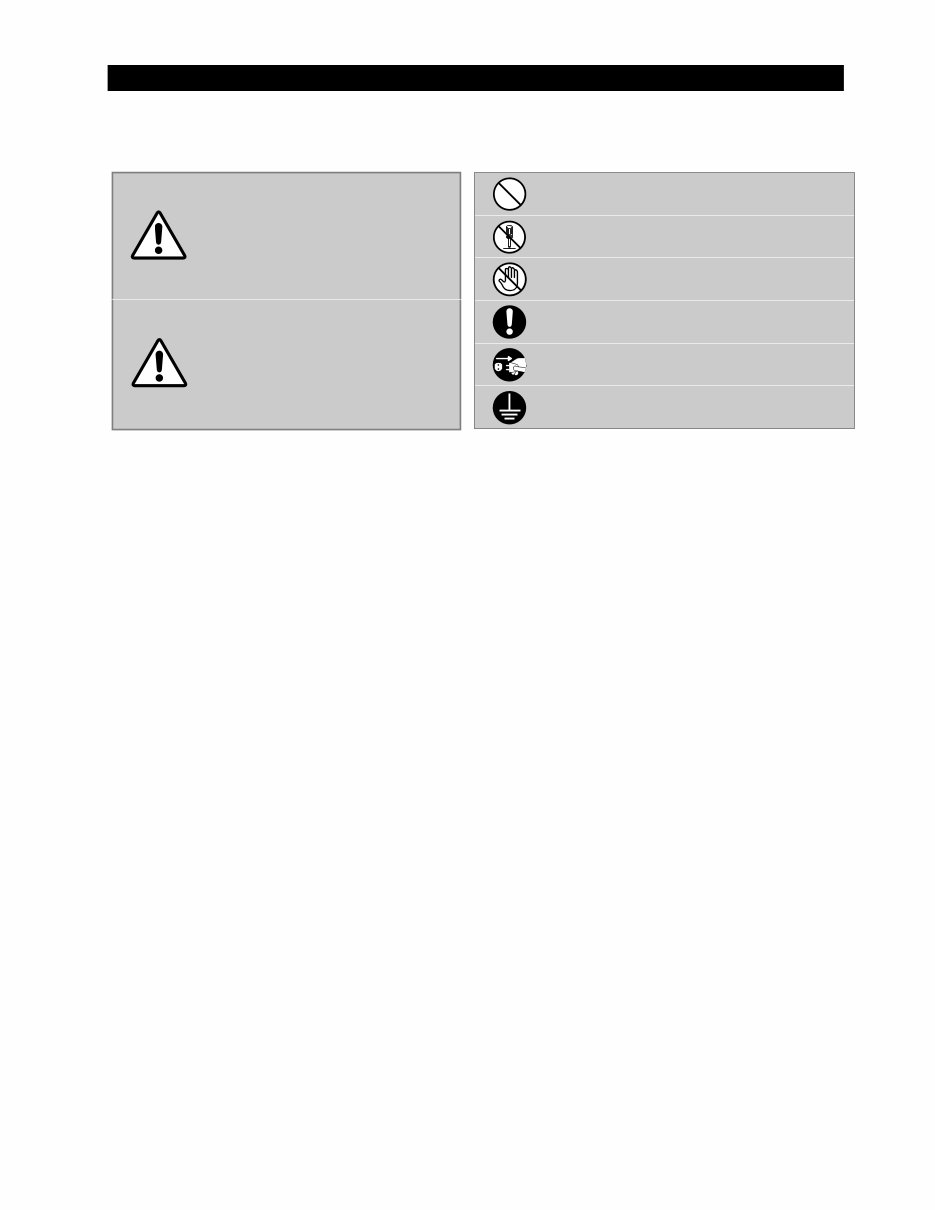
4 1. PRECAUTIONS(SAFETY WARNINGS) CAUTION/WARNING SYMBOLS DISPLAYED SYMBOLS Indicates that a danger of death or serious injury exists. Indicates that a risk of personal injury or material damage exists. means “Prohibition”. means “Do not disassemble”. means “No contact”. means ”The things to be followed”. means “Earth to prevent Electric shock”. means “Power cord should be unplugged from the consent” Warning Caution
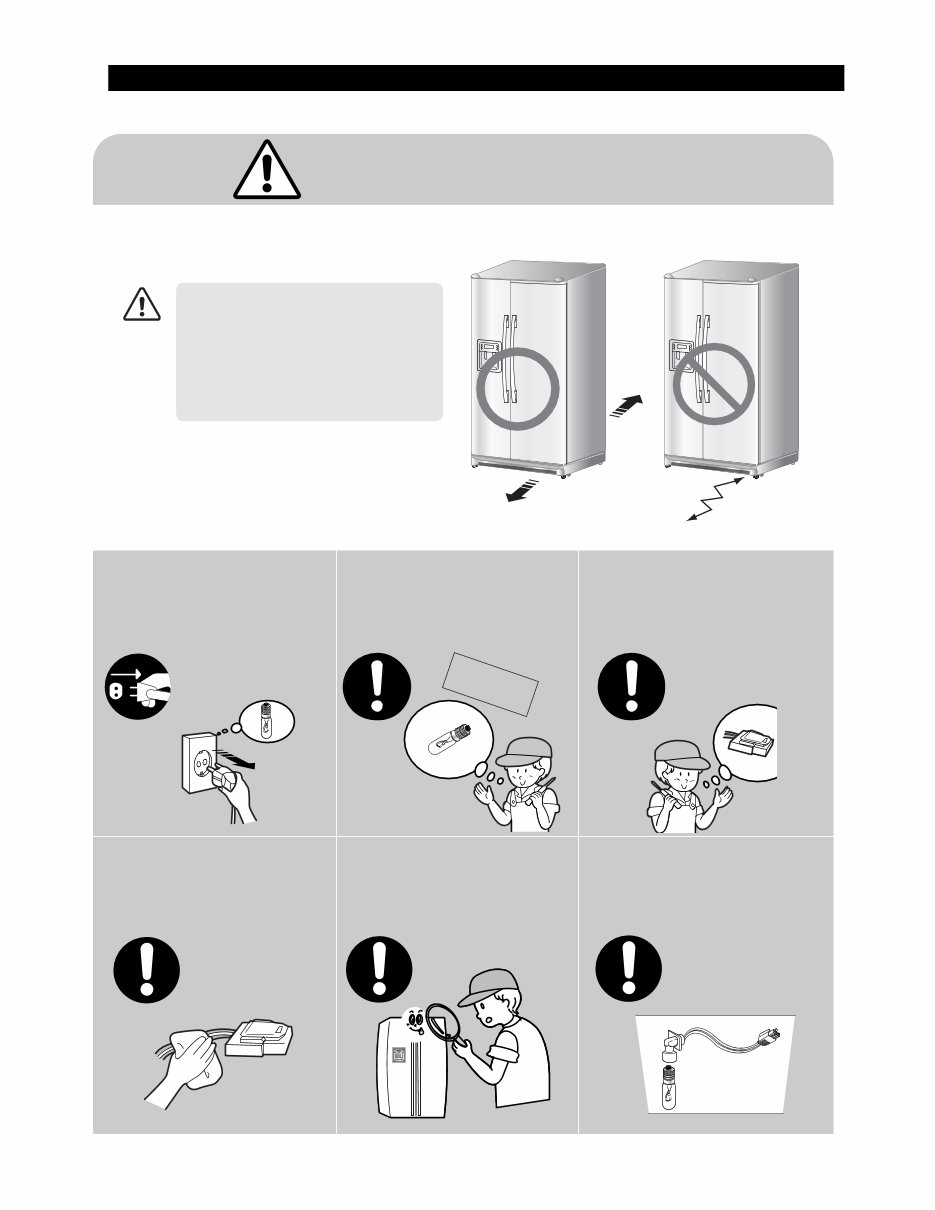
5 1. PRECAUTIONS(SAFETY WARNINGS) Pull the power plug out before attempting to exchange the interior lamp of the refrigerator. ●This will prevent danger of electric shock. Warning & Caution Unplug Use only rated components for replacement. ●Check the correct model, rated voltage, rated current, operating temperature. Before repair, make sure that the wires such as harness are bundled tightly. ●Bundle wires tightly so that they are not detached easily and get wet. Check if there is any trace indicating the permeation of water. ●If there is that kind of trace, change the related components or do the necessary treatment such as taping using the insulating tape. After repair, check the assembled state of components. ●It must be in the same assembled state as before disassembly. When repairing, completely remove dust and foreign substances from housing, wiring, joint etc.. ●It may prevents fire due to tracking or short. Rated components When installing, servicing, or cleaning behind the refrigerator, be sure to pull the unit straight out and push back in straight after finishing. Also, make sure your floor supports the full-load refrigerator. Otherwise, it may cause floor damage. CAUTION
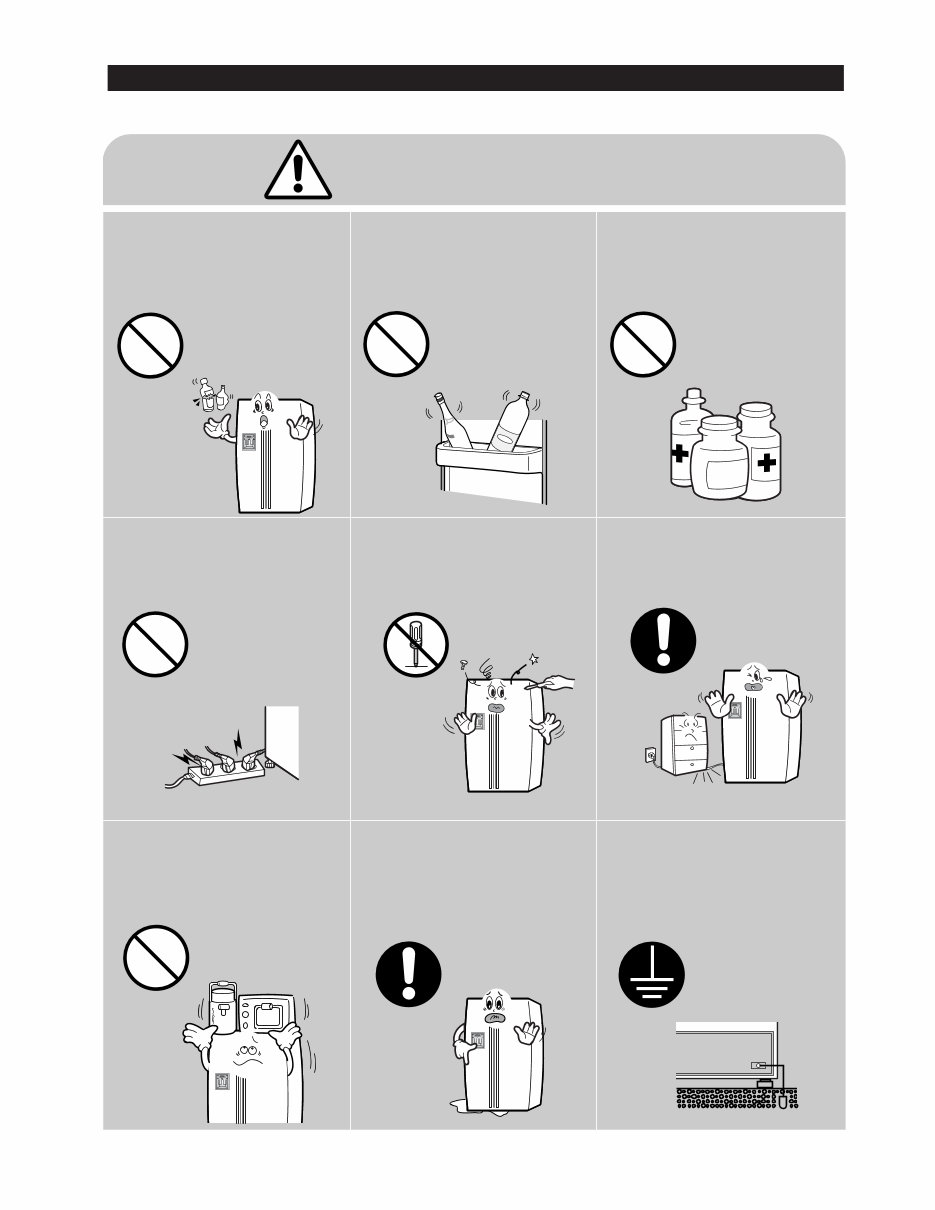
●Please let users know following warnings & cautions in detail. 6 1. PRECAUTIONS(SAFETY WARNINGS) Do not allow users to put bottles or kinds of glass in the freezer. ●Freezing of the contents may inflict a wound. Do not allow users to store narrow and lengthy bottles or foods in a small multi-purpose room. ●It may hurt you when refrigerator door is opened and closed resulting in falling stuff down. Do not allow users to store pharmaceutical products, scientific materials, etc., in the refrigerator. ●The products which temperature control should not be stored in the refrigerator. Do not allow users to store articles on the product. ●Opening or closing the door may cause things to fall down, with may inflict a wound. Prohibition Prohibition Prohibition Prohibition Warning & Caution Do not allow users to disassemble, repair or alter. ●It may cause fire or abnormal operation which leads to injury. Do not disassemble Do not allow users to insert the power plugs for many products at the same time. ●May cause abnormal generation of heat or fire. Prohibition Do not allow users to bend the power cord with excessive force or do not have the power cord pressed by heavy article. ●May cause fire. Do not allow users to install the refrigerator in the wet place or the place where water splashes. ●Deterioration of insulation of electric parts may cause electric shock or fire. Make sure of the earth. ●If earthing is not done, it will cause breakdown and electric shock. Earth
7 2. PRODUCT SPECIFICATIONS 2-1) INTRODUCTION OF MAIN FUNCTION ···························8 2-2) SPECIFICATIONS ········································10 2-3) INTERIOR VIEWS ········································11 2-4) MODEL SPECIFICATION &COMPARISON CHART ··················12 2-5) DIMENSIONS OF REFRIGERATOR (INCHES) ·····················16 2-6) OPTIONAL MATERIAL SPECIFICATION ··························17 2-7) REFRIGERANT ROUTE IN REFRIGERATION CYCLE ·················18 2-8) COOLING AIR CIRCULATION ································19
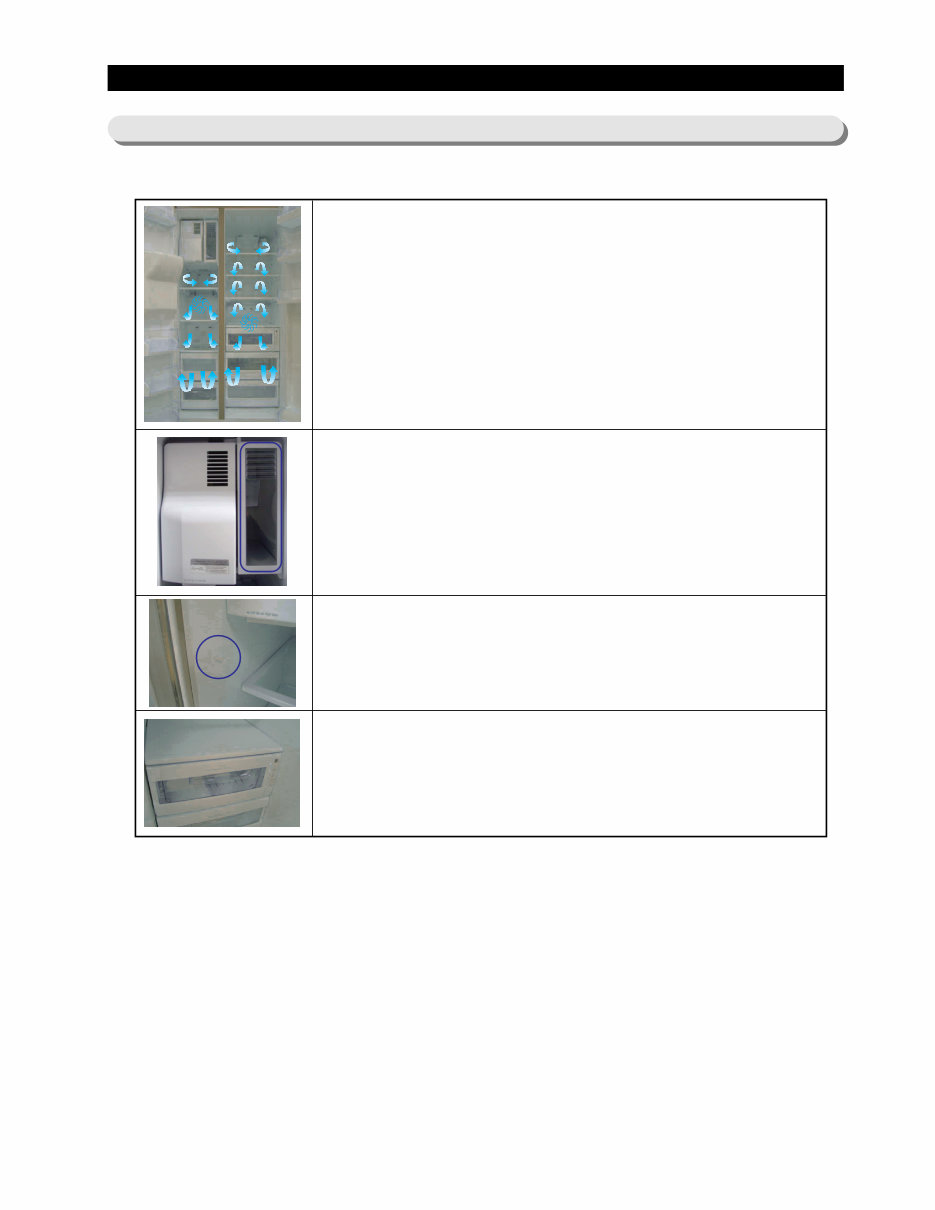
8 2. PRODUCT SPECIFICATIONS ● Major Feature Twin Cooling System ● The refrigerator and the freezer have two evaporators. Given this independent system, the freezer and the refrigerator are cooled individually as required and are, therefore, more efficient. Food odor from the refrigerator does not affect food in the freezer due to separate air flow circulation. Multi-Flow System ● Cool air circulates through multiple vents on every shelf level. This provides even distribution of cooling inside cabinets to keep your food fresh longer. Xtra Space TM (for RS277 models) ● Vertical room next to the ice maker in the freezer provides space for pizza etc. Door Alarm ● Beep sound reminds you the door is open. CoolSelect Zone TM Drawer (for RS277 models) ● User can select Quick Cool, Thaw and Select buttons to quickly chill, thaw and cool items. Select Soft freeze, Chill or Cool to control the temperature of the drawer. 2-1) INTRODUCTION OF MAIN FUNCTION
Are you experiencing issues with your Samsung Refrigerator? Instead of replacing it or spending a fortune on repairs, you can easily resolve the problems yourself with the help of this comprehensive service and repair manual. This manual is utilized by Official Certified Samsung Technicians and provides detailed guidance for troubleshooting and repairing your refrigerator.
Here's what you'll find in this manual:
Safety Warnings and Precautions
Product Specifications
Disassembly and Reassembly
Troubleshooting
Diagnostics
Block Diagram
Wiring Diagram
PCB Diagrams
Circuit Diagrams
Exploded Views
Parts List Catalog
This service manual is highly detailed and includes illustrated pictures and step-by-step instructions for effectively servicing and repairing your device. It is the official and complete service repair manual in PDF format, ensuring high resolution for quality printing from any printer and computer.
With instant access after payment, there are no shipping fees or waiting for postal delivery, allowing you to commence repairs immediately. The manual is available in English and consists of 169 pages, including the Service Manual and Technical Training Guide, compatible with Windows and MAC platforms.
If you're unable to find a specific service manual, feel free to reach out to us with your request. With the most extensive service manual database, we are likely to assist you with your needs.



 Lifetime Access