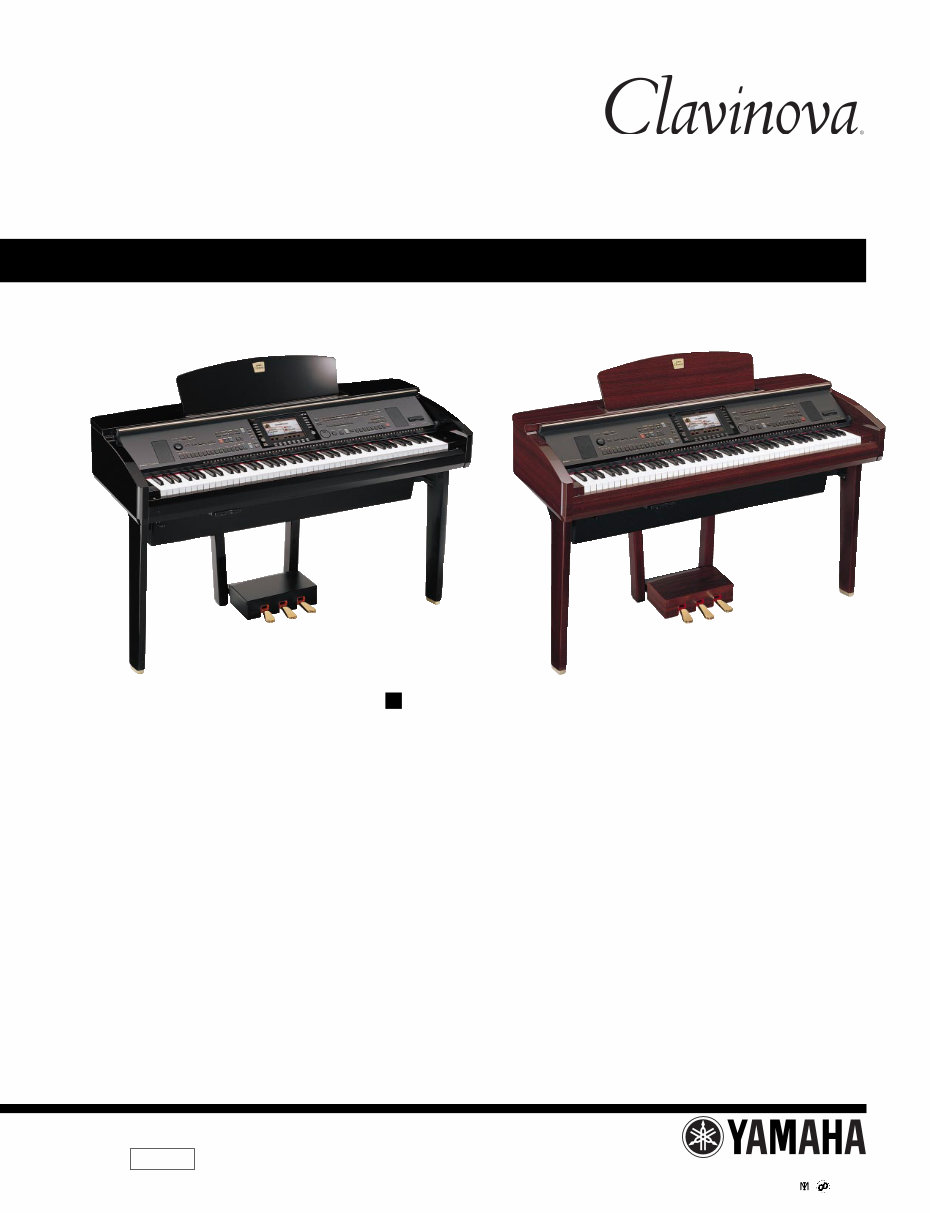
Yamaha Clavinova CVP-309 309PE 309PM Piano Service Manual & Repair Guide
What's Included?
Lifetime Access
Fast Download Speeds
Online & Offline Access
Access PDF Contents & Bookmarks
Full Search Facility
Print one or all pages of your manual
CONTENTS SPECIFICATIONS ................................................................... 3 PANEL LAYOUT ...................................................................... 5 DISASSEMBLY PROCEDURE ................................................ 8 LSI PIN DESCRIPTION .......................................................... 22 IC BLOCK DIAGRAM ............................................................. 31 CIRCUIT BOARDS ................................................................. 33 TEST PROGRAM ................................................................... 68 VERSION UPGRADE ............................................................. 75 DATA BACKUP ....................................................................... 78 RESTORING THE FACTORY-PROGRAMMED SETTING .... 82 INITIALIZING INTERNET SETTING ...................................... 84 FACTORY SET ....................................................................... 84 SYSTEM BOOTING FLOWCHART ........................................ 85 MIDI IMPLEMENTATION CHART .......................................... 87 MIDI DATA FORMAT .............................................................. 88 PARTS LIST BLOCK DIAGRAM CIRCUIT BOARD LAYOUT & WIRING OVERALL CIRCUIT DIAGRAM SERVICE MANUAL CL 001727 HAMAMATSU, JAPAN CVP-309PE / CVP-309PM Copyright (c) Yamaha Corporation. All rights reserved. PDF-K1682 ’04.08 CVP-309PE CVP-309PM
2 CVP-309PE/CVP-309PM WARNING: CHEMICAL CONTENT NOTICE! The solder used in the production of this product contains LEAD. In addition, other electrical/electronic and/or plastic (Where applicable) components may also contain traces of chemicals found by the California Health and Welfare Agency (and possibly other entities) to cause cancer and/or birth defects or other reproductive harm. DO NOT PLACE SOLDER, ELECTRICAL/ELECTRONIC OR PLASTIC COMPONENTS IN YOUR MOUTH FOR ANY REASON WHAT SO EVER! Avoid prolonged, unprotected contact between solder and your skin! When soldering, do not inhale solder fumes or expose eyes to solder/flux vapor! If you come in contact with solder or components located inside the enclosure of this product, wash your hands before handling food. IMPORTANT NOTICE This manual has been provided for the use of authorized Yamaha Retailers and their service personnel. It has been assumed that basic service procedures inherent to the industry, and more specifically Yamaha Products, are already known and under- stood by the users, and have therefore not been restated. WARNING : Failure to follow appropriate service and safety procedures when servicing this product may result in per- sonal injury, destruction of expensive components and failure of the product to perform as specified. For these reasons, we advise all Yamaha product owners that all service required should be performed by an authorized Yamaha Retailer or the appointed service representative. IMPORTANT : This presentation or sale of this manual to any individual or firm does not constitute authorization certifi- cation, recognition of any applicable technical capabilities, or establish a principal-agent relationship of any form. The data provided is belived to be accurate and applicable to the unit(s) indicated on the cover. The research engineering, and service departments of Yamaha are continually striving to improve Yamaha products. Modifications are, therefore, inevitable and changes in specification are subject to change without notice or obligation to retrofit. Should any discrepancy appear to exist, please contact the distributor’s Service Division. WARNING : Static discharges can destroy expensive components. Discharge any static electricity your body may have accumulated by grounding yourself to the ground bus in the unit (heavy gauge black wires connect to this bus.) IMPORTANT : Turn the unit OFF during disassembly and parts replacement. Recheck all work before you apply power to the unit. Components having special characteristics are marked and must be replaced with parts having specification equal to those originally installed. WARNING IMPORTANT NOTICE FOR THE UNITED KINGDOM Connecting the Plug and Cord IMPORTANT : The wires in this mains lead are coloured in accordance with the following code: BLUE : NEUTRAL BROWN : LIVE As the colours of the wires in the mains lead of this apparatus may not correspond with the coloured makings identifying the terminals in your plug proceed as follows: The wire which is coloured BLUE must be connected to the terminal which is marked with the letter N or coloured BLACK. The wire which is coloured BROWN must be connected to the terminal which is marked with the letter L or coloured RED. Making sure that neither core is connected to the earth terminal of the three pin plug. Saving and backing up your data The data of the types listed below are lost when you turn off the power to the instrument. Save the data to the USER tab display, floppy disk, SmartMedia card, or appropriate external media. • Recorded/Edited Songs • Created/Edited Styles • Edited Voices • Memorized One Touch Settings • Edited MIDI settings SAVING DATA Be sure to perform it
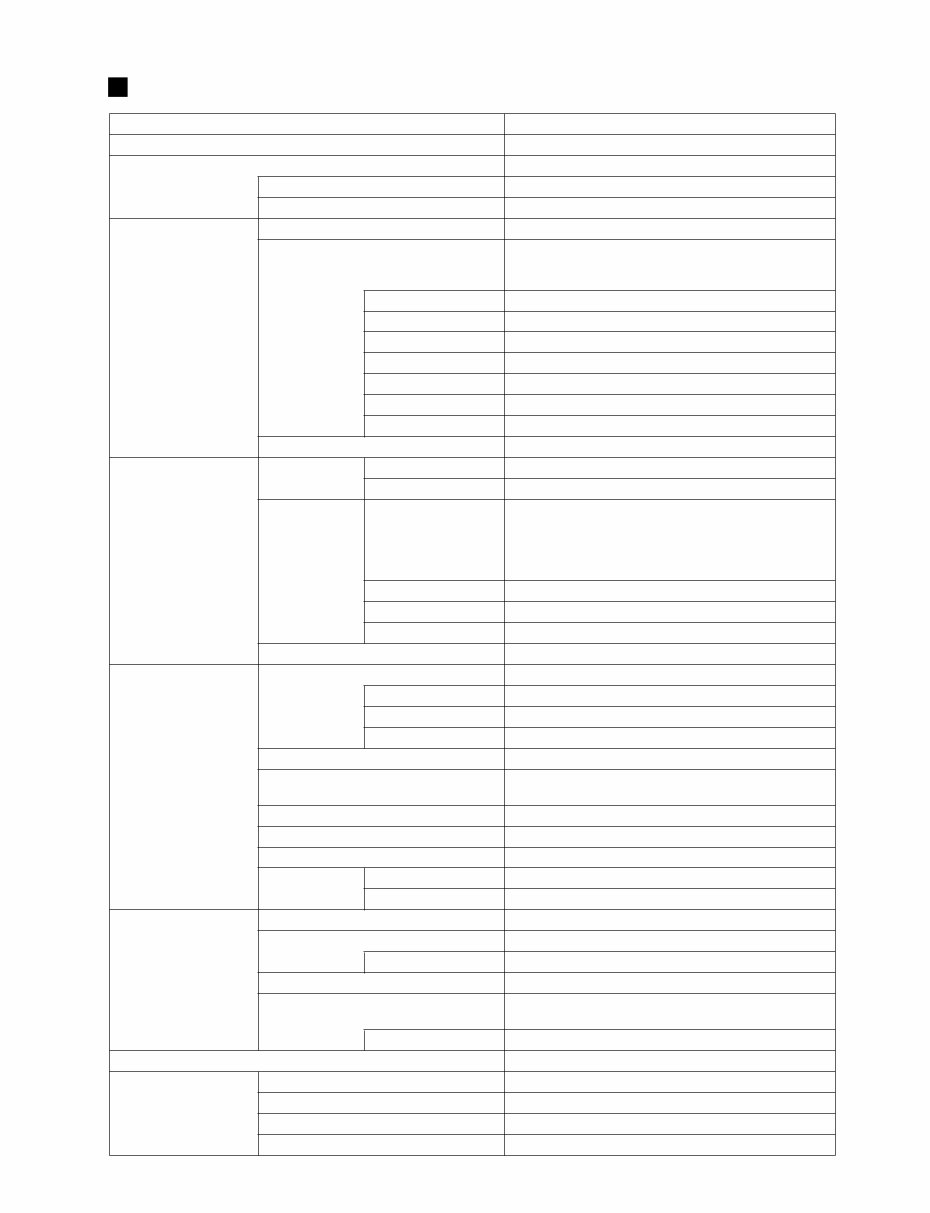
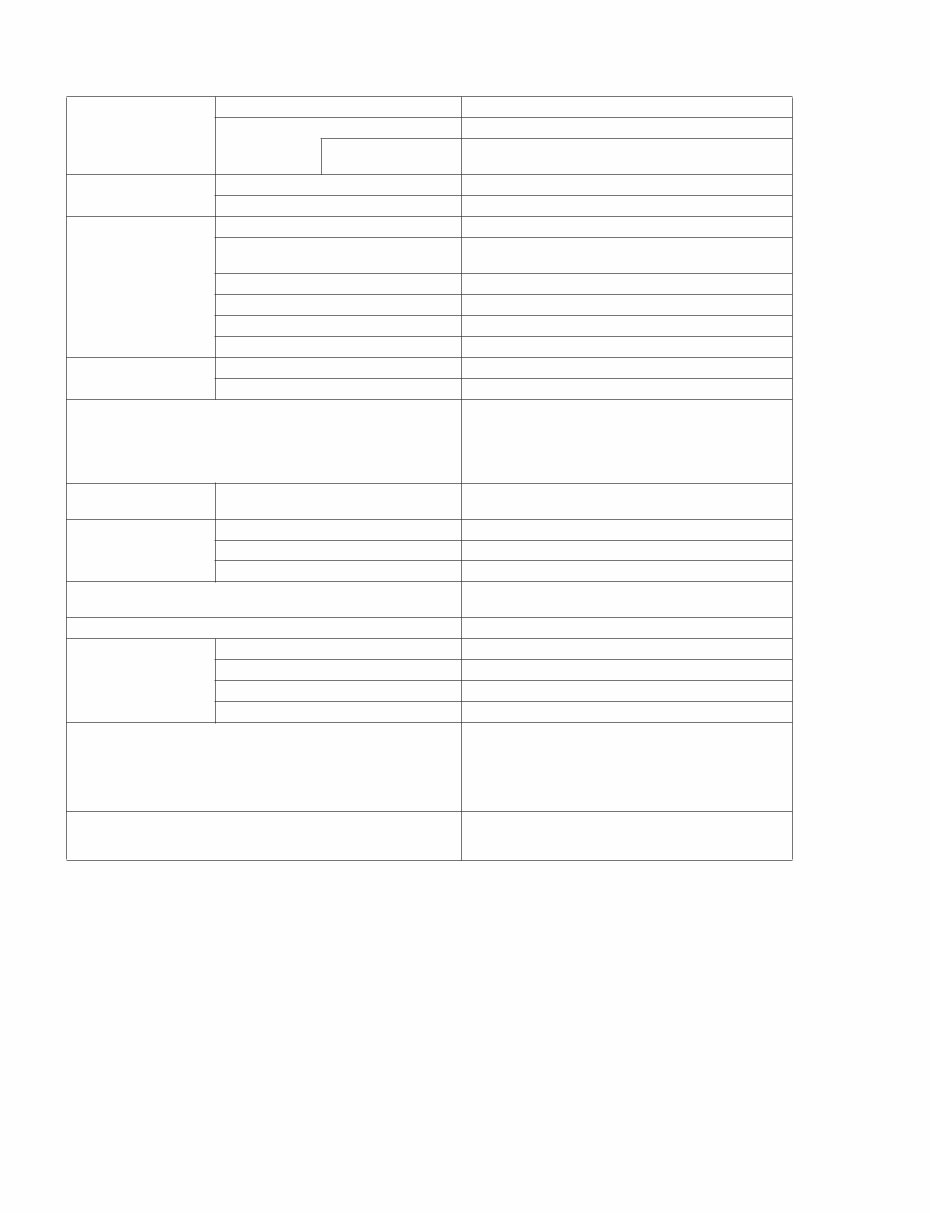
CVP-309PE/CVP-309PM 3 Sound Source AWM Dynamic Stereo Sampling Keyboard Natural Wood Keyboard 88 keys LCD Display 640 x 480 dots VGA color LCD Music Score, Lyrics YES Wallpaper Customize YES Voice Polyphony (max) 128 + 128 Voice Selection 451 voices + 480 XG Voices 17 Drum/SFX Kits + GM2 + GS (GS Voices for GS Song playback) Mega Voice 10 Regular Voice 338 Natural! Voice 38 Sweet! Voice 14 Cool! Voice 19 Live! Voice 22 Organ Flutes! 10 Sound Creator YES Effects Effect Blocks Reverb/Chorus/DSP 8 Microphone 1 Effect Types Reverb/Chorus/DSP Reverb: 35 Preset + 3 User Chorus: 31 Preset + 3 User DSP 1: 183 Preset + 3 User DSP 2–5: 182 Preset + 10 User DSP 6: 182 Preset + 10 User Master EQ 5 Preset + 2 User Master Compressor 5 Preset + 5 User Part EQ 27 Parts Vocal Harmony 61 Preset + 10 User Accompaniment Style Accompaniment Styles 386 Pro Styles 316 Session Styles 34 Pianist Styles 36 Mega Voice Styles YES Fingering Single Finger, Fingered, Fingered On Bass, Multi Finger, AI Fingered, Full Keyboard, AI Full Keyboard Style Creator YES OTS (One Touch Setting) 4 for Each Style OTS Link YES Music Finder Preset YES Edit YES Song Preset Songs 120 Guide Follow Lights, Any Key, Karao-Key,Vocal CueTIME Guide Lamp YES Performance assistant technology YES Recording Quick Recording, Multi Recording, Step Recording, Song Editing Record Channels 16 Internet Direct Connection External Adapter (via USB to DEVICE) Memory Device Floppy Disk (2HD, 2DD) External Adapter (via USB to DEVICE) Hard Disk External Adapter (via USB to DEVICE) Flash Memory (Internal) 3.3 MB SmartMedia Slot 1 (Compatible with SmartMedia FAT 12 or 16 format.) SPECIFICATIONS
4 CVP-309PE/CVP-309PM Tempo Tempo Range 5–500, Tap Tempo Metronome YES Sound Bell on/off, Human Voices (5 Languages) Registration Memory Buttons 8 Regist. Sequence/Freeze YES Others Demo/Help YES Language for Display 6 Languages (English, Japanese, German, French, Spanish, Italian) Direct Access YES Piano Button (incl. Piano Lock) YES Transpose Keyboard/Song/Master Scale Type 9 USB Connection USB to HOST (Computer) YES USB to DEVICE YES (2 terminals) Other Connectors PHONES x 2, MIDI (THRU, OUT, IN), AUX PEDAL, AUX IN (L/L+R, R), AUX OUT (L/L+R, R), AUX OUT (LEVEL FIXED) (L, R), MIC (INPUT VOLUME, MIC./LINE IN), OPTICAL OUT, VIDEO OUT Pedals Functions VOLUME, SUSTAIN, SOSTENUTO, SOFT, GLIDE, SONG PLAY/PAUSE, STYLE START/STOP, etc. Amplifiers/Speakers Amplifiers iAFC 60 W x 2 + 20 W x 2 YES Speakers (16 cm + 5 cm + 3cm(dome)) x 2 +10cm x 2 Dimensions [W x D x H] (with the Music Rest) 1430 mm x 609 mm x 890 mm [57-3/16" x 23" x 35-3/8"] (1430 mm x 609 mm x 1047 mm) [57-3/16" x 23" x 41-1/4"] Weight Accessories 88 kg (194 lbs) Optional Accessories Headphones HPE-160 Foot Switch FC 4/FC 5 Foot Controller FC 7 USB-FDD Unit UD-FD01 Guide to Yamaha Online Member Product User Registration The following items may be included or optional, depending on your locale: Floppy Disk Drive, SmartMedia card, Bench "50 greats for the Piano" Music Book, Owner's Manual, Data List Output Impedance PHONES: 33Ω (Recommend) OUTPUT (L/L+R,R): 600Ω AUX OUT (L,R) (LEVEL FIXED): 600Ω
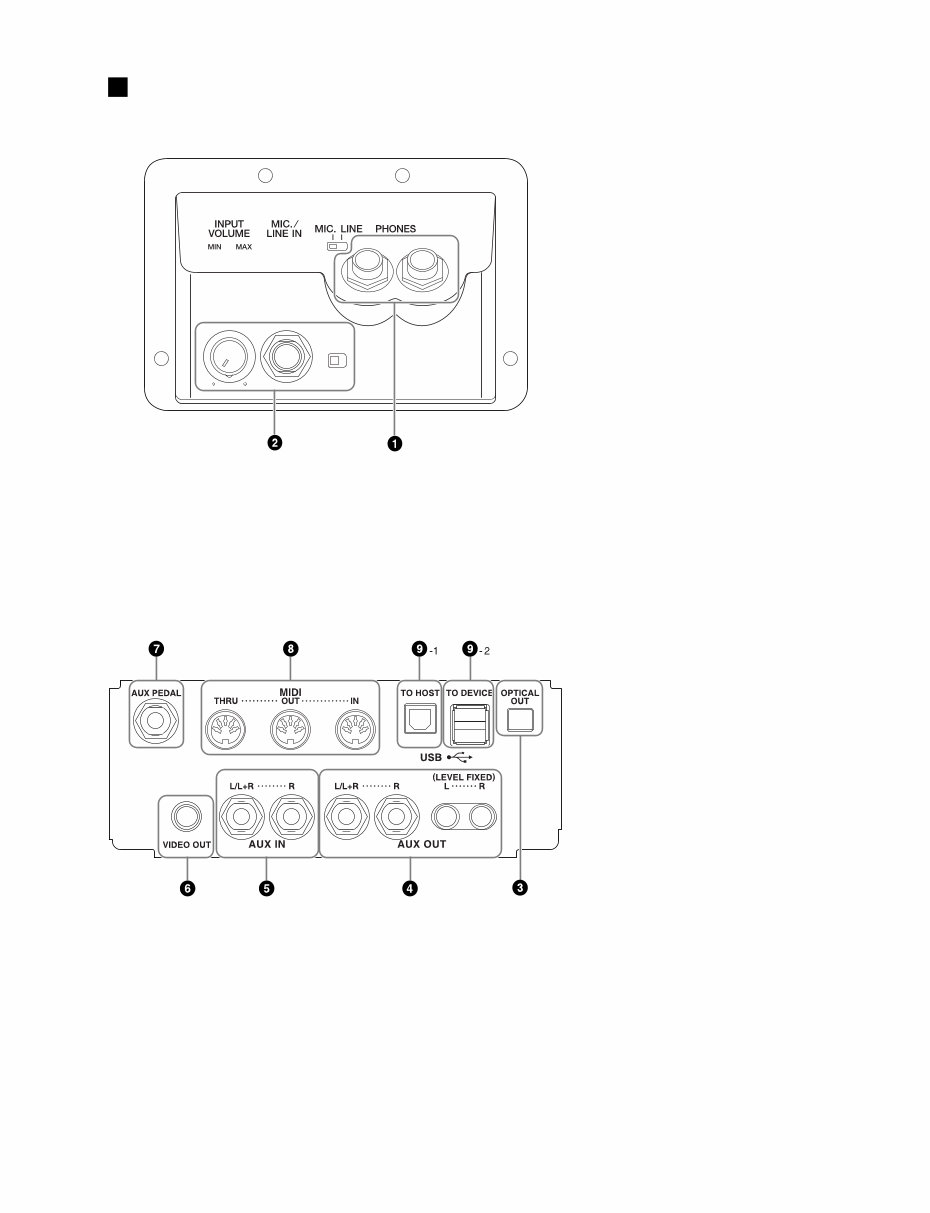
CVP-309PE/CVP-309PM 5 q [PHONES] jacks w • [MIC./LINE IN] jack • [INPUT VOLUME] dial e [OPTICAL OUT] jack r [AUX OUT] jacks t [AUX IN] jacks y [VIDEO OUT] jack u [AUX PEDAL] jack i [MIDI] terminals o-1 [USB TO HOST] terminal o-2 [USB TO DEVICE] terminal PANEL LAYOUT
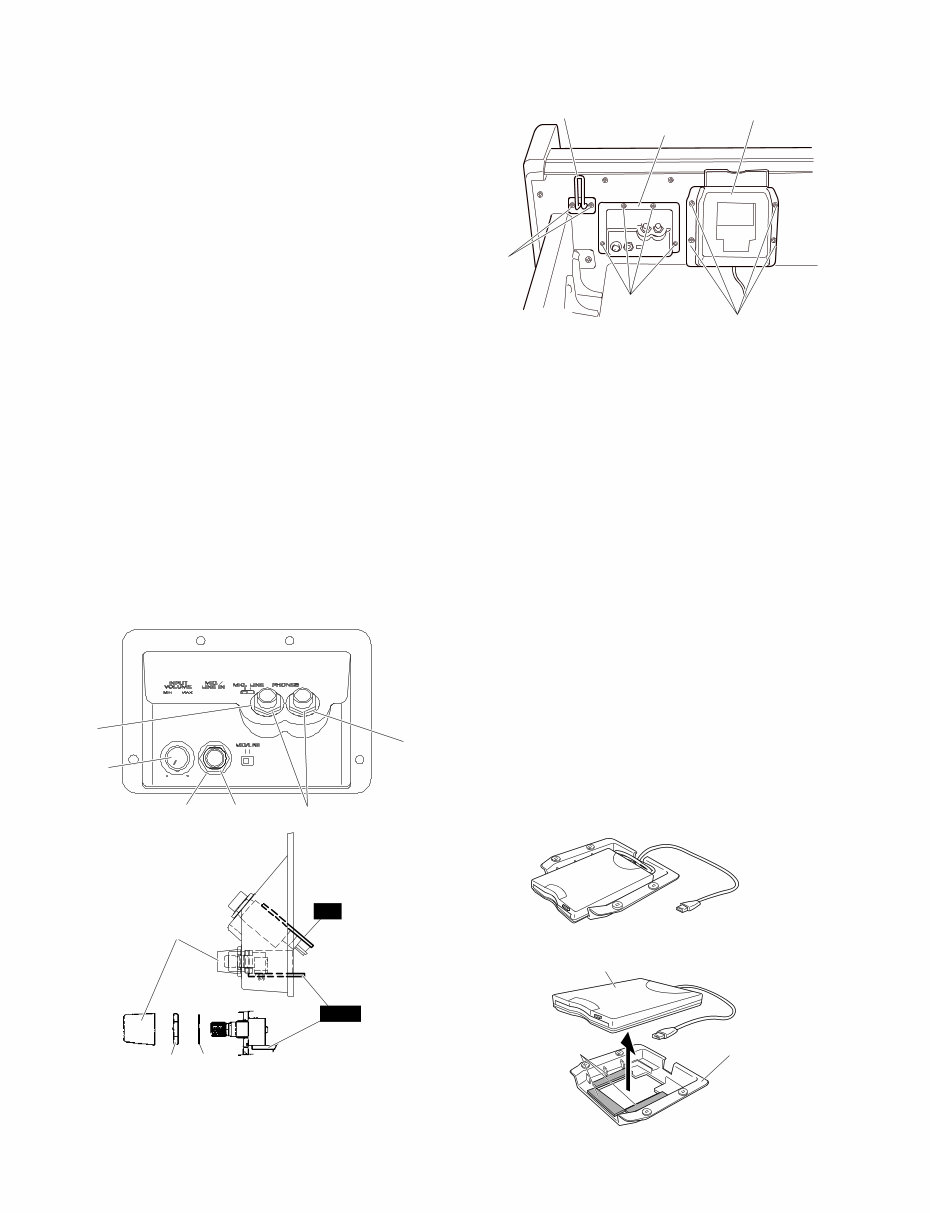
CVP-309PE/CVP-309PM 8 (Fig. 2) [40]: Hexagonal Nut 12.0x14x2 MFZN2BL (VB508600) [50]: Washer (VJ869400) [N1]: Hexagonal Nut [W1]: Washer [17b]: Truss Head Screw 4.0x10 MFZN2BL (VT196400) [77]: Bind Head Tapping Screw-1 3.5x14 MFZN2BL (EP030250) [84]: Truss Head Screw 4.0x10 MFZN2BL (VT196400) ● Mic. & Phones Unit (Fig. 1) (Fig. 3) <Front view> <Side view> [17b] [77] [84] Headphone hanger Mic. & phones unit FDD unit ● FDD Unit [50B] [50B] [50A] Knob [40B] [40A] Knob HP MIC [N1] [W1] 1. Headphone Hanger (Time required : About 1 minute) Remove the two (2) screws marked [17b]. The headphone hanger can then be removed. (Fig. 1) 2. Mic. & Phones Unit, MIC and HP Circuit Boards (Time required : About 3 minutes each) 2-1. Remove the four (4) screws marked [77]. The mic. & phones unit can then be removed. (Fig. 1) 2-2. MIC Circuit Board 2-2-1. Remove the input volume knob, the hexagonal nut marked [N1] and the washer marked [W1]. (Fig. 2) 2-2-2. Remove the hexagonal nut marked [40A] and the washer marked [50A]. The MIC circuit board can then be removed. (Fig. 2) * When installing the INPUT VOLUME knob, set it to the VOL. MIN position, that is, align the bar on the knob with the point on the case as shown in the figure. (Fig. 2) 2-3. HP Circuit Board Remove the two (2) hexagonal nuts marked [40B] and the two (2) washers marked [50B]. The HP circuit board can then be removed. (Fig. 2) ■ DISASSEMBLY PROCEDURE Double-sided Tape (FDD cushion) FDD holder assembly USB-3.5FDD 3. Floppy Disk Drive (Time required : About 3 minutes) 3-1. Disconnect the USB connector. 3-2. Remove the four (4) screws marked [84]. The FDD unit can then be removed. (Fig. 1) 3-3. Remove the USB-3.5FDD attached by the double- sided tapes from the FDD holder assembly. (Fig. 3) * Note that once you remove the double-sided tape (FDD cushion), you cannot use it again. In the replacing of USB-3.5 FDD, use new double-sided tapes (FDD cushions) to install the FDD.
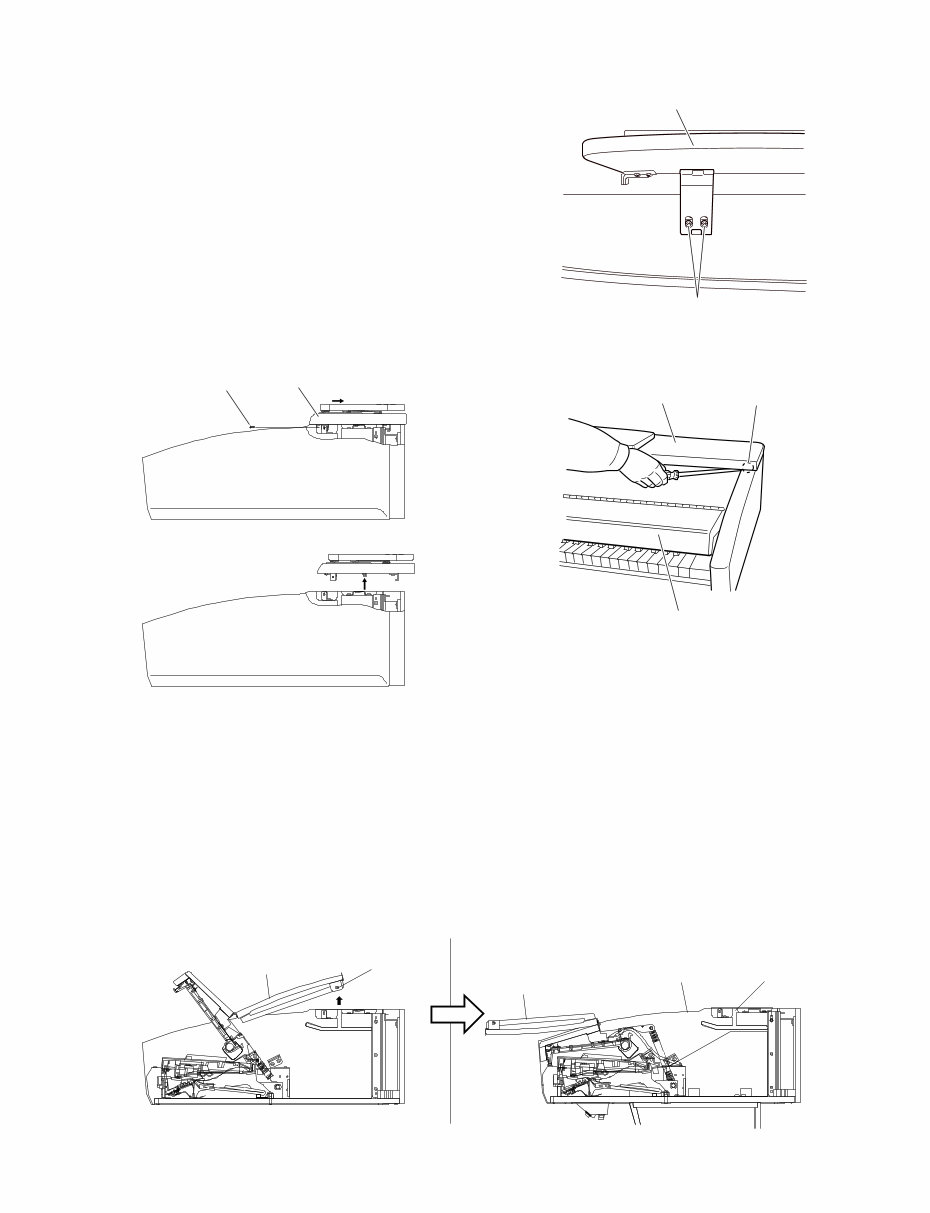
CVP-309PE/CVP-309PM 9 [80]: Cap Screw 3.0x8 MFZN2BL (VP575300) (Fig. 5) (Fig. 6) 6. Circuit Boards and Assembles (Main Unit Section) (Time required: About 5 minutes each) 6-1. Remove the top board assembly. (See procedure 5) 6-2. Slide the key cover rearward, remove its guide pin of the back key cover from the opening for the arm. Then the back key cover can be opened. (Fig. 6) (Fig. 4) (Fig. 5-1) Top board assembly [80] Key cover Back key cover Guide pin Opening for the arm Arm Back key cover Music rest assembly [13] Top board assembly [80] 4. Music Rest Assembly (Time required : About 1 minute) Remove the two (2) screws marked [13] from both sides of the assembly. The music rest assembly can then be removed. (Fig. 4) 5. Top Board Assembly (Time required : About 1 minute) 5-1. Open the key cover a little so that the screws marked [80] can be seen. 5-2. Remove the screw marked [80] from both sides of the assembly. Move the top board assembly rearward, and it can then be removed by lifting up. (Fig. 5) [13]: Bind Head Tapping Screw-1 3.5x16 MFZN2BL (EP030260)
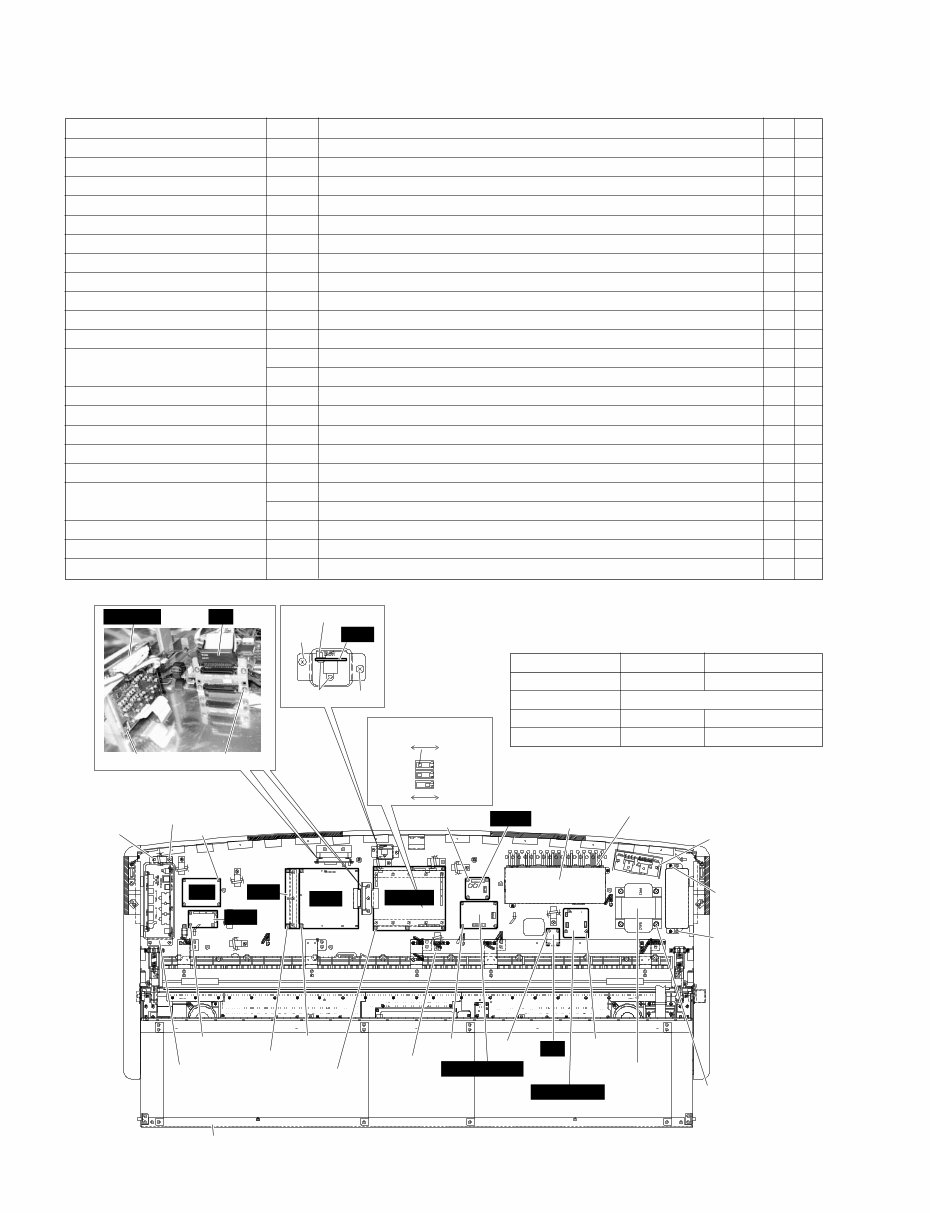
CVP-309PE/CVP-309PM 10 Circuit board and Assembly Ref. No. Screw QTY Fig. PK Connector 70A Bind Head Tapping Screw-1 3.5x12 MFZN2Y (EP030240) 2 7 PJK Circuit Board 23c Bind Head Tapping Screw-B 3.0x8 MFZN2BL (EP600190) 2 7 DM2-A Circuit Board 76A Bind Head Tapping Screw-B 3.0x8 MFZN2Y (EP600250) 6 7 TG1 Circuit Board 82A Bind Head Screw 3.0x8 MFZN2Y (VD976600) 2 7 TG2 Circuit Board 76B Bind Head Tapping Screw-B 3.0x8 MFZN2Y (EP600250) 2 7 DAC2A Circuit Board 15e Bind Head Tapping Screw-B 3.0x8 MFZN2Y (EP600250) 4 7 TN Circuit Board 28c Bind Head Tapping Screw-B 3.0x8 MFZN2Y (EP600250) 4 7 EQ Circuit Board 79A Bind Head Tapping Screw-1 3.5x20 MFZN2Y (EP030470) 4 7 HUB Circuit Board 79B Bind Head Tapping Screw-1 3.5x20 MFZN2Y (EP030470) 4 7 NET1 Circuit Board 79C Bind Head Tapping Screw-1 3.5x20 MFZN2Y (EP030470) 4 7 NETWORK Circuit Board 79D Bind Head Tapping Screw-1 3.5x20 MFZN2Y (EP030470) 4 7 Jack Assembly 118 Truss Head Tapping Screw-1 3.5x14 MFZN2Y (EN630230) 1 7 70B Bind Head Tapping Screw-1 3.5x12 MFZN2Y (EP030240) 3 7 MA Cover (U.S.A. model only) 109A Bind Head Tapping Screw-1 3.5x12 MFZN2Y (EP030240) 2 7 MA160S Assembly 70C Bind Head Tapping Screw-1 3.5x12 MFZN2Y (EP030240) 2 7 MAF Assembly 70D Bind Head Tapping Screw-1 3.5x12 MFZN2Y (EP030240) 2 7 FU Cover (U.S.A. model only) 109B Bind Head Tapping Screw-1 3.5x12 MFZN2Y (EP030240) 2 7 FU120LB Assembly 70E Bind Head Tapping Screw-1 3.5x12 MFZN2Y (EP030240) 2 7 Power Transformer 78 Bind Head Screw 4.0x12 MFZN2BL (VB132700) 4 7 85 Flat Wsher 4.0x12x1.0 MFZN2Y (VK287600) 4 7 MIC (AFC) Circuit Board 79E Bind Head Tapping Screw-1 3.5x20 MFZN2Y (EP030470) 3 7 Wire Rail 76C Bind Head Tapping Screw-B 3.0x8 MFZN2Y (EP600250) 6 7 CN Circuit Board 79F Bind Head Tapping Screw-1 3.5x20 MFZN2Y (EP030470) 4 7 (Fig. 7) 6-3. Each circuit board and assembly can be removed by removing its fixing screws as listed below. PK connector Jack assembly MA cover MA160S assembly FU120LB assembly FU cover Power transformer Wire rail DM2-A NETWORK MIC (AFC) CN PJK DAC2A TN EQ NET1 Back key cover [70A] [70A] [23c] [70B] x 3 [79A] x 4 [79C] x 4 [15e] x 4 [28c] x 4 [70C] x 2 [109A] x 2 [109B] x 2 [70E] x 2 [79D] x 4 [78] x 4 [85] x 4 [76A] x 6 [76C] x 6 [118] [76B] x 2 [82A] x 2 MAF assembly [70D] x 2 [79F] x 4 [79E] x 3 [79B] x 4 HUB TG1 TG2 SW3: OFF SW2: OFF SW1: ON OFF ON Japanese English ● DIP switch DM2-A circuit board has internal DIP switches for switching the model (SW1 & SW2) and for switching the display in Japanese or in English (SW3). DIP switch (SW3) ON OFF LCD display language Japanese English VIDEO OUT NTSC/(PAL) Demonstration music For Japan For other than Japan Access home page to Server in Japan Server in U.S.A.
Are you experiencing issues with your Yamaha Piano? Why spend a lot on repairs or replacements when you can handle it yourself? This comprehensive service and repair manual is utilized by certified Yamaha technicians and is designed to assist you in troubleshooting and fixing your piano.
Specifications
Panel Layout
Disassembly Procedure
LSI Pin Description
IC Block Diagram
Circuit Boards
Test Program
Version Upgrade
Data Backup
Restoring the Factory-Programmed Setting
Initializing Internet Setting
Factory Set
System Booting Flowchart
MIDI Implementation Chart
MIDI Data Format
Parts List
Block Diagram
Circuit Board Layout & Wiring
Overall Circuit Diagram
This detailed service manual includes images and step-by-step instructions for the best approach to servicing and repairing your device. It is the official service and repair manual, not a scanned or bootlegged copy, and is produced in high resolution for excellent print quality.
Gain instant access to the manual after payment, eliminating shipping fees and waiting for postal delivery. The manual is available in English and is compatible with Windows and MAC platforms, comprising 191 pages. If you are unable to find a specific service manual, feel free to reach out to us, as we have one of the most extensive service manual databases and may be able to assist you.
Recently Viewed
5,521,897Happy Clients
2,594,462eManuals
1,120,453Trusted Sellers
15Years in Business
Price:
Actual Price:
Yamaha Clavinova CVP-309 309PE 309PM Piano Service Manual & Repair Guide



 Lifetime Access