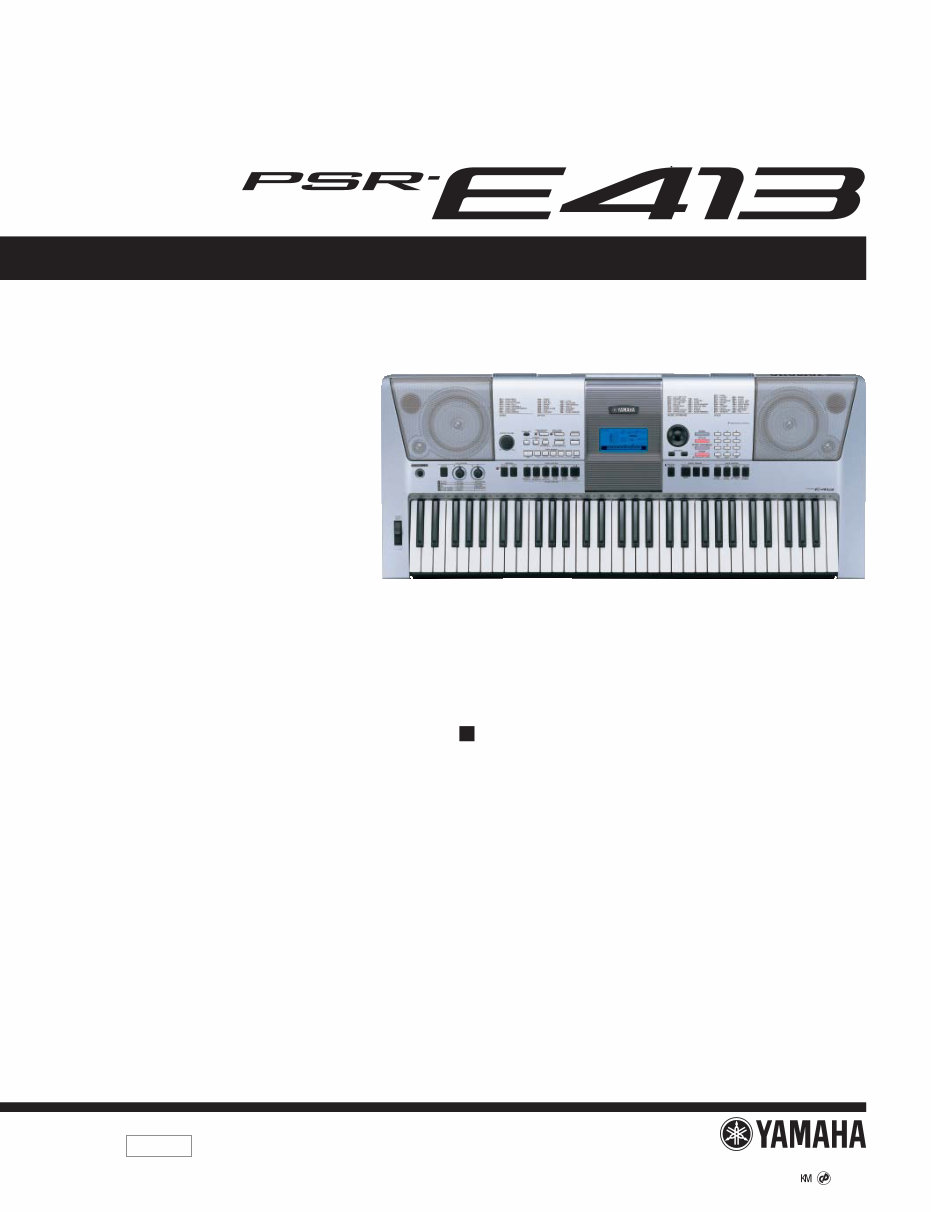
Yamaha psr-e413 psre413 psr 413 complete service manual
What's Included?
Lifetime Access
Fast Download Speeds
Online & Offline Access
Access PDF Contents & Bookmarks
Full Search Facility
Print one or all pages of your manual
SERVICE MANUAL HAMAMATSU, JAPAN SERVICE MANUAL PK 001801 Copyright (c) Yamaha Corporation. All rights reserved. PDF ’08.04 SPECIFICATIONS(総合仕様) ................................3/4 PANEL LAYOUT(パネルレイアウト) ........................5 CIRCUIT BOARD LAYOUT & WIRING (ユニットレイアウト&結線図) ..................................8 DISASSEMBLY PROCEDURE(分解手順) ..............10 LSI PIN DESCRIPTION(LSI 端子機能表) ...............19 IC BLOCK DIAGRAM(IC ブロック図) ....................22 CIRCUIT BOARDS(シート基板図) .........................23 TEST PROGRAM(テストプログラム) ...............31/34 INITIALIZATION(初期化) ........................................37 USER DATA BACKUP (ユーザーデータのバックアップ) ........................38/39 MIDI IMPLEMENTATION CHART .............................40 MIDI DATA FORMAT .................................................41 PARTS LIST BLOCK DIAGRAM(ブロックダイアグラム) OVERALL CIRCUIT DIAGRAM(総回路図) CONTENTS (目次) DIGITAL KEYBOARD
PSR-E413 2 WARNING WARNING: This product contains chemicals known to the State of California to cause cancer, or birth defects or other reproductive harm. DO NOT PLACE SOLDER, ELECTRICAL/ELECTRONIC OR PLASTIC COMPONENTS IN YOUR MOUTH FOR ANY REASON WHAT SO EVER! Avoid prolonged, unprotected contact between solder and your skin! When soldering, do not inhale solder fumes or expose eyes to solder/ flux vapor! If you come in contact with solder or components located inside the enclosure of this product, wash your hands before handling food. IMPORTANT NOTICE This manual has been provided for the use of authorized Yamaha Retailers and their service personnel. It has been assumed that basic service procedures inherent to the industry, and more specifically Yamaha Products, are already known and understood by the users, and have therefore not been restated. WARNING : Failure to follow appropriate service and safety procedures when servicing this product may result in personal injury, destruction of expensive components and failure of the product to perform as specified. For these reasons, we advise all Yamaha product owners that all service required should be performed by an authorized Yamaha Retailer or the appointed service representative. IMPORTANT : This presentation or sale of this manual to any individual or firm does not constitute authorization certification, recognition of any applicable technical capabilities, or establish a principal-agent relationship of any form. The data provided is belived to be accurate and applicable to the unit(s) indicated on the cover. The research engineering, and service departments of Yamaha are continually striving to improve Yamaha products. Modifications are, therefore, inevitable and changes in specification are subject to change without notice or obligation to retrofit. Should any discrepancy appear to exist, please contact the distributor’s Service Division. WARNING : Static discharges can destroy expensive components. Discharge any static electricity your body may have accumulated by grounding yourself to the ground bus in the unit (heavy gauge black wires connect to this bus.) IMPORTANT : Turn the unit OFF during disassembly and parts replacement. Recheck all work before you apply power to the unit. Components having special characteristics are marked and must be replaced with parts having specification equal to those originally installed. Saving and backing up your data The panel settings and some other types of data are not retained in memory when you turn off the power to the instrument. Save data you want to keep to the Registration Memory. Saved data may be lost due to malfunction or incorrect operation. Save important data to an external device such as a computer. SAVING DATA Be sure to perform it 印の商品は、安全を維持するために重要な部品です。交換する場合は、安全のために必ず指定の部品をご使用ください。 作成したデータの保存とバックアップ パネル設定など一部のデータは、保存しないで 電源を切ると消えてしまいます。保存しておき たいデータはレジストレーションメモリーに保 存してください。 また、保存したデータは、故障や誤操作などの ために失われることがあります。大切なデータ は、コンピューターなどの外部機器に保存して ください。 データの保存 必ず実行
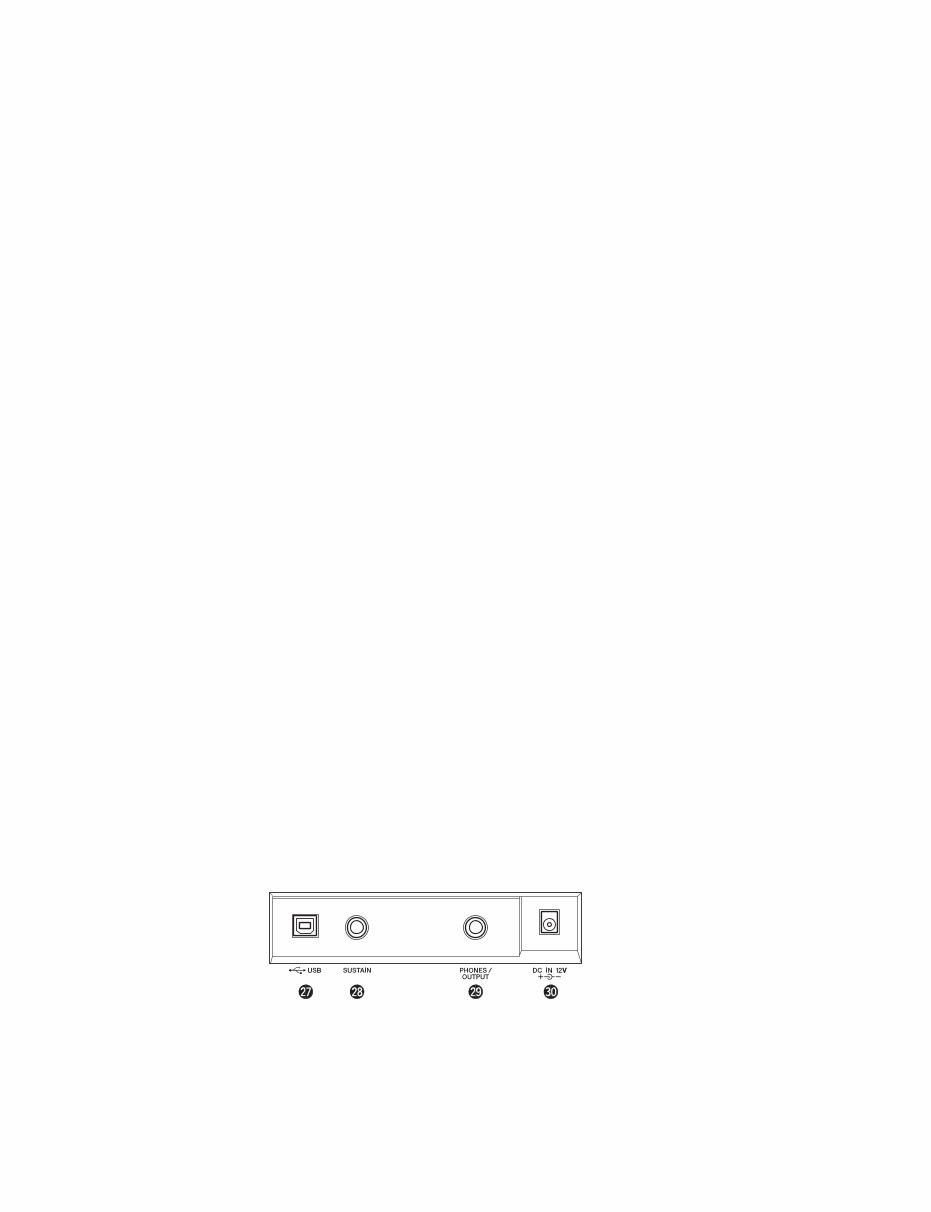
3 PSR-E413 SPECIFICATIONS Keyboards • 61 standard-size keys (C1–C6), with Touch Response. Display • LCD display (backlit) Setup • STANDBY/ON • MASTER VOLUME: MIN–MAX Panel Controls • VOICE CONTROL: [SPLIT], [DUAL], [HARMONY], [TOUCH] • LIVE CONTROL: [ASSIGN] • STYLE CONTROL: [ACMP ON/OFF], [INTRO/ENDING/rit.], [MAIN/AUTO FILL], [SYNC STOP], [SYNC START], [START/ STOP] • SONG CONTROL: [ ] (REPEAT & LEARN), [A B] (A-B REPEAT), [1] (REW), [¡] (FF), [8] (PAUSE), [3/7] (START/STOP) • REGIST MEMORY: [MEMORY/BANK], [1], [2] • SONG MEMORY: [REC], [1]-[5], [A] • LESSON: [START], [L], [R] • ARPEGGIO: [ON/OFF], [TYPE] • [DEMO/PC], [PERFORMANCE ASSISTANT], [FUNCTION], [MUSIC DATABASE], [METRONOME], [PORTABLE GRAND], [SONG], [EASY SONG ARRANGER], [STYLE], [VOICE], Dial, CATEGORY[ ¡ ]/[ ¡ ], [0]-[9], [+]/[–], [TEMPO/ TAP] Realtime Control • Pitch Bend Wheel • Knobs A, B A: Cutoff, Reverb, Attack, Style Cutoff, Style Tempo B: Resonance, Chorus, Release, Style Resonance Voice • 116 panel voices + 12 drum/SFX kits + 361 XGlite voices + 20 arpeggio voices • Polyphony: 32 • DUAL • SPLIT Style • 165 Preset Styles + External files • Style Control: ACMP ON/OFF, SYNC STOP, SYNC START, START/STOP, INTRO/ENDING/rit., MAIN/AUTO FILL • Fingering: Multi Finger • Style Volume Music Database • 300 + External files Education Feature • Dictionary • Lesson 1–3, Repeat & Learn Registration Memory • 8 banks x 2 types Function • VOLUME: Style Volume, Song Volume • OVERALL: Tuning, Transpose, Split Point, Touch Sensitivity, Pitch Bend Range • MAIN VOICE: Volume, Octave, Pan, Reverb Level, Chorus Level, Attack Time, Release Time, Filter Cutoff, Filter Resonance • DUAL VOICE: Voice, Volume, Octave, Pan, Reverb Level, Chorus Level, Attack Time, Release Time, Filter Cutoff, Filter Resonance • SPLIT VOICE: Voice, Volume, Octave, Pan, Reverb Level, Chorus Level, Attack Time, Release Time, Filter Cutoff, Filter Resonance • EFFECT: Reverb Type, Chorus Type, Master EQ Type • HARMONY: Harmony Type, Harmony Volume • ARPEGGIO: Arpeggio Type, Arpeggio Velocity • SFF Load: Style File Load • PC: PC Mode • MIDI: Local On/Off, External Clock, Initial Send, Keyboard Out, Style Out, Song Out • METRONOME: Time Signature Numerator, Time Signature Denominator, Metronome Volume • LESSON: Lesson Track (R), Lesson Track (L) • UTILITY: Grade, Demo Cancel, Sleep Effects • Reverb: 9 types • Chorus: 4 types • Harmony: 26 types • Arpeggio: 100 types Song • 30 Preset Songs + 5 User Songs + Accessory CD-ROM Songs (70) • Song Clear, Track Clear • Song Volume • Song Control: REPEAT & LEARN, A-B REPEAT, PAUSE, REW, FF, START/STOP Performance assistant technology Recording • Song User Song: 5 Songs Recording Tracks: 1, 2, 3, 4, 5, STYLE MIDI • Local On/Off • Initial Send • External Clock • Keyboard Out • Style Out • Song Out Auxiliary jacks • PHONES/OUTPUT, DC IN 12V, USB, SUSTAIN Amplifier • 2.5 W + 2.5 W Speakers • 12 cm x 2 + 3 cm x 2 Power Consumption • 10 W Power Supply • Adaptor: PA-130 or an equivalent recommended by Yamaha • Batteries: Six “AA” size, LR6 or equivalent batteries Dimensions (W x D x H) • 946 x 402 x 136 mm (37-1/4" x 15-13/16" x 5-3/8") Weight • 7.0 kg (15 lbs. 7 oz.) (not including batteries) Supplied Accessories • Music Rest • Accessory CD-ROM • Owner’s Manual Optional Accessories • AC Power Adaptor: PA-130 or an equivalent recommended by Yamaha • Footswitch: FC4/FC5 • Keyboard Stand: L-2C/L-2L • Headphones: HPE-150
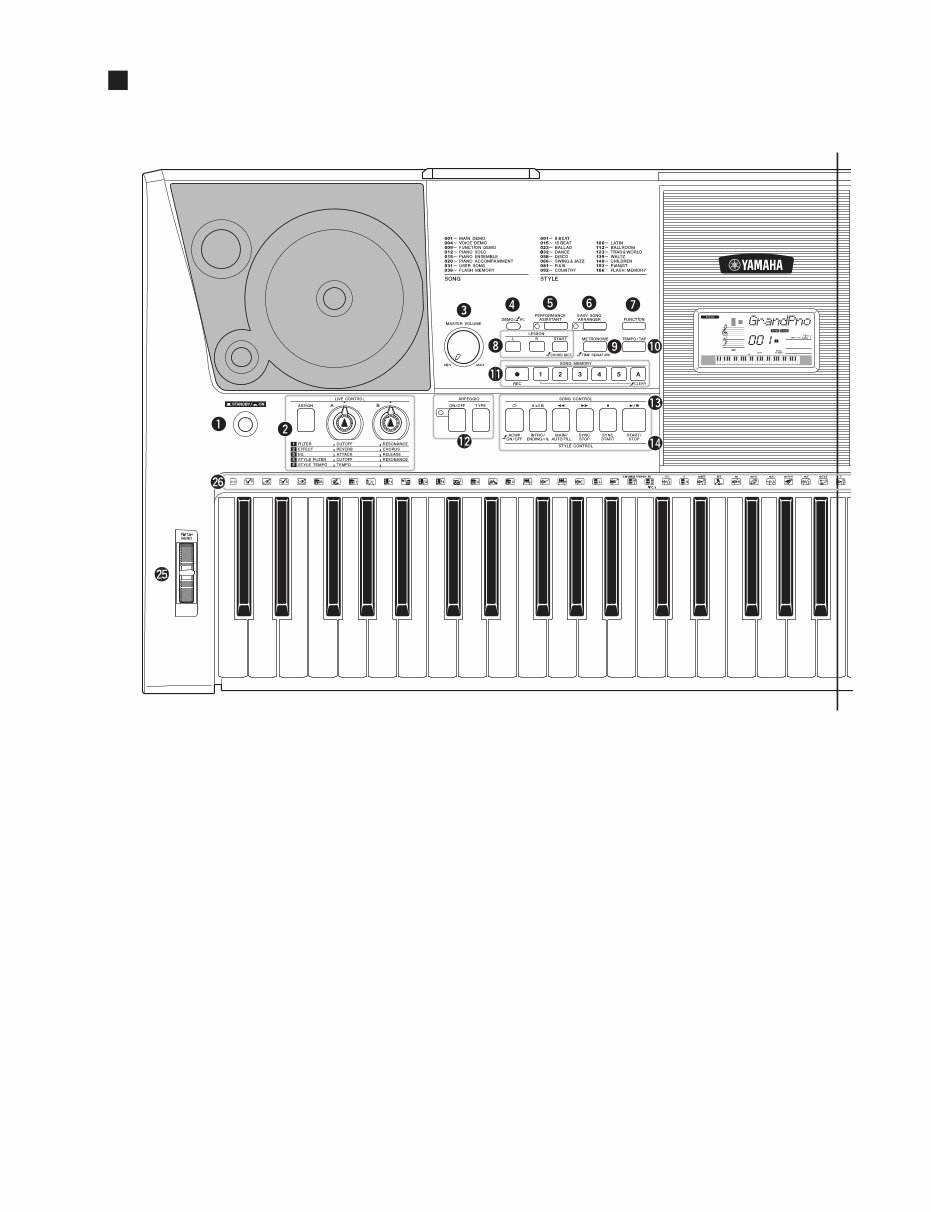
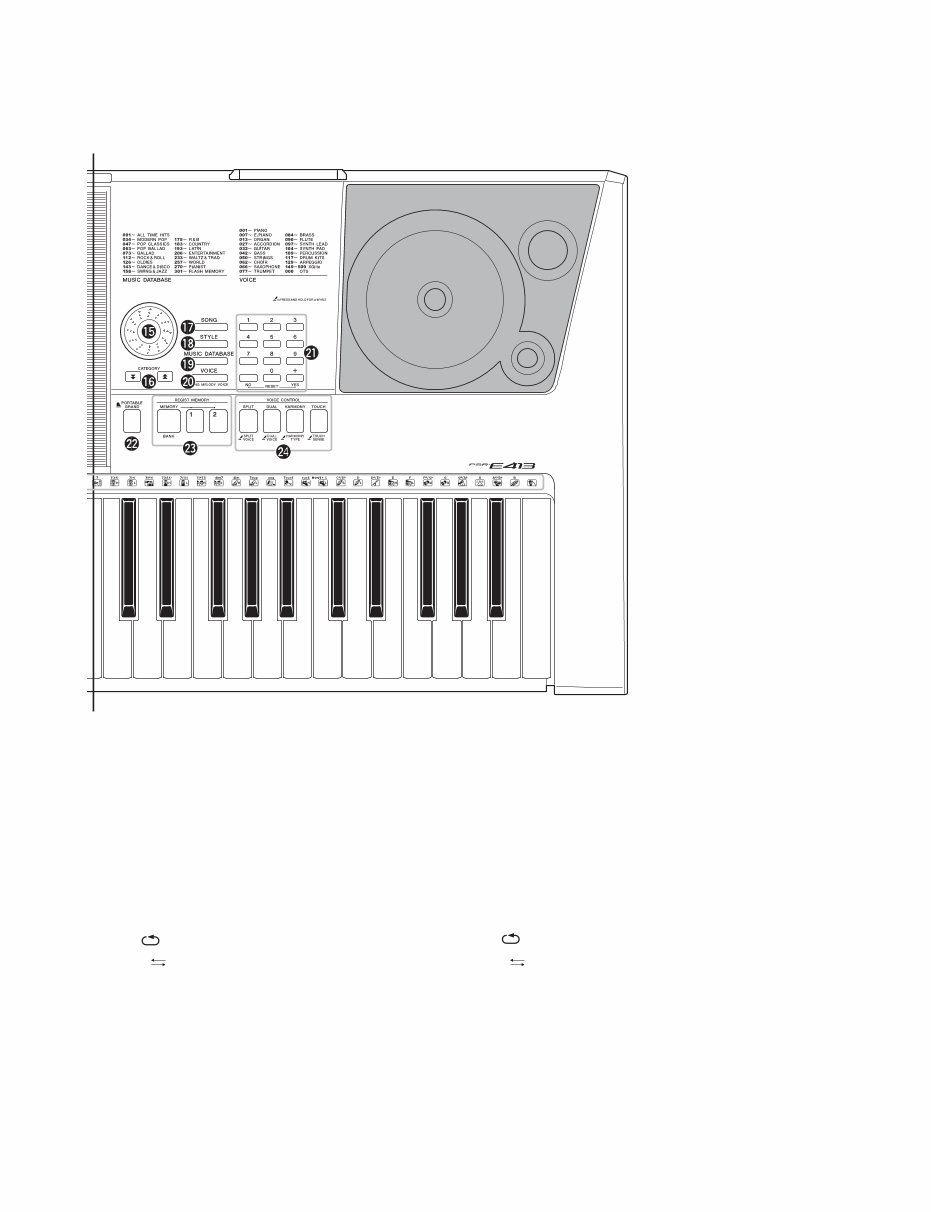
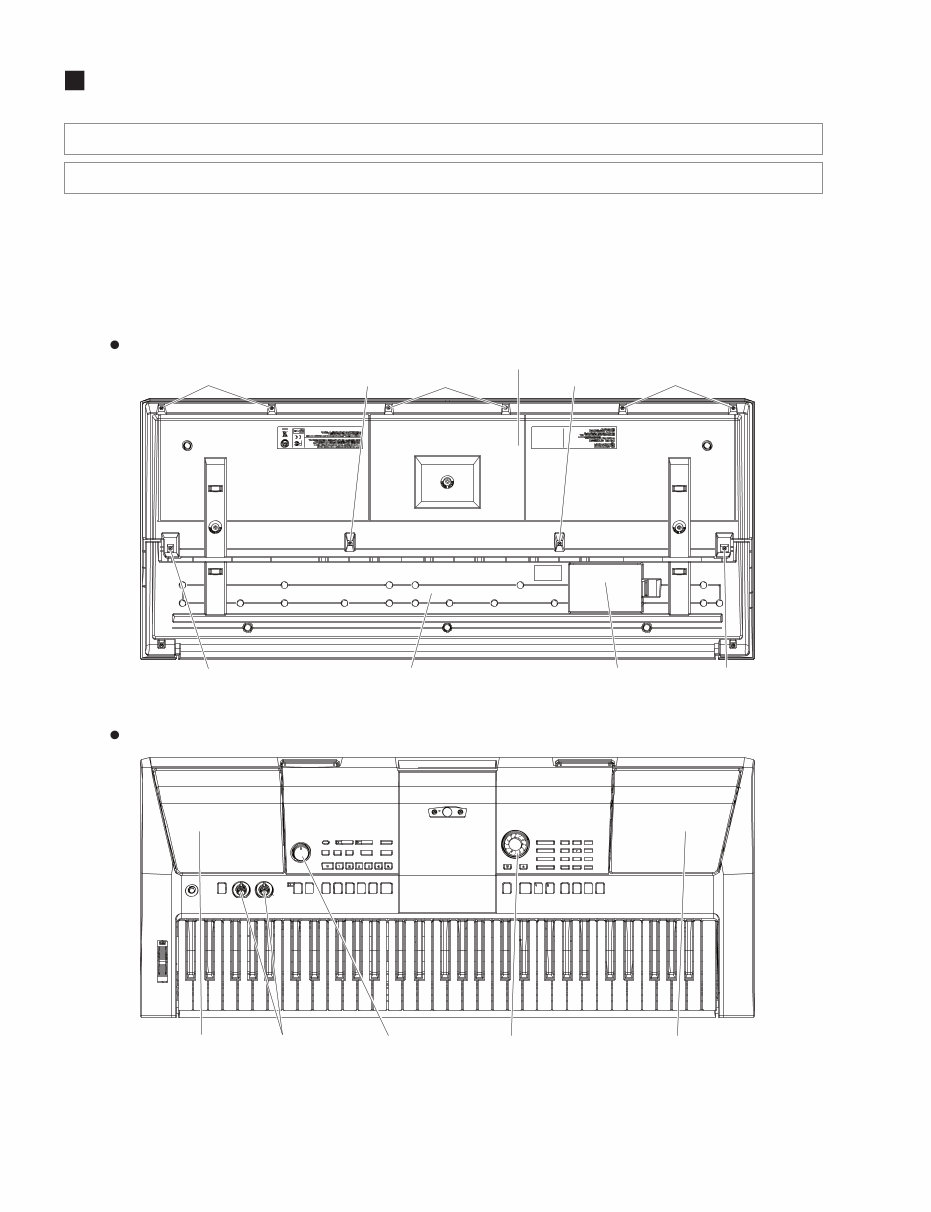
5 PSR-E413 PANEL LAYOUT(パネルレイアウト) q [STANDBY/ON] switch w LIVE CONTROL [ASSIGN] button [A] and [B] knobs e [MASTER VOLUME] control r [DEMO/PC] button t [PERFORMANCE ASSISTANT] button y [EASY SONG ARRANGER] button u [FUNCTION] button i LESSON [L], [R] buttons [START] button o [METRONOME] button !0 [TEMPO/TAP] button • Front Panel(フロントパネル) A A' q[電源 切 / 入](STANDBY/ON)スイッチ w ライブコントロール [アサイン] (ASSIGN) ボタン [A]、[B]ノブ e[全体音量](MASTER VOLUME)コントロール r[デモ / PC] (DEMO/PC)ボタン t[パフォーマンスアシスタント] (PERFORMANCE ASSISTANT)ボタン y[イージーソングアレンジャー] (EASY SONG ARRANGER)ボタン u[機能](FUNCTION)ボタン i レッスン [左手] (L)、[右手] (R)ボタン [スタート] (START)ボタン o[メトロノーム](METRONOME)ボタン !0 [テンポ /タップ] (TEMPO/TAP)ボタン
This comprehensive service manual includes specifications, parts list, exploded views, circuit board diagrams, and more. It is an invaluable resource for both professional mechanics and DIY enthusiasts.
Whether you want to modify, circuit bend, repair, or enhance your Yamaha product, this manual provides detailed instructions and insights. It also enables access to the secret test mode in most products.
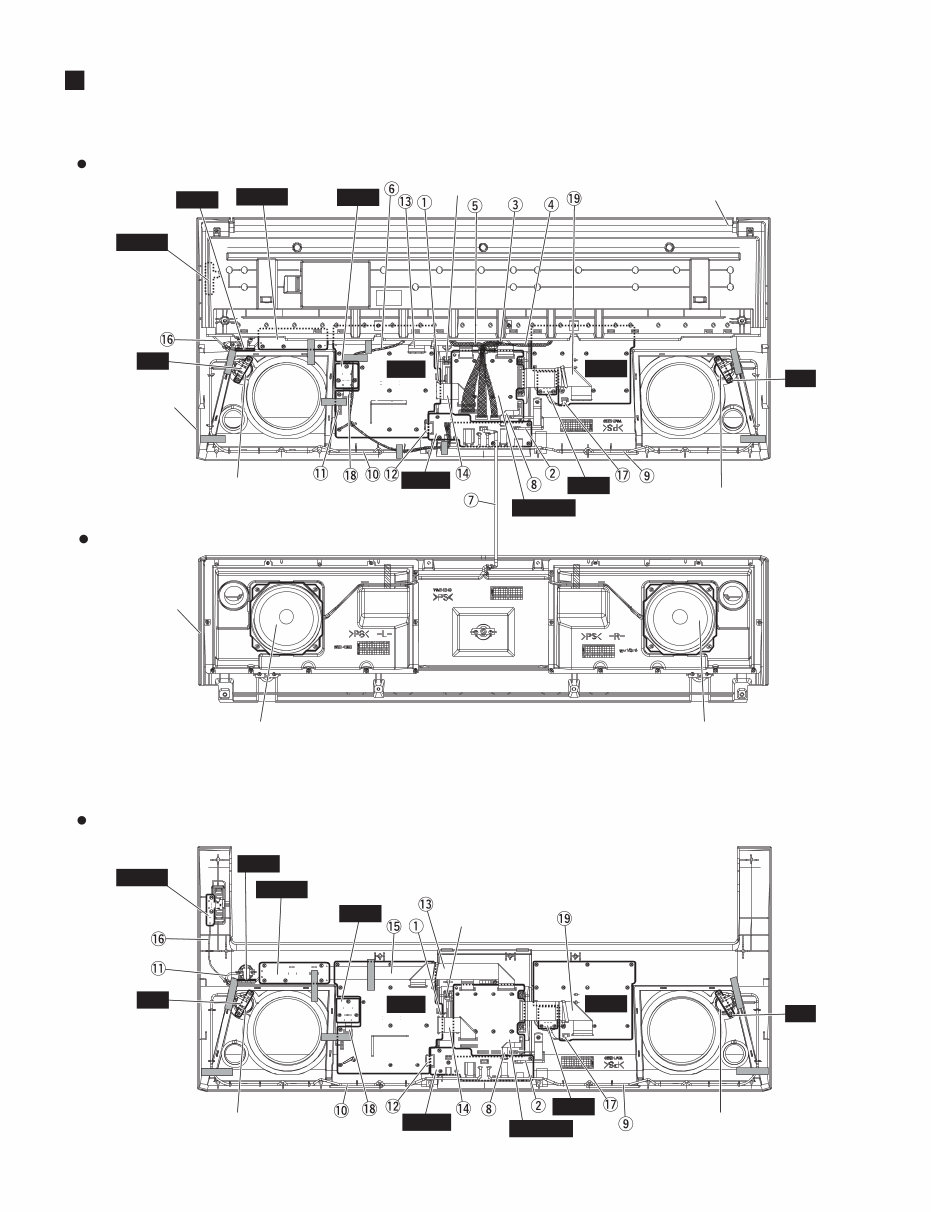
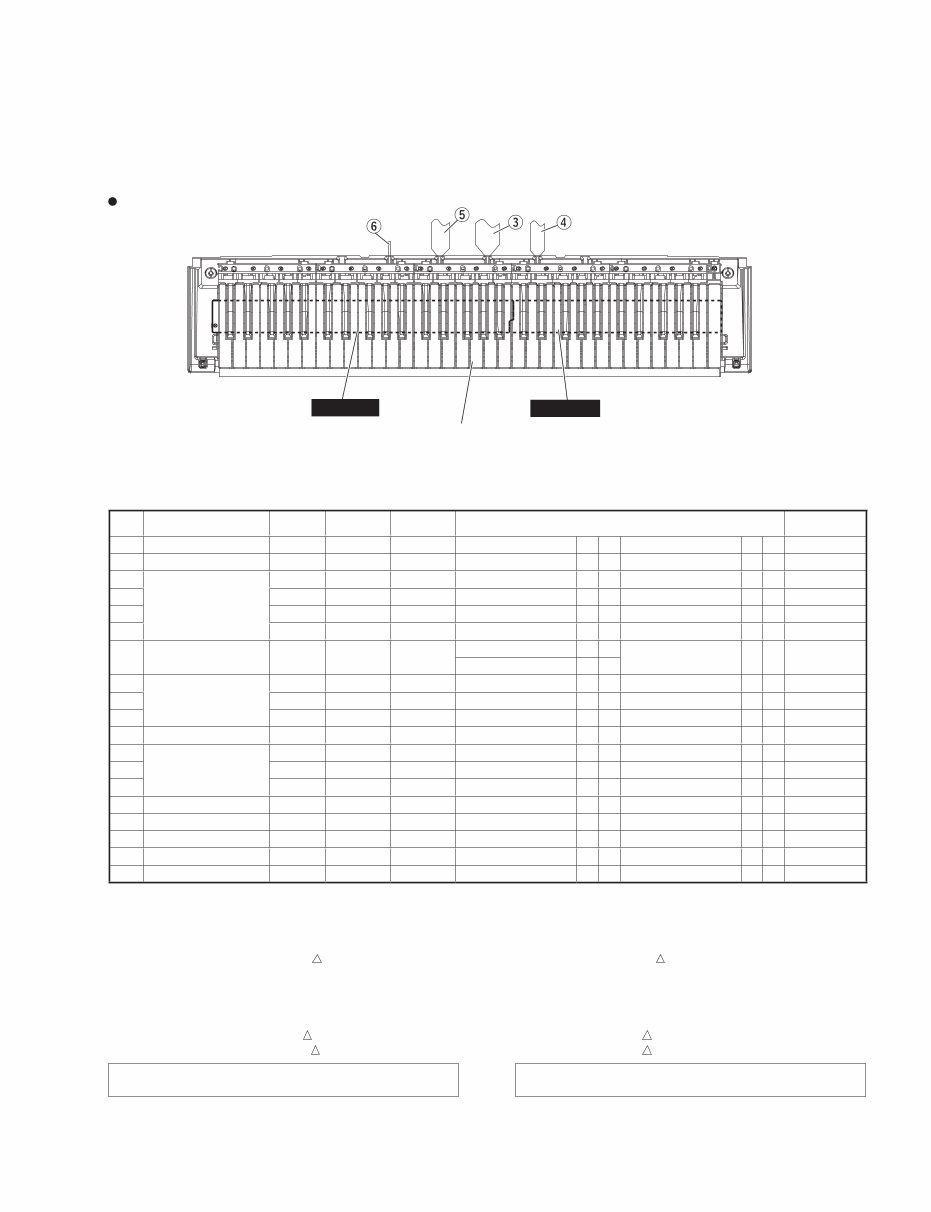
Featuring detailed content such as specifications, panel layout, circuit board layout, block diagram, disassembly procedure, LSI pin description, IC block diagram, inspection, MIDI implementation chart, overall circuit diagram, and parts list, this manual offers extensive guidance.
With high-resolution images and step-by-step instructions, this official service and repair manual ensures top-quality repairs and servicing. It is available in format, providing instant access without any shipping delays.
Specifications:
Language: English
Format: (PDF or OVA)
Platform: Windows, MAC, Linux, etc.
For any other Yamaha product service manual needs, feel free to reach out to us. Thank you!
Recently Viewed
5,521,897Happy Clients
2,594,462eManuals
1,120,453Trusted Sellers
15Years in Business
Price:
Actual Price:
Yamaha psr-e413 psre413 psr 413 complete service manual



 Lifetime Access