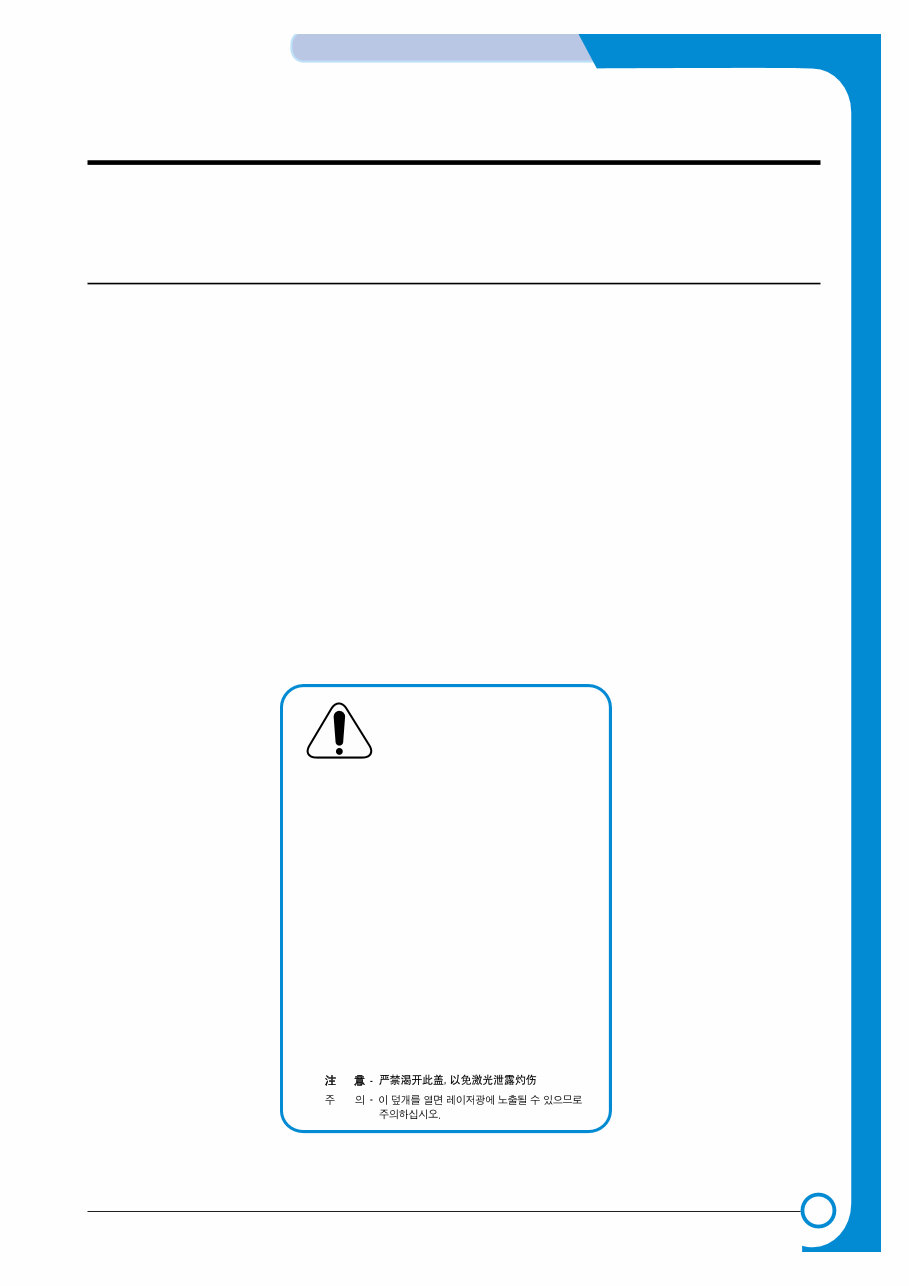
1 1 1-1 Samsung Electronics Precautions Service Manual 1. Precautions The cautions in the below are items needed to keep in mind when maintaining and servicing. Please read carefully and keep the contents in mind to prevent accidents while servicing and to prevent that the machine gets damage. 1.1 Warning for safety. (1) Request the service by qualified service person. The service for this machine must be performed by a service person who took the additional education of this field. It is dangerous if unqualified service person or user tries to fix the machine. (2) Do not rebuild it discretionary. Do not attach or change pats discretionary. Do not dissemble, fix, and rebuilt it. If do, printer will abnormally work and electric shock or a fire can be occurred. (3) Laser Safety Statement The Printer is certified in the U.S. to conform to the requirements of DHHS 21 CFR, chapter 1 Subchapter J for Class 1(1) laser products, and elsewhere, is certified as a Class I laser product conforming to the requirements of IEC 825. Class I laser products are not considered to be hazardous. The laser system and printer are designed so there is never any human access to laser radiation above a Class I level during normal operation, user maintenance, or prescribed service condition. Warning >> Never operate or service the printer with the protective cover removed from Laser/Scanner assembly. The reflected beam, although invisible, can damage your eyes. When using this product, these basic safety precautions should always be followed to reduce risk of fire, electric shock, and injury to persons. CAUTION - INVISIBLE LASER RADIATION WHEN THIS COVER OPEN. DO NOT OPEN THIS COVER. VORSICHT - UNSICHTBARE LASERSTRAHLUNG, WENN ABDECKUNG GE FFNET. NICHT DEM STRAHL AUSSETZEN. ATTENTION - RAYONNEMENT LASER INVISIBLE EN CAS D OUVERTURE. EXPOSITION DANGEREUSE AU FAISCEAU. ATTENZIONE - RADIAZIONE LASER INVISIBILE IN CASO DI APERTURA. EVITARE L ESPOSIZIONE AL FASCIO. PRECAUCION - RADIACION LASER IVISIBLE CUANDO SE ABRE. EVITAR EXPONERSE AL RAYO. ADVARSEL. - USYNLIG LASERSTR LNING VED BNING, N R SIKKERHEDSBRYDERE ER UDE AF FUNKTION. UNDG UDSAETTELSE FOR STR LNING. ADVARSEL. - USYNLIG LASERSTR LNING N R DEKSEL PNES. STIRR IKKE INN I STR LEN. UNNG EKSPONERING FOR STR LEN. VARNING - OSYNLIG LASERSTR LNING N R DENNA DEL R PPNAD OCH SP RREN R URKOPPLAD. BETRAKTA EJ STR LEN. STR LEN R FARLIG. VARO! - AVATTAESSA JA SUOJALUKITUS OHITETTAESSA OLET ALTTIINA N KYM TT M LLE LASER- S TEILYLLE L KATSO S TEESEEN.
1-2 Precautions Samsung Electronics Service Manual 1.2 Caution for safety 1.2.1 Precaution related noxious material The toner in a printer cartridge contains a chemical material, which might harm human body if it is swallowed. Please keep children out of the toner cartridge. 1.2.2 Precaution related electric shock or fire It is possible to get electric shock or burn by fire if you don't fallow the instructions of the manual. (1) Use exact voltage. Please do use an exact voltage and wall socket. If not, a fire or an electric leakage can be caused. (2) Use authorized power code. Do use the power code supplied with PRINTER. A fire can be occurred when over current flows in the power code. (3) Do not insert many codes in an outlet. If do, a fire can be occurred due to flow over current in an outlet. (4) Do not put water or extraneous matter in the PRINTER. Please do not put water, other liquid, pin, clip, etc. It can cause a fire, electric shock, or malfunction. If it is happened, turn off the power and remove the power plug from outlet immediately. (5) Do not touch the power plug with wet hand. When servicing, do remove the power plug from outlet. And do not insert or take off it with wet hand. Electric shock can be occurred. (6) Caution when inserting or taking off the power plug. The power plug has to be inserted completely. If not, a fire can be caused due to poor contact. When taking off the power plug, do grip the plug and take it off. If grip the line and pull over, it could be damaged. A fire or electric shock could cause. (7) Management of power code. Do not bend, twist, or bind it and place other materials on it. Also, do not fix it with staples. If the power code gets damage, a fire or electric shock can be caused. A damaged power code must be replaced immediately. Do not repair the damaged part and reuse it. A repaired part with plas- tic tape can be occurred a fire or electric shock. Do not spread chemicals on the power code. Do not spread insecticide on the power code. A fire or electric shock can be occurred due to thinner(weak) cover of the power code. (8) Check whether the power outlet and the power plug are damaged, pressed, chopped, or blazing fire or not. When such inferiorities are found, repair it immediately. Do not make it pressed or chopped when moving the machine. (9) Caution when thundering, and being flash of lightening. It causes a fire or electric shock. Take the power plug off when thundering. Do not touch cable and device when thundering and being flash of lightening. (10) Do avoid the place where is moisture or has dust. Do not install the printer in where have lots of dust or around humidifier. A fire can be occurred. A plug part need to clean well with dried fabric to remove dust. If water drops are dripped on the place covered with dust, a fire can be occurred. (11) Avoid direct sunlight. Do not install the printer near to window where directly contacts to the sunlight. If the machine contacts sunlight long time, the machine cannot work properly because inner temperature of the machine is getting higher. A fire can be caused. (12) Turn off the power and take off the plug when a smoke, strange smell, or sound from the machine. If you keep using it, a fire can be occurred. (13) Do not insert steel or metal piece inside/outside of the machine. Do not put steel or metal piece into a ventilator. An electric shock could be happened.
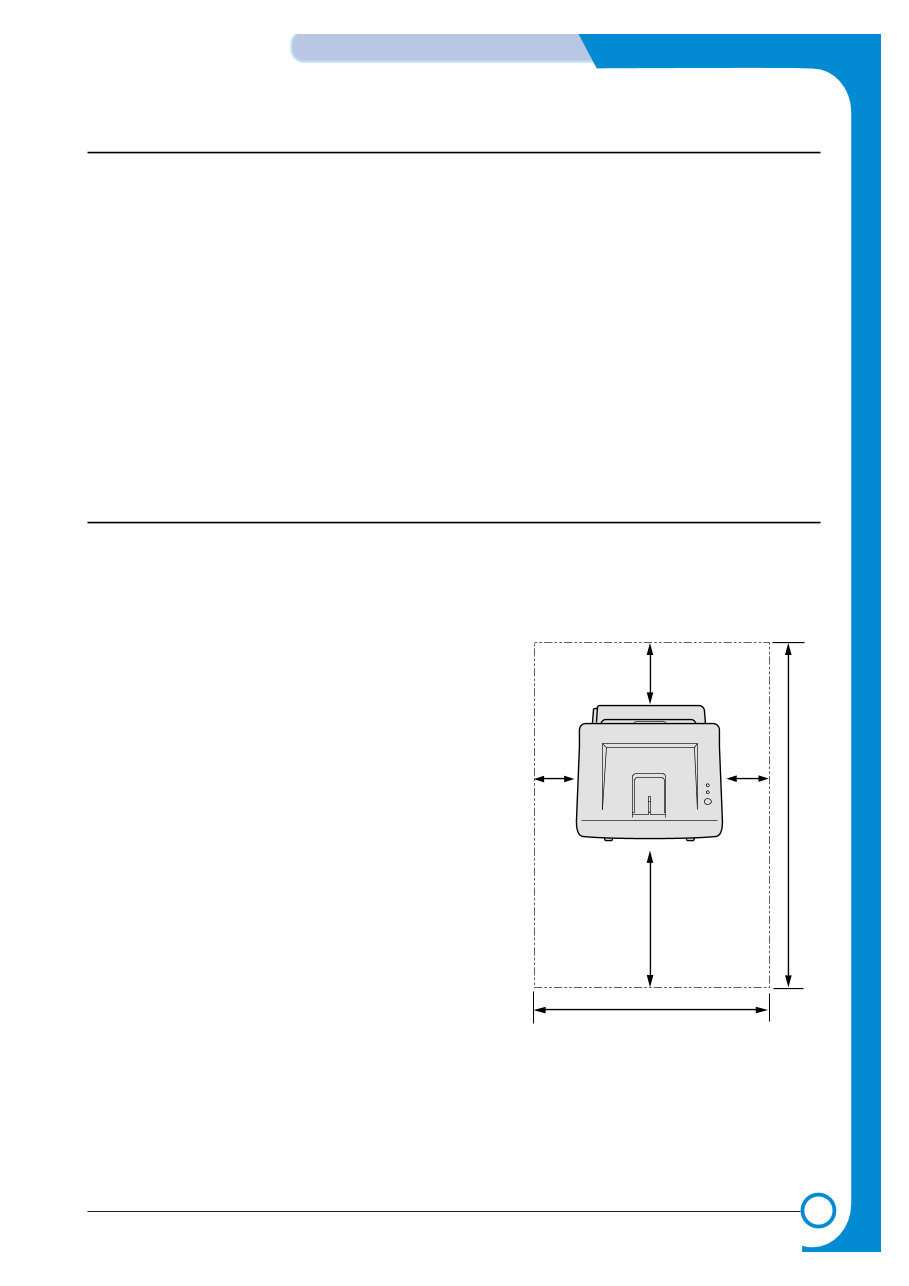
1-3 Samsung Electronics Precautions Service Manual 1.2.3 Precaution related handling the machine. If you ignore this information, you could get harm and machine could be damaged. (1) Do not install it on the different levels, or slanted floor. Please confirm whether it is balanced or not after installation. If it is unbalanced, an accident can be hap- pened due to the machine fell over. (2) Be careful not to insert a finger or hair in the rotating unit. Be careful not to insert a finger of hair in the rotating unit (motor, fan, paper feeding part, etc) while the machine is operating. Once it happens, you could harm. (3) Do not place a pot contains water/chemical or small metals. If those are got into the inner side of machine, a fire or electric shock can be occurred. (4) Do not install it in where lots of moisture or dust exists or where raindrop reaches. A fire or electric shock can be caused. (5) Do not place a candlelight, burning cigarette, and etc. on the machine. Do not install it near to heater. A fire can be occurred. 1.2.4 Precaution when assembly/disassembly When replace parts, do it very carefully. Do memorize the location of each cable before replace parts for reconnecting it afterwards. Do memorize. Please perform the below before replace or disassembly the parts. (1) Check the contents stored in the memory. All the information will be erased after replace main board. The information needed to keep has to be written down. (2) Before servicing or replacing electric parts, take off a plug. (3) Take off printer cables and power code connected to printer. (4) Do use formal parts and same standardized goods when replacing parts.Must check the product name, part code, rated voltage, rated current, operating temperature, etc. (5) Do not give an over-force when release or tighten up the plastic parts. (6) Be careful not to drop the small parts such as screws in the printer. (7) Be careful not to change the location of small parts such as screws when assembling and disassembling. (8) Do remove dust or foreign matters completely to prevent fire of tracking, short, or etc. (9) After finished repair, check the assembling state whether it is same as before the repair or not. 552 mm(21.7 in.) 100 mm (3.9 in.) 954.6 mm(37.5 in.) 482.6 mm(18.8 in.) 100 mm (3.9 in.) 100 mm (3.9 in.) <Installation space>
1-4 Precautions Samsung Electronics Service Manual 1.3 ESD Precautions Certain semiconductor devices can be easily damaged by static electricity. Such components are commonly called “Electrostatically Sensitive (ES) Devices”, or ESDs. Examples of typical ESDs are: integrated circuits, some field effect transistors, and semiconductor “chip” components. The techniques outlined below should be followed to help reduce the incidence of component damage caused by static electricity. Caution >>Be sure no power is applied to the chassis or circuit, and observe all other safety precautions. 1. Immediately before handling a semiconductor component or semiconductor-equipped assembly, drain off any electrostatic charge on your body by touching a known earth ground. Alternatively, employ a commer- cially available wrist strap device, which should be removed for your personal safety reasons prior to apply- ing power to the unit under test. 2. After removing an electrical assembly equipped with ESDs, place the assembly on a conductive surface, such as aluminum or copper foil, or conductive foam, to prevent electrostatic charge buildup in the vicinity of the assembly. 3. Use only a grounded tip soldering iron to solder or desolder ESDs. 4. Use only an “anti-static” solder removal device. Some solder removal devices not classified as “anti-static” can generate electrical charges sufficient to damage ESDs. 5. Do not use Freon-propelled chemicals. When sprayed, these can generate electrical charges sufficient to damage ESDs. 6. Do not remove a replacement ESD from its protective packaging until immediately before installing it. Most replacement ESDs are packaged with all leads shorted together by conductive foam, aluminum foil, or a comparable conductive material. 7. Immediately before removing the protective shorting material from the leads of a replacement ESD, touch the protective material to the chassis or circuit assembly into which the device will be installed. 8. Maintain continuous electrical contact between the ESD and the assembly into which it will be installed, until completely plugged or soldered into the circuit. 9. Minimize bodily motions when handling unpackaged replacement ESDs. Normal motions, such as the brushing together of clothing fabric and lifting one’s foot from a carpeted floor, can generate static electric- ity sufficient to damage an ESD.
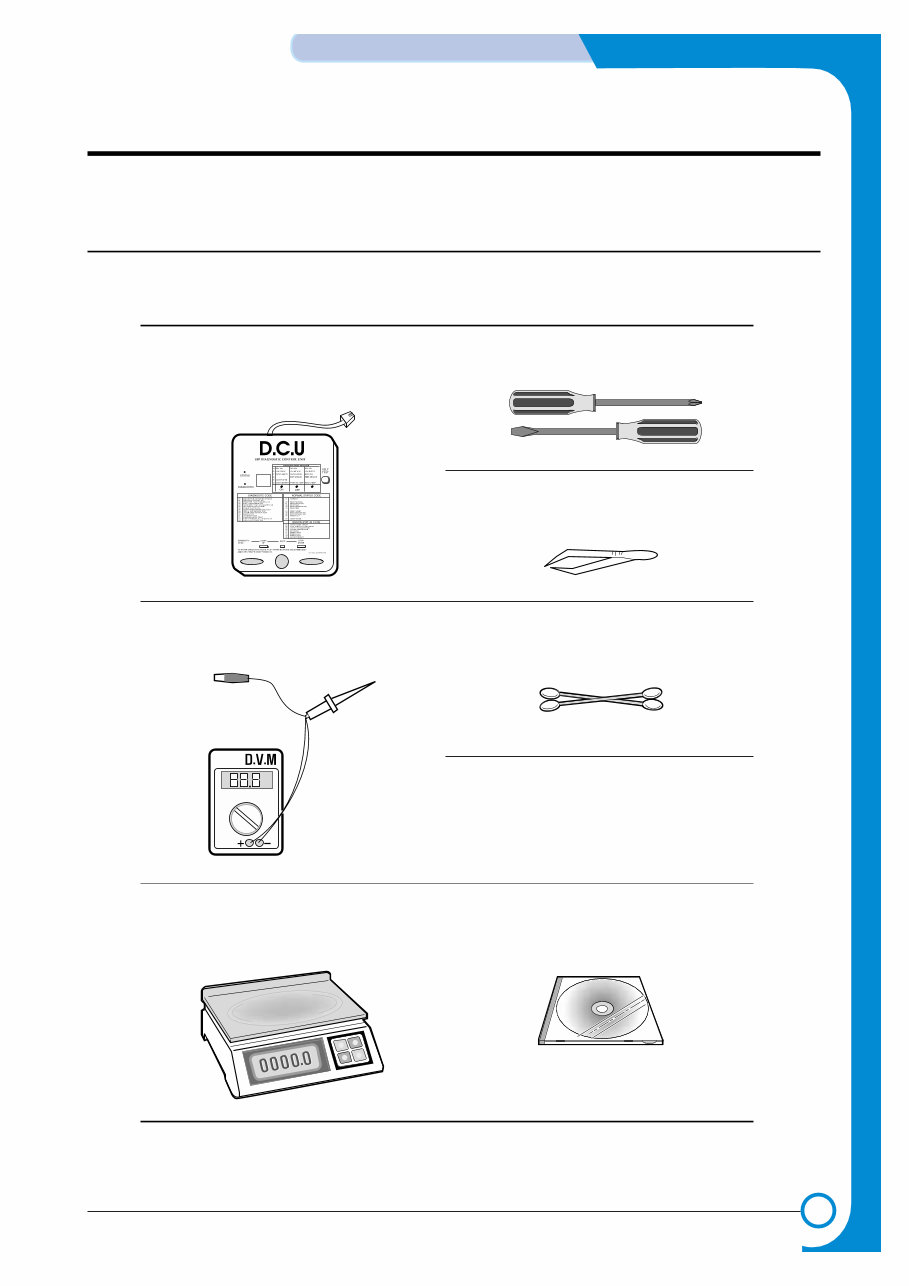
2 2 2-1 Samsung Electronics REFERENCE INFORMATION Service Manual 2. Reference Information This chapter describes the reference information for applying this training manual, and it is consist- ed of the tool list, the abbreviation table, the outline of model, and so on. 2.1 Tool for Troubleshooting The following tools are recommended for safe and smooth troubleshooting described in this service manual. DCU(Diagnostic Control Unit) Standard : Test equipment to diagnose the Laser printer supplied by Samsung Electronics. 1 Driver Standard : "-" type, "+" type (M3 long, M3 short, M2 long, M2 short). 4 Cotton Swab Standard : For general home use, for medical ser-vice 6 Software(Driver) installation CD ROM 8 Cleaning Equipments a IPA(Isopropyl Alcohol)dry cloth or a soft stuff neutral detergent 7 Tweezers Standard : For general home use, small type. 5 DVM(Digital Volt Meter) Standard : Indicates more than 3 digits. 2 Electronic Scale Standard : Equipment to check the weight of con- sumables(toner cartridge) supplied by Samsung Electronics. (The gram unit can be measured.) 3
2-2 REFERENCE INFORMATION Samsung Electronics Service Manual 2.2 Acronyms and Abbreviations The table in the below explains abbreviations used in this service manual. The contents of this service manual are declared with abbreviations in many parts. Please refer to the table. AC Alternating Current ASIC Application Specific Integrated Circuit ASSY assembly BIOS Basic Input Output System CMOS Complementary Metal Oxide Semiconductor CN connector CON connector CPU Central Processing Unit dB decibel dbA decibelampere dBM decibel milliwatt DC direct current DCU Diagnostic Control Unit DPI Dot Per Inch DRAM Dynamic Random Access Memory DVM Digital Voltmeter ECP Enhanced Capability Port EEPROM Electronically Erasable Programmable Read Only Memory EMI Electro Magnetic Interference EP electrophotographic EPP Enhanced Parallel Port F/W firmware GDI graphics device interface GND ground HBP Host Based Printing HDD Hard Disk Drive HV high voltage HVPS High Voltage Power Supply I/F interface I/O Input and Output IC integrated circuit IDE Intelligent Drive electronics or Imbedded Drive Electronics IEEE Institute of Electrical and Electronics Engineers. Inc IPA Isopropy Alcohol IPM Images Per Minute LAN local area network lb pound(s) LBP Laser Beam Printer LCD Liquid Crystal Display LED Light Emitting Diode LSU Laser Scanning Unit MB megabyte MHz megahertz NVRAM nonvolatile random access memory OPC Organic Photo Conductor PBA Printed Board Assembly PCL Printer Command Language , Printer Control Language PDL Page Discription Language PPM Page Per Minute PTL Pre-Transfer Lamp Q-PID Quick Printer Initiating Device Q ty quantity RAM Random Access Memory ROM Read Only Memory SCF Second Cassette Feeder SMPS Switching Mode Power Supply SPGP Samsung Printer Graphic Processor SPL Samsung Printer Language Spool Simultaneous Peripheral Operation Online SW switch sync synchronous or synchronization USB Universal Serial Bus
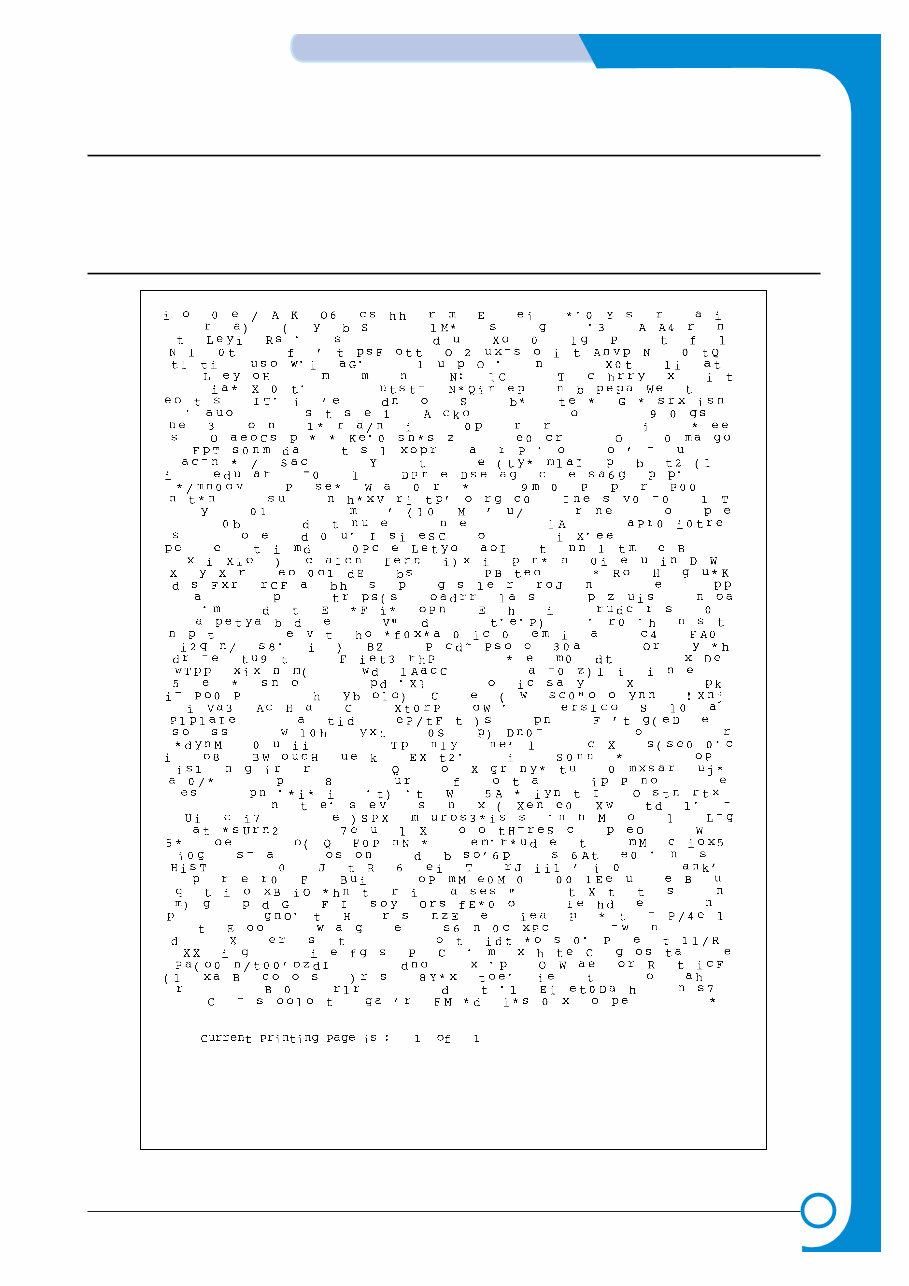
2-3 Samsung Electronics REFERENCE INFORMATION Service Manual 2.3 The Sample Pattern for the Test The sample pattern shown in below is the standard pattern used in a factory. The contents of the life span and the printing speed are measured with the pattern shown in below. (The picture in the manual is 70% size of the actual A4 size.) 2.3.1 A4 5% Pattern
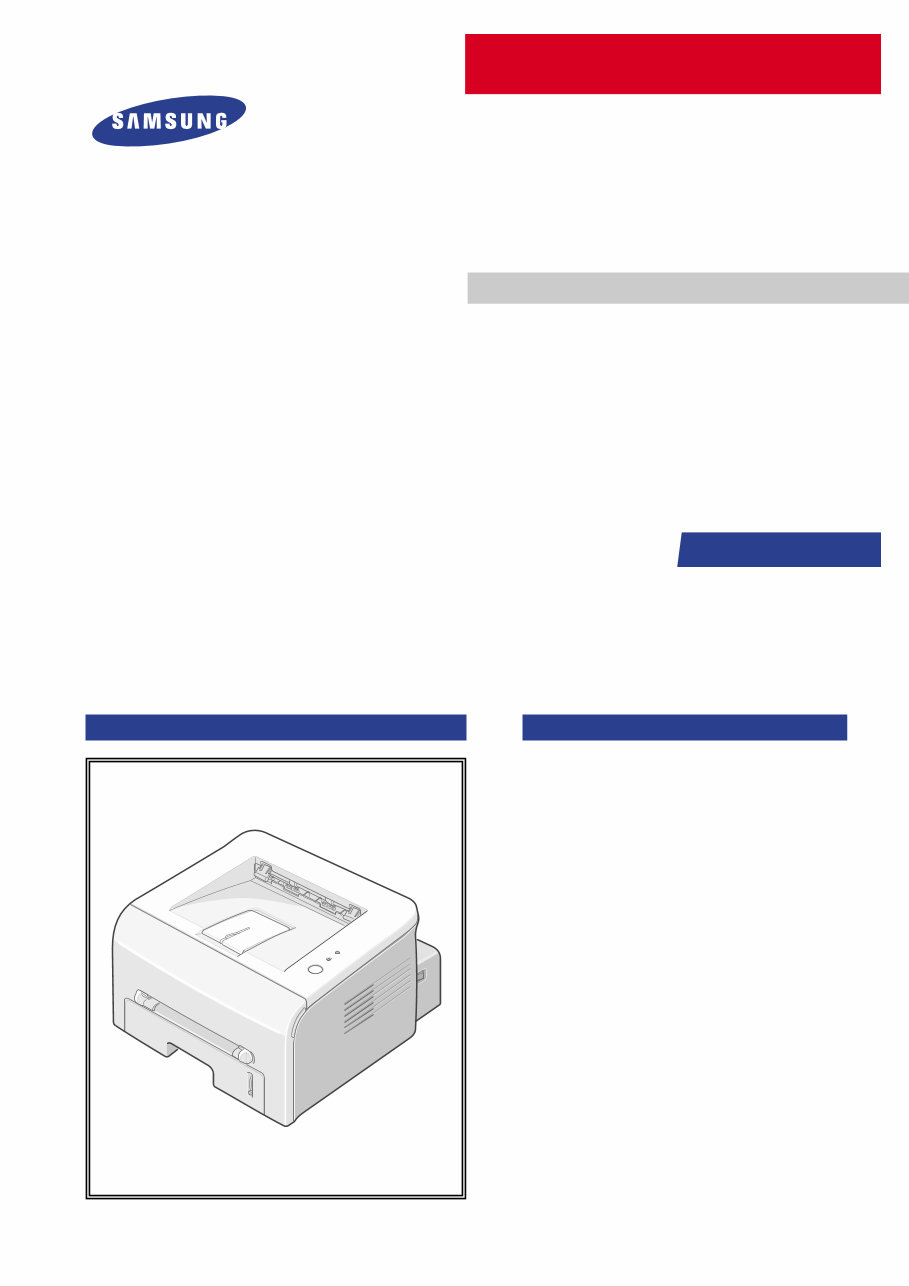
Are you experiencing issues with your Samsung Printer? Why spend money on repairs when you can easily do it yourself? This comprehensive service manual, utilized by Official Certified Samsung Technicians, will assist you in troubleshooting and repairing your Printer.
Key features of this manual include:
Safety & Precautions
Specifications
Troubleshooting
Maintenance
Disassembly & Reassembly
Adjustments & Alignment
System Diagrams
Exploded Views
Replacement Parts list
This detailed manual is accompanied by colored pictures and step-by-step instructions, ensuring the best possible guidance for repairing/servicing your device.
It's important to note that this is the official manual in PDF format, ensuring high resolution for quality printing. Additionally, you'll have instant access after payment, eliminating shipping delays and allowing you to commence repairs promptly.
Specifications:
Language: English
Format: PDF
Platform: Windows and MAC
If you're unable to find a specific service manual, feel free to reach out to us. With one of the largest service manual databases, we may be able to assist you!



 Lifetime Access