PRINTRONIX P5205 P5206 P5208 P5210 P5215 P5220 Service Repair Manual
What's Included?
Lifetime Access
Fast Download Speeds
Online & Offline Access
Access PDF Contents & Bookmarks
Full Search Facility
Print one or all pages of your manual
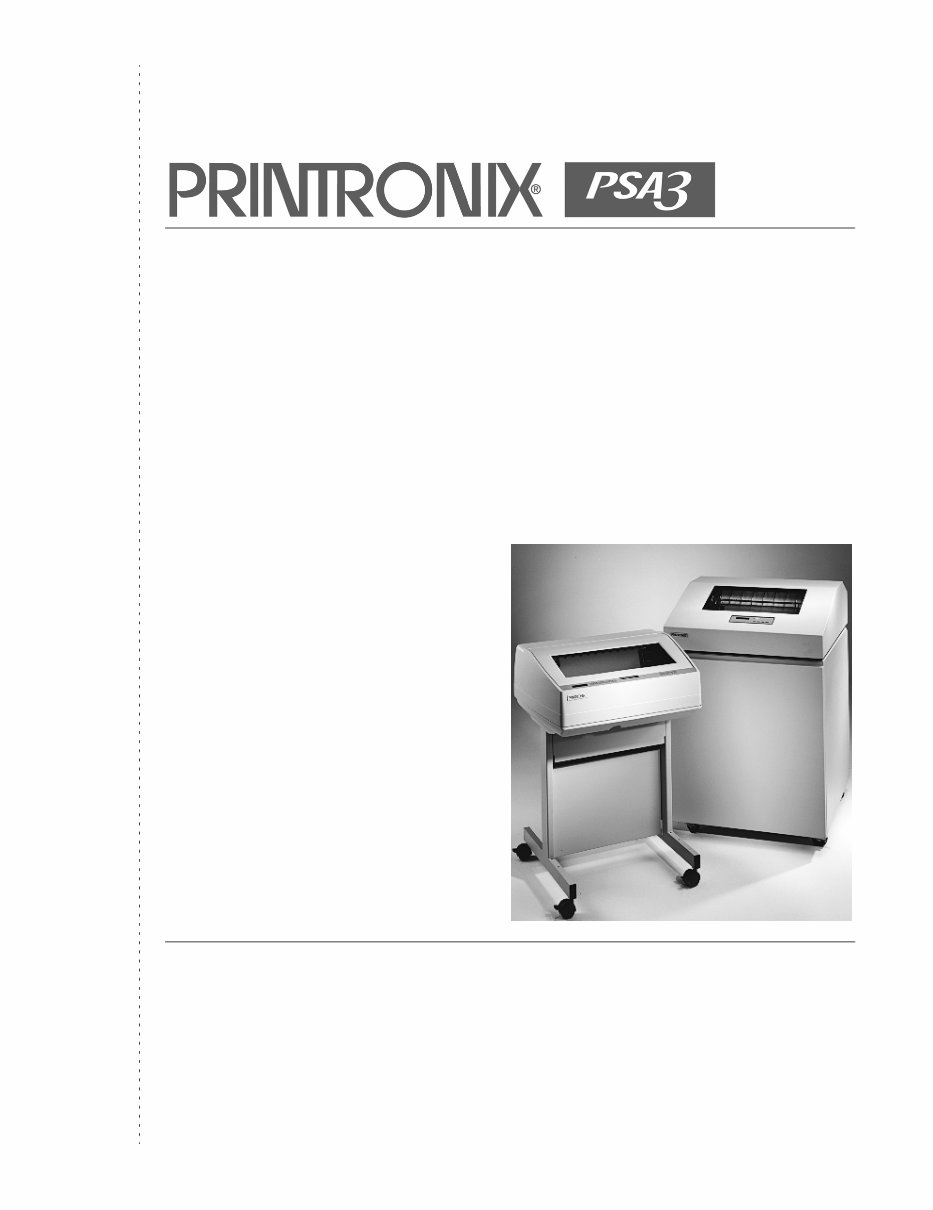
Maintenance Manual Printronix P5000 PSA3™ Line Matrix Printers
176475-001C Maintenance Manual P5000 PSA3 Line Matrix Printers
Trademark Acknowledgements Trademark Acknowledgements ANSI is a registered trademark of American National Standards Institute, Inc. Centronics is a registered trademark of Genicom Corporation. Code V is a trademark of Quality Micro Systems. Chatillon is a trademark of John Chatillon & Sons, Inc. Dataproducts is a registered trademark of Dataproducts Corporation. EIA is a registered service mark of Electronic Industries Association. ENERGY STAR® is a registered trademark of the United States Environmental Protection Agency. As an ENERGY STAR® Partner, Printronix has determined that this product meets the ENERGY STAR® guidelines for energy efficiency. IBM is a registered trademark of International Business Machines Corporation. IEEE is a registered trademark of the Institute of Electrical and Electronics Engineers. IGP is a registered trademark of Printronix, Inc. Intelligent Printer Data Stream and IPDS are trademarks of International Business Machines Corporation. LinePrinter Plus is a registered trademark of Printronix, Inc. MS-DOS and Microsoft Windows (3.1x, 95, 98, Me, NT, 2000, and XP) are trademarks of Microsoft Corporation. PC-DOS is a trademark of International Business Machines Corporation. PGL is a registered trademark of Printronix, Inc. PrintNet is a registered trademark of Printronix, Inc. Printronix is a registered trademark of Printronix, Inc. PSA and PSA3 are trademarks of Printronix, Inc. QMS is a registered trademark of Quality Micro Systems. RibbonMinder is a trademark of Printronix, Inc. SureStak is a trademark of Printronix, Inc. Torx is a registered trademark of Camcar/Textron Inc. Utica is a registered trademark of Cooper Power Tools.
Communication Notices relating to electromagnetic compatibility. Printronix cannot accept responsibility for any failure to satisfy the protection requirements resulting from a non-recommended modification of the product, including the fitting of non-Printronix option cards. German Conformity Statement: Zulassungsbescheinigung Gesetz über die elektromagnetische Verträglichkeit von Geraten (EMVG) vom 30. August 1995 Dieses Gerät ist berechtigt in Übereinstimmung mit dem deutschen das EG- Konformitätszelchen - CE - zu führen. Der Außteller der Konformitätserklärung ist die Printronix......(1) Informationen in Hinsicht EMVG Paragraph 3 Abs. (2) 2: EN 55022 Klasse A Geräte bedürfen folgender Hinweise: Nach dem EMVG: “Geräte dürfen an Orten, für die sie nicht asreichend entstört sind, nur mit besonderer Genehmigung des Bundesminesters für Post und Telekommunikation oder des Bundesamtes für Post und Telekommunikation betrieben werden. Die Genehmigung wird erteilt, wenn keine elektromagnetischen Störungen zu erwarten sind.” (Auszug aus dem EMVG, Paragraph 3, Abs. 4) Dieses Genehmigungsverfahren ist nach Paragraph 9 EMVG in Verbindung mit der entsprechenden Kostenverordnung (Amtsblatt 14/93) kostenpflichtig. EN 55022: Dieses ist eine Kategorie A Vorrichtung. Betrieb in den Wohnbereichen kann elektrische Störung verursachen. Es ist die Verantwortlichkeit des Benutzers, passende Gegenmaßnahmen zu ergreifen. EN 55024: Begrenzung Werte für Gebrauch in bevölkerten Bereiche, kommerziellen und Industriegebieten sind innen Übereinstimmung mit den spezifizierten Anforderungen Hinsichtlich Störfreiheit. Anmerkung: Um die Einhaltung des EMVG sicherzustellen sind die Geräte, wie in den Handbüchern angegeben, zu installieren und zu betreiben. This product has been tested and found to comply with the limits for Class A Information Technology Equipment according to European Standard EN 55022. The limits for Class A equipment were derived for commercial and industrial environments to provide reasonable protection against interference with licensed communication equipment. Das Gerät erfüllt die Schutzanforderungen nach EN 55022 und EN 55024 Klasse A. This is a Class A product. In a domestic environment this product may cause radio interference in which case the user may be required to take adequate measures. Warning
Communication Notices
Communication Notices
9 Table Of Contents 1 Maintenance Overview ....................................... 15 About The Printer................................................................................. 15 The P5000 PSA3 Printer Family .......................................................... 15 H-Series Printers ........................................................................... 15 How To Identify A PSA3 Printer .................................................... 16 Important Maintenance Notes.............................................................. 18 About This Manual ............................................................................... 18 How To Use This Manual .............................................................. 19 Notices .......................................................................................... 20 Safety Notices...................................................................................... 21 Hinweise zur Sicherheit ....................................................................... 21 Controls And Indicators ....................................................................... 22 Electrical Controls, Cabinet Models .............................................. 22 Electrical Controls, Pedestal Models ............................................. 24 Mechanical Controls, All Models ................................................... 26 Tools, Test Equipment, And Supplies.................................................. 28 Plugging In The Printer ........................................................................ 29 Printronix Customer Support Center.................................................... 29 Maintenance Training Available For Printronix Products ..................... 29 2 Preventive Maintenance ..................................... 31 Cleaning The Printer ............................................................................ 31 Cleaning The Outside Surfaces ........................................................... 31 Cleaning The Shuttle Frame Assembly ............................................... 33 Cleaning The Card Cage Fan Assembly ............................................. 34 3 Troubleshooting .................................................. 35 Introduction .......................................................................................... 35 Troubleshooting Aids ........................................................................... 35 Start Here... ......................................................................................... 36 Troubleshooting Display Messages ..................................................... 37 List Of Messages .......................................................................... 37 Troubleshooting Other Symptoms ....................................................... 94 General Symptom List ................................................................... 95 Communications Failures .................................................................. 118 Diagnostic Printer Tests..................................................................... 120
10 Table of Contents Selecting And Running Diagnostic Printer Tests ........................ 121 Boot Diagnostics Menu ...................................................................... 124 Hex Code Printout ............................................................................. 127 How To Print A Hex Dump .......................................................... 128 ASCII Character Set .......................................................................... 129 Soft vs. Hard Reset............................................................................ 130 The Power On Sequence .................................................................. 131 Controller Board Handshake Sequences .................................... 131 DC Software Initialization And Power Up .................................... 135 4 Adjustment and Test Procedures ..................... 137 Introduction ........................................................................................ 137 Adjustments and Tests ................................................................ 137 Preparing The Printer For Maintenance ............................................ 138 Returning The Printer To Normal Operation ...................................... 139 Belt, Paper Feed Timing, Adjustment ................................................ 140 Belt, Platen Open, Adjustment........................................................... 142 Paper Scale Alignment ...................................................................... 144 Platen Gap Adjustment ...................................................................... 146 Ribbon Guide Alignment .................................................................... 148 Paper Out Adjustment ....................................................................... 150 Hammer Phasing Adjustment ............................................................ 154 Loading Flash Memory ...................................................................... 156 Loading Through The Serial Or Parallel Port .............................. 156 Loading Software When Flash Is Blank Or Defective ................. 160 Loading Through the Network Interface Card (NIC) ................... 161 Coil Temperature Adjustment ............................................................ 164 Dynamic Paper Tension Adjustment ................................................. 165 Tractor Belt Tension Adjustment ....................................................... 167 Shuttle Electrical Short Check ........................................................... 168 Hammer Bank Power Cable Shorts Test ........................................... 169 Cable Shorts Test .............................................................................. 170 Main Wire Harness Test Diagnostic .................................................. 172
The Maintenance Manual for the Printronix P5000 PSA3 Printer Series is an essential resource for both professional mechanics and DIY enthusiasts. This comprehensive manual includes troubleshooting and diagnosing information, exploded parts diagrams, parts lists, disassembly procedures, and more.
The manual covers the following models in the P5000 PSA3 Printer Series:
Printronix P5003H
Printronix P5005
Printronix P5005-QA
Printronix P5005-12
Printronix P5005-12-QA
Printronix P5006H
Printronix P5008H
Printronix P5010
Printronix P5010-QA
Printronix P5015
Printronix P5015-QA
Printronix P5203H
Printronix P5205
Printronix P5205-12
Printronix P5206H
Printronix P5208H
Printronix P5210
Printronix P5215
Printronix P5215-SS
Printronix P5220S
Printronix P5220S-SS
This manual is not a scanned copy and includes a total of 537 pages in English, with technical bulletins updated to 2007. It provides a maintenance overview, preventive maintenance procedures, troubleshooting guidance, adjustment and test procedures, replacement procedures with illustrated parts lists, principles of operation, and an appendix covering wire data, abbreviations, signal mnemonics, metric conversion tables, SureStak Power Stacker, paper specifications, forms design, and maintenance information about other P5000 printers. Additionally, it includes a technical bulletin for the P5000 Series.
Key features of this manual include bookmarks for easy navigation, compatibility with Windows and Mac, and the ability to be printed. Our guarantee ensures that every manual has been reviewed by humans for quality, correct page count, and bookmarks. The manual also includes a small preview from an actual screenshot, providing a glimpse of its content.
For detailed service information on the Printronix P5205, P5206, P5208, P5210, P5215, and P5220 models, refer to the "Printronix P5205 P5206 P5208 P5210 P5215 P5220 Service Manual."
Recently Viewed
5,521,897Happy Clients
2,594,462eManuals
1,120,453Trusted Sellers
15Years in Business
Price:
Actual Price:
PRINTRONIX P5205 P5206 P5208 P5210 P5215 P5220 Service Repair Manual



 Lifetime Access