


CANON PowerShot SD10 PowerShot SD750 Elph ixus 70 75 Service Manual
What's Included?
 Lifetime Access
Fast Download Speeds
Online & Offline Access
Access PDF Contents & Bookmarks
Full Search Facility
Print one or all pages of your manual
SAFETY PRECAUTIONS
The following precautions should be observed when servicing.
1. Since many parts in the unit have special safety-related characteristics, always use genuine CANON replacement parts.
Especially critical parts in the power circuit block should not be replaced with other makes.
Critical parts are marked with ! in the schematic diagrams.
2. When servicing, observe the original lead dress. If a short circuit is found, replace all parts which have been overheated or damaged
by the short circuit.
3. After servicing, see to it that all the protective devices such as insulation barriers, insulation papers shields are properly installed.
4. After servicing, make the following leakage current checks to prevent the customer from being exposed to shock hazards.
4-1 Leakage Current Cold Check
1) Unplug the AC cord and connect a jumper between the two prongs on the plug.
2) Measure the resistance value, with an ohmmeter, between the jumpered AC plug and each exposed metallic cabinet part
on the equipment such as screwheads, connectors, control shafts, etc. When the exposed metallic part has a return path to
the chassis, the reading should be between 1MΩ and 5.2MΩ. When the exposed metal does not have a return path to the
chassis, the reading must be ∞.
4-2 Leakage Current Hot Check
1) Plug the AC cord directly into the AC outlet. Do not use an isolation transformer for this check.
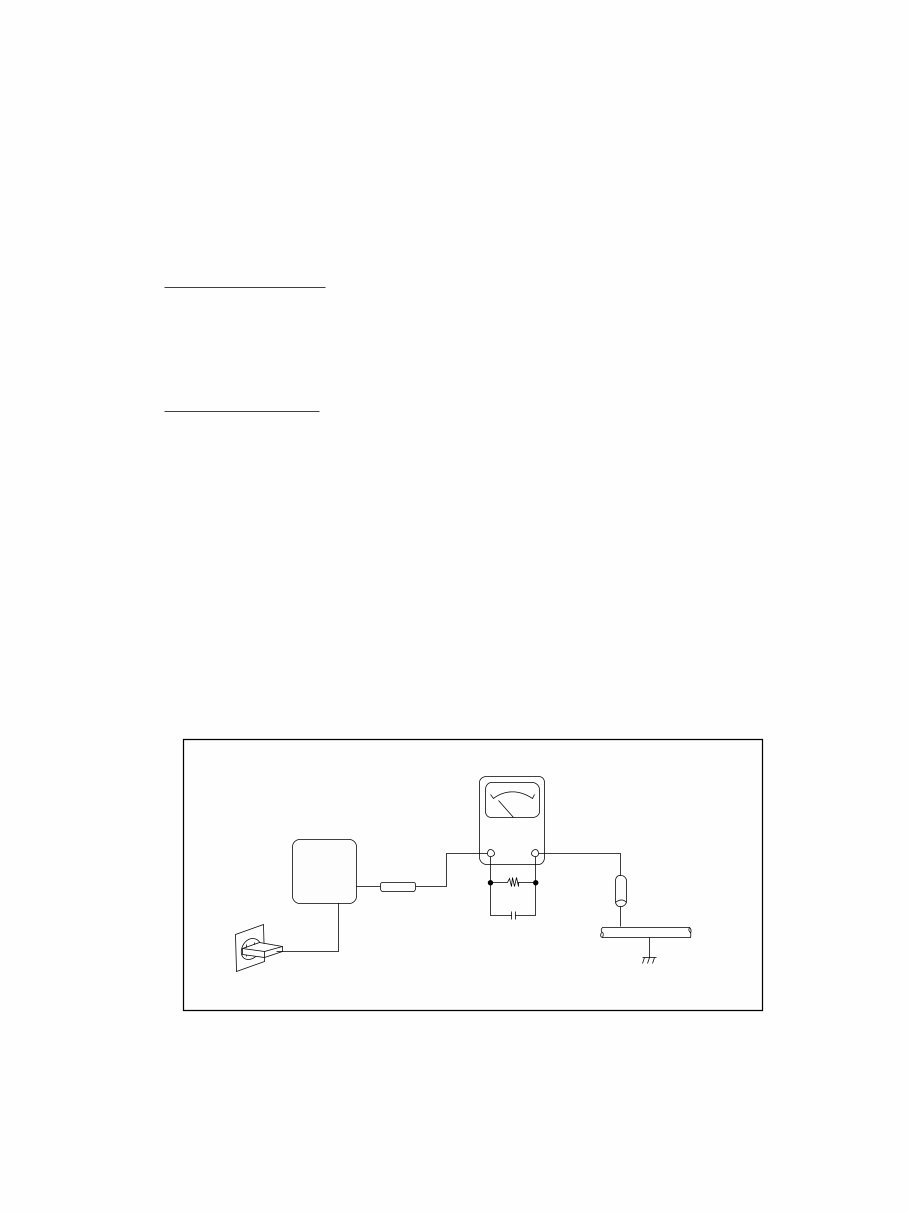
2) Connect a 1.5KΩ 10 watt resistor, paralleled by 0.15µ F capacitor, between each exposed metallic parts on the unit and a
good earth ground such as a water pipe, as shown in the figure below.
3) Use an AC voltmeter, with 1000Ω/volt or more sensitivity, to measure the potential across the resistor.
4) Check all exposed metallic parts of the cover (Cable connection, Handle bracket, metallic cabinet.
Screwheads, Metallic overlays, etc), and measure the voltage at each point.
5) Reverse the AC plug in the AC outlet and repeat each of the above measurements.
6) The potential at any point should not exceed 0.75V RMS.
A leakage current tester (FLUKE MODEL : 8000A equivalent) may be used to make the hot checks.
Leakage current must not exceed 0.5 milliamp.
In case a measurement is outside of the limits specified, there is a possibility of a shock hazard, and corrective action must
be taken before returning the instrument to the customer.
Water pipe
(Earth Ground)
1.5KΩ
0.15µF
Test all
exposed
metal parts
Figure. 1 Leakage Current Hot Check
AC OUTLET
AC VOLTMETER
DEVICE
UNDER
TEST

Trademarks:
Canon Inc.'s trademark, logos, product names, service marks and those trademark, logos, product names,
service marks licensed to Canon Inc. by any of its affiliate or subsidiary are registered or unregistered
marks of Canon Inc. or such affiliate or subsidiary in Japan and/or other countries.
Adobe, the Adobe logo, Acrobat, the Acrobat logo and Reader are either registered trademarks or trade-
marks of Adobe Systems Incorporated in the United States of America and/or other countries.
All other trademarks, product names, service marks are generally either registered or unregistered marks
of their respective owners.
Copyright:
All copyrights in the content of this Service Manual are owned or controlled by Canon Inc. You are not
permitted to copy, reproduce, download, modify, adapt or translate in any way the content of this Service
Manual for any purpose other than the purpose contemplated herein without prior written consent of
Canon Inc.
R2: CONFIDENTIAL
GENERAL DESCRIPTION
OF PRODUCT
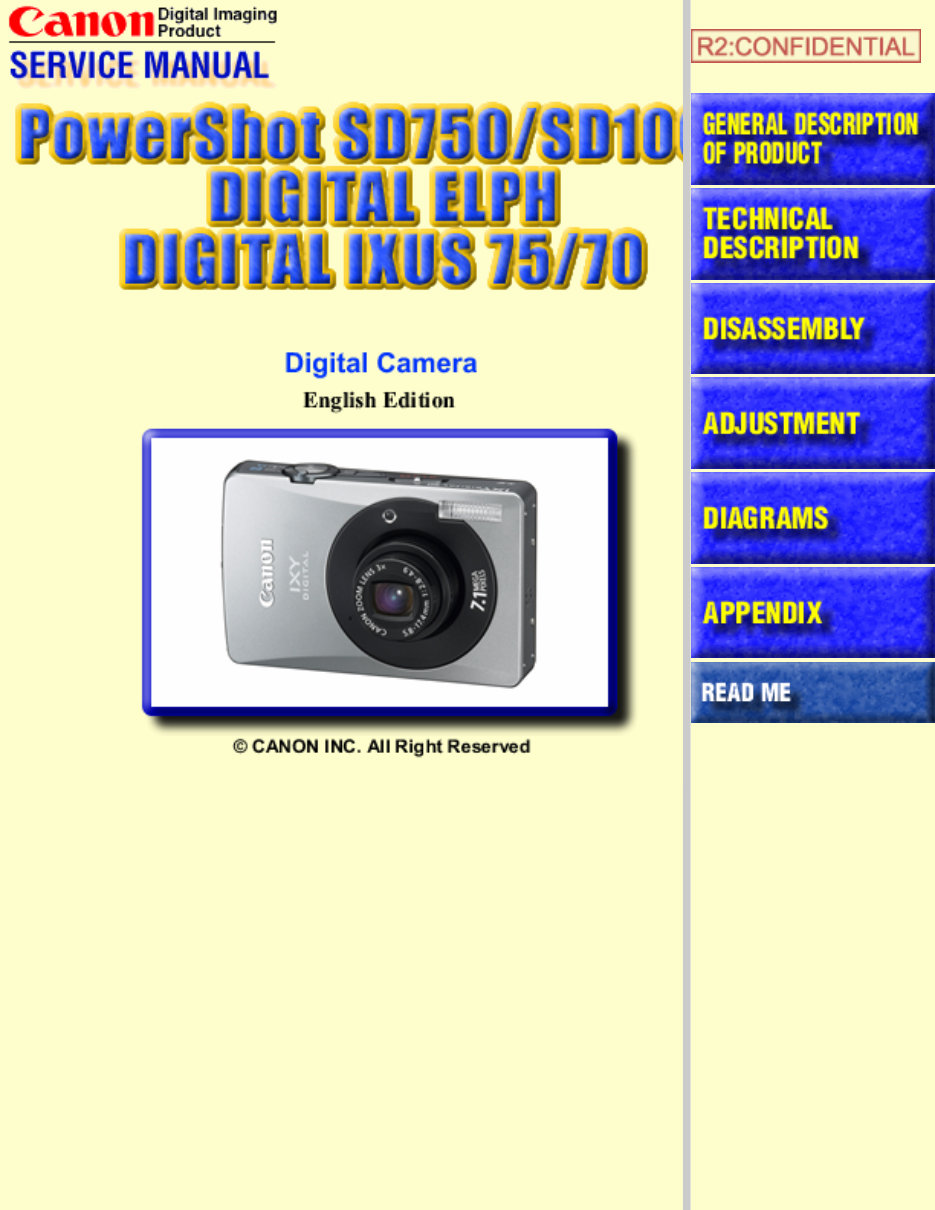
* The “IXY DIGITAL 90/10” product designation used in this document refers to the IXY DIGITAL 90/10, but
marketing departments in other resions use DIGITAL IXUS 75/70 or PowerShot SD750/SD100 DIGITAL ELPH to
refer to the same product.

CONTENTS
1 Overview
1-1 Summary of Main Features . . . . . . . . . . . . . . . . . . . . . . . . . . . . . . . . . . . . . . . . . . . . . . . . . 1
1-2 Comparison of Main Features . . . . . . . . . . . . . . . . . . . . . . . . . . . . . . . . . . . . . . . . . . . . . . . 4
2 Exterior
2-1 Exterior Photos . . . . . . . . . . . . . . . . . . . . . . . . . . . . . . . . . . . . . . . . . . . . . . . . . . . . . . . . . . . 6
2-2 6-view Diagram . . . . . . . . . . . . . . . . . . . . . . . . . . . . . . . . . . . . . . . . . . . . . . . . . . . . . . . . . . 7
2-3 Nomenclature . . . . . . . . . . . . . . . . . . . . . . . . . . . . . . . . . . . . . . . . . . . . . . . . . . . . . . . . . . . . 9
3 Specifications
3-1 Product Specifications . . . . . . . . . . . . . . . . . . . . . . . . . . . . . . . . . . . . . . . . . . . . . . . . . . . . 11
3-2 System Diagram . . . . . . . . . . . . . . . . . . . . . . . . . . . . . . . . . . . . . . . . . . . . . . . . . . . . . . . . . 21
3-3 Shooting/Setting Features List . . . . . . . . . . . . . . . . . . . . . . . . . . . . . . . . . . . . . . . . . . . . . . 23
3-4 Direct Print . . . . . . . . . . . . . . . . . . . . . . . . . . . . . . . . . . . . . . . . . . . . . . . . . . . . . . . . . . . . . 24
3-5 Playback Compatibility . . . . . . . . . . . . . . . . . . . . . . . . . . . . . . . . . . . . . . . . . . . . . . . . . . . 27
3-6 List of Accessory and Its Compatibility . . . . . . . . . . . . . . . . . . . . . . . . . . . . . . . . . . . . . . . 29
4 Accessory Specifications
4-1 Waterproof Case . . . . . . . . . . . . . . . . . . . . . . . . . . . . . . . . . . . . . . . . . . . . . . . . . . . . . . . . . 33
4-2 Main Unchanged Accessories . . . . . . . . . . . . . . . . . . . . . . . . . . . . . . . . . . . . . . . . . . . . . . 36
1
1 Overview
1-1 Summary of Main Features
Text highlighted in red: New features introduced with the IXY DIGITAL 90/10, Text highlighted in blue: Differences from the IXY
DIGITAL 80/70
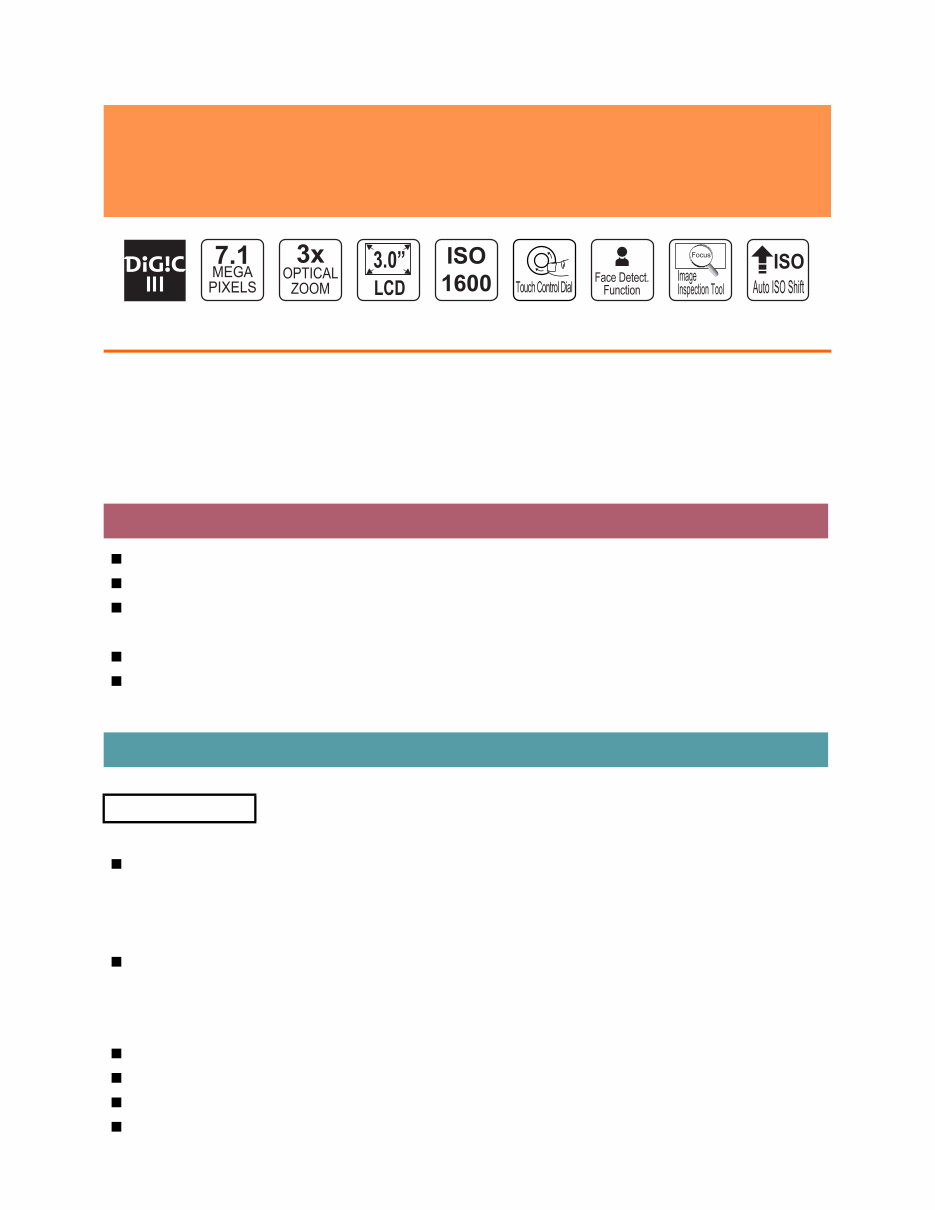
DIGIC III imaging processor provides improved image quality and functionality
High-resolution 7.1-megapixel CCD supports prints up to A3 size
3x optical zoom lens support a wide range of shooting scenes
• 35 – 105 mm (35mm film equivalent), f/2.8 (W) / f/4.9 (T)
High ISO Auto and super high ISO-speed 1600 significantly reduce camera shake and subject blur
iSAPS technology enables high-speed AF and high-definition AE/AWB
<Still Images>
Face detection function
• Face Detect AF focuses the faces in the screen
• Face Detect AE incorporates face brightness
• Face Detect FE controls the flash output for getting optimum face brightness during flash photography
Selected ISO speed is displayed on the LCD monitor
• Effective speed is displayed when pressing the shutter button halfway while Auto or High ISO Auto
is selected
• The raised ISO speed in 1/3-stop increments is displayed when using the Auto ISO shift
Auto ISO shift increases ISO speed to shutter speed without camera shake with just one push
Night Display automatically brightens images on the LCD monitor during sunset and evening shooting
Safety zoom enables active use of digital zoom ranges where image quality is not reduced
Digital tele-converter easily achives a tele-converter function
(IXY DIGITAL 10: 2.5
inch type)
(IXY DIGITAL
90 only)
High Image Quality
Full Featured and Easy Operation
Shooting Features
Highly anticipated successor models to IXY DIGITAL 80/70 offer even better
image quality and performance thanks to DIGIC III, while featuring large
LCD monitors and sophisticated slim design
2
Image Inspection Tool checks image focus during rec. review (IXY DIGITAL 90/10)
<Movies>
6 movie modes, including Fast Frame Rate
Time Lapse movie enables a movie recorded at intervals to be condensed into a short time at the normal
frame rate (15 fps/sec) for viewing
<Still Images, Movies>
Aquarium added to scene modes for a total of 17 shooting modes
Auto Category sets categories based on shooting mode and the presence of a face on the screen
My Colors enables customization of the color palette for the subject during shooting
Quick-bright LCD maximizes brightness when the LCD monitor is hard to see, such as in bright sunlight
or other strong light sources
Intelligent Orientation Sensor automatically detects camera orientation (horizontal and vertical) during shooting
<Still Images>
Auto red-eye correction uses the face detection function to automatically correct red-eye that occurred
during flash photography
My Category sorts images into categories based on shooting conditions
New Jump function enables instant switching and playback of specific images based on keywords or
categories
My Colors enables customization of the color palette for the subject during playback
Transition adds fade-in and fade-out effects when switching between playback images
Slide Show enables playback of images grouped by folder, shooting date, and other conditions
<Still Images, Movies>
Resume Playback starts playback from last viewed image (still image) or frame (movie)
PictBridge for superior versatility and Canon Direct Print to maximize the functions of Canon printers
Playback button switches between shooting mode and playback mode by one-push operation (IXY DIGI-
TAL 90)
Playback button can be customized (slide show, sound recorder)
• Transition to shooting mode by pressing the shutter button halfway
Omni selector enables selection of optimum ISO speed according to each scene
Touch control dial for easy mode selection, value setting, and other operations (IXY DIGITAL 90)
• Enhanced operations
Shortcuts using the Print/Share button for improved ease of operation
Shutter speed and f/number are displayed on the LCD monitor when pressing the shutter button halfway
during shooting
Print/Share button that lights up blue and allows easy printing with just one push
Playback Features
Printing Features
Operability

3
The LCD monitor with 3.0-inch size (IXY DIGITAL 90), 2.5-inch size (IXY DIGITAL 10), high resolu-
tion (approx. 230,000 pixels), and wide viewing angle
• Protective window enhances sturdiness (IXY DIGITAL 90/10)
Sound recorder capable of up to two hours of audio recording
Low level format maximizes memory card performance
SDHC memory card support for high-volume shooting (both still images and movies)
UI display available in 25 languages
*
*
Models for Japanese market available in 2 languages (Japanese and English)
Compact body with even lower profile
New "Edge" design with distinct "Solid Form" and two color variations for circular section (modern
black/futuristic silver) (IXY DIGITAL 90)
Back to basics "Box & Circle" design, and two color variations (Black/Silver) (IXY DIGITAL 10)
Others
Design
4
1-2 Comparison of Main Features
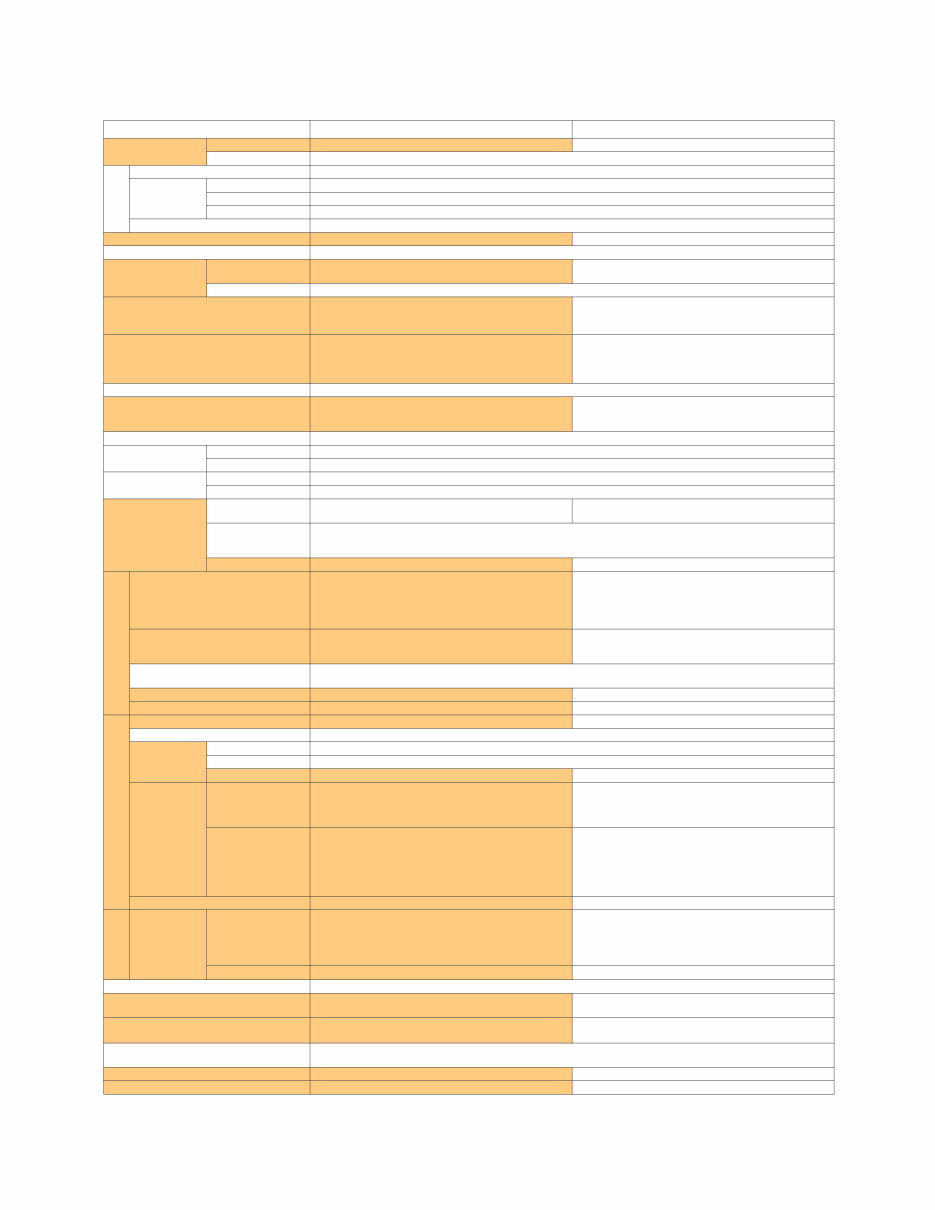
• IXY DIGITAL 90 and IXY DIGITAL 80
• Highlighted table items indicate changes from the IXY DIGITAL 80. Text in red shows changes.
Conditions may apply depending on items (for details, see 3-1 Product Specifications).
IXY DIGITAL 90 IXY DIGITAL 80
Image Sensor
(CCD)
Camera Effective Pixels Approx. 7.1 million pixels, 1/2.5-inch type Approx. 6.0 million pixels, 1/2.5-inch type
Color Filters Primary color filters (Bayer type)
Lens
Focal Length (35mm film equivalent) 3x Zoom: 35 (W) – 105 (T) mm
Focusing
Range
Normal 30 cm (12 in.) – infinity
Macro 3 – 50 cm (W), 30 – 50 cm (T) (1.2 in. – 1.6 ft. (W), 12 in. – 1.6 ft. (T))
Digital Macro 3 – 10 cm (W) (1.2 in. – 3.9 in. (W))
Image Stabilizer (IS) System –
Imaging Processor DIGIC III DIGIC II
Viewfinder –
LCD Monitor
Type
3.0-inch type, color LCD with wide viewing angle
(Effective pixels: Approx. 230,000 pixels)
3.0-inch type, color LCD with wide viewing angle
(Effective pixels: Approx. 173,000 pixels)
Features Brightness adjustment (15 levels, Quick-bright LCD)
Focus
AiAF (Face Detect
*1
/9-point) / AF (1-point
*2
)
*1
If no face is detected, 9 points are used.
*2
Fixed to center
AiAF (9-point) / AF (1-point*)
*
Fixed to center
Metering System
Evaluative
*1
, Center-weighted average, Spot
*2
*1
Control to incorporate facial brightness in Face
Detect AF.
*2
Fixed to center
Evaluative, Center-weighted average, Spot*
*
Fixed to center
Exposure Compensation ±2 stops in 1/3-stop increments
ISO Speed
Auto, High ISO Auto, ISO 80/100/200/400/800/1600
(Standard Output Sensitivity, Recommended
Exposure Index)
Auto, High ISO Auto, ISO 80/100/200/400/800
equivalent
White Balance Auto, Day Light, Cloudy, Tungsten, Fluorescent, Fluorescent H, Custom
Shutter
Type Mechanical shutter and electronic shutter
Speeds 15 – 1/1500 sec.
Aperture
Type Circular type
f/number f/2.8 (W), f/4.9 (T)
Flash
Modes Auto, on, off
Auto, auto with red-eye reduction, flash on with
red-eye reduction, on, off, slow synchro
Range
Normal: 50 cm – 3.5 m (W), 50 cm – 2.0 m (T) (1.6 – 11 ft. (W), 1.6 – 6.6 ft. (T))
Macro: 30 – 50 cm (W/T) (12 in. – 1.6 ft. (W/T))
(ISO speed: Auto)
Main Features Face Detect FE, FE lock FE lock
Shooting Specifications
Shooting Modes
Auto, Camera M (Manual), Digital Macro,
Color Accent, Color Swap, Stitch Assist,
Special Scene*, Movie
*
Portrait, Night Snapshot, Kids & Pets, Indoor,
Foliage, Snow, Beach, Fireworks, Aquarium,
Underwater
Auto, Camera M (Manual), Digital Macro, Portrait,
Night Snapshot, Scene*, Stitch Assist, Movie
*
Kids & Pets, Indoor, Foliage, Snow, Beach,
Fireworks, Underwater, Color Accent, Color Swap
Digital Zoom
Still images/Movies: Approx. 4.0x (up to approx. 12x
in combination with the optical zoom)
Safety Zoom
Still images/Movies: Approx. 4.0x (up to approx. 12x
in combination with the optical zoom)
My Colors
My Colors Off, Vivid, Neutral, Sepia, Black & White, Positive Film, Lighter Skin Tone, Darker Skin Tone,
Vivid Blue, Vivid Green, Vivid Red, Custom
Continuous Shooting Approx. 1.7 shots/sec. (Large and Fine) Approx. 2.1 shots/sec. (Large and Fine)
Number of Images Shot (CIPA) Approx. 210 images Approx. 160 images
Recording Specifications
Recording Media SD memory card, SDHC memory card, MultiMediaCard SD memory card, MultiMediaCard
File Format Design rule for camera file system, DPOF (Version 1.1) compliant
Data Type
Still Images Exif 2.2 (JPEG)
Movies AVI (Image data: Motion JPEG, Audio data: WAVE (Monaural))
Audio Sound memos, sound recorder: WAVE (Monaural) Sound memos: WAVE (Monaural)
Number of
Recording
Pixels
Still Images
Large: 3072 x 2304, Medium 1: 2592 x 1944,
Medium 2: 2048 x 1536, Medium 3: 1600 x 1200,
Small: 640 x 480, Postcard date imprint: 1600 x 1200,
Widescreen: 3072 x 1728
Large: 2816 x 2112, Medium 1: 2272 x 1704,
Medium 2: 1600 x 1200, Small: 640 x 480,
Postcard date imprint: 1600 x 1200,
Widescreen: 2816 x 1584
Movies
Standard, Color Accent, Color Swap:
640 x 480 (30/15 fps) / 320 x 240 (30/15 fps),
Fast Frame Rate: 320 x 240 (60 fps),
Compact: 160 x 120 (15 fps),
Time Lapse: 640 x 480 (0.5/1 fps*)
*
Plays back at 15 fps.
Standard, Color Accent, Color Swap:
640 x 480 (30/15 fps) / 320 x 240 (30/15 fps),
Fast Frame Rate: 320 x 240 (60 fps),
Compact: 160 x 120 (15 fps)
Others Sound recorder –
Playback
Specifications
Main Features
Still Images
Index, My Colors, My Category, New Jump,
magnified, advancing and reversing through
magnified images, auto rotate, rotate, histogram,
sound memos, sound recorder,
slide show (with effects), resume
Index, My Colors, magnified, advancing and reversing
through magnified images, jump, auto rotate, rotate,
histogram, sound memos, slide show (with effects)
Movies Special playback, editing, auto rotate, resume Special playback, editing
Direct Print PictBridge, Canon Direct Print, Bubble Jet Direct
Display Languages
25 languages (Models for Japanese market available
in 2 languages)
23 languages
Interface
USB 2.0 Hi-Speed (mini-B)*, Audio/Video output
*
MTP , PTP supported
USB 2.0 Hi-Speed (mini-B)*, Audio/Video output
*
PTP supported
Power Source
Battery Pack NB-4L
AC Adapter Kit ACK-DC10
Dimensions (excluding protrusions) 91.6 x 56.8 x 19.6 mm (3.61 x 2.24 x 0.77 in.) 90.3 x 56.8 x 20.2 mm (3.56 x 2.24 x 0.80 in.)
Weight (camera body only) Approx. 130 g (4.59 oz.) Approx. 145 g (5.11 oz.)
5
• IXY DIGITAL 10 and IXY DIGITAL 70
• Highlighted table items indicate changes from the IXY DIGITAL 70. Text in red shows changes.
Conditions may apply depending on items (for details, see 3-1 Product Specifications).
IXY DIGITAL 10 IXY DIGITAL 70
Image Sensor
(CCD)
Camera Effective Pixels Approx. 7.1 million pixels, 1/2.5-inch type Approx. 6.0 million pixels, 1/2.5-inch type
Color Filters Primary color filters (Bayer type)
Lens
Focal Length (35mm film equivalent) 3x Zoom: 35 (W) – 105 (T) mm
Focusing
Range
Normal 30 cm (12 in.) – infinity
Macro 3 – 50 cm (W), 30 – 50 cm (T) (1.2 in. – 1.6 ft. (W), 12 in. – 1.6 ft. (T))
Digital Macro 3 – 10 cm (W) (1.2 – 3.9 in. (W))
Image Stabilizer (IS) System –
Imaging Processor DIGIC III DIGIC II
Viewfinder Real-image optical zoom viewfinder
LCD Monitor
Type
2.5-inch type, color LCD with wide viewing angle
(Effective pixels: Approx. 230,000 pixels)
2.5-inch type, color LCD with wide viewing angle
(Effective pixels: Approx. 173,000 pixels)
Features Brightness adjustment (15 levels, Quick-bright LCD)
Focus
AiAF (Face Detect
*1
/9-point) / AF (1-point
*2
)
*1
If no face is detected, 9 points are used.
*2
Fixed to center
AiAF (9-point) / AF (1-point*)
*
Fixed to center
Metering System
Evaluative
*1
, Center-weighted average, Spot
*2
*1
Control to incorporate facial brightness in Face
Detect AF.
*2
Fixed to center
Evaluative, Center-weighted average, Spot*
*
Fixed to center
Exposure Compensation ±2 stops in 1/3-stop increments
ISO Speed
Auto, High ISO Auto, ISO 80/100/200/400/800/1600
(Standard Output Sensitivity, Recommended
Exposure Index)
Auto, High ISO Auto, ISO 80/100/200/400/800
equivalent
White Balance Auto, Day Light, Cloudy, Tungsten, Fluorescent, Fluorescent H, Custom
Shutter
Type Mechanical shutter and electronic shutter
Speeds 15 – 1/1500 sec.
Aperture
Type Circular type
f/number f/2.8 (W), f/4.9 (T)
Flash
Modes Auto, on, off
Auto, auto with red-eye reduction, flash on with
red-eye reduction, on, off, slow synchro
Range
Normal: 50 cm – 3.5 m (W), 50 cm – 2.0 m (T) (1.6 – 11 ft. (W), 1.6 – 6.6 ft. (T))
Macro: 30 – 50 cm (W/T) (12 in. – 1.6 ft. (W/T))
(ISO speed: Auto)
Main Features Face Detect FE, FE lock FE lock
Shooting Specifications
Shooting Modes
Auto, Camera M (Manual), Digital Macro, Portrait,
Night Snapshot, Color Accent, Color Swap, Scene*,
Stitch Assist, Movie
*
Kids & Pets, Indoor, Foliage, Snow, Beach,
Fireworks, Aquarium, Underwater
Auto, Camera M (Manual), Digital Macro, Portrait,
Night Snapshot, Scene*, Stitch Assist, Movie
*
Kids & Pets, Indoor, Foliage, Snow, Beach,
Fireworks, Underwater, Color Accent, Color Swap
Digital Zoom
Still images/Movies: Approx. 4.0x (up to approx. 12x
in combination with the optical zoom)
Safety Zoom
Still images/Movies: Approx. 4.0x (up to approx. 12x
in combination with the optical zoom)
My Colors
My Colors Off, Vivid, Neutral, Sepia, Black & White, Positive Film, Lighter Skin Tone, Darker Skin Tone,
Vivid Blue, Vivid Green, Vivid Red, Custom
Continuous Shooting Approx. 1.7 shots/sec. (Large and Fine) Approx. 2.1 shots/sec. (Large and Fine)
Number of Images Shot (CIPA) Approx. 210 images Approx. 160 images
Recording Specifications
Recording Media SD memory card, SDHC memory card, MultiMediaCard SD memory card, MultiMediaCard
File Format Design rule for camera file system, DPOF (Version 1.1) compliant
Data Type
Still Images Exif 2.2 (JPEG)
Movies AVI (Image data: Motion JPEG, Audio data: WAVE (Monaural))
Audio Sound memos, sound recorder: WAVE (Monaural) Sound memos: WAVE (Monaural)
Number of
Recording
Pixels
Still Images
Large: 3072 x 2304, Medium 1: 2592 x 1944,
Medium 2: 2048 x 1536, Medium 3: 1600 x 1200,
Small: 640 x 480, Postcard date imprint: 1600 x 1200,
Widescreen: 3072 x 1728
Large: 2816 x 2112, Medium 1: 2272 x 1704,
Medium 2: 1600 x 1200, Small: 640 x 480,
Postcard date imprint: 1600 x 1200,
Widescreen: 2816 x 1584
Movies
Standard, Color Accent, Color Swap:
640 x 480 (30/15 fps) / 320 x 240 (30/15 fps),
Fast Frame Rate: 320 x 240 (60 fps),
Compact: 160 x 120 (15 fps),
Time Lapse: 640 x 480 (0.5/1 fps*)
*
Plays back at 15 fps.
Standard, Color Accent, Color Swap:
640 x 480 (30/15 fps) / 320 x 240 (30/15 fps),
Fast Frame Rate: 320 x 240 (60 fps),
Compact: 160 x 120 (15 fps)
Others Sound recorder –
Playback
Specifications
Main Features
Still Images
Index, My Colors, My Category, New Jump,
magnified, advancing and reversing through
magnified images, auto rotate, rotate, histogram,
sound memos, sound recorder,
slide show (with effects), resume
Index, My Colors, magnified, advancing and reversing
through magnified images, jump, auto rotate, rotate,
histogram, sound memos, slide show (with effects)
Movies Special playback, editing, auto rotate, resume Special playback, editing
Direct Print PictBridge, Canon Direct Print, Bubble Jet Direct
Display Languages
25 languages (Models for Japanese market available
in 2 languages)
23 languages
Interface
USB 2.0 Hi-Speed (mini-B)*, Audio/Video output
*
MTP , PTP supported
USB 2.0 Hi-Speed (mini-B)*, Audio/Video output
*
PTP supported
Power Source
Battery Pack NB-4L
AC Adapter Kit ACK-DC10
Dimensions (excluding protrusions) 85.9 x 53.5 x 19.4 mm (3.38 x 2.11 x 0.76 in.) 86.0 x 53.5 x 21.7 mm (3.39 x 2.11 x 0.85 in.)
Weight (camera body only) Approx. 125 g (4.41 oz.) Approx. 140 g (4.94 oz.)
6
2 Exterior
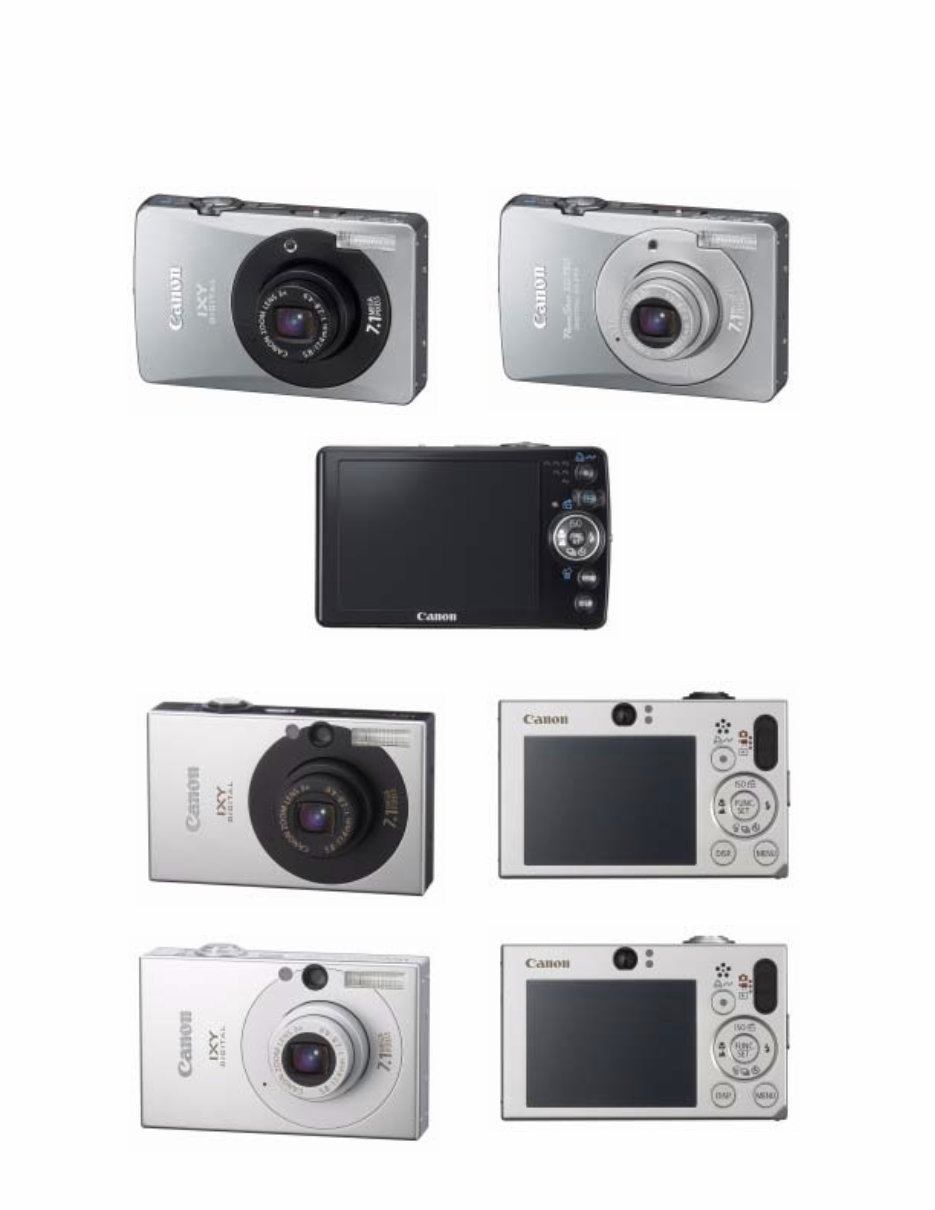
2-1 Exterior Photos
IXY DIGITAL 90
Black model Silver model
IXY DIGITAL 10
Black model
Silver model
You're Reading a Preview
What's Included?
Lifetime Access
Fast Download Speeds
Online & Offline Access
Access PDF Contents & Bookmarks
Full Search Facility
Print one or all pages of your manual
$33.99
Viewed 19 Times Today


Secure transaction
What's Included?
Lifetime Access
Fast Download Speeds
Online & Offline Access
Access PDF Contents & Bookmarks
Full Search Facility
Print one or all pages of your manual
$33.99
The CANON PowerShot SD10, PowerShot SD750, Elph, and ixus 70/75 Service Manual is a comprehensive guide for professional mechanics and DIY enthusiasts. This manual, available in English, comes in PDF format, providing detailed technical information for servicing and repairing CANON PowerShot SD10, PowerShot SD750, Elph, and ixus 70/75 cameras.


