


Canon EOS 5D Instruction Manual
What's Included?
 Lifetime Access
Fast Download Speeds
Online & Offline Access
Access PDF Contents & Bookmarks
Full Search Facility
Print one or all pages of your manual
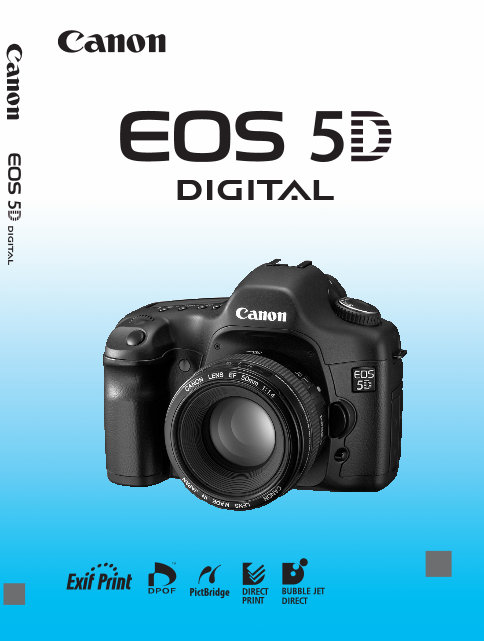
E
INSTRUCTION MANUAL
E
INSTRUCTION
MANUAL

2
Thank you for purchasing a Canon product.
The EOS 5D is a high-performance, digital AF SLR camera with a large,
35.8 x 23.9mm CMOS sensor with 12.8 effective megapixels. The
camera has nine high-precision AF points, and it is compatible with all
Canon EF lenses (except EF-S lenses). Designed for quick shooting at
all times, the camera has many features for all types of shooting from
fully automatic snapshooting to creative work.
Before using the camera, try it out while reading this Instruction Manual
to familiarize yourself with camera operations.
To prevent accidents and damage, read the Safety Warnings (p.8,9)
and Handling Precautions (p.10,11).
Test the Camera Before Using
Before using the camera, take a few test shots and check that the images are
properly recorded on the memory card.
If the camera or memory card is faulty and the images cannot be recorded or read
by a personal computer, Canon cannot be held liable for any loss or
inconvenience caused.
Copyrights
Copyright laws in your country may prohibit the use of your recorded images of
people and certain subjects for anything but private enjoyment. Also be aware that
certain public performances, exhibitions, etc., may prohibit photography even for
private enjoyment.
Canon and EOS are trademarks of Canon Inc.
Adobe and Photoshop are trademarks of Adobe Systems Incorporated.
CompactFlash is a trademark of SanDisk Corporation.
Windows is a trademark or registered trademark of Microsoft Corporation in the
United States and other countries.
Macintosh is a registered trademark of Apple Corporation in the United States
and other countries.
All other corporate names and trademarks mentioned in this manual are the
property of their respective owners.
* This digital camera supports Design rule for Camera File System 2.0 and Exif
2.21 (also called “Exif Print”). Exif Print is a standard that enhances
compatibility between digital cameras and printers. By connecting to an Exif
Print-compliant printer, the shooting information is incorporated to optimize the
print output.
3
Check that all the following items have been included with your camera.
If anything is missing, contact your dealer.
* Be careful not to lose any of the above items.
* No CF card (for recording images) is included. Please purchase it separately.
CF cards made by Canon are recommended.
Item Check List
EOS 5D / Camera body (with Eyecup, body cap and lithium backup battery for the
date and time)
Battery Pack BP-511A (with protective cover)
Battery Charger CG-580/CB-5L * CG-580 or CB-5L is included.
Power code for battery charger * For CB-5L.
Interface Cable IFC-400PCU
Video Cable VC-100
Wide Strap EW-100DGR (with eyepiece cover)
EOS DIGITAL Solution Disk (CD-ROM)
Software Instruction Manual (CD-ROM, PDF)
Pocket Guide
Quick start guide to shooting.
EOS 5D INSTRUCTION MANUAL (this booklet)
Software Guide
Gives an overview of the bundled software and explains the software
installation procedure.
Warranty card of camera

4
1
2
3
4
Introduction
Item Check List .................................................................................................. 3
Contents at a Glance......................................................................................... 6
Handling Precautions ...................................................................................... 10
Quick Start Guide ............................................................................................ 12
Nomenclature .................................................................................................. 14
Conventions Used in this Manual .................................................................... 20
Getting Started 21
Recharging the Battery.................................................................................... 22
Installing and Removing the Battery................................................................ 24
Using a Household Power Outlet .................................................................... 26
Mounting and Detaching a Lens...................................................................... 27
Installing and Removing the CF Card.............................................................. 28
Basic Operation ............................................................................................... 30
Menu Operations ............................................................................................. 33
Setting the Language ...................................................................................... 38
Set the power-off time/Auto power off ............................................................. 39
Setting the Date and Time............................................................................... 40
Replacing the Date/Time Battery..................................................................... 41
Cleaning the CMOS sensor ............................................................................. 42
Dioptric Adjustment ......................................................................................... 44
Holding the Camera......................................................................................... 44
Fully Automatic Shooting 45
Using Full Auto ................................................................................................ 46
Self-timer Operation ........................................................................................ 48
Image Settings 49
Setting the Image-recording Quality ................................................................ 50
Selecting a Picture Style.................................................................................. 53
Customizing the Picture Style.......................................................................... 55
Registering the Picture Style ........................................................................... 58
Setting the ISO Speed..................................................................................... 60
Setting the White Balance ............................................................................... 61
Custom White Balance .................................................................................... 62
Setting the Color Temperature ........................................................................ 63
White Balance Correction................................................................................ 64
White Balance Auto Bracketing ....................................................................... 65
Setting the Color Space .................................................................................. 67
Creating and Selecting a Folder ...................................................................... 68
File Numbering Methods ................................................................................. 70
Checking Camera Settings.............................................................................. 72
Setting the AF, Metering, and Drive Modes 73
Selecting the AF Mode .................................................................................... 74
Contents

5
Contents
8
9
10
5
6
7
Selecting the AF Point......................................................................................77
Focusing an Off-Center Subject .......................................................................79
When Autofocus Fails (Manual Focusing) .......................................................80
Selecting the Metering Mode ...........................................................................81
Selecting the Drive Mode .................................................................................82
Advanced Operations 83
Program AE......................................................................................................84
Shutter-Priority AE ...........................................................................................86
Aperture-Priority AE .........................................................................................88
Depth of Field Preview .....................................................................................89
Manual Exposure .............................................................................................90
Setting Exposure Compensation......................................................................92
Auto Exposure Bracketing (AEB) .....................................................................93
AE Lock ............................................................................................................95
Bulb Exposures ................................................................................................96
Mirror Lockup ...................................................................................................97
LCD Panel Illumination.....................................................................................98
Using the Eyepiece Cover ...............................................................................98
You can also silence the beeper ......................................................................99
CF Card Reminder ..........................................................................................99
Flash Photography .........................................................................................100
Using Non-Canon Flash Units........................................................................102
Image Playback 103
Setting the Image Review Time .....................................................................104
Auto Image Rotation ......................................................................................105
Setting the LCD Brightness ............................................................................106
Image Playback..............................................................................................107
Single image display, Index Display, Magnified View........................ 107 - 111
Auto playback, Rotating an Image ..................................................... 112 - 113
Jump Display..................................................................................................114
Viewing the Images on a TV ..........................................................................116
Protecting Images ..........................................................................................117
Erasing Images ..............................................................................................118
Formatting the CF Card .................................................................................120
Direct Printing from the Camera 121
Preparing to Print ...........................................................................................123
PictBridge / CP Direct / Bubble Jet Direct ............................................ 126 - 135
Easy Printing ..................................................................................................138
DPOF: Digital Print Order Format 139
Customizing the Camera 147
Reference 159
1
2
3
4
5
6
7
8
9
10
6
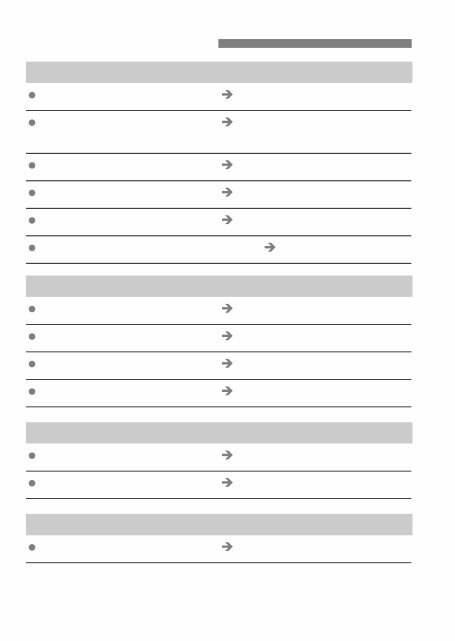
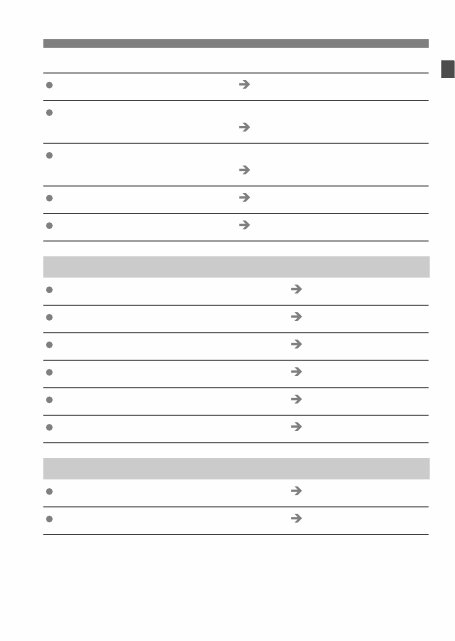
Contents at a Glance
Image Quality
Set picture effects p.53 (Selecting a Picture Style)
Set custom picture effects p.55
(Customizing the Picture Style)
Print the image to a large size p.50 (73, 83, 1)
Take many photos p.50 (76, 86)
Adjust the color tone p.64 (WB correction)
Take black-and-white or sepia photos p.53 (Monochrome)
Focusing
Change the AF point p.77 (S Selecting the AF point)
Select the AF point quickly p.154 (C.Fn-13-1/2)
Photograph a still subject p.75 (One-Shot AF)
Photograph a moving subject p.75 (AI Servo AF)
Drive
Take continuous shots p.82 (i Continuous shooting)
Take a picture of myself p.48 (j Self-timer)
Shooting
Shoot fully automatically p.46 (Using Full Auto)
7
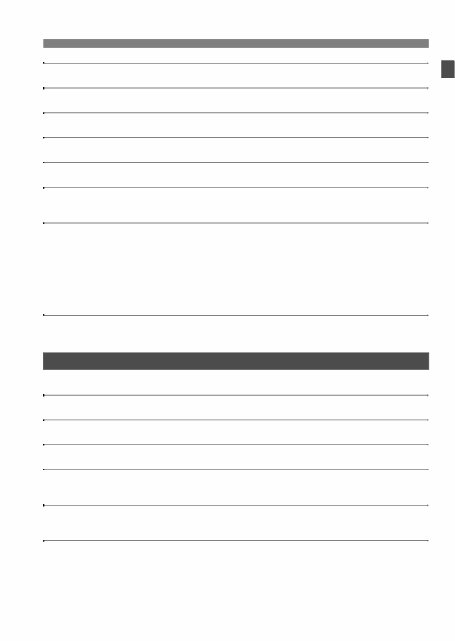
Contents at a Glance
Freeze or blur the action p.86 (s Shutter-priority AE)
Blur or the background or make everything look sharp
p.88 (f Aperture-priority AE)
Adjust the image brightness (exposure)
p.92 (Exposure compensation)
Photograph fireworks p.96 (Bulb exposures)
Photograph dark scenes p.100 (Flash photography)
Image Playback and Printing
View images with the camera p.107 (x Playback)
Erase an image p.118 (L Erase)
Prevent accidental erasure of an image p.117 (K Protect)
View images on TV p.116 (Video OUT)
Print images easily p.121 (Direct printing)
Adjust the LCD monitor brightness p.106 (LCD brightness)
Power Source
Use a household power outlet p.26 (AC adapter kit)
Change the auto power off time p.39 (Auto power off)

8
Safety Warnings
Follow these safeguards and use the equipment properly to prevent injury, death,
and material damage.
Preventing Serious Injury or Death
• To prevent fire, excessive heat, chemical leakage, and explosions, follow the
safeguards below:
- Do not use any batteries, power sources, and accessories not specified in this
booklet. Do not use any home-made or modified batteries.
- Do not short-circuit, disassemble, or modify the battery pack or back-up battery. Do
not apply heat or apply solder to the battery pack or back-up battery. Do not expose
the battery pack or back-up battery to fire or water. And do not subject the battery
pack or back-up battery to strong physical shock.
- Do not install the battery pack or back-up battery in reversed polarity (+ –). Do not
mix new and old or different types of batteries.
- Do not recharge the battery pack outside the allowable ambient temperature range
of 0°C - 40°C (32°F - 104°F). Also, do not exceed the recharging time.
- Do not insert any foreign metallic objects into the electrical contacts of the camera,
accessories, connecting cables, etc.
• Keep the back-up battery away from children. If a child swallows the battery, consult a
physician immediately. (Battery chemicals may harm the stomach and intestines.)
• When disposing of a battery pack or back-up battery, insulate the electrical contacts
with tape to prevent contact with other metallic objects or batteries. This is to prevent
fire or an explosion.
• If excessive heat, smoke, or fumes are emitted during battery pack recharging,
immediately unplug the battery charger from the power outlet to stop the recharging
and prevent a fire.
• If the battery pack or back-up battery leaks, changes color, deforms, or emits smoke or
fumes, remove it immediately. Be careful not to get burned in the process.
• Prevent any battery leakage from contacting your eyes, skin, and clothing. It can
cause blindness or skin problems. If the battery leakage contacts your eyes, skin, or
clothing, flush the affected area with lots of clean water without rubbing it. See a
physician immediately.
• During the recharging, keep the equipment away from the reach of children. The cord
can accidentally choke the child or give an electrical shock.
• Do not leave any cords near a heat source. It can deform the cord or melt the
insulation and cause a fire or electrical shock.
• Do not fire the flash at someone driving a car. It may cause an accident.
• Do not fire the flash near a person’s eyes. It may impair the person’s vision. When
using flash to photograph an infant, keep at least 1 meter away.
• Before storing the camera or accessory when not in use, remove the battery pack and
disconnect the power plug. This is to prevent electrical shock, heat generation, and
fire.
• Do not use the equipment where there is flammable gas. This is to prevent an
explosion or fire.
9
• If you drop the equipment and the casing breaks open to expose the internal parts, do
not touch the internal parts due to the possibility of electrical shock.
• Do not disassemble or modify the equipment. High-voltage internal parts can cause
electrical shock.
• Do not look at the sun or an extremely bright light source through the camera or lens.
Doing so may damage your vision.
• Keep the camera from the reach of small children. The neck strap can accidentally
choke the child.
• Do not store the equipment in dusty or humid places. This is to prevent fire and
electrical shock.
• Before using the camera inside an airplane or hospital, check if it is allowed.
Electromagnetic waves emitted by the camera may interfere with the plane’s
instruments or the hospital’s medical equipment.
• To prevent fire and electrical shock, follow the safeguards below:
- Always insert the power plug all the way in.
- Do not handle a power plug with wet hands.
- When unplugging a power plug, grasp and pull the plug instead of the cord.
- Do not scratch, cut, or excessively bend the cord or put a heavy object on the cord.
Also do not twist or tie the cords.
- Do not connect too many power plugs to the same power outlet.
- Do not use a cord whose insulation has been damaged.
• Occasionally unplug the power plug and use a dry cloth to clean off the dust around
the power outlet. If the surrounding is dusty, humid, or oily, the dust on the power outlet
may become moist and short-circuit the outlet to cause a fire.
Preventing Injury or Equipment Damage
• Do not leave equipment inside a car under the hot sun or near a heat source. The
equipment may become hot and cause skin burns.
• Do not carry the camera around while it is attached to a tripod. Doing so may cause
injury. Also make sure the tripod is sturdy enough to support the camera and lens.
• Do not leave a lens or lens-attached camera under the sun without the lens cap
attached. Otherwise, the lens may concentrate the sun’s rays and cause a fire.
• Do not cover or wrap the battery-recharging apparatus with a cloth. Doing so may trap
heat within and cause the casing to deform or catch fire.
• If you drop the camera in water or if water or metal fragments enter inside the camera,
promptly remove the battery pack and back-up battery. This is to prevent fire and
electrical shock.
• Do not use or leave the battery pack or back-up battery in a hot environment. Doing so
may cause battery leakage or a shorter battery life. The battery pack or back-up
battery can also become hot and cause skin burns.
• Do not use paint thinner, benzene, or other organic solvents to clean the equipment.
Doing so may cause fire or a health hazard.
If the product does not work properly or requires repair, contact
your dealer or your nearest Canon Service Center.

10
Camera Care
This camera is a precision instrument. Do not drop it or subject it to physical
shock.
The camera is not waterproof and cannot be used underwater. If you
accidentally drop the camera into water, promptly consult your nearest
Canon Service Center. Wipe off any water droplets with a dry cloth. If the
camera has been exposed to salty air, wipe with a well-wrung wet cloth.
Never leave the camera near anything having a strong magnetic field such
as a magnet or electric motor. Also avoid using or leaving the camera near
anything emitting strong radio waves such as a large antenna. Strong
magnetic fields can cause camera misoperation or destroy image data.
Do not leave the camera in excessive heat such as in a car in direct sunlight.
High temperatures can cause the camera to malfunction.
The camera contains precision electronic circuitry. Never attempt to
disassemble the camera yourself.
Use a blower to blow away dust on the lens, viewfinder, mirror, and focusing
screen. Do not use cleaners that contain organic solvents to clean the
camera body or lens. For stubborn dirt, take the camera to a Canon Service
Center.
Do not touch the camera’s electrical contacts with your fingers. This is to
prevent the contacts from corroding. Corroded contacts can cause camera
misoperation.
If the camera is suddenly brought in from the cold into a warm room,
condensation may form on the camera and internal parts. To prevent
condensation, first put the camera in a sealed plastic bag and let it adjust to
the warmer temperature before taking it out of the bag.
If condensation forms on the camera, do not use the camera. This is to avoid
damaging the camera. If this occurs, remove the lens, CF card and battery
from the camera, and wait until the condensation has evaporated before
using the camera.
If the camera will not be used for an extended period, remove the battery
and store the camera in a cool, dry, well-ventilated location. Even while the
camera is in storage, press the shutter button a few times once in a while to
check that the camera is still working.
Avoid storing the camera where there are corrosive chemicals such as a
darkroom or chemical lab.
If the camera has not been used for an extended period, test all its functions
before using the camera. If you have not used the camera for some time or if
there is an important shoot coming up, have the camera checked by your
Canon dealer or check the camera yourself and make sure it is working
properly.
Handling Precautions
You're Reading a Preview
What's Included?
Lifetime Access
Fast Download Speeds
Online & Offline Access
Access PDF Contents & Bookmarks
Full Search Facility
Print one or all pages of your manual
$27.99
Viewed 89 Times Today


Secure transaction
What's Included?
Lifetime Access
Fast Download Speeds
Online & Offline Access
Access PDF Contents & Bookmarks
Full Search Facility
Print one or all pages of your manual
$27.99
This manual is for the Canon EOS 5D camera. It includes:
- Getting Started
- Fully Automatic Shooting
- Image Settings
- Setting the AF, Metering and Drive Modes
- Advanced Operations
- Image Playback
- Direct Printing from the Camera
- Print Order Format
- Customizing the Camera
- Reference
This comprehensive 180-page manual is available for instant access after purchase. It is designed for easy printing and storage for quick access and backup.
Whether you are a professional mechanic or a DIY enthusiast, this manual will provide all the necessary information to effectively operate your Canon EOS 5D camera.


